Laptop Triple Screen Attachments
51 results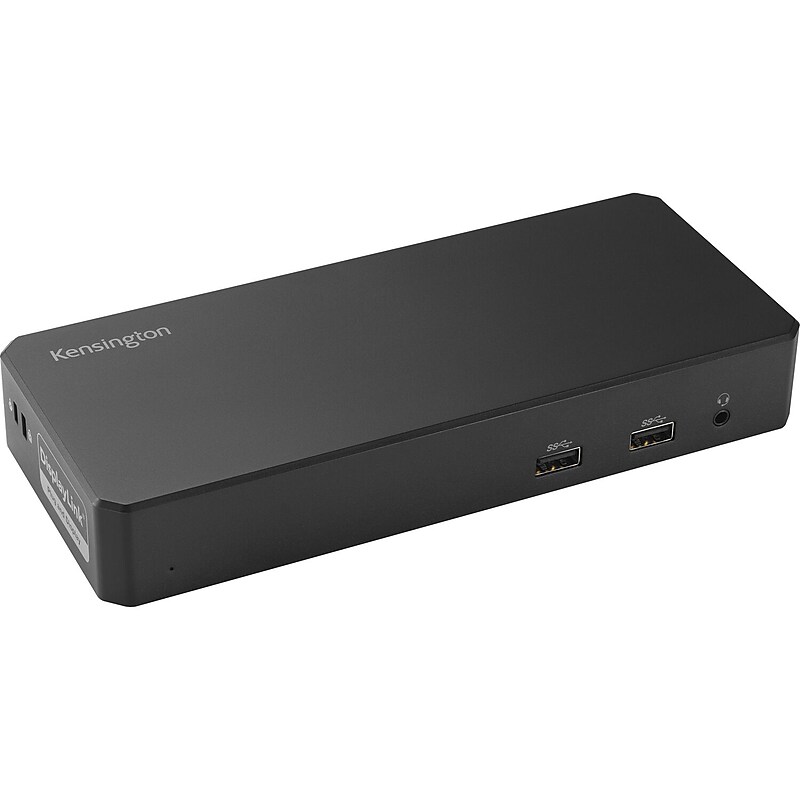
The Kensington SD4760P USB-C Triple Display Docking Station (K33622NA) is a powerful and versatile solution designed to enhance productivity by expanding your laptop's connectivity. With support for up to three external displays via DisplayPort and HDMI, this dock offers ultra-high-definition output, including 4K resolution at 60Hz for dual monitors. It delivers up to 100W of power via USB-C Power Delivery, ensuring your laptop and connected devices remain fully charged. Featuring a wide array of ports—including USB-C, USB-A, Gigabit Ethernet, and 3.5mm audio—this docking station streamlines your workspace by eliminating the need for multiple adapters. Compatible with Windows, macOS, and Chrome OS, the SD4760P is perfect for professional environments where seamless multitasking and high-speed connectivity are essential..The The Kensington SD4760P USB-C Triple Display Docking Station is a USB-C Triple Display Docking Station compatible with Windows, macOS, and Chrome OS devices..Dimensions are approximately 9.13 inches in length, 5.67 inches in width, and 3.31 inches in height..Feature multiple connectors and ports such as 4 HDMI/DisplayPort outputs, 1 USB-C 3.2 Gen2 port, 5 USB-A ports, a Gigabit Ethernet port, and a 3.5mm combo audio jack..Includes the docking station itself, a USB-C to USB-C cable approximately 1 meter (3.3 feet) in length, and a power adapter..There are 2 HDMI ports, 2 DisplayPort outputs, 1 USB-C port, and 5 USB-A ports available on the device..Limited 3-year warranty for peace of mind and reliable support.

This USB-C Gen 2 10Gbps docking station turns your USB-C or Thunderbolt 3 Windows laptop or Chromebook into a powerful workstation. A USB 3.2 Gen 2 Type-C dock features everything you need, from triple video outputs up to 4K 60Hz to 10Gbps USB-C and USB-A downstream peripheral ports to 100W Power Delivery. This USB-C Gen 2 docking station with DP 1.4 and HDMI 2.0 HBR3 support, is a perfect choice for dual or triple monitor setup, supporting up to triple 4K 30Hz nearly uncompressed video resolution output, with two DisplayPort and one HDMI outputs. Maximum dual and triple 4K display performance is supported on USB-C 11th Gen Intel-based Windows Thunderbolt 3 or USB-C laptops, but backward compatibility to older laptop generations and lower resolution monitor requirements..USB-C docking station turns your USB-C or Thunderbolt 3 Windows laptop or Chromebook into a powerful workstation.Dimensions: 1.2"H x 3.5"W x 8.3"D.Connect to the docking station using the included USB Type-C cable.Pack includes: USB-C dock, 3.28' USB-C cable, NA/JP and ANZ power cable, and quick-start guide.Contains 2 x USB-C 3.2 Gen 2, 2 x USB-A 3.2 Gen 1, 2 x USB-A 2.0, 2 x DisplayPort, HDMI, SD/MMC Slot, RJ-45, 3.5 mm stereo audio.Triple monitor USB-C docking station supports dual 4K at 60Hz or triple 4K at 30Hz on DP 1.4 Alt-Mode HBR3 with DSC enabled laptop.Power and charge USB-C/Thunderbolt 3 workstation laptops and ultrabooks with 100 watt power delivery, to keep high performance laptops sufficiently charged during heavy productivity usage.Fast-charge ports support always-on charging so devices will charge whether or not a host laptop is connected.This USB-C docking station comes with plenty of security features two K-slots for a Kensington style laptop lock.Compatible with Windows 8.1, 10, 11, Chrome OS 78.x.3-year manufacturer limited warranty
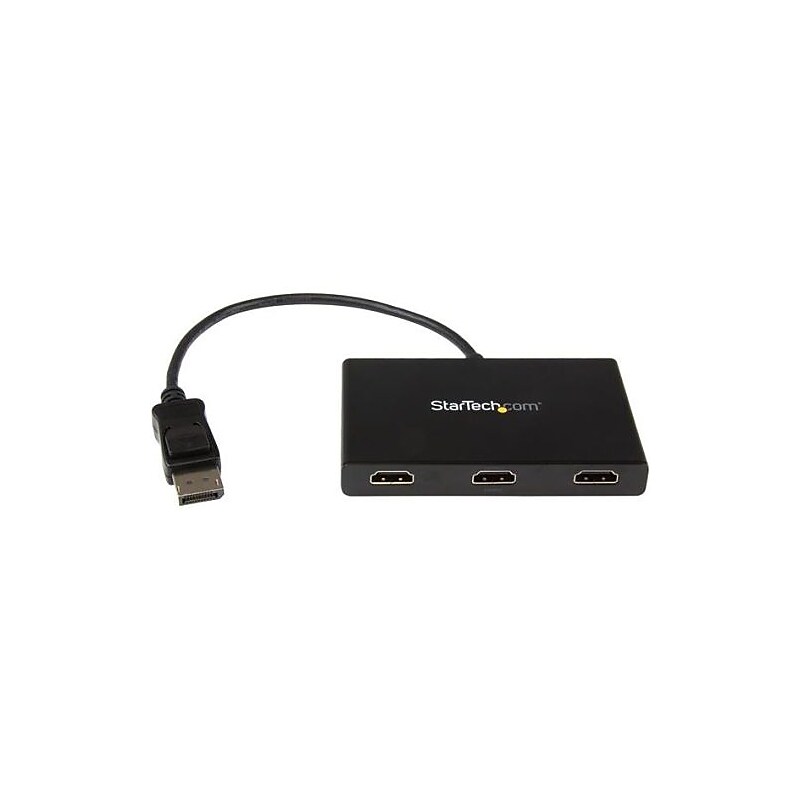
The StarTech black DisplayPort to 3x HDMI multi stream transport hub allows to connect up to three independent displays to your computer. It lets you connect your DisplayPort computer to HDMI televisions, monitors or projectors. This transport hub supports resolutions up to 4K. Using your DisplayPort computer, this hub allows you to create a panoramic video wall for HDMI digital signage applications. It is great for spanning a spreadsheet or worksheet across three displays to avoid side scrolling. This transport hub mirrors the image onto multiple HDMI televisions or projectors for remote viewing applications. It works with monitor, Windows laptop, Ultrabook, desktop, televisions and projectors..Multi stream transport hub is perfect for spanning a spreadsheet or worksheet across three displays in order to avoid side scrolling.Connections: One 20-pin DisplayPort male on first end, three 19-pin HDMI female on second end.Construction: Plastic enclosure.Compatibility: Monitor, Windows laptop, Ultrabook, desktop, televisions, projectors.Supported resolution: 3840 x 2160 (Ultra HD 4K) at 30 Hz.Color: Black.Power: 110 - 240 VAC, 0.5 A input, 5 VDC, 3 A output, N type plug.Temperature range: 32 - 113 deg F operating, -4 - 158 deg F storage, Humidity: 50 - 90 percent.Maximize your productivity by connecting up to three independent displays to your computer using the MST hub.Enhance external video performance with support for resolutions up to 4K.VESA and DisplayPort certified, plug-and-play installation.Edit images, video or audio clips across three displays in any orientation or resolution.Contains one universal power adapter (NA/EU/UK/AU) and one quick install guide.Weight: 4.2 oz..Comes with 2 years warranty