4K Monitors for Mac

49 results
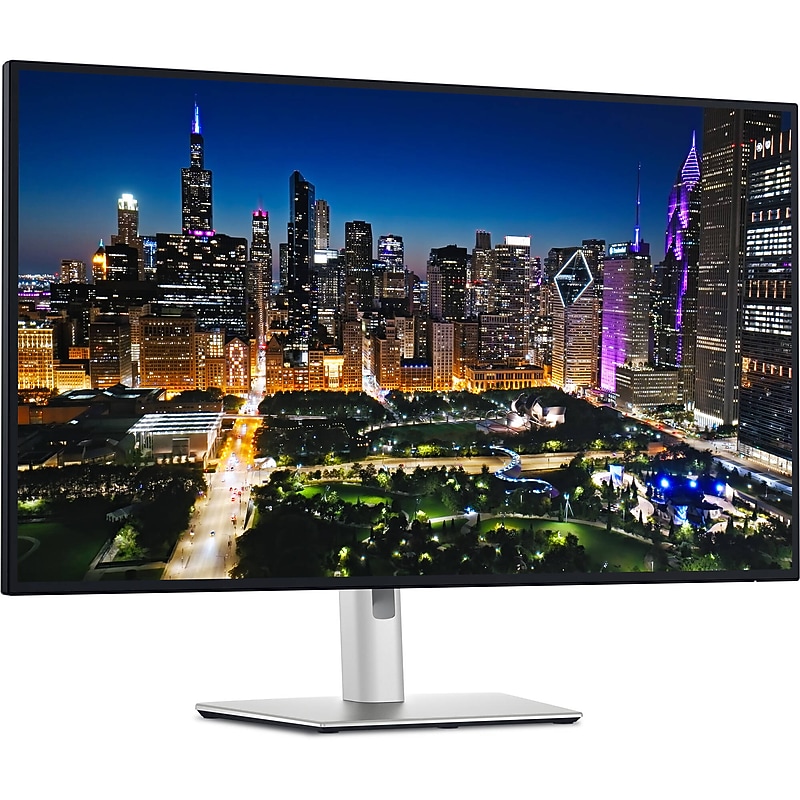
Dell UltraSharp 32" 3840 × 2160 IPS 120Hz LED Monitor, DisplayHDR 600, Height Adjustable, Black (DELL-U3225QE) image 1
Item: IM1SL3351
Model: DELL-U3225QE

The Dell UltraSharp U3225QE is a top-tier 31.5‑inch 4K productivity monitor that blends a stunning IPS‑Black panel with a smooth 120 Hz refresh rate, yielding crisp visuals, rich contrast, and vibrant colors. It delivers 100% sRGB, 99% DCI‑P3 coverage, and VESA DisplayHDR 600 certification. Beyond display quality, it's a powerhouse dock: dual Thunderbolt 4 with up to 140 W power delivery, VRR support, a built‑in KVM, 2.5 Gb Ethernet, multiple USB‑C/A ports, and a convenient pop‑out front hub make it an exceptional single‑cable hub solution. Ergonomic adjustments, ComfortView Plus, and a sleek, professional aesthetic make it ideal for extended office use. While gamers may notice noticeable ghosting at high speed, for professional work, content creation, and seamless multi‑device workflows, the U3225QE stands out as a flagship display solution..The Dell U3225QE is a 31.5-inch IPS-Black LED monitor designed for professional use, and it is sold brand new unless otherwise specified..It uses advanced IPS-Black technology for deeper contrast and enhanced color consistency across wide angles..This monitor features a 4K UHD resolution of 3840 × 2160, delivering crisp detail and exceptional image clarity..Includes a wide range of connectivity options such as DisplayPort 1.4 (in and out), HDMI 2.1, Thunderbolt 4, USB-C, USB-A, and 2.5 GbE Ethernet..The screen has a standard 16:9 widescreen aspect ratio ideal for multitasking, video editing, and productivity workflows..Supports a 10-bit color depth (1.07 billion colors) and offers factory-calibrated color accuracy with 100% sRGB, 100% Rec.709, and 99% DCI-P3 coverage..Offers ultra-wide 178° horizontal and vertical viewing angles with minimal color distortion..The monitor weighs approximately 20.6 lbs (9.34 kg) with the stand and around 14.3 lbs (6.52 kg) without it..What's in the Box: Monitor, a power cable, a DisplayPort cable, a Thunderbolt 4 cable, a USB-C to USB-C cable, a USB-A to USB-C 3.2 Gen 2 upstream cable, a cable cover, and documentation..Meets several international standards including TCO Certified, ENERGY STAR 8.0, EPEAT Gold, RoHS, and is VESA DisplayHDR 600 certified..It comes with a 3-year limited hardware warranty, which includes Dell's Advanced Exchange Service for peace of mind.

Price is  $989.99
1
2
3
4
5
6
7
8
9
10
11
12
13
14
15
16
17
18
19
20
21
22
23
24
25
26
27
28
29
30
Over 30
Add to list
2

About 4K Monitors for Mac

4K monitors for Mac are designed to enhance your visual experience with stunning clarity and vibrant colors, making them perfect for creative professionals and everyday users alike. These monitors provide four times the resolution of standard HD displays, allowing for detailed images and crisp text that elevate productivity and enjoyment.

Whether you are editing photos, designing graphics, or simply enjoying high-definition content, 4K monitors offer exceptional performance tailored for Mac users. With features like wide color gamut support and high refresh rates, these monitors ensure that every detail is rendered beautifully.

When choosing a 4K monitor for your Mac, consider factors such as screen size, panel type, and connectivity options. Larger screens provide more workspace, while IPS panels typically offer better color accuracy and viewing angles, making them ideal for creative tasks.

Additionally, look for monitors with adjustable stands and ergonomic designs to enhance comfort during long hours of use. Features like USB-C connectivity can simplify your setup by allowing you to connect and charge your Mac with a single cable, streamlining your workspace.

What is a 4K monitor?

  • A 4K monitor has a resolution of 3840 x 2160 pixels, providing four times the detail of a Full HD display. This high resolution is ideal for tasks that require precision, such as graphic design and video editing.

Are 4K monitors compatible with Mac?

  • Yes, most 4K monitors are compatible with Mac computers, especially those that support USB-C or Thunderbolt connections. Always check the specifications to ensure compatibility with your specific Mac model.

What size 4K monitor is best for Mac users?

  • The best size depends on your workspace and usage. Generally, 27 to 32 inches is ideal for most users, providing ample screen real estate for multitasking and detailed work without overwhelming your desk.

Do I need a special cable for a 4K monitor?

  • To achieve 4K resolution, you may need a high-speed HDMI cable or a USB-C cable, depending on the monitor's input options. Ensure your cable supports the necessary bandwidth for 4K at the desired refresh rate.

What refresh rate should I look for in a 4K monitor?

  • A refresh rate of 60Hz is standard for most 4K monitors, providing smooth visuals for general use. For gaming or fast-paced content, consider monitors with higher refresh rates, such as 120Hz or more.

Can I use a 4K monitor for gaming on a Mac?

  • Yes, you can use a 4K monitor for gaming on a Mac, provided your Mac has the necessary graphics capabilities. Look for monitors with low input lag and high refresh rates for the best gaming experience.