Bluetooth Keyboards for Chrome OS
52 results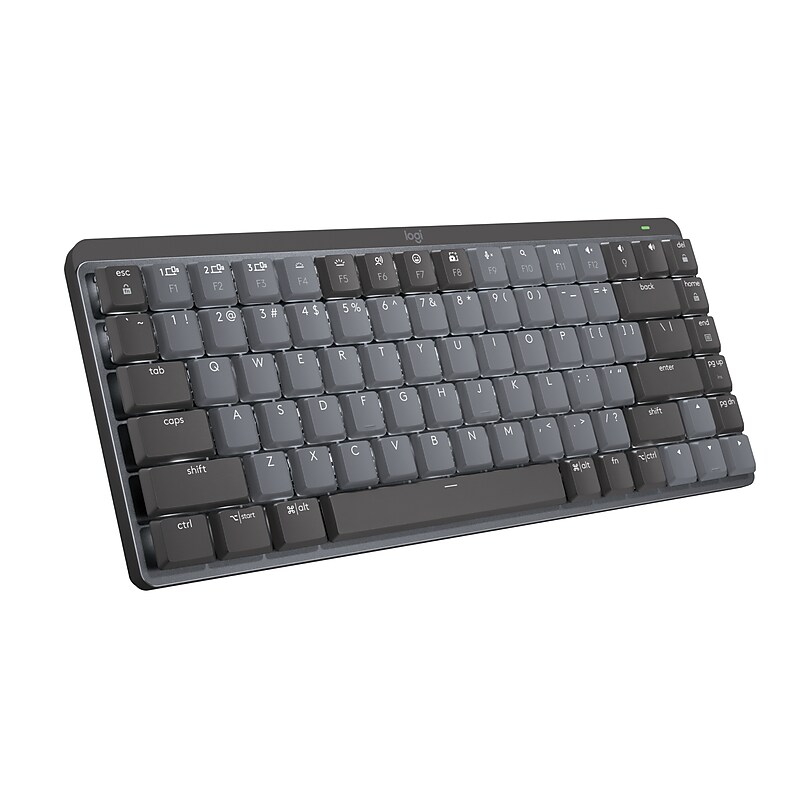
Introducing MX Mechanical Mini - a minimalist keyboard with extraordinary feel, precision, and performance. Low-profile mechanical typing delivers satisfying feedback in your choice of key switches - Tactile Quiet, Clicky, or Linear. MX Mechanical Mini is crafted for ergonomic comfort, with smart illumination and Easy-Switch - allowing you to connect up to 3 devices and stay in your flow for hours. Fluid and quiet mechanical typing: MX Mechanical Mini keyboard features Tactile Quiet switches that deliver next-level feel and flow with less noise - Clicky and Linear switches are also available. A keyboard layout designed for effortless precision, with a small, compact form factor and low-profile mechanical switches for better ergonomics. Backlit keys light up the moment your hands approach the cordless keyboard and automatically adjust to suit changing lighting conditions. Customize Fn keys, assign backlighting effects, enable Flow cross-computer, multi-device control, and more in the improved Logi Options+. Pair MX Mechanical Mini Bluetooth wireless keyboard with up to 3 devices on nearly any operating system via Bluetooth Low Energy or included Logi Bolt receiver. MX Mechanical Mini keyboard stays powered up to 15 days on a full charge or up to 10 months with the backlighting turned off. If you crunch numbers frequently, a full-size keyboard form factor with an integrated numpad is also available..Mechanical keyboard for enhanced productivity.Wireless connection via Bluetooth provides high freedom of movement and prevents you from having to detangle cords.Dimensions: 5.87"L x 13.23"W.Works on Microsoft Windows, Apple macOS, iOS, Chrome OS, Android, Linux.Multi-device mechanical keyboard works with computers, phones, and tablets.Bluetooth wireless connectivity helps reduce the clutter of wires.2.4GHz wireless technology transmits signals without interference or lagging.Comes in gray/black.Safety Data Sheet
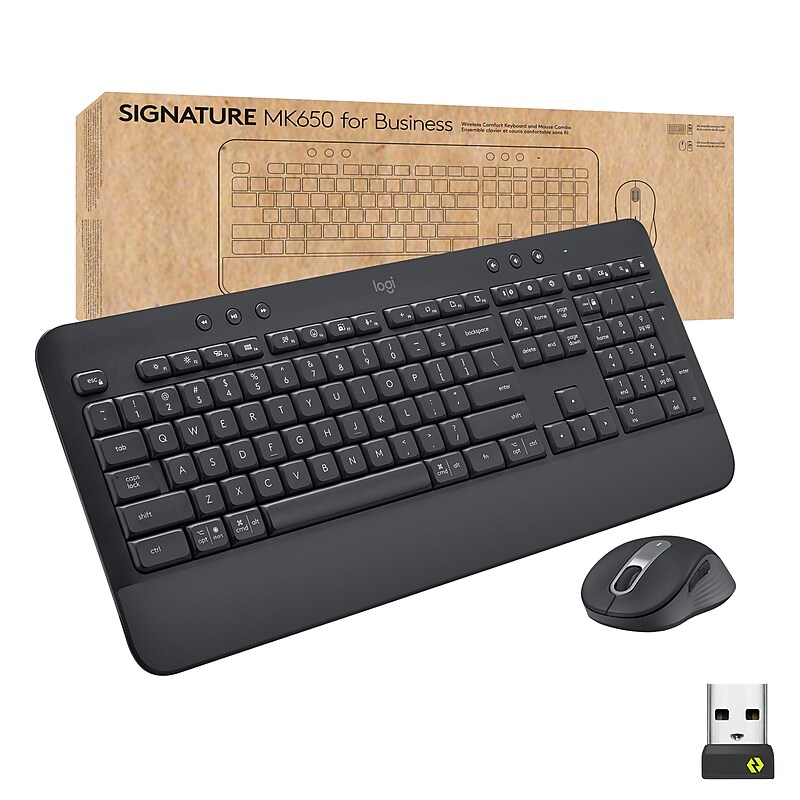
The Signature MK650 for Business. An easy-to-deploy mouse that improves productivity 50% over a laptop touchpad. With two ways to connect, it is more compatible than most peripheral brands on the market. When paired via a Logi Bolt USB receiver, it provides Secure Connections Only Mode Bluetooth Low Energy Security Mode 1, Level 4 protection. Or connect directly via Bluetooth Low Energy when cross-platform flexibility matters. Its SmartWheel auto-switches from line-by-line precision to free-spin, and has customizable buttons. It’s also 90% less “clicky” thanks to SilentTouch technology. It takes 25% less forearm muscle effort than using a laptop touchpad. That’s less fatigue and discomfort. It also has a contoured shape and soft thumb area. Secure, comfortable, versatile, compatible—it improves employee experience and productivity..Ideal For: IT departments that need high-performance, secure wireless connections and ease of deployment and end-users who want to remain comfortable while working long hours.Enterprise Secure: Logi Bolt wireless technology addresses rising enterprise security concerns with Secure Connections Only Mode—Bluetooth Low Energy Security Mode 1, Level 4 protection.The Upgrade Everyone Deserves: Issuing a Signature MK650 Combo for Business improves your employees’ productivity, speed and overall experience.Two Ways To Connect: Choose between the Logi Bolt USB receiver when security is the priority or Bluetooth Low Energy wireless technology when cross-platform flexibility is needed.Long Battery Life: The Signature MK650 Combo for Business includes a AA battery for the mouse that lasts up to 24 months and 2 AA batteries for the keyboard which last up to 36 months.All Day Comfort: The integrated palm rest on the keyboard and contour shape mouse means more comfort for long days at the desk.Works On Multiple Platforms: Seamless compatibility with Windows, macOS, Linux, Chrome OS, iPadOS, and Android.Timesaving shortcuts: Personalize keys and buttons with shortcuts such as activating Copilot in Windows (in preview) with Logi Options+ app.Logitech Signature MK650 Combo boosts productivity and comfort with secure, ultra‑quiet wireless performance designed for modern business workflows.
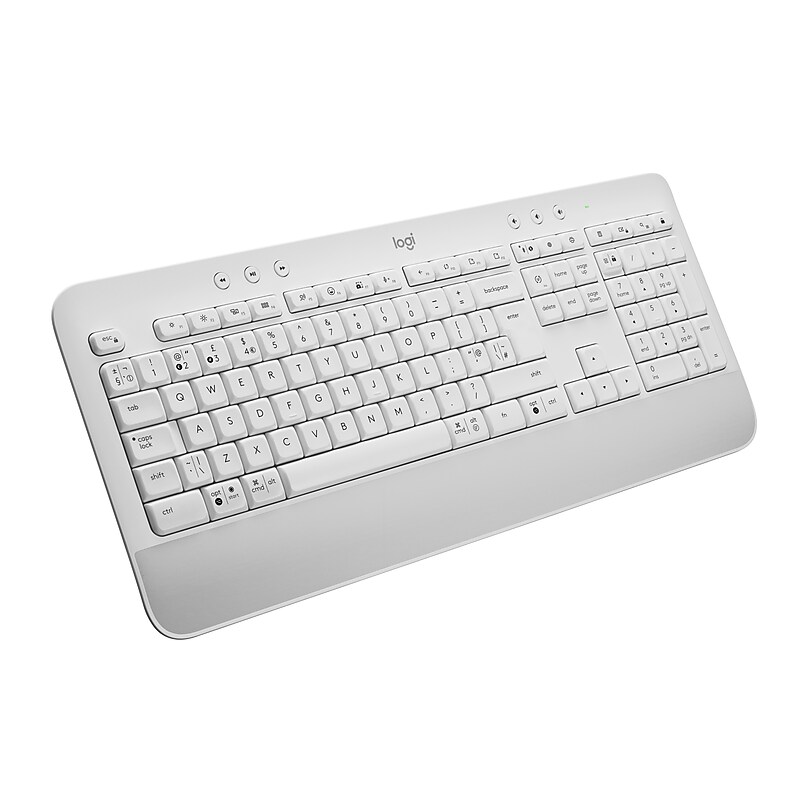
Type in comfort and get more done with the Logitech Signature K650 Wireless Comfort Keyboard. Featuring a built-in soft-touch palm rest and deep-cushioned keys, this comfortable keyboard lets you type with ease all day long. The adjustable feet offer two different tilt angles so you can customize your typing position, and the full-size keyboard layout provides convenient access to all the right keys. Logitech’s upgraded shortcut keyboard helps you save time with 24 different commands including mic mute and unmute, screenshot, and web navigation. Designed for versatility, it offers two different wireless options for connecting to your computer: Bluetooth or the included Logi Bolt USB receiver. Powered by 2 AA batteries that will last up to 36 months, this wireless computer keyboard is also compatible with multiple operating systems, including Windows, Mac and Chrome. Reliable and hassle-free, it’s an easy-to-clean, spill-resistant work keyboard..Keyboard for enhanced productivity.Wireless connection via Bluetooth provides high freedom of movement and prevents you from having to detangle cords.Works on Microsoft Windows, Apple macOS, iOS, Chrome OS, Android, Linux.Multi-device keyboard works with computers, phones, and tablets.Requires AA batteries to operate (included).Bluetooth wireless connectivity helps reduce the clutter of wires.Numeric pad for performing common numeric functions.Customizable multimedia keys provide convenient access to your music, photos, and videos.Comes in off-white.Safety Data Sheet
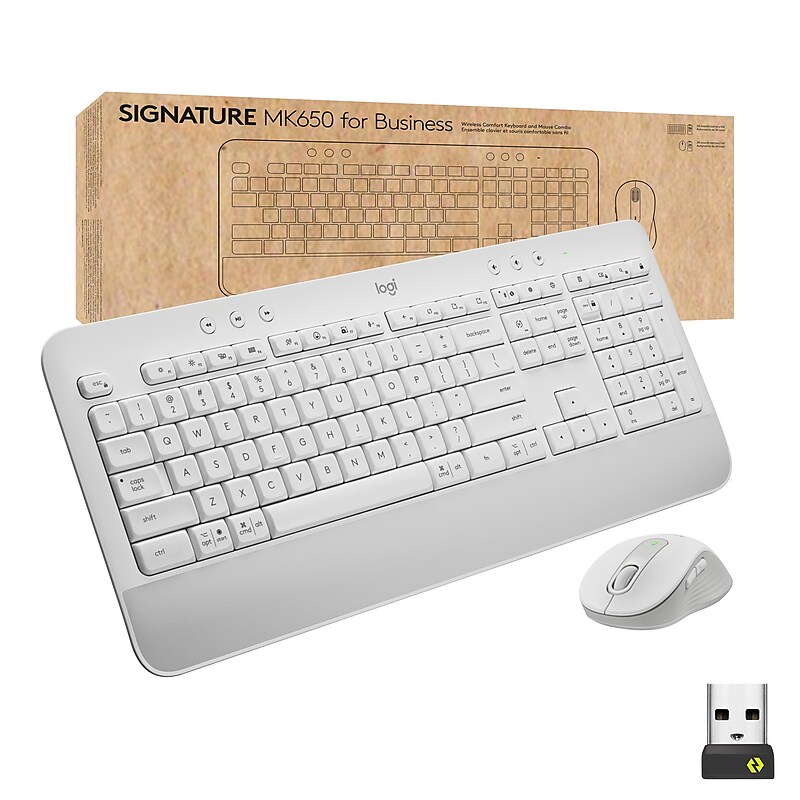
The Signature MK650 for Business. An easy-to-deploy mouse that improves productivity 50% over a laptop touchpad. With two ways to connect, it is more compatible than most peripheral brands on the market. When paired via a Logi Bolt USB receiver, it provides Secure Connections Only Mode Bluetooth Low Energy Security Mode 1, Level 4 protection. Or connect directly via Bluetooth Low Energy when cross-platform flexibility matters. Its SmartWheel auto-switches from line-by-line precision to free-spin, and has customizable buttons. It’s also 90% less “clicky” thanks to SilentTouch technology. It takes 25% less forearm muscle effort than using a laptop touchpad. That’s less fatigue and discomfort. It also has a contoured shape and soft thumb area. Secure, comfortable, versatile, compatible—it improves employee experience and productivity..Ideal For: IT departments that need high-performance, secure wireless connections and ease of deployment and end-users who want to remain comfortable while working long hours.Enterprise Secure: Logi Bolt wireless technology addresses rising enterprise security concerns with Secure Connections Only Mode—Bluetooth Low Energy Security Mode 1, Level 4 protection.The Upgrade Everyone Deserves: Issuing a Signature MK650 Combo for Business improves your employees’ productivity, speed and overall experience.Two Ways To Connect: Choose between the Logi Bolt USB receiver when security is the priority or Bluetooth Low Energy wireless technology when cross-platform flexibility is needed.Long Battery Life: The Signature MK650 Combo for Business includes a AA battery for the mouse that lasts up to 24 months and 2 AA batteries for the keyboard which last up to 36 months.All Day Comfort: The integrated palm rest on the keyboard and contour shape mouse means more comfort for long days at the desk.Works On Multiple Platforms: Seamless compatibility with Windows, macOS, Linux, Chrome OS, iPadOS, and Android.Timesaving shortcuts: Personalize keys and buttons with shortcuts such as activating Copilot in Windows (in preview) with Logi Options+ app