Bluetooth Mice Without Dongle
101 results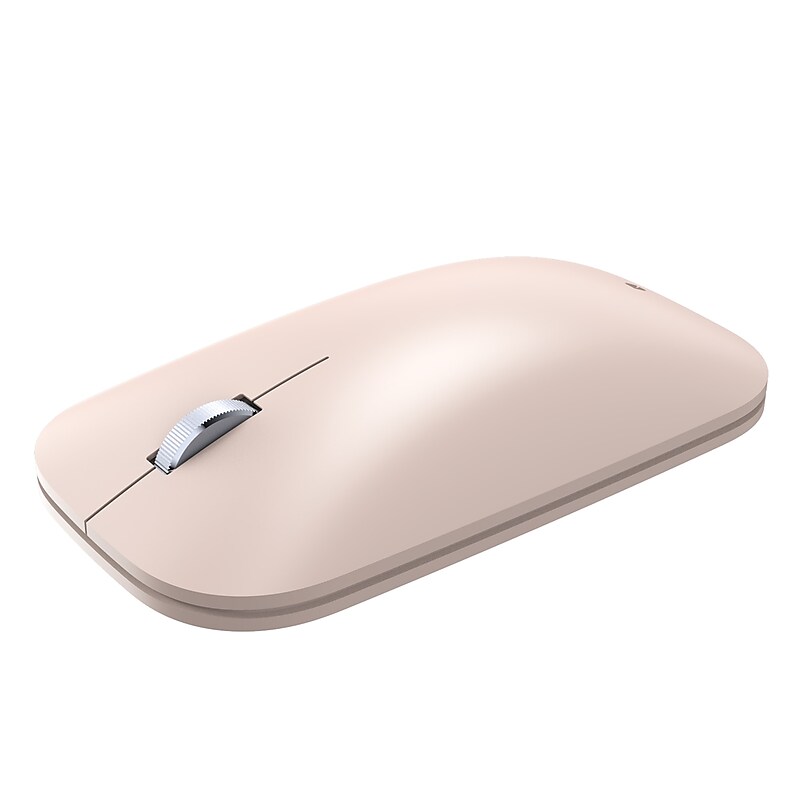
The Incase Modern Mobile Wireless Ambidextrous Mouse is a sleek and lightweight mouse designed for everyday use. It features Bluetooth connectivity, offering wireless freedom without the clutter of cords. The BlueTrack technology ensures precise tracking on almost any surface, while its low-profile design emphasizes portability and modern aesthetics. This mouse is compatible with Windows, Mac, iPadOS, and Android devices, making it versatile for various setups..Designed by Microsoft.Thin and light – delivers precise navigation without the weight of bulk of a traditional mouse.Smooth, comfortable scrolling.Wireless freedom - no cords or dongle make for a cleaner workspace and less stuff to carry. Connects wirelessly to your Windows 11 Home/Pro and Windows 10 PC via Bluetooth.Work on a variety of surfaces, almost anywhere – desk, couch, or floor – thanks to built-in BlueTrack technology
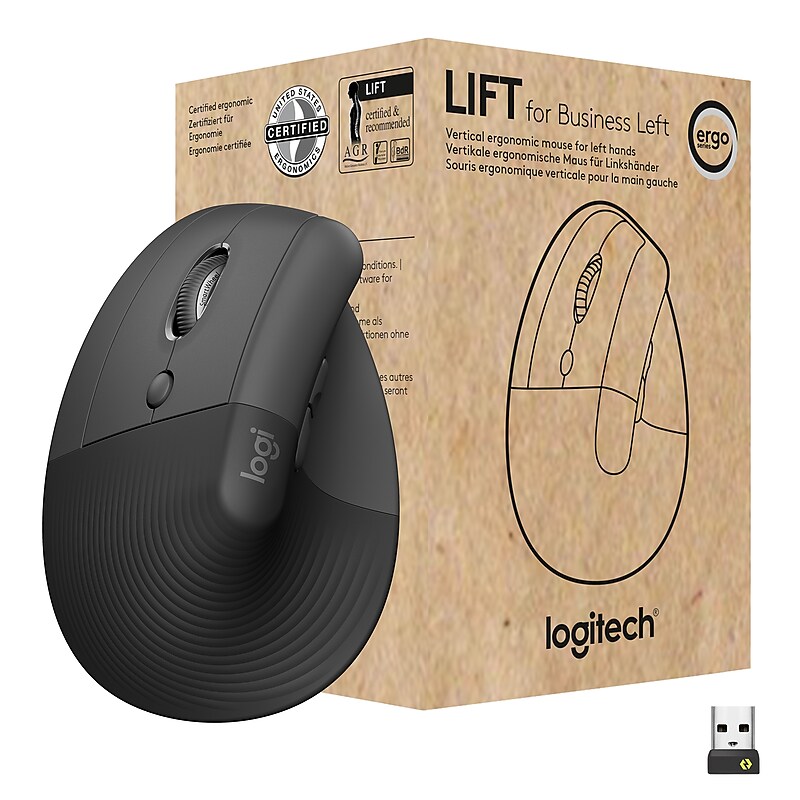
The Lift Vertical Ergonomic Mouse for Business is built for all-day comfort and increased productivity. Designed by leading ergonomists, it improves posture, reduces forearm muscle fatigue, and alleviates wrist pressure, by keeping hands at an ideal 57° angle. It also features a 4000 DPI high-precision sensor, resulting in 4x less hand movement. Get both precision and speed scrolling modes to optimize line-by-line editing and flying through multi-page documents with control. Switch scroll modes with just a flick of the ingenious Smart wheel. Can be paired with three devices—including tablets—and change quickly with the Easy-Switch button. Lift for Business also conquers IT security challenges for remote or office work. Fully encrypted and featuring Secure Connections Only Mode—Bluetooth Low Energy Security Mode 1, Level 4 protection, it delivers a reliable and secure connection even in congested wireless environments. Easy to deploy and manage, it won’t cause problems for your IT help desk either. The Lift Vertical Ergonomic Mouse for Business is available in both left- and right-hand models..Ideal for IT departments that need high-performance, secure wireless connections and ease of deployment and for people who want a vertical ergonomic mouse for day-long comfort and productivity.Enterprise Secure: Logi Bolt wireless technology exceeds security needs with fully encrypted, Secure Connections Only mode.Built for Scale: Certified in over 100 countries, support for IT pros and business users, remote mass deploy and manage DFUs and Logitech Options app.Slip into Hand Comfort: Rest on a natural contour—at the perfect 57° angle— throughout the day, with a softly textured grip and snug thumb rest for leveled-up coziness.Relax and Focus: Settle into work with customizable buttons, whisper-quiet clicks, and a SmartWheel for smooth, seamless scrolling.Ergo Certified: Lift was designed, developed, tested and approved according to criteria set out by leading ergonomists.Connect Two Ways: Connect via Bluetooth Low Energy or Logi Bolt USB to Windows, macOS, iPadOS, Chrome OS, or Linux, while enjoying up to 2 years’ battery life.When work is demanding, give everyone a Lift. The Lift Vertical Ergonomic Mouse for Business is designed for all-day comfort.
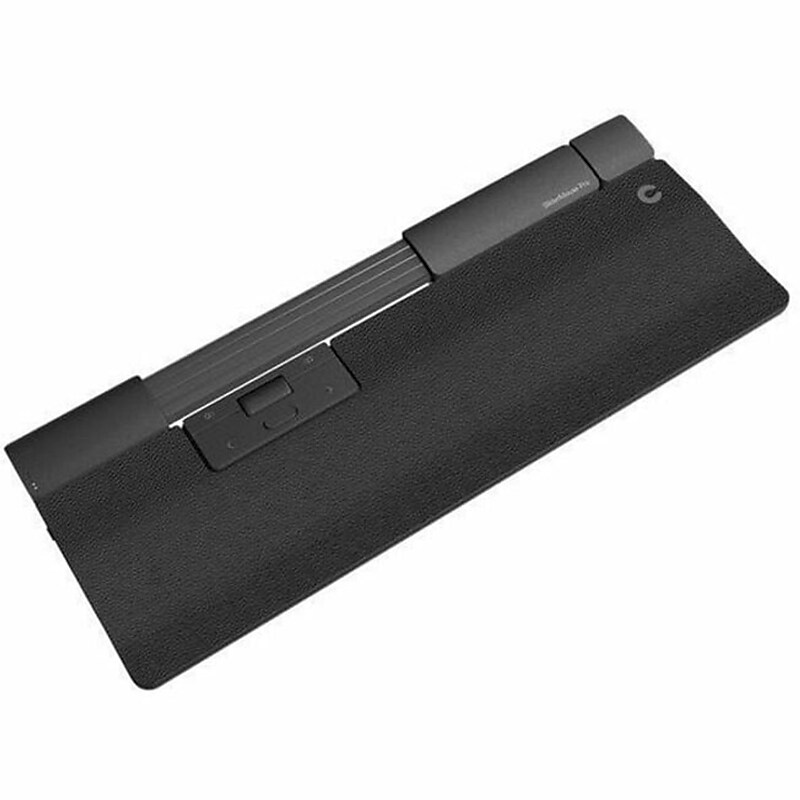
The SliderMouse Pro is a centered mouse that allows you to do desk work in comfortable, ergonomic positions - even without stretching, twisting and straining. Our new cursor navigation with the intuitive mechanical navigation bar is integrated on top of the SliderMouse Pro, allowing your hands the freedom to rest snugly on the entire width of the mouse. To make it your own, we have made it seamless to design it to match your preferences with magnetic wrist rests in various sizes and materials..Ergonomic Symmetrical Design: Provides comfortable use for both left and right-handed users..Rechargeable Battery: Enjoy wireless convenience with a long-lasting rechargeable battery..Precise Scrolling: Navigate effortlessly with the scroll wheel and 2800 dpi resolution..Wireless Bluetooth Connectivity: Connect seamlessly to your device without the hassle of wires..Customizable Buttons: Program the 6 buttons to suit your workflow and preferences.
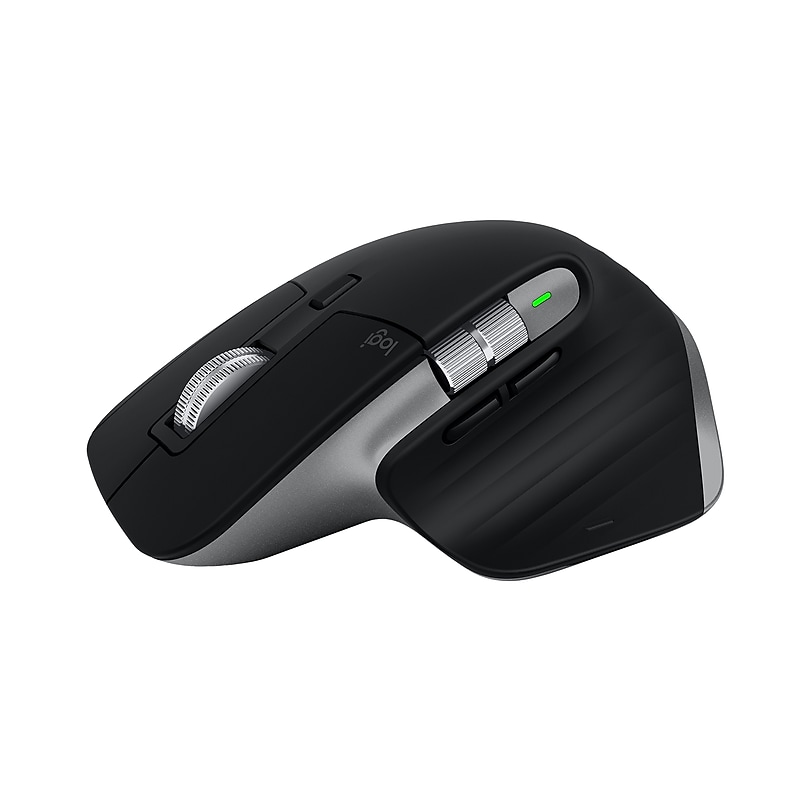
The Logitech MX Master 3S for Mac is an iconic mouse remastered. Optimized for macOS and works with iPadOS. Quiet Clicks technology delivers a satisfying tactile feel with 90% less click noise. The MX Master 3S for Mac also includes an 8000 dpi track-on-glass sensor and MagSpeed wheel for ultimate precision. Logi Options+ enables Flow cross-computer control and enables app-specific customizations. The MX Master 3S for Mac stays powered many days on a full charge and delivers three hours of use from a one minute USB Type-C to Type-C quick charge..Optical mouse perfect for everyday use at home or in the office.Take this reliable wireless mouse anywhere with 32.81' wireless operating distance.Work comfortably with the right-handed mouse that features a silhouette crafted for a more natural wrist posture and optimally placed thumb controls.Interface type: Bluetooth.Features an embedded rechargeable battery.Pair this cordless mouse with up to three Mac computers or laptops and effortlessly transfer text, images, and files between them.Features an 8000 dpi track-on-glass sensor and Quiet Clicks with 90% less click noise.Optimized for macOS (10.15 or later) and compatible with iPadOS (14 or later).Speed up and customize your workflow with predefined macOS and app-specific profiles in the improved Logi Options+.Stay powered for up to 70 days on a full charge and get three hours of use from this wireless mouse with just a one-minute quick charge.Includes a USB Type-C to USB Type-C charging cable
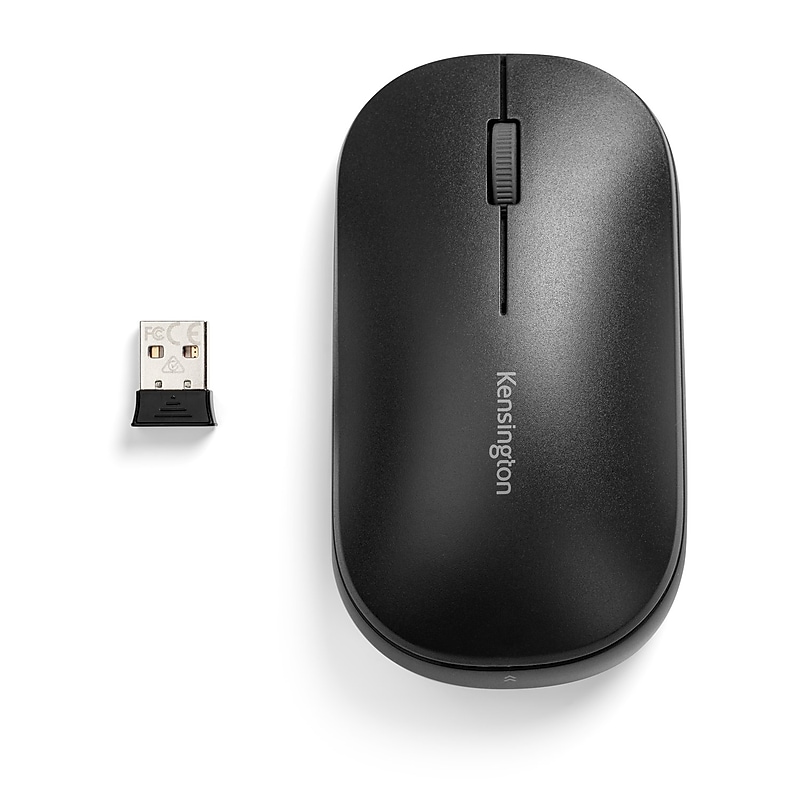
Expect more from your wireless mouse. The SureTrack Dual Wireless Mouse amplifies your productivity with more more tracking surfaces, more connectivity options, more security and more personalization. The first lightweight mouse to offer adaptable wireless connectivity options (2.4GHz and Bluetooth 5.0) to accommodate a wide range of computing devices from laptops and desktop PCs to mobile smart devices, the SureTrack Dual Wireless Mouse also provides precision tracking on the most difficult surfaces, including glass. The ambidextrous 3-button design is equipped with AES 128-bit encryption, a triple DPI switch for simple cursor speed transitions, premium quiet buttons and multiple color options..The high-performance optical sensor tracks quickly and accurately on even the most difficult modern office surfaces, including glass, granite, lacquer, marble and wood..Provides multiple pairing options connect to a laptop or mobile smart device via Bluetooth 5.0 (Bluetooth LE) to save a valuable USB port, or to a desktop PC via the 2.4GHz USB-A Nano dongle..This product is designed to comfortably fit right and left-handed users with small to medium-sized hands..Easily adjust the cursor speed to meet your needs by selecting the appropriate DPI level (1200/2400/4000) higher DPI for casual browsing or word processing and lower DPI for precision editing..Uses AA Batteries.Works with Windows, Chrome OS, macOS and Android OS. An ideal mouse for desktop PCs with or without Bluetooth functionality, and newer devices with Bluetooth LE, like the Surface Pro and MacBook Pro..Meets corporate security protocols and protects your data from potential hackers with government-grade encryption technology..Limited 3-year warranty.Optimized for your Windows 11 mouse needs..Travel with a mouse as boundless as you