Capacitive Stylus Pens

57 results
Zagg Pro Pen for 12.9" iPad Pro Gen 3/11" iPad Pro/10.9" iPad Air/10.2" iPad/9.7" iPad/iPad mini 5, Black (109906908) image 1
Item: IM18NX911
Model: 109906908

More than ever, you need to be able to work and learn from anywhere. Your tablet helps you do that, but in order to be truly productive, you need a stylus that lets you take notes, sketch, swipe, mark documents, and more with precision and speed. The Zagg Pro stylus lets you do all that with a universal capacitive back-end tip for fast, easy scrolling and an active tip for smooth, clean strokes..Active stylus with universal capacitive back-end tip comes in black and is compatible with 12.9" iPad Pro Gen 3/11" iPad Pro/10.9" iPad Air/10.2" iPad/9.7" iPad/iPad mini 5.Dimensions: 6.65"L x 0.35"Dia..Stylus barrel features a modern pen design.Automatically pairs with any iPad 2017 or later and attaches magnetically to the 11" iPad Pro and 12.9" iPad Pro Gen 3.Powered by USB Type-C; charges in just 1 hour and 25 minutes and lasts up to 8 hours.Use the stylus to make notes, sketch, mark up documents, and increase your speed and productivity.Universal capacitive back-end tip lets you scroll through pages easily, and the active tip on the other end lets you draw smooth, precise lines for notes or sketches.Features palm rejection technology so that when it's in use, only the stylus will register on your screen.Simply switch the stylus on when you're ready to work, and switch it off to save power once you have finished.Stylus has tilt recognition so you can vary the width of your stroke.Works with your favorite apps that support Apple Pencil.Comes with a spare tip.Package also includes a USB Type-C charging cable and quick start guide.1-year manufacturer limited warranty

Price is  $69.99
1
2
3
4
5
6
7
8
9
10
11
12
13
14
15
16
17
18
19
20
21
22
23
24
25
26
27
28
29
30
Over 30
Add to list
155
ZAGG Stylus G2 for Chromebook, Gun Metal Gray (109915619) image 1
Item: IM1LS7359
Model: 109915619

The ZAGG Stylus G2 lets you do more and work faster on your compatible Chromebook and Pixel tablet devices. It has a pressure sensitive tip with tilt recognition so you can make thick, thin, light, or dark lines. Or use the Stylus G2 like a mouse as you navigate your device. The stylus even has a 'right click' button..In Gun Metal Gray, this stylus is compatible with Chromebooks and other devices supporting USI 1.0 and USI 2.0 protocols, making it ideal for writing, sketching, underlining, scrolling, and marking up documents on compatible devices..Barrel made of aluminum and a point made of plastic..Featuring a 1.0 mm Pixel Point tip for precise and accurate input, this pen offers a smooth and responsive writing experience..The barrel features a modern pen design that offers a sleek, professional look and ensures a comfortable grip for extended use..Incorporating advanced technologies such as pressure sensitivity, tilt recognition, palm rejection, magnetic connection, a long-lasting battery with up to 15 hours of use, Type-C fast charging, and right-click and eraser buttons, this stylus enhances the user experience with precise and efficient functionality..Connecting to compatible devices via USI 1.0 and USI 2.0 protocols, this stylus ensures seamless integration with Chromebooks and other devices that support these standards..Powered by a rechargeable battery included with the stylus, it can be recharged using a USB-C cable.

Price is  $69.99
1
2
3
4
5
6
7
8
9
10
11
12
13
14
15
16
17
18
19
20
21
22
23
24
25
26
27
28
29
30
Over 30
Add to list
No reviews yet
Samsung Galaxy S Pen for Galaxy Tab S9/S9+/S9 Ultra, Black (EJ-PX710BBEGUJ) image 1
Item: 24605684
Model: EJ-PX710BBEGUJ

The Samsung S Pen is designed specifically for the Galaxy Tab S series, offering an enhanced writing and drawing experience. It features advanced technology that allows for natural and precise input, making it ideal for both creative tasks and everyday note-taking. The S Pen is equipped with a variety of features, including pressure sensitivity and tilt recognition, ensuring a seamless experience across various applications..The S Pen is available in Black and is compatible with the Samsung Galaxy Tab S9, S9+, and S9 Ultra. For detailed compatibility, please refer to the Extended Description..The stylus is made from high-quality plastic for both the barrel and point, ensuring durability and comfort during use..The S Pen features a fine point tip with a size of 27.6 mil, providing precise control for writing and drawing..The barrel of the S Pen is ergonomically designed, allowing for a comfortable grip during extended use..It incorporates advanced pressure sensitivity with 4096 levels, enabling nuanced and responsive input for various applications..The S Pen connects seamlessly with compatible Samsung devices without the need for Bluetooth pairing..The S Pen is powered by a rechargeable battery that charges wirelessly when docked with compatible devices. Battery is included..This product is sold as a single unit..There is a limited warranty provided by Samsung for this product..The S Pen enhances the productivity and creative capabilities of the Galaxy Tab S series, making it an essential accessory for users..It is ideal for note-taking, sketching, and navigating apps with ease, thanks to its low latency and high precision..The S Pen’s tilt recognition feature allows for dynamic shading effects, perfect for artists and designers..Compatible with various applications, including Samsung Notes and other drawing apps, it enhances the overall tablet experience.

Price is  $66.49
1
2
3
4
5
6
7
8
9
10
11
12
13
14
15
16
17
18
19
20
21
22
23
24
25
26
27
28
29
30
Over 30
Add to list
15
Apple Pencil, 2nd Generation, White (MU8F2AM/A) image 1
Item: 24431120
Model: MU8F2AM/A

Apple Pencil (2nd generation) delivers pixel-perfect precision and industry-leading low latency, making it great for drawing, sketching, coloring, taking notes, marking up PDFs, and more. And it’s as easy and natural to use as a pencil..Apple Pencil (2nd generation) also allows you to change tools without setting it down, thanks to its intuitive touch surface that supports double-tapping..Designed for iPad Pro, iPad Air, and iPad mini, it features a flat edge that attaches magnetically for automatic charging and pairing..Compatibility: iPad Pro 12.9-inch (3rd Generation, 4th Generation, 5th Generation, 6th Generation), iPad Pro 11-inch (1st Generation, 2ns Generation, 3rd Generation, 4th Generation), iPad Air (4th Generation, 5th Generation), iPad mini (6th Generation).Magnetically attaches and pairs.Connects to your device via Bluetooth.Length: 6.53 inches (166 mm).Diameter: 0.35 inch (8.9 mm).Weight: 0.73 ounce (20.7 grams).a href="http://sds.staples.com/msds/24431120.pdf" target="_blank"Safety Data Sheet/abr

Price is  $125.99
1
2
3
4
5
6
7
8
9
10
11
12
13
14
15
16
17
18
19
20
21
22
23
24
25
26
27
28
29
30
Over 30
Add to list
245
Apple Pencil, USB-C, White (MUWA3AM/A) image 1
Item: 24582644
Model: MUWA3AM/A

Apple Pencil (USB Type-C) is perfect for taking notes, sketching, marking up documents, journaling, and more. It delivers pixel‑perfect precision, low latency, and tilt sensitivity. So it's as natural to use as a pencil. The Apple Pencil (USB Type-C) pairs and charges via USB Type-C charging cable. It magnetically attaches to the side of iPad for storage..Stylus pen for iPad is perfect for taking notes, sketching, marking up documents, journaling, and more.Delivers pixel‑perfect precision, low latency, and tilt sensitivity.Magnetically attaches to the side of iPad for storage.Connections: Bluetooth and USB Type-C connector.Pairs and charges via USB Type-C charging cable.Compatible with iPad models: iPad Pro 12.9" (6th/5th/4th/3rd generation), iPad Pro 11" (4th/3rd/2nd/1st generation), iPad Air (5th/4th generation), iPad (10th generation), and iPad mini (6th generation).Supports Apple Pencil hover when used with iPad Pro 12.9" (6th generation) and iPad Pro 11" (4th generation)

Price is  $79
1
2
3
4
5
6
7
8
9
10
11
12
13
14
15
16
17
18
19
20
21
22
23
24
25
26
27
28
29
30
Over 30
Add to list
22
Lenovo ThinkPad Pen Pro for L380 Yoga (4X80R07945) image 1
Item: IM15JU894
Model: 4X80R07945

The ThinkPad Pen Pro for L380 Yoga with 4096 levels of pressure sensitivity, provides a natural pencil and paper-like experience when you sketch and jot down notes. Users will also enjoy easy access to shortcut functions through two built-in customisable buttons on the base of the pen. This pen can also be conveniently stored and charged in the notebook's pen slot..Taking off the gloves to use your smartphone or tablet gets so irritating, but with this stylus it is no longer a problem.Easy to handle, giving the feel of a traditional ball pen on the notebook.ThinkPad Pen Pro for L380 Yoga

Price is  $43.65
1
2
3
4
5
6
7
8
9
10
11
12
13
14
15
16
17
18
19
20
21
22
23
24
25
26
27
28
29
30
Over 30
Add to list
12
Apple Pencil (2nd Generation) for iPad Pro/iPad, White (MXN43AM/A) image 1
Item: IM1SG2290
Model: MXN43AM/A

Apple Pencil (2nd generation) delivers pixel-perfect precision and industry-leading low latency, making it great for drawing, sketching, coloring, taking notes, marking up PDFs, and more. And it's as easy and natural to use as a pencil. Apple Pencil (2nd generation) also allows you to change tools without setting it down, thanks to its intuitive touch surface that supports double-tapping. And it pairs, charges, and stores magnetically on the side of your iPad. Apple Pencil (2nd generation) supports Apple Pencil hover when used with iPad Pro 12.9-inch (6th generation) and iPad Pro 11-inch (4th generation)..An extremely helpful accessory designed to improve iPad operation.Keep those fingernails long and pretty while working with this pocket-friendly stylus.What's in the box: Apple Pencil (2nd generation)..Magnetically attaches and pairs.Length: 6.53 inches (166 mm):Diameter: 0.35 inch (8.9 mm)..

Price is  $138.99
1
2
3
4
5
6
7
8
9
10
11
12
13
14
15
16
17
18
19
20
21
22
23
24
25
26
27
28
29
30
Over 30
Add to list
136
Apple Pencil, 1st Generation, with USB-C to Apple Pencil Adapter, White (MQLY3AM/A) image 1
Item: 1944861
Model: MQLY3AM/A

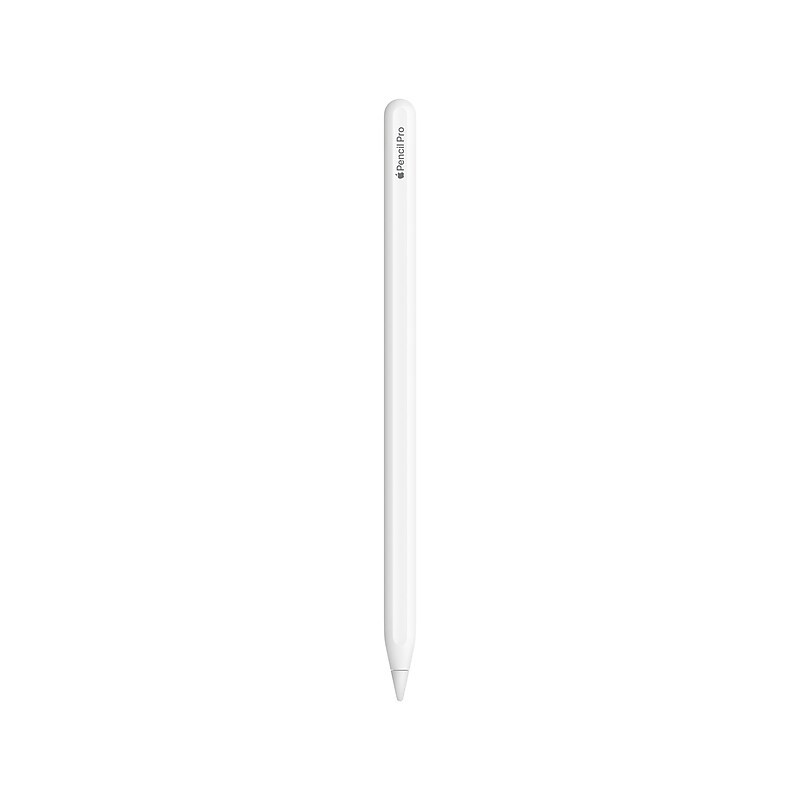
Apple Pencil expands the power of iPad and opens up new creative possibilities. It’s sensitive to pressure and tilt so you can easily vary line weight, create subtle shading and produce a wide range of artistic effects — just like a conventional pencil, but with pixel-perfect precision. Apple Pencil lets you easily take notes, mark up, and draw on iPad with pixel-perfect precision—as naturally as you do on paper..Apple Pencil First Generation Smart Pen.Bluetooth Wireless Connectivity.USB-C to Apple Pencil Adapter (required to pair and charge 10th generation iPad) .Transmits Position, Angle, and Force applied.Sketch, Write, and Annotate.Compatible with Mail and Notes Apps.Compatible with Third-Party Apps.15 Second Charge for 30 Minutes of Use.Up to 12 Hours of Battery Life.Magnetically attached cap.What’s in the box: Apple Pencil, Lightning adapter, USB-C to Apple Pencil Adapter (required to pair and charge 10th generation iPad), Extra tip .a href="http://sds.staples.com/msds/1944861.pdf" target="_blank"Safety Data Sheet/a.Apple Pencil. Draw, sign, or jot down notes. Whenever inspiration strikes.
Price is  $97.99
1
2
3
4
5
6
7
8
9
10
11
12
13
14
15
16
17
18
19
20
21
22
23
24
25
26
27
28
29
30
Over 30
Add to list
230
Apple Pencil Pro, White (MX2D3AM/A) image 1
Item: 24601339
Model: MX2D3AM/A

The Apple Pencil Pro is a state-of-the-art tool designed to enhance the creative and productive capabilities of iPad users. It introduces squeeze sensing, a feature that allows for intuitive interactions with your iPad, such as bringing up tool palettes and switching tools with a simple squeeze. The barrel roll control adds a new dimension to the user experience, enabling precise manipulation of brush and pen tools through rotation. With haptic feedback, users receive tactile responses to their actions, adding a layer of immersion to their work. The Apple Pencil Hover function is particularly beneficial for artists and designers, as it previews the pencil’s point of contact before it touches the screen, allowing for unmatched precision. The double-tap feature remains, providing a quick and convenient way to switch between tools. For those who tend to misplace their tools, the Find My integration ensures that the Apple Pencil Pro is always within reach. The magnetic attachment system not only securely holds the pencil to the iPad but also takes care of pairing and charging. Lastly, the option for personalization through free engraving makes the Apple Pencil Pro uniquely yours. These features collectively make the Apple Pencil Pro an indispensable companion for anyone looking to unleash their creativity or boost their productivity with their iPad..Compatible with 11" & 13" M4 iPad Pro, 11" & 13" M2 iPad Air.ADVANCED TOOLS: Apple Pencil Pro gives you ultimate creative control. Use gestures like Squeeze and Barrel Roll to access tools, change brushes, and create strokes without missing a beat. Haptics allow you to feel shapes snap into place, and more. Use Apple Pencil hover on iPad Pro and iPad Air (M2) to preview your mark before you make it. And now, you can use Find My to locate your Apple Pencil Pro..EASY AND NATURAL: Apple Pencil Pro does it all with pixel-perfect precision, tilt and pressure sensitivity, and low latency. Featuring a flat edge, Apple Pencil Pro allows you to change tools with just a tap from your finger. Apple Pencil attaches, charges, and pairs magnetically..TRANSFORMS IPAD INTO A CANVAS: Draw, sketch, color, take notes, and mark up documents. Use built-in apps like Notes and Freeform, or choose from over a million more apps available on the App Store..FIND YOUR APPLE PENCIL PRO: And if you misplace Apple Pencil Pro while you’re out and about or at home, you can easily locate it in the Find My app. Apple Pencil Pro attaches, pairs, and charges magnetically on the side of your iPad..Whether you’re taking notes, marking up documents, or creating art, the Apple Pencil Pro is engineered to elevate your creativity and productivity.

Price is  $129
1
2
3
4
5
6
7
8
9
10
11
12
13
14
15
16
17
18
19
20
21
22
23
24
25
26
27
28
29
30
Over 30
Add to list
21

About Capacitive Stylus Pens

Capacitive stylus pens are essential tools for enhancing the functionality of touch screen devices. They provide precision and control, making them ideal for tasks such as drawing, note-taking, and navigating applications on tablets and smartphones.

Designed to mimic the touch of a finger, these stylus pens offer a smooth and responsive experience. They are perfect for artists, students, and professionals who require accuracy and ease of use when interacting with their devices.

When choosing a capacitive stylus pen, consider features such as tip size, pressure sensitivity, and compatibility with your device. A fine tip allows for detailed work, while a broader tip may be better for general navigation and writing.

Additionally, look for stylus pens that offer dual functionality, such as a stylus on one end and a traditional pen on the other. This versatility can enhance productivity, allowing users to switch between digital and traditional writing seamlessly.

What is a capacitive stylus pen?

  • A capacitive stylus pen is a writing tool designed for touch screen devices, allowing users to interact with their screens more precisely than with their fingers. They are commonly used for drawing, writing, and navigating apps.

How do capacitive stylus pens work?

  • Capacitive stylus pens work by using conductive materials that mimic the electrical properties of a human finger. When the stylus touches the screen, it creates a similar electrical charge, allowing the device to register the input.

Are capacitive stylus pens compatible with all touch screens?

  • Most capacitive stylus pens are compatible with any touch screen device that supports capacitive touch technology. However, it's always best to check compatibility with specific devices for optimal performance.

What features should I look for in a capacitive stylus pen?

  • When selecting a capacitive stylus pen, consider the tip size for precision, pressure sensitivity for varying line thickness, and whether it has additional features like an eraser or a built-in pen. These features can enhance your overall experience.

Can I use a capacitive stylus pen for drawing?

  • Yes, many capacitive stylus pens are designed specifically for drawing and come with features like pressure sensitivity to create varied line thickness. They are popular among digital artists for their precision and control.

Do I need to charge a capacitive stylus pen?

  • Most basic capacitive stylus pens do not require charging, as they operate without batteries. However, some advanced models with Bluetooth connectivity or pressure sensitivity features may need to be charged periodically.