Chromebook Docking Stations
153 results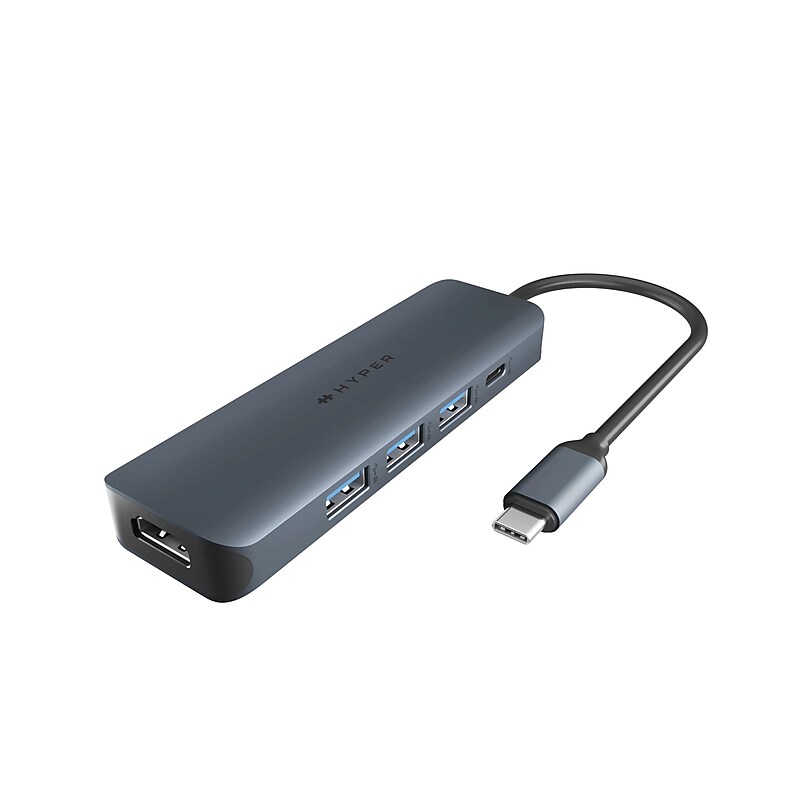
Designed for creators, editors, photographers, and more, the HyperDrive Next 6-Port USB-C Hub from HYPER helps users maximize productivity and connectivity with 6 additional ports. Connectivity to your host Windows, Mac, or Chrome system is accomplished using an integrated USB-C 3.2 Gen 2 cable, which enables access to a 100W USB-C charging port, one USB-C 3.2 Gen 2 ports, three USB-A 3.2 Gen 2 ports, and a 4K/60 Hz HDMI port. Enhance your productivity and multitasking capabilities by providing a spacious and immersive workspace, allowing users to simultaneously view and work on multiple high-resolution content, such as videos, images, documents, and applications, with smooth and crisp visuals..6-Port USB-C Hub for external drives, peripherals, and displays with fast data transfer and laptop charging..Dimensions: 4.52 inches in Height x 1.46 inches in Width x 0.59 inches in Depth.Provides transfer speeds of up to 10,000 Mbps (10Gbps) on its USB 3.2 Gen 2 ports..Plug and play design with no setup needed..Pass-through charging with 100W PD 3.0 delivers up to 85W power for uninterrupted productivity..Faster speeds and better for the planet with 100% recycled aluminum and 85% recycled plastic..2-Year Limited Manufacturer Warranty.⚠ WARNING: Cancer and Reproductive Harm - www.P65Warnings.ca.gov
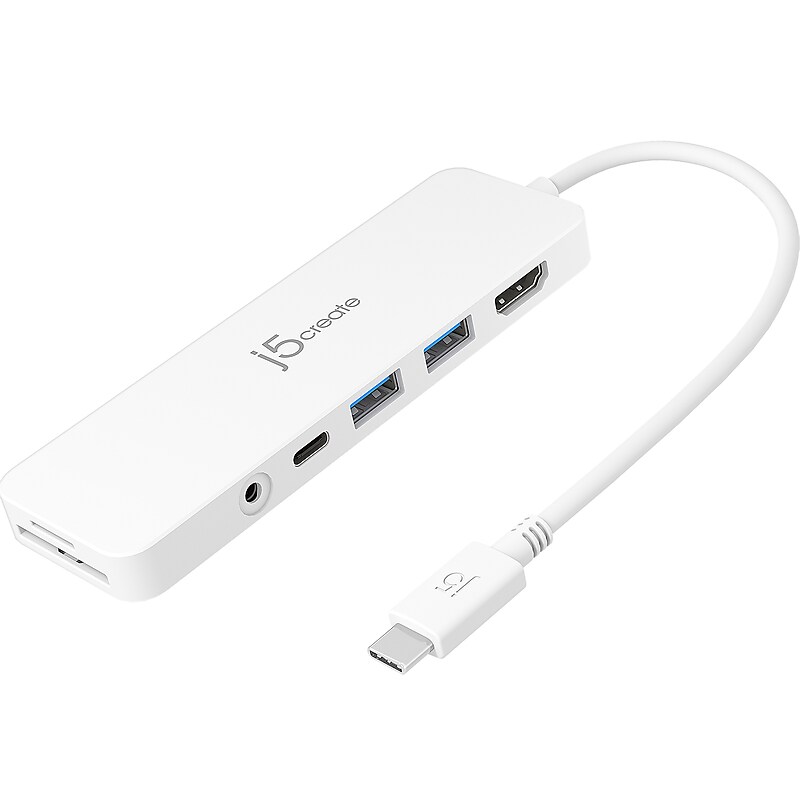
Get to work with a single cable from your USB Type-C enabled notebook to your displays, devices, and wired network with the versatile, elegant, and space-saving j5create docking station..Multi-port hub for USB Type-C enabled notebooks.Equipped with 1 x HDMI, 2 x USB Type-A 3.1 with Power Delivery 3.0, 1 x 3.5mm audio, and memory card reader.Ultraslim and lightweight with stylish design
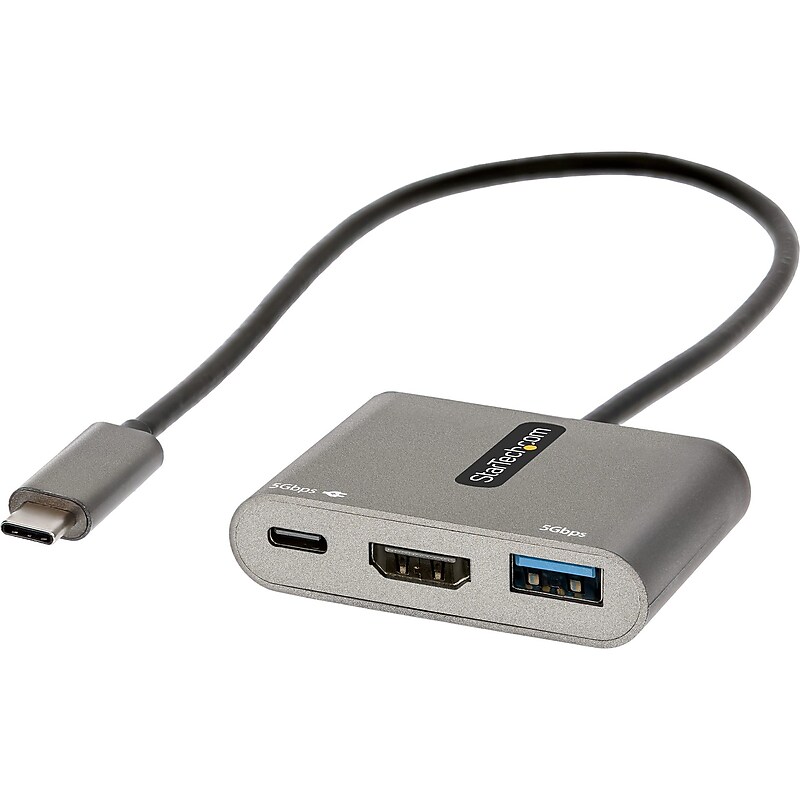
This USB-C multiport adapter with HDMI lets you add vital connections to your laptop with a single USB-C port. The USB C mini docking station features automatic driver installation and supports Windows, macOS, Chrome OS, Linux and Android, providing a portable connectivity solution for your USB-C laptop, tablet, phone, Ultrabook, or Chromebook. The multiport adapter is also compatible with Thunderbolt 3, and Thunderbolt 4 laptops like MacBook Pro/Air, HP EliteBook, Dell XPS/Latitude, Lenovo Thinkpad X1 & Surface Laptop 3/Book 3..USB-C multiport adapter with HDMI lets you add vital connections to your laptop with a single USB-C port.Dimensions: 0.4"H x 4.5"W x 2.4"D.Contains HDMI, USB-A, USB-C ports.Features compact, portable design for on-the-go use with travel accessories.Equipped with 13" attached cable for extended reach to reduce port/connector strain on 2-in-1 devices like Surface Pro (7+) and laptops on riser stands.HDMI output supports video resolutions up to 4K 30Hz (3440x1440 ultra-wide monitors/displays supported).Can operate using bus power alone, or it can be connected to an external USB-C power adapter up to 100W.100W power delivery 3.0 pass through with 8W reserved for adapter to avoid video flickering, device dropouts or overdrawing power common in other hubs.Compatible with USB-C laptops, tablets, phones ultrabooks, Chromebooks, plus Thunderbolt 3 and 4 laptops like MacBook Pro/Air, HP EliteBook, Dell XPS/Latitude, Lenovo Thinkpad X1, Surface laptop 3/Book 3.Supports Windows, macOS, Chrome OS, Linux, and Android.Automatic driver installation for easy setup.3-year manufacturer limited warranty
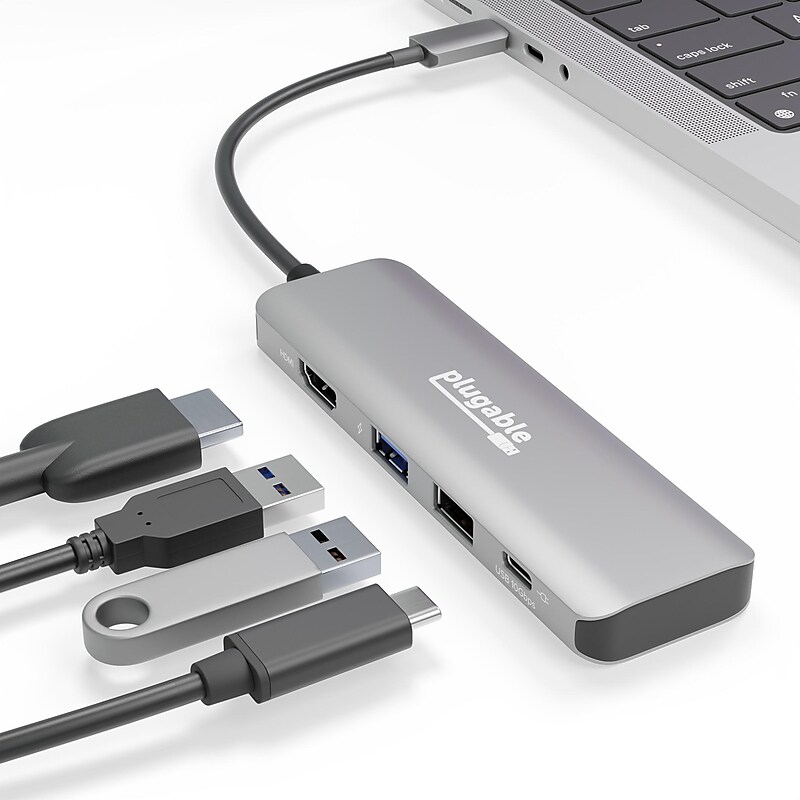
This USB Type-C Digital AV Multiport Adapter is more than an HDMI hub. The convenience continues with a 10Gbps USB port, and a USB 2.0 port so you always have a spot for your legacy peripherals. And on the surface of this portable USBC adapter, a sturdy aluminum case facilitates heat dissipation..HDMI adapter offers a convenient connection for a 4K monitor, 1x USB (10Gbps), 1x USB 2.0. 1x USB-C combo port with 100W Power Delivery and 10Gbps data transfer.Extend to a 4K monitor via USB-C to HDMI at up to 60Hz. HDMI 2.0 with HDR support lets you see your content in bolder, brighter colors when you connect an HDR-capable screen to your laptop, tablet, and some phones.This USBC hub offers a dual function USB-C port for up to 100W pass-through charging and 10Gbps data transfer. Data and power on the same USB-C port for maximum flexibility is actually pretty rare on a hub of this size.The USB-C Hub is compatible with Windows 10 and newer, macOS 11+, and ChromeOS.All Plugable products are backed with a 2-year limited parts and labor warranty as well as Seattle-based email support.The Plugable 4-in-1 USB-C dongle offers some incredibly advanced features you don’t typically find in a hub, like a USB-C port capable of 100W charging and 10Gbps data transfer speeds — at the same time.

Connect all your USB-C devices with a sleek, compact, plug-and-play solution and transfer your data 2x faster than other hubs in the market..Our docks and hubs undergo over 120 quality tests to keep your devices safe.4 ports: 4 USB-C 3.2 Gen2 ports, USB-C 100W PD.Universal compatibility for MacBook, iPad, Chromebook, and PC with backwards compatibility.4 USB-C ports supply up to 10Gbps of data transfer speed.Fast Role Swap (FRS) prevents data loss and interruption of device connections when adding or removing a USB power source from the hub.Supports audio including USB-C headphones, speakers or any audio interface.Pass-through charging up to 100W PD, with 85W PD to host.Compact design for convenient portability.Easily connect with a durable USB-C tethered cable that's built to last.This product is made with a minimum of 72% post-consumer recycled content
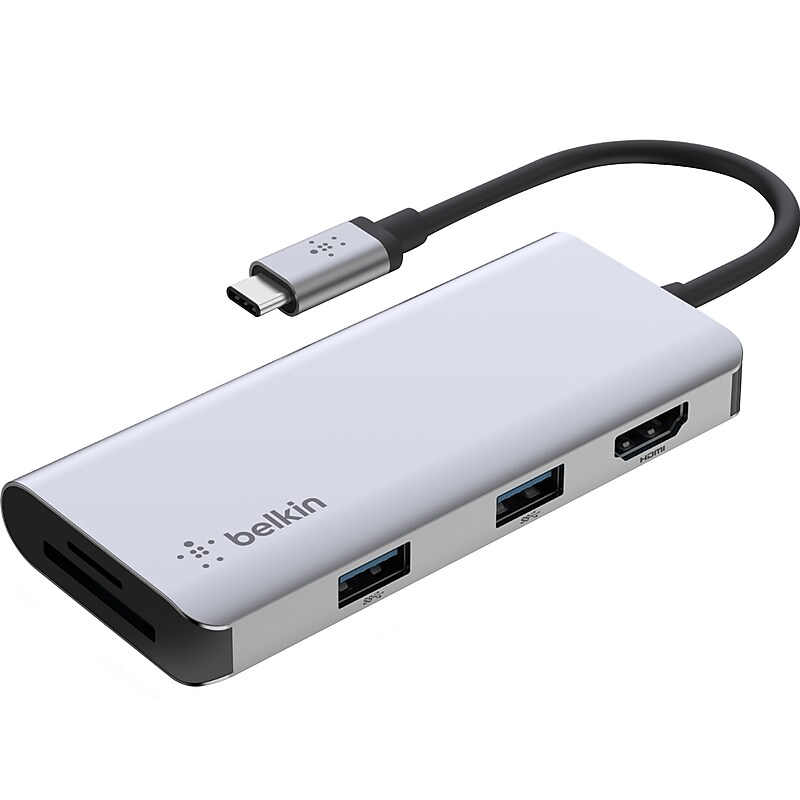
Connect a MacBook, Chromebook, or other USB Type-C laptop to a 4K display and additional devices with this Belkin CONNECT five-in-one multiport USB Type-C adapter hub. Its slim, compact, and durable aluminum casing makes it a perfect adapter when on the road, at home, at the office, or in the classroom. Access USB ports on modern laptops through a single USB Type-C cable, and extend your display to a 4K monitor through its HDMI port, delivering videos up to 4K at 30Hz. Great for photographers, videographers, and content creators, as the SD and microSD card slots allow for a fast transfer of data, images, and video. Connect to additional devices or peripherals with the 2 x USB Type-A ports..Five-in-one USB Type-C multiport adapter is a slim and compact solution for daily commute or when on the road.Dimensions: 0.5"H x 1.8"W x 4.1"D; attached cable length: 5".Connect with a single USB Type-C port.Contains: 1 x SD card slot, 1 x microSD card slot, 2 x USB 3.1 Type-A ports, 1 x 4K HDMI port.Durable aluminum casing protects from any mishaps.Supports high-definition resolutions (up to 4K at 30Hz) through its HDMI port.Access to SD and microSD card slots provides an easy and quick way to transfer media to and from your laptop.Data transfer speeds up to 5Gbps
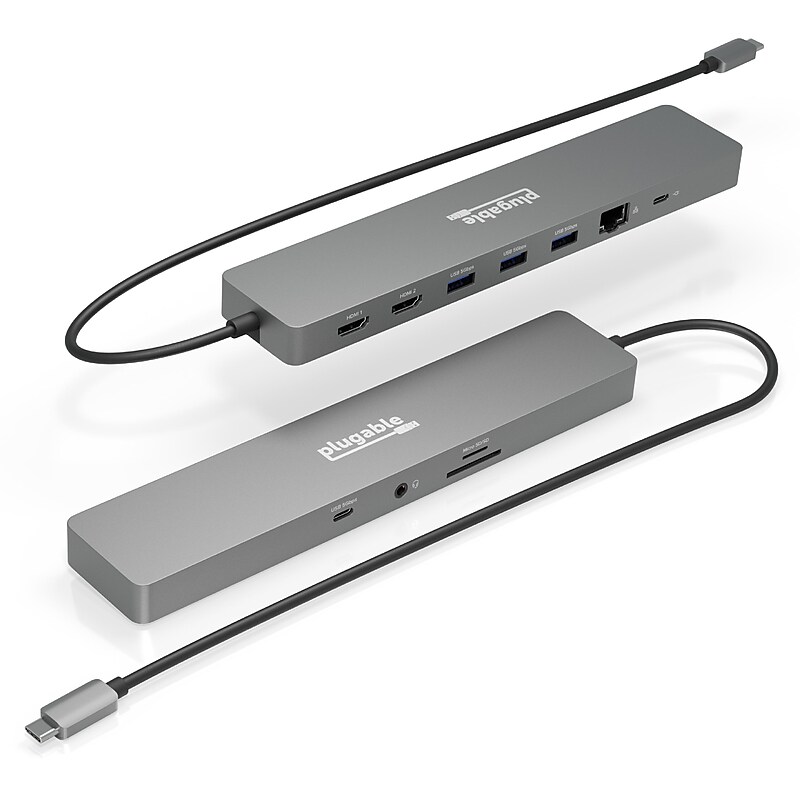
The 11-in-1 Hub from Plugable is packed with the features you’d expect from a docking station. Features like 100W USB-C pass-through charging, dual 4K 60Hz-capable HDMI ports, 3x USB 3.0 (5Gpbs) ports, a USB-C (5Gpbs) port, SD and microSD card slots, and a 3.5mm audio port. Heck, it even has Gigabit Ethernet (1Gbps) because you can’t always count on the Wi-Fi around here..Featuring 2x 4K 60Hz HDMI ports, 100W pass-through charging, 1x USB-C, 3x USB 3.0, SD and MicroSD slots, the Plugable 11-in-1 USBC hub with Gigabit Ethernet, gives you everything you need to work, how you want, where you want.On Windows and Chrome computers, extend your desktop across two screens at up to 4K 60Hz.On Mac, add one extended 4K 60Hz display or two mirrored displays.Everything for work at your desk or on the road, 1x USB-C, 3x USB 3.0, SD/MicroSD, 3.5mm Audio Jack, Ethernet, and use your laptop's USB-C power adapter to take advantage of up to 100W USB-C pass-through charging to stay powered up all day.USB C docking station compatible with Windows 10 and newer (Thunderbolt 4 or DP 1.4 over USB-C required for 2x 4K60Hz output), macOS 11+, and ChromeOS.Mac computers only support one extended display or two mirrored displays when using this hub.All Plugable products are backed with a 2-year limited parts and labor warranty as well as Seattle-based email support.The Plugable USBC-11IN1E Hub with Ethernet is packed with features you'd expect from a docking station and still small enough to toss in your bag and take it to-go.
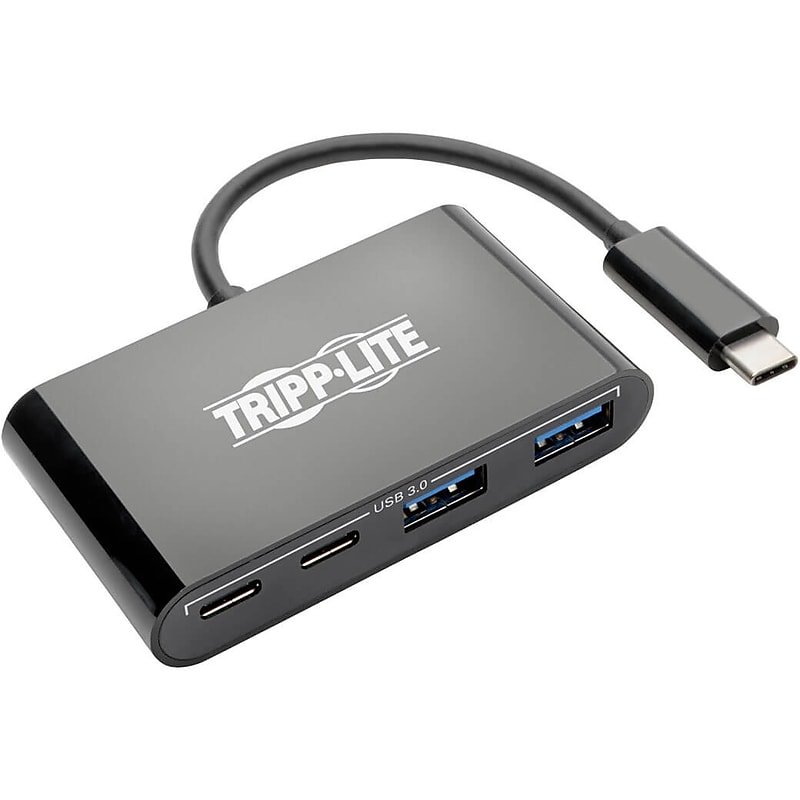
Newer tablets, laptops, Chromebook and MacBook notebooks, desktop computers and even smartphones often have USB Type-C ports, but come equipped with few others. Tripp Lite’s USB-C multiport hub expands the functionality of the USB-C or Thunderbolt 3 port on your computer and makes it compatible with your existing equipment. The USB-C and USB-A ports allow you to connect a huge variety of USB devices, including flash drives, cameras, keyboards, mice and external hard drives. You can also connect a printer with a USB cable when a wireless connection isn’t feasible. The ports support USB 3.1 Gen 1 data transfer rates up to 5 Gbps. They are also backward compatible with previous USB generations and support device charging..TURN YOUR DEVICE’S USB-C PORT INTO A WORKSTATION: USB-C Portable Hub adds two USB-A and two USB-C ports to the USB-C or Thunderbolt 3 port on your tablet, laptop, notebook, MacBook, Chromebook, smartphone or PC..CONNECT USB-A & USB-C DEVICES: Dual USB-A ports accept USB peripherals, such as a flash drive, mouse, keyboard or printer..SUPPORTS CHARGING & DATA TRANSFER: USB-C ports provide up to 1.5A each for charging devices and USB-A ports provide up to 0.9A each for charging devices. Supports USB 3.1 Gen 1 data transfer rates up to 5 Gbps..BLACK HOUSING & SIMPLE TO USE: Plug-and-play operation with no software or drivers required. Reversible USB-C plug connects in either direction. Works with USB C laptops including Dell XPS 13 / Dell Precision / MacBook / MacBook Pro / HP Spectre / Samsung Galaxy Book / Chromebooks / Lenovo Yoga 900 / ASUS Transformer book T100HA / LG Gram / Razer Blade Stealth / Acer Aspire R 14 / Acer Aspire V 15..Tripp Lite 4-Port USB 3.1 Gen 1 Portable Hub USB-C to x2 USB-A and x2 USB
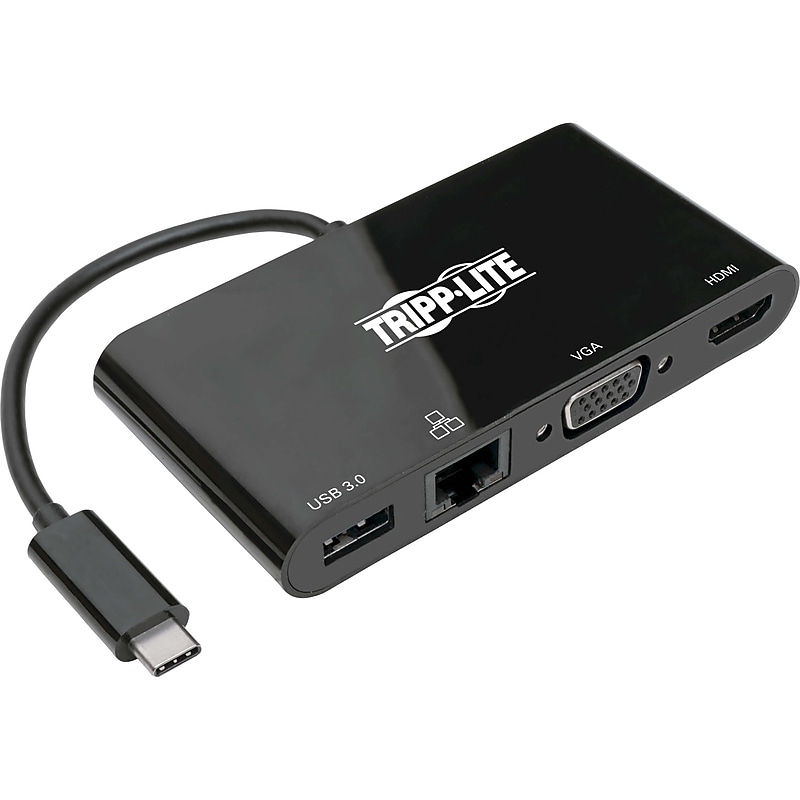
This Tripplite USB 3.1 Type-C adapter helps you transmit digital audio and 4K video from your tablet, laptop, Chromebook, MacBook, smartphone or PC to an HDMI-enabled television, monitor or projector. It's an perfect tool for giving video presentations in conference rooms and classrooms, editing multiple documents on a larger screen, or streaming video for digital signage in crystal-clear 4K..USB-C adapter connects an HDMI or VGA monitor, USB peripheral and wired Gigabit Ethernet network to a USB-C or Thunderbolt 3 device.Contains two USB-C, USB 3.0, RJ45, HDMI ports.Transmits video signals from sources supporting USB-C DisplayPort Alt Mode.HDMI port delivers UHD quality at resolutions up to 3840 x 2160 (4K x 2K) @ 30 Hz.Connects you to a wired Gigabit Ethernet network when Wi-Fi is weak or unavailable.Supports USB 3.1 Gen 1 speeds up to 5 Gbps to ensure fast data transfers.Reversible USB-C plug connects in either direction for immediate no-fuss use.By connecting the built-in USB-C cable to a source device that supports USB DisplayPort Alt Mode, you can output 4K video and digital audio to a compatible monitor, television or projector without installing special software drivers.To send digital audio and Ultra High Definition video to a 4K-ready HDMI television, projector or monitor, connect the HDMI port to the display using an HDMI cable (such as Tripplite's P568-Series, sold separately).The USB-A 3.0 port accepts USB peripherals, such as a flash drive, mouse, keyboard or printer.The plug-and-play USB Type-C adapter is specifically designed for the MacBook, Google Chromebook Pixel and other laptops, tablets and devices equipped with a USB-C or Thunderbolt 3 port.Meets or exceeds CE, FCC, RoHS, REACH standards.3-year manufacturer limited warranty