Data Storage Flash Drives
194 results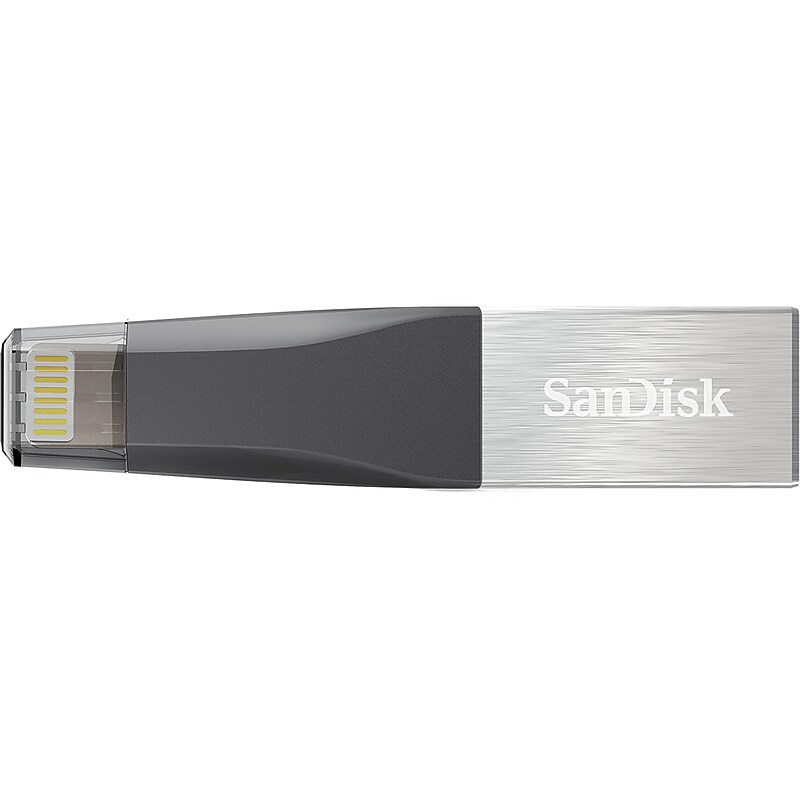
Designed to be the perfect companion for your iPhone, the SanDisk iXpand Mini flash drive offers an easy way to free up space on your iPhone, automatically backs up your camera roll, and even lets you watch popular-format videos straight from the drive. The drive has both a Lightning connector that works with most cases and a USB 3.0 connector to plug into your PC or Mac computer so you can easily move your content. The iXpand Mini flash drive also includes software that lets you password-protect files, so you can share your content while keeping sensitive files secure across your devices. Take all the photos and videos you want, the iXpand Mini flash drive delivers a fast and simple way to free up space on your iPhone so that you're always ready to capture more memories..Free up space on your iPhone or iPad quickly and easily with this mini dual flash drive.Capacity: 16GB.Features both a Lightning connector and a USB 3.0 connector to plug into your PC or Mac computer so you can easily move your content.Plug the drive into your computer's USB 3.0 port and transfer files fast at 90MB/s.Supports popular video formats (MP4, MOV) so you can store and watch videos straight from the drive, making it a terrific travel companion.Supports 4K video playback and transfer as well as live photo.Shoot photo/video with direct save to iXpand Mini.Capture photo and video directly to the iXpand.Set the iXpand Drive app to automatically back up your iPhone or iPad camera roll anytime the drive is connected.You can also back up the photos and videos from your social media accounts.Designed to plug directly into your iPhone or iPad without having to remove your case.Mobile device compatibility: iPhone 5, iPhone 5c, iPhone 5s, iPhone 6, iPhone 6 Plus, iPhone 6s, iPhone 6s Plus, iPhone SE, iPad Air, iPad mini, iPad mini 4, iPad Pro 12.9", iPad Pro 9.7" iPad with Retina display, iPod 5th Generation and newer, with Lightning connector and iOS 8.2+ See device compatibility.PC/Mac computer compatibility: Windows 7, Windows 8, Windows 10, Chrome OS, Mac OS X v10.9 and higher.Dimensions: 0.48"H x 0.18"W x 2.09"D.2-year manufacturer limited warranty
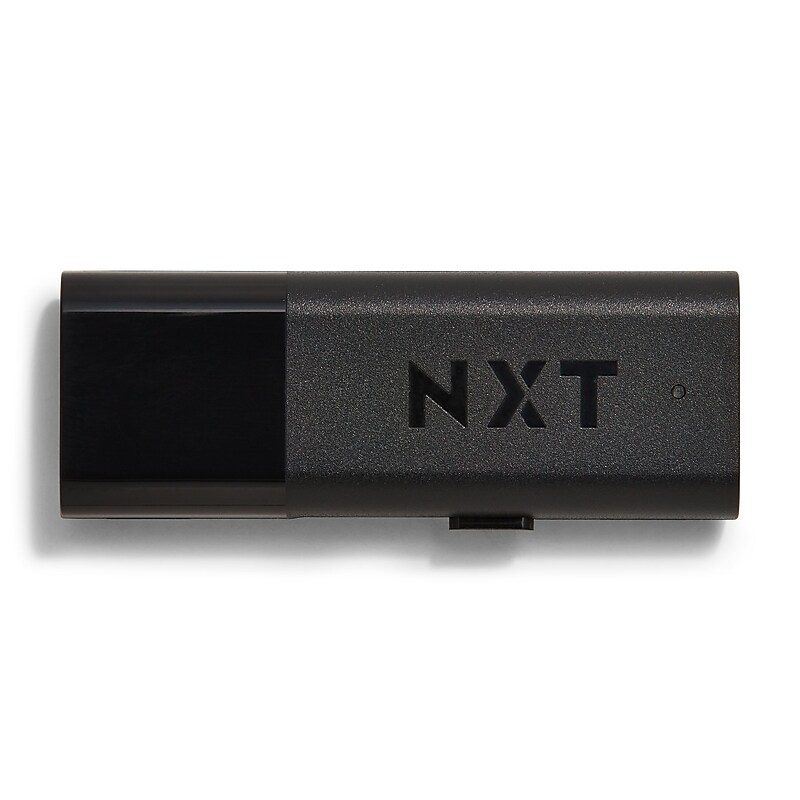
Rely on rapid data transfer speeds with this USB 3.0 flash drive. The compact size creates a portable traveling companion that slips in a bag, while the lanyard hole helps reduce the risk of misplacement. With a 256GB capacity, this NXT Technologies USB 3.0 flash drive accommodates plenty of documents, HD videos and photos, and the retractable design protects the connector from damage during transit..256GB USB flash drive for convenient data storage.Retractable connector design protects your valuable data when in transit.USB 3.0 interface.20MB/s read speed and 10MB/s write speed for quick data access and transfer.Compatible with Windows, MacOS, and Linux.LED light Indicates and communicates that the device is in use and data is being transferred.Lanyard attachment allows for easy carrying (lanyard not included).Meets or exceeds CE, and FCC standards.Black.2-year manufacturer limited warranty.1 GB = 1 billion bytes. Actual user storage less and may vary depending on use and device. Product Instructions. NXT Technologies Flash Drive Reformatting Guide.Store and share files with this NXT Technologies USB 3.0 256GB flash drive