Dell USB-C Docks

49 results
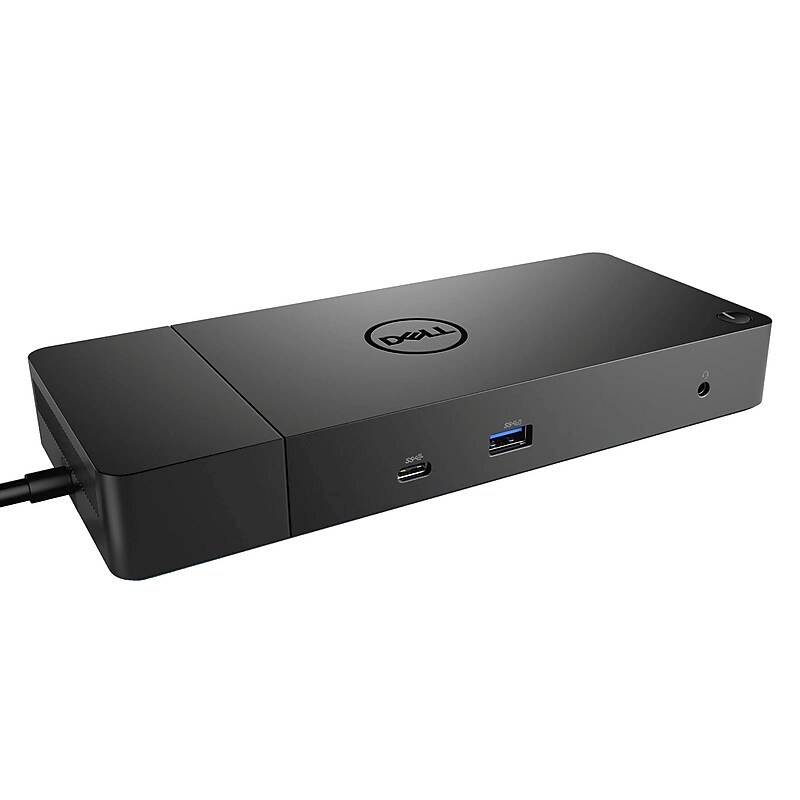
Dell WD19 Universal Docking Station for Dell Laptop (210-ARIO) image 1
Item: IM1800B86
Model: 210-ARIO

Using a single USB‑C connection, this dock allows you to connect multiple monitors, peripherals, and wired networking while also delivering consistent power to your laptop. It is ideal for professionals who want a clean, efficient setup without cable clutter. With support for high‑resolution displays and a wide range of accessories, the WD19 helps boost productivity whether you are working from the office or at home. Its compact, modern design fits easily on any desk while providing robust performance for everyday business tasks. Designed for compatibility and long‑term reliability, the Dell WD19 offers seamless connectivity, easy setup, and trusted Dell quality. It is an excellent choice for users looking to expand their workspace and streamline their workflow with one dependable docking solution..The Dell WD19 is a universal USB‑C docking station designed for Dell laptops and other compatible USB‑C systems, offering a simple one‑cable solution to expand displays, peripherals, networking, and power.This docking station features a compact, low‑profile design that fits neatly on any desk, helping maintain a clean and organized workspace without sacrificing functionality.Dimensions: Height 1.14”, Width 8.07”, Depth 3.54” & Weight: 1.29lbs.It connects to the laptop using a USB‑C interface with Power Delivery support, allowing data transfer, video output, wired internet access, and charging through a single streamlined connection.The docking station provides versatile expansion options, including multiple USB‑A and USB‑C ports, dual DisplayPort outputs, one HDMI port, an Ethernet port, and an audio jack to support multi‑monitor and accessory connections.The Dell WD19 Universal Docking Station is a powerful and reliable solution designed to turn your Dell laptop into a complete desktop workstation.

Price is  $226.69
1
2
3
4
5
6
7
8
9
10
11
12
13
14
15
16
17
18
19
20
21
22
23
24
25
26
27
28
29
30
Over 30
Add to list
No reviews yet

About Dell USB-C Docks

Dell USB-C docks are essential accessories designed to enhance connectivity and productivity for USB-C enabled laptops. These docking stations provide a seamless way to connect multiple peripherals, including monitors, keyboards, mice, and external storage devices, all through a single USB-C port.

With the increasing demand for versatile workstations, Dell USB-C docks offer a convenient solution for both home and office setups. They allow users to expand their workspace efficiently, enabling a multi-monitor setup and quick access to various devices without the hassle of multiple cables.

When choosing a USB-C dock, consider features such as the number of ports available, including HDMI, DisplayPort, USB-A, and USB-C connections. Many models also support dual monitor setups, allowing for enhanced multitasking and improved workflow.

Additionally, look for docks that offer power delivery capabilities, which can charge your laptop while connected. This feature eliminates the need for separate chargers and keeps your workspace organized, making Dell USB-C docks a practical choice for professionals on the go.

What is a USB-C dock used for?

  • A USB-C dock is used to expand the connectivity options of a laptop, allowing users to connect multiple peripherals such as monitors, keyboards, and external drives through a single USB-C port. This simplifies the setup and enhances productivity.

Can a USB-C dock charge my laptop?

  • Yes, many USB-C docks come with power delivery features that allow them to charge your laptop while connected. This means you can power your device and connect peripherals simultaneously, reducing cable clutter.

How many monitors can I connect to a USB-C dock?

  • Most USB-C docks support at least one external monitor, while many advanced models can support dual monitor setups. The exact number depends on the dock's specifications and the capabilities of your laptop.

Are USB-C docks compatible with all laptops?

  • USB-C docks are primarily designed for laptops with USB-C ports that support video output and power delivery. Always check your laptop's specifications to ensure compatibility with the dock you choose.

What should I look for in a USB-C dock?

  • When selecting a USB-C dock, consider the number and types of ports, power delivery capabilities, and support for multiple displays. Additionally, look for features like compact design and compatibility with your specific laptop model.

Can I use a USB-C dock with a MacBook?

  • Yes, USB-C docks are compatible with MacBooks that have USB-C ports. Ensure that the dock supports the necessary features for your MacBook model to maximize functionality.