Desktop Video Conferencing Systems
130 results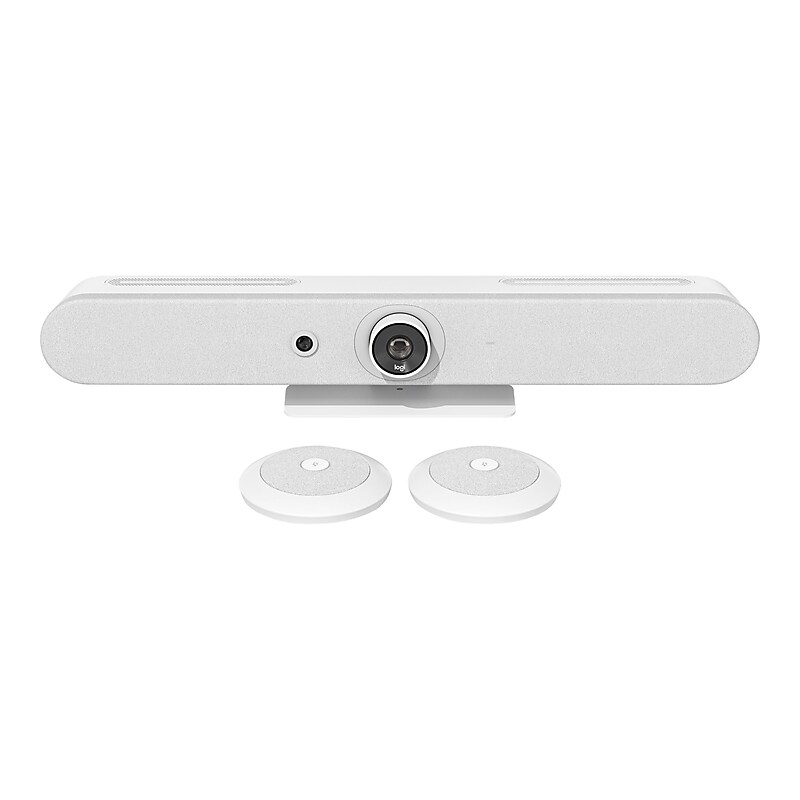
Rally Bar Mini is Logitech's premier all-in-one video bar for small rooms and huddle spaces. It's remarkably simple to use, manage, and deploy at scale, delivering the capabilities of larger video bars like Logitech Rally Bar in a compact form factor for smaller spaces. With studio-quality audio and video, motorized pan and tilt, and AI-powered performance, Rally Bar Mini sets new standards for video collaboration. Scalable across hundreds or thousands of rooms, Rally Bar Mini offers clutter-free cable management, multiple mounting options, and flexible deployment modes. Plug and play with virtually any PC or Mac, or run supported video conferencing applications on the device without a computer..Delivers brilliantly sharp video, outstanding color, and exceptional optical accuracy at resolutions up to 4K (1440p, 1080p, 900p, 720p, and SD at 30 fps).Ultra low distortion speakers with RightSound convey every word with outstanding clarity; beamforming mics pick up voices at every seat and focus on the active talker while suppressing ambient noise.Dimensions: 3.6"H x 28.31"W x 3.98"D.Features two HDMI Out, HDMI In, USB 3.0: three Type A, one Type C, 10/100/1G Ethernet port, 802.11a/b/g/n/ac (MIMO) Wi-Fi, external mic input, and remote control via Bluetooth Low Energy.Built-in components: six beamforming microphones, PTZ camera, three speakers, AI Viewfinder, cable management and retention system, table stand, Logitech CollabOS platform.Includes all-in-one enclosure with integrated table stand and patented speaker suspension system to eliminate vibration-induced camera shake and audio interference.Supports compatible video conferencing software in appliance mode (no PC required), including Zoom Rooms Appliances.Plug and play USB connectivity with virtually any video conferencing application.Add up to two Rally mic pods for even greater coverage in larger settings.Mechanical pan and tilt covers rooms 163 degrees across by 110 degrees high, with exceptional image quality.RightLight technology captures natural-looking skin tones, even in dim or backlit conditions.Second built-in camera lens has the ability to detect meeting participants, amplifying RightSight auto framing.All meeting participants, even late arrivals, are automatically seen and included.AI Viewfinder uses scene awareness to keep the camera on the action.Sleek, minimal footprint expedites setup and reduces clutter.Confidently deploy at scale with smart cable management and multiple mounting options.Optionally deploy with Tap to quickly and easily initiate meetings across Zoom, Microsoft Teams, and other cloud services.Package contains: video bar, power supply, 3.28' AC power cord, 6.5' HDMI cable, 7.2' USB cable, remote control, lens caps for main lens and AI Viewfinder, user documentation.Comes in white.2-year manufacturer limited warranty
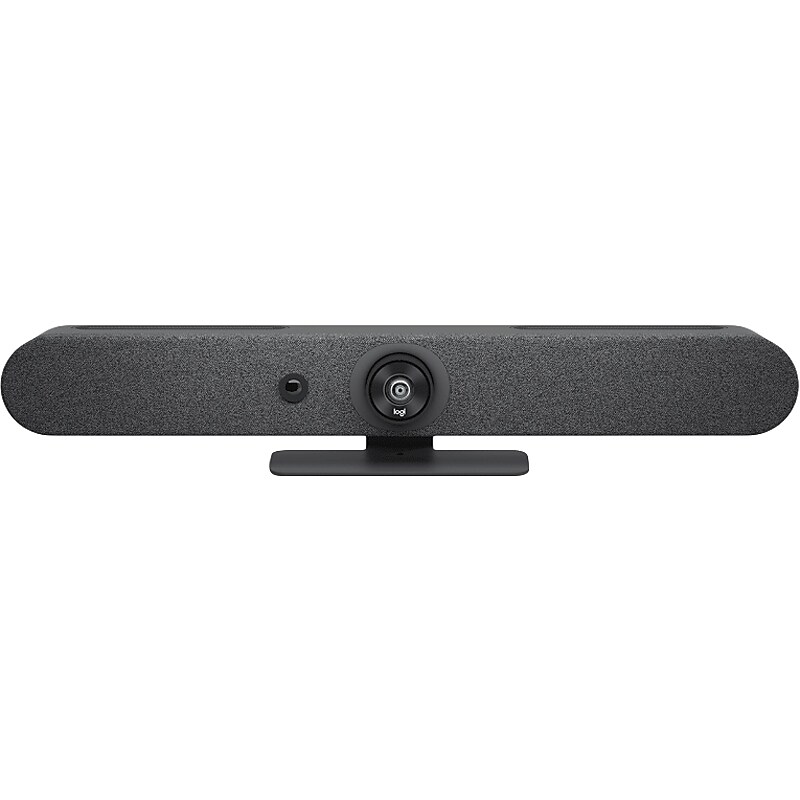
Rally Bar Mini is Logitech's premier all-in-one video bar for small rooms and huddle spaces. It's remarkably simple to use, manage, and deploy at scale, delivering the capabilities of larger video bars like Logitech Rally Bar in a compact form factor for smaller spaces. With studio-quality audio and video, motorized pan and tilt, and AI-powered performance, Rally Bar Mini sets new standards for video collaboration. Scalable across hundreds or thousands of rooms, Rally Bar Mini offers clutter-free cable management, multiple mounting options, and flexible deployment modes. Plug and play with virtually any PC or Mac, or run supported video conferencing applications on the device without a computer..Delivers brilliantly sharp video, outstanding color, and exceptional optical accuracy at resolutions up to 4K (1440p, 1080p, 900p, 720p, and SD at 30 fps).Ultralow-distortion speakers with RightSound convey every word with outstanding clarity; beamforming mics pick up voices at every seat and focus on the active talker while suppressing ambient noise.Dimensions: 3.6"H x 28.31"W x 3.98"D.Features two HDMI-out, HDMI-in, USB 3.0: three Type-A, one Type-C, 10/100/1G Ethernet port, 802.11a/b/g/n/ac (MIMO) Wi-Fi, external mic input, and remote control via Bluetooth Low Energy.Built-in components: six beamforming microphones, PTZ camera, three speakers, AI Viewfinder, cable management and retention system, table stand, Logitech CollabOS platform.Includes all-in-one enclosure with integrated table stand and patented speaker suspension system to eliminate vibration-induced camera shake and audio interference.Supports compatible video conferencing software in appliance mode (no PC required), including Zoom Rooms Appliances.Plug and play USB connectivity with virtually any video conferencing application.Add up to two Rally mic pods for even greater coverage in larger settings.Mechanical pan and tilt covers rooms 163 degrees across by 110 degrees high, with exceptional image quality.RightLight technology captures natural-looking skin tones, even in dim or backlit conditions.Second built-in camera lens has the ability to detect meeting participants, amplifying RightSight auto framing.All meeting participants, even late arrivals, are automatically seen and included.AI Viewfinder uses scene awareness to keep the camera on the action.Sleek, minimal footprint expedites setup and reduces clutter.Confidently deploy at scale with smart cable management and multiple mounting options.Optionally deploy with Tap to quickly and easily initiate meetings across Zoom, Microsoft Teams, and other cloud services.Package contains: video bar, power supply, 3.28' AC power cord, 6.5' HDMI cable, 7.2' USB cable, remote control, lens caps for main lens and AI Viewfinder, user documentation.Comes in graphite.TAA compliant.2-year manufacturer limited warranty
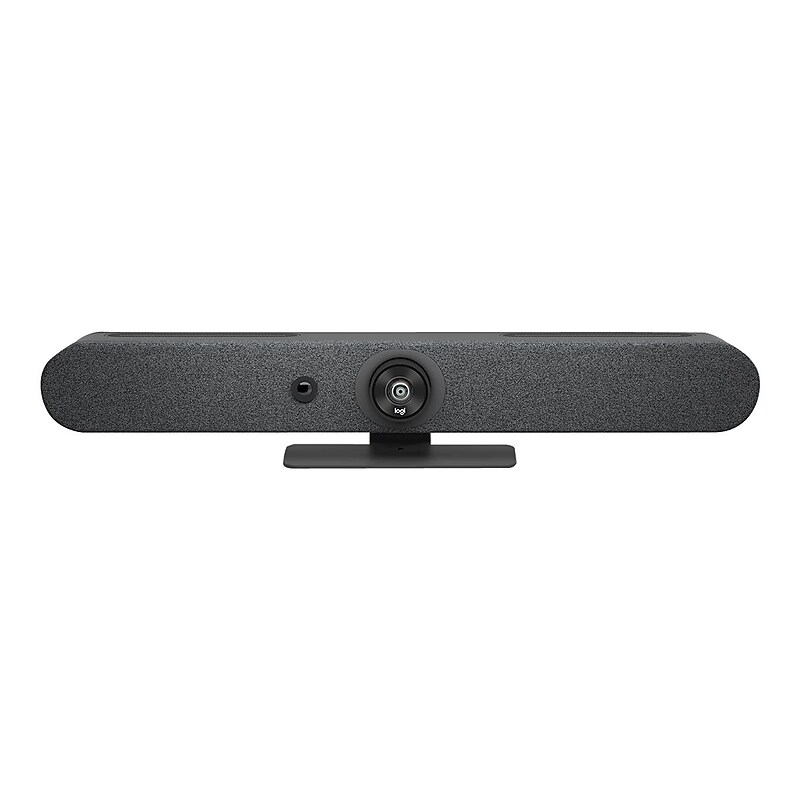
Rally Bar Mini is Logitech's premier all-in-one video bar for small rooms and huddle spaces. It's remarkably simple to use, manage, and deploy at scale, delivering the capabilities of larger video bars like Logitech Rally Bar in a compact form factor for smaller spaces. With studio-quality audio and video, motorized pan and tilt, and AI-powered performance, Rally Bar Mini sets new standards for video collaboration. Scalable across hundreds or thousands of rooms, Rally Bar Mini offers clutter-free cable management, multiple mounting options, and flexible deployment modes. Plug and play with virtually any PC or Mac, or run supported video conferencing applications on the device without a computer..Delivers brilliantly sharp video, outstanding color, and exceptional optical accuracy at resolutions up to 4K (1440p, 1080p, 900p, 720p, and SD at 30 fps).Ultra low distortion speakers with RightSound convey every word with outstanding clarity; beamforming mics pick up voices at every seat and focus on the active talker while suppressing ambient noise.Dimensions: 3.6"H x 28.31"W x 3.98"D.Features two HDMI Out, HDMI In, USB 3.0: three Type A, one Type C, 10/100/1G Ethernet port, 802.11a/b/g/n/ac (MIMO) Wi-Fi, external mic input, and remote control via Bluetooth Low Energy.Built-in components: six beamforming microphones, PTZ camera, three speakers, AI Viewfinder, cable management and retention system, table stand, Logitech CollabOS platform.Includes all-in-one enclosure with integrated table stand and patented speaker suspension system to eliminate vibration-induced camera shake and audio interference.Supports compatible video conferencing software in appliance mode (no PC required), including Zoom Rooms Appliances.Plug and play USB connectivity with virtually any video conferencing application.Add up to two Rally mic pods for even greater coverage in larger settings.Mechanical pan and tilt covers rooms 163 degrees across by 110 degrees high, with exceptional image quality.RightLight technology captures natural-looking skin tones, even in dim or backlit conditions.Second built-in camera lens has the ability to detect meeting participants, amplifying RightSight auto framing.All meeting participants, even late arrivals, are automatically seen and included.AI Viewfinder uses scene awareness to keep the camera on the action.Sleek, minimal footprint expedites setup and reduces clutter.Confidently deploy at scale with smart cable management and multiple mounting options.Optionally deploy with Tap to quickly and easily initiate meetings across Zoom, Microsoft Teams, and other cloud services.Package contains: video bar, power supply, 3.28' AC power cord, 6.5' HDMI cable, 7.2' USB cable, remote control, lens caps for main lens and AI Viewfinder, user documentation.Comes in graphite.2-year manufacturer limited warranty
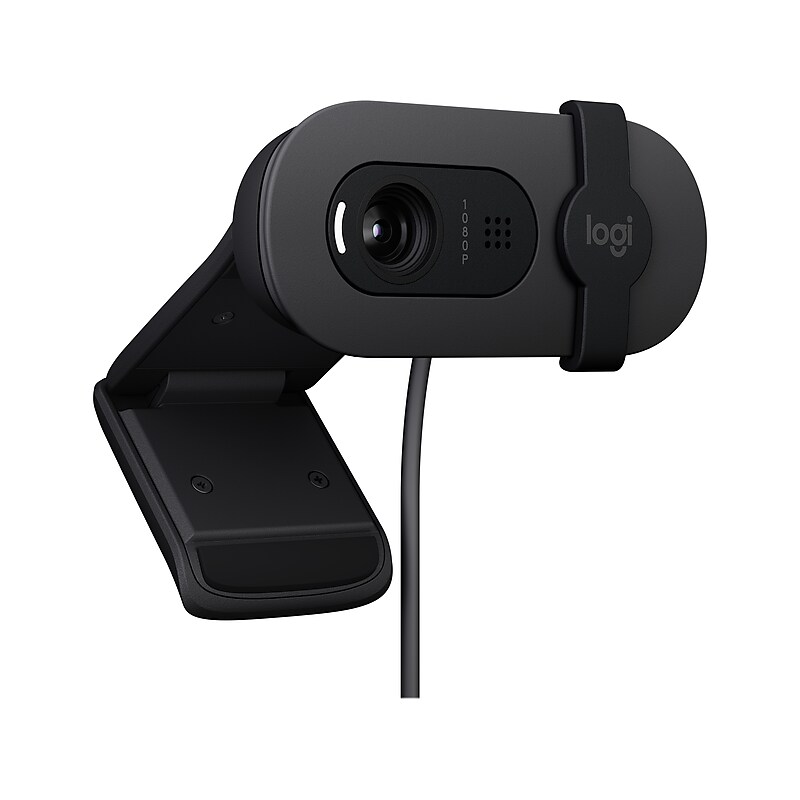
Enhance your video conferencing experience with the Logitech Brio 105 Full HD 1080p Webcam (960-001579)—a sleek, eco-conscious webcam designed for professional clarity and simplicity. Featuring crisp 1080p resolution at 30fps, advanced RightLight 2 technology for optimal lighting in any environment, and a built-in omnidirectional microphone for clear audio up to 1 meter away, the Brio 105 ensures you look and sound your best on every call. With a privacy shutter, universal mounting clip, and compatibility with Windows, macOS, Google Meet, and Chromebook, this plug-and-play webcam is ideal for remote work, hybrid teams, and business professionals. Plus, it’s made with 77% post-consumer recycled plastic, making it a smart and sustainable choice for modern workspaces..Full HD 1080p Video at 30 FPS – Supports multiple resolutions including 1080p and 720p at 30 fps to deliver crisp, professional-quality video for meetings, streaming, and virtual collaboration..Wide 95° Field of View – Capture more of your surroundings with a broad-angle lens, ideal for group calls, presentations, and shared workspaces..RightLight 2 Technology – Automatically adjusts brightness and contrast for clear, natural-looking video in low-light or backlit environments..Omnidirectional Microphone with 3' Range – Delivers clear, natural audio from multiple directions, perfect for remote work and virtual collaboration..Integrated Privacy Shutter – Easily slide the built-in shutter to block the lens and protect your privacy when the webcam is not in use..USB Type-A Plug-and-Play Connectivity – Quick and easy setup with a 6 ft. cable—no drivers needed for Windows, macOS, Ubuntu, or Chromebook..Flexible Mounting Options – Universal clip fits monitors, LCDs, and laptops; tripod support adds extra versatility for custom setups..Customizable with Free Logi Tune App – Fine-tune image quality and webcam settings for a personalized video experience..Certified for Google Meet & Works with Chromebook – Seamless compatibility with leading video conferencing platforms and operating systems..Eco-Conscious Design – Made from at least 77% post-consumer recycled plastic, helping reduce e-waste and support sustainability..Compact and Sleek – Measures just 1.26" H x 2.87" W x 2.62" D, making it a discreet and stylish addition to any workspace..3-Year Manufacturer Limited Warranty – Backed by Logitech’s trusted support for long-term peace of mind..Look Sharp, Sound Clear – The Logitech Brio 105 Delivers Full HD Video for Every Professional Call
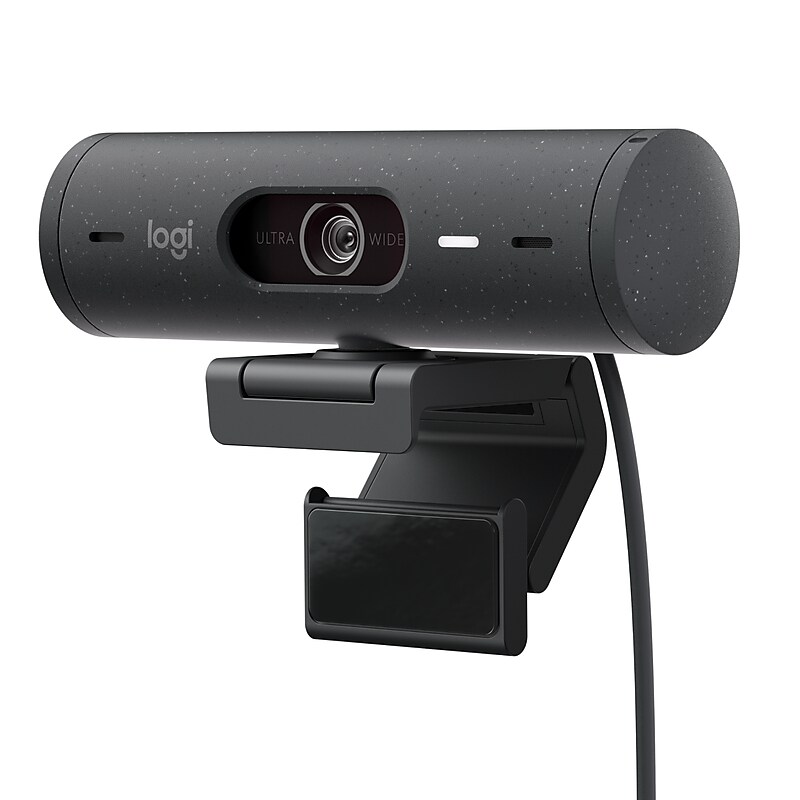
Feel confident in every hybrid meeting with Logitech Brio 500 - a webcam that brings personality and ease to your office setup. Auto light correction and noise-reducing mics ensure you look and sound clear and natural in every meeting you join. Use the innovative Show Mode to tilt the camera down and present sketches, work in progress, and other objects on your desk. The included mount features a micro suction pad that secures the webcam to the back of your monitor, allowing you to make quick adjustments with one hand. Download Logi Tune for free to enable Show Mode..Full HD 1080p Video Quality – Show up to every meeting with sharp, vibrant video that helps you look confident, engaged, and authentic..RightLight 4 with AI Face Correction – Automatically adjusts lighting and enhances facial clarity, even in dim or backlit environments..RightSight 4 Auto-Framing – Keeps you perfectly centered in the frame as you move, ideal for dynamic presentations and standing meetings (macOS and Windows only)..Noise-Reducing Dual Microphones – Filter out background distractions so your voice comes through clearly and naturally..Innovative Show Mode – Tilt the camera down to share sketches, documents, or physical objects on your desk—perfect for creators and educators (Logi Tune required)..Plug-and-Play USB-C Connectivity – Quick setup with modern USB Type-C connection for seamless integration with your workspace..Compact and Stylish Design – Measures just 2.03" H x 4.33" W x 1.77" D and includes a micro-suction mount for one-handed adjustments..Integrated Privacy Shutter – Easily rotate to block the lens when you’re off-camera for added peace of mind..Certified for Microsoft Teams, Zoom, and Google Meet – Works flawlessly with all major video conferencing platforms..Customizable with Logi Tune App – Fine-tune video settings, enable Show Mode, and control mic functions with a free, easy-to-use app..Eco-Conscious Packaging – Comes with a mount clip, removable adapter, and user documentation in sustainable packaging..1-Year Limited Warranty – Backed by Logitech’s trusted support for reliable performance.
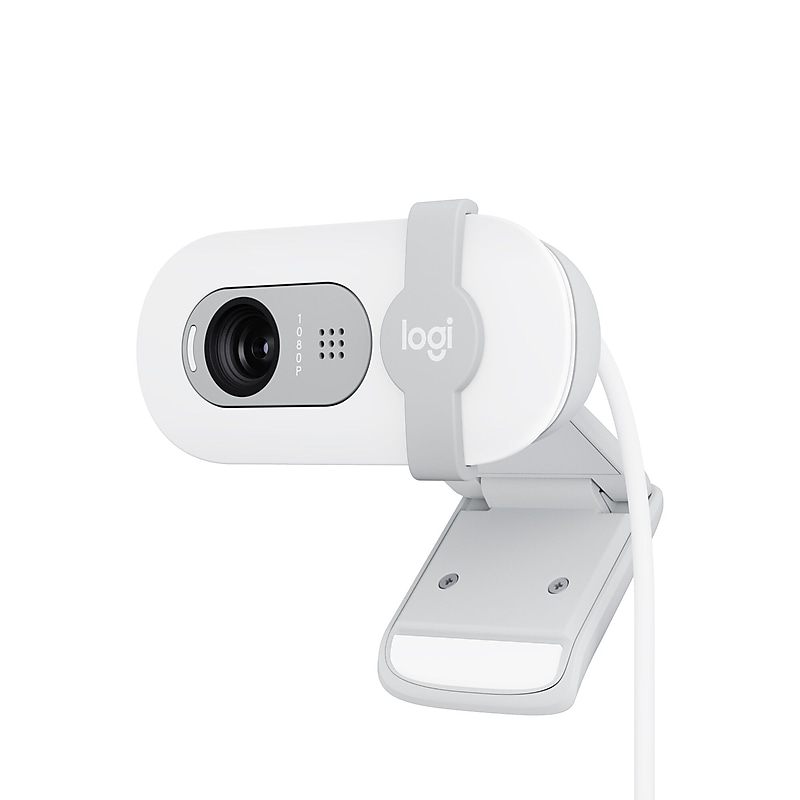
Look, sound, and meet better with the Logitech Brio 100, a simple and affordable webcam that lets you show your best self in video calls. Full HD (1080p) resolution and auto light balance bring clarity and brightness to your calls, so you look your best. Sound better with a built-in microphone, and get total privacy with an integrated shutter. The Brio 100 comes in fun, sophisticated colors that let you express yourself at your workspace. Made with a minimum of 34% recycled plastic..2MP Full HD (1080p) webcam with auto light balance brings clarity and brightness to your calls, so you look your best.Built-in omnidirectional microphone lets others hear you clearly during video calls.Webcam dimensions: 1.26"H x 2.87"W x 2.62"D.Features plug-and-play USB Type-A connectivity.RightLight 2 automatically balances brightness, adjusts contrast, and compensates for challenging light environments to create a natural presentation.Integrated webcam cover makes it easy to get total, reliable privacy when you're not on a video call.Coordinate and express yourself when working from home with a choice of fun yet sophisticated colors that go great with your setup.Made with a minimum of 34% postconsumer plastic.Works with most video calling platforms, including Microsoft Teams, Zoom, and Google Meet
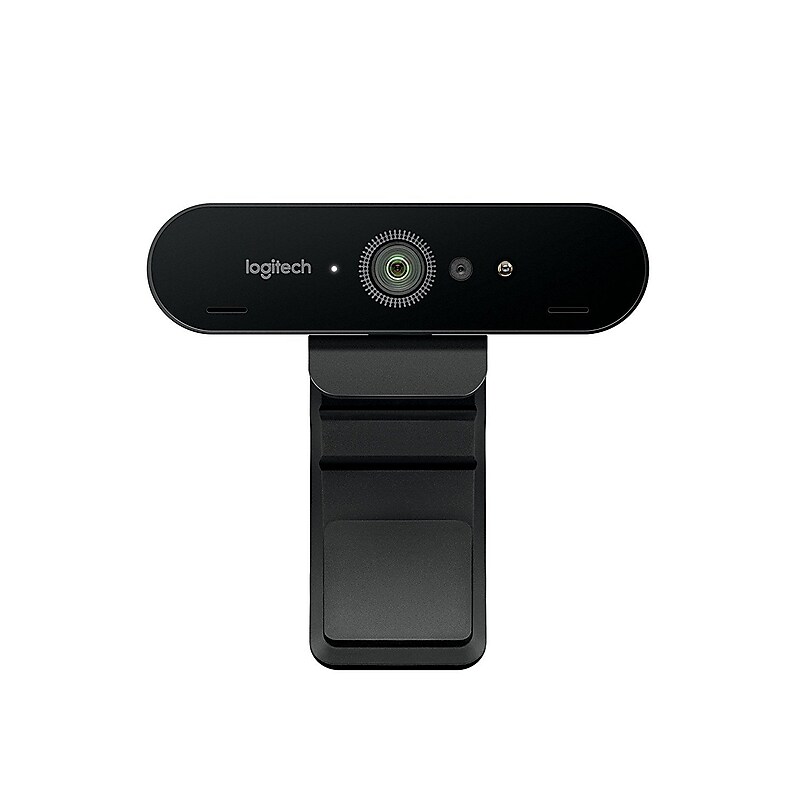
The Logitech BRIO Pro ultra HD 4K webcam provides you with advanced audiovisual technology to ensure the most impressive, realistic image quality for a wide range of video conferencing, streaming, and video recording contexts. With 5X zoom, adjustable field of vision, two omni-directional microphones, and certified compatibility with the most commonly used software packages, this smoothly streaming device is an excellent choice for professional settings such as modern offices in which meetings are scheduled and held online, rather than face-to-face..Ultra HD 4K image sensor provides unmatched crystal-clear video quality at 4K (Ultra HD), 1080p (Full HD), and 720p (HD) resolutions.Two omni-directional microphones provide business-class audio performance with noise cancellation.USB 2.0 Type A and USB 3.0 Type A and C connections.Certified compatibility for Skype for Business, Microsoft Cortana, Windows Hello, and Cisco Jabber.Adjustable clip for easy mounting to laptop or LCD screen.Custom carrying case for portability.RightLight 3 technology with HDR ensures crystal-clear images in settings from low light to direct sunlight.Infrared sensor technology to support facial recognition.Privacy shade allows switching to privacy mode in an instant.Expansive field of vision allows for more focused communication or wider settings.5X digital zoom for more precision.The Logitech BRIO Pro webcam delivers 4K UHD and 5X zoom for outstanding video quality.
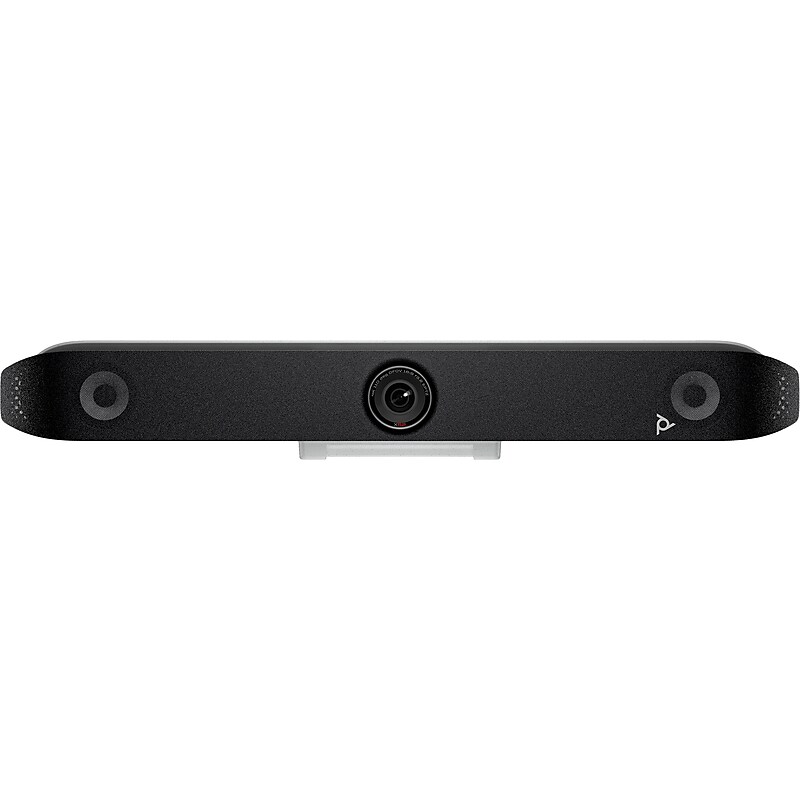
Specifically engineered to improve video conferencing experiences–the Poly Studio X52 all-in-one video bar simplifies and enhances meetings. Bring meeting equality to attendees both in and out of the room with innovative audio and video experiences..Zoom in and see the smallest details with 20MP 4K UltraHD 95-degree FOV camera that's thoughtfully designed for medium spaces.Built-in stereo speakers for rich and immersive sound, and two MEMS microphones with up to 20' of pick up range.Dimensions: 4.5"H x 30.3"W x 4"D.Ports: 1 x HDMI-in 2.0 (video and audio); 2 x HDMI-out 2.0 (video); 1 x USB Type-C; 2 x USB Type-A; 1 x RJ-45; 1 x line in (optional microphone).Poly Lens, remote device management, gives you better visibility into workspaces across the entire organization.Remove distractions from your meeting with PolyNoiseBlockAI and Acoustic Fence technologies.Provide users all the flexibility they need to join any cloud video call with built-in apps, standards-based protocols, or by using their personal devices connected to the room system.Ensure everyone is represented equally on the call with quality audio and video paired innovative technologies by Poly that include pinpoint-accurate AI-enhanced automatic framing and smart audio filtering.Poly DirectorAI smart camera technology creates an equitable experience for your hybrid meetings.Mid-sized rooms can be up and running in minutes, with the simple setup and all-in-one design.Clearly pick up voices at the far end of the table and remove distractions from your meeting with Poly NoiseBlockAI and Acoustic Fence technologies.Use the Poly Video App to connect into cloud video services through H.323 and SIP or connect to any cloud video platform from your PC by connecting over USB.The cloth faceplate is enhanced with Microban antimicrobial product protection to ensure the device stays cleaner, fresher, and more durable for longer.Package includes: AC power adapter, CAT 5E LAN cable, display mounting clamp, HDMI cable, Poly Studio X52, power cable.1-year manufacturer limited warranty
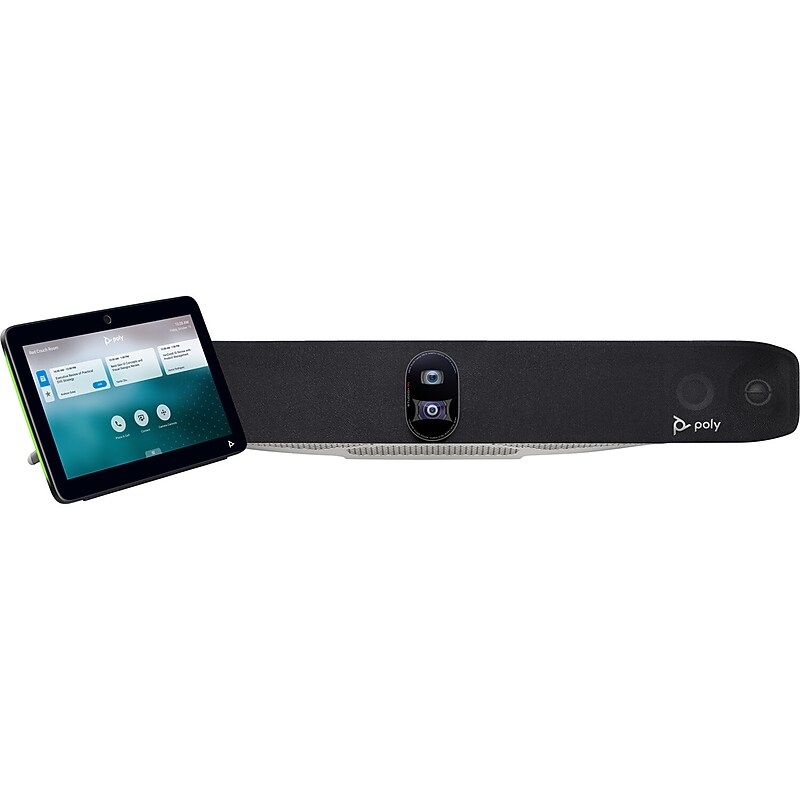
Transform your large meeting spaces with the Poly Studio X70 All-In-One Video Bar and TC10 Controller Kit. Engineered for professional-grade video conferencing, this system delivers stunning 4K Ultra HD resolution and intelligent camera framing powered by Poly DirectorAI. Dual cameras and a beamforming microphone array ensure every voice and face is captured with clarity, while NoiseBlockAI and Acoustic Fence technologies eliminate distractions. The TC10 touch controller offers seamless call management and content sharing, making collaboration effortless. With built-in Wi-Fi, Ethernet, and broad compatibility with Zoom, Microsoft Teams, and Google Meet, this TAA-compliant solution is perfect for secure, high-performance communication..Designed as a professional-grade video conferencing system, the Poly Studio X70 is ideal for large meeting spaces, delivering crystal-clear 4K video and intelligent audio for seamless collaboration..This complete kit includes the Studio X70 video bar, TC10 touch controller, wall mount kit, HDMI and Ethernet cables, and power adapter—everything needed for a streamlined setup..Supports leading platforms including Zoom, Microsoft Teams, and Google Meet, ensuring smooth integration with your preferred unified communications environment..Wall mountable design allows for secure and space-efficient installation, making it perfect for permanent setups in conference rooms and collaborative workspaces..Equipped with dual 20MP cameras and 4K Ultra HD resolution (3840 x 2160), this system captures every detail with lifelike clarity and precision..Features advanced beamforming microphones with NoiseBlockAI and Acoustic Fence technologies to isolate voices and eliminate background noise for superior audio quality..Compact yet powerful, the system measures approximately 10.5" in height, 6.8" in width, and 4.2" in depth, fitting neatly into modern meeting environments..Offers flexible connectivity with dual RJ-45 Ethernet ports, HDMI in/out, USB, and audio line in/out, supporting both wired and wireless content sharing.
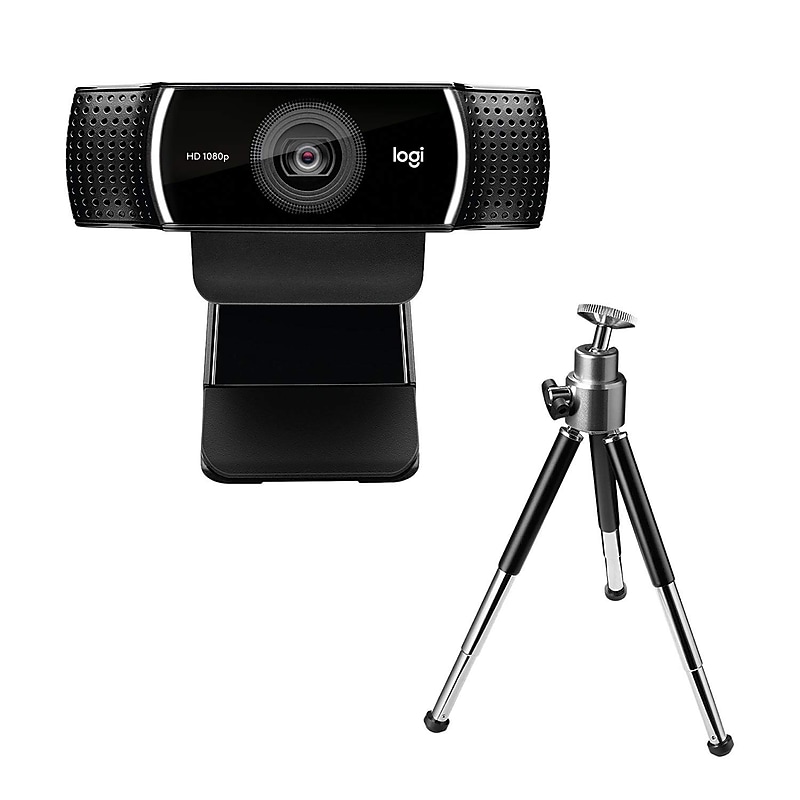
The Logitech C922 Pro Stream Webcam delivers sharp, professional‑grade video designed specifically for streamers, creators, and remote professionals who need superior clarity for live content. It lets you stream in full 1080p at 30fps or switch to hyperfast 720p at 60fps for smoother motion, making it ideal for Twitch, YouTube, and other broadcasting platforms. Auto light correction and 20‑step autofocus optimize image quality in challenging lighting conditions, while dual built‑in stereo microphones provide clear, no‑drop audio from any angle. With a 78° diagonal field of view and a full HD glass lens, the C922 captures crisp, true‑to‑life video that enhances your stream or video call setup. It also supports background replacement features and includes a tripod for customizable positioning when needed. Compatible with major streaming and calling platforms, including OBS, XSplit, and common video conferencing apps, the C922 is a versatile, plug‑and‑play webcam built for smooth, stable performance across Windows, macOS, and ChromeOS systems..Stream in Full HD – Broadcast in sharp 1080p at 30fps or switch to smooth 720p at 60fps for fast‑motion streaming on platforms like Twitch and YouTube..Auto Light Correction – RightLight technology adjusts to low‑light environments for clear, well‑lit video even in dim conditions..Fast, Accurate Autofocus – 20‑step autofocus keeps your image crisp through movement, ensuring reliable clarity during live streams..Wide 78° Field of View – Capture more of your scene with a 78° diagonal FOV, ideal for single‑person or small‑group streaming setups..Dual Stereo Microphones – Two built‑in mics deliver clear, natural audio for professional‑sounding broadcasts..Background Replacement Support – Enhance your stream with customizable backgrounds using compatible software like XSplit and Personify..Tripod Included – Comes with an adjustable tabletop tripod for flexible, stable positioning during streams or recordings..Works with Major Platforms – Compatible with OBS, XSplit, Skype, Zoom, and popular streaming and conferencing applications..Plug‑and‑Play USB Setup – Simple USB 2.0 connection makes installation fast on Windows, macOS, and ChromeOS devices..Connect with superior clarity every time you go live on channels like Twitch and YouTube.
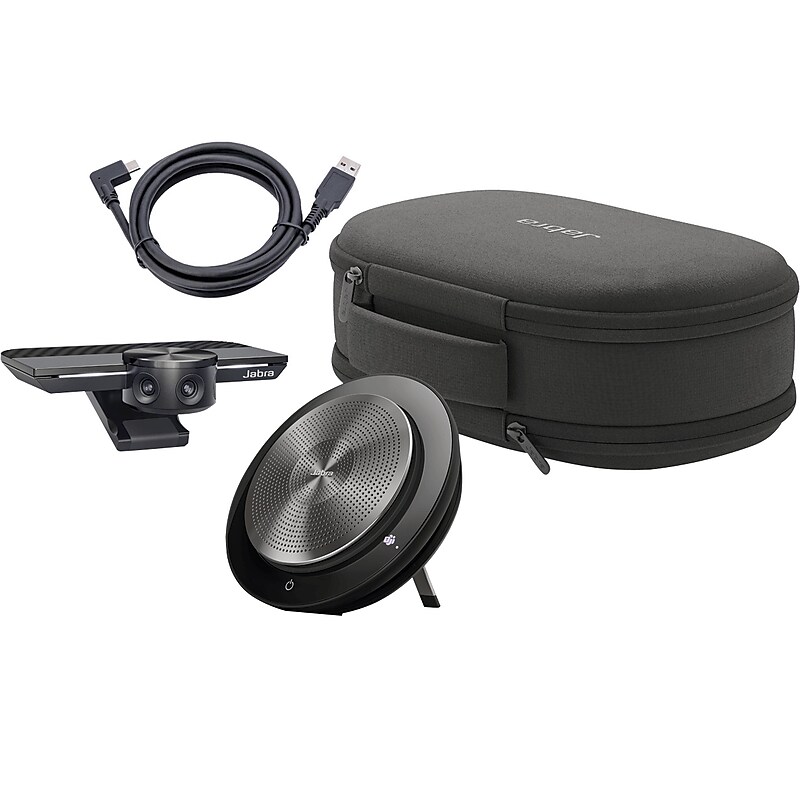
Jabra Meet Anywhere bundle have everything you need to transform any space into a meeting place. A compact travel pouch keeps the intelligent Jabra PanaCast and premium Speak 750 in one easily portable place, so you can enjoy simple plug-and-play communication whenever you need it. Get more mileage from your meetings with Meet Anywhere bundle..Three 13MP cameras and real-time video stitching create a 180-degree panoramic 4K view of your meeting space to ensure everyone can be seen clearly no matter where you're set up.Crystal clear Jabra Speak 750 full duplex technology ensures both sides of the call can be heard simultaneously for seamless meetings that keep everyone engaged wherever they're connecting from.Use USB Type-A to USB Type-C cable to connect Jabra PanaCast to your computer or Jabra Hub.Plug-and-play for maximum ease of use.Includes Jabra PanaCast, Jabra Speak 750, 3.28' USB-A to USB-C cable, and premium travel case.PanaCast is certified for Zoom Rooms to help everyone communicate seamlessly
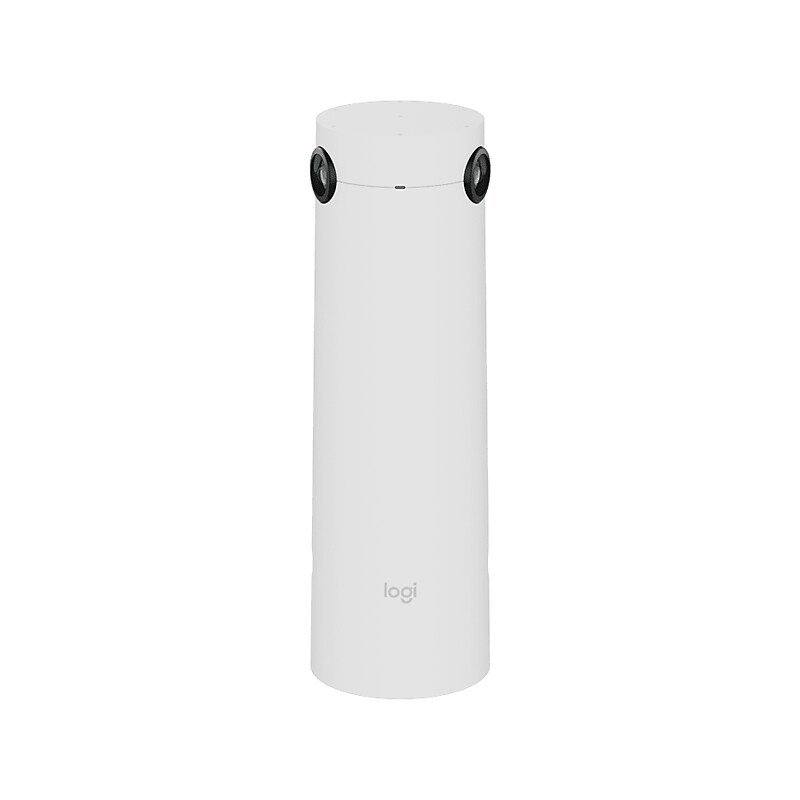
The Logitech Sight is a tabletop companion camera that works in tandem with Logitech Rally Bar or Rally Bar Mini to provide a front-and-center view of meeting participants around the table. With seamless integration with all major video conferencing platforms, Sight enhances your hybrid meeting experience by capturing audio and video deeper into the room, making remote attendees feel more included and engaged. Whether you're hosting a large-scale conference or a small team meeting, Sight ensures that every participant can contribute and be heard with equal clarity. With Sight, you can take your hybrid meetings to the next level and create a more engaging and effective meeting experience for all attendees..315-degree video capture presents participants around the table with dual lenses that capture up to 4K resolution.Directional mic pickup: detects active speakers using the direction of arrival of voices; seven beamforming mics replace the need for a mic pod.Dimensions: 11.46"H x 3.68"Dia. (grommet-mounted); 11.77"H x 6.65" (table-mounted).Ports and interfaces: 1 x RJ45 (audio/video data over USB), 1 x RJ45 (Power Over Ethernet), 1 x RJ45 (Daisychain - Rally Mic Pods).With the touch of a button, users can quickly and easily mute or unmute the microphones in the room.With a pickup range of 7.5', it is designed for medium-to-large rooms, intelligently detecting and capturing conversation and nonverbal communication clearly all around the table.Adaptive intelligence chooses the best view between the camera on the table and the camera at the front of the room, tracking conversations as they move between participants.Three colored LEDs clearly indicate video on/off, mute on/off, in-call status, power status, and more.Slide the magnetic shade in front of the lenses to automatically turn off video capture.Easily manage your Logitech video collaboration devices with Logitech Sync; monitor room health, deploy updates, and modify settings all from a single cloud-based platform.Integrates with leading video platforms like Microsoft Teams, Zoom, and Google Meet to make hybrid meetings more equitable and inclusive.Combines with Rally Bar or Rally Bar Mini to provide a responsive front-and-center view of everyone in the room (sold separately).Easily install and secure the camera with any of the three included mounts, keep tables clean, and keep cables plugged in with integrated cable management.Secure Sight and route cables across the table using the table mount.Use the grommet hole mount to hide cables down under the table.Place Sight in non-traditional rooms with U- or V-shaped tables by securing it to a tripod stand.Made with recycled plastic (includes 50% of certified post-consumer recycled plastic).System requirements: 802.3at Type-2 PoE+ power or equivalent power supply (user supplied); CAT-6a or greater; USB mode: Windows 10/11 or later, macOS (two most recent versions); appliance mode: room solution software license (not included), Rally Bar or Rally Bar Mini.Package contents: Sight camera, Sight dongle, mic pod dongle, privacy shade, grommet mount, table mount, tripod mount, cable clips, and user documentation.Comes in white.2-year manufacturer limited warranty
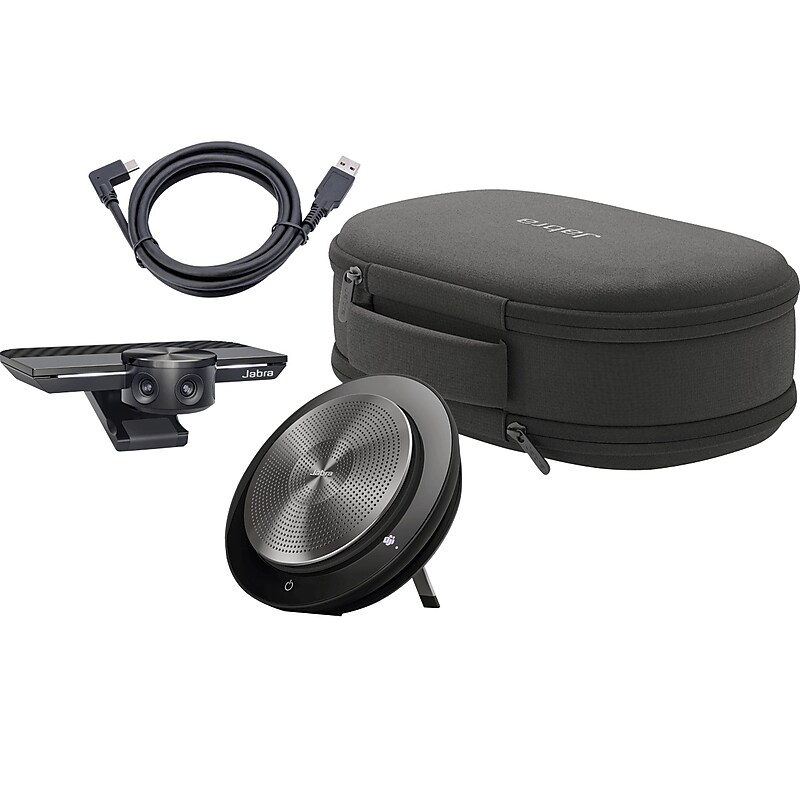
Jabra Meet Anywhere bundle have everything you need to transform any space into a meeting place. A compact travel pouch keeps the intelligent Jabra PanaCast and premium Speak 750 in one easily portable place, so you can enjoy simple plug-and-play communication whenever you need it. Get more mileage from your meetings with Meet Anywhere bundle..Three 13MP cameras and real-time video stitching create a 180-degree panoramic 4K view of your meeting space to ensure everyone can be seen clearly no matter where you're set up.Crystal clear Jabra Speak 750 full duplex technology ensures both sides of the call can be heard simultaneously for seamless meetings that keep everyone engaged wherever they're connecting from.Use USB Type-A to USB Type-C cable to connect Jabra PanaCast to your computer or Jabra Hub.Plug-and-play for maximum ease of use.Includes Jabra PanaCast, Jabra Speak 750, 3.28' USB-A to USB-C cable, and premium travel case.PanaCast is certified for Zoom Rooms and Microsoft Teams Rooms to help everyone communicate seamlessly
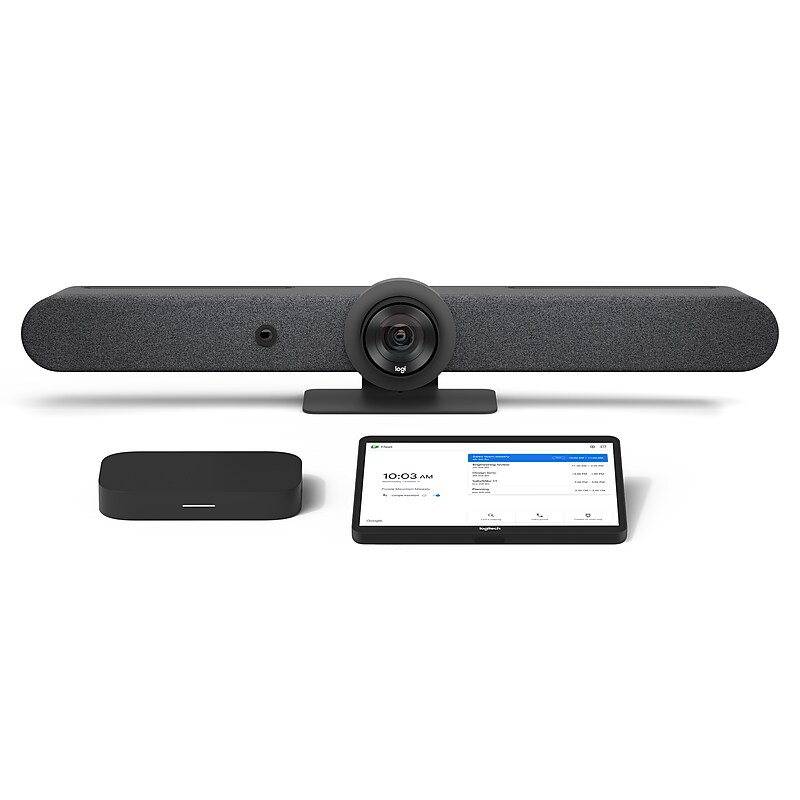
Transform medium and large meeting rooms to Google Meet collaboration spaces. Kit includes everything you need to deploy Google Meet video conferencing. Features the Logitech Rally Bar video bar for razor-sharp video, advanced audio engineering, and AI Viewfinder for auto-framing and camera control. Provides a consistent meeting experience with Logitech Tap, a 10.1” touch controller that offers one-touch join, center-of-room control, and wired and wireless content sharing. Includes a pre-configured Google Meet compute system and mount. Available extended warranty for Rally Bar and Tap protects your investment for up to 3 additional years..Complete Room Solution for Google Meet: Pre-configured for easy installation, this all-inclusive system transforms meeting rooms to Google Meet collaboration spaces.Ideal for Medium to Large Rooms: Features Rally Bar, an all-in-one video bar with razor-sharp video, advanced audio engineering, and AI Viewfinder for auto-framing and camera control.Quickstart Meetings: With a sleek design, responsive 10.1” screen, and motion sensor for always-on readiness, Logitech Tap brings ease and convenience to Google Meet.Secure and Flexible Mounting Options: Mount for Google Meet compute system features cable retention and strain relief; an optional table, riser, or wall mount may be added for Tap.Commercial-Grade Cabling: Connect Tap up to 40 meters away from the Meet compute system with data and power carried over Cat5e cable (10m of cabling included).Management and Insights: Monitor and manage meeting room devices and get business insights into how rooms are used with Google Admin Console.Extended Warranty Available: 2-year limited hardware warranty included; extended warranty options available
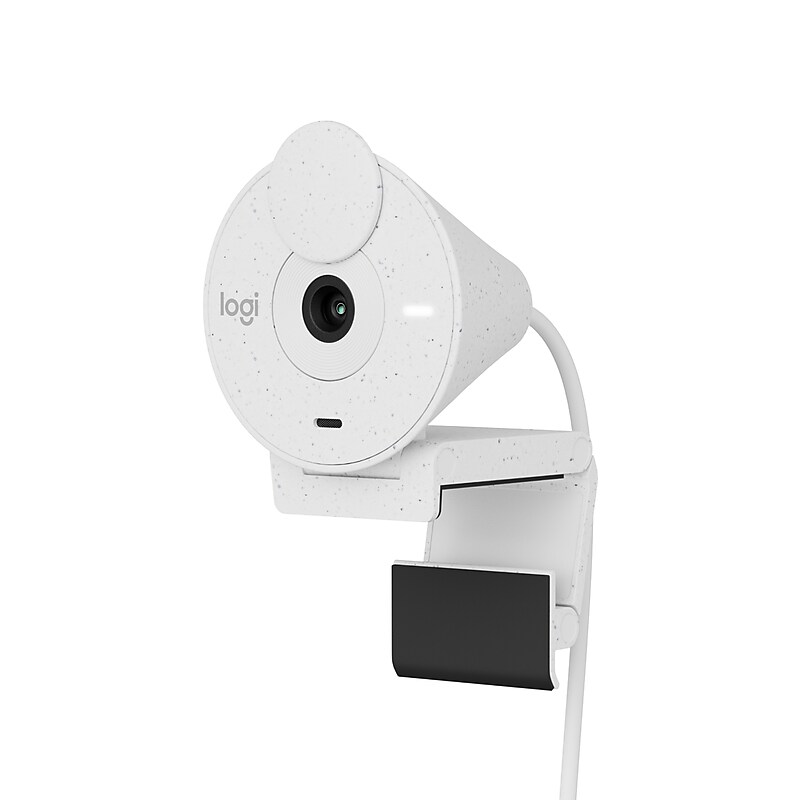
Say hello to better video calls with the Logitech Brio 300, a stylish and compact 1080p webcam with the auto light correction to compensate for challenging light environments. Brio 300 is available in three colors to suit your personality and features a subtly speckled design — the result of using recycled plastic. Now you can be your best self on every video call. Brio 300 is easy to set up with USB-C connectivity to ensure that you are seen and heard clearly on every video call..Full HD (1080p) webcam with auto light correction to help you look your best on every video call.Mono noise-reducing mic captures and transmits your voice while suppressing background noise so you can be heard clearly.Webcam dimensions (with mount clip attached): 2.58"H x 2.09"W x 1.78"D.Features plug-and-play USB Type-C connectivity.RightLight 2 automatically balances brightness, adjusts contrast, and compensates for challenging light environments to create a natural presentation.Easily spin the integrated privacy shutter to completely block the camera when not in use.Indicator light lets users know for certain when the camera is active.Compatible with most meeting and calling platforms and is certified for use with Microsoft Teams, Zoom, and Google Meet.Download the free Logi Tune app for additional features that allow you to adjust the webcam to your preferences.Made with recycled plastic and comes in off-white finish (the plastic parts include 48% of certified postconsumer recycled plastic).Works with Windows, macOS, or ChromeOS and virtually any popular videoconferencing platform.Package includes: webcam with attached USB Type-C cable, fixed mount clip, user documentation.Paper packaging is FSC certified; certified carbon-neutral.1-year manufacturer limited warranty.Safety Data Sheet
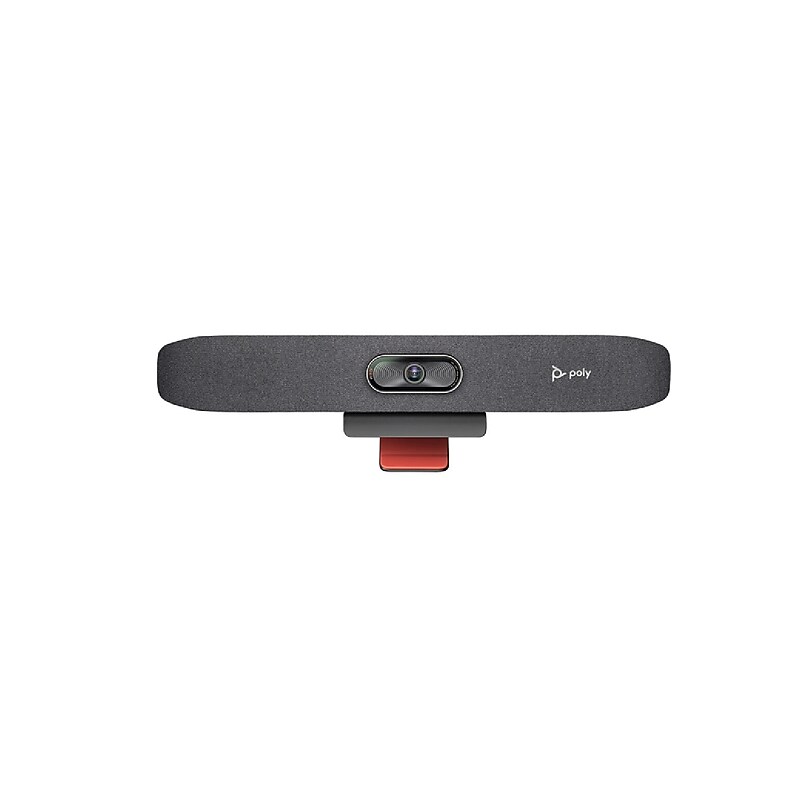
The HP POLY Studio R30 USB Video Bar is designed for small conference spaces and offers simple installation. Just plug in the included power supply and connect your computer to the USB interface. The Studio R30 delivers UHD 4K video and clear audio with AI noise-cancelling and framing technologies in one intuitive device. All in-person participants can be easily seen thanks to low-light compensation, 120° field of view, and 5x digital zoom..Poly Studio R30 USB Video Bar.USB Video Bar for Small Conference Rooms.AI noise-cancelling and framing technologies in one intuitive device.Captures the entire room, making sure all participants are visible..Uses smart camera technology to automatically frame speakers and adjust views dynamically.Enhances focus on individuals or specific areas in the room..Maintains video clarity even in dim environments..Flexible mounting options including wall and VESA mounts..1 Year Limited Warranty
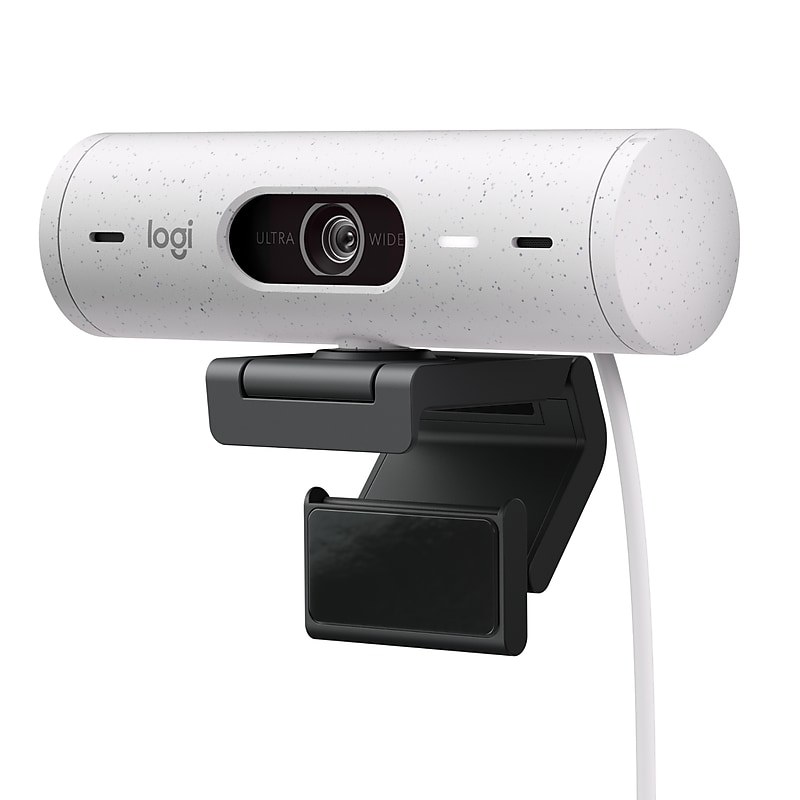
Show up to every video call feeling confident, seen, and heard. Logitech Brio 500 includes features like auto light correction for low-lighting conditions, auto-framing so you can move during calls, and Show Mode for presenting objects on your desk. Brio 500 Webcam creates a more authentic Google, Teams, or Zoom meeting experience, allowing you to be your best self on every video call..Advanced Image Quality: Full HD 1080p webcam resolution provides outstanding image quality so everyone can see you clearly during meetings.Auto Light Correction (RightLight 4): RightLight 4 video lighting technology automatically adjusts to the lighting in your environment, so you can be seen clearly even in low light.Auto-Framing (RightSight): Auto-framing centers the video camera on you, allowing you to stand and move during meetings without leaving the frame.Show Mode: Present your work or other objects on your desk with Show Mode, which lets you tilt the web camera up or down with one hand.Dual Noise Reduction Microphones: Be heard clearly in noisy environments thanks to noise canceling mics that filter out background sound during calls.Webcam with Privacy Cover: To protect your privacy between meetings, simply rotate the integrated webcam privacy shutter to completely block the camera.90-Degree Field of View: A wider-than-normal FOV gives you extra space to move around or have a second person on the camera with you; use Logi Tune to zoom in or out to a full 90º width.Logi Tune: Pair with Logi Tune to customize your Logitech Webcam experience; zoom in or out, mute the microphone, adjust color and image resolution, manage auto-frame, and set automatic updates
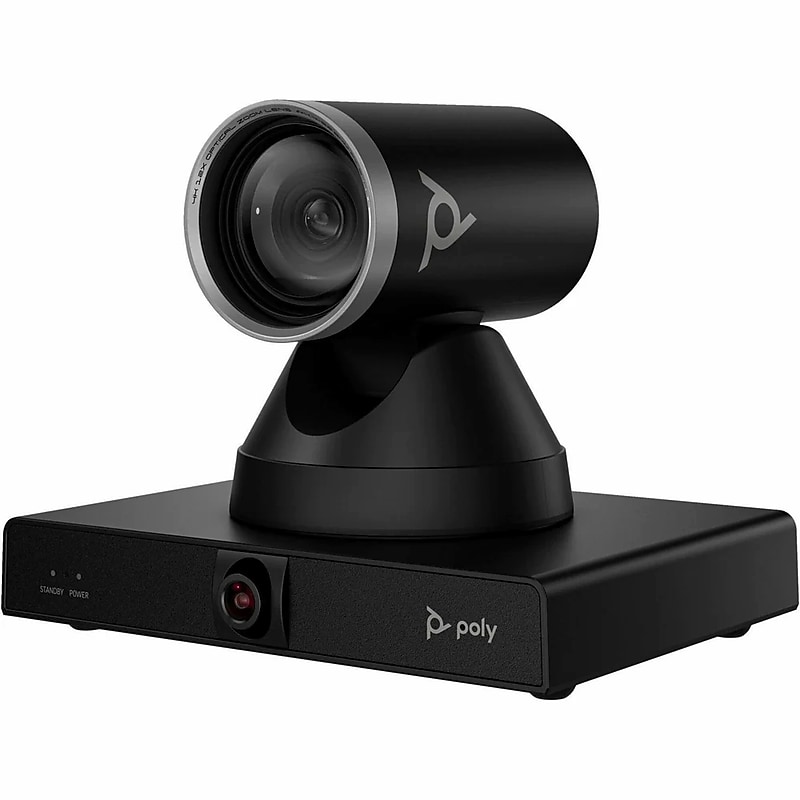
Getting the most out of the Poly Studio E60 smart MPTZ optical zoom camera is easy. Main presenter in focus, team in sight, every detail noted. Keep your hybrid teams engaged with a 12x optical zoom that offers crisp, sharp and clearer images even if you zoom in to the back of the room. The Poly Studio E60 smart optical zoom camera harnesses AI-driven tracking and framing modes to make sure the focus stays on the all-important action. Flexible connections and compatibility with top conferencing platforms keeps you focused on your presentation. Keep presentations engaging with the Poly Studio E60 smart MPTZ optical zoom camera. The main presenter is always in frame, and every person in the room is shown with exceptional accuracy, even at the far end. With every detail captured, presentations are easier to follow. Keep your hybrid teams engaged with a 12x optical zoom that offers crisp, sharp and clearer images even if you zoom in to the back of the room..Motorized PTZ (pan/tilt/zoom) smart video conferencing camera, designed for large conference rooms, boardrooms, and classrooms with advanced AI-driven presenter and group framing.Includes Poly Studio E60 Camera, Ethernet Cable (5m), Wall Mount Kit, Quick Start Guide, Warranty Card, Poly Studio E60 USB-B To USB Type-A Cable (2m), IR Remote Control.Certified for use with Microsoft Teams, Zoom, Tencent, and other major collaboration platforms.Wall Mount supported.4K Ultra-HD (3840 × 2160), up to 60 fps (15 fps in 4K UHD calls), using an 8 MP sensor.Includes a 3-microphone element beam-forming array for clear audio pick-up.USB-B and Gigabit Ethernet with PoE+ support; also includes Kensington lock and 12 V DC power input for flexible IT integration
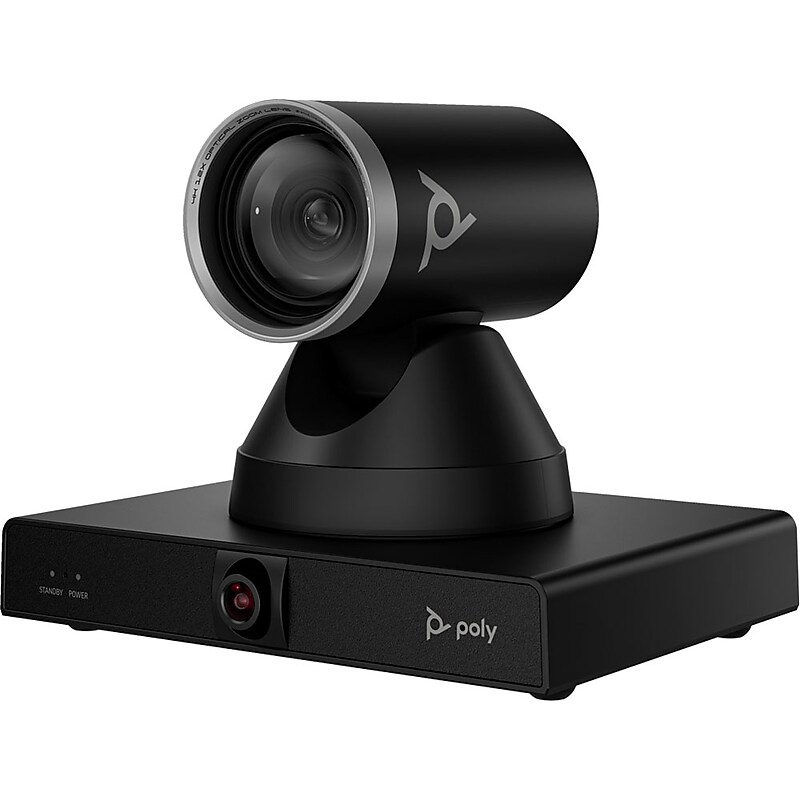
Keep presentations engaging with the Poly Studio E60 smart MPTZ optical zoom camera. The main presenter is always in frame, and every person in the room is shown with exceptional accuracy, even at the far end. With every detail captured, presentations are easier to follow. Whether in person or remote, keep your teams engaged no matter where they’re seated. Make sure they pick up on every detail with true-life definition including small gestures and expressions even in large rooms with a 12x optical zoom. The Poly Studio E60 smart optical zoom camera lets everyone see what’s going on in the room. Presenter tracking and AI-driven framing modes make sure the focus stays on the all-important action so nobody misses a beat, no matter where they are. Kickstart meetings without delays and make every minute count with the Poly Studio E60 smart optical zoom camera. Its flexible connectivity and compatibility with top conferencing platforms simplifies things so you can solely focus on your presentation. Poly Lens, remote device management, gives you better visibility into workspaces across the entire organization. IT professionals can remotely monitor and troubleshoot Poly devices as well as streamline applying bulk software and policies..Professional smart camera designed for high-quality video capture in medium to large meeting rooms, enabling clear, dynamic conferencing experiences.Includes Ethernet Cable (5m), Wall Mount Kit, Quick Start Guide, Warranty Card, Poly Studio E60, USB-B To USB Type-A Cable (2m), IR Remote Control.Compatible with leading UC platforms including Microsoft Teams Rooms, Zoom Rooms.Flexible mounting options including wall mount, display mount, or tripod.Supports up to 4K Ultra HD resolution with advanced AI-driven framing and tracking with dual camera having 8MP of Resolution.USB connection for video output, supports Ethernet for management and control.1-Year limited warranty
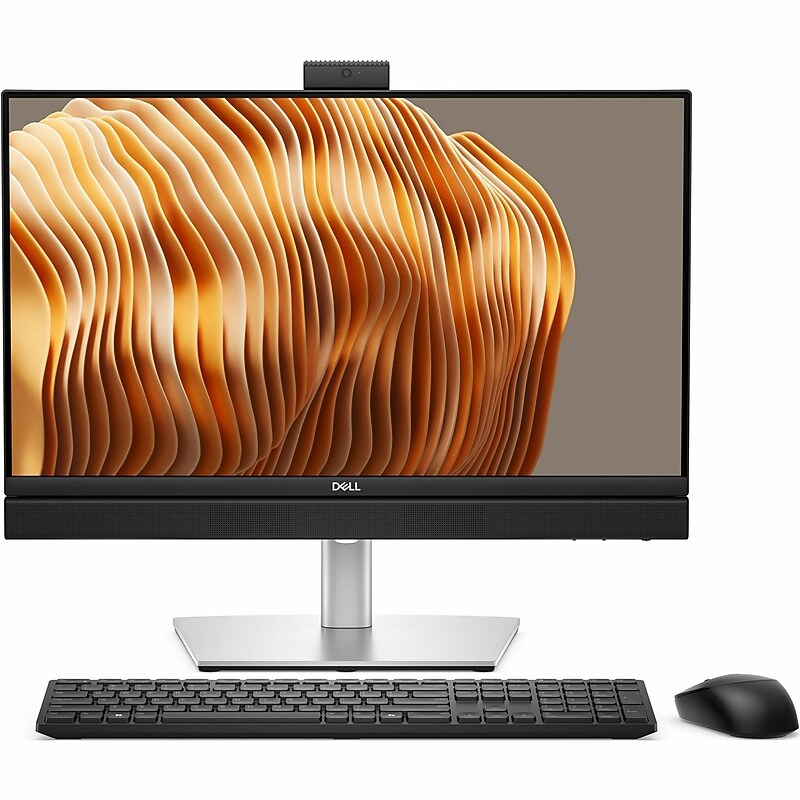
The Dell Pro 24 All-in-One Plus QB24250 is designed to elevate both productivity and entertainment with its 23.81-inch Full HD display. Featuring vibrant colors and clear images, this all-in-one system is suitable for a variety of tasks, from video conferencing to media consumption. The anti-glare screen ensures comfortable viewing in different environments, while the integrated audio with high definition and dual microphones allows for an immersive sound experience during calls and multimedia playback. Its CMOS sensor webcam delivers quality visuals, ensuring important meetings and connections happen smoothly. A wireless keyboard and mouse combo enhances the user experience, contributing to a clean workspace without the clutter of cords. Whether for home use or professional applications, this all-in-one solution delivers efficiency without compromising on style or functionality..Powered by an Intel Core Ultra 7 265 2.40 GHz processor with 20 cores and a maximum turbo frequency of 5.3 GHz.32 GB DDR5 SDRAM memory will run the heaviest applications swiftly.512 GB SSD is enough to store your favorite songs, movies, pictures, and essential documents.Windows 11 Pro (64-Bit) operating system offers powerful platform to efficiently run routine applications.Integrated Intel graphics support everyday tasks and are optimized for power efficiency in rugged environments.Wi-Fi 6E (802.11ax) and Bluetooth 5.3 for fast, reliable internet access and seamless device pairing.Features a 23.8-inch Full HD (1920 x 1080) IPS touchscreen display.Includes 8 USB ports: 2x USB-C 3.2 Gen 2x2, 4x USB-A 3.1/3.2 Gen 2, 2x USB-A 3.0 / 3.1/3.2 Gen 1.Additional ports include 1x HDMI 2.1 Output, 1x HDMI 1.4 Input, 1x DisplayPort 1.4a, RJ-45 Ethernet, 1x 1/8" / 3.5 mm Headphone/Microphone Input/Output.Security Slot feature for better reliance and usability.Desktop form factor allows hassle-free and easy usage with increased efficiency.Gigabit Ethernet port for ultra-fast network speeds.Comes equipped with a 23.8-inch touchscreen monitor, a wired keyboard, and a wired mouse for a complete desktop setup.Certifications & Standards: Energy Star, TCO Certified, EPEAT Silver, WEEE, RoHS, China RoHS.3-Year Limited Manufacturer Warranty
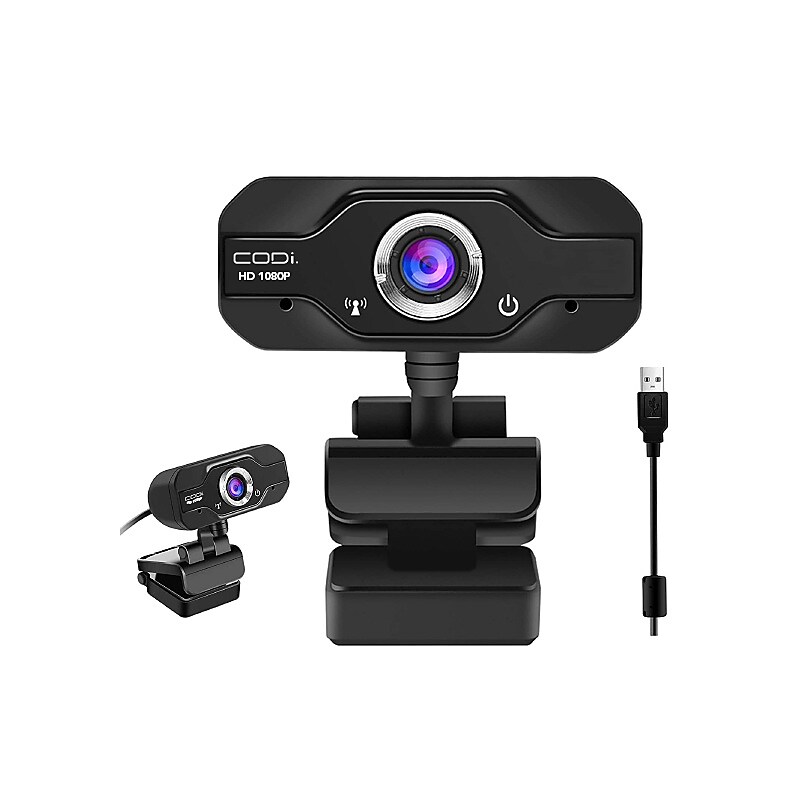
With a resolution of HD 1080p and a frame rate of 30 FPS, you'll be streaming sharp video, while automatic light correction delivers clarity in various lighting environments, including dim ones. A built-in mic allows your voice to be center stage. Furthermore, a diagonal field of view of 90° creates a superior image area. Compatible with Windows, Mac, and Chrome, the Aquila 1080P HD Webcam from CODi connects to your host system using a 5' plug-and-play USB 2.0 Type-A cable. Mount it using the integrated clip or a standard ¼ built-in screw mount..Built-in microphone with a noise reduction audio processor.90 degree field of view.Adjustable focusing.Secure to laptop, desktop, or tripod.Plug and play, no drivers required.Full HD 1920x1080.Frame rate: 30FPS.Input: USB 2.0 (3.0 compatible).Supported OS: Windows 10/8.1/8/7/XP (32/64 bit) and Mac OS X 10.6 or later.Compatible with most video conferencing and video chat applications such as Zoom, Teams, and Skype.The CODi A05024 Webcam offers crystal clear video and audio as you work from home, attend virtual meetings, and stay in touch via video conferencing
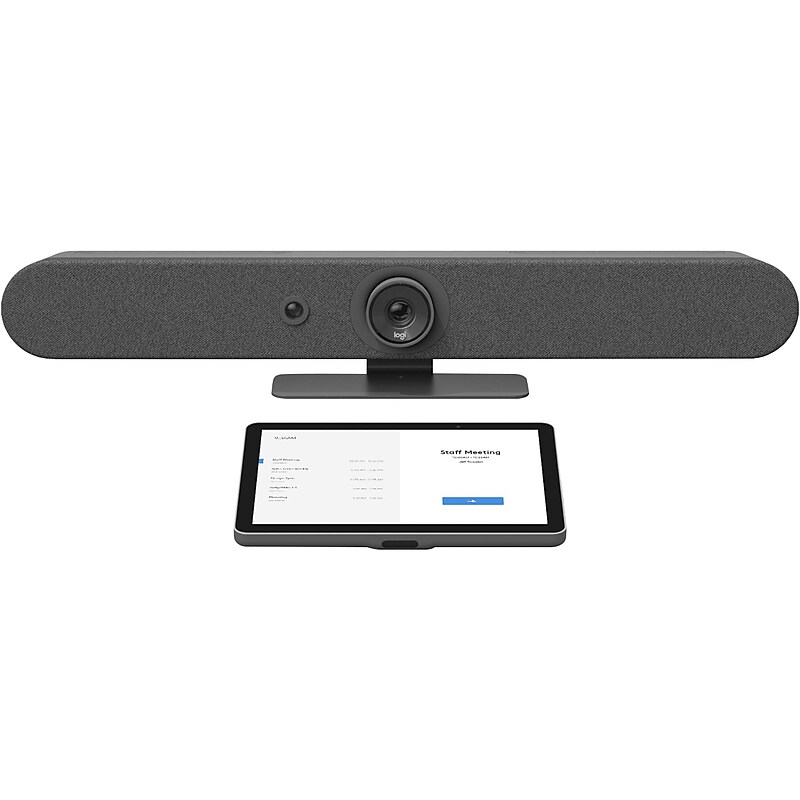
Add video conferencing to any small meeting or huddle room with this universal video conferencing appliance kit featuring the all-in-one Rally Bar Mini and the 10.1" Tap IP touch controller. Leverage the built-in compute to run video conferencing applications directly on the device. Logitech Rally Bar Mini features a 4K-capable camera with motorized pan and tilt, three room-filling speakers, and a sensitive microphone array, all in a sleek enclosure with integrated cable management. Available wall and TV mounts offer versatile installation options for rooms and mobile carts. With a 10.1" touch display, Logitech Tap IP delivers an easy user experience that's always ready for the next meeting. Set up your room for leading video conferencing platforms, including Zoom Rooms, RingCentral, Microsoft Teams on Android, and others..Supports 4K, 1440p, 1080p, 900p, 720p, and SD resolutions at 30 fps.High-performance drivers, adaptive six beamforming mics, and a patented anti-vibration enclosure combine rich sound with exquisite sensitivity up to 15'.Dimensions: 3.6"H x 28.32"W x 3.98"D.Contains: 2 x HDMI-out, 1 x HDMI-in, 3 x USB Type-A, 1 x USB Type-C, and 1 x 10/100Mbps Ethernet ports.Supports compatible video conferencing software in appliance mode (no PC required), including Microsoft Teams Rooms, Zoom Rooms, RingCentral Meetings Rooms.4K-capable motorized pan/tilt lens provides expansive 163-degree horizontal and 110-degree vertical room coverage for comfortable framing, even when people sit close to the camera.Meetings start with just one touch with Tap IP, a network-connected touch controller that's easy to use and simple to set up.Route cables from above or below: thoughtful cable management hides cable clutter and keeps connections tight.Monitor, manage, and get business insights into how your rooms are being used with Logitech Sync.All-in-one enclosure with integrated table stand and patented speaker suspension system.Six omnidirectional digital MEMS microphones forming five adaptive acoustic broadside beams.Box contains: mini video bar, power supply, cables, lens caps, remote control, user documentation, Logitech Tap IP touch controller, VESA mounting screws (four pcs.), microfiber cloth, and documentation.2-year manufacturer limited warranty
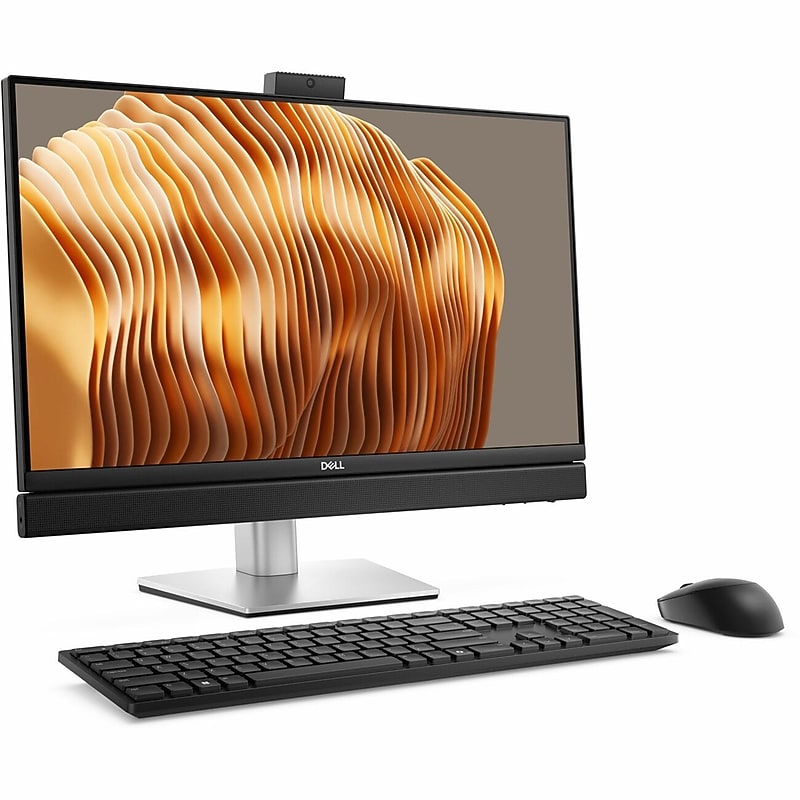
The Dell Pro 24 All-in-One Plus QB24250 is designed to elevate both productivity and entertainment with its 23.81-inch Full HD display. Featuring vibrant colors and clear images, this all-in-one system is suitable for a variety of tasks, from video conferencing to media consumption. The anti-glare screen ensures comfortable viewing in different environments, while the integrated audio with high definition and dual microphones allows for an immersive sound experience during calls and multimedia playback. Its CMOS sensor webcam delivers quality visuals, ensuring important meetings and connections happen smoothly..Powered by Intel Core Ultra 7 265 with 20 cores, 5.3 GHz turbo, and AI Boost NPU at 13 TOPS.16 GB DDR5 SDRAM memory will run the heaviest applications swiftly.512GB SSD delivers fast access and ample space for media and essential files without slowing performance.Windows 11 Pro pre-installed boosts productivity and creativity with a stable, intuitive, and responsive environment.Integrated Intel graphics support everyday tasks and are optimized for power efficiency in rugged environments.Supports Intel Wi-Fi 6E and Bluetooth for fast, seamless connectivity.23.8" diagonal display with 1920 x 1080 resolution supports multitasking with crisp visuals and wide-format workspace.8 USB ports: 2x USB-C 3.2 Gen 2x2, 4x USB-A 3.1/3.2 Gen 2, and 2x USB-A 3.0 / 3.1/3.2 Gen 1.Additional ports include 1x DisplayPort 1.4a, 1x HDMI 1.4 Input, 1x HDMI 2.1 Output, 1x RJ-45 Ethernet, 1x 1/8" / 3.5 mm Headphone/Microphone Input/Output.All-in-One Computer delivers balanced desktop performance tailored for general-purpose computing tasks across diverse user scenarios.Desktop form factor ensures structural integrity and consistent performance.Comes with a built‑in 23.8" monitor, plus a keyboard and mouse included.Certifications & Standards: Energy Star, TCO Certified, EPEAT Silver, MEPS, WEEE, RoHS, China RoHS.3-Year Limited Warranty
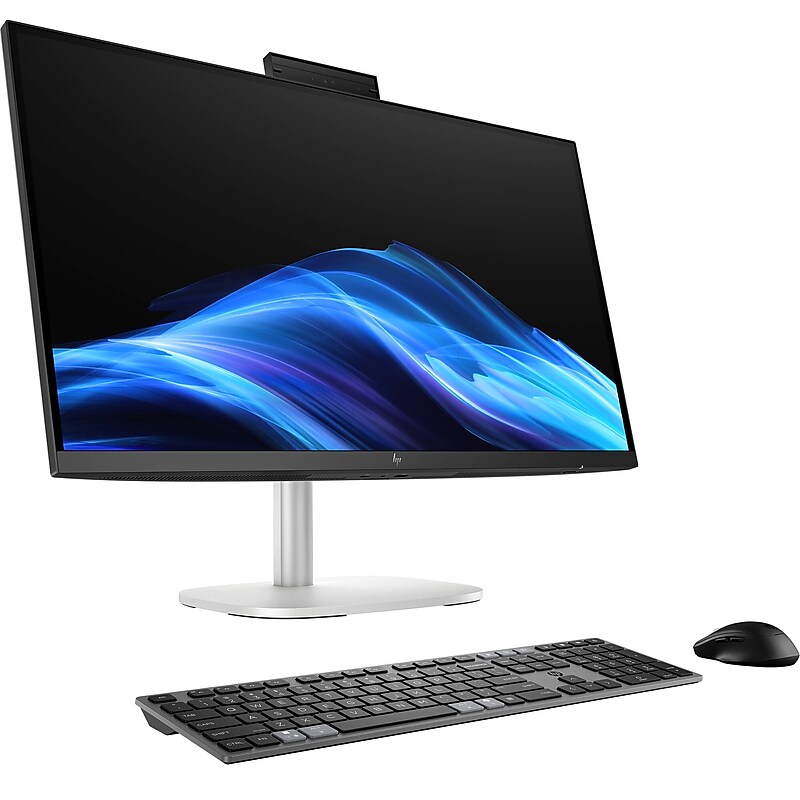
Built with AI-enhanced performance, 27" Elite Studio 8 G1i Multi-Touch All-in-One Desktop Computer from HP is ideal for modern workspaces. It features a 27" 2560 x 1440 IPS display with 16:9 aspect ratio and an anti-glare coating. Furthermore, driven by the integrated Intel Graphics chipset, the screen delivers crisp and clear images. The display is also a touchscreen, so you can utilize the touch features and functions in Windows 11 Pro to further improve accessibility and productivity. If you'd like to work with additional sources or displays, there is an HDMI 2.1 output and a dual-mode DisplayPort 2.1 port. Other integrated ports include 40 Gb/s Thunderbolt 4 with DisplayPort output and 100W of power, 20 Gb/s USB 3.2 Gen 2x2 with 15W of power, 10 Gb/s USB-C 3.2 Gen 2 with DisplayPort 1.4 and 15W of power, 10 Gb/s USB-A 3.2 Gen 2, and 5 Gb/s USB-A 3.2 Gen 1. This system is powered by an Intel Core Ultra 5 235 14-Core processor and 32 GB of 5600 MHz DDR5 RAM, which can be upgraded to 64GB. For storage, it has a 512GB NVMe PCIe M.2 SSD, plus a second M.2 2280 PCIe slot for additional internal storage. Connect to the internet via Wi-Fi 7 (802.11be) or the Gigabit Ethernet jack for a more stable and reliable wired connection. Other integrated features include Bluetooth 5.4, a 5MP IR webcam, dual 5W speakers, and dual mics. For additional convenience right out of the box, the Elite Studio 8 G1i comes with a USB keyboard, a USB mouse, and a power cord. The installed operating system is Windows 11 Pro (64-bit).Powered by Intel Core Ultra 5 235 14-Core processor for efficient multitasking and AI-enhanced performance..Includes 32GB DDR5 RAM (5600 MT/s SO-DIMM), upgradeable to 64GB, for smooth operation of demanding applications..Equipped with a 512GB PCIe M.2 NVMe SSD, offering fast boot times and ample storage for business-critical files and media..Runs on Windows 11 Professional (64-bit), delivering advanced productivity, security, and collaboration tools..Features a 27" WQHD (2560 x 1440) IPS touchscreen display with anti-glare coating for intuitive interaction and crisp, vibrant visuals..Integrated Intel Graphics chipset for reliable everyday performance and energy efficiency..Supports Wi-Fi 7 (802.11be) and Bluetooth 5.4 for high-speed wireless connectivity and modern networking..USB ports: 2x USB-A 3.2 Gen 1, 2x USB-C 3.2 Gen 2, 1x USB-C 4.0 for versatile device connectivity and fast data transfer..Additional ports: HDMI 2.1 output, DisplayPort 2.1, RJ45 Gigabit Ethernet, and 3.5mm headphone/microphone combo jack..Integrated 5MP IR webcam, dual 5W speakers, and dual microphones for high-quality video conferencing and collaboration..Comes with HP USB 320K v2 Keyboard, HP 265A9UT 125 Wired Mouse, and power cord for immediate setup and use..Backed by a Limited 1-Year Manufacturer Warranty, ensuring reliability and peace of mind.
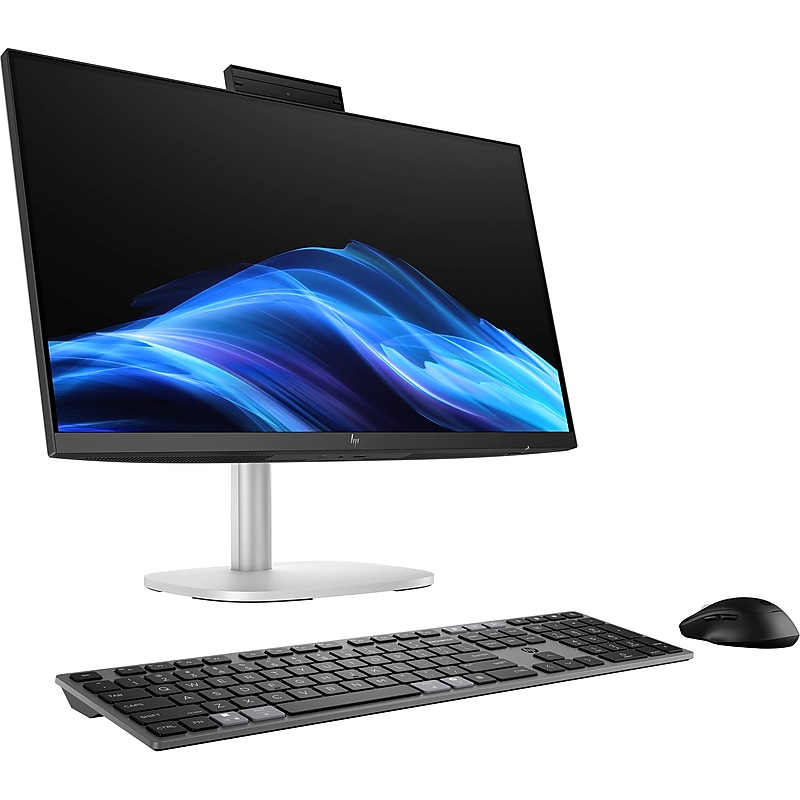
Built with AI-enhanced performance, the 23.8" Elite Studio 8 G1i Multi-Touch All-in-One Desktop Computer from HP is ideal for modern workspaces. It features a 23.8" 1920 x 1080 IPS display with 16:9 aspect ratio and an anti-glare coating. Furthermore, driven by the integrated Intel Graphics chipset, the screen delivers crisp and clear images. The display is also a touchscreen, so you can utilize the touch features and functions in Windows 11 Pro to further improve accessibility and productivity. If you'd like to work with additional sources or displays, there is an HDMI 2.1 output and a dual-mode DisplayPort 2.1 port. Other integrated ports include 40 Gb/s Thunderbolt 4 with DisplayPort output and 100W of power, 20 Gb/s USB 3.2 Gen 2x2 with 15W of power, 10 Gb/s USB-C 3.2 Gen 2 with DisplayPort 1.4 and 15W of power, 10 Gb/s USB-A 3.2 Gen 2, and 5 Gb/s USB-A 3.2 Gen 1. This system is powered by a Intel Core Ultra 5 235 14-Core processor and 16GB of 5600 MHz DDR5 RAM, which can be upgraded to 64GB. For storage, it has a 512GB NVMe PCIe M.2 SSD, plus an additional M.2 2280 PCIe slot for additional internal storage. Connect to the internet via Wi-Fi 7 (802.11be) or the Gigabit Ethernet jack for a more stable and reliable wired connection. Other integrated features include Bluetooth 5.4, a 5MP webcam, dual 5W speakers, and dual mics. For additional convenience right out of the box, the Elite Studio 8 G1i comes with a USB keyboard, a USB mouse, and a power cord. The installed operating system is Windows 11 Pro (64-bit)..Powered by Intel Core Ultra 5 235 14-Core processor for efficient multitasking and AI-enhanced performance..Includes 16GB DDR5 RAM (5600 MT/s SO-DIMM), upgradeable to 64GB, for smooth operation of business applications..Equipped with a 512GB PCIe M.2 NVMe SSD, offering fast boot times and ample storage for essential files and media..Runs on Windows 11 Professional (64-bit), delivering advanced productivity, security, and collaboration tools..Features a 23.8" Full HD (1920 x 1080) IPS touchscreen display with anti-glare coating for intuitive interaction and crisp visuals..Integrated Intel Graphics chipset for reliable everyday performance and energy efficiency..Supports Wi-Fi 7 (802.11be) and Bluetooth 5.4 for high-speed wireless connectivity and modern networking..USB ports: 1x Thunderbolt 4, 1x USB-C 3.2 Gen 2x2, 1x USB-C Gen 2, 1x USB-A Gen 2, 1x USB-A Gen 1..Additional ports: HDMI 2.1, DisplayPort 1.4, RJ45 Gigabit Ethernet, and 3.5mm headphone/microphone combo jack..Integrated 5MP webcam, dual 5W speakers, and dual microphones for high-quality video conferencing and collaboration..Comes with wired USB keyboard, wired USB mouse, and power cord for immediate setup and use..Backed by a Limited 1-Year Manufacturer Warranty, ensuring reliability and peace of mind.
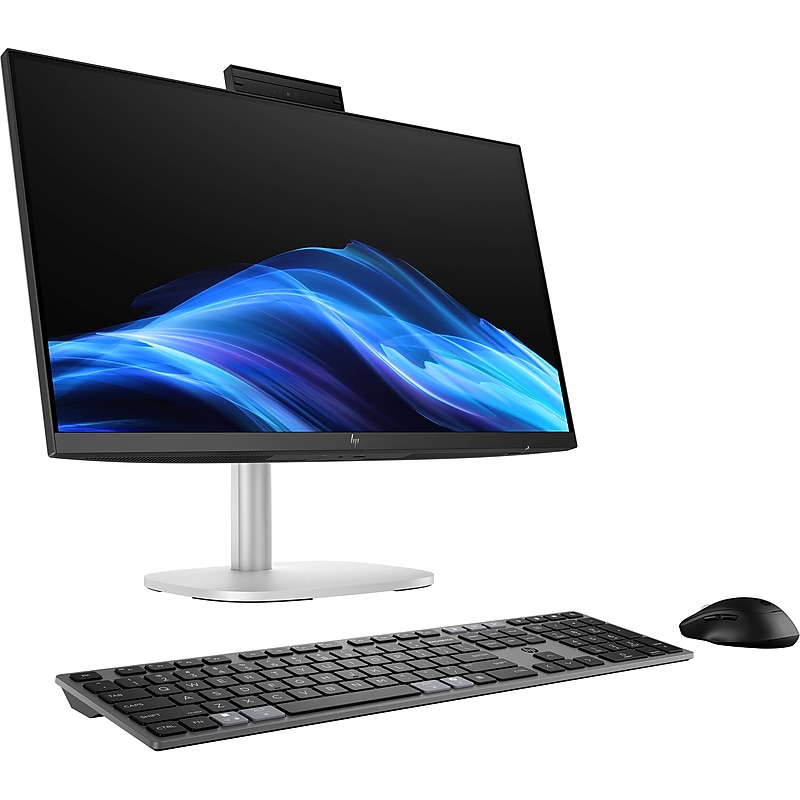
Built with AI-enhanced performance, the 23.8" Elite Studio 8 G1i Multi-Touch All-in-One Desktop Computer from HP is ideal for modern workspaces. It features a 23.8" 1920 x 1080 IPS display with 16:9 aspect ratio and an anti-glare coating. Furthermore, driven by the integrated Intel Graphics chipset, the screen delivers crisp and clear images. The display is also a touchscreen, so you can utilize the touch features and functions in Windows 11 Pro to further improve accessibility and productivity. If you'd like to work with additional sources or displays, there is an HDMI 2.1 output and a dual-mode DisplayPort 2.1 port. Other integrated ports include 40 Gb/s Thunderbolt 4 with DisplayPort output and 100W of power, 20 Gb/s USB 3.2 Gen 2x2 with 15W of power, 10 Gb/s USB-C 3.2 Gen 2 with DisplayPort 1.4 and 15W of power, 10 Gb/s USB-A 3.2 Gen 2, and 5 Gb/s USB-A 3.2 Gen 1. This system is powered by a Intel Core Ultra 7 265 20-Core processor and 32GB of 5600 MHz DDR5 RAM, which can be upgraded to 64GB. For storage, it has a 1TB NVMe PCIe M.2 SSD, plus an additional M.2 2280 PCIe slot for additional internal storage. Connect to the internet via Wi-Fi 7 (802.11be) or the Gigabit Ethernet jack for a more stable and reliable wired connection. Other integrated features include Bluetooth 5.4, a 5MP webcam, dual 5W speakers, and dual mics. For additional convenience right out of the box, the Elite Studio 8 G1i comes with a USB keyboard, a USB mouse, a power cord, and a Thunderbolt 4 cable. The installed operating system is Windows 11 Pro (64-bit)..Powered by Intel Core Ultra 7 265 20-Core processor for AI-enhanced performance and seamless multitasking..Includes 32GB DDR5 RAM (5600 MHz), upgradeable to 64GB, for smooth operation of demanding applications..Equipped with a 1TB PCIe M.2 NVMe SSD, offering fast boot times and ample storage for business-critical files and media..Runs on Windows 11 Professional (64-bit), delivering advanced productivity, security, and collaboration tools..Features 23.8" Full HD (1920 x 1080) IPS touchscreen display with anti-glare coating for intuitive interaction and crisp visuals..Integrated Intel Graphics chipset for reliable everyday performance and energy efficiency..Supports Wi-Fi 7 (802.11be) and Bluetooth 5.4 for high-speed wireless connectivity and modern networking..Includes Thunderbolt 4 (40 Gb/s) with DisplayPort output and 100W power delivery, USB-C 3.2 Gen 2x2 (20 Gb/s), USB-C 3.2 Gen 2 (10 Gb/s) with DisplayPort 1.4, USB-A 3.2 Gen 2 (10 Gb/s), and USB-A 3.2 Gen 1 (5 Gb/s)..Additional ports: HDMI 2.1, dual-mode DisplayPort 2.1, RJ45 Gigabit Ethernet, and 3.5mm audio combo jack..Integrated 5MP webcam, dual 5W speakers, and dual microphones for high-quality video conferencing and collaboration..Comes with USB keyboard, USB mouse, power cord, and Thunderbolt 4 cable for immediate setup and use..Backed by a Limited 1-Year Manufacturer Warranty, ensuring reliability and peace of mind.
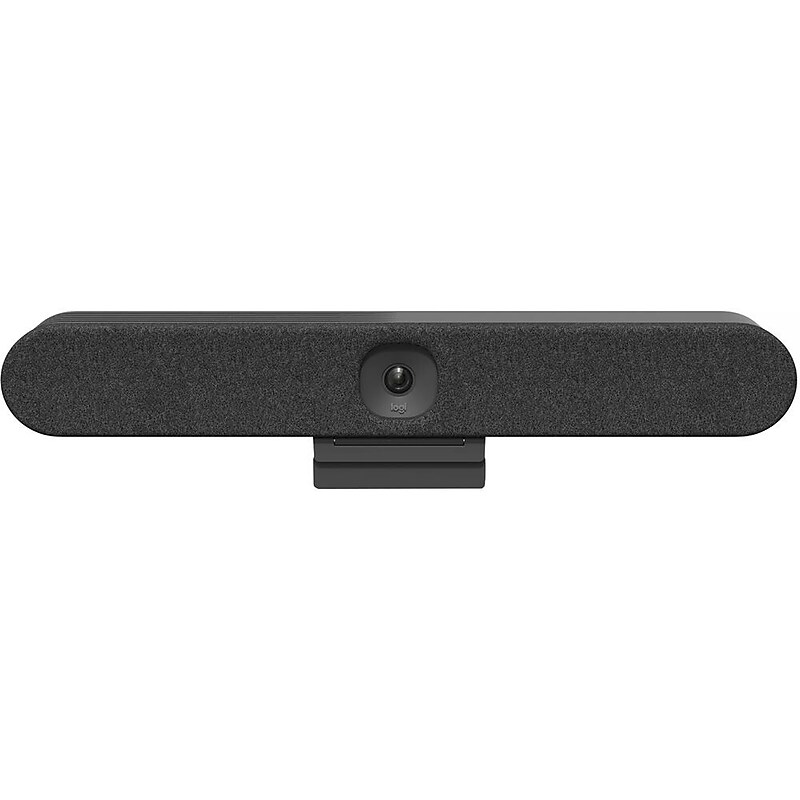
Logitech Rally Bar Huddle is an all-in-one video conferencing bar for huddle and small meeting rooms. Designed to deliver equitable video meetings with ease, Rally Bar Huddle is quick to set up, simple to manage, and easy to integrate with Tap IP through CollabOS. With Rally Bar Huddle, ensure everyone can be seen and heard clearly during hybrid meetings. Leveraging AI video intelligence, advanced sound pickup, noise suppression, and other ongoing software improvements, Rally Bar Huddle provides a clear and natural meeting experience for remote workers..Works with Microsoft Teams, Zoom Rooms, and Google Meet.Appliance mode, BYOD, and USB.Built in AI.Multi Mount; one mount, three ways: Tabletop, wall, above display.Device management with Sync..Full solution with Tap IP..Automatic shutter..Cable management..Logitech Rally Bar Huddle all-in-one video bar for huddle and small rooms - Rally Bar Huddle works with whatever platform you use to connect hybrid teams, ensuring a seamless experience from the home to the office, and everywhere in between
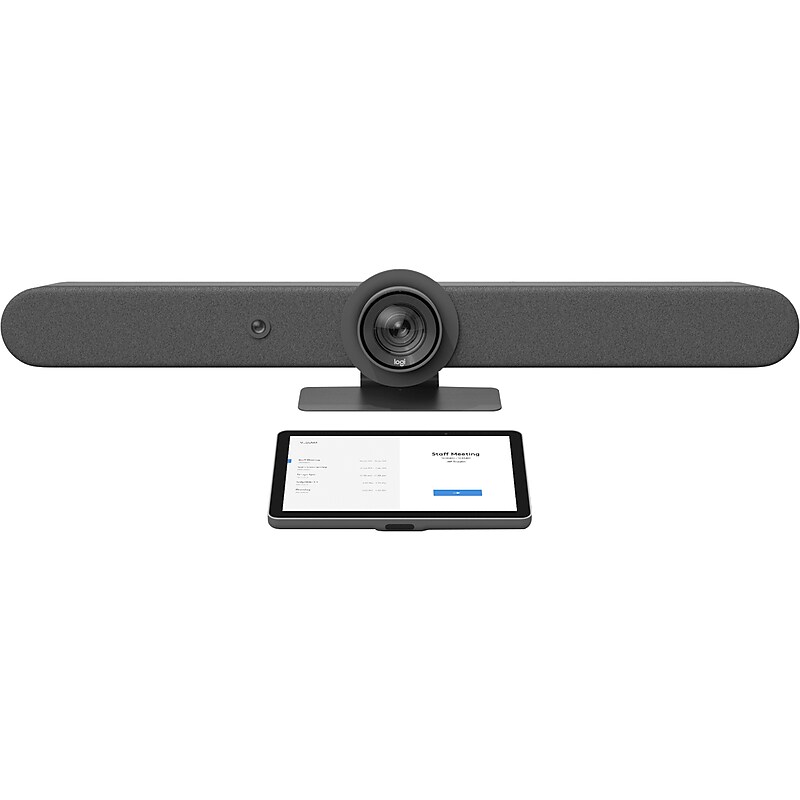
Rally Bar sets a new standard for video meetings in medium to large rooms, with expansion options for larger groups and settings. It's remarkably simple to use, manage, and deploy at scale, delivering cinema-quality video and audio in a sleek, all-in-one form factor. Leverage the built-in compute to run video conferencing applications directly on the device. Together with Tap IP, the purpose-built touch controller has just the right presence with a spacious 10.1" display and sleek, low profile. Logitech Rally Bar delivers a powerful all-in-one video conferencing experience, featuring brilliant optics, automated PTZ, and high-performance audio for medium to large meeting rooms. Meetings start with just one touch with Logitech Tap IP, a network-connected touch controller for Logitech room solutions. Set up your room for leading video conferencing platforms, including Zoom Rooms, RingCentral, Microsoft Teams on Android, and others..Supports 4K, 1440p, 1080p, 900p, 720p, and SD resolutions at 30 fps.High-performance drivers, adaptive six beamforming mics, and a patented anti-vibration enclosure combine rich sound with exquisite sensitivity up to 15'.Dimensions: 6.46"H x 35.88"W x 5.14"D.Contains: 2 x HDMI-out, 1 x HDMI-in, 3 x USB Type-A, 1 x USB Type-C, and 1 x 10/100/1G Ethernet ports.Supports compatible video conferencing software in appliance mode (no PC required), including Microsoft Teams Rooms, Zoom Rooms, RingCentral Meetings Rooms.Delivers a motorized PTZ camera, advanced microphone array, and dual room-filling speakers in a sleek, easy-to-install form factor.Meetings start with just one touch with Tap IP, a network-connected touch controller that's easy to use and simple to set up.Route cables from above or below: thoughtful cable management hides cable clutter and keeps connections tight.Monitor, manage, and get business insights into how your rooms are being used with Logitech Sync.All-in-one enclosure with integrated table stand and patented speaker suspension system.Six omnidirectional digital MEMS microphones forming five adaptive acoustic broadside beams.Box contains: video bar, power supply, cables, lens caps, remote control, user documentation, Logitech Tap IP touch controller, VESA mounting screws (four pcs.), microfiber cloth, documentation.2-year manufacturer limited warranty
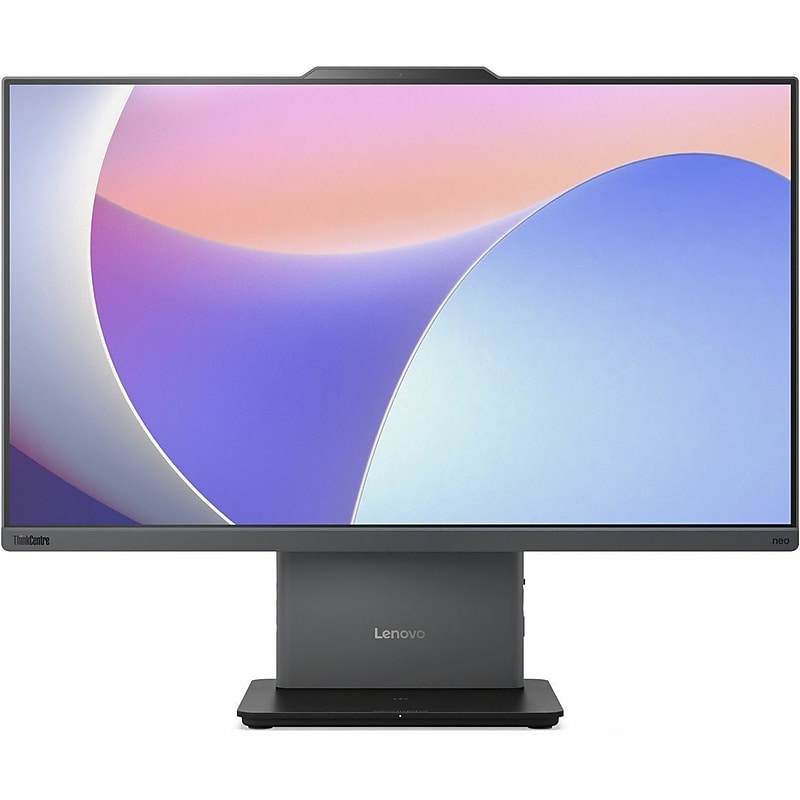
The Lenovo ThinkCentre Neo 50a Gen 5 enhances productivity and entertainment with its impressive features. At the core of this all-in-one desktop is a 23.8-inch Full HD display that presents visuals vividly with its 99% sRGB color gamut and wide viewing angles, complemented by Flicker-Free and Low Blue Light technologies for a more comfortable viewing experience. Equipped with a 13th Generation Intel Core i5 processor and 16 GB of DDR5 RAM, it offers strong performance for both work and leisure activities. The 512 GB NVMe SSD provides both ample and fast storage, facilitating quick file access and system startups. Connectivity is a highlight of the Lenovo ThinkCentre Neo 50a Gen 5, featuring a variety of ports including USB-C 3.2 Gen 2 and HDMI, alongside Wi-Fi 6 and Bluetooth 5.2 for seamless Internet and peripheral connection. The built-in 5 megapixel webcam and stereo speakers make it suitable for professionals requiring high-quality video conferencing capabilities..Powered by a 13th Gen Intel Core i5-13420H octa-core processor with speeds up to 4.60 GHz and 12 MB L3 cache.16 GB DDR5 memory ensures smooth performance for demanding apps and high-definition multimedia.512 GB SSD capacity provides ample space for important documents, files and critical data.Pre-installed Windows 11 Pro offers a lightweight yet powerful platform optimized for smooth everyday performance.Integrated Intel UHD Graphics delivers smooth basic visuals using dynamic memory allocation.23.8" (1920 x 1080) Full HD display offers sharp visuals and wide viewing angles for immersive experiences.Supports Wi-Fi 6 and Bluetooth 5.2 for fast, reliable networking and device pairing.4 USB Ports: 1x USB-A (USB 10Gbps / USB 3.2 Gen 2), 2x USB-A (Hi-Speed USB / USB 2.0), and 1x USB-C (USB 10Gbps / USB 3.2 Gen 2).Additional ports include 1x HDMI-in 1.4, 1x HDMI-out 2.1 TMDS, 1x Ethernet (RJ-45), 1x power connector, 1x headphone / microphone combo jack (3.5mm).All-in-One Computer delivers balanced desktop performance tailored for general-purpose computing tasks across diverse user scenarios.Desktop form factor enables efficient workspace utilization and seamless integration.Includes a 23.8" Full HD monitor, USB Calliope keyboard, and USB Calliope mouse.Certifications & Standards: Energy Star 8.0, EPEAT Silver, RoHS, ErP Lot 3/7, WEEE, REACH, GREENGUARD.1-Year Limited Warranty
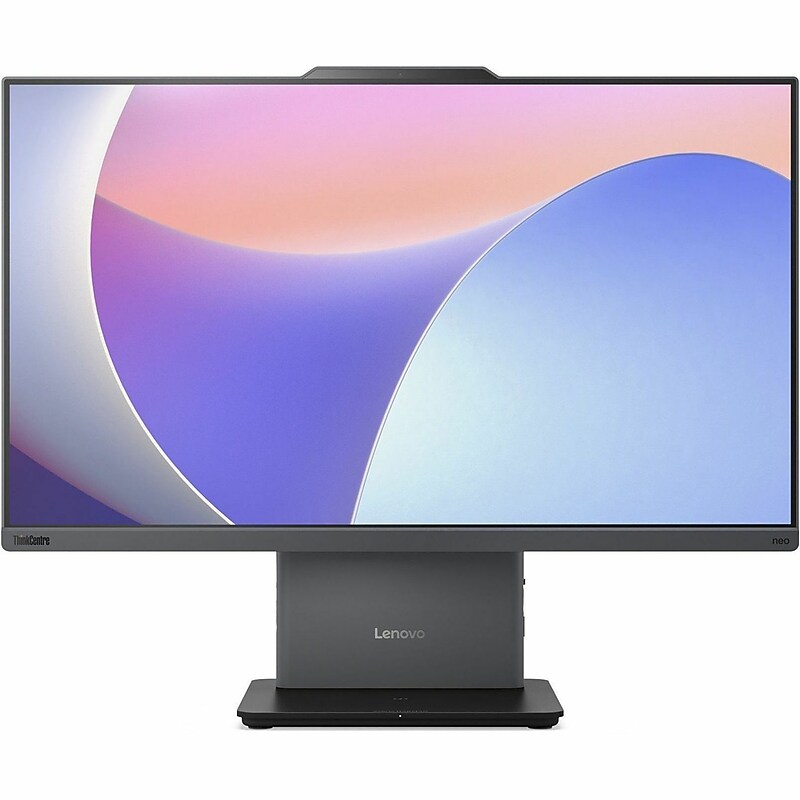
The Lenovo ThinkCentre Neo 50a Gen 5 enhances productivity and entertainment with its impressive features. At the core of this all-in-one desktop is a 23.8-inch Full HD display that presents visuals vividly with its 99% sRGB color gamut and wide viewing angles, complemented by Flicker-Free and Low Blue Light technologies for a more comfortable viewing experience. Equipped with a 13th Generation Intel Core i5 processor and 16 GB of DDR5 RAM, it offers strong performance for both work and leisure activities. The 512 GB NVMe SSD provides both ample and fast storage, facilitating quick file access and system startups. Connectivity is a highlight of the Lenovo ThinkCentre Neo 50a Gen 5, featuring a variety of ports including USB-C 3.2 Gen 2 and HDMI, alongside Wi-Fi 6 and Bluetooth 5.2 for seamless Internet and peripheral connection. The built-in 5 megapixel webcam and stereo speakers make it suitable for professionals requiring high-quality video conferencing capabilities..Powered by a 13th Gen Intel Core i5-13420H octa-core processor with speeds up to 4.60 GHz and 12 MB L3 cache.16 GB DDR5 memory ensures smooth performance for demanding apps and high-definition multimedia.512 GB SSD capacity provides ample space for important documents, files and critical data.Pre-installed Windows 11 Pro offers a lightweight yet powerful platform optimized for smooth everyday performance.Integrated Intel UHD Graphics delivers smooth basic visuals using dynamic memory allocation.23.8" Full HD touchscreen offers sharp visuals and wide viewing angles for immersive experiences.Supports Wi-Fi 6 and Bluetooth 5.2 for fast, reliable networking and device pairing.4 USB Ports: 1x USB-A (USB 10Gbps / USB 3.2 Gen 2), 2x USB-A (Hi-Speed USB / USB 2.0), and 1x USB-C (USB 10Gbps / USB 3.2 Gen 2).Additional ports include 1x HDMI-in 1.4, 1x HDMI-out 2.1 TMDS, 1x Ethernet (RJ-45), 1x power connector, 1x headphone / microphone combo jack (3.5mm).Desktop form factor enables efficient workspace utilization and seamless integration.Includes a 23.8" Full HD touchscreen monitor, USB Calliope keyboard, and USB Calliope mouse.Certifications & Standards: Energy Star 8.0, EPEAT Silver, RoHS, ErP Lot 3/7, WEEE, REACH, GREENGUARD.1-Year Limited Warranty
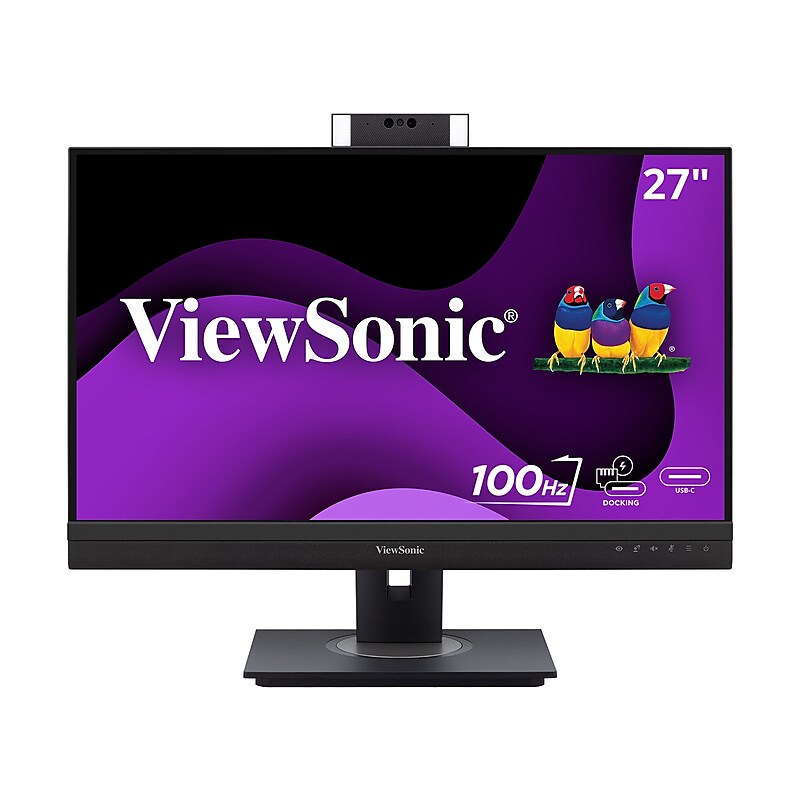
ViewSonic VG2757V-2K video conferencing monitor is a docking monitor with premium features such as a pop-up webcam that will help maintain productive meetings whether in the office or working from home, with secure features like a Windows Hello compatible IR camera and Zoom certification for peace of mind on security and reliable conferencing. Premium webcam features to improve visual and audio aspects of video calls such as built in LED lighting, and powerful speakers, along with a QHD 2560 x 1440p resolution for stunning visuals. The IR camera allows for secure and easy sign-on with Windows Hello. Full docking functionality (daisy chain, USB-C single cable connectivity with 90W power delivery, reliable ethernet connectivity) simplifies accessories needed to deploy for IT infrastructure..VERSATILE MONITOR: 27" QHD (2560x1440p) IPS monitors with thin bezels and 100Hz refresh rate with a Flicker-free, low blue light screen with Eye ProTech+ for always-on eye protection..FEATURE-PACKED CAMERA: Ergonomic pop-up full HD camera with adjustable LED fill lights that is Zoom certified .VIDEO CONFERENCING MONITOR: Built-in microphone, front-firing 5W speakers, and a 1080p camera..DITCH THE DOCK: Ethernet RJ45 and USB-C connectivity for fast data, audio and video transfer, 90W charging over one cable.ERGONOMIC STAND: Advanced ergonomics (40-degree tilt, swivel, rotate and height) for all-day comfort.FLEXIBLE CONNECTIVITY: Supports PC, Mac and more with USB-C, HDMI 2.0, DisplayPort, and USB Type A inputs.ViewSonic VG2757V-2K 27 Inch 1440p Video Conference Docking Monitor with Windows Hello Compatible IR Webcam, Advanced Ergonomics, and 90W USB C for Home and Office
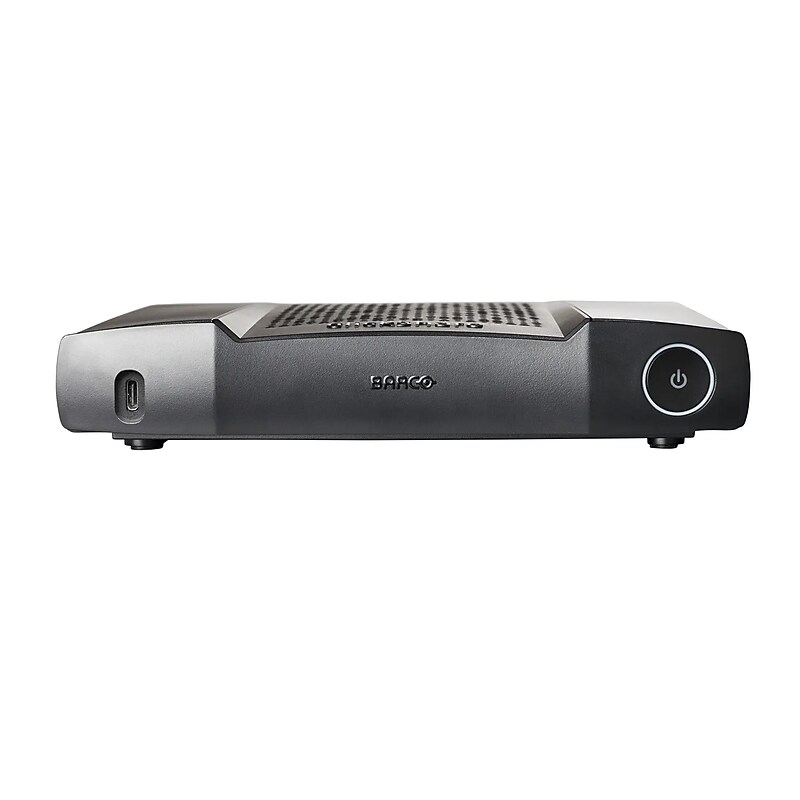
Make conducting team meetings in your office's conference room more intuitive and incorporate both in-person and virtual participants, using the second-generation version of the Barco ClickShare C-10 base unit and button. This conference system features full bring-your-own-device compatibility for Windows or Mac operating systems and extends to laptops, tablets, and phones using it's upgraded USB 3.0 technology. Screen sharing and control can be achieved via the button or software application..Intuitive Screen Sharing Two users can share screens simultaneously in full HD resolution without cables.The C-10 has enhanced security with cloud management capabilities and a wide range of connectivity options in order to be integrated into any preexisting interface.The base unit features a USB-A and a USB-C DisplayPort 1.2 port for integration into your meeting space, both with USB 3.0 technology.Local view of room display
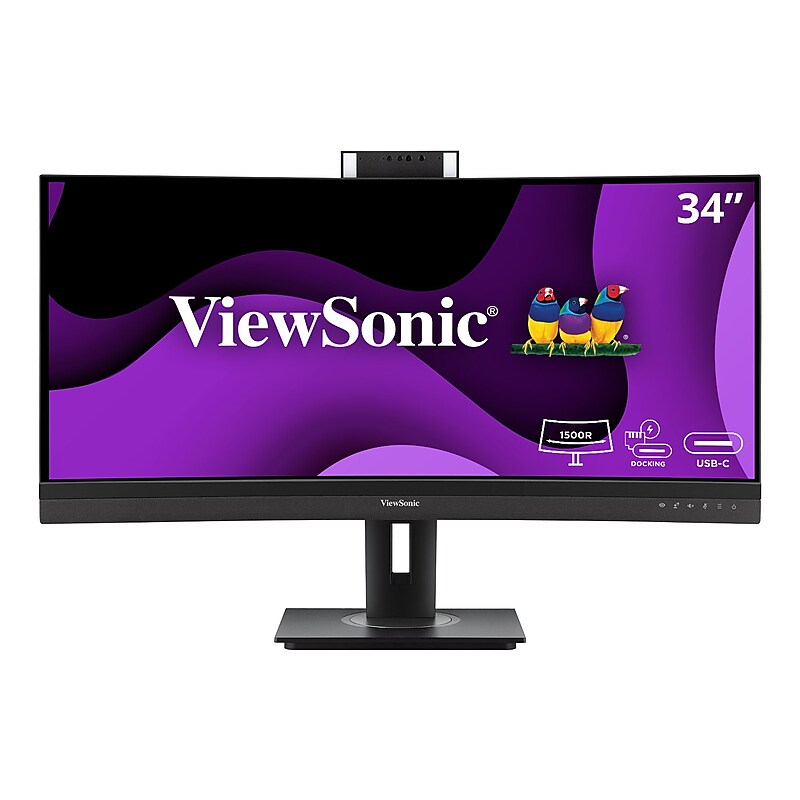
ViewSonic VG3457CV video conferencing monitor is an ultrawide docking monitor with premium features such as a Zoom certified pop-up webcam that will help maintain productive meetings whether in the office or working from home. Premium webcam features to improve visual and audio aspects of video calls such as built in LED lighting, and powerful speakers. The IR camera allows for secure and easy sign-on with Windows Hello. The 21:9 aspect ratio provides extra screen space, while the 1500R curved screen offers an immersive viewing experience. Reliable network connectivity is ensured with an integrated Ethernet port, and the latest USB Type-C connectivity provides up to 100W power delivery to your laptop. Additionally, the integrated USB hub allows for easy connecting and charging of peripherals and accessories..VERSATILE MONITOR: 34 Inch ultrawide 21:9 QHD (2560x1440p) curved monitor with thin bezels and 100Hz refresh rate.FEATURE-PACKED CAMERA: Ergonomic 5MP pop-up camera that is Zoom and Windows Hello certified. .VIDEO CONFERENCING MONITOR: Built-in microphone, front-firing 5W speakers, and a 1080p camera..DITCH THE DOCK: Ethernet RJ45 and USB-C connectivity for fast data, audio and video transfer, 100W charging over one cable.ERGONOMIC STAND: Advanced ergonomics (40-degree tilt, swivel, and height) for all-day comfort.FLEXIBLE CONNECTIVITY: The VG3457CV supports PC, Mac and more with USB-C, RJ45, HDMI 2.0, DisplayPort In, and USB .ViewSonic VG3457CV 34 Inch Ultrawide QHD 1440p Curved Video Conferencing Docking Monitor with Windows Hello Compatible IR Webcam, Advanced Ergonomics, and 100W USB C for Home and Office
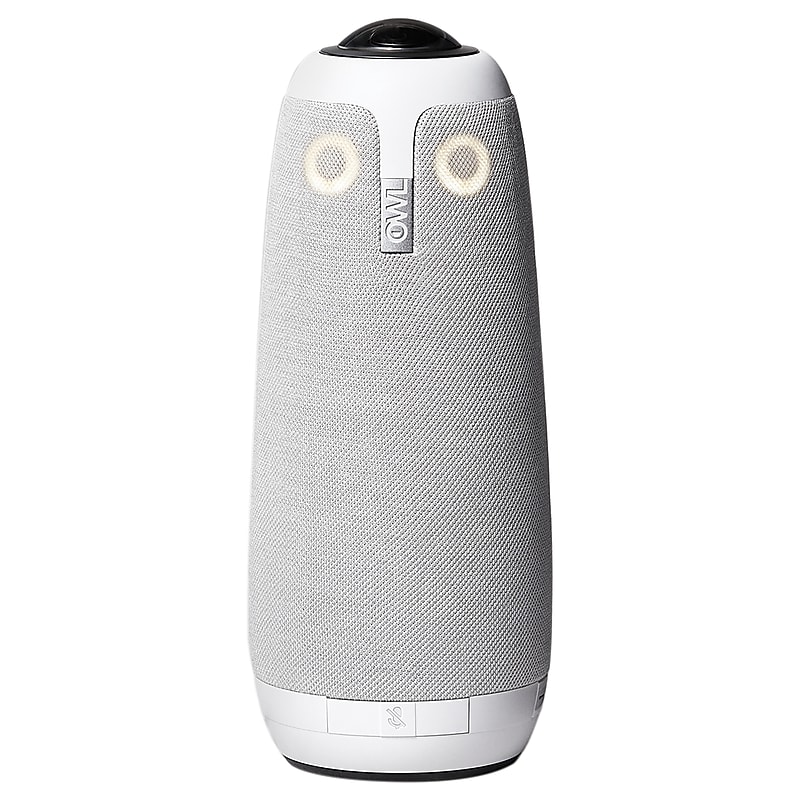
Meet the Meeting Owl Pro Premium Pack from Owl Labs. This 360° smart conference camera is equipped with 2x sharper camera image quality and 2x louder sound than the original Meeting Owl, making it one of the top all-in-one conference cams available. The pro edition let’s you turn any room into a smart meeting room..1080p resolution 360° smart video conferencing camera.Automatically highlights and shifts focus to different people in the room when they speak.2x louder sound and 2x sharper video quality than the original Meeting Owl, combining microphone, camera, and speaker into 1 device.Sits in the center of the table, and 8 smart microphones equalize speaking volume and pick up everyone within an 18 ft. radius.Ideal for medium and large-sized rooms.Simply plug in the power and USB, load up favorite video conferencing platform, and start the meeting.no downloads or installs.Comes with 2 year limited warranty and 3 year support.Includes 6 ft. USB cable, power supply, lock/cable management adaptor, and 16 ft. USB extension cable