DisplayPort Hubs
99 results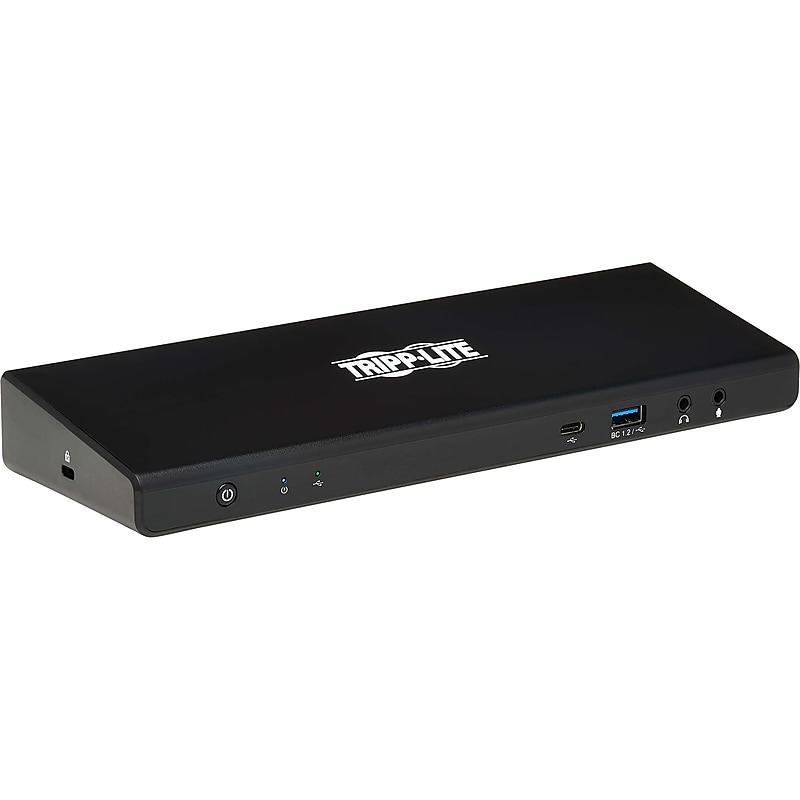
This universal USB-C dock with PD Charging expands the potential of your laptop, smartphone or PC's USB-A, USB-C or Thunderbolt 3/4 port. Connect the docking station using the included USB-C cable, and add 14 ports to your device: two 4K HDMI, two 4K DisplayPort, RJ45 Gigabit Ethernet, four USB 3.2 Gen 1, USB 3.2 Gen 1 with 5V/1.5A (7.5W) Fast Charging, USB-C PD Charging, USB-C data, two 3.5mm stereo jack.Universal USB-C dock with PD Charging expands the potential of your laptop, smartphone or PC.Product dimensions: 1.36"H x 9.84"W x 3.24"D.Connect the docking station using the included USB-C cable, and add 14 ports to your device.Included USB-C to USB-C cable, with USB-A adapter length: 36"L.One USB-C, one USB-C PD Charging, four USB-A 3.2 Gen1, one USB-A 3.2 Gen 1 BC 1.2, two DisplayPort 1.2, two HDMI 2.0, two 3.5mm jack stereo, RJ45 (Cat6).Supported resolutions for DisplayPort 1.2: 5120 x 2880 at 60Hz, for HDMI 2.0: 4096 x 2160 at 60Hz.USB-C Power Delivery 2.0 supports charging up to 100W (20V, 5A).Meets or exceeds RoHS, REACH, FCC standards.3-year manufacturer limited warranty
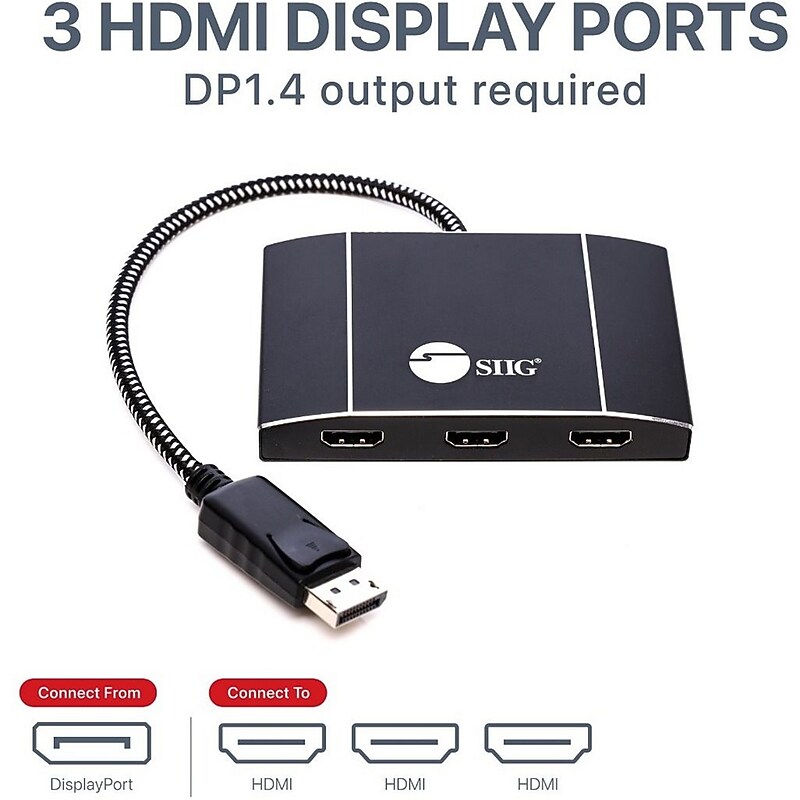
Connect up to three HDMI displays to single DisplayPort 1.4 output with Multi-Stream Transport (MST), no driver required, Windows PCs, not Mac OS compatible, DP 1.4 MST Video Splitter Hub, 3 HDMI, Dual 4K60Hz or Triple 4K30Hz Boost your productivity by connecting three HDMI displays to single DisplayPort 1.4 output with Multi-Stream Transport (MST) technology Provides multiple display modes for various applications such as Mirror mode* same content on each display, Extended mode with individual content on each display, and Panoramic Video Wall mode** which combines multiple monitors to use as one large display Note: *Mirror mode using a NVIDIA Surround technology graphics adapter is limited to 2 displays. **Video Wall mode requires either a AMD Eyefinity, Intel, or NVIDIA Surround technology graphics adapter Total Bandwidth 32.4Gbps (Max): Supports one UHD 8K (7680 x 4320)@30Hz display, two 4K@60Hz displays, or three 4K (3840x2160)@30Hz or less display. Other resolution combinations which are less than or equal to 4K@30Hz will work also. For example, three 2K, three 1080p, 4K+2K+1080p etc Note: The total combined bandwidth among all connected displays must NOT be exceeded the total bandwidth of 32.4Gbps Compatible with DisplayPort 1.4 MST graphics cards with AMD Eyefinity, Intel Collage or NVIDIA Surround technology Support 4K HDR and HDCP 2.2 Reset button allows re-detection of all the displays if any of the displays are not detected Plug-n-play, trouble-free set up without complicated hardware or driver installation Premium aluminum housing with embedded woven braided DisplayPort cable decreases surrounding interference and provides optimal video quality More from the Manufacturer.Supports dual 4K@60 or triple 4K@30 configurations within a 32.4 Gbps total bandwidth budget.Choose Mirror, Extended, or Panoramic Video Wall modes with compatible AMD, Intel, or NVIDIA GPUs.Supports HDR and HDCP 2.2 for protected, high-quality content playback.Reset button helps re-detect displays if a screen is not recognized.Premium aluminum housing with braided DP cable reduces interference; plug-and-play on Windows (not macOS)
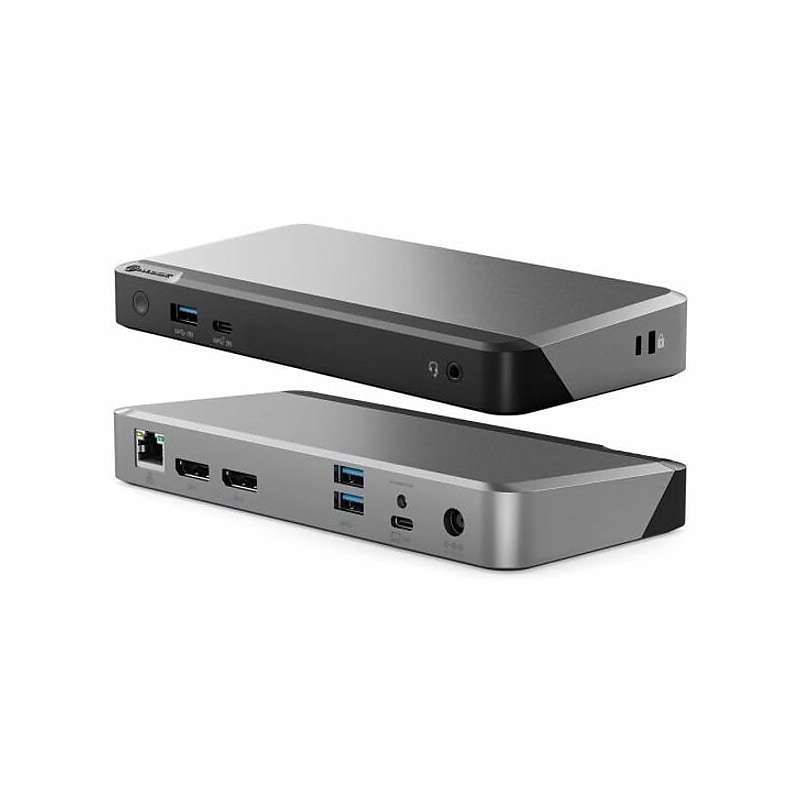
ALOGIC MX2 makes multi-display set ups simple. Featuring DP Alt Mode technology, it connects directly with up to two displays and multiple other accessories. No need to install drivers or software. Plug in and go. The MX2 is a powerful docking station for Mac users seeking to add a picture-perfect single display for their desk set up. Windows users can plug into the MX2 to run up to two ultra-polished external displays..This docking station is compatible with USB Type-C (DP Alt Mode) laptops.Dimensions: 1.04"H x 7.48"W x 3.54"D.Contains 2 x DisplayPort, 1 x USB 3.1 Type-C, 1 x USB 3.1 Gen 1 Type-A, 2 x USB 3.1 Gen 1 Type-A, 1 x 3.5mm TRRS audio/microphone jack, 1 x RJ45 1Gbps Ethernet ports.Contains: dock, USB Type-C cable, 135W AC power adapter, power cords (US, UK, EU, AU), user manual.2-year manufacturer limited warranty