Docking Stations for Electronics
200 results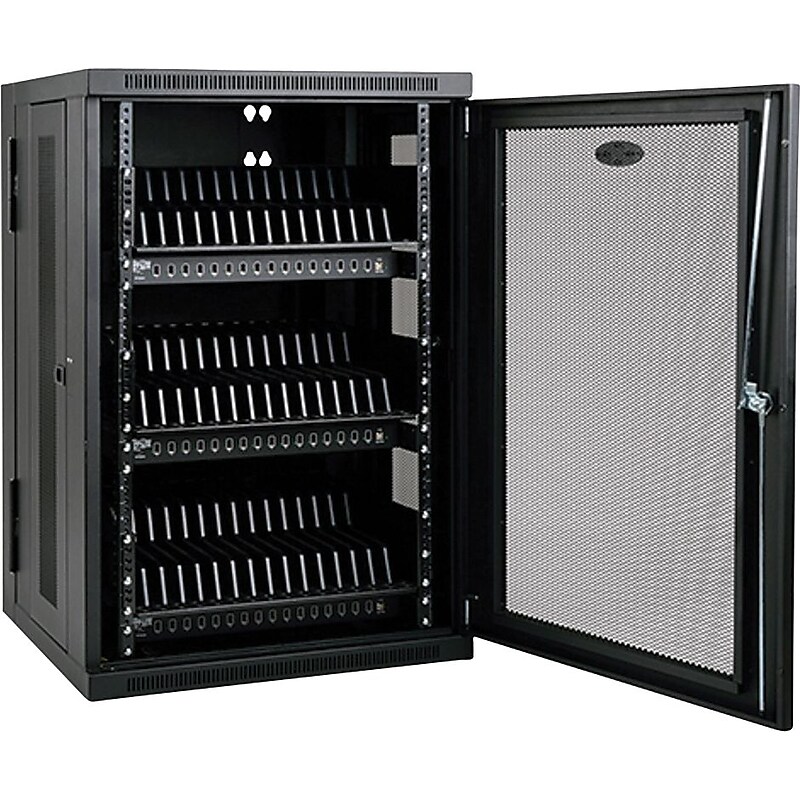
Locking steel cabinet provides 2.4A USB charging, syncing, secure storage and cord management for up to 48 tablets and other USB devices. Recommended for education, office, commercial, retail, industrial and healthcare environments..Compatible with all devices that charge via USB, including tablets (such as iPad®, Android™, Kindle™, Kindle Fire™ and Surface™ models), select ultra-portable notebooks (such as select Chromebook™ and MacBook® models) and mobile phones (such as iPhone®, Android and Windows Phone® models).Simultaneously charges up to 48 tablets.Simultaneously syncs all devices with a host computer.Locking steel doors and side panels prevent theft and tampering.Ships fully assembled
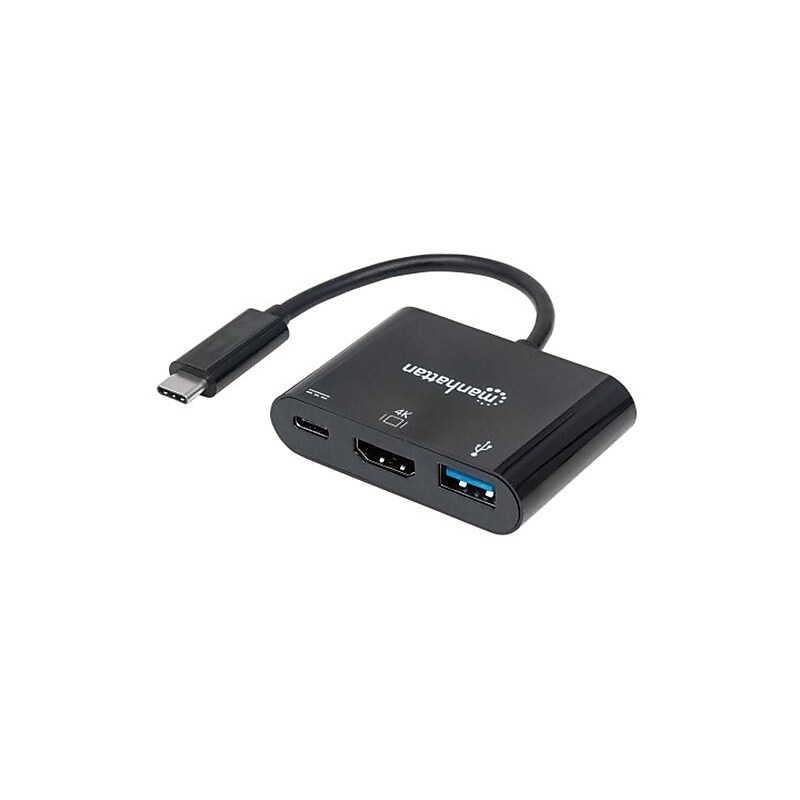
The Manhattan® SuperSpeed Series 152037 docking converter in black, helps to connect USB-C device to HDMI display and USB peripherals. This converter with 3" cable, is compatible with desktops, Notebooks and Tablets including Apple Macbook and Chromebook Pixel. The plug-and-play converter has ABS plastic construction with Mylar and aluminum shielding to minimize EMI and other interference. It works on Windows XP/Vista/7/8.1/10, Linux and Mac 9.x/10.x operating systems..Docking converter.Cable length: 3".Connections: USB type C 24-pin male on first end, HDMI 19-pin, USB type C 24-pin, USB type A 4-pin female on second end.Gauge: 24 AWG.Overcurrent protection.Made from ABS plastic, Mylar and aluminum shielding, thermal plastic casing, molded PVC boot.System requirements: Windows XP/Vista/7/8.1/10 or Linux or Mac 9.x/10.x or above.Video resolutions: 4K.Withstanding voltage: 300 VDC.Insulation resistance: 10 MOhms.Conductive resistance: 5 Ohms.Bus powered, up to 60 W.Plug-and-play.Fully shielded to reduce EMI and other interference sources.Temperature: 32 to 104 deg F (operation), -4 to 140 deg F (storage).Includes SuperSpeed USB C HDMI docking converter and quick instruction guide.Meets CE, FCC, RoHS2 and WEEE standards.Weight: 1.1 oz..Comes with lifetime warranty.Manhattan® SuperSpeed black docking converter connects USB type-c device with an HDMI display and USB peripherals.
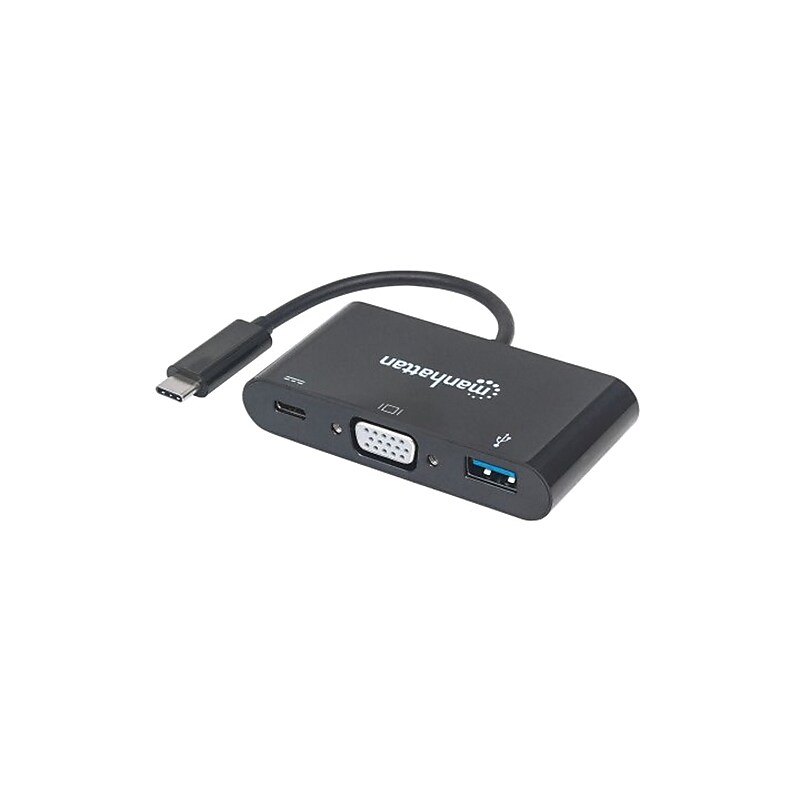
The Manhattan® SuperSpeed Series 152044 docking converter in black, helps to connect USB type C device to VGA display, USB 3.0 port and type C charging port. This converter with 3" cable, is compatible with all USB type C supported desktops, Notebooks and Tablets including Apple Macbook and Chromebook Pixel. The plug-and-play converter has ABS plastic construction with Mylar and aluminum shielding to minimize EMI and other interference. It works on Windows XP/Vista/7/8.1/10, Linux and Mac 9.x/10.x operating systems..Docking converter.Cable length: 3".Connections: USB type C 24-pin male on first end, VGA 15-pin, USB type C 24-pin, USB type A 4-pin female on second end.Gauge: 24 AWG.Overcurrent protection.Made from ABS plastic, Mylar and aluminum shielding, thermal plastic casing, molded PVC boot.System requirements: Windows XP/Vista/7/8.1/10 or Linux or Mac 9.x/10.x or above.Video resolutions: 1920 x 1200.Withstanding voltage: 300 VDC.Insulation resistance: 10 MOhms.Conductive resistance: 5 Ohms.Bus powered, up to 60 W.Plug-and-play.Fully shielded to reduce EMI and other interference sources.Temperature: 32 to 104 deg F (operation), -4 to 140 deg F (storage).Includes SuperSpeed USB C VGA docking converter and quick instruction guide.Meets CE, FCC, RoHS2 and WEEE standards.Weight: 1.1 oz..Comes with lifetime warranty.Manhattan® SuperSpeed black docking converter connects USB type-c device with a VGA display and USB peripherals.
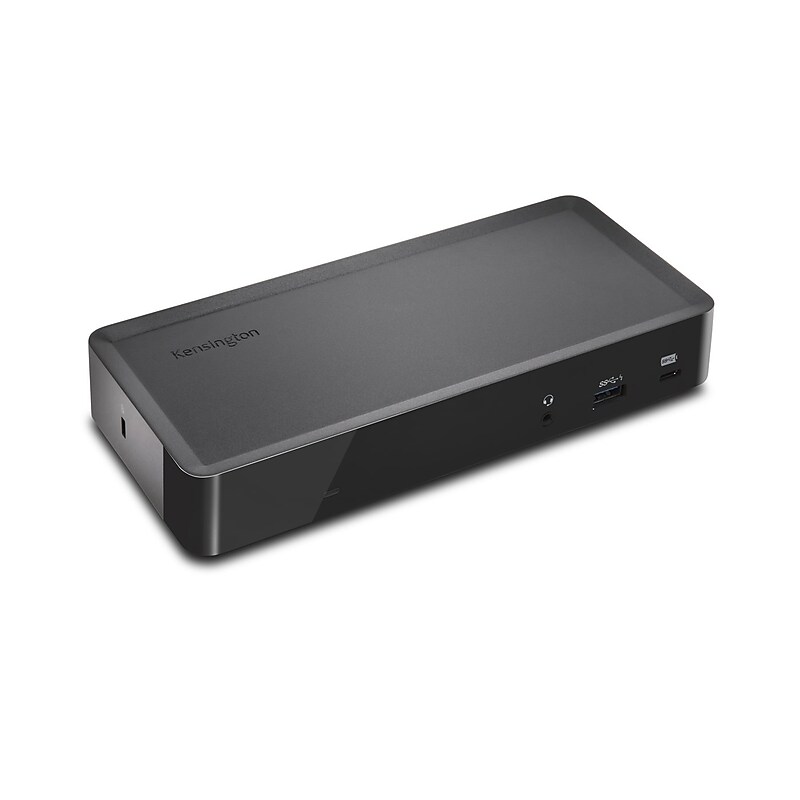
For over 35 years, Kensington has been The Professionals' Choice for desktop productivity solutions. Kensington has engineered the SD4700P Universal USB-C and USB 3.0 Docking Station to support both computers with legacy USB 3.0 ports and computers with the latest USB-C technology. With this docking station, you get one USB-C port and 5 USB 3.0 ports, one of which is a 2.1A fast-charging port to power up a tablet or smartphone. You also get one DisplayPort++ and one HDMI port for connecting to a TV or computer monitor(s). Use the larger display for increased desktop real estate, or to more easily conduct presentations. Connect via USB-C to a single monitor at up to 2560 x 1600 resolution, or to dual monitors at 2048 x 1152..Conveniently connect any laptop equipped with USB-C or USB 3.0 and supporting both Windows and Mac.Simple Set-up allows you to connect and quickly transfer audio, video, data and power (supported USB-C devices only), keeping your workspace clean and clutter-free.DisplayPort++/HDMI provides flexible video connections with support up to 2560x1600 for a single monitor or 2048x1152 for dual monitors via DisplayLink..6 USB Ports extends the productivity capabilities of today’s thin laptops via one USB-C port, and five USB 3.0 ports, one of which is a 2.1A fast-charging port to power up a tablet or smartphone.Extending the Life of Your Docking Station Investments
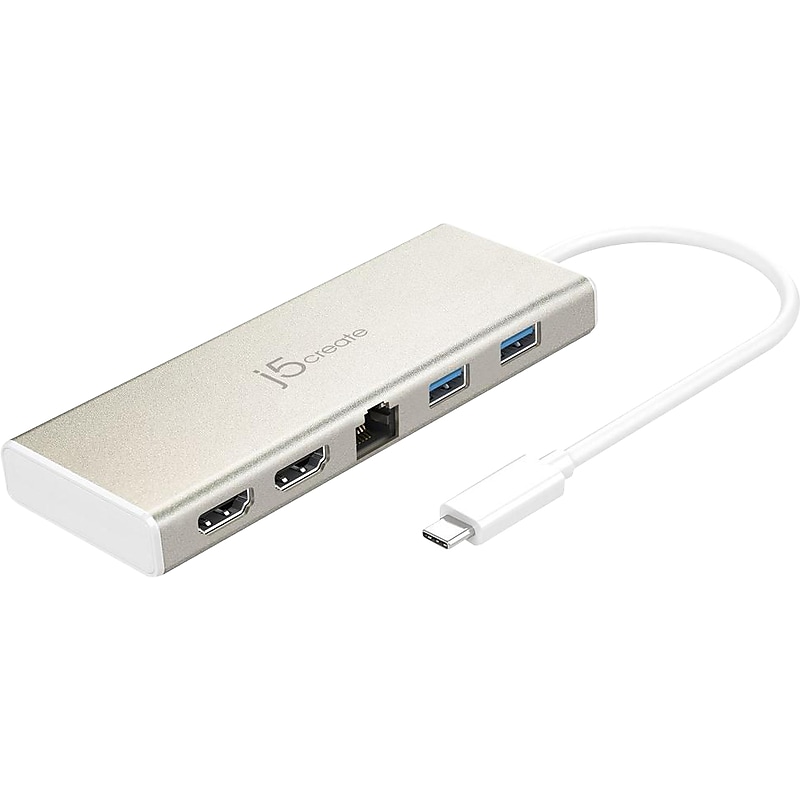
Improve productivity with dual monitor setup using this mini dock. Featuring two HDMI ports, this mini dock lets you upgrade your workstation with external displays. This j5create USB-C dual HDMI mini dock has two USB 3.0 ports that rapidly transfer data to and from compatible devices, Gigabit Ethernet, and USB-C power in..Dual monitor docking station allows you to add two additional displays to increase your efficiency at work through your laptop USB-C port.Dimensions: 2.1"H x 5.1"W x 0.6"D.Portable docking station connects through your laptop USB-C port and adds three additional USB 3.0 ports for peripherals, USB-C power in, two HDMI ports (one up to 4K UHD), and Gigabit LAN.Package contents: USB-C dual HDMI mini dock with 7.8"L cable, driver CD, and quick installation guide.Charge your laptop, connect multiple peripherals, and transfer data at the same time through USB-C port supporting Power Delivery 2.0.Maximum resolution is 4K UHD 3840 x 2160 for the first display, and Full HD 1920 x 1080 for the second one.Hot-swappable USB enables you to add or remove monitors without rebooting your system.Add additional monitors without adding an expensive internal video card, avoiding complicated installation.Great for multitasking in a wide variety of applications including: phone centers, stock markets, hospitals, graphic design, editing, accounting, etc..USB 3.0 ports are capable of data transfer speeds up to 5Gbps.Gigabit Ethernet port features activity and link LED indicators.The advanced heat-eliminating design makes this dock the perfect solution for expanding virtually any laptop into a full-sized workstation without the worry of overheating.Small, compact, and lightweight dock is perfect for on-the-go.Compatible operating systems: Windows 7/8/8.1/10, macOS X 10.8, or later.USB-C connector has a slim and reversible design, so there is no wrong way to plug it in.2-year manufacturer limited warranty.Connect laptops to multiple displays with this j5create USB-C dual HDMI docking station.
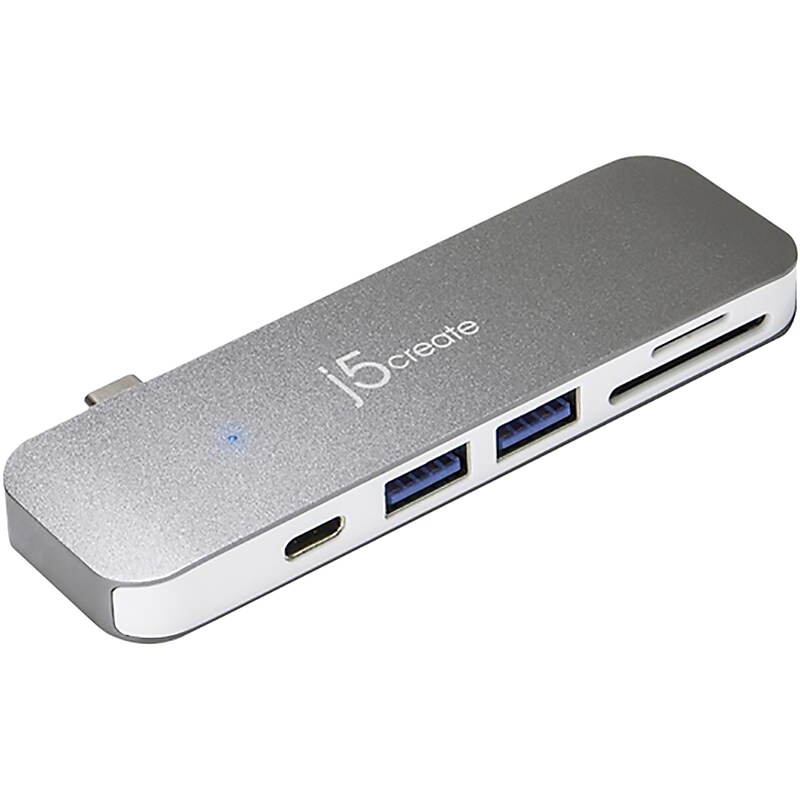
Charge devices and retrieve files from memory cards with this dock. Two USB 3.0 Type-A ports provide compatibility with wired keyboards and other accessories, while the USB-C port recharges compatible devices quickly and offers rapid data transfer rates. This j5create USB-C UltraDrive six-in-one dock has integrated SD and microSD slots that make it easy to store and retrieve files from memory cards..Versatile six-in-one mini-port replicator expands connectivity options for USB-C enabled laptops.Dimensions: 1.26"H x 4.21"W x 0.43"D.Dock connects through your laptop USB Type-C port and adds two additional USB 3.1 ports for computer peripherals, USB Type-C port with PD 3.0, DisplayPort Alt Mode, as well as SD and microSD slots.Package contents: USB-C six-in-one, quick installation guide.Charge your laptop, connect multiple peripherals, and transfer data at the same time through USB-C port supporting Power Delivery 3.0.DisplayPort Alt Mode over a USB Type-C port allows you to connect an additional monitor.USB 3.1 ports are capable of data transfer speeds up to 5Gbps.USB Type-C connector features a slim and reversible design, so there is no wrong way to plug it in.Complement your laptop, desktop, or any other device with sleek, modern, and durable aluminum design of USB-C dock that is perfect for on-the-go use.Expand computer connectivity with this j5create USB-C UltraDrive six-in-one dock.
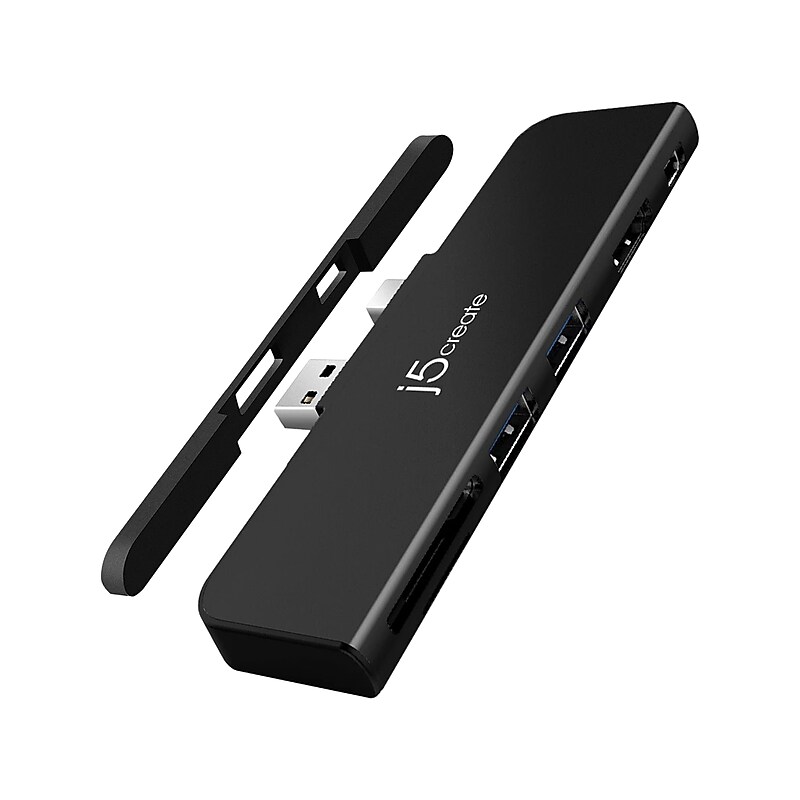
This j5create 6-in-1 ULTRADRIVEMINIDOCK for Surface Pro 4/5/6 expands your port options to two USB Type-A 3.0 ports, memory card reader/writer, 4K mini DisplayPort and 4K HDMI. It is designed to keep all the ports on one side for easy cable management. It supports up to 4K resolutions at 30 Hz via HDMI and up to 4K at 60 Hz via mini DisplayPort (only one output is supported at once). The USB Type-A 3.0 ports allow you to connect USB peripherals, such as a storage device, keyboard, mouse, etc. The removable silicone pad provides a firm grip and protects against accidental disconnections and internal damage..Expand your port options to USB 3.0 Type-A, memory card reader, Mini DisplayPort, and HDMI with this six-in-one port replicator for Surface Pro 4/5/6.Dimensions: 1.5"H x 4.52"W x 0.35"D.Interfaces: USB Type-A 3.0 and Mini DisplayPort male connectors, HDMI female connector, Mini DisplayPort female connector, two USB Type-A 3.0 female connectors, and memory card reader/writer.Package contents: docking station, removable silicone pad, quick installation guide.HDMI supports display resolutions up to 4K/30Hz, Mini DisplayPort up to 4K/60Hz.Quickly connect your computer through USB 3.0 with downstream port speeds up to 5Gb/s.Compact and lightweight device is perfect for business on the go.2-year manufacturer limited warranty
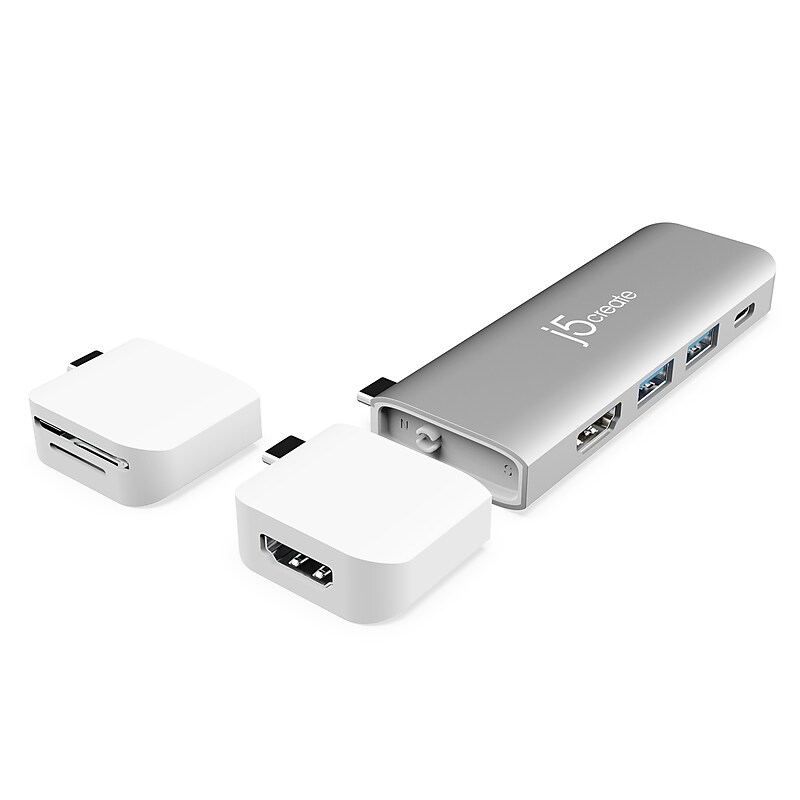
The j5create JCD387 USB-C Dual-Display Modular Dock is a versatile mini docking station featuring 2 detachable magnetic kits along with the main body to give you flexible configurations for video, data storage and charging. The 2 detachable magnetic kits are stand-alone mini adapters that allow you to add additional functions. Each module can work separately as a stand-alone mini adapter or be magnetically attached for use together with the main body. This compact modular dock provides you with all the connections you need to get more done with dual-monitor support and two USB 3.0 Type-A peripherals. Free yourself from your home office and take your work on the go with this magnetic dock! UltraDrive Minidock can be used with the MacBook Pro 13"/15" 2016/2017/2018/2019 and MacBook Air 2018/2019, Acer® Swift® 5, Lenovo® ThinkPad® A485, A285, Surface Pro 7 and Surface Go..8-in-1 Functions: Each module can work separately as a stand-alone mini adapter or be magnetically attached for use together with the main body. Port functions on the main body: USB-C Power Delivery 3.0, USB-C 3.1 Gen 1, 2 - USB 3.1 Gen 1 Type-A, 1 - 4K HDMI. Port functions on the mini adapters: USB-C to 4K HDMI, USB-C to SD and USB-C to microSD 3.0..2 Magnetic Kits: USB-C to 4K HDMI: resolutions up to 3840 x 2160 @ 60 Hz and USB-C to SD/microSD 3.0 memory card reader/writer slots for external memory cards up to 2 TB.Ports: USB-C to 4K @ 30 Hz HDMI, USB 3.1 Type-A Gen 1 port supports 5 Gbps of data transfer, USB-C Power Delivery 3.0 charging up to 100W and USB-C 3.1 Gen 1 supports 5 Gbps of data transfer.Create a dual-monitor setup when the main body is used with the USB-C to 4K HDMI kit.Plug-and-play design.Aluminum housing.1-year manufacturer limited warranty