Extendable Monitor Mounts

50 results
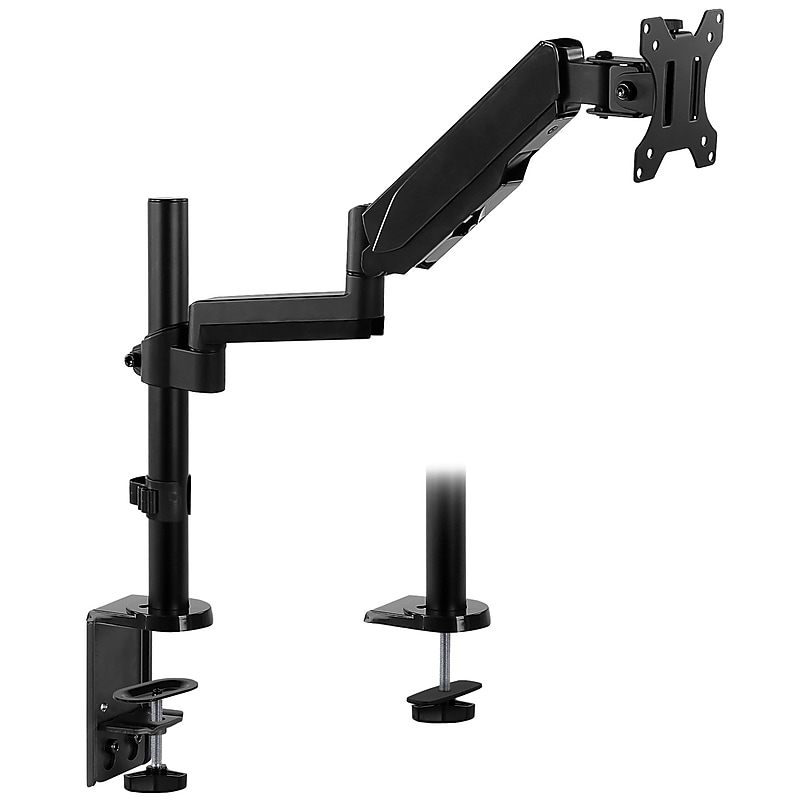
Mount-It! Monitor Arm Desk Mount, Up to 32" Monitor, Black (MI-4761) image 1
Item: 24394923
Model: MI-4761

Raise your monitor to an ergonomic position and free up desk space with this single monitor mount. Designed for performance, this mount is made from aluminum and steel for sturdy use. This mount includes both clamp and grommet installation components to fit a variety of desktops. Gas spring allows for smooth and easy height adjustment. Tilt and swivel functionality offer multiple monitor angles for comfortable reading, and integrated cable management keeps your cords off your desktop..Screen Size: 17" - 32".Monitor Weight Capacity: 17.6 lbs..Arm Extension: 19.5" - 21.5".Screen Rotation: +180°,-180°.VESA Compatible: 75x75, 100x100.Tilt: +35°,-35°.Swivel: +90°,-90°.Material: Aluminum, Plastic, Steel.Fits all Samsung, LG, ACER, ASUS, HP, DELL, VIEWSONIC, SONY and other branded monitors with VESA 75 and VESA 100 mounting patterns.Supported by manufacturer's limited lifetime warranty
Price is  $74.99
1
2
3
4
5
6
7
8
9
10
11
12
13
14
15
16
17
18
19
20
21
22
23
24
25
26
27
28
29
30
Over 30
Add to list
7
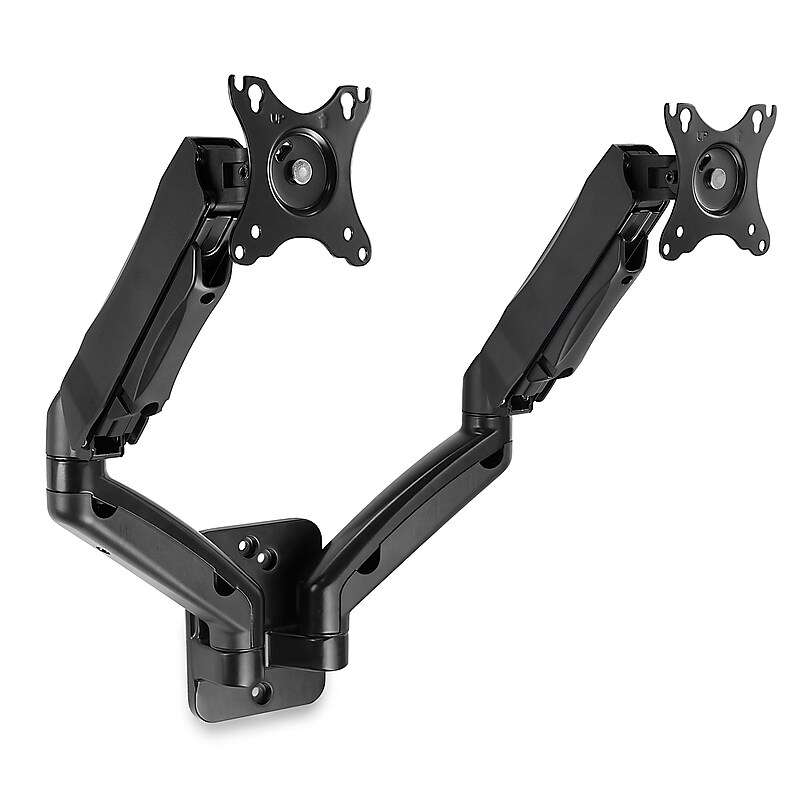
Mount-It! Dual Arm Monitor Wall Mount for 17" to 27" Screens, Holds 14.3lbs., Black (MI-766) image 1
Item: 24394931
Model: MI-766

With 180 degree rotation, this monitor mount allows you to switch one of the monitors to portrait mode, while the other is in landscape mode. Or, you can angle the monitors toward each other to create a more immersive view. The easy-to-attach VESA plate allows you to install the mount to the wall, connect the plates to your monitors, and then attach the monitors to the wall mount with ease. The integrated cable management system allows you to hide unsightly wires and keep your workspace clutter free..Works with monitors from 13" to 27" weighing up to 14.3 lbs..MI-766 supports monitors with 75 x 75 and 100 x 100 VESA.Distance From the Wall: 3.5" min - 17.7" max.Includes cable management for clutter-free installation.This mount is compatible with curved monitors..The mount offers a tilt range of 90° upward and 45° downward, along with a swivel range of 90° to the left and 90° to the right..Includes cable management for clutter-free installation.Easily switch from portrait to landscape view.Ideal for small offices, game rooms, and anywhere space is at a premium.Proudly designed, quality-controlled, and supported in the U.S. by a small business delivering trusted solutions since 2006..Supported by manufacturer's limited lifetime warranty.Enjoy a more ergonomic and productive workspace with the Mount-It! dual monitor wall mount.

Price is  $114.99
1
2
3
4
5
6
7
8
9
10
11
12
13
14
15
16
17
18
19
20
21
22
23
24
25
26
27
28
29
30
Over 30
Add to list
35

About Extendable Monitor Mounts

Extendable monitor mounts are essential accessories designed to enhance your workspace by providing flexible positioning for your monitors. These mounts allow users to adjust the height, angle, and distance of their screens, promoting better ergonomics and reducing neck and eye strain during long hours of work.

With a variety of designs available, extendable monitor mounts cater to different monitor sizes and weights, ensuring compatibility with a wide range of setups. They are ideal for both home offices and professional environments, enabling users to create a customized and efficient workspace.

When choosing an extendable monitor mount, consider features such as weight capacity, range of motion, and installation type. Many mounts offer gas spring arms for smooth adjustments, allowing users to easily reposition their monitors to achieve optimal viewing angles.

Additionally, look for mounts that support dual or multiple monitor setups, which can significantly enhance productivity by providing ample screen real estate. Cable management features are also beneficial, helping to keep your workspace organized and free from clutter.

What are extendable monitor mounts used for?

  • Extendable monitor mounts are used to position monitors at adjustable heights and angles, improving ergonomics and comfort while working. They help reduce strain on the neck and eyes by allowing users to customize their viewing experience.

How do I choose the right extendable monitor mount?

  • To choose the right extendable monitor mount, consider the weight and size of your monitor, the mount's weight capacity, and the range of motion it offers. Ensure compatibility with your workspace setup and look for features that enhance usability, such as gas spring arms and cable management.

Can extendable monitor mounts support multiple monitors?

  • Yes, many extendable monitor mounts are designed to support multiple monitors, allowing for a more efficient workspace. Dual or triple monitor mounts can help maximize screen space and improve productivity.

Are extendable monitor mounts easy to install?

  • Most extendable monitor mounts come with clear installation instructions and necessary hardware, making them relatively easy to install. Depending on the type of mount, installation may involve wall mounting or attaching to a desk.

Do extendable monitor mounts have cable management features?

  • Many extendable monitor mounts include built-in cable management systems to help keep your workspace tidy. These features allow you to route cables neatly along the arm or pole, reducing clutter and improving aesthetics.

What is the benefit of using a gas spring arm in a monitor mount?

  • A gas spring arm allows for smooth and effortless adjustments of the monitor's position. This feature enables users to easily change the height and angle of their monitors with minimal effort, enhancing overall comfort and usability.