KVM Switches for MacBook

50 results
StarTech Unmanaged Switch, Black (SV231DHU34K6) image 1
Item: IM19GK696
Model: SV231DHU34K6

The StarTech HDMI KVM switch supports resolutions up to 4K at 60Hz. It drives two large monitors at the full 4K resolution. Includes EDID and HDCP signal emulation so monitors always remain synced for faster switching times, and desktop settings are maintained to avoid disrupting your workflow. With support for digital audio (with supporting displays and sources) and separate 3.5 mm stereo audio, the HDMI 2.0 KVM switch delivers full audio compatibility..HDMI KVM switch supports resolutions up to 4K at 60Hz; it drives two large monitors at the full 4K resolution.Contains 19 pin HDMI Female, USB Type-A (9 pin, 5 Gbps), 3.5 mm Audio Female, four USB Type-A (4 pin; HID Port) USB 1.1, 9 pin USB 3.0 B Female, 3.5 mm Audio Female, four 19 pin HDMI Female.Dimensions: 2.3"H x 3.9"W x 6.3"D.Features easily accessible buttons and front-mounted integrated USB switch (USB 3.1/3.2 Gen 1) for sharing USB devices between connected computers.Supports up to 4K at 60Hz on two monitors for applications like CAD/CAM, video editing and content creation; works with major brands including Dell, HP, and Lenovo.Includes EDID and HDCP signal emulation so monitors stay synced for faster switching times, and desktop settings are maintained to avoid disrupting your workflow while switching between up to two computers.With support for digital audio (with supporting displays and sources) and separate 3.5 mm stereo audio, the HDMI 2.0 KVM switch delivers full audio compatibility.The integrated USB 3.0 hub shares two peripherals (in addition to keyboard and mouse) among attached computers as if they were directly connected to your host computer, eliminating the cost of duplicate devices such as printers and scanners.While supporting Windows, this HDMI KVM switch is also compatible with Mac and Linux operating systems.The front-panel pushbuttons make it easy to switch between systems and activate the auto-scan feature.The hotkey functionality makes accessing each system quickly, while a buzzer sound confirms the switch.2-year manufacturer limited warranty

Price is  $416.69
1
2
3
4
5
6
7
8
9
10
11
12
13
14
15
16
17
18
19
20
21
22
23
24
25
26
27
28
29
30
Over 30
Add to list
No reviews yet
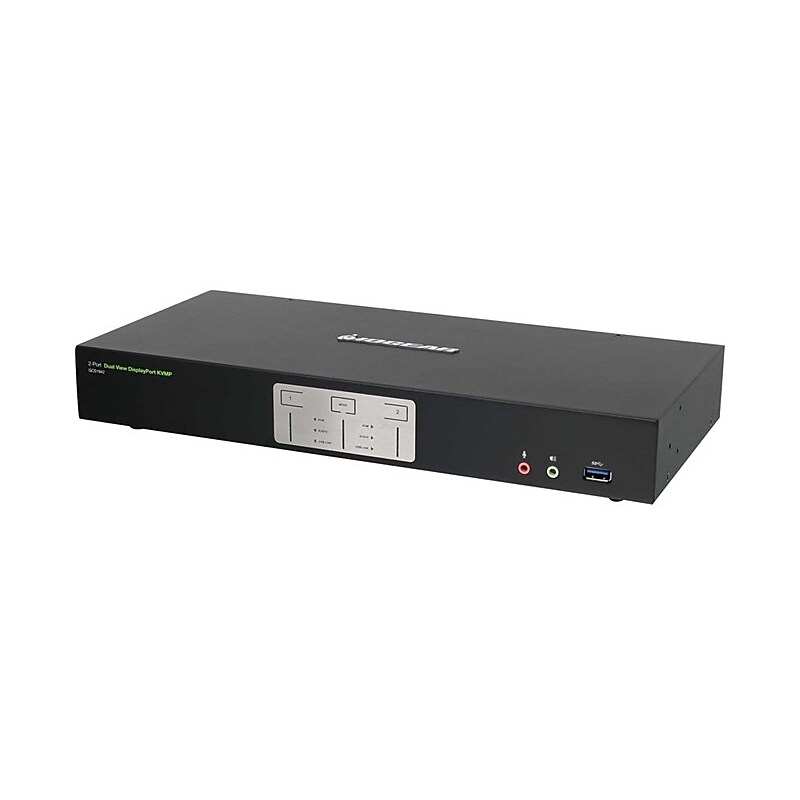
IOGEAR 2-Port 4K Dual View DisplayPort KVMP with USB 3.0 Hub and Audio (TAA) (GCS1942) image 1
Item: IM15TK721
Model: GCS1942

Enhance High-End Multi-Monitor Workstation: Maximize your high-end dual DisplayPort workstations by connecting them to the 2-Port 4K Dual View Display Port KVMP. Experience Cinema 4K resolutions along with rich bass and 7.1 surround sound while switching between both computers and sharing two USB 3.0 peripherals with the push of a button. A Dual Cinema 4K Experience: Join two 4K Cinema DisplayPort monitors to your premium desktop or laptop to experience superior screen, image, and video quality. The Dual View DisplayPort KVMP delivers a 4K resolution standard of 4096 x 2160 at a frame rate of 60Hz. Designed for professional film and video production industries, the 2-Port KVMP supports environments requiring cinematic graphics resolution. Superior quality is also ideal for applications in motion graphic design, animation, engineering, architecture, and media design. Convenient Switching Methods: Switch and access two DisplayPort computers from the push-button front panel or hotkey combination on your keyboard. Utilize the latest in mouse port-switching functionality to change ports by simply clicking the wheel button on your 3-button USB mouse. Expand to Utilize Up to Four 4K Monitors: Tackle large projects and double your desktop viewing space by adding a second 2-Port KVMP (GCS1942). Expand your workstations to accommodate up to four Cinema 4K DisplayPort monitors. Smart Connectivity: Additional smart connectivity features turn your workstation into a convenient, easy-to-use powerhouse. The Power on Detection ensures automatic connection to the next powered-on computer. With Multi Stream Transport (MST) support, double your desktop viewing space by daisy chaining each monitor to another monitor, accommodating up to four DisplayPort monitors. The built-in USB 3.0 ports provide connectivity speeds up to 5Gbps and compatibility with legacy USB 2.0 and 1.1 devices..Maximize your high-end multi-monitor workstation with superior video resolution.Share dual Cinema 4K DisplayPort monitors (4096 x 2160 @60Hz).Operate 4 DisplayPort computers with 1 keyboard, mouse, and 2 monitors.Add another GCS1942 to expand up to four 4K monitors.DisplayPort 1.2 compliant, HDCP compliant.Black

Price is  $330.39
1
2
3
4
5
6
7
8
9
10
11
12
13
14
15
16
17
18
19
20
21
22
23
24
25
26
27
28
29
30
Over 30
Add to list
No reviews yet

About KVM Switches for MacBook

KVM switches for MacBook are essential devices that allow users to control multiple computers using a single keyboard, video monitor, and mouse setup. These switches are particularly useful for professionals who need to switch between different systems seamlessly, enhancing productivity and workspace efficiency.

Designed with compatibility in mind, KVM switches for MacBook support various video outputs and resolutions, ensuring high-quality display performance. They are ideal for users who require quick access to multiple devices without the hassle of constantly changing cables or peripherals.

When choosing a KVM switch for your MacBook, consider features such as the number of ports, supported video resolutions, and connectivity options. Many models offer USB-C compatibility, allowing for easy integration with modern MacBook devices, while also supporting HDMI and DisplayPort connections for versatile display setups.

Additionally, look for KVM switches that provide features like hotkey switching, which allows for quick transitions between systems, and support for high-definition resolutions to ensure crisp visuals. These features make KVM switches a valuable addition to any multi-device workstation, streamlining your workflow and enhancing your overall computing experience.

What is a KVM switch for MacBook?

  • A KVM switch for MacBook is a device that enables users to control multiple computers with a single set of keyboard, video monitor, and mouse. It simplifies the management of multiple systems in a workspace.

How does a KVM switch work?

  • A KVM switch connects to multiple computers and allows users to switch control between them using a button or keyboard shortcut. This setup eliminates the need for multiple peripherals for each device.

What features should I look for in a KVM switch for MacBook?

  • Look for features such as the number of ports, compatibility with USB-C, support for high-resolution displays, and ease of switching between devices. Additional features like audio support and hotkey functionality can also enhance usability.

Can I use a KVM switch with multiple operating systems?

  • Yes, many KVM switches are designed to work with various operating systems, including macOS, Windows, and Linux. Ensure that the switch you choose supports the specific systems you intend to use.

Are KVM switches easy to set up?

  • Most KVM switches are user-friendly and can be set up quickly with minimal technical knowledge. Typically, you just need to connect the switch to your computers and peripherals, and you’re ready to go.

Do KVM switches support audio?

  • Many KVM switches do support audio, allowing you to switch both video and sound between devices. Check the specifications to ensure that audio support is included if this feature is important for your setup.