Mac Backlit Keyboards
9 results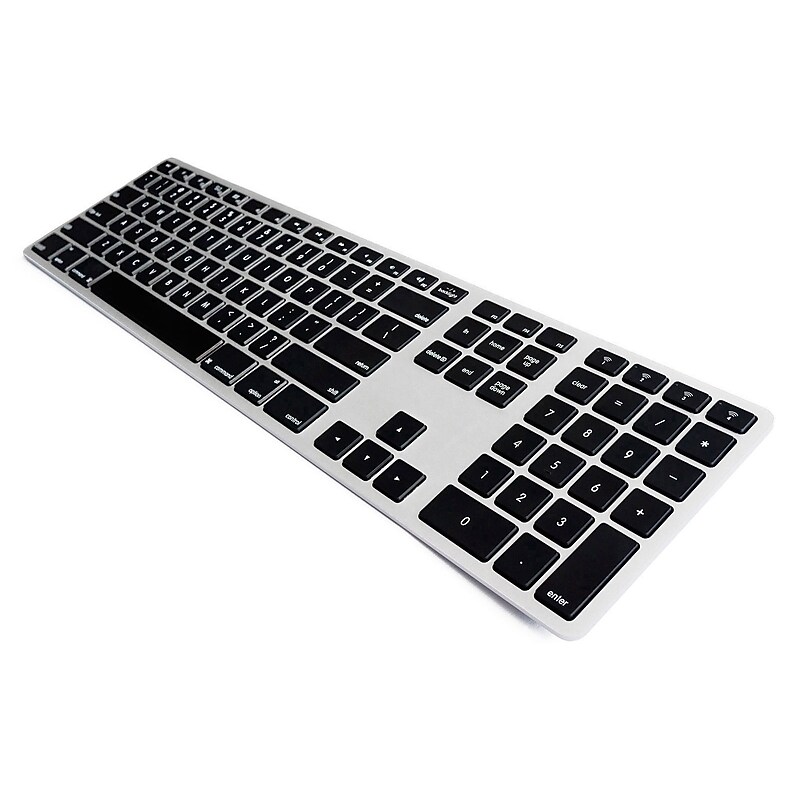
The Matias Backlit Wireless Aluminum Keyboard is a slim, aluminum, wireless keyboard with a similar layout to the familiar Apple Wireless Keyboard. It has four features that enhance your experience compared to the regular Apple Wireless Keyboard including: a numeric keypad, a rechargeable battery with a typical battery life of up to 1 year before needing recharging, can pair to up to 4 devices at the same time, and easily switch between the 4 devices with the press of a button, and it is backlit! You can control the brightness level, and turn it on or off..Backlit Keyboard with Numeric Keypad.Wireless with Bluetooth Capability.104 keys, 12 function keys.17.35” x 4.58” x 0.8”.For Mac.Can pair with up to 4 devices
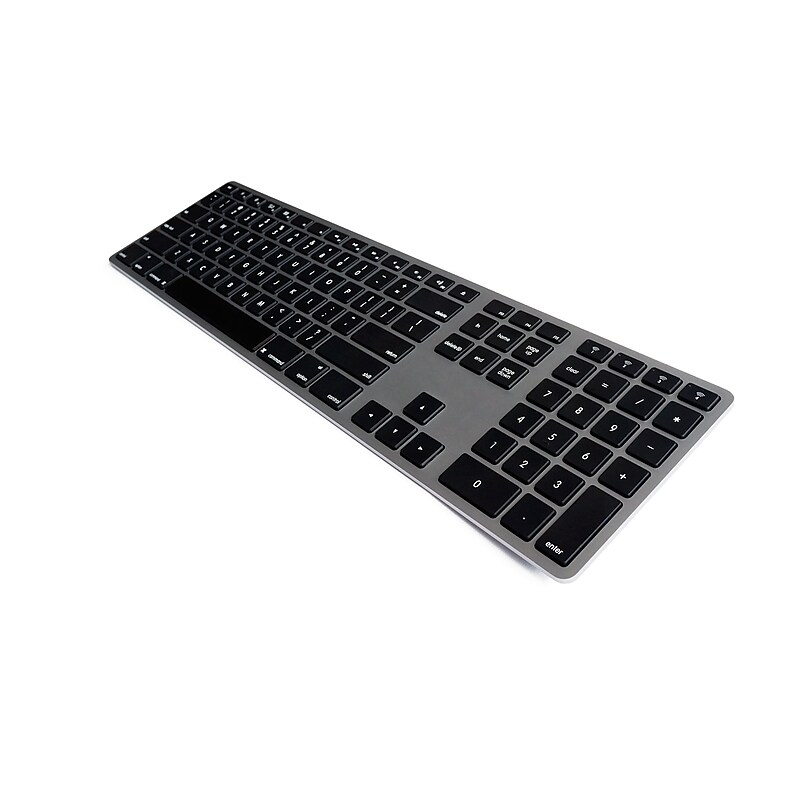
The Matias Backlit Wireless Aluminum Keyboard is a slim, aluminum, wireless keyboard with a similar layout to the familiar Apple Wireless Keyboard. It has four features that enhance your experience compared to the regular Apple Wireless Keyboard including: a numeric keypad, a rechargeable battery with a typical battery life of up to 1 year before needing recharging, can pair to up to 4 devices at the same time, and easily switch between the 4 devices with the press of a button, and it is backlit! You can control the brightness level, and turn it on or off..Backlit Keyboard with Numeric Keypad.Wireless with Bluetooth Capability.104 keys, 12 function keys.17.35” x 4.58” x 0.8”.For Mac.Can pair with up to 4 devices
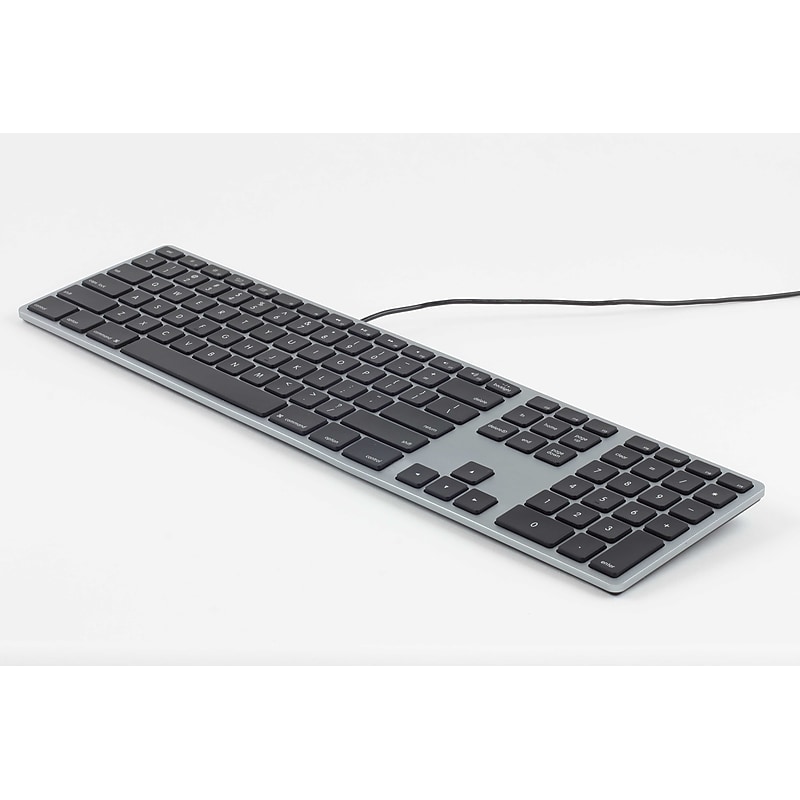
The Matias RGB Backlit Keyboard for Mac is an enhanced USB keyboard with the traditional USB 2.0 connection, with a 1 port USB 2.0 hub, numeric keypad, aluminum frame, and all the special Mac functionality you expect on the function keys. However, it also has RGB backlighting; you can turn on backlighting and use the color control dial to choose any color you want. The keyboard comes with a USB-C adapter, so you can use plug the keyboard into your traditional USB-A port on your iMac, or you can plug the keyboard into the USB-C port on your MacBook Pro..Backlit Keyboard with Numeric Keypad for PC.Wired.104 keys, 12 function keys.17.35” x 4.58” x 0.75”.For PC
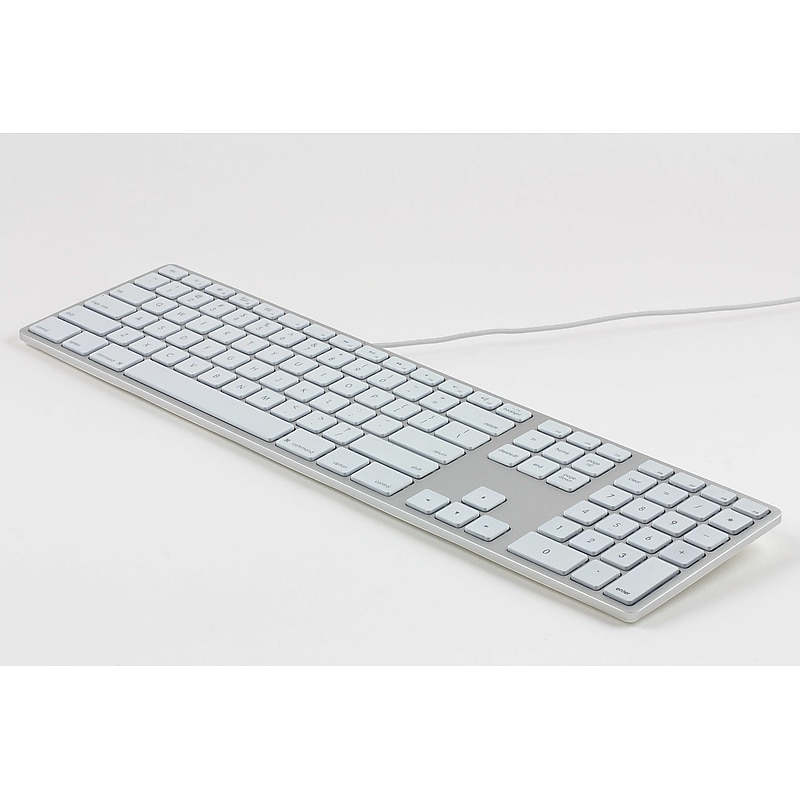
The Matias RGB Backlit Keyboard for Mac is an enhanced USB keyboard with the traditional USB 2.0 connection, with a 1 port USB 2.0 hub, numeric keypad, aluminum frame, and all the special Mac functionality you expect on the function keys. However, it also has RGB backlighting; you can turn on backlighting and use the color control dial to choose any color you want. The keyboard comes with a USB-C adapter, so you can use plug the keyboard into your traditional USB-A port on your iMac, or you can plug the keyboard into the USB-C port on your MacBook Pro..Backlit Keyboard with Numeric Keypad for Mac.Wired.104 keys, 12 function keys.17.35” x 4.58” x 0.75”.For Mac
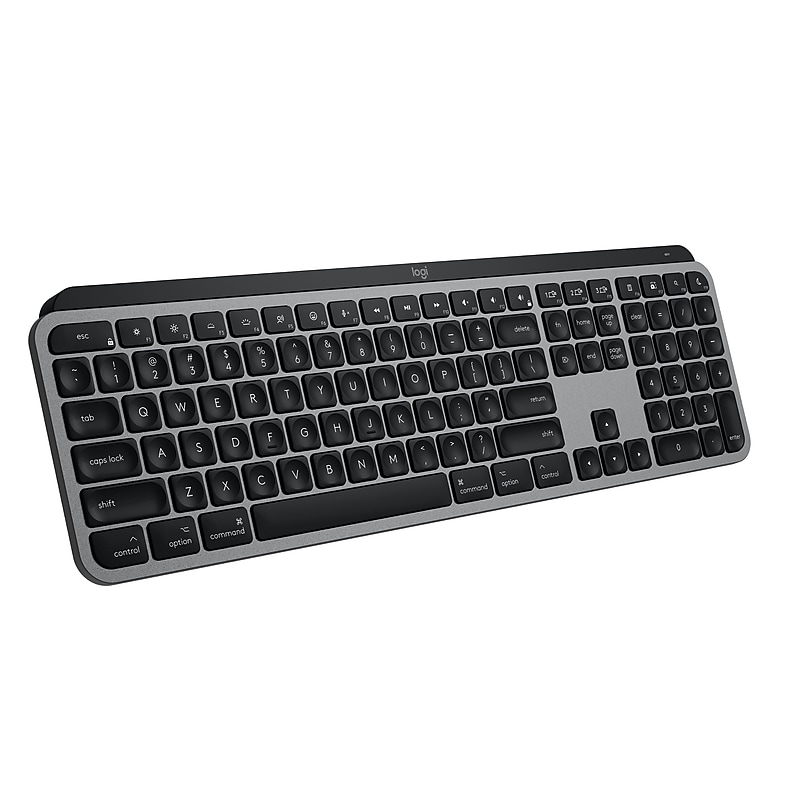
Introducing MX Keys S for Mac — a low-profile wireless keyboard optimized for macOS and iPadOS(4) With a Mac-specific key layout, matching Apple finishes, and a design that blends into your Apple setup. Offers a fast fluid precise typing experience, and customizable, time-saving Smart Actions that automate your most repetitive tasks with a single keystroke. The smart backlighting lights up as your fingers approach the keyboard and automatically brightens or fades to suit the time of day. Now you have more control of your backlighting brightness and duration with Logi Options+. (1).Mastered for Mac: With a Mac key layout and matching Apple finishes, Logi Options+ functions for macOS (1), USB C charging, Logitech MX Keys S for Mac makes for a perfect fit with your Apple setup.Fluid Typing Experience: A laptop-like profile with spherically dished keys shaped for your fingertips; experience fast, fluid, and precise typing on this wireless Bluetooth keyboard for Mac.Automate Repetitive Tasks with Logitech Keyboard: Easily create and share time-saving Smart Actions shortcuts to perform multiple actions with a single keystroke with the Logi Options+ app (1).Smarter Illumination: Keys on this backlit keyboard light up as your hands approach and adapt to the environment; now with more lighting customizations on Logi Options+ (1).More Comfort, Deeper Focus: Work comfortably for longer with a low-profile design and an optimum keyboard angle that is better for your wrist posture.Connect To Multiple Apple Devices: Work seamlessly on up to 3 devices on macOS, iPadOS, iOS via Bluetooth Low Energy (2).Team With MX Master 3S For Mac: Pair any MX for Mac wireless keyboard and mouse with Logi Options+ (1) and seamlessly work, transfer text and files between 3 Apple computers.Made With Recycled Plastic: Plastic parts in Logitech MX Keys S for Mac include certified post-consumer recycled plastic 26% for Space Gray and 11% for Pale Grey (5)
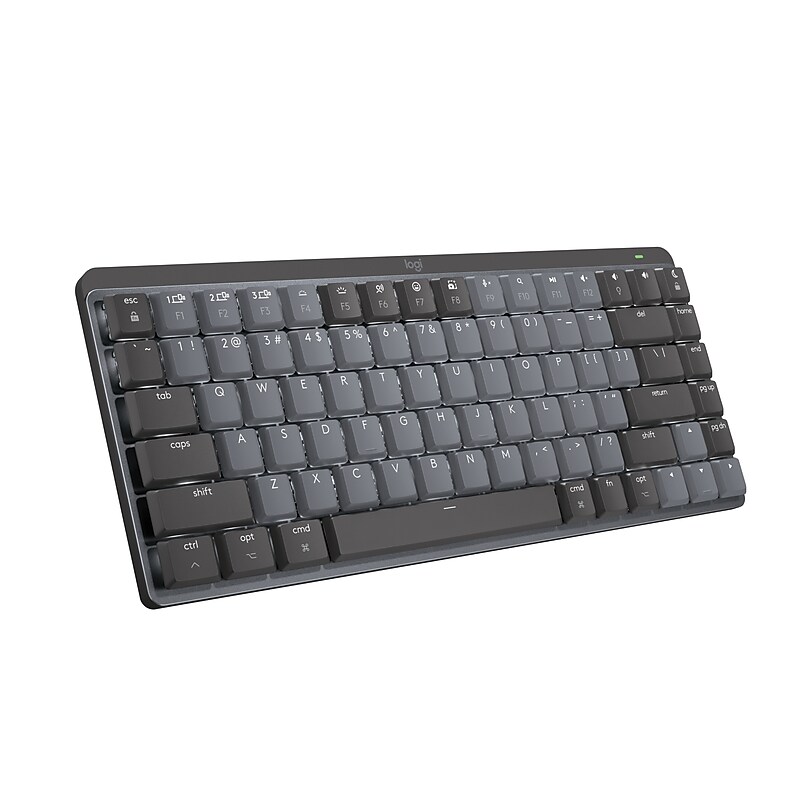
Introducing the MX Mechanical Mini for Mac, a minimalist keyboard mastered for Mac with a dual-color key layout for Mac computers to help improve precision through your peripheral vision. The MX Mechanical Mini for Mac is crafted for ergonomic comfort with tactile, quiet low-profile mechanical switches that allow you to create in a natural position longer, and battery-saving smart backlighting that keeps your creativity going. Connect instantly with up to three devices via Bluetooth Low Energy, and switch between them with a push of a button. Charge while you work with USB Type-C to USB Type-C quick charging..Mechanical mini-keyboard for improved experience and enhanced productivity.Pairs with up to three devices via Bluetooth Low Energy or Logi Bolt receiver (not included).Number of keys: 84.Dimensions: 1.03"H x 12.31"W x 5.18"D.Features a key layout designed for feel and productivity; optimized for macOS (10.15 or later) and compatible with iPadOS (14 or later) and iOS (14 or later).Multi-device mechanical keyboard works with computers, phones, and tablets.Comes in space gray.Quiet tactile mechanical switches have a satisfying tactile bump you feel but barely hear for precise feedback, reactive key reset, and a fluid typing experience.Experience more comfort with the minimalist, compact form factor featuring low-profile mechanical keys for effortless precision and better ergonomics.Backlit keys light up the moment your hands approach the cordless keyboard and automatically adjust to suit changing lighting conditions.Includes a USB Type-C to USB Type-C charging cable
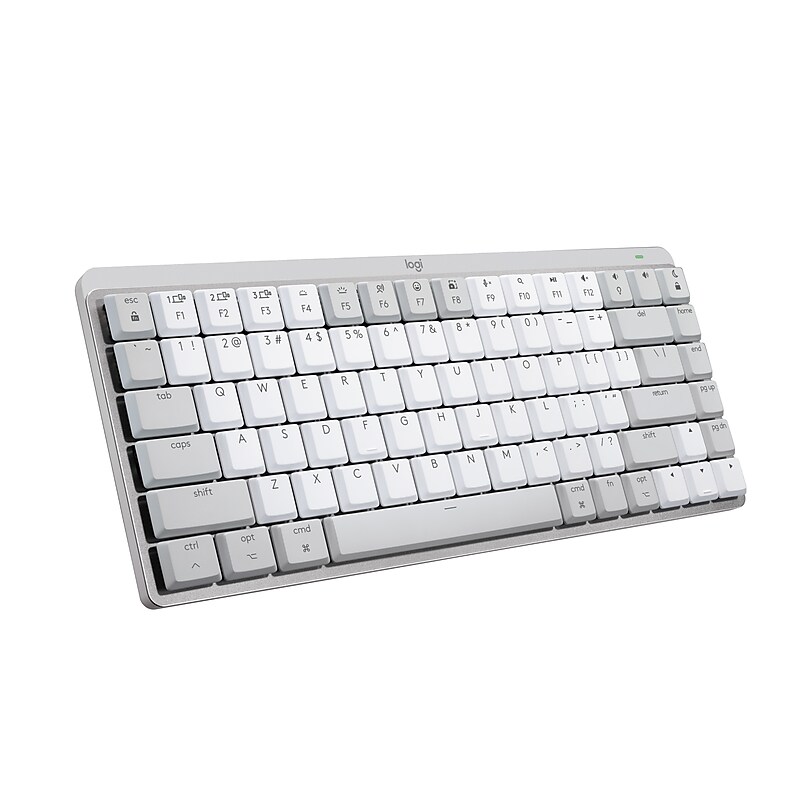
Introducing the MX Mechanical Mini for Mac, a minimalist keyboard mastered for Mac with a dual-color key layout for Mac computers to help improve precision through your peripheral vision. The MX Mechanical Mini for Mac is crafted for ergonomic comfort with tactile, quiet low-profile mechanical switches that allow you to create in a natural position longer, and battery-saving smart backlighting that keeps your creativity going. Connect instantly with up to three devices via Bluetooth Low Energy, and switch between them with a push of a button. Charge while you work with USB Type-C to USB Type-C quick charging..Mechanical mini-keyboard for improved experience and enhanced productivity.Pairs with up to three devices via Bluetooth Low Energy or Logi Bolt receiver (not included).Number of keys: 84.Dimensions: 1.03"H x 12.31"W x 5.18"D.Features a key layout designed for feel and productivity; optimized for macOS (10.15 or later) and compatible with iPadOS (14 or later) and iOS (14 or later).Multi-device mechanical keyboard works with computers, phones, and tablets.Comes in pale gray.Quiet tactile mechanical switches have a satisfying tactile bump you feel but barely hear for precise feedback, reactive key reset, and a fluid typing experience.Experience more comfort with the minimalist, compact form factor featuring low-profile mechanical keys for effortless precision and better ergonomics.Backlit keys light up the moment your hands approach the cordless keyboard and automatically adjust to suit changing lighting conditions.Includes a USB Type-C to USB Type-C charging cable
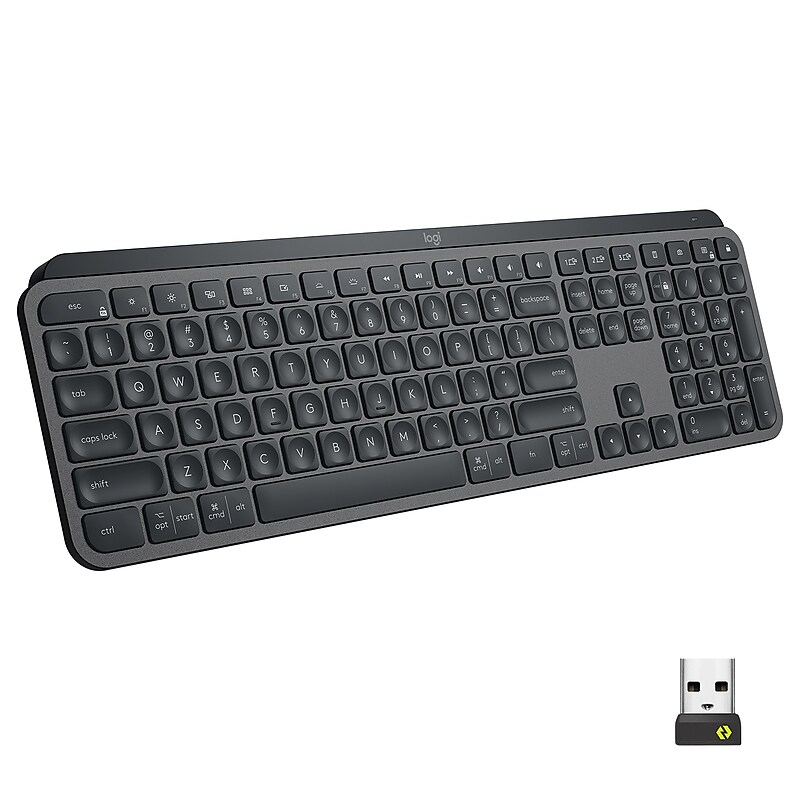
MX Keys for Business boosts productivity with Perfect Stroke precision typing with remarkable comfort and stability. Increased key stability reduces distracting keystroke noise. Smart backlighting and multi-device and multi-OS capabilities are advanced features designed for advanced workflow. Plus virtually no downtime because MX Keys for Business can be used while recharging its long-lasting power.(1) Requires Logitech Flow-enabled mouse and Logitech Options software(2) Battery life may vary based on your use.Meet rising enterprise security expectations: Logi Bolt high performance wireless technology with Secure Connections Only mode security and next level compatibility..Perfect-Stroke Keys : Spherically dished keys match the shape of fingertips. Each keystroke is fluid, quite, fast and accurate with a distinct tactile response..Comfort and Stability : Type with confidence on a slim flat keyboard crafted for comfort, stability and precision, as well as durability.Smart Illumination : The keys light up the moment your hands approach. And the backlighting automatically adjusts to suit changing lighting conditions.Flow Cross-Computer Control : MX Keys works across multiple computers in one fluid workflow. Seamlessly type, copy and paste across two computers.(1).Multi-Device and Multi-OS : Connect via Logi Bolt USB receiver or Bluetooth Low Energy with up to three desktop or portable devices and switch between them at the push of a button..USB-C Rechargeable : Full charge lasts up to ten days -or up to five months with backlighting off..Timesaving shortcuts: Personalize keys with shortcuts such as activating Copilot in Windows (in preview) (5) with Logi Options+ app (6).Boost productivity of coders, analysts and creators who need stability, precision and power to work better and truly master what they make.
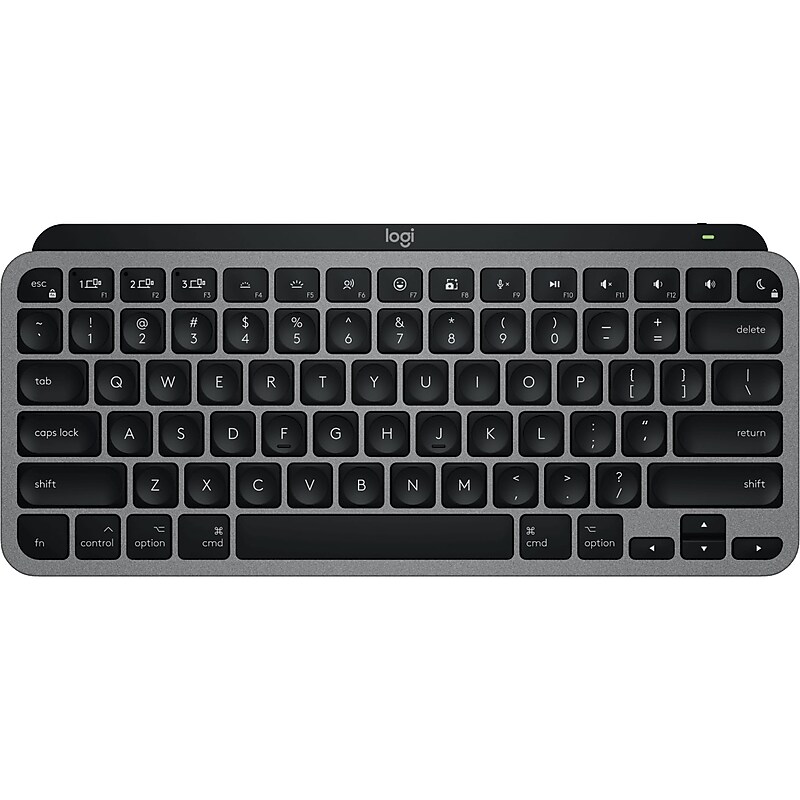
Meet Logitech MX Keys Mini for Mac – a minimalist keyboard made for Apple creators. A smaller form factor and smarter keys result in a mightier way to create, make, and do..Mastered for Mac.Provides wireless connection with up to 33' range for Bluetooth Low Energy enabled device with keyboard support.Keyboard dimensions: 11.65" x 5.19".Compatible with macOS 10.15 or later, iOS 14 or later, iPadOS 14 or later.Pair for Mac with multiple Mac computers and iPads via Bluetooth Low Energy and switch between them at the push of a button.Type with confidence and speed with spherically-dished keys shaped for your fingertips, minimizing the chances of a mistype, while increased key stability reduces noise.Easily create and share time-saving Smart Actions shortcuts to perform multiple actions with a single keystroke with the Logi Options+ app.Backlit keys light up when your hands approach the keyboard and automatically brighten or fade to suit your environment.The minimalist form factor aligns your shoulders and allows you to place your mouse closer to your keyboard for less hand reaching – for better posture and improved ergonomics.Rechargeable Li-Po (1500 mAh) battery provides p to 10 days or up to 5 months with backlighting off (USB-C rechargeable).Compatible with Logi Bolt USB receiver (not included).Box contains: keyboard, USB-C charging cable (USB-C to USB-C), user documentation.Comes in space gray.1-year manufacturer limited warranty