Mac Mini USB-C Cables

49 results
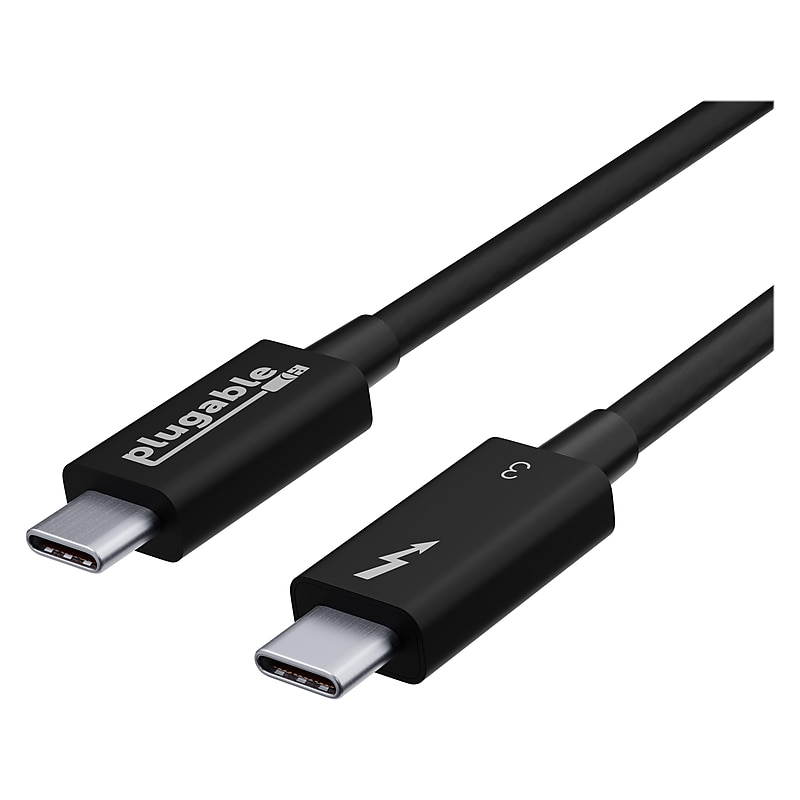
Plugable Thunderbolt 3 24" Cable, Black (TBT3-40G80CM) image 1
Item: IM16QP359
Model: TBT3-40G80CM

Thunderbolt 3 brings data transfers at speeds up to 40Gbps over USB-C, enabling a superset of standard USB-C to truly become one compact port that does it all — delivering the fastest, most versatile connection to any dock, display, or data device. For the first time, one port can connect numerous Thunderbolt devices, any display, and billions of USB devices. Thunderbolt 3 cables are primarily used for connecting docking stations, high performance data storage solutions, peer-to-peer networking, and more..Thunderbolt 3 cable with 40Gbps speed and USB 3.0 5Gbps compatibility.Reversible USB Type-C connectors on both cable ends.Supports 2x 4K 60Hz or 1x 5K 60Hz displays, and up to 20V, 5A charging.Compatible with Thunderbolt, USB, and DisplayPort Alt Mode specifications.Cable length: 24"L.This cable is not compatible with Qualcomm Quick Charge and other (non USB-IF Power Delivery) “Fast Charge” technologies.2-year manufacturer limited warranty

Price is  $29.82
1
2
3
4
5
6
7
8
9
10
11
12
13
14
15
16
17
18
19
20
21
22
23
24
25
26
27
28
29
30
Over 30
Add to list
No reviews yet

About Mac Mini USB-C Cables

Mac Mini USB-C cables are essential accessories designed to connect your Mac Mini to various devices, ensuring seamless data transfer and charging capabilities. These cables support high-speed connections, making them ideal for transferring large files, connecting to external displays, or charging your devices efficiently.

With a variety of lengths and specifications available, Mac Mini USB-C cables cater to different user needs, whether for home, office, or on-the-go use. Their versatility allows for compatibility with a wide range of USB-C enabled devices, enhancing your overall connectivity experience.

When selecting a USB-C cable for your Mac Mini, consider factors such as cable length, data transfer speed, and power delivery capabilities. Longer cables provide flexibility in setup, while high-speed options ensure quick data transfers, making them suitable for tasks like video editing or large backups.

Additionally, look for cables that support power delivery for fast charging of your devices. Many cables also feature durable construction to withstand daily use, ensuring longevity and reliability in your connections.

What is a USB-C cable used for with a Mac Mini?

  • A USB-C cable is used to connect your Mac Mini to various peripherals, such as monitors, external drives, and charging devices. It enables fast data transfer and efficient charging, enhancing the functionality of your Mac Mini.

Are all USB-C cables compatible with Mac Mini?

  • While most USB-C cables are compatible, it's important to check for specifications such as data transfer speed and power delivery capabilities to ensure optimal performance with your Mac Mini. Not all cables support the same features.

What length of USB-C cable should I choose for my Mac Mini?

  • The length of the USB-C cable you choose depends on your setup. For desktop use, shorter cables (3-6 feet) are often sufficient, while longer cables (10 feet or more) are ideal for flexible arrangements or connecting devices further away.

Can USB-C cables charge devices connected to a Mac Mini?

  • Yes, many USB-C cables support power delivery, allowing them to charge devices while connected to your Mac Mini. This feature is particularly useful for charging laptops, smartphones, and tablets quickly.

What should I look for in a high-speed USB-C cable?

  • When looking for a high-speed USB-C cable, check for specifications such as USB 3.1 or Thunderbolt compatibility, which indicate faster data transfer rates. Additionally, ensure the cable supports power delivery for efficient charging.

Are there any differences between USB-C and Thunderbolt cables?

  • Yes, while both use the USB-C connector, Thunderbolt cables offer higher data transfer speeds and additional features like daisy chaining multiple devices. USB-C cables may not support these advanced capabilities, so choose based on your specific needs.