MacBook Charging Stations
53 results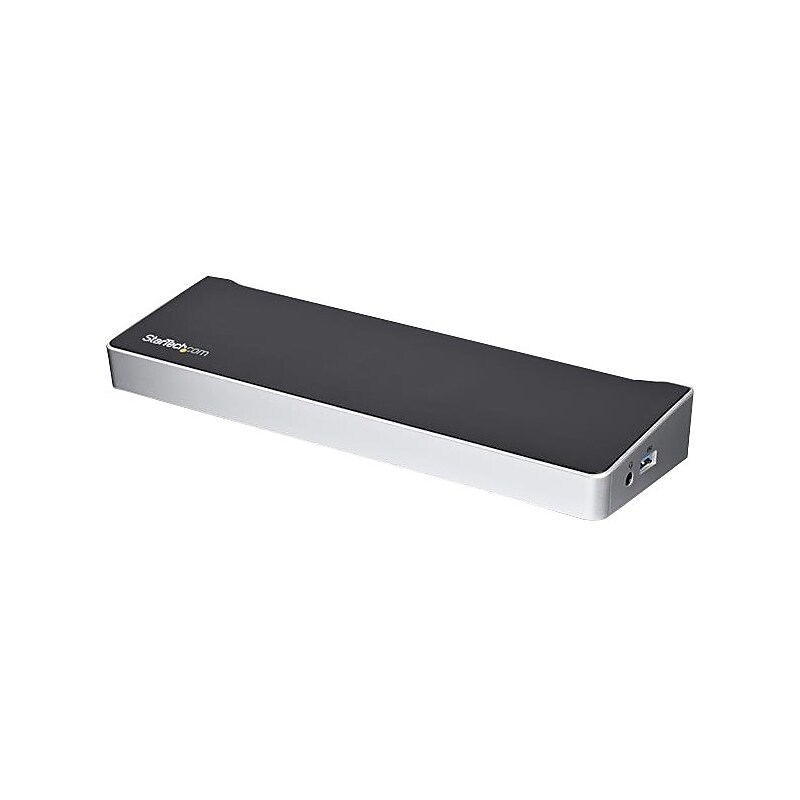
This triple-4K dock for Mac, Windows and Chrome USB-C laptops helps you take productivity to a whole new level. With three 4K video connections, 100W Power Delivery, and 5x USB 3.0 ports, the USB-C dock is perfect for your MacBook, Dell XPS, Chromebook or other USB-C laptop requiring additional ports. You can also connect the dock to your USB 3.0 laptop through a USB-A port, using a USB-C to A cable, such as the USB315AC1M(sold separately). Note: Power Delivery to charge your laptop is not available through USB-A, and only dual display is supported. Enhance Productivity The 4K USB-C docking station lets you create a three-monitor Ultra HD workstation. Connect: 2x 4K DisplayPort (DisplayLink) at 4096 x 2160 resolution @ 60Hz / 3840 x 2160 @ 60Hz and . 1x 4K HDMI (DP Alt Mode) at 4096 x 2160 resolution @ 24Hz / 3840 x 2160 @ 30Hz . For high-resolution applications, you can connect the dock to a 5K display at 60Hz, using the two DisplayPort ports. 100W Power Delivery Using a single cable, the USB-C dock will power and charge power-hungry laptops, with up to 100W Power Delivery, and power your peripherals with its 150W power adapter. Powerful Connections This triple-monitor docking station lets you transform your laptop into a full-sized workstation. It gives you five USB 3.0 ports (1x USB Type-C and 4x USB Type-A incl. 1x Fast-Charge port), a Gigabit Ethernet port, headset jack, and separate 3.5 mm audio and microphone ports. The TAA compliant DK30CH2DEP is backed by a StarTech 3-year warranty and free lifetime technical support..Dock your USB-C equipped laptop with three 4K monitors: 2x DisplayPort (DisplayLink) and 1x HDMI (DP Alt Mode).Connect your USB devices with 5x USB 3.0 ports - 1x USB-C and 4x USB-A (incl. 1x Fast-Charge).Power and charge your high-performance laptop with 100W Power Delivery.Add wired network connectivity with the Gigabit Ethernet RJ45 port.Connect to a laptop's USB-A port with a USB-C to A cable, sold separately (only dual display is supported and PD is not available through USB-A)
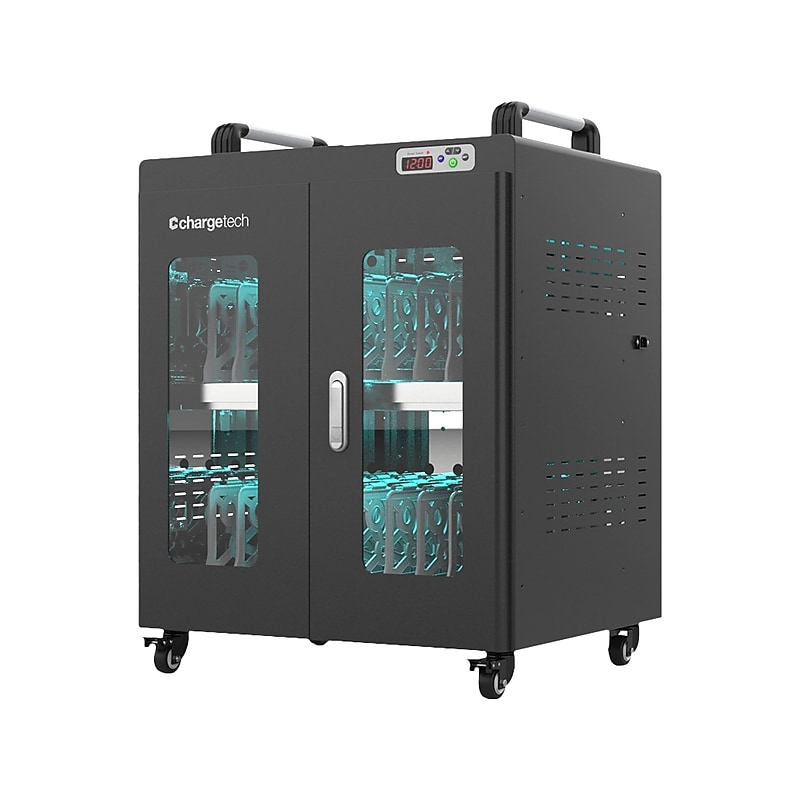
The 20-bay ChargeTech UV Clean & Charge Cart 2.0 conveniently charges and cleans up to 20 devices at once. This unit is perfect for charging larger devices such as laptops, Chromebooks, and MacBooks. The simple one-touch control system makes it easy to control the charging and UVC disinfection cycles with the touch of a button. The UV Clean & Charge Cart 2.0 comes with several updates to improve the efficacy of UVC disinfection. The interior of this cart is now made of reflective stainless steel and comes with white dividers that increase the exposure of your devices to the UVC light. The unit's smart internal cooling system prevents overheating and promotes a more efficient charge. This improved unit is the perfect charging solution for health care, education, and hospitality clients..Charging and disinfecting cart conveniently charges and cleans up to 20 devices at once and can be utilized by many industries, including health care, education, government, retail, and many more.Features a black exterior and a reflective stainless steel exterior with white dividers so the UVC light can disinfect more surfaces with higher efficacy.Two shelves provide 20 bays and easy access to your devices.Locking front caster wheels prevent unwanted movement.Dimensions: 31.3"H x 26.18"W x 21.65"D.Perfect for charging larger devices such as laptops, Chromebooks, and MacBooks.Simple one-touch control system makes it easy to control the charging and UV-C disinfection cycles with the touch of a button.Smart internal cooling system prevents overheating and promotes a more efficient charge.Charging feature can be set at hour-long intervals between 1 and 24 hours.Holding the power button for 3 seconds activates continuous charging mode, which keeps supplying power to devices until the cart is powered down manually or power is lost.UV cleaning feature has 5-, 10-, and 15-minute cycles depending on how long you need to disinfect
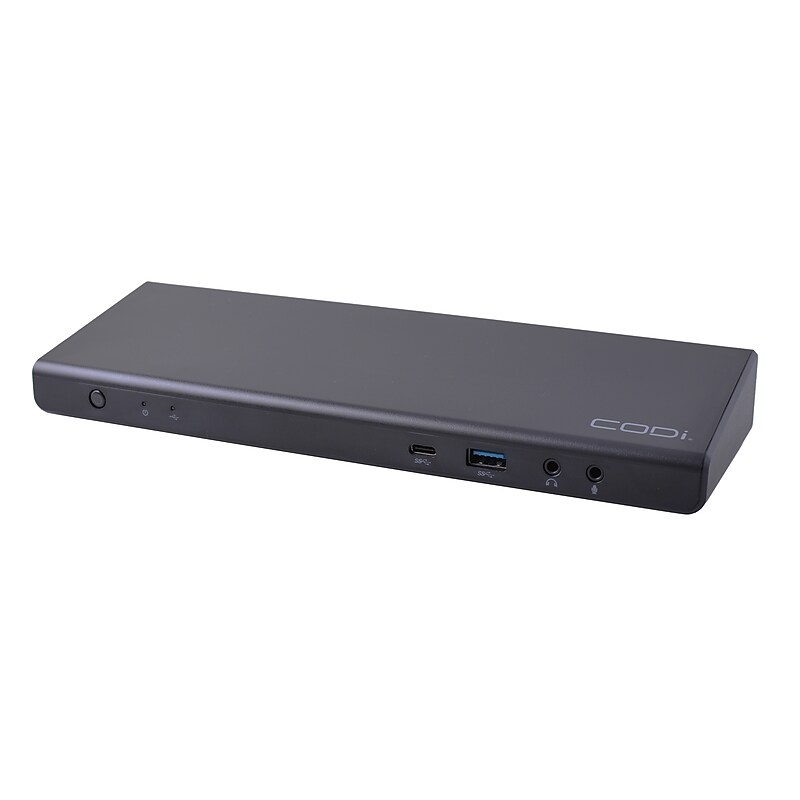
Experience unparalleled connectivity and visual excellence with the Centro1080 USB-C Triple Display Docking Station. Elevate your productivity, multi-tasking, and organization with its impressive Triple 4K resolution and wide range of ports..Universal triple display docking station is made to simplify connectivity at your office, or at-home workstations.Product dimensions: 1.33"H x 3.74"W x 3.74"D.One USB-C upstream port; Five USB-A, three HDMI, two DisplayPort 1.4, one USB-A 3.0 BC 1.2, one 3.5mm combo audio jack, one Gigabit Ethernet and one USB-C downstream ports.Three HDMI ports, supported resolution is up to 3840 x 2160.Power Delivery charging: 96W.USB-A adapter is included (and attached to the USB-C cable) to connect the dock to laptops without a USB-C connection.Frequently used ports are located on the front of the dock, including: power button, 3.5mm combo audio/microphone ports, USB Type-C, and USB Type-A 3.0.Dock offers three HDMI ports, capable of simultaneously supporting 4K monitors, in addition to two DisplayPort connections.135W AC power adapter included.The CODi A01080 Docking Station is your ultimate hub for productivity and entertainment.
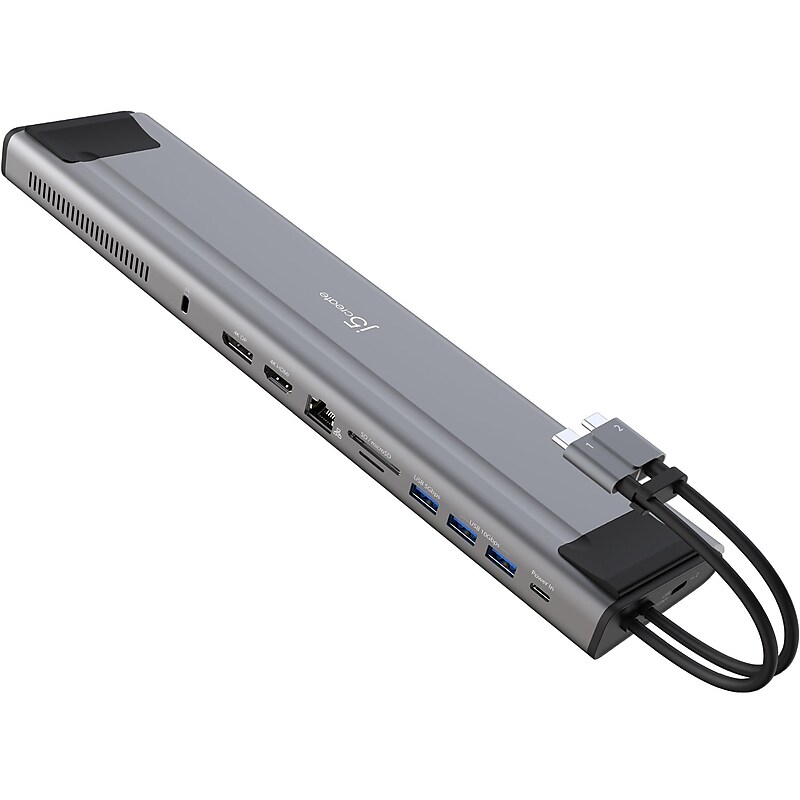
Increase your productivity with the j5create M.2 NVMe USB 3.2 Gen 2 Type-C docking station, transforming your Thunderbolt 3 or USB Type-C compatible laptop into a dual 4K workstation with up to 10Gbps data transfer rate. This high-performance dock features an M.2 NVMe/SATA PCIe SSD slot to expand your internal storage space, three USB SuperSpeed 10Gbps ports (one USB Type-C and two USB Type-A), a Gigabit Ethernet port, SD and microSD memory card reader/writer, and a USB Type-A 5Gbps port. This USB 3.2 Gen 2 Type-C docking station supports 100W Power Delivery pass-through to power and charge your laptop while powering all connected devices. With the built-in PCIe M.2 SSD enclosure and extra storage you can access through an SD and microSD card, this is a must-have for creative professionals using a Mac device..M.2 NVMe USB 3.2 Gen 2 Type-C docking station is perfect for dual-monitor setup with MacBook Pro and MacBook Air.Dimensions: 1.02"H x 3.14"W x 12.5"D.Provides three USB SuperSpeed 10Gbps ports (one USB Type-C and two USB Type-A) to connect peripherals.Package includes docking station and quick installation guide.Contains: 1 x M.2 NVMe/SATA slot, 1 x USB 3.2 Gen 2 Type-C, 1 x USB Type-C (Power Delivery 3.0), 2 x USB 3.2 Gen 2 Type-A, 1 x USB 3.2 Gen 1 Type-A, 1 x 4K HDMI, 1 x 4K DisplayPort, 1 x SD and microSD 3.0 memory card reader/writer, 1 x RJ45 Gigabit Ethernet, and 1 x security lock slot.Built-in M.2 expansion SSD slot supports 2230, 2242, 2260, and 2280 M.2 NVMe SSD with ultrafast read and write speeds.Security slot prevents equipment theft in a wide range of business or institutional environments.Supports extended dual 4K displays (HDMI and DisplayPort) on Intel MacBook Pro and MacBook Air.Supports a single display via HDMI on other USB Type-C compatible laptops connected via one USB Type-C port.Supports 100W Power Delivery pass-through to power and charge your laptop while powering all connected devices.Flexible design gives you the ability to connect to a variety of compatible devices.2-year manufacturer limited warranty.WARNING: Cancer and Reproductive Harm - www.P65Warnings.ca.gov
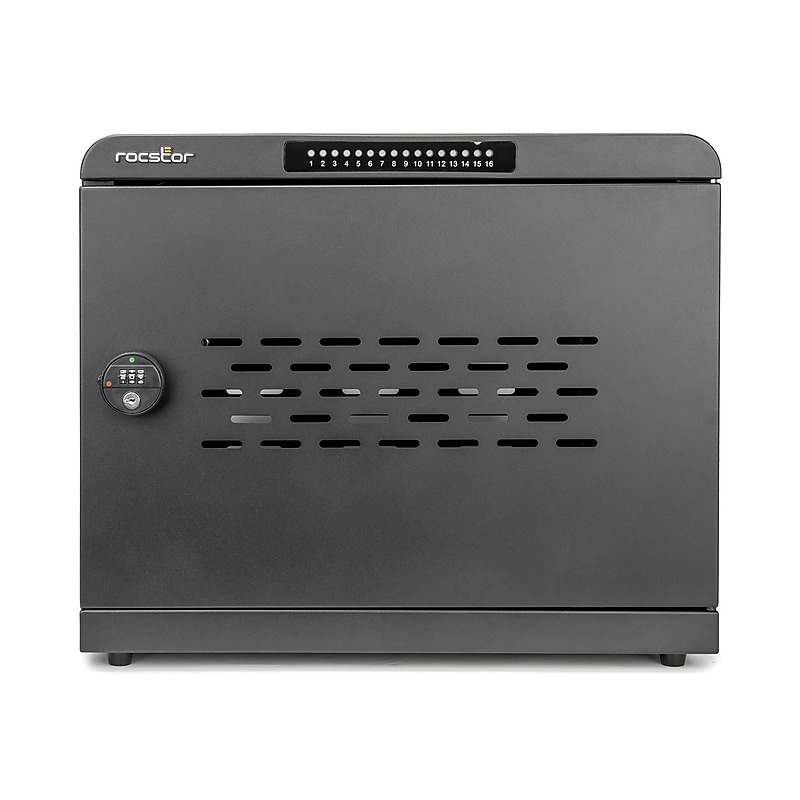
Power up to 16 devices simultaneously with the Rocstor Volt UC16 USB-C Charging Station Cabinet. Designed for high-demand environments like schools, hospitals, and offices, this rugged metal cabinet delivers up to 1000W total output with support for PD3.0, QC5, PPS, and other protocols. Each of the 16 front-facing USB-C ports offers smart LED indicators for real-time charging status, while velvet-lined slots and built-in cable management keep devices organized and protected. The lockable steel door with combination lock ensures security, and ultra-quiet cooling fans maintain optimal performance. Monitor charging remotely via Rocstor’s mobile app for iOS and Android. Wall-mountable or desktop-ready, the Volt UC16 ships fully assembled and includes 16 USB-C cables. ETL certified and backed by a 2-year warranty, it’s a smart, secure, and scalable solution for modern device management..Electronics storage cabinet designed to hold and charge up to 16 USB-C devices including laptops, tablets, Chromebooks, and MacBooks..True color: Black; constructed from rugged metal for durability and long-term use..Dimensions: 17" H x 19.6" W x 16" D..Delivers up to 1000W total power output; supports PD3.0, QC5, PPS, FCP, AFC, QC3.0, and Apple 2.4A protocols across 16 USB-C ports..Features a front-loading steel door with velvet-lined slots and built-in cable management; secured by combination lock for device protection..Designed for desktop or wall-mounted installation..Ships fully assembled—no assembly required..2-Year Limited Warranty and lifetime technical support.