Monitors With VGA Input
60 results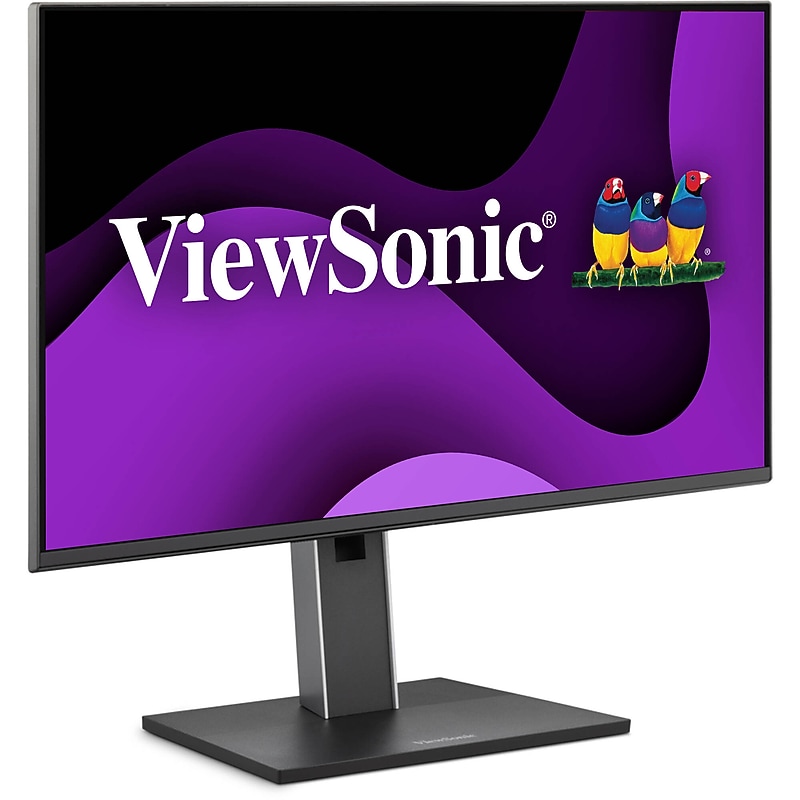
Built with user-friendly connectivity, the VG2451 23.8" 100 Hz Monitor from ViewSonic works with modern and legacy devices. It delivers vivid brightness, sharp contrast, and wide 178° viewing angles on a frameless 23.8" IPS panel. It features a 16:9 aspect ratio with a Full HD 1920 x 1080 resolution, 6-bit + FRC support for 16.7 million colors, a static contrast ratio of 1500:1, a 350 cd/m2 brightness rating, and a 5 ms (GtG) response time. Thanks to a 100 Hz refresh rate motion will be smooth, without tearing, stuttering, or lag. Connect this display to your host system using its HDMI 1.4, DisplayPort, or VGA inputs and connect peripherals using two USB-C ports with up to 15W of charging power, two USB-A ports with up to 7.5W of charging power, and a USB-B port, while audio is output using dual 2W speakers. To further help improve viewing and accessibility, this display may be tilted from 5 to 30°, swiveled 90°, swung 90° left and right, height adjusted up to 5.9", and secured to a wall using its 100 x 100mm VESA thread..Featuring a 24‑inch Full HD IPS LED display designed for professional productivity..Utilizing LED backlight technology to deliver consistent brightness and clarity..Delivering a 1920×1080 resolution for sharp, detailed viewing..Providing HDMI, DisplayPort, VGA, and multiple USB ports for flexible connectivity..Supporting a 16:9 aspect ratio that fits modern widescreen workflows..Employing 6‑bit + FRC color processing to produce 16.7 million colors..Offering 178° horizontal and vertical viewing angles for wide‑angle visibility..Including built‑in dual 2W speakers suitable for basic audio output..Weighing approximately 7.48 lbs. without the stand for manageable setup..Shipping with essential accessories such as a power cable, video cable, USB cable, and setup guides..Meeting compliance standards such as EPEAT Silver, FCC, CE, and RoHS2 certifications..Limited 3-Year Manufacturer Warranty
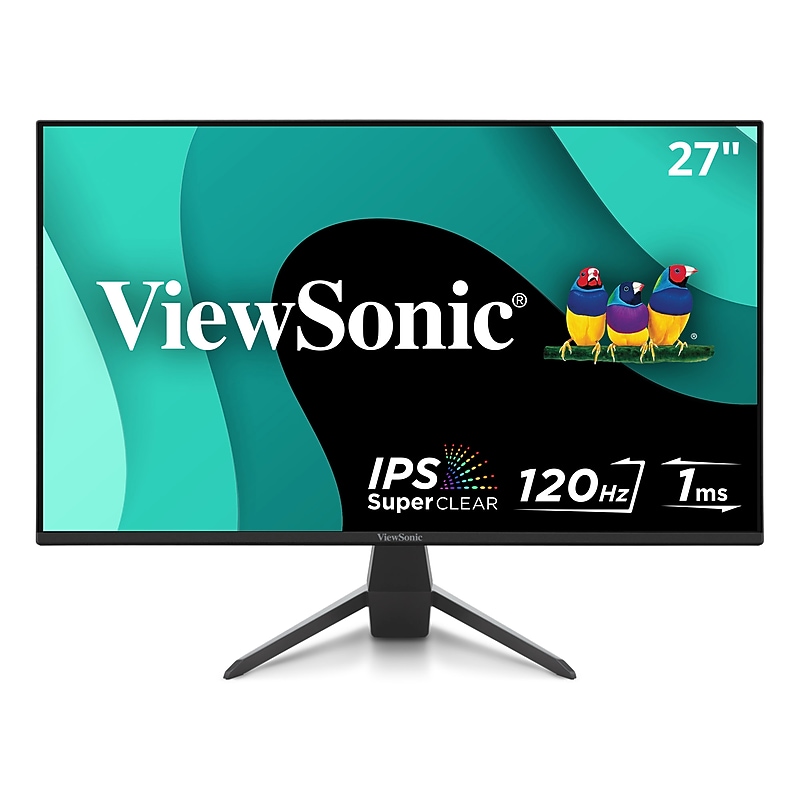
The ViewSonic® VX2770-MHD is a 27" Full HD price-performance monitor built for gaming and entertainment. Equipped with Variable Refresh Rate technology, this monitor virtually eliminate screen tearing and stuttering for fluid game play during fast-paced action scenes. An ultra-fast 120Hz refresh rate* and 1ms response time (MPRT) provides smooth screen performance free from blurring or ghosting. For a game-winning competitive edge, a Game Mode hot key optimizes gameplay for FPS, RTS and MOBA. On top of that, a black stabilization function helps you target enemies lurking in the dark, while enabling the monitor to maintain brilliantly rich colors and contrast for total immersion. Flexible connectivity options such as DisplayPort, HDMI, and VGA allow you to connect to your dedicated graphics card and gaming console. The VX2770-MHD features all the perks needed to dominate all your gaming and entertainment quests. *120Hz refresh rate with DisplayPort and HDMI only.SEE THE DIFFERENCE: 27 Inch Full HD (1920x1080p) IPS gaming monitor with thin bezels.GAME ON: 120Hz refresh rate and 1ms (MPRT) response time for fast gaming.ULTRA-SMOOTH GAMING: Variable Refresh Rate technology enables fluid and tear-free gameplay.ENHANCED VIEWING COMFORT: Flicker-Free technology and Blue Light Filter for reduced eye fatigue.GAME ON: An arsenal of pre-set customizable visual modes keeps you ready for any FPS, RTS, or MOBA games.FLEXIBLE CONNECTIVITY: The VX2770-MHD supports laptops, PCs, and Macs with HDMI, DisplayPort, and VGA inputs.ViewSonic VX2770-MHD 27 Inch 1080p IPS Monitor with 120Hz, 1ms, Variable Refresh Rate, Eye Care, HDMI, VGA and DisplayPort Inputs
The ViewSonic® VX2770-MHD is a 27" Full HD price-performance monitor built for gaming and entertainment. Equipped with Variable Refresh Rate technology, this monitor virtually eliminate screen tearing and stuttering for fluid game play during fast-paced action scenes. An ultra-fast 120Hz refresh rate* and 1ms response time (MPRT) provides smooth screen performance free from blurring or ghosting. For a game-winning competitive edge, a Game Mode hot key optimizes gameplay for FPS, RTS and MOBA. On top of that, a black stabilization function helps you target enemies lurking in the dark, while enabling the monitor to maintain brilliantly rich colors and contrast for total immersion. Flexible connectivity options such as DisplayPort, HDMI, and VGA allow you to connect to your dedicated graphics card and gaming console. The VX2770-MHD features all the perks needed to dominate all your gaming and entertainment quests. *120Hz refresh rate with DisplayPort and HDMI only.SEE THE DIFFERENCE: 27 Inch Full HD (1920x1080p) IPS gaming monitor with thin bezels.GAME ON: 120Hz refresh rate and 1ms (MPRT) response time for fast gaming.ULTRA-SMOOTH GAMING: Variable Refresh Rate technology enables fluid and tear-free gameplay.ENHANCED VIEWING COMFORT: Flicker-Free technology and Blue Light Filter for reduced eye fatigue.GAME ON: An arsenal of pre-set customizable visual modes keeps you ready for any FPS, RTS, or MOBA games.FLEXIBLE CONNECTIVITY: The VX2770-MHD supports laptops, PCs, and Macs with HDMI, DisplayPort, and VGA inputs.Viewing Angle 178° Horizontal / 178° Vertical.Speakers Built-In Stereo Speakers.Weight 4.2 lbs..Included in Box Power Cable, HDMI Cable, Quick Start Guide.1 Year Limited Warranty.ViewSonic VX2770-MHD 27 Inch 1080p IPS Monitor with 120Hz, 1ms, Variable Refresh Rate, Eye Care, HDMI, VGA and DisplayPort Inputs
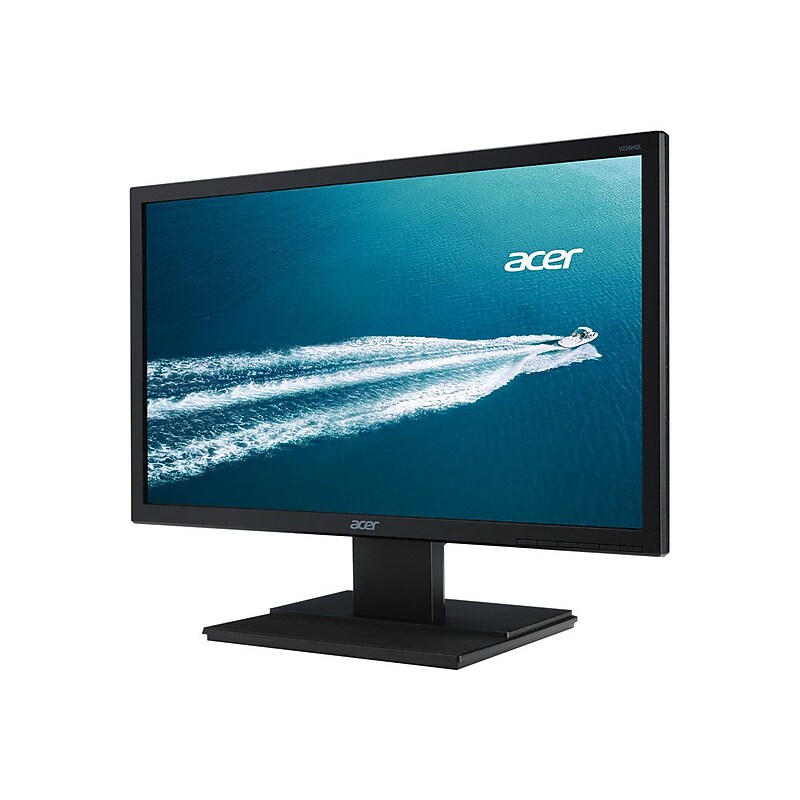
V6 Series monitors feature Acer eColor technology for striking visuals, and Acer ComfyView innovations that reduce glare to deliver most-comfortable viewing. These sturdy monitors also have a wide array of ports, so you can connect many types of devices and do more at once. In addition, they utilize eco-friendly features to save power and money..19.5" LED screen for an enhanced viewing experience.TN panel for vibrant images and better viewing angle.1600 x 900 pixel native resolution meets all commercial and home requirements.16:9 aspect ratio for enhanced widescreen viewing.100000000:1 dynamic contrast ratio offers optimal contrast.16.7 million colors support for lifelike images.200 cd/m2 brightness for clarity in any lighting condition.5 ms response time for better responsiveness of display.VGA connector and DVI allows you to connect the monitor to several devices.Wide viewing angle of 90 deg. horizontal and 65 deg. vertical.Dimensions: 14.26"H x 18.24"W x 7.52"D.3-year limited warranty.Certification & Standards: MPR II, TCO Displays, ENERGY STAR Certified
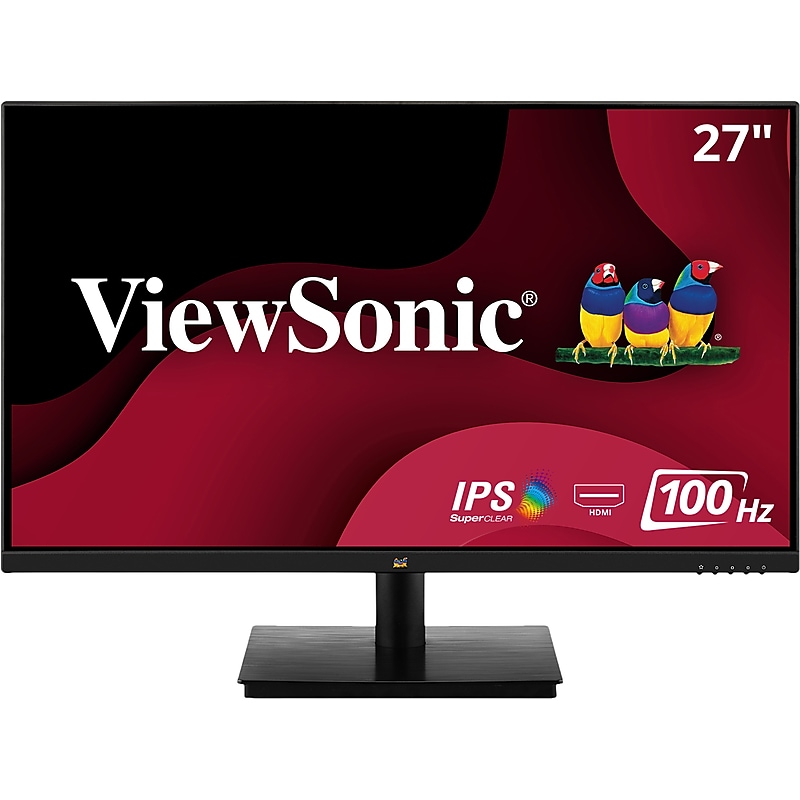
Featuring enhanced wide-angle viewing, stunning resolution, and flexible connectivity options, the ViewSonic VA2709M monitor is a great addition to any workspace. This 27" VA2709M monitor comes with SuperClear IPS panel technology, so you can experience stunning brightness and contrast at nearly any viewing angle. With a minimalist edge-to-edge screen and a three-sided frameless bezel, you can easily create a seamless multi-monitor setup. Connect laptops, PCs, gaming consoles, and other multimedia devices using the HDMI port. And with powerful features like flicker-free technology and a blue light filter, you can work for longer with less strain..VERSATILE MONITOR: 27 Inch Full HD (1920x1080p) IPS monitor with thin bezels and 100Hz refresh rate.ENHANCED VIEWING COMFORT: Flicker-Free technology and Blue Light Filter for reduced eye fatigue.NO IMAGE TEARING: Variable Refresh Rate enables smooth frame rates to aid you in battle.OPTIMIZED VIEW SETTINGS: Offers “Game,” “Movie,” “Web,” “Text,” and “Mono” presets.FLEXIBLE CONNECTIVITY: The VA2709M supports laptops, PCs, Macs and more with HDMI and VGA inputs.ViewSonic VA2709M 27 Inch IPS Full HD 1080p Monitor with 100Hz, Thin Bezels, Eye Care, HDMI, VGA Inputs for Home and Office
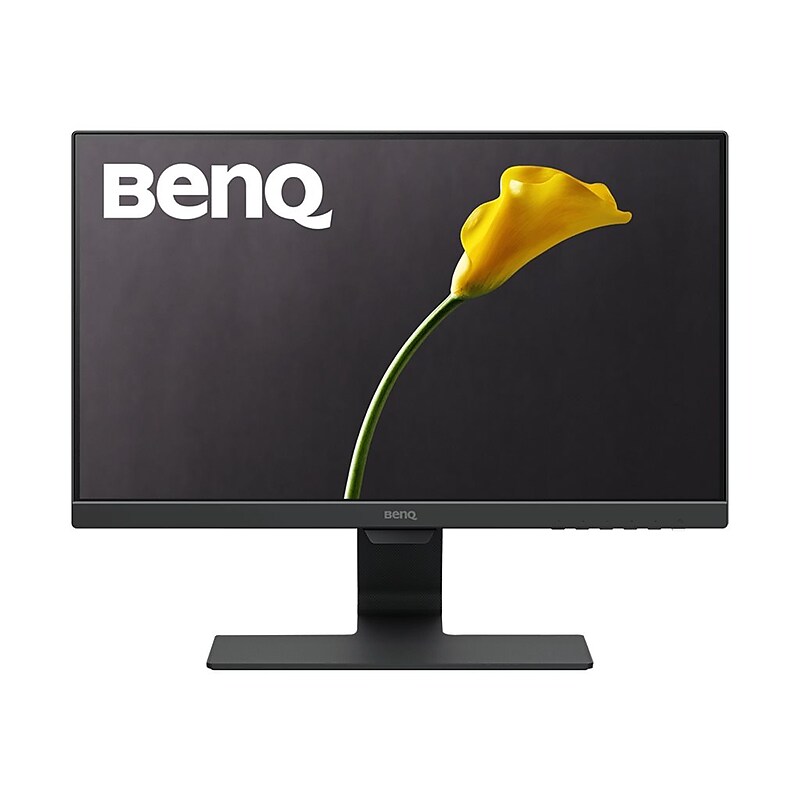
Designed for beautiful simplicity, BenQ's GW2283 frameless monitor combines ultra-slim bezels with hidden cable management. Complementing BenQ's exclusive Eye-Care technology with Low Blue Light technology and Flicker-Free performance for extended viewing comfort, the excellent Brightness Intelligence technology delivers exquisite details in any ambient lighting environment. Built with the dream combination of LED with IPS panel, GW2283 is bound to bring a completely different visual experience and enjoyment to you with truly authentic colors, deeper blacks, higher contrast and sharper details..LED monitor with 21.5" screen for your viewing pleasure.Monitor has LED backlight to reduce power consumption.1920 x 1080 screen resolution delivers excellent detail.VGA and HDMI with HDCP support offer better device compatibility and support.16:9 aspect ratio enables widescreen viewing.Supports 16.7 million colors (8-bit) for vivid visuals.Viewing angle: 178-degree horizontal, 178-degree vertical.Fully integrated sound: get powerful built-in audio without cluttering your desk with external speakers.Weighs 6.4 lbs..Meets or exceeds ENERGY STAR, TUV Rheinland Flicker Free Certification, HDCP 1.4, and TUV LBL standards.Comes in black
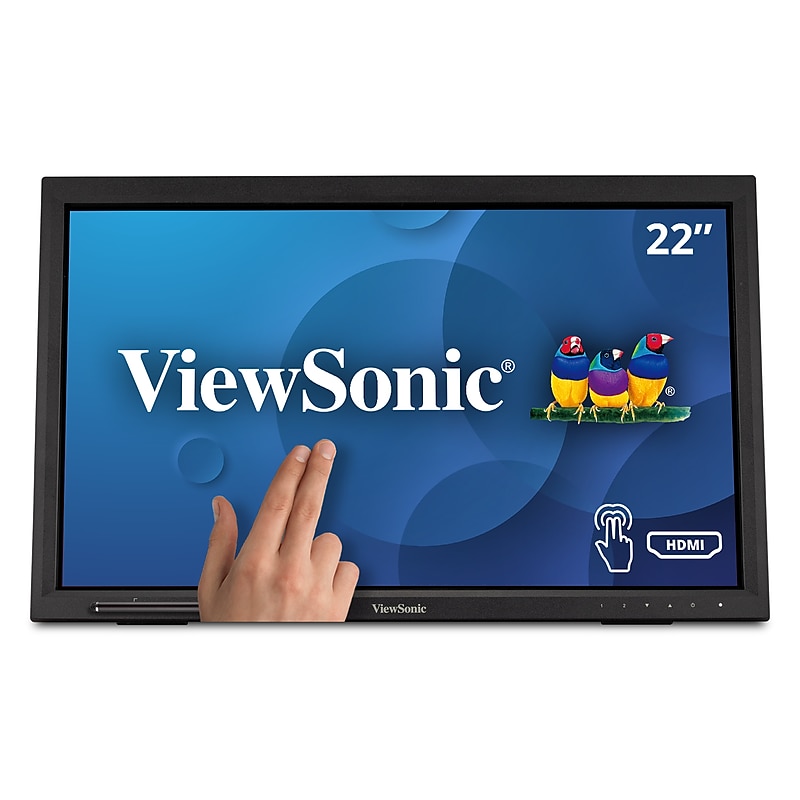
Great for public kiosks, POS displays, and other retail and commercial applications, the ViewSonic TD2223 is a 22-Inch touch display with 10-point IR touch technology that lets users pinch, zoom and swipe for fast and intuitive navigation. With Full HD 1920x1080 resolution, 1000:1 static contrast ratio and 7H screen hardness, the TD2223 delivers sharp and bright images combined with durability for high-traffic applications. Flexible connectivity options include HDMI, VGA, DVI, and a USB hub to connect your peripherals and accessories. VESA-mount compatibility offers additional convenience and flexibility for 3rd party stands and mounts. What's more, ViewSonic's exclusive ViewMode feature provides intuitive presets that deliver optimized screen performance in different applications. In addition, Flicker-Free technology and a Blue Light Filter help to eliminate eyestrain from extended viewing periods for improved productivity. Whether in retail or deployed in a high-traffic commercial setting, its scratch-resistant surface stands up to heavy use and safeguards its high quality touch experience. Combine this display with ViewSonic's Android and Windows media players for a perfect kiosk solution..VERSATILE TOUCH MONITOR: 22 Inch Full HD (1920x1080p) LED touch monitor with 75Hz refresh rate.ADVANCED TOUCH SCREEN: Robust 10-point (infrared) IR touch technology feature for a natural touchscreen experience.DURABLE VERSATILITY: Freestanding tablet design with muted black finish, stable adjustable stand, and 7H scratch resistant surface.ENHANCED VIEWING COMFORT: Enjoy less eye strain and fatigue with flicker-free technology and a built-in blue light filter.MULTI-TOUCH FOR MAC: MacOS users can access touch and gesture controls on touch displays connected to their Apple devices using ViewSonic's vTouch driver. Not available for iPhone and iPad.FLEXIBLE CONNECTIVITY: The TD2223 supports laptops, PCs, Macs and POS Systems with USB, HDMI, DVI-D and VGA inputs.ViewSonic TD2223 22 Inch 1080p 10-Point Multi IR Touch Screen Monitor with Eye Care HDMI, VGA, DVI and USB Hub
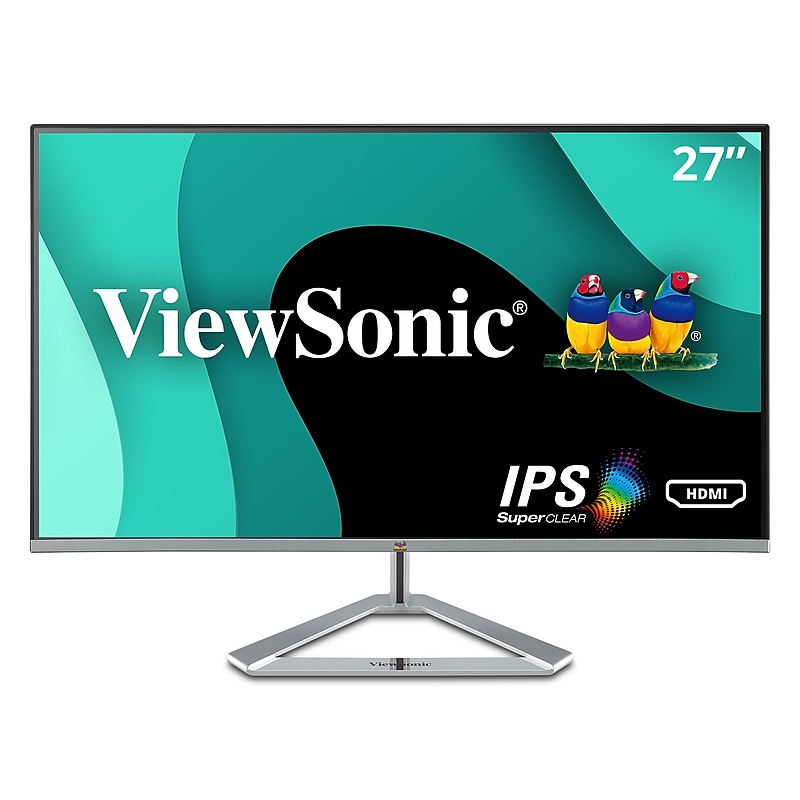
The ViewSonic VX2776-smhd is a sleek 27-Inch Full HD monitor with a modern and minimalist style perfect for home use. With SuperClear IPS Panel technology, this monitor offers best-in-class screen performance with ultra-wide viewing angles. A premium ID includes an ultra-slim profile, unique desktop stand, and a sleek edge-to-edge frameless design, that when combined with vivid 1920x1080 resolution and dual speakers, deliver an immersive viewing experience for home entertainment and multimedia applications. HDMI, DisplayPort, and VGA inputs offer flexible connectivity options for both computing and gaming environments, while ViewSonic's exclusive ViewMode feature provides intuitive presets for optimized screen performance in different applications. In addition, Flicker-Free technology and a Blue Light Filter help to minimize eye strain from extended viewing periods. With ViewSonic's industry-leading 3-year limited warranty, this monitor is a solid long-term investment that combines style and high performance for the home..VERSATILE MONITOR: 27 Inch Full HD (1920x1080p) IPS monitor with thin bezels and 75Hz refresh rate.ENHANCED VIEWING COMFORT: Flicker-Free technology and Blue Light Filter for reduced eye fatigue.ULTRA-SMOOTH GAMING: FreeSync technology enables fluid and tear-free gameplay.OPTIMIZED VIEW SETTINGS: Offers “Game,” “Movie,” “Web,” “Text,” and “Mono” presets.FLEXIBLE CONNECTIVITY: The VX2776-SMHD supports laptops, PCs, and Macs with HDMI, DisplayPort, and VGA inputs.This monitor is not VESA compatible.ViewSonic VX2776-SMHD 27 Inch 1080p Widescreen IPS Monitor with Ultra-Thin Bezels, HDMI and DisplayPort
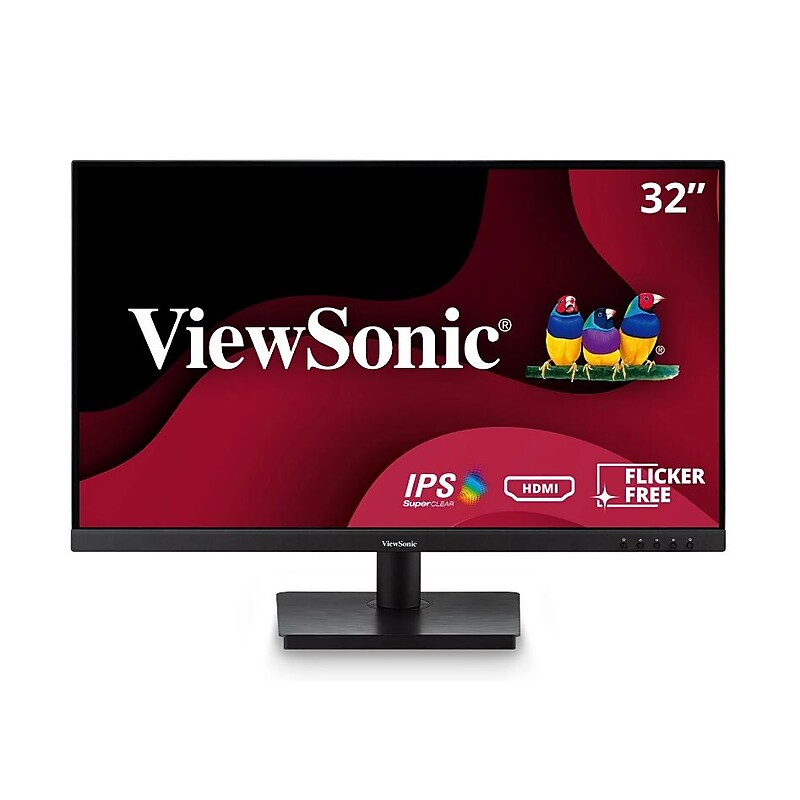
Featuring an expansive 32” (31.5” viewable) display with SuperClear IPS panel technology, this immersive monitor delivers stunning brightness and contrast at almost any viewing angle. With a minimalist edge-to-edge screen and a three-sided frameless bezel, creating a seamless multi-monitor setup has never been easier. Connect laptops, PCs, gaming consoles and other multimedia devices to this 32" monitor via HDMI or VGA. And with state-of-the-art features like flicker-free technology and a blue light filter, you can work or play for longer with less eye strain. Enjoy a three-year limited warranty and an industry-leading pixel performance guarantee with the ViewSonic VA3209M Full HD 1080p monitor..VERSATILE MONITOR: 32 Inch Full HD (1920x1080p) IPS monitor with thin bezels and 75Hz refresh rate.ENHANCED VIEWING COMFORT: Flicker-Free technology and Blue Light Filter for reduced eye fatigue.NO IMAGE TEARING: Variable Refresh Rate enables smooth frame rates to aid you in battle.OPTIMIZED VIEW SETTINGS: Offers “Game,” “Movie,” “Web,” “Text,” and “Mono” presets.FLEXIBLE CONNECTIVITY: The VA3209M supports laptops, PCs, Macs and more with HDMI and VGA inputs.ViewSonic VA3209M 32 Inch IPS Full HD 1080p Monitor with Thin Bezels, 75Hz, Eye Care, HDMI, VGA Inputs for Home and Office
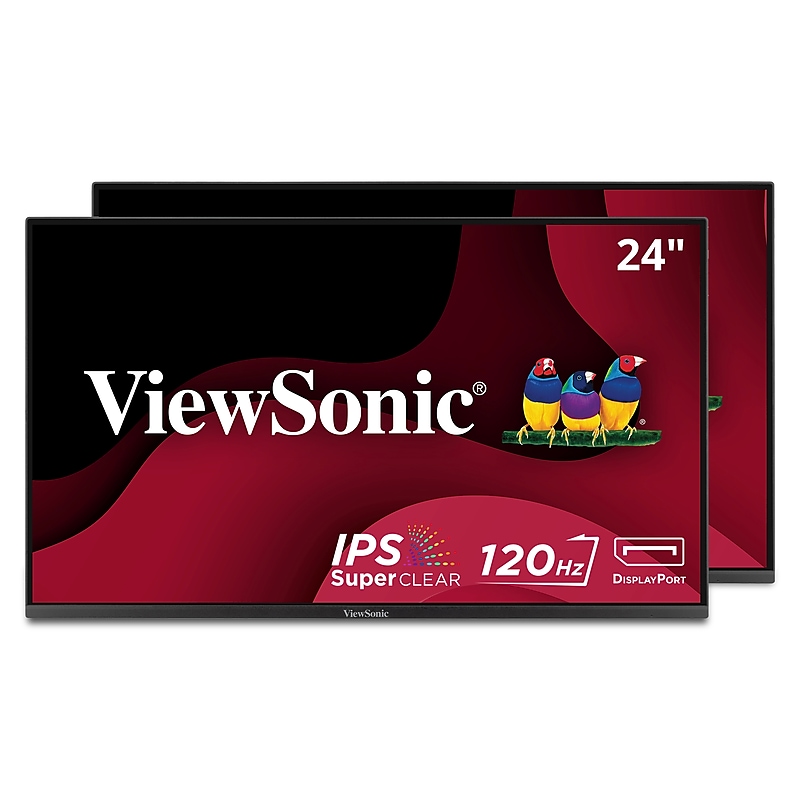
Skyrocket productivity and optimize your workflow with the ViewSonic® VA2456-MHD_H2 dual monitor pack. Featuring hassle-free installation and long-term reliability, this dual 24" monitor solution substantially lowers your total cost of ownership. And with biodegradable packaging and VESA-compatible mounting, you can easily cut down on waste and do your part to contribute to a greener planet. Featuring a 3-sided ultra-thin bezel, the VA2456-MHD_H2 provides a seamless multi-monitor viewing experience that dramatically increases visual clarity and helps to reduce eye strain. And with SuperClear® IPS panel technology, you can enjoy wide-angle viewing and vibrant, true-to-life colors. Connect your favorite devices with ease using the HDMI, DisplayPort, and VGA inputs. Upgrade your setup and enhance productivity with the ViewSonic VA2456-MHD_H2 dual monitor pack today..24 Inch Full HD (1920x1080p) IPS monitor with thin bezels and 120Hz refresh rate.Sold as a dual pack without monitor stands for easy dual-screen installation.Enjoy accurate and vivid colors with consistent levels of brightness with SuperClear IPS technology.Flicker-Free technology and Blue Light Filter for reduced eye fatigue.Optimized view settings offer "Game," "Movie," "Web," "Text," and "Mono" presets.The VA2456A-MHD_H2 supports laptops, PCs, Macs and more with HDMI, DisplayPort and VGA inputs.ViewSonic VA2456A-MHD_H2 Dual Monitor Pack Head-Only 1080p IPS Frameless Monitors with 120Hz, Eye Care, VESA Mountable, HDMI, DisplayPort and VGA Inputs for Home and Office
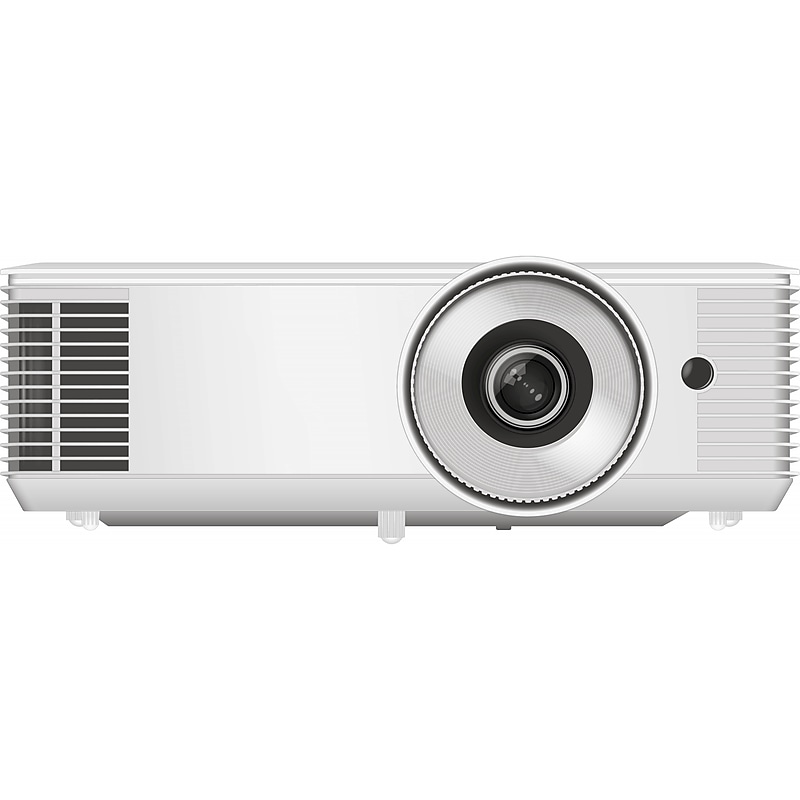
InFocus ScreenPlay Vista DLP projector meets the communication standards for the Crestron Connected Network Communication Protocols and compatible with the Crestron XiO Cloud Service. Crestron Connected now delivers even more robust control of third-party devices, including displays and projectors. It also includes the added benefit of compatibility with the XiO Cloud platform to remotely monitor and manage those devices..DLP projector is a versatile portable display solution.Get better, brighter images on any surface, in any light, with 4600 lumens.Supports projection distance from 3.28' to 29.85'.Supports XGA 1024 x 768 resolution and contains 10W speaker.UHP lamp provides an unprecedented 15000 hours of lamp life when used in Dynamic Mode (with no filters to replace).Lens focus type: manual.Aspect ratio: 4:3; contrast ratio: 30000:1.Compatible with all other major network protocol standards including PJLink, AMX Dynamic discovery, Extron IPLink and an extensive set of RS232 commands.Meets or exceeds the CB, CE, EAC, cTUVus, CCC, FCC, UKCA, NOM, PSB, BIS, WEEE, EU RoHS, China RoHS, CEL, and CECP standards.Display 3D content from almost any 3D source, including 3D Blu-ray players and the latest game consoles.Digital edge masking and image shift gets final image adjustments perfect.Instant power up when the projector receives an electric current, perfect for use in rooms with a “master” power switch.No need for lengthy cooling period before your projector can be packed away, when you are finished power the unit down and go.Power your external devices like Google Chromecast with Amazon TV with the convenient USB-A input on the projector.Offers support for TLS and authenticated connections for enhanced security.No longer requires Adobe Flash.Contains mini D-sub 15-pin (VGA), composite video, two HDMI, 3.5 mm stereo mini jack, USB-A for service inputs and 3.5 mm stereo mini jack, powered USB-A for wireless dongle, mini D-sub 15-pin (VGA) outputs
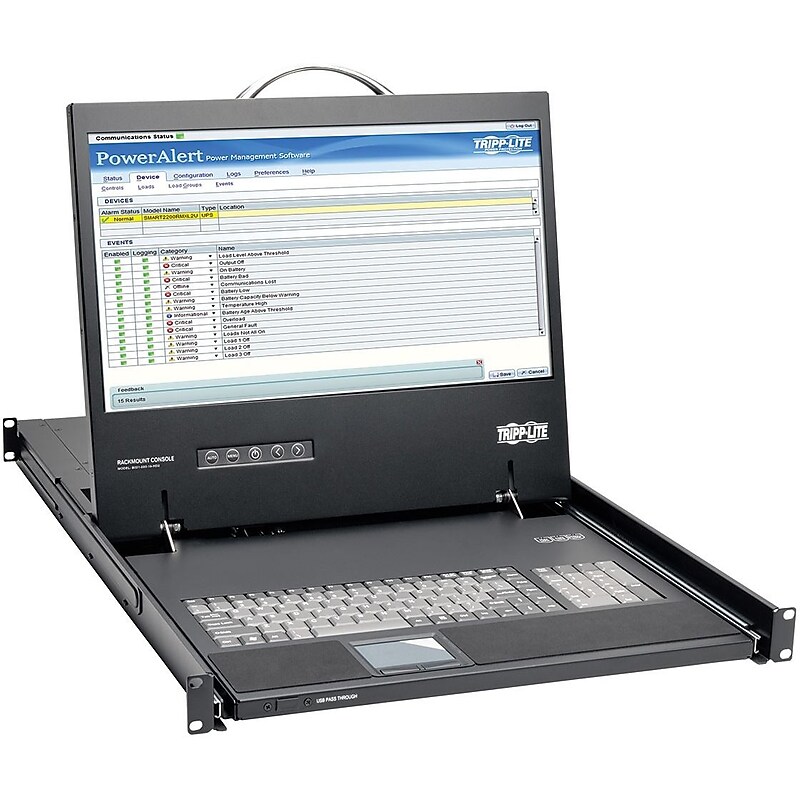
The B021-000-19-HD2 1U Rack-Mount Console combines a full keyboard, numeric keypad, touchpad and 19-inch color LCD for easy all-in-one control of a computer, server or KVM switch. Easy to install and simple to operate, it slides neatly into 1U of rack space when not in use. The rear DVI-I console port supports both digital and analog video signals for connecting to a DVI- or VGA-enabled server or KVM switch (a DVI to VGA adapter is included). The LCD screen supports video resolutions up to 1920 x 1080 (1080p). Video settings of the connected computer are automatically adjusted for optimal display on the LCD screen. USB 2.0 pass-through ports on the front and rear allow you to connect a USB peripheral, such as a flash drive or CAC card reader, to your computer with a USB cable (sold separately). The B021-000-19-HD2 mounts into 1U of space in an EIA-standard 19-inch rack using the included mounting brackets and user-supplied screws. Simply pull out the steel drawer and flip up the screen when needed, then slide it back into the rack in automatic sleep mode when you're finished. This keeps the keyboard and screen from blocking access to rack equipment when the console is not in use. This console is compatible with all major operating systems and KVM switches with a VGA or DVI monitor port and USB keyboard/mouse ports. This enables the B021-000-19-HD2 to be integrated into an existing system to provide secure management of critical network systems without a major investment in new hardware. Features Space-Saving Console for IT Environments Where Rack Space Is Limited 19 in. LCD monitor, keyboard, numeric keypad and touchpad All-in-one control of computer, server or KVM switch Supports video resolutions up to 1920 x 1080 (1080p) Detachable 6 ft. AC power cord with NEMA 5-15P and C13 connectors Accepts Digital and Analog Video Signals DVI-I port allows connection to DVI digital or VGA analog server or KVM switch DVI to VGA adapter included DDC2B emulation automatically adjusts video settings for optimal display on monitor USB 2.0 Pass-Through Ports Front and rear ports allow easy connection of USB peripheral, such as flash drive or CAC card reader USB cable sold separately Convenient Space-Saving Design Mounts in 1U of space in EIA-standard 19 in. 2- and 4-post racks Slides neatly out of sight when not in use Goes into automatic sleep mode when cover is closed Rack-mounting brackets included Supports Multiple Platforms for Maximum Flexibility Compatible with all major operating systems, including Windows , Mac OS , Linux , UNIX and Solaris Compatible with KVM switches with VGA or DVI port and USB keyboard/mouse ports TAA-Compliant Complies with the Federal Trade Agreements Act (TAA) for GSA Schedule purchases.DVI-I port supports both digital and analog video signals.19 in. LCD screen supports video resolutions up to 1920 x 1080.USB pass-through port for connecting USB peripherals.Goes into automatic sleep mode when cover is closed.Compatible with all major operating systems.Black