Multimedia Docking Stations

146 results
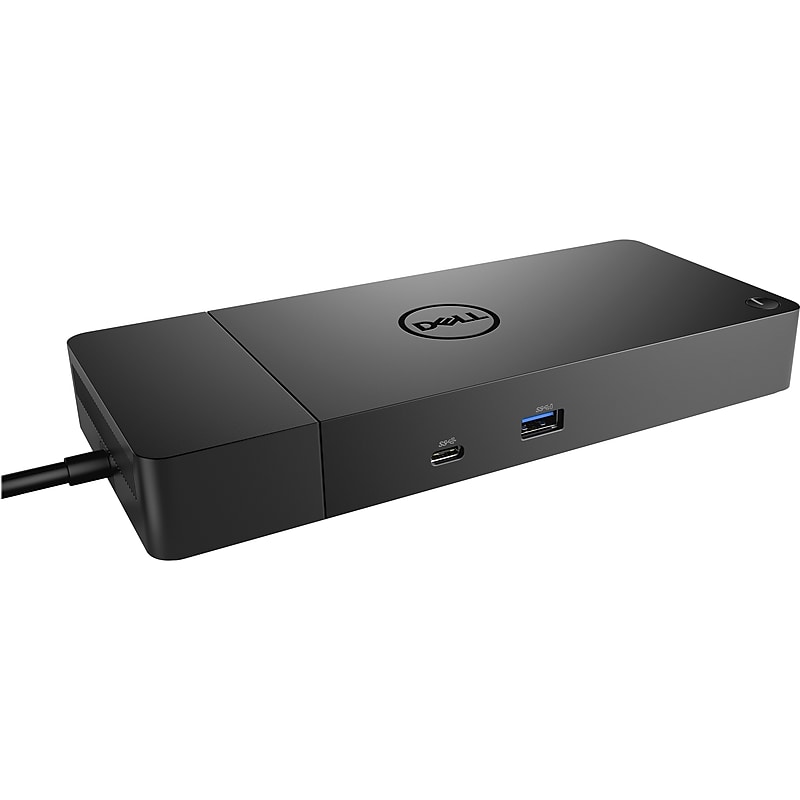
Dell Dock WD19S Docking Station for USB-C Enabled Laptops, Black (210AZBG) image 1
Item: 24484439
Model: DELL-WD19S130W

The future-ready design lets you swap out modules with ease if you need to do field replacements or upgrade your systems. USB-C connectivity makes it easier than ever to deliver power, data, audio and video in one convenient cable, no matter what system you use. Plus, with support for dual FHD or a single QuadHD monitor, you can connect to everything you need. WD19S is also compatible with notebooks from other manufacturers such as HP and Lenovo which support industry standards for USB-C docking..Boost your PC's power on with future-ready modular dock.Dimensions: 1.1"H x 8.1"W x 3.5"D.USB Type-C connectivity makes it easier than ever to deliver power, data, audio, and video in one convenient cable.130W AC Power adapter, 120/230V (50/60Hz).Features USB Type-C 3.1 Gen 2, USB Type-A 3.1 Gen 1 with PowerShare, DisplayPort 1.4 (x2), HDMI 2.0b, USB Type-C multifunction DisplayPort, dual USB Type-A 3.1 Gen 1, Gigabit Ethernet RJ45, and power-in port..Evolve as your needs change with Dell's most versatile docking station.

Price is  $279.99
1
2
3
4
5
6
7
8
9
10
11
12
13
14
15
16
17
18
19
20
21
22
23
24
25
26
27
28
29
30
Over 30
Add to list
5
HP G5 Docking Station for USB-C and Thunderbolt-enabled Laptops (5TW10AA#ABA) image 1
Item: IM16VA081
Model: 5TW10AA#ABA

Get to work with a single cable from your USB-C-enabled notebook to your displays, devices, and wired network with the versatile, elegant, and space-saving HP G5 docking station. The dock is compatible with notebooks from brands like HP, Apple, Dell, Lenovo, and more. Add your accessories and up to three displays to the dock. Then simply connect it to your notebook through a single USB-CTM cable to access your devices and charge your PC. Easily manage your commercial HP fleet. Help IT secure and remotely manage your deployed commercial HP notebooks and the dock with advanced network manageability features that include PXE Boot, LAN/WLAN switching, and WoL and MAC Address Pass-Through in all power states. Reclaim your desk with a compact dock that takes up only 5 x 5 inches of space. Empower your IT to manage and track your docks by product name, serial number, and MAC Address from anywhere with the time-saving, easy-to-use Electronic Tag (eTag) asset management tool. Updating your dock fleet has never been easier. IT can save time by pushing dock firmware updates to managed notebooks for later installation on the dock, even when they're disconnected from each other. Rigorous testing helps assure dock compatibility across HP notebooks and Apple, Dell, and Lenovo notebooks with USB-C charging ports..Docking station for HP notebooks, MacBook computers, and other USB Type-C and Thunderbolt enabled notebooks.Dimensions: 1.49"H x 4.8"W x 4.8"D.Equipped with USB Type-C/2 x USB 3.0/2 x USB 3.0/2 x DisplayPort/HDMI 2.0/RJ45/headphone and microphone combo/standard lock slot ports.Simply connect dock to your notebook through a single USB Type-C cable to access your devices and charge your PC.1-year manufacturer limited warranty.HP G5 USB-C Docking Station – Universal Connectivity, Compact Design, and Enterprise-Grade Manageability

Price is  $323.74
1
2
3
4
5
6
7
8
9
10
11
12
13
14
15
16
17
18
19
20
21
22
23
24
25
26
27
28
29
30
Over 30
Add to list
332

About Multimedia Docking Stations

Multimedia docking stations are essential accessories for enhancing connectivity and productivity in both home and office environments. They allow users to connect multiple devices, such as monitors, keyboards, mice, and external storage, to a single laptop or computer, streamlining the workspace and reducing clutter.

These docking stations are designed to support various multimedia needs, making them ideal for professionals who require seamless transitions between work and presentations. With the ability to connect multiple displays and peripherals, they provide a versatile solution for multitasking and efficient workflow management.

When choosing a multimedia docking station, consider features such as the number and types of ports available, including USB, HDMI, and Ethernet connections. Many models also support dual or triple monitor setups, allowing for an expanded visual workspace that enhances productivity and collaboration.

Additionally, look for docking stations that offer power delivery capabilities, enabling you to charge your laptop while connected. Compatibility with various operating systems and devices is also crucial, ensuring that your docking station meets your specific needs without hassle.

What is a multimedia docking station?

  • A multimedia docking station is a device that allows you to connect multiple peripherals and displays to a laptop or computer through a single connection. It enhances productivity by providing additional ports and connectivity options.

What features should I look for in a multimedia docking station?

  • Look for a docking station with multiple USB ports, HDMI or DisplayPort outputs for monitors, and Ethernet connectivity. Power delivery support and compatibility with various devices are also important features to consider.

Can I use a multimedia docking station with any laptop?

  • Most multimedia docking stations are designed to be compatible with a wide range of laptops, but it's essential to check the specifications for compatibility with your specific device. Some may require specific ports like USB-C or Thunderbolt.

How does a multimedia docking station improve productivity?

  • By allowing multiple devices to connect through a single hub, multimedia docking stations reduce cable clutter and streamline the workspace. They enable quick transitions between tasks and enhance multitasking capabilities with additional screens.

Is it possible to connect multiple monitors to a multimedia docking station?

  • Yes, many multimedia docking stations support dual or even triple monitor setups, allowing you to expand your visual workspace. This feature is particularly beneficial for professionals who need to view multiple applications simultaneously.

Do multimedia docking stations require additional software?

  • Most multimedia docking stations are plug-and-play, meaning they do not require additional software for basic functionality. However, some advanced features may require specific drivers or software to be installed for optimal performance.