Pen Pointer Stylus
86 results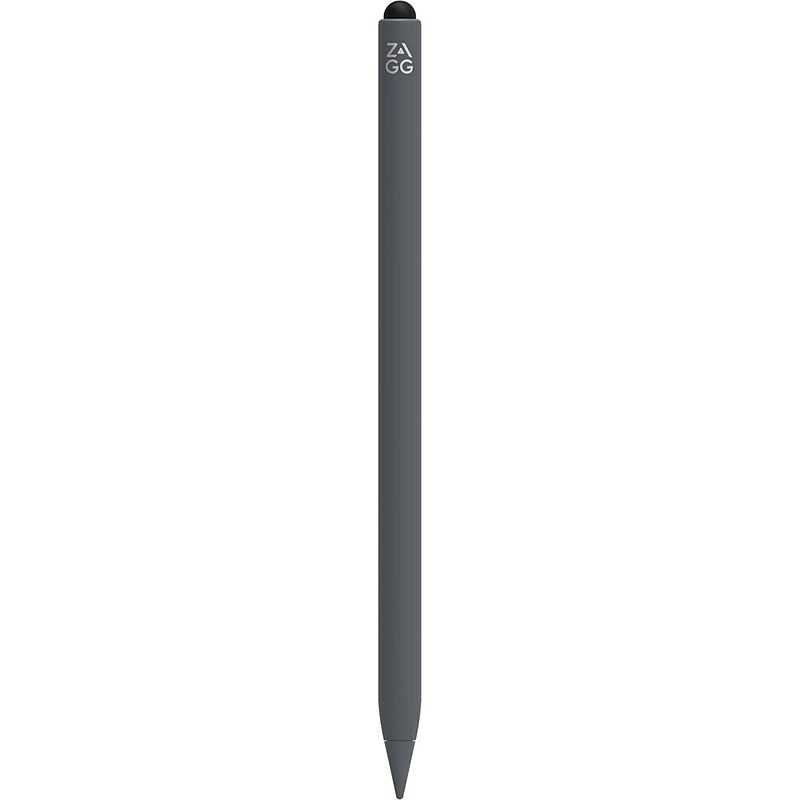
Do More with Your Tablet Pro Stylus 2 helps you do more with your tablet and even makes using your phone easier. Use the fine tip to draw and write, and use the round, capacitive end to swipe. Pro Stylus 2 helps you increase your accuracy, edit photos precisely, and avoid fingerprint smudges on your screen. Tilt recognition and palm rejection technology allow you to create nuanced, pixel-perfect artwork and mark-up documents quickly and efficiently. Pro Stylus 2 charges wirelessly and has a long-lasting battery..Available in gray, the stylus is compatible with iPads from 2018 and newer, including the iPad Pro (3rd generation and newer), iPad Air (10.9-inch), and iPad Mini (5th generation and newer), and is designed for drawing, note-taking, and precise navigation..Features a metal barrel for a lightweight yet sturdy feel, with a fine tip for precise drawing and writing, and a rounded capacitive tip for smooth navigation..A dual-tip design with a fine tip for precise, pixel-perfect drawing and writing, and a rounded capacitive tip for smooth navigation, making it ideal for detailed work..The stylus has a barrel with a 1.1-inch circumference and a length of 6.5 inches for a comfortable, pencil-like grip, featuring a flat side to prevent rolling and magnets for attachment to the side of recent iPad Pro and iPad Air models..Incorporates advanced technologies such as tilt recognition for varying stroke widths, palm rejection for seamless use, wireless charging with magnetic attachment to compatible iPad models or the included cradle, a dual-tip design with a fine tip for precise drawing and a capacitive tip for navigation, and a long-lasting battery providing up to six and a half hours of use on a single charge..Connects to compatible iPads using an electric field that interacts with the iPad's digitizer, and to pair it, simply press the power button on the rounded, capacitive end for automatic connection..Powered by a rechargeable battery included with the stylus, which can be charged using the provided wireless charging cradle or any Qi-compatible charger, offering up to six and a half hours of battery life on a single charge..Comes with a 1 year limited warranty.
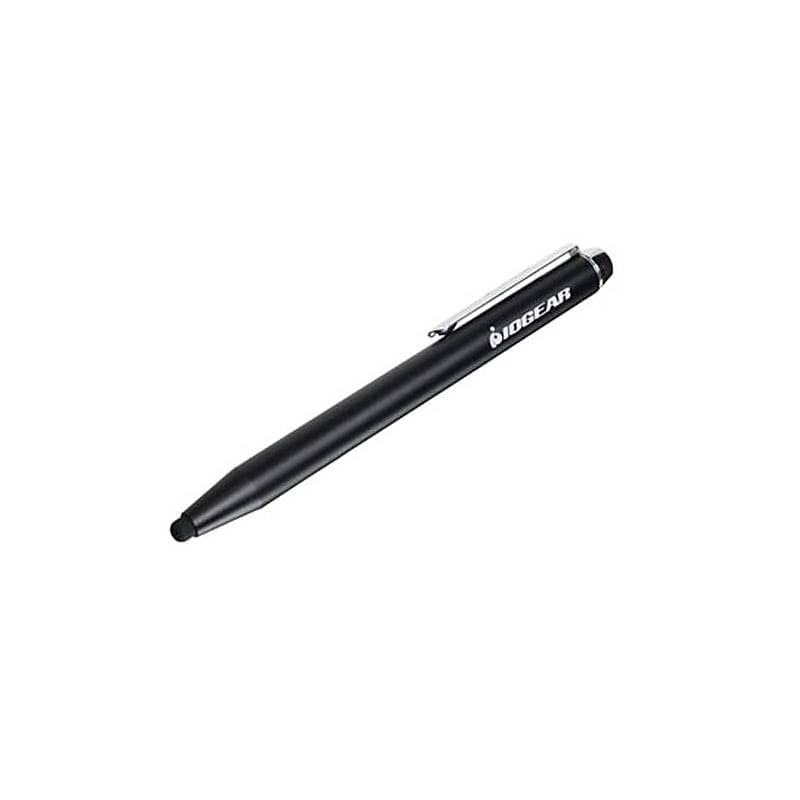
Iogear® Accu tip stylus does not scratch, smudge or leave fingerprints on the screen and is designed for everyday use. Stylus has metal body construction which adds rigidity and weight for a more consistent feel..4.5 mm AccuTip stylus for better accuracy and better on-screen visibility.Compatibility: Tablets and smartphones (iPhone, iPad, galaxy S4, galaxy tab or other capacitive touchscreen device).Metal body construction provides balanced weight and a solid feel in the hand for comfortable use.Dimensions: 4.85"(H) x 0.51"(W).Black.Soft, durable rubber accu-tip will not scratch, smudge or leave fingerprints on your screen.Great for digital signatures, digital drawing, etc.Stylus is perfect for students taking class notes, artists creating digital paintings, and merchants or bankers that require a verifiable electronic signature.Weight: 0.05 lbs..Warranty: 1 year.Iogear® Accu tip stylus for tablets, smartphones is great for digital signatures and creates artistic designs with drawing apps.
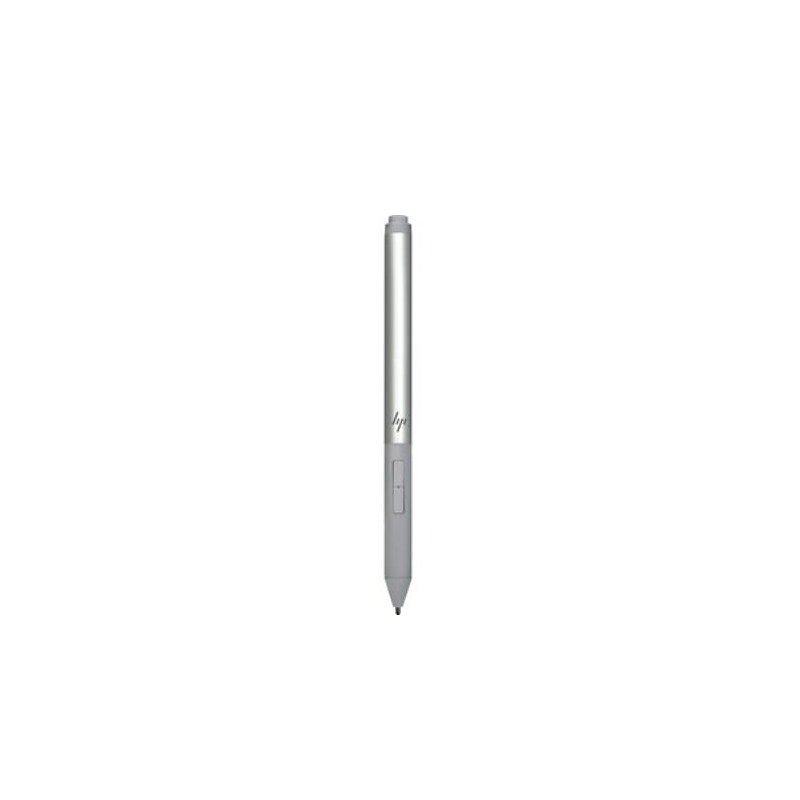
HP Rechargeable Active Pen G3.Take the pressure off digital inking.Never miss a note with a rechargeable battery.Quickly launch apps and shortcuts.Easy to use.World-class support.Fully Compatible with notebook.Easy to handle, giving the feel of a traditional ball pen on the notebook.Now every stroke is more precise, with fewer chances of mistake.Generally used for taking notes, this active pen lets you draw, paint, annotate, electronic documents, navigate, and choose precisely.Compatible with HP EliteBook x360 1030 G3; HP EliteBook x360 1030 G4; HP EliteBook x360 1040 G5; HP EliteBook x360 1040 G6; HP Elite x2 1013 G3; HP Elite x2 G4; HP ZBook Studio x360 G5.Compatible operating systemsWindows 11; Windows 10; Windows 8.Color:Gray.Dimensions (W X D X H):5.82 x 0.4 in.Battery life:Up to 7 days (normal use).Take your inspiration straight to your screen with the HP Rechargeable Active Pen G3, the digital pen designed for natural onscreen note-taking, drawing, and app navigation. And it’s easier than ever to keep track of, with a built-in magnetic attach capability.
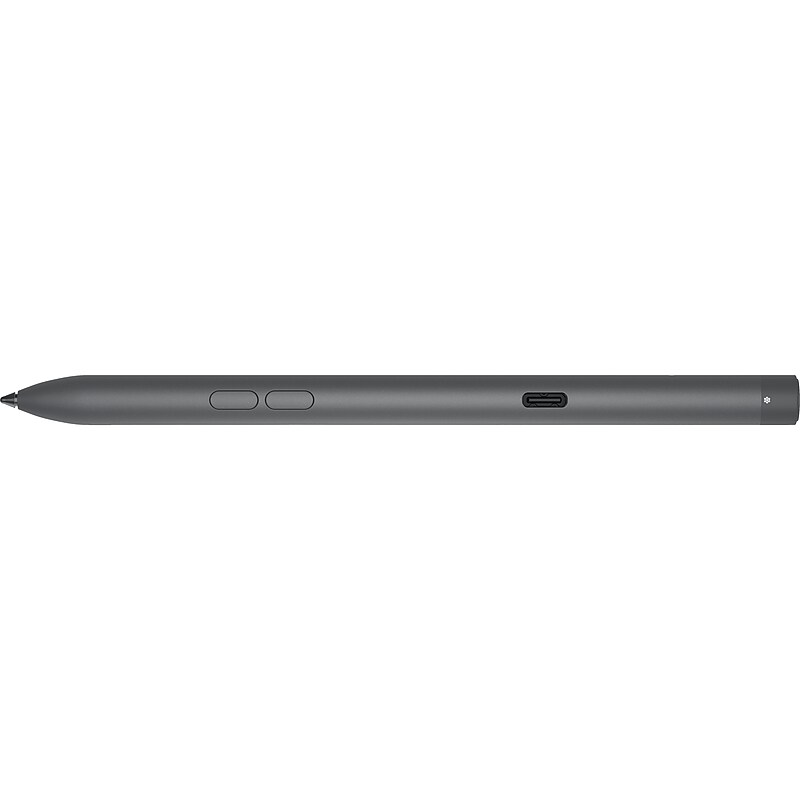
Write naturally and create with precision with a rechargeable premium Dell Premier active pen featuring a tile location function for complete peace of mind. With 4096 levels of pressure sensitivity, the active pen picks up the slightest nuances of pressure, tilt, and flow to create shades of lightness and darkness with great accuracy. With virtually no lag, it's similar to writing with a pen on paper. Charge the pen up to 80% in 20 minutes and a full charge in less than an hour. Imagine all you can do with a pen that lasts up to 40 days on one charge. Programmable top and side buttons offer quick access to frequently used apps or functions. Connect with Bluetooth and launch Windows Ink Workspace with a single press on the top button..Black rechargeable active pen works seamlessly with most Dell two-in-one laptops thanks to AES 1.0, 2.0, and WGP protocol support.Comes with an AAAA battery; charge the pen up to 80% in 20 minutes and to a full charge in less than an hour.With 4096 levels of pressure sensitivity, the active pen picks up the slightest nuances of pressure, tilt, and flow to create shades of lightness and darkness with great accuracy.Programmable top and side buttons offer quick access to frequently used apps or functions.Connect with Bluetooth and launch Windows Ink Workspace with a single press on the top button.Conveniently attach your rechargeable active pen to your Dell two-in-one laptop via magnetic attachment.LED indicator at the tip of your pen keeps you informed of Bluetooth connectivity, battery life, and charging status.Tile location tracking lets you easily locate where you left your pen last.With two spare nibs included, you can easily replace an existing or lost nib.3-year manufacturer limited warranty
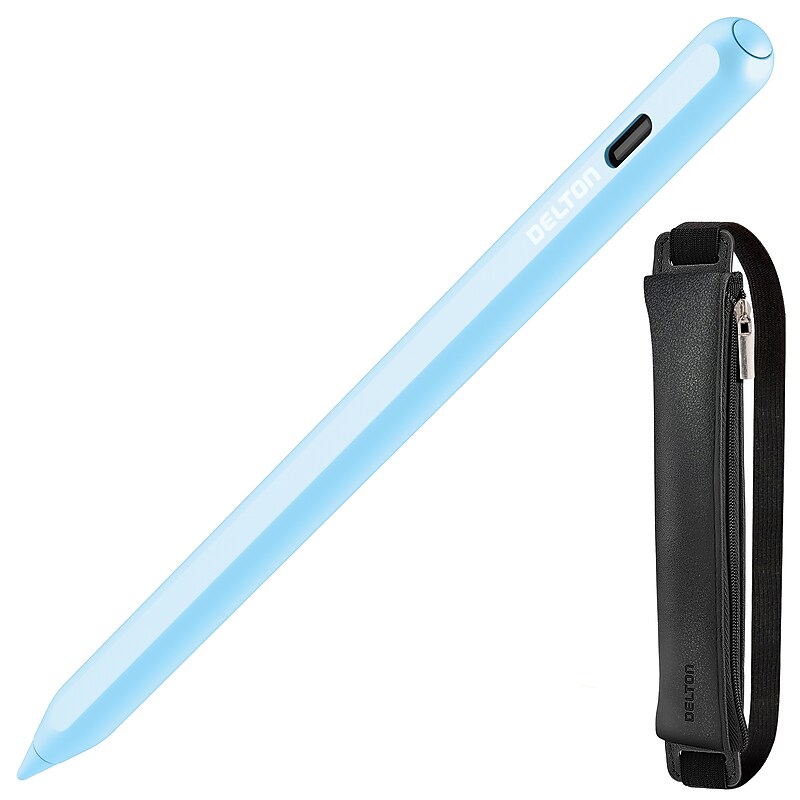
Fuel your productivity with this blue Bluetooth stylus pen for iPad and Android designed for smooth drawing, writing, note taking, and tapping. With intuitive one click and double click shortcuts, navigation feels natural and efficient. Power indicators show blue, green, and red status plus a percentage readout, while two way charging keeps you ready with magnetic wireless in 2 to 4 hours or Type C wired power in 90 minutes. Count on up to 11 hours of working time with tilt sensitivity, pixel perfect accuracy, and the comfort of a palm rejection stylus for iPad. Crafted with a durable body, POM tip, extra nibs, PU leather strap, and a protective pouch, it adapts seamlessly across models from 2018 onward, making it a versatile iPad compatible stylus for both work and play..Connect instantly with a bluetooth stylus pen and enjoy smart shortcuts, including one click to return home and double click to switch apps..Stay informed with a clear battery display that shows blue while working, green when fully charged with auto shutdown, and red while charging..See your exact battery life with the percentage indicator that keeps you prepared and ready for long sessions..Power up your way with two-way charging that offers both ipad pencil magnetic charging in 2 to 4 hours and fast Type-C wired charging in just 90 minutes..Count on reliable performance with up to 11 hours of working time, perfect for a full day of productivity or creativity..Draw and write with precision using advanced tilt sensitivity that responds naturally to the angle of your strokes, making it the ideal stylus pen iPad users trust..Enjoy pixel-perfect accuracy that captures every detail of your handwriting, sketches, and designs with this pixel tablet pen..Work comfortably with palm rejection that lets you rest your hand on the screen for a natural pen-on-paper feel, supported by a true palm rejection stylus..Move seamlessly between drawing, writing, note-taking, and tapping, giving you a versatile ipad pens for touch screen solution for work, school, and play..Trust the durable build with a strong plastic pen body and a POM plastic pen head designed for smooth performance..Keep a secure fit with the PU leather elastic strap that offers consistency and long-lasting reliability..Extend your stylus life with a replaceable 1.5 mm nib, two extra tips, and the confidence of a bluetooth pen for iPad that lasts..Carry it anywhere with the included protective pouch that keeps your magnetic stylus pen safe and portable for easy storage and travel..Use confidently with compatibility across iPads released since 2018, including a dependable ipad 10th gen pen and ipad 9th generation stylus pen..Choose the sleek blue finish that blends modern style with reliable performance, making it a standout magnetic stylus pen for iPad for everyday achievers..1-year manufacturer limited warranty..Inside the box: Delton DAP7 Digital Pen, 2 spare pen nibs, charging cable, case, and user manual..Safety Data Sheet.WARNING: Cancer and Reproductive Harm - www.P65Warnings.ca.gov.Discover new levels of creativity with the blue bluetooth stylus pen that brings precision, comfort, and style to every ipad experience.
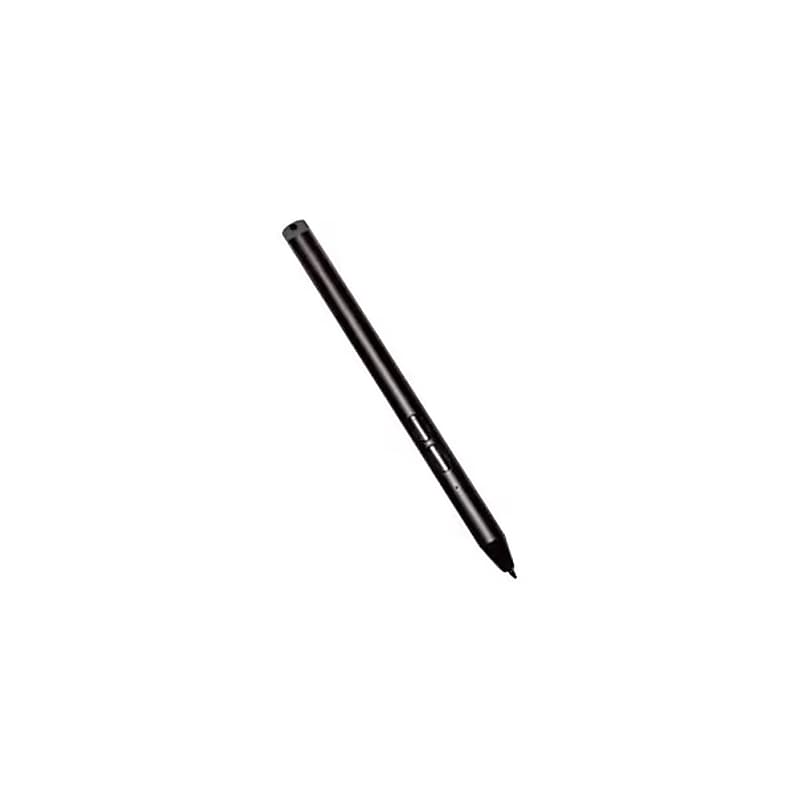
This stylus delivers exceptional performance with support for Microsoft Pen Protocol (MPP) 2.0, offering precise pressure sensitivity, tilt detection, and hover capability for a seamless digital writing and drawing experience. Built tough with IP55 water and dust protection, it's ideal for the most demanding work conditions. Two side buttons make accessing erase and menu functions effortless, while the included AAAA battery ensures reliable power. For added convenience, it can be tethered to your tablet using optional accessories, or securely stored with a pen loop holder or handle. Fully compatible with Zebra rugged boots, docks, and other accessories, this active stylus is the ultimate companion for busy professionals on the go. Choose the Zebra Active Stylus and take your workflow to new heights, wherever work takes you..Comes in black. It is specifically designed for Zebra ET80 and ET85 rugged tablets.Made from durable materials suited for rugged environments and features a replaceable tip.Stylus tip supports a large range of pressure sensitivity, although the exact pen point size is not specified.The barrel is ergonomically designed for a comfortable grip and built to withstand tough conditions.Supports Microsoft Pen Protocol (MPP) 2.0, providing advanced features like pressure sensitivity, tilt detection, and hover capability.Ensures seamless connectivity with the tablet for precise digital input.It uses one AAAA battery, which is included in the package.Boost your productivity and stay efficient in any rugged environment with the Zebra Active Stylus, designed exclusively for the Zebra ET80 and ET85 tablets.
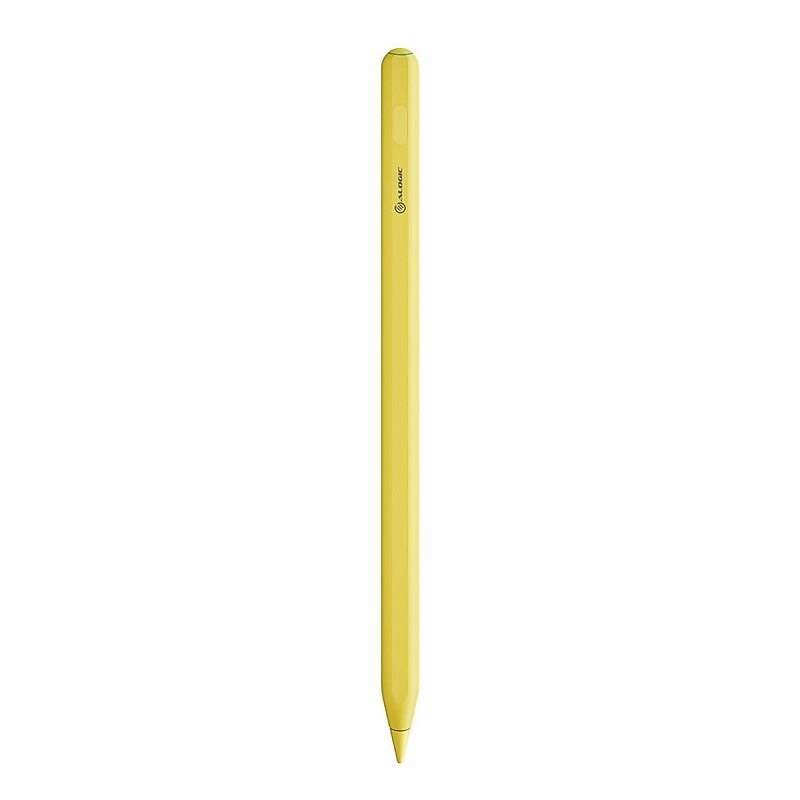
The ALOGIC iPad stylus pen provides the ultimate experience for writing, drawing, note-taking, and more on Apple iPad devices. A perfect aid to creativity, learning, and productivity, the design sits perfectly in the hand and is perfect for everyday use. The iPad stylus attaches firmly to the side of all iPads released since 2018 meaning it's always on hand and ready for use. Dual mode charging allows this stylus to charge while magnetically docked to iPads that support this feature, or using a USB-C cable if necessary..Comfortable, precise, and lag-free iPad stylus pen is great for composing notes, drawing, marking documents, and more.Crafted from high-quality materials guaranteeing a longer lifespan from daily wear and tear.The tip is replaceable and interchangeable with Apple genuine replacement tips.Comes in a beautiful pastel yellow color.Palm rejection technology and tilt sensitivity make this stylus even more versatile as a drawing and creative tool.Instant connection, no requirement to download or install any software.Dual mode charging allows this stylus to charge while magnetically docked to iPads that support this feature or using a USB-C cable if necessary.Charges in just one and a half hours and features a standby time of 30 days and working time of 8-10 hours before needing to be recharged.Compatible with all iPads released in 2018 and later running iOS Version 12.2, or above.Only supports wireless charging, magnetic attachment, and instant pairing on iPad Mini 6th Gen, iPad Air 4th & 5th Gen, iPad Pro 11", iPad Pro 12.9" 3rd Gen, or newer.Weight is 0.53 oz..Package contents: stylus pen and charging cable.2-year manufacturer limited warranty
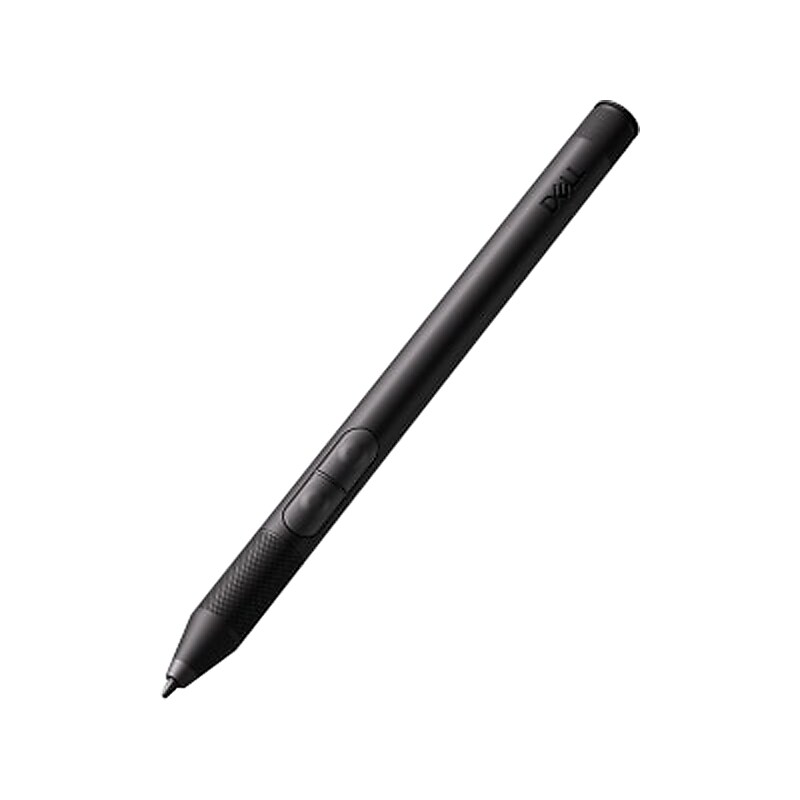
Get a pen-on-paper-like experience with this Dell rugged active pen. The pressure-sensitive design lets the tablet respond as though you are pressing down harder or softer to let you make sketches, send notes, and click on folders and applications even when wearing gloves. A tail enclosure hides away up to four replacement nibs so that you can always carry around spares. Each nib slots in and can quickly be replaced so that you can get on with your day. Compatible with Dell Rugged tablets to provide outstanding compatibility. It can go anywhere your tablet can go so that you can get the job done..Rugged active pen is designed for high performance in rugged environments and is compatible with Dell Latitude 7220 Rugged Extreme tablet.The lightweight design ensures this active pen can go with you almost anywhere.A tail enclosure hides away up to four replacement nibs so that you can always carry around spares (each nib slots in and can quickly be replaced).Comes with black finish.Easily copy, select, and move objects with a few button presses.Connectivity technology: wireless.Interface: USB.The IP55 rating shows it can withstand dust, water, dirt and fog, making it perfect for even the harshest of environments.1-year manufacturer limited warranty
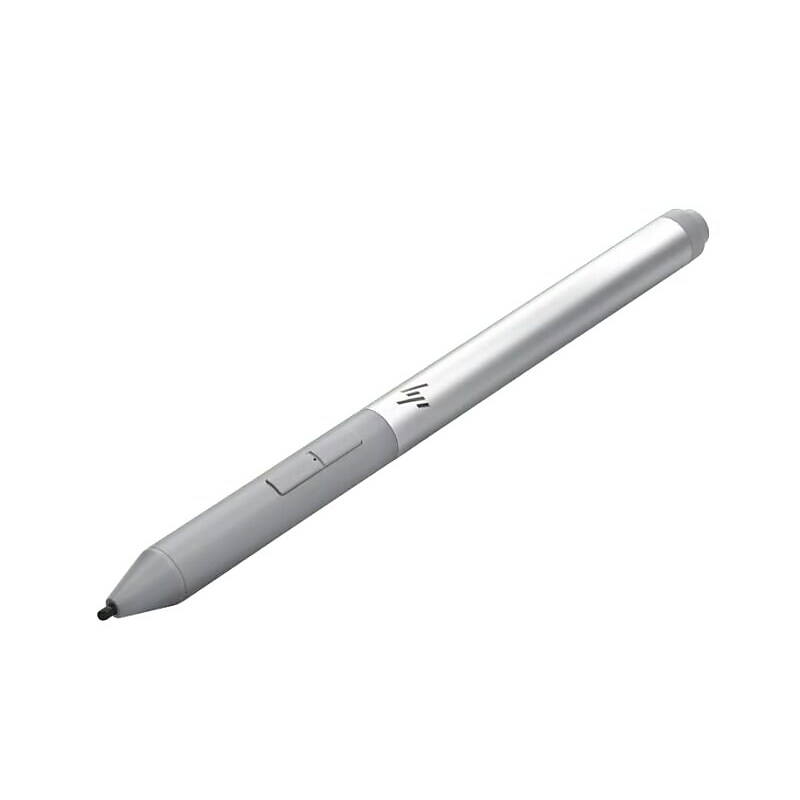
Take your inspiration straight to your screen with the HP Rechargeable Active Pen G3, the digital pen designed for natural onscreen note-taking, drawing, and app navigation. And it’s easier than ever to keep track of, with a built-in magnetic attach capability..Designed for note-taking.Erase, highlight, and click.Customize button functions.Quickly launch apps and shortcuts.USB-C rechargeable.Compatible with HP EliteBook x360 1030 G3, HP EliteBook x360 1030 G4, HP EliteBook x360 1040 G5, ,HP EliteBook x360 1040 G6, HP Elite x2 1013 G3, HP Elite x2 G4, HP ZBook Studio x360 G5.Features: Rechargeable, Programmable buttons, Palm Rejection.Battery Life: Up to 7 days (normal use).What's in the Box: HP Rechargeable Active Pen G3, USB-A to USB-C Charging Cable , 4 x POM Replacement Nibs, 3 x Elastomer Replacement Nibs, Replacement Tip Tool.1 Year Limited Warranty (Return to HP/Dealer - Standard Bench Repair & Phone-in Assistance).Weight: 15 g.Tip length of approximately 0.11".Reduce the force required to use your pen when writing, drawing onscreen or working with your touch applications with improved starting and inking pressure vs. the previous generation..Once your device is paired and in range, it detects the pen and cues you where to place it onscreen. Erase, highlight, and click on your content with the two convenient side buttons..Magnetically attachable to the HP EliteBook x360 1030 G3/G4, HP EliteBook x360 1040 G5/G6, HP Elite x2 G4, and HP ZBook Studio x360 G5.Connectivity: Wireless - Bluetooth.An intuitive, customizable pen for onscreen interactivity
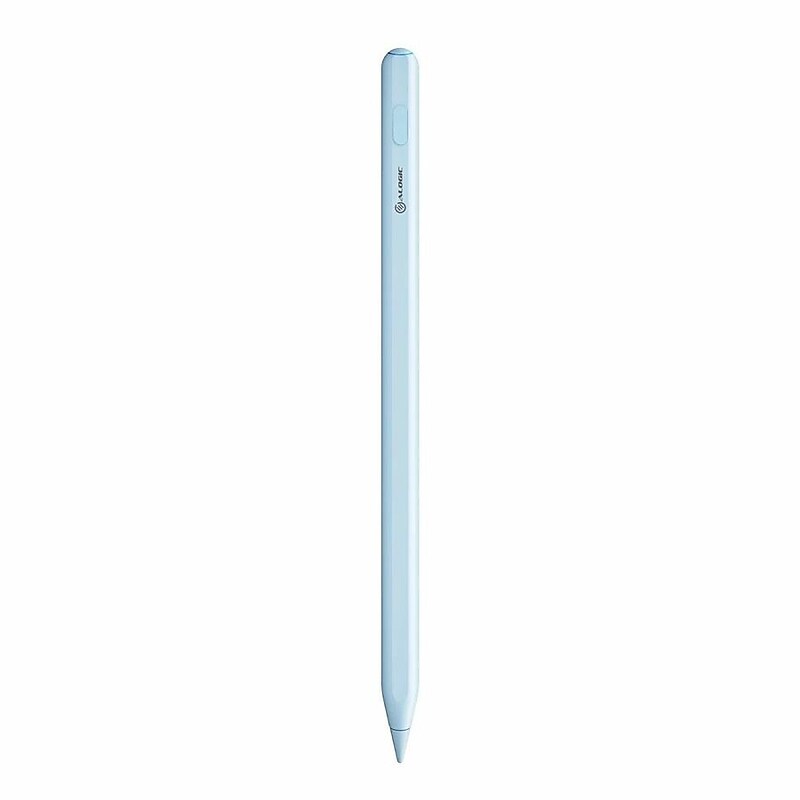
The ALOGIC iPad stylus pen provides the ultimate experience for writing, drawing, note-taking, and more on Apple iPad devices. A perfect aid to creativity, learning, and productivity, the design sits perfectly in the hand and is perfect for everyday use. The iPad stylus attaches firmly to the side of all iPads released since 2018 meaning it's always on hand and ready for use. Dual mode charging allows this stylus to charge while magnetically docked to iPads that support this feature, or using a USB-C cable if necessary..Comfortable, precise, and lag-free iPad stylus pen is great for composing notes, drawing, marking documents, and more.Crafted from high-quality materials guaranteeing a longer lifespan from daily wear and tear.The tip is replaceable and interchangeable with Apple genuine replacement tips.Comes in a beautiful pastel blue color.Palm rejection technology and tilt sensitivity make this stylus even more versatile as a drawing and creative tool.Instant connection, no requirement to download or install any software.Dual mode charging allows this stylus to charge while magnetically docked to iPads that support this feature or using a USB-C cable if necessary.Charges in just one and a half hours and features a standby time of 30 days and working time of 8-10 hours before needing to be recharged.Compatible with all iPads released in 2018 and later running iOS Version 12.2, or above.Only supports wireless charging, magnetic attachment, and instant pairing on iPad Mini 6th Gen, iPad Air 4th & 5th Gen, iPad Pro 11", iPad Pro 12.9" 3rd Gen, or newer.Weight is 0.53 oz..Package contents: stylus pen and charging cable.2-year manufacturer limited warranty
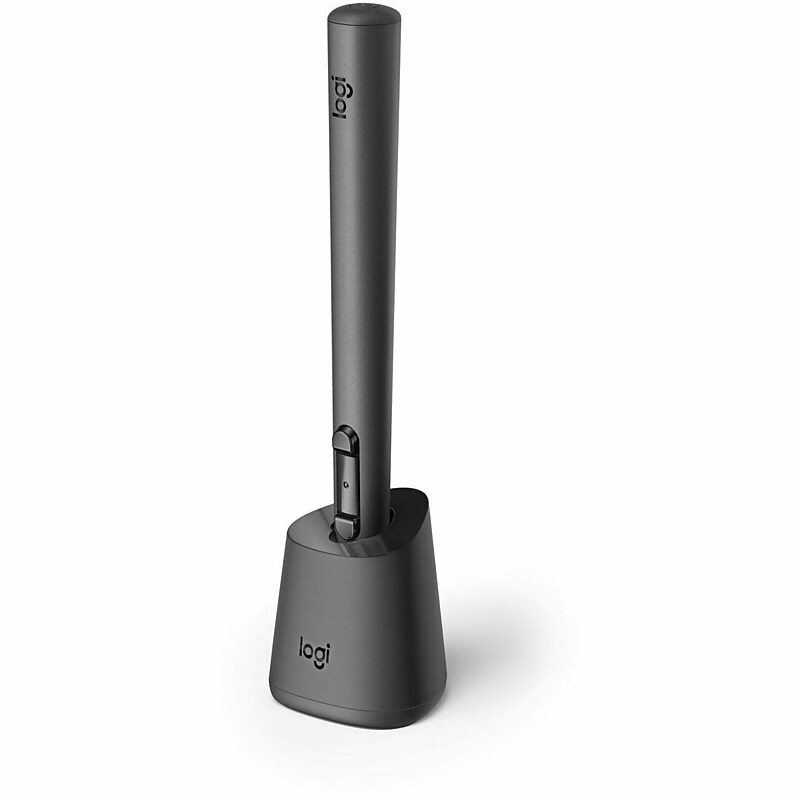
Unlock immersive creativity with the Logitech MX Ink Stylus, crafted for Meta Quest 2, 3, and 3S. This advanced MR stylus features pressure sensitivity and 6DoF tracking for precise, intuitive control in both 2D and 3D environments. The included Inkwell charging dock keeps your stylus powered and ready, while interchangeable fine and wide tips offer versatile input options. Ideal for artists, designers, and developers, the MX Ink delivers seamless integration and high-performance interaction in mixed reality experiences..comes in Black, is compatible with Meta Quest 2, Meta Quest 3, and Meta Quest 3S, and is designed for mixed reality applications such as 2D sketching, 3D modeling, and immersive digital interaction..Matte plastic barrel with a comfy grip and pressure-sensitive, replaceable tip for precise input in mixed reality..Fine-point pen with replaceable tips ranging from fine to wide for versatile creative input..Ergonomic matte barrel with a natural, pen-like feel for comfortable mixed reality use..Low-latency 6DoF tracking, pressure input, and haptics deliver precise, immersive control with Meta Quest..Connects wirelessly to Meta Quest and charges via USB-C Inkwell dock for easy recharging..powered by a rechargeable internal battery, which is included, and it charges via the USB-C powered Inkwell charging dock that comes with the stylus..Create precisely in Mixed Reality with a pen-like feel—no learning curve, just seamless workflow..Comes with a 1-year limited warranty.
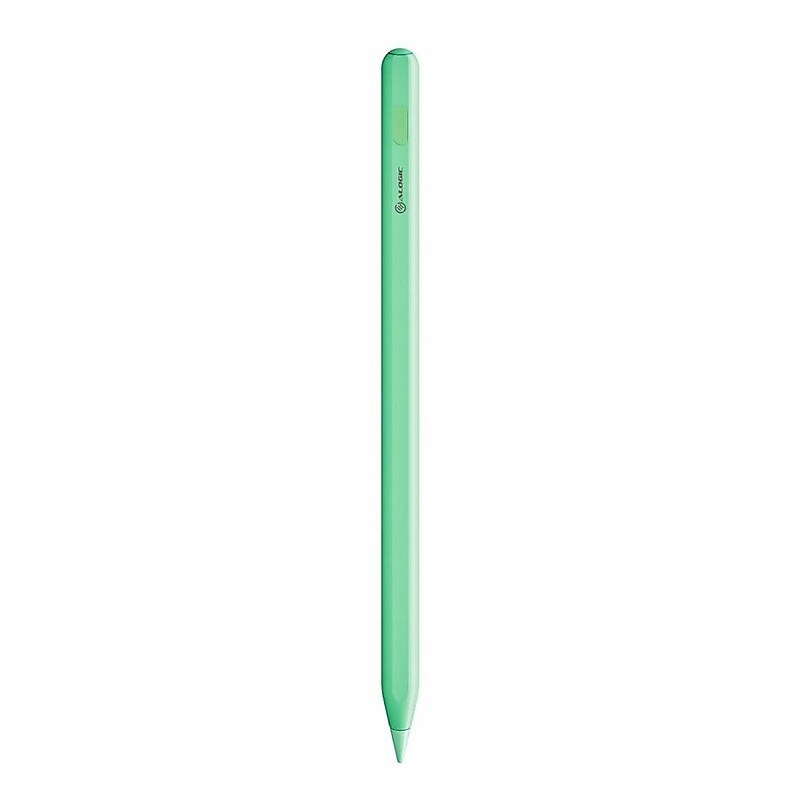
The ALOGIC iPad stylus pen provides the ultimate experience for writing, drawing, note-taking, and more on Apple iPad devices. A perfect aid to creativity, learning, and productivity, the design sits perfectly in the hand and is perfect for everyday use. The iPad stylus attaches firmly to the side of all iPads released since 2018 meaning it's always on hand and ready for use. Dual mode charging allows this stylus to charge while magnetically docked to iPads that support this feature, or using a USB-C cable if necessary..Comfortable, precise, and lag-free iPad stylus pen is great for composing notes, drawing, marking documents, and more.Crafted from high-quality materials guaranteeing a longer lifespan from daily wear and tear.The tip is replaceable and interchangeable with Apple genuine replacement tips.Comes in a beautiful pastel green color.Palm rejection technology and tilt sensitivity make this stylus even more versatile as a drawing and creative tool.Instant connection, no requirement to download or install any software.Dual mode charging allows this stylus to charge while magnetically docked to iPads that support this feature or using a USB-C cable if necessary.Charges in just one and a half hours and features a standby time of 30 days and working time of 8-10 hours before needing to be recharged.Compatible with all iPads released in 2018 and later running iOS Version 12.2, or above.Only supports wireless charging, magnetic attachment, and instant pairing on iPad Mini 6th Gen, iPad Air 4th & 5th Gen, iPad Pro 11", iPad Pro 12.9" 3rd Gen, or newer.Weight is 0.53 oz..Package contents: stylus pen and charging cable.2-year manufacturer limited warranty
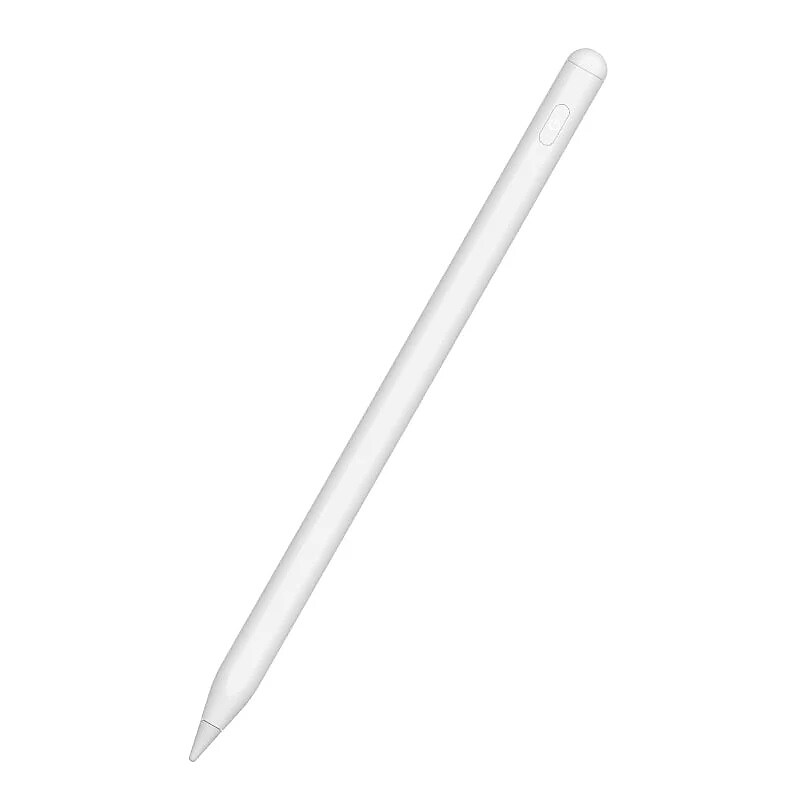
The CODi Active Stylus is designed explicitly for your Apple devices, just like the Apple pencil. The Active Stylus from CODi gives the perfect pressure and degree of tilt for palm rejection – no glove required..For Apple iPad, iPad Pro, and iPad Air (2018/2019).Great for creative design, note-taking, and browsing apps.Palm rejection technology for iPad - no glove required.Easy touch on/off.No Bluetooth or app connection required.Magnetically attaches to the side of the device.Create seamless drawing lines.POM material pen tip.No skidding.Sensitive and smooth.Input: DC 5V; 100mA.Output: DC 3.7V.Battery: Li-polymer 140mAh.CODi Active Stylus for iPad with Palm Rejection
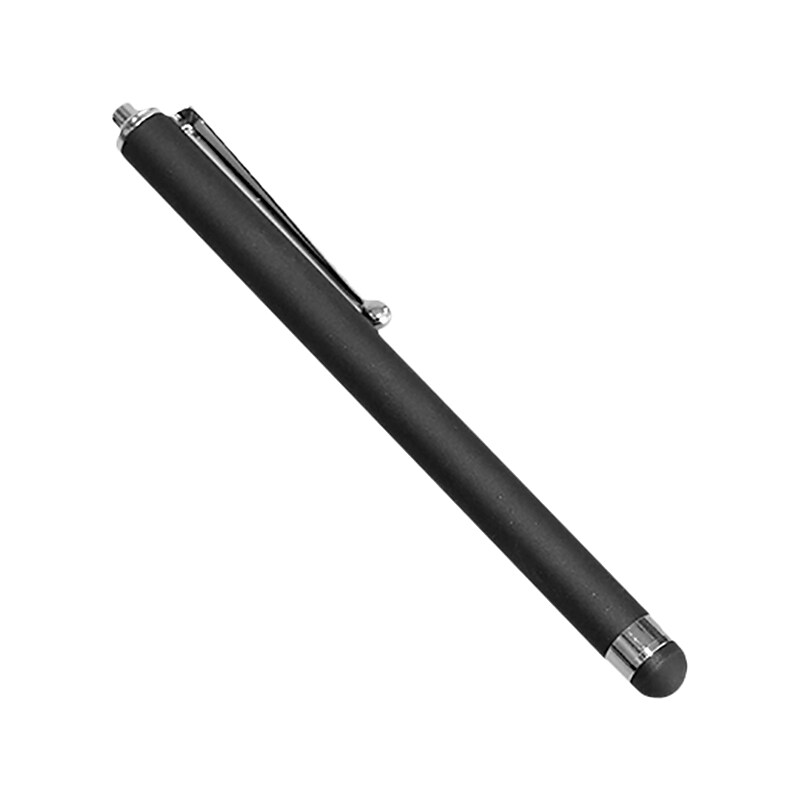
Keep your touchscreen device clean of fingerprints and smudges with a sleek capacitive stylus. This handy tool is compatible with Apple iPhone, iPad, iPod Touch, tablets, smartphones, and other capacitive touchscreen devices. Type, draw, or browse through your favorite applications for a more effortless, precise, and enjoyable experience with your touchscreen device. The aluminum body and rubber mesh tip come together to form a convenient pen design for added comfort..Convenient pen form design.Rubber mesh tip glides across screen with precision.Aluminum body for durability.Pen clip attached for easy storage.No Bluetooth connection required.Works with any touchscreen capacitive device.With its convenient pen form design, use the Capacitive Stylus with any touchscreen device.
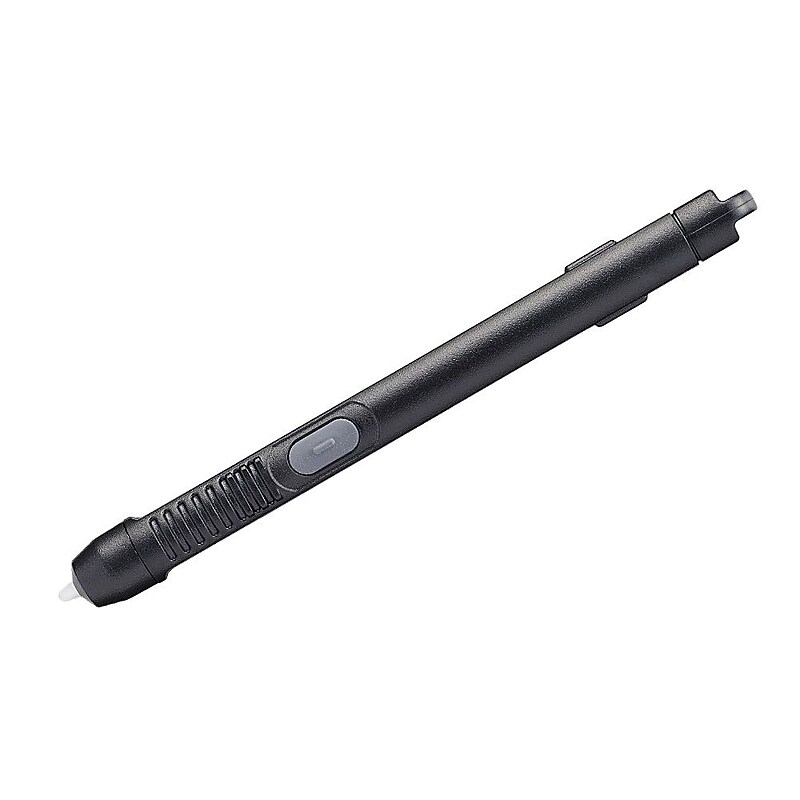
The Panasonic® digitizer waterproof stylus in black color, is suitable for use with 10.1" Toughpad FZ-G1 tablet. It engages quickly to electronic touchscreen device for allowing the user to type/operate accurately and comfortably..Digitiser stylus keeps your screen clean and fingerprint-free.Compatible with 10.1" Toughpad FZ-G1.Color: Black.Water-proof.Black digitiser stylus is compatible with 10.1" Toughpad FZ-G1.

Write, draw, and scroll with ease using the Targus antimicrobial active stylus for iPad tablets. The durable POM tip provides a natural pen-like experience, allowing you to write and draw accurately and comfortably. The pen's palm rejection functionality allows you to rest your hand naturally on the screen and write as smoothly as you would on paper. The active stylus requires no drivers or Bluetooth connection to function. Simply touch the stylus to activate, or leave it idle for 5 minutes to trigger its power-saving sleep mode. Charge for 90 minutes, and enjoy 10 hours of continuous working and 90 of days standby time. For an added benefit, this stylus features DefenseGuard antimicrobial protection, an infused protective finish to the material that creates a cleaner surface and protects the stylus. Altogether, the Targus active stylus is a superior choice for protecting your iPad (2018 and later)..Active stylus compatible with iPad tablets launched in 2018 and later (iOS 12.2 or above).1.2mm fine point POM tip provides pixel precision with tilt shading.Touch-activated: no driver or Bluetooth connection needed.Long-lasting battery supports 10 hours of continuous work and 90 days of standby time.Magnetic design for easy storage of the pen.DefenseGuard antimicrobial protection creates a clean surface and works continuously to protect the stylus by preventing the growth of microorganisms.Palm rejection functionality allows you to rest your palm on the screen without causing interference.Power-saving sleep function triggers after 5 minutes of idle time.Includes one USB Type-C charging cable and one replacement tip/nib.1-year manufacturer limited warranty
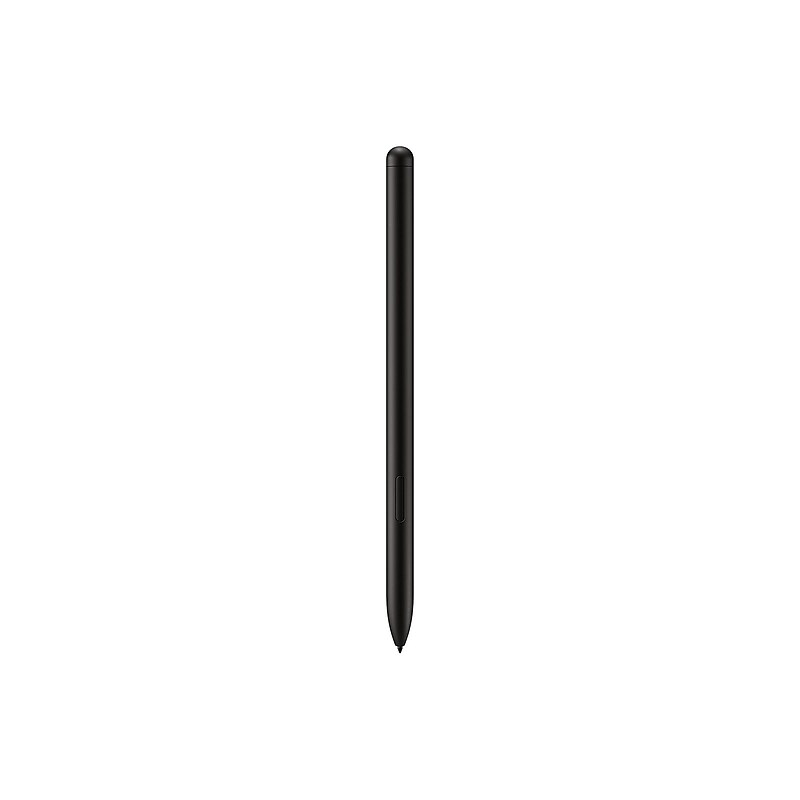
The Samsung S Pen is designed specifically for the Galaxy Tab S series, offering an enhanced writing and drawing experience. It features advanced technology that allows for natural and precise input, making it ideal for both creative tasks and everyday note-taking. The S Pen is equipped with a variety of features, including pressure sensitivity and tilt recognition, ensuring a seamless experience across various applications..The S Pen is available in Black and is compatible with the Samsung Galaxy Tab S9, S9+, and S9 Ultra. For detailed compatibility, please refer to the Extended Description..The stylus is made from high-quality plastic for both the barrel and point, ensuring durability and comfort during use..The S Pen features a fine point tip with a size of 27.6 mil, providing precise control for writing and drawing..The barrel of the S Pen is ergonomically designed, allowing for a comfortable grip during extended use..It incorporates advanced pressure sensitivity with 4096 levels, enabling nuanced and responsive input for various applications..The S Pen connects seamlessly with compatible Samsung devices without the need for Bluetooth pairing..The S Pen is powered by a rechargeable battery that charges wirelessly when docked with compatible devices. Battery is included..This product is sold as a single unit..There is a limited warranty provided by Samsung for this product..The S Pen enhances the productivity and creative capabilities of the Galaxy Tab S series, making it an essential accessory for users..It is ideal for note-taking, sketching, and navigating apps with ease, thanks to its low latency and high precision..The S Pen’s tilt recognition feature allows for dynamic shading effects, perfect for artists and designers..Compatible with various applications, including Samsung Notes and other drawing apps, it enhances the overall tablet experience.
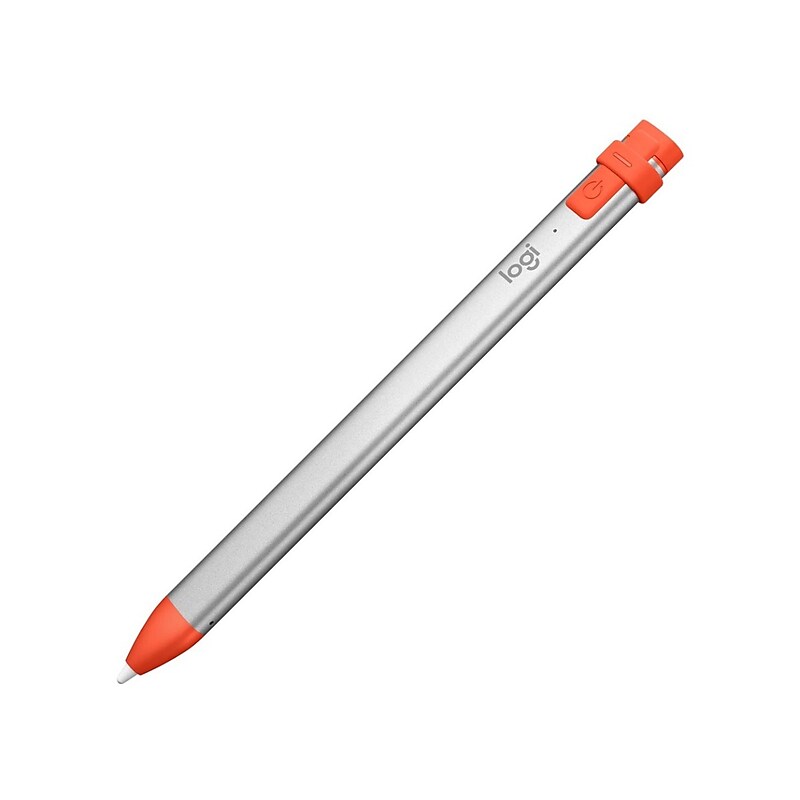
The Logitech Crayon Stylus (Model# 914-000031) is a versatile and durable digital pencil designed to bring precision and ease to note-taking, drawing, and educational activities on compatible iPads. Tailored for students and creative users alike, it offers a kid-friendly design with a dynamic smart tip that delivers pixel-perfect input without the hassle of Bluetooth pairing. Lightweight and easy to handle, the Crayon provides smooth, natural writing and supports tilt functionality for shading effects. Powered by a rechargeable lithium battery, it charges quickly and conserves power by automatically turning off when idle. Backed by a 3-year warranty, the Logitech Crayon is a reliable and practical tool for enhancing productivity and creativity on the iPad..Pixel-Perfect Precision: Powered by Apple Pencil technology for ultra-responsive, lag-free writing and drawing on iPads released in 2018 and later.Dynamic Line Weight: Smart tip adjusts thickness based on tilt, mimicking the natural feel of a real pencil.No Bluetooth Needed: Just turn it on and start creating with no pairing or setup required.Kid-Friendly and Durable: Built tough with a non-slip, anti-roll design ideal for classrooms and young users.Fast Charging, Long Lasting: Provides 30 minutes of use from a 2-minute charge via Lightning connector.Perfect for Learning and Work: Ideal for note-taking, sketching, annotating, and using educational or creative apps.Sustainable Design: Made with FSC-certified packaging and designed for minimal environmental impact.Wide Compatibility: Works with hundreds of Apple-supported apps and all iPads released in 2018 or later.The Logitech Crayon Stylus comes with a 3-year limited hardware warranty to ensure quality and customer satisfaction..Logitech Crayon Digital Pencil for Education: Wireless Stylus for All iPads (2018 and Later) with Apple Pencil Technology, Dynamic Smart Tip, and iOS/iPadOS/macOS Compatibility
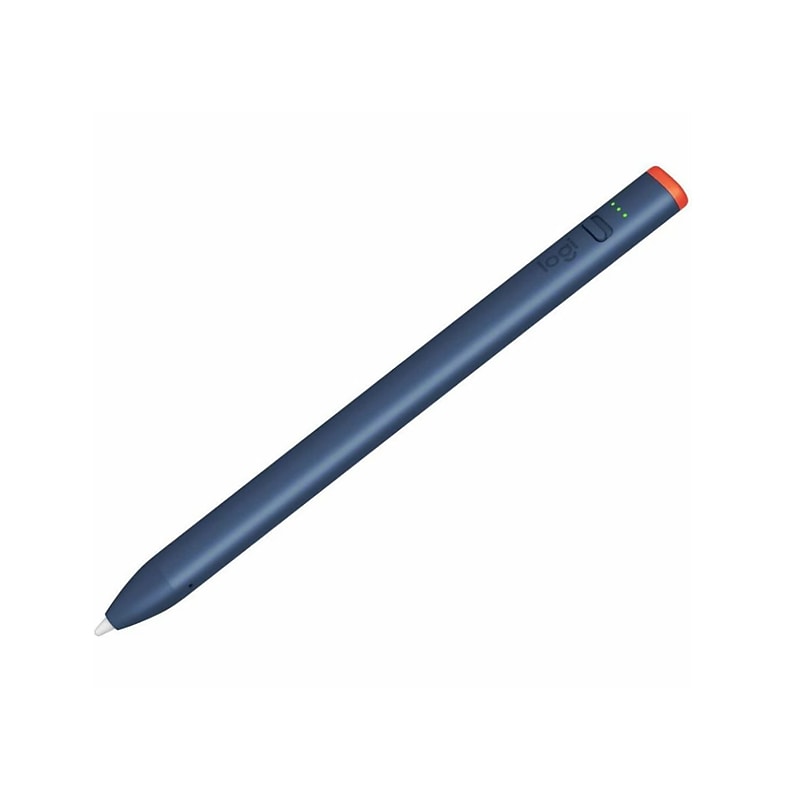
The Logitech Crayon Digital Pencil (914-000078) is a versatile and user-friendly stylus designed to elevate your iPad experience, especially for students, professionals, and creatives. Engineered for iPads with USB-C ports, it offers pixel-perfect precision that makes writing, drawing, and annotating natural and fluid. Unlike some other styluses, it requires no Bluetooth pairing — simply power it on and start using it immediately. The Crayon boasts impressive durability with drop protection and an anti-roll design, making it ideal for classroom and on-the-go use. While it lacks pressure sensitivity and tilt detection, it compensates with seamless palm rejection and a comfortable, lightweight design. Its long battery life, coupled with quick USB-C charging, ensures you stay productive throughout the day. With replaceable tips, the Logitech Crayon Digital Pencil is built to last, providing a reliable, affordable alternative to higher-end styluses without sacrificing performance..Designed for Education: Built specifically for classroom environments with a durable, kid-friendly design and vibrant navy blue/orange color scheme.USB-C iPad Compatibility: Works seamlessly with all iPad models featuring a USB-C port, powered by Apple Pencil technology for pixel-perfect precision.No Pairing Required: Just turn it on and start writing—no Bluetooth or setup needed, ideal for quick transitions in learning environments.Dynamic Smart Tip: Automatically adjusts line weight based on tilt, enabling natural writing, drawing, and shading.Durable and Drop-Resistant: Withstands drops up to 4 feet and daily classroom wear and tear, making it ideal for students of all ages.Long Battery Life: Provides up to 7 hours of continuous writing on a single charge—enough to last a full school day.Easy to Clean: Designed to endure frequent disinfecting, supporting safe and hygienic classroom use.Enhances Learning Outcomes: Supports improved handwriting, math performance, and engagement through hands-on digital interaction.The Logitech Crayon Stylus comes with a 3-year limited hardware warranty to ensure quality and customer satisfaction..Logitech Crayon Digital Pencil for iPad with USB-C: Apple Pencil Technology, Dynamic Smart Tip, and Anti-Roll Design for Seamless Creativity and Learning
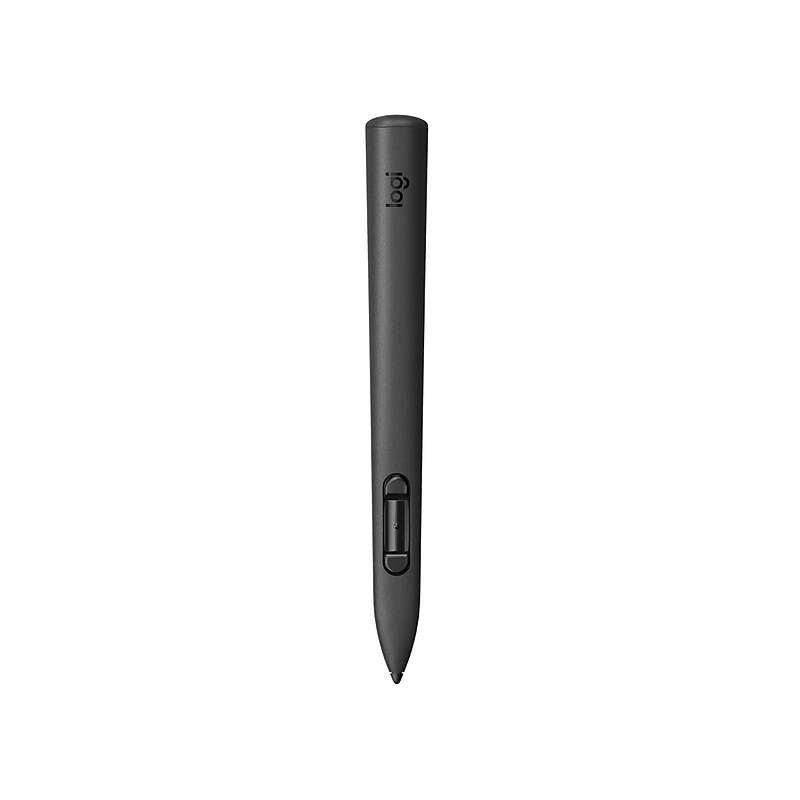
Experience precision and creativity in mixed reality with the Logitech MX Ink, the first stylus designed for Meta Quest headsets. With pressure-sensitive input and haptic feedback, it delivers natural, intuitive control for drawing, designing, and interacting in 3D environments. The MX Ink seamlessly integrates with Meta Quest's ecosystem, allowing you to switch between 2D and 3D workflows without interruption. Its ergonomic design and customizable settings make it ideal for professionals and creators alike..Sleek Black finish, designed for Meta Quest with precision input for mixed-reality interaction..Features a plastic barrel and comes with replaceable stylus tips designed for precision input in mixed-reality environments..Equipped with a Fine point and replaceable Fine/Wide tips for precise mixed-reality control..Designed with an ergonomic, lightweight barrel for comfortable, intuitive control in mixed-reality use..Uses advanced 6DoF tracking, pressure sensitivity, and haptics for precise mixed-reality interaction..Connects wirelessly with Meta Quest and supports USB-C or pogo pin charging for seamless mixed-reality use..Powered by a built-in rechargeable battery with USB-C or optional pogo pin charging via the MX Inkwell dock..Enjoy precise MR control with the familiar feel of a pen—no learning curve, just seamless workflow..Meta Settings integration lets you customize pressure curves, activation force, hand preference, and button mapping..Lasts up to 7 hours (Meta Quest 3 estimate); actual battery life varies by headset and apps..Comes with a 1-year limited warranty.
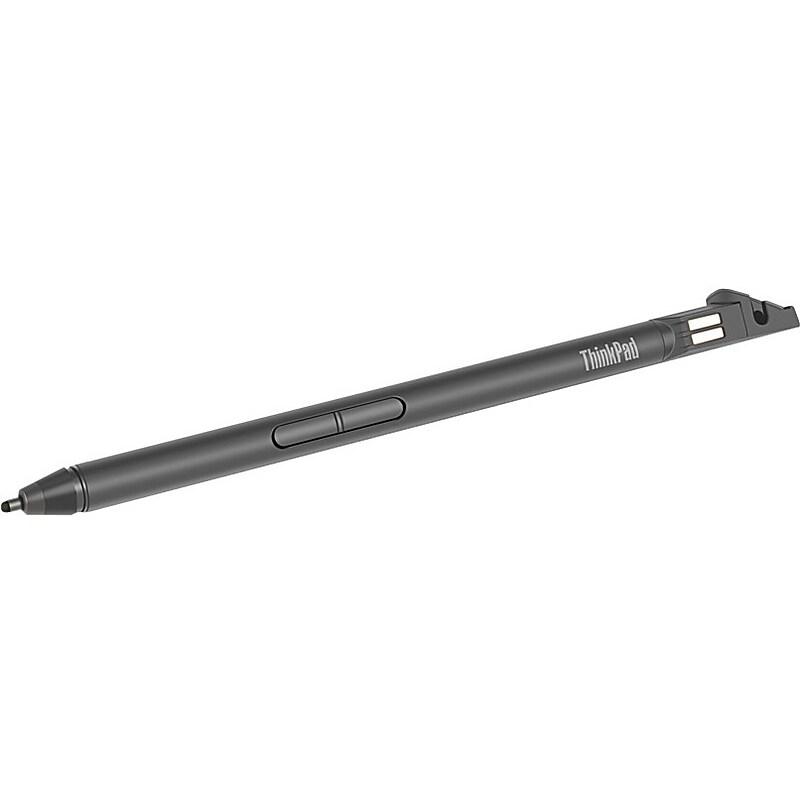
The ThinkPad Pen Pro for L380 Yoga with 4096 levels of pressure sensitivity, provides a natural pencil and paper-like experience when you sketch and jot down notes. Users will also enjoy easy access to shortcut functions through two built-in customisable buttons on the base of the pen. This pen can also be conveniently stored and charged in the notebook's pen slot..Taking off the gloves to use your smartphone or tablet gets so irritating, but with this stylus it is no longer a problem.Easy to handle, giving the feel of a traditional ball pen on the notebook.ThinkPad Pen Pro for L380 Yoga
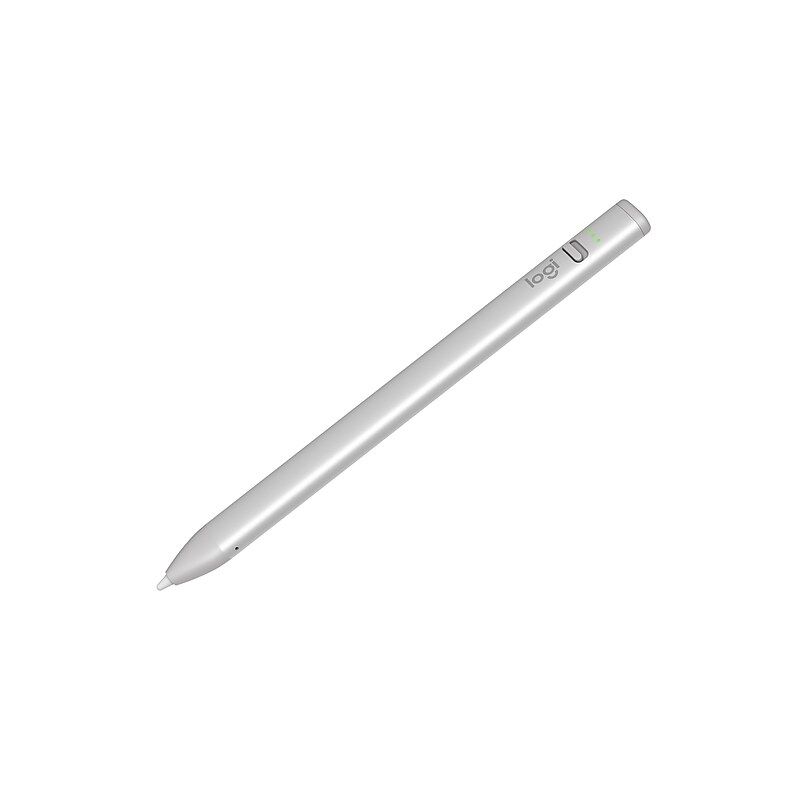
Sketch, write, and annotate with Logitech Crayon for iPad, powered by Apple Pencil technology. Logitech Crayon is a versatile, pixel-precise digital pencil for iPad (all models 2018 and later) that seamlessly boosts your productivity and lets you add a touch of flair to any task or project. Simply slide the off/on button down and start writing right away — it's that easy. Logitech Crayon connects to iPad instantly with no complex Bluetooth pairing or other delays..Pixel-precise digital pencil for all iPad models (2018 and later).With no small or detachable pieces, it has a unibody design that's built to last.Has a smart tip which dynamically adjusts line weight as you naturally write, just like a regular pencil.The flat shape stays exactly where you leave it and prevents it from rolling off desks or getting lost underneath shelves.Powered by Apple Pencil technology so you can start creating, collaborating, and learning on countless apps instantly.Connects to iPad instantly with no complex Bluetooth pairing or other delays.Powered with a rechargeable lithium battery (provides with up to seven hours of active writing time).Always know whether your device is active or not - just slide the physical on/off button down and start writing instantly.With 4' drop protection, it can hold up to the busiest of lifestyles, and clumsiest of kids (or adults).Charge via iPad USB-C cable.1-year manufacturer limited warranty
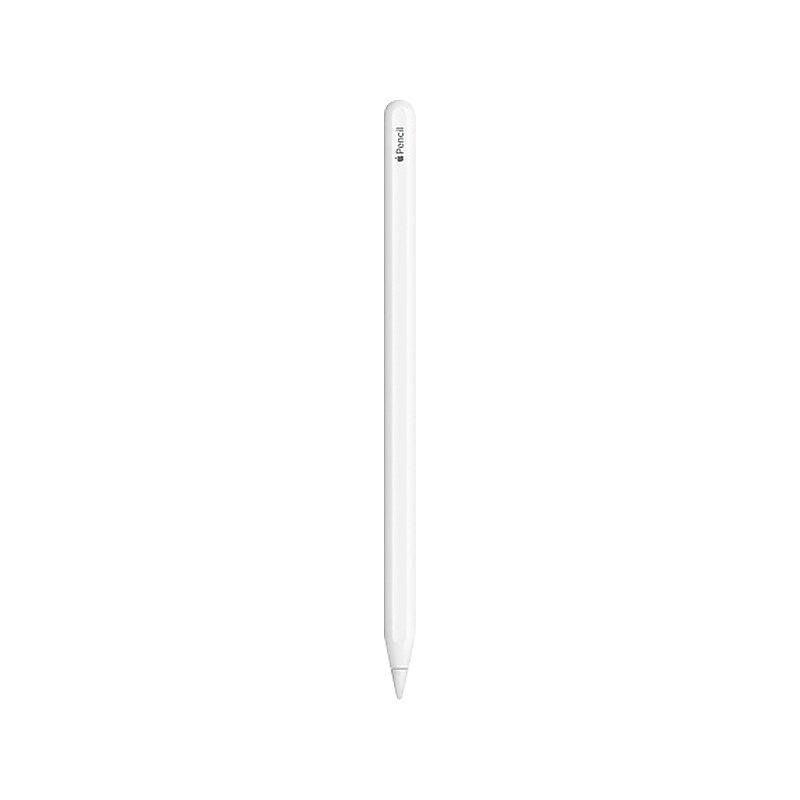
Apple Pencil (2nd generation) delivers pixel-perfect precision and industry-leading low latency, making it great for drawing, sketching, coloring, taking notes, marking up PDFs, and more. And it’s as easy and natural to use as a pencil..Apple Pencil (2nd generation) also allows you to change tools without setting it down, thanks to its intuitive touch surface that supports double-tapping..Designed for iPad Pro, iPad Air, and iPad mini, it features a flat edge that attaches magnetically for automatic charging and pairing..Compatibility: iPad Pro 12.9-inch (3rd Generation, 4th Generation, 5th Generation, 6th Generation), iPad Pro 11-inch (1st Generation, 2ns Generation, 3rd Generation, 4th Generation), iPad Air (4th Generation, 5th Generation), iPad mini (6th Generation).Magnetically attaches and pairs.Connects to your device via Bluetooth.Length: 6.53 inches (166 mm).Diameter: 0.35 inch (8.9 mm).Weight: 0.73 ounce (20.7 grams).Safety Data Sheet
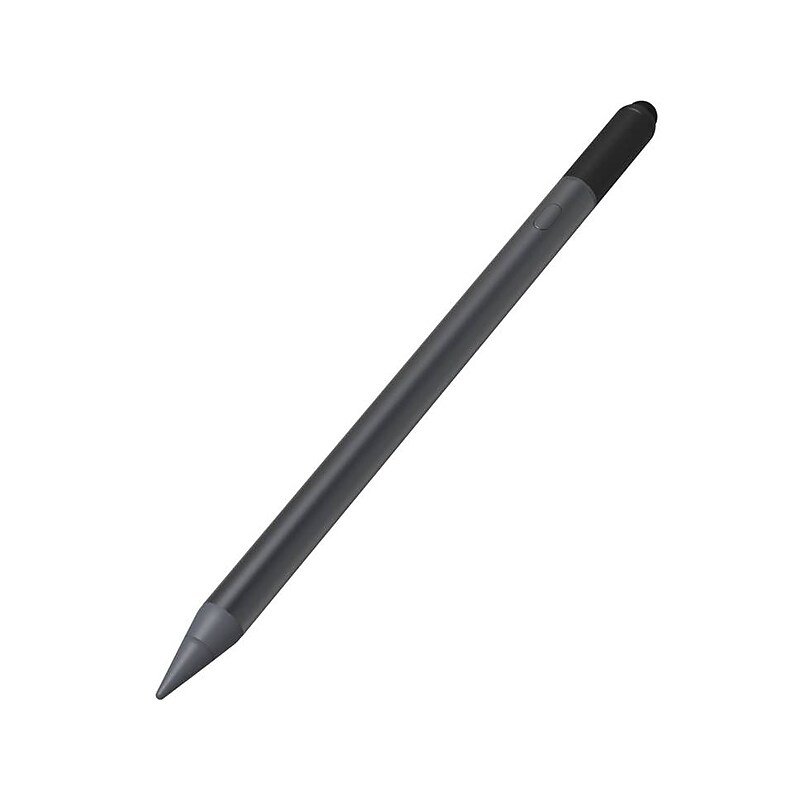
More than ever, you need to be able to work and learn from anywhere. Your tablet helps you do that, but in order to be truly productive, you need a stylus that lets you take notes, sketch, swipe, mark documents, and more with precision and speed. The Zagg Pro stylus lets you do all that with a universal capacitive back-end tip for fast, easy scrolling and an active tip for smooth, clean strokes..Active stylus with universal capacitive back-end tip comes in black and is compatible with 12.9" iPad Pro Gen 3/11" iPad Pro/10.9" iPad Air/10.2" iPad/9.7" iPad/iPad mini 5.Dimensions: 6.65"L x 0.35"Dia..Stylus barrel features a modern pen design.Automatically pairs with any iPad 2017 or later and attaches magnetically to the 11" iPad Pro and 12.9" iPad Pro Gen 3.Powered by USB Type-C; charges in just 1 hour and 25 minutes and lasts up to 8 hours.Use the stylus to make notes, sketch, mark up documents, and increase your speed and productivity.Universal capacitive back-end tip lets you scroll through pages easily, and the active tip on the other end lets you draw smooth, precise lines for notes or sketches.Features palm rejection technology so that when it's in use, only the stylus will register on your screen.Simply switch the stylus on when you're ready to work, and switch it off to save power once you have finished.Stylus has tilt recognition so you can vary the width of your stroke.Works with your favorite apps that support Apple Pencil.Comes with a spare tip.Package also includes a USB Type-C charging cable and quick start guide.1-year manufacturer limited warranty
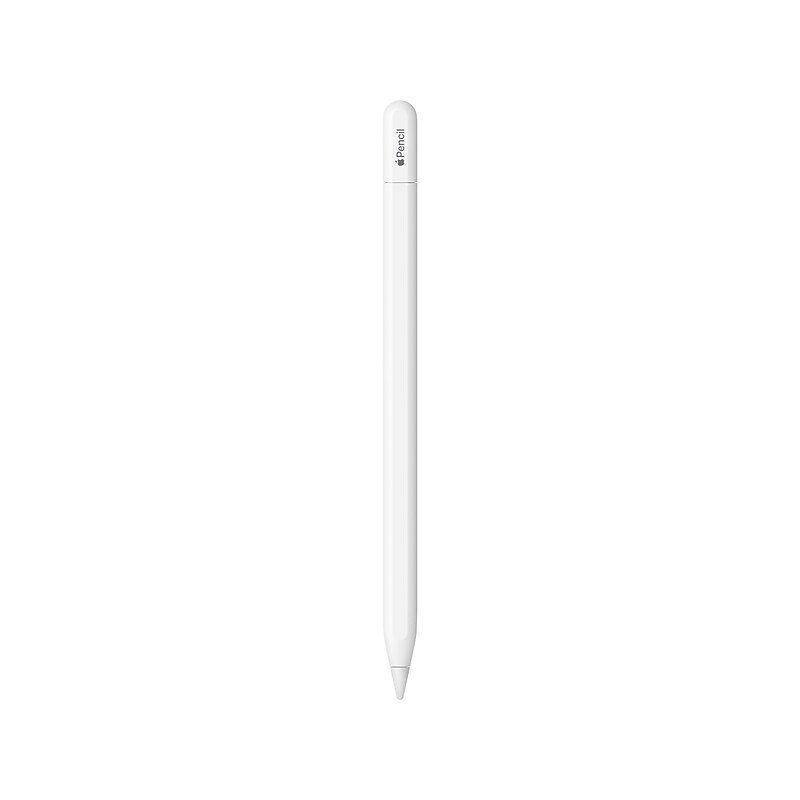
Apple Pencil (USB Type-C) is perfect for taking notes, sketching, marking up documents, journaling, and more. It delivers pixel‑perfect precision, low latency, and tilt sensitivity. So it's as natural to use as a pencil. The Apple Pencil (USB Type-C) pairs and charges via USB Type-C charging cable. It magnetically attaches to the side of iPad for storage..Stylus pen for iPad is perfect for taking notes, sketching, marking up documents, journaling, and more.Delivers pixel‑perfect precision, low latency, and tilt sensitivity.Magnetically attaches to the side of iPad for storage.Connections: Bluetooth and USB Type-C connector.Pairs and charges via USB Type-C charging cable.Compatible with iPad models: iPad Pro 12.9" (6th/5th/4th/3rd generation), iPad Pro 11" (4th/3rd/2nd/1st generation), iPad Air (5th/4th generation), iPad (10th generation), and iPad mini (6th generation).Supports Apple Pencil hover when used with iPad Pro 12.9" (6th generation) and iPad Pro 11" (4th generation).Safety Data Sheet
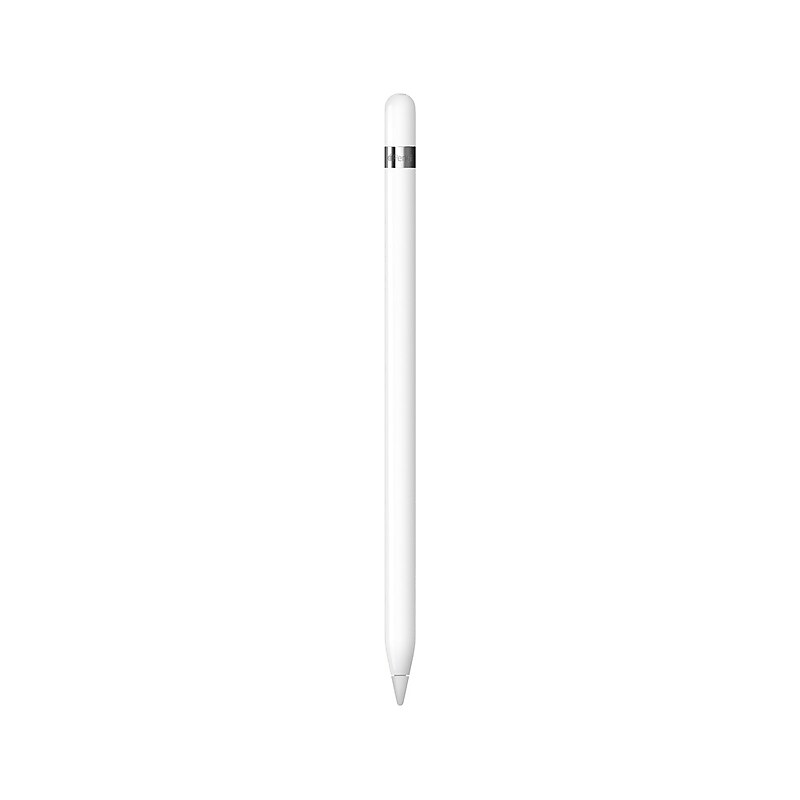
Apple Pencil expands the power of iPad and opens up new creative possibilities. It’s sensitive to pressure and tilt so you can easily vary line weight, create subtle shading and produce a wide range of artistic effects — just like a conventional pencil, but with pixel-perfect precision. Apple Pencil lets you easily take notes, mark up, and draw on iPad with pixel-perfect precision—as naturally as you do on paper..Apple Pencil First Generation Smart Pen.Bluetooth Wireless Connectivity.USB-C to Apple Pencil Adapter (required to pair and charge 10th generation iPad) .Transmits Position, Angle, and Force applied.Sketch, Write, and Annotate.Compatible with Mail and Notes Apps.Compatible with Third-Party Apps.15 Second Charge for 30 Minutes of Use.Up to 12 Hours of Battery Life.Magnetically attached cap.What’s in the box: Apple Pencil, Lightning adapter, USB-C to Apple Pencil Adapter (required to pair and charge 10th generation iPad), Extra tip .Safety Data Sheet.Apple Pencil. Draw, sign, or jot down notes. Whenever inspiration strikes.
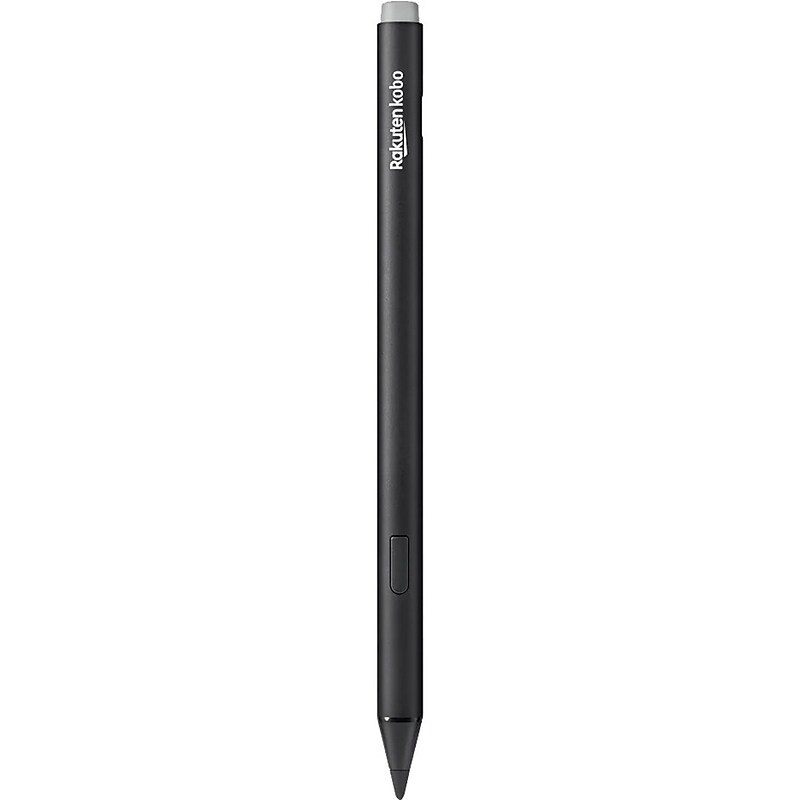
Lightweight and ergonomic with a redesigned tip, the reimagined Kobo Stylus 2 makes marking up your eBooks and PDFs smoother and more comfortable. Mark up eBooks or documents and take notes in Kobo Elipsa 2E's built-in notebook feature. Make highlights with the intuitive highlighter button and wipe away mistakes using the eraser on the back of Kobo Stylus 2. Plus, easily recharge your stylus through a USB-C power source. Includes 2 spare Kobo Stylus 2 Replacement Tips..The black Kobo stylus, compatible with eReaders like the Kobo Libra Colour, Sage, Elipsa, and Elipsa 2E, allows easy annotation, note-taking, and text highlighting..The stylus features a lightweight, durable barrel for a comfortable grip and a precision tip for smooth, accurate interaction with the eReader screen..The stylus has a 1.9 mm fine-point tip for precise, smooth interaction, enabling accurate writing and marking on your Kobo eReader..The barrel is lightweight and ergonomically shaped, ensuring a comfortable grip for extended periods of writing or annotating..The rechargeable stylus features a precise fine-point tip, a highlighter button, an eraser, and USB-C charging for convenience..Connects to compatible Kobo eReaders via a magnetic attachment, ensuring it is always within reach when you need it..Powered by a built-in rechargeable battery, the stylus easily recharges via USB-C, eliminating the need for battery replacements..It comes with a 1 year limited warranty..Safety Data Sheet
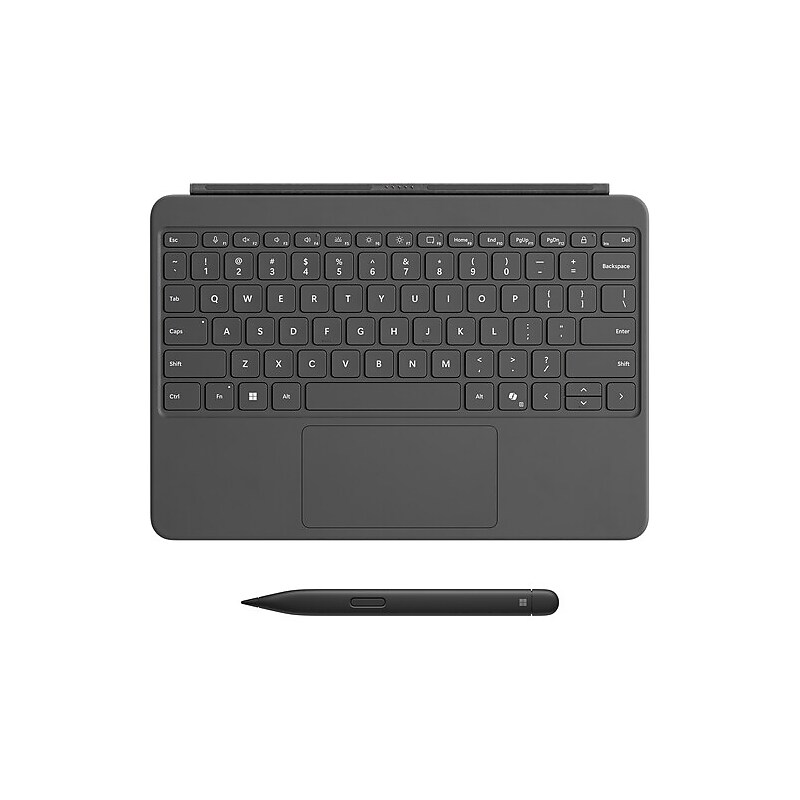
Transform your Surface Pro into a powerful, versatile laptop with the Surface Pro 12" Keyboard and Slim Pen - designed for seamless productivity and creativity. This ultra-durable, full-size keyboard features a sleek backlit design, spacious precision touchpad, and dedicated shortcut keys including the new Copilot key for instant AI access. The dynamic 360° hinge and wedge-style architecture offer unmatched stability and flexibility, whether you're working at a desk or on your lap. Paired with the Surface Slim Pen—crafted in a comfortable carpenter-style design with haptic feedback and up to 15 hours of battery life - you can write, draw, and annotate with precision and ease..Transform your Surface Pro into a full laptop with the 12-inch keyboard and dynamic 360° hinge for seamless tablet-to-laptop transitions..Type comfortably anywhere with a full-size, backlit keyboard featuring a spacious precision touchpad and wedge-style stability..Boost productivity with dedicated shortcut keys, including the Copilot key for AI experiences, snipping tool, microphone mute, and instant lock..Draw, write, and annotate naturally with the Surface Slim Pen—featuring haptic feedback, customizable buttons, and up to 15 hours of battery life..Crafted for comfort and durability, with a smooth Alcantara® palm rest and soft-touch back cover for all-day use..Magnetically snaps into place with proximity alignment for quick setup and secure attachment to your Surface Pro..4096 Level Pressure Sensitivity.Express your style with three rich color options: Violet, Ocean, and Slate..Designed for creators and professionals, the Slim Pen converts handwriting to text with precision and minimal lag on Windows 11..What’s in the box: Surface Pro 12-inch Keyboard, Surface Slim Pen (2nd Edition) and Quick Start Guide.Safety Data Sheet.Surface Pro 12-inch Keyboard with Slim Pen – Type, Create, and Express in Style
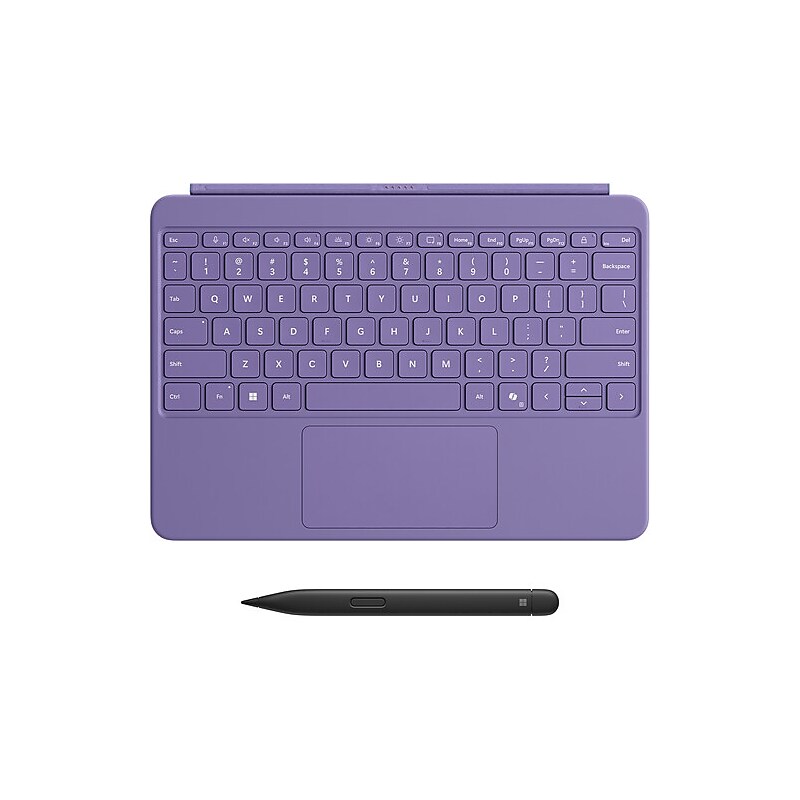
Transform your Surface Pro into a powerful, versatile laptop with the Surface Pro 12" Keyboard and Slim Pen - designed for seamless productivity and creativity. This ultra-durable, full-size keyboard features a sleek backlit design, spacious precision touchpad, and dedicated shortcut keys including the new Copilot key for instant AI access. The dynamic 360° hinge and wedge-style architecture offer unmatched stability and flexibility, whether you're working at a desk or on your lap. Paired with the Surface Slim Pen—crafted in a comfortable carpenter-style design with haptic feedback and up to 15 hours of battery life - you can write, draw, and annotate with precision and ease..Transform your Surface Pro into a full laptop with the 12-inch keyboard and dynamic 360° hinge for seamless tablet-to-laptop transitions..Type comfortably anywhere with a full-size, backlit keyboard featuring a spacious precision touchpad and wedge-style stability..Boost productivity with dedicated shortcut keys, including the Copilot key for AI experiences, snipping tool, microphone mute, and instant lock..Draw, write, and annotate naturally with the Surface Slim Pen—featuring haptic feedback, customizable buttons, and up to 15 hours of battery life..Crafted for comfort and durability, with a smooth Alcantara® palm rest and soft-touch back cover for all-day use..Magnetically snaps into place with proximity alignment for quick setup and secure attachment to your Surface Pro..4096 Level Pressure Sensitivity.Express your style with three rich color options: Violet, Ocean, and Slate..Designed for creators and professionals, the Slim Pen converts handwriting to text with precision and minimal lag on Windows 11..What’s in the box: Surface Pro 12-inch Keyboard, Surface Slim Pen (2nd Edition) and Quick Start Guide.Safety Data Sheet.Surface Pro 12-inch Keyboard with Slim Pen – Type, Create, and Express in Style
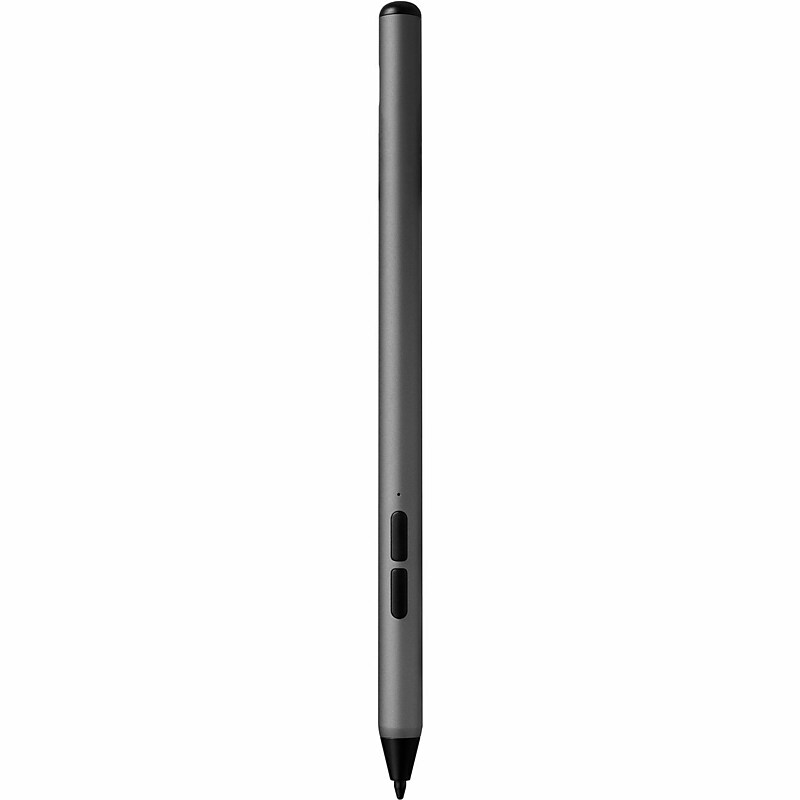
The ZAGG Stylus G2 lets you do more and work faster on your compatible Chromebook and Pixel tablet devices. It has a pressure sensitive tip with tilt recognition so you can make thick, thin, light, or dark lines. Or use the Stylus G2 like a mouse as you navigate your device. The stylus even has a 'right click' button..In Gun Metal Gray, this stylus is compatible with Chromebooks and other devices supporting USI 1.0 and USI 2.0 protocols, making it ideal for writing, sketching, underlining, scrolling, and marking up documents on compatible devices..Barrel made of aluminum and a point made of plastic..Featuring a 1.0 mm Pixel Point tip for precise and accurate input, this pen offers a smooth and responsive writing experience..The barrel features a modern pen design that offers a sleek, professional look and ensures a comfortable grip for extended use..Incorporating advanced technologies such as pressure sensitivity, tilt recognition, palm rejection, magnetic connection, a long-lasting battery with up to 15 hours of use, Type-C fast charging, and right-click and eraser buttons, this stylus enhances the user experience with precise and efficient functionality..Connecting to compatible devices via USI 1.0 and USI 2.0 protocols, this stylus ensures seamless integration with Chromebooks and other devices that support these standards..Powered by a rechargeable battery included with the stylus, it can be recharged using a USB-C cable.
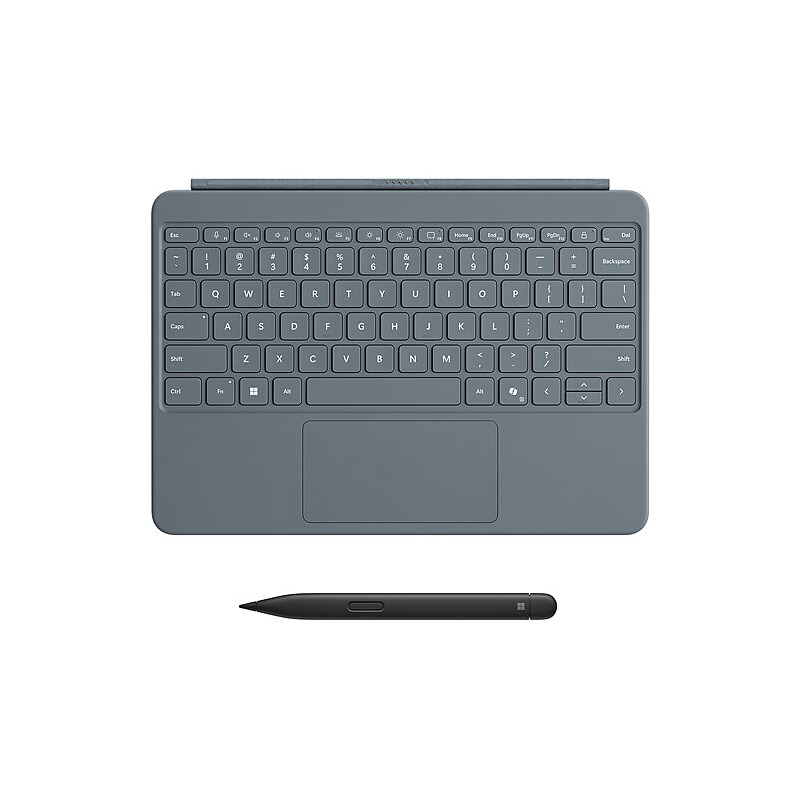
Transform your Surface Pro into a powerful, versatile laptop with the Surface Pro 12" Keyboard and Slim Pen - designed for seamless productivity and creativity. This ultra-durable, full-size keyboard features a sleek backlit design, spacious precision touchpad, and dedicated shortcut keys including the new Copilot key for instant AI access. The dynamic 360° hinge and wedge-style architecture offer unmatched stability and flexibility, whether you're working at a desk or on your lap. Paired with the Surface Slim Pen—crafted in a comfortable carpenter-style design with haptic feedback and up to 15 hours of battery life - you can write, draw, and annotate with precision and ease..Transform your Surface Pro into a full laptop with the 12-inch keyboard and dynamic 360° hinge for seamless tablet-to-laptop transitions..Type comfortably anywhere with a full-size, backlit keyboard featuring a spacious precision touchpad and wedge-style stability..Boost productivity with dedicated shortcut keys, including the Copilot key for AI experiences, snipping tool, microphone mute, and instant lock..Draw, write, and annotate naturally with the Surface Slim Pen—featuring haptic feedback, customizable buttons, and up to 15 hours of battery life..Crafted for comfort and durability, with a smooth Alcantara® palm rest and soft-touch back cover for all-day use..Magnetically snaps into place with proximity alignment for quick setup and secure attachment to your Surface Pro..4096 Level Pressure Sensitivity.Express your style with three rich color options: Violet, Ocean, and Slate..Designed for creators and professionals, the Slim Pen converts handwriting to text with precision and minimal lag on Windows 11..What’s in the box: Surface Pro 12-inch Keyboard, Surface Slim Pen (2nd Edition) and Quick Start Guide.Safety Data Sheet.Surface Pro 12-inch Keyboard with Slim Pen – Type, Create, and Express in Style
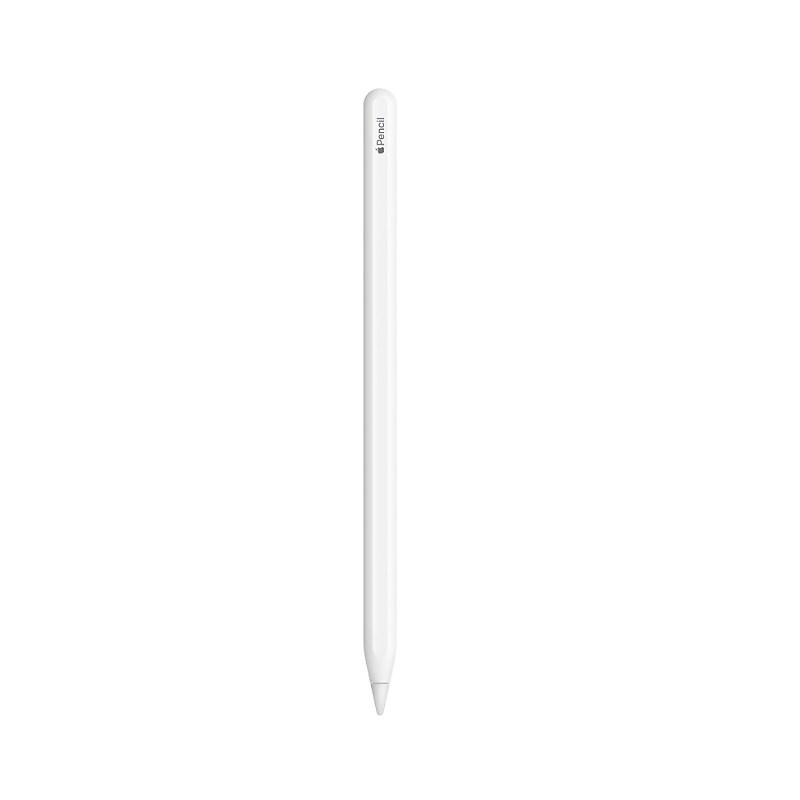
Apple Pencil (2nd generation) delivers pixel-perfect precision and industry-leading low latency, making it great for drawing, sketching, coloring, taking notes, marking up PDFs, and more. And it's as easy and natural to use as a pencil. Apple Pencil (2nd generation) also allows you to change tools without setting it down, thanks to its intuitive touch surface that supports double-tapping. And it pairs, charges, and stores magnetically on the side of your iPad. Apple Pencil (2nd generation) supports Apple Pencil hover when used with iPad Pro 12.9-inch (6th generation) and iPad Pro 11-inch (4th generation)..An extremely helpful accessory designed to improve iPad operation.Keep those fingernails long and pretty while working with this pocket-friendly stylus.What's in the box: Apple Pencil (2nd generation)..Magnetically attaches and pairs.Length: 6.53 inches (166 mm):Diameter: 0.35 inch (8.9 mm)..
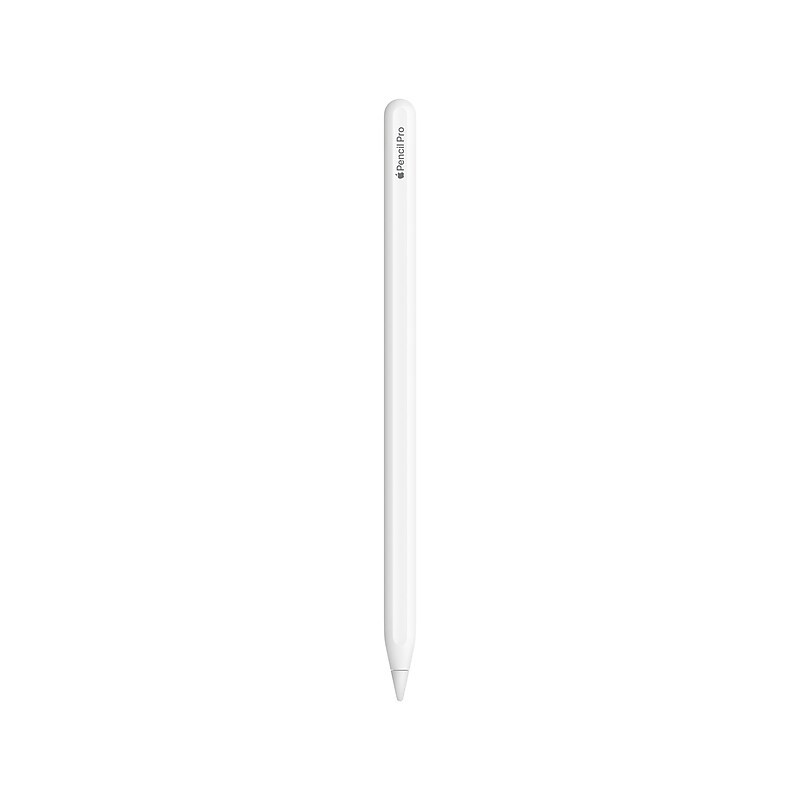
The Apple Pencil Pro is a state-of-the-art tool designed to enhance the creative and productive capabilities of iPad users. It introduces squeeze sensing, a feature that allows for intuitive interactions with your iPad, such as bringing up tool palettes and switching tools with a simple squeeze. The barrel roll control adds a new dimension to the user experience, enabling precise manipulation of brush and pen tools through rotation. With haptic feedback, users receive tactile responses to their actions, adding a layer of immersion to their work. The Apple Pencil Hover function is particularly beneficial for artists and designers, as it previews the pencil’s point of contact before it touches the screen, allowing for unmatched precision. The double-tap feature remains, providing a quick and convenient way to switch between tools. For those who tend to misplace their tools, the Find My integration ensures that the Apple Pencil Pro is always within reach. The magnetic attachment system not only securely holds the pencil to the iPad but also takes care of pairing and charging. Lastly, the option for personalization through free engraving makes the Apple Pencil Pro uniquely yours. These features collectively make the Apple Pencil Pro an indispensable companion for anyone looking to unleash their creativity or boost their productivity with their iPad..Compatible with 11" & 13" M4 iPad Pro, 11" & 13" M2 iPad Air.ADVANCED TOOLS: Apple Pencil Pro gives you ultimate creative control. Use gestures like Squeeze and Barrel Roll to access tools, change brushes, and create strokes without missing a beat. Haptics allow you to feel shapes snap into place, and more. Use Apple Pencil hover on iPad Pro and iPad Air (M2) to preview your mark before you make it. And now, you can use Find My to locate your Apple Pencil Pro..EASY AND NATURAL: Apple Pencil Pro does it all with pixel-perfect precision, tilt and pressure sensitivity, and low latency. Featuring a flat edge, Apple Pencil Pro allows you to change tools with just a tap from your finger. Apple Pencil attaches, charges, and pairs magnetically..TRANSFORMS IPAD INTO A CANVAS: Draw, sketch, color, take notes, and mark up documents. Use built-in apps like Notes and Freeform, or choose from over a million more apps available on the App Store..FIND YOUR APPLE PENCIL PRO: And if you misplace Apple Pencil Pro while you’re out and about or at home, you can easily locate it in the Find My app. Apple Pencil Pro attaches, pairs, and charges magnetically on the side of your iPad..Whether you’re taking notes, marking up documents, or creating art, the Apple Pencil Pro is engineered to elevate your creativity and productivity.
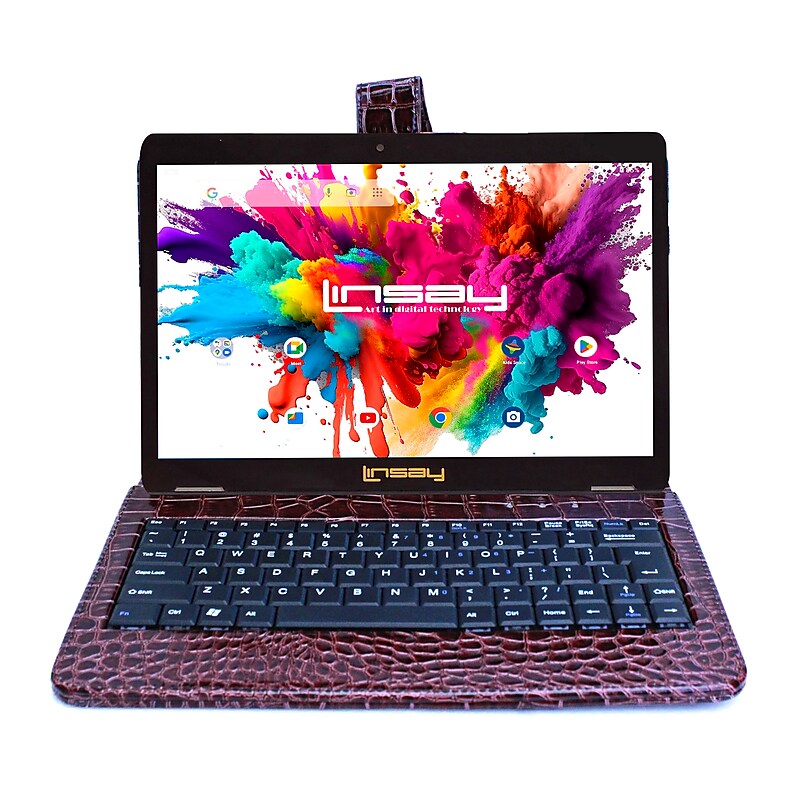
Meet the 10.1 in. LINSAY High End Octa Core Processor with 4GB RAM 128GB Storage 1280x800 IPS Screen High Resolution Tablet with Pen Stylus and Google Android OS 15 Keeps You in Touch. Stay connected with the easy-to-use LINSAY Octa Core 10 in. capacitive tablet bundle with Google Android 15. This high-tech tablet is a flexible and powerful mobile Internet solution. Multi-task with the 10.1 in. Capacitive 1280x800 IPS Touch Screen and Android 15 Operating System along with 128GB Internal Memory and customize your home screen with favorite games, social media tools, productivity apps and more. You'll find that the 10 in. tablet bundle Google Android OS 15 makes staying connected a snap. Email, browse the web and reach out to friends and family no matter where you are, right from your hand-held device. Capture and share all of life's best moments with the tablet's built-in Front and Rear Camera. Listen to your favorite music or watch TV and movies with clear audio through built-in stereo speakers. No matter how you choose to use your device, you'll find this tablet offers a powerful solution for both productivity and entertainment..10.1" IPS Touchscreen (1280 x 800): Enjoy sharp visuals and vibrant colors with wide viewing angles - ideal for streaming, browsing, reading, and multitasking on the go..Powerful Octa Core Processor: Experience smooth performance and fast multitasking with high-end processing power - ideal for streaming, gaming, browsing, and productivity apps..Android 15 Operating System: Enjoy a smooth, customizable experience with the latest Android OS - offering enhanced security, app compatibility, and intuitive navigation..4GB RAM for Smooth Multitasking: Run multiple apps, stream content, and switch tasks effortlessly with 4GB of memory designed for responsive performance and everyday productivity..128GB eMMC Storage: Store more apps, photos, and media with generous built-in memory - plenty of space for work and play, plus fast access to your favorite content..Wi-Fi & Expandable Storage: Stay connected with built-in Wi-Fi and expand your storage up to 512GB via MicroSD card - perfect for storing more apps, media, and files..Front & Rear Cameras: Capture and share moments with built-in dual cameras - ideal for video calls, selfies, and snapping photos wherever you go..Brown Crocodile Keyboard Included: Boost productivity with a sleek, portable keyboard - ideal for typing emails, documents, and schoolwork on the go..Precision Stylus Pen Included: Navigate, draw, and take notes with ease using the included stylus - great for students, creatives, and professionals..Safety Data Sheet.WARNING: This product can expose you to chemicals including Lead and Lead Compounds, which are known to the State of California to cause cancer and birth defects or other reproductive harm. For more information go to.LINSAY Octa Core 10.1" Tablet, 128GB Storage, Android 15, Bundled with Brown Crocodile Keyboard and Stylus Pen
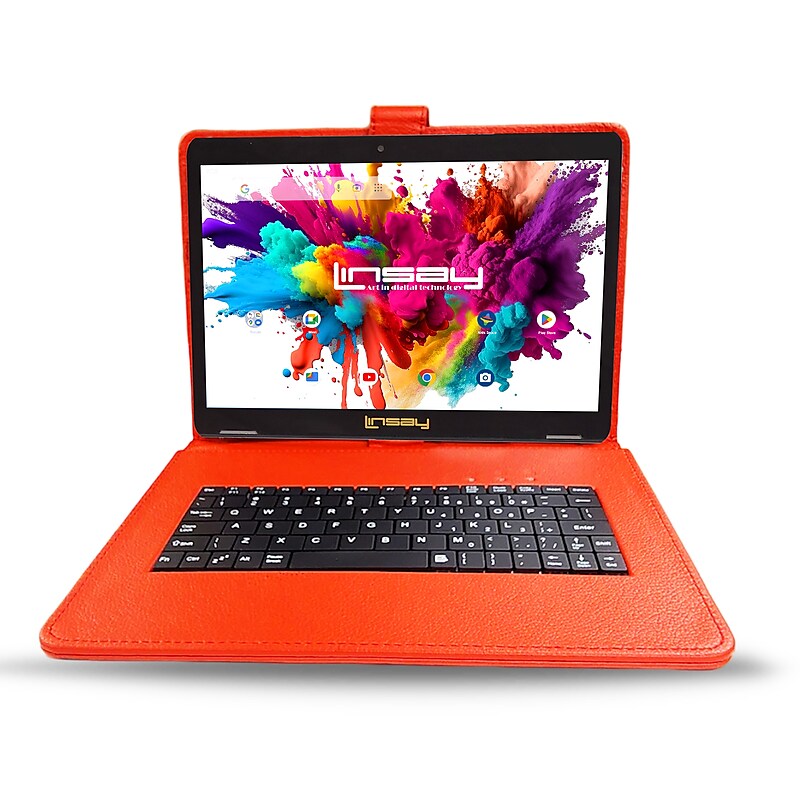
Meet the 10.1 in. LINSAY High End Octa Core Processor with 4GB RAM 128GB Storage 1280x800 IPS Screen High Resolution Tablet with Pen Stylus and Google Android OS 15 Keeps You in Touch. Stay connected with the easy-to-use LINSAY Octa Core 10 in. capacitive tablet bundle with Google Android 15. This high-tech tablet is a flexible and powerful mobile Internet solution. Multi-task with the 10.1 in. Capacitive 1280x800 IPS Touch Screen and Android 15 Operating System along with 128GB Internal Memory and customize your home screen with favorite games, social media tools, productivity apps and more. You'll find that the 10 in. tablet bundle Google Android OS 15 makes staying connected a snap. Email, browse the web and reach out to friends and family no matter where you are, right from your hand-held device. Capture and share all of life's best moments with the tablet's built-in Front and Rear Camera. Listen to your favorite music or watch TV and movies with clear audio through built-in stereo speakers. No matter how you choose to use your device, you'll find this tablet offers a powerful solution for both productivity and entertainment..10.1" IPS Touchscreen (1280 x 800): Enjoy sharp visuals and vibrant colors with wide viewing angles - ideal for streaming, browsing, reading, and multitasking on the go..Powerful Octa Core Processor: Experience smooth performance and fast multitasking with high-end processing power - ideal for streaming, gaming, browsing, and productivity apps..Android 15 Operating System: Enjoy a smooth, customizable experience with the latest Android OS - offering enhanced security, app compatibility, and intuitive navigation..4GB RAM for Smooth Multitasking: Run multiple apps, stream content, and switch tasks effortlessly with 4GB of memory designed for responsive performance and everyday productivity..128GB eMMC Storage: Store more apps, photos, and media with generous built-in memory - plenty of space for work and play, plus fast access to your favorite content..Wi-Fi & Expandable Storage: Stay connected with built-in Wi-Fi and expand your storage up to 512GB via MicroSD card - perfect for storing more apps, media, and files..Front & Rear Cameras: Capture and share moments with built-in dual cameras - ideal for video calls, selfies, and snapping photos wherever you go..Red Keyboard Included: Boost productivity with a sleek, portable keyboard - ideal for typing emails, documents, and schoolwork on the go..Precision Stylus Pen Included: Navigate, draw, and take notes with ease using the included stylus - great for students, creatives, and professionals..Application Pack included.Safety Data Sheet.WARNING: This product can expose you to chemicals including Lead and Lead Compounds, which are known to the State of California to cause cancer and birth defects or other reproductive harm. For more information go to.LINSAY Octa Core 10.1" Tablet, 128GB Storage, Android 15, Bundled with Red Keyboard, Stylus Pen and Application Pack
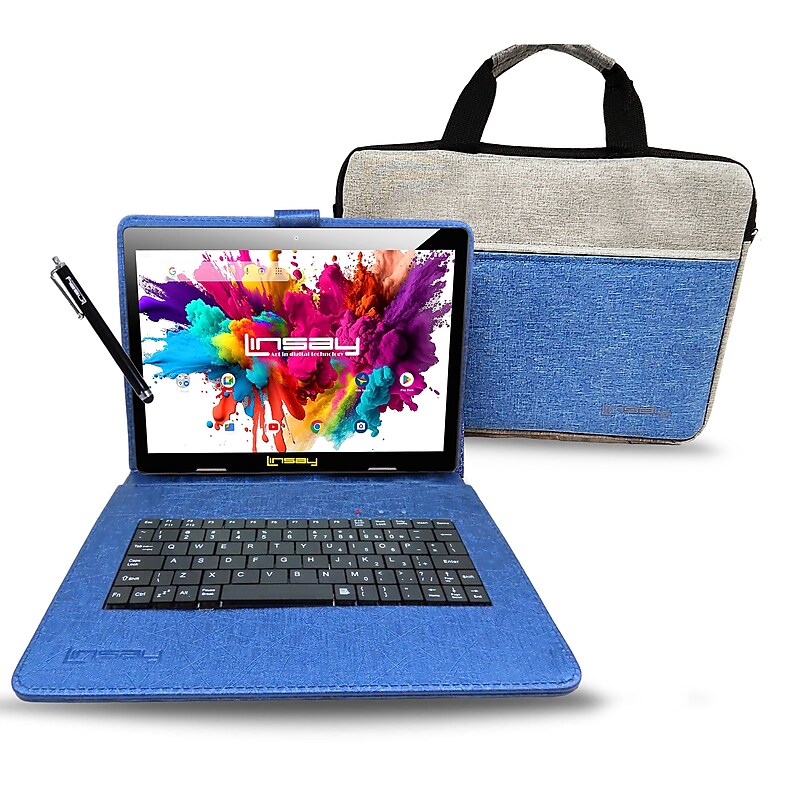
Meet the 10.1 in. LINSAY High End Octa Core Processor with 4GB RAM 128GB Storage 1280x800 IPS Screen High Resolution Tablet with Pen Stylus and Google Android OS 15 Keeps You in Touch. Stay connected with the easy-to-use LINSAY Octa Core 10 in. capacitive tablet bundle with Google Android 15. This high-tech tablet is a flexible and powerful mobile Internet solution. Multi-task with the 10.1 in. Capacitive 1280x800 IPS Touch Screen and Android 15 Operating System along with 128GB Internal Memory and customize your home screen with favorite games, social media tools, productivity apps and more. You'll find that the 10 in. tablet bundle Google Android OS 15 makes staying connected a snap. Email, browse the web and reach out to friends and family no matter where you are, right from your hand-held device. Capture and share all of life's best moments with the tablet's built-in Front and Rear Camera. Listen to your favorite music or watch TV and movies with clear audio through built-in stereo speakers. No matter how you choose to use your device, you'll find this tablet offers a powerful solution for both productivity and entertainment..10.1" IPS Touchscreen (1280 x 800): Enjoy sharp visuals and vibrant colors with wide viewing angles - ideal for streaming, browsing, reading, and multitasking on the go..Powerful Octa Core Processor: Experience smooth performance and fast multitasking with high-end processing power - ideal for streaming, gaming, browsing, and productivity apps..Android 15 Operating System: Enjoy a smooth, customizable experience with the latest Android OS - offering enhanced security, app compatibility, and intuitive navigation..4GB RAM for Smooth Multitasking: Run multiple apps, stream content, and switch tasks effortlessly with 4GB of memory designed for responsive performance and everyday productivity..128GB eMMC Storage: Store more apps, photos, and media with generous built-in memory - plenty of space for work and play, plus fast access to your favorite content..Wi-Fi & Expandable Storage: Stay connected with built-in Wi-Fi and expand your storage up to 512GB via MicroSD card - perfect for storing more apps, media, and files..Front & Rear Cameras: Capture and share moments with built-in dual cameras - ideal for video calls, selfies, and snapping photos wherever you go..Unique Oracle Blue Keyboard Case Included: Enhance productivity with a stylish and functional keyboard case - perfect for typing, emailing, and working on the go..Briefcase Included.Precision Stylus Pen Included: Navigate, draw, and take notes with ease using the included stylus - great for students, creatives, and professionals..Safety Data Sheet.WARNING: This product can expose you to chemicals including Lead and Lead Compounds, which are known to the State of California to cause cancer and birth defects or other reproductive harm. For more information go to.LINSAY Octa Core 10.1" Tablet, 128GB Storage, Android 15, Bundled with Blue Keyboard Case, Briefcase, and Stylus Pen
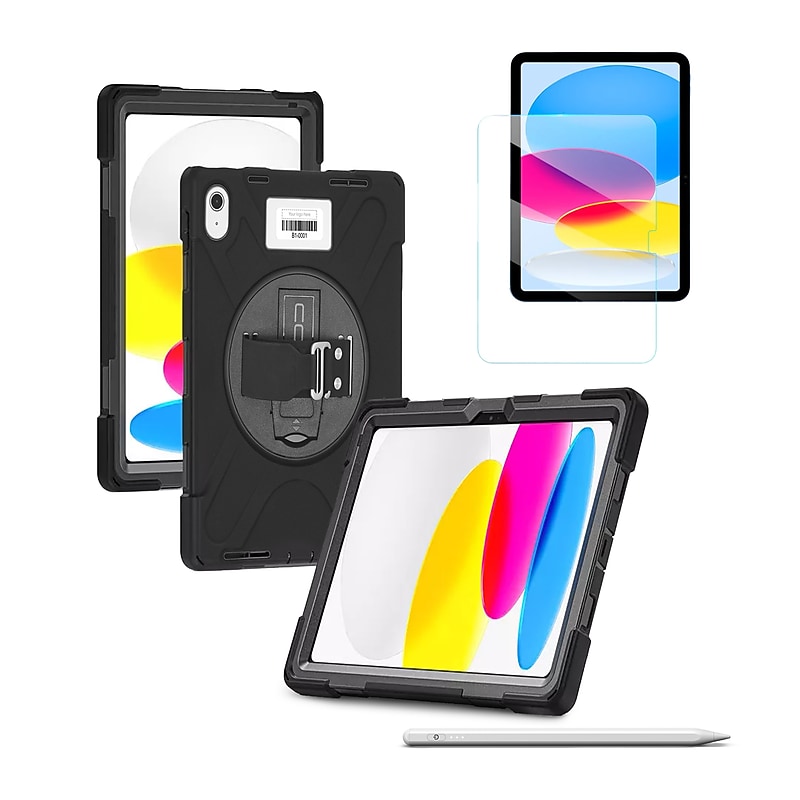
CODi’s iPad Bundle delivers the perfect combination of protection, clarity, and creativity for your iPad 11" (A16)/iPad 10.9" (10th Gen). The Rugged Case offers 360° drop-tested defense with reinforced bumpers, a rotating kickstand, an adjustable hand strap, and a detachable shoulder strap for maximum versatility. Paired with the 9H Tempered Glass Screen Protector, your display stays crystal clear, smudge-resistant, and impact-ready without sacrificing touch sensitivity. To complete the package, the Active Stylus with palm rejection technology provides a smooth, natural writing and drawing experience - no glove, Bluetooth, or apps required. Together, this bundle ensures your iPad is fully protected, perfectly responsive, and ready for both work and creativity..Rugged Case: 3-part design with drop-test and fluid-contamination certification, reinforced silicone bumpers, integrated rotating kickstand, adjustable silicone hand strap, and detachable shoulder strap.Tempered Glass Screen Protector: 9H hardness rating resists scratches and impacts; ultra-thin 0.4mm design preserves HD clarity, touch sensitivity, and includes an oleophobic coating for smudge resistance.Active Stylus: Designed for iPad, iPad Pro, and iPad Air; features palm rejection, magnetic attachment, and smooth POM pen tip for seamless writing and drawing.Case supports both portrait and landscape viewing for flexible use.Screen protector uses advanced silicone adhesion for quick, bubble-free application.Stylus requires no Bluetooth or app connection and turns on/off with a simple touch.Complete bundle - rugged defense for your iPad, pristine screen protection, and a precision stylus for productivity and creativity.Ultimate protection and precision for your iPad - rugged defense, crystal-clear clarity, and seamless stylus input.
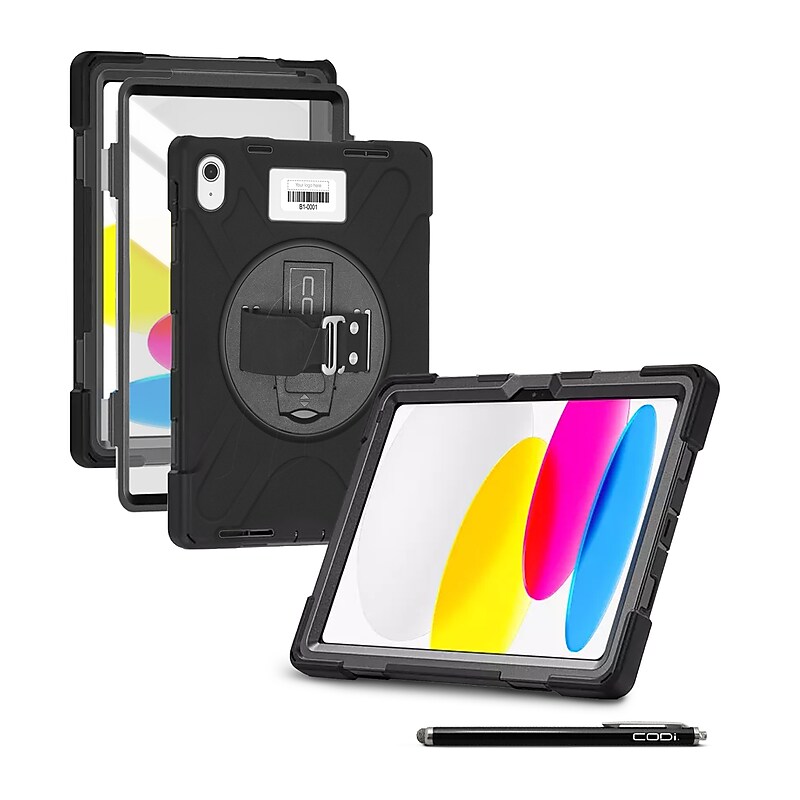
CODi’s iPad Bundle combines rugged, full-body protection with touchscreen convenience for the iPad 11" (A16)/iPad 10.9" (10th Gen). The Rugged Case with integrated screen protector delivers 360° defense against drops, impacts, and fluid exposure, while reinforced silicone bumpers, a rotating kickstand, and an adjustable hand strap ensure maximum usability and comfort. Paired with a universal Capacitive Stylus, you can navigate, write, and tap with precision while keeping your screen free from smudges and fingerprints. Durable, practical, and versatile, this bundle is the perfect solution for users who need both device protection and simple, everyday touchscreen accuracy..Rugged Case w/ Integrated Screen Protector: 3-part construction with drop-test and fluid-contamination certification; 360° coverage with reinforced corner bumpers; integrated screen protector for complete display defense.Functional Design: Built-in rotating kickstand supports portrait and landscape viewing; rotating silicone hand strap provides a secure, adjustable hold; detachable shoulder strap offers hands-free portability.Capacitive Stylus: Compatible with all capacitive touchscreen devices; precision rubber mesh tip reduces smudges and fingerprints; pen-style aluminum body with clip for easy storage.No Bluetooth or setup required - stylus works instantly with any touchscreen.Complete solution - rugged protection for your iPad plus a convenient stylus for clean, accurate screen interaction.Durable protection and everyday touchscreen precision - your iPad bundle made simple.