Portrait Orientation Monitor Mounts

98 results
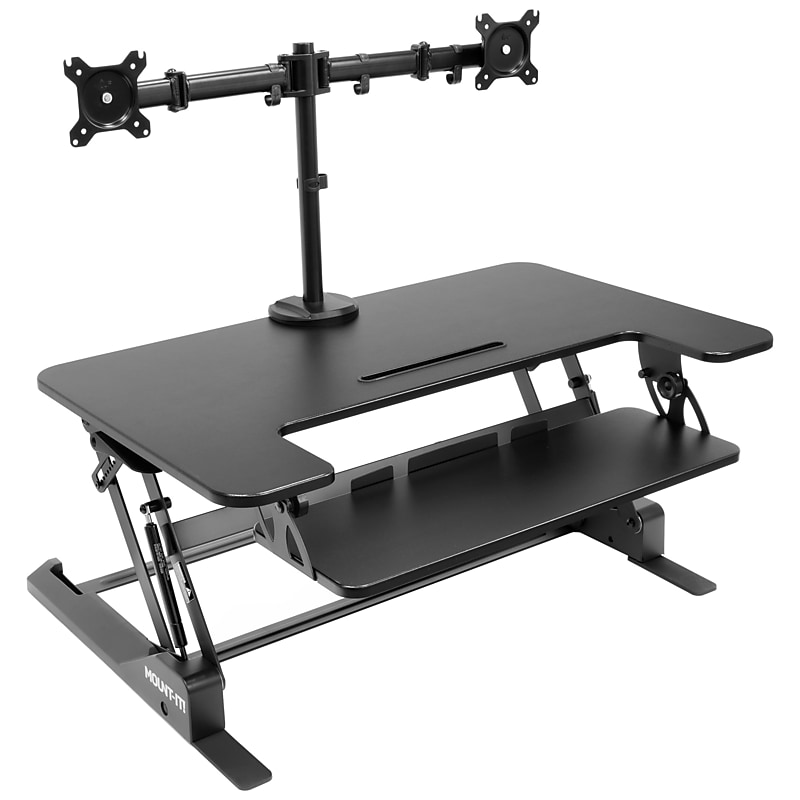
Mount-It! Mount-It! 36"W Manual Rectangular Adjustable Aluminum Standing Desk Converter, Black (MI-7934) image 1
Item: 24148276
Model: MI-7934

The MI-7934 sit-stand desk converter will turn your desk into an ergonomic workspace and can hold two monitors to maximize your efficiency. The adjustable dual monitor mount allows you to position the screens to fit your needs. Reduce eye strain and glare by tilting the monitors to find the perfect angle. Rotate your screens between landscape and portrait to suit your working needs. The large surface holds all your office essentials. Nonskid pads helps protect your desk from scratches. Integrated cable management keeps your desk tidy and organized..EASY HEIGHT ADJUSTMENT: Sit to stand in seconds with this standing desk converter. The gas spring mechanism allows for smooth up and down height adjustments from 6.5" to 16.3", allowing you to find the perfect height. Comes with 8 preset height levels..COMES WITH DUAL MONITOR MOUNT: Includes a sturdy dual monitor mount that supports monitors from 13" up to 32" in size and 17.6 lbs for each arm. The desk converter supports a maximum total weight of 33 lbs. Supports standard 75x75mm or 100x100mm VESA patterns.FULLY ADJUSTABLE: Monitor arms have arms which tilt +/- 90 degrees, swivel left-right 180 degrees, and rotate 360 degrees, offering a more ergonomic positioning of your computer screens, while saving room on your desktop. Each screen can be placed in portrait or landscape orientation independent of one another.DIMENSIONS: (Top Surface): 36.25" x 22"; (Keyboard Tray): 26.9" x 9".EASY ASSEMBLY: Start enjoying the benefits right away. Simply pull your adjustable standing desk out of the box and attach the ergonomically placed keyboard tray using the included hardware. Conveniently attach or detach the included monitor mount using the c-clamp base.HELPS WITH ORGANIZATION: Cable clips as well as tool storage slot and built-in tray keep your workspace in order.Supported by manufacturer's limited lifetime warranty.Proudly designed, quality-controlled, and supported in the U.S. by a small business delivering trusted solutions since 2006..Designed to meet or exceed ANSI/BIFMA standard.Mount-It! Standing Desk Converter with Dual Monitor Mount (MI-7934)
Price is  $279.99
1
2
3
4
5
6
7
8
9
10
11
12
13
14
15
16
17
18
19
20
21
22
23
24
25
26
27
28
29
30
Over 30
Add to list
91
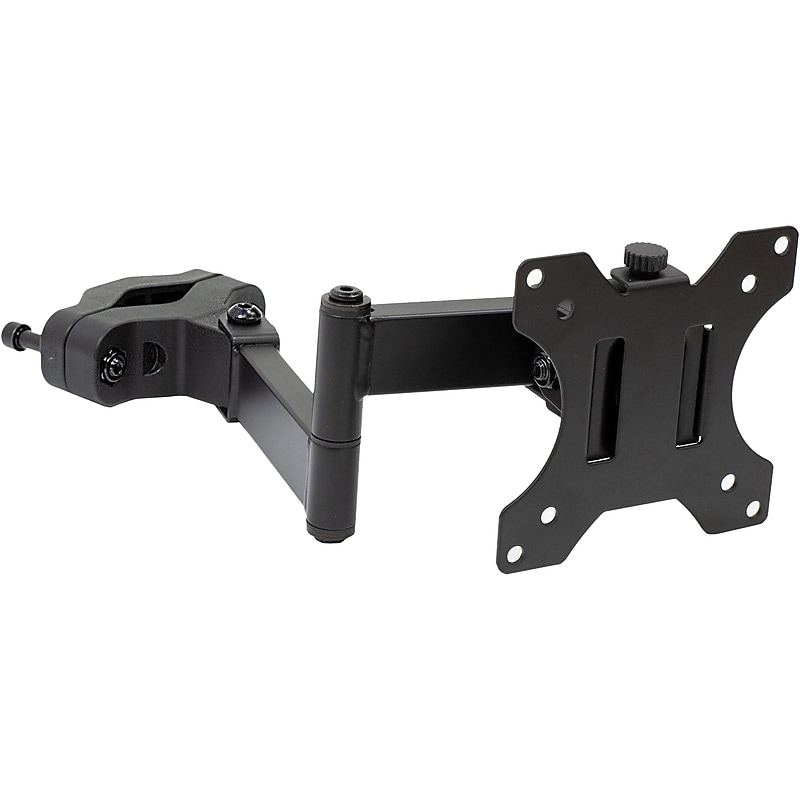
Mount-It! Full-Motion Truss/Pole TV Mount, 17.6 lbs. Max. (MI-391) image 1
Item: 24425140
Model: MI-391

Mount your display anywhere with Mount-It! full-motion TV and monitor truss/pole mount. It is a versatile VESA monitor mount that fits displays up to 32" and is great for a wide array of spaces and environments. It is built for outdoor seating areas, garages, boats, retail, stage truss, and a lot more. Its heavy-duty steel construction will keep your display safely mounted and is sure to withstand the test of time..Full-motion truss/pole mount is designed to make it easier to mount your TV or monitor in unusual and unique places.VESA compatibility: 75mm x 75mm to 100mm x 100mm; max weight capacity: 17.6 lbs..Versatile clamping pole mount fits poles from 1.1"Dia. to 2.4"Dia..Great for outdoor seating areas, garages, boats, retail, stages, and more.360-degree rotation makes the transition between portrait and landscape orientation much easier.Features 45 degrees down/45 degrees up tilt and 180 degrees swivel (three swivel joints).Fits up to 32" TVs and monitors.Made of heavy-duty steel, comes in black.Locking screw secures monitor in place.All hardware included.Supported by manufacturer's limited lifetime warranty

Price is  $53.49
1
2
3
4
5
6
7
8
9
10
11
12
13
14
15
16
17
18
19
20
21
22
23
24
25
26
27
28
29
30
Over 30
Add to list
2

About Portrait Orientation Monitor Mounts

Portrait orientation monitor mounts are essential accessories for optimizing workspace ergonomics and enhancing productivity. These mounts allow users to position their monitors vertically, making them ideal for tasks such as coding, reading, and graphic design, where a taller display can improve visibility and workflow.

Designed for versatility, portrait orientation mounts can accommodate various monitor sizes and weights, ensuring a secure fit. They provide the flexibility to adjust height, tilt, and rotation, allowing users to create a comfortable viewing experience tailored to their specific needs.

When selecting a portrait orientation monitor mount, consider features such as weight capacity, VESA compatibility, and adjustability options. Look for mounts that offer easy installation and sturdy construction to ensure your monitor remains securely in place while providing the desired range of motion.

Additionally, consider mounts with cable management systems to keep your workspace organized and free from clutter. This not only enhances the aesthetic appeal of your setup but also contributes to a more efficient and productive work environment.

What is a portrait orientation monitor mount?

  • A portrait orientation monitor mount is a device that allows a computer monitor to be positioned vertically. This setup is beneficial for tasks that require more vertical screen space, such as document editing and coding.

Why should I use a portrait orientation monitor mount?

  • Using a portrait orientation monitor mount can improve your productivity by providing a better view of long documents or web pages. It also helps reduce neck strain by allowing for optimal screen positioning.

What features should I look for in a monitor mount?

  • Look for features such as VESA compatibility, weight capacity, and adjustability options like tilt and swivel. These features ensure that the mount can accommodate your monitor securely and provide the flexibility you need for comfortable viewing.

Can I use a portrait mount for landscape monitors?

  • While portrait mounts are specifically designed for vertical orientation, many models can also accommodate landscape monitors. Ensure that the mount supports the monitor's weight and size for safe use in either orientation.

Are portrait orientation monitor mounts easy to install?

  • Most portrait orientation monitor mounts come with straightforward installation instructions and necessary hardware. Many designs allow for quick setup, making it easy to adjust your workspace without professional assistance.

Do portrait orientation monitor mounts help with cable management?

  • Many portrait orientation monitor mounts feature built-in cable management systems to help keep cords organized and out of sight. This not only enhances the appearance of your workspace but also reduces the risk of tangling and damage to cables.