Right Handed Bluetooth Computer Mice

49 results
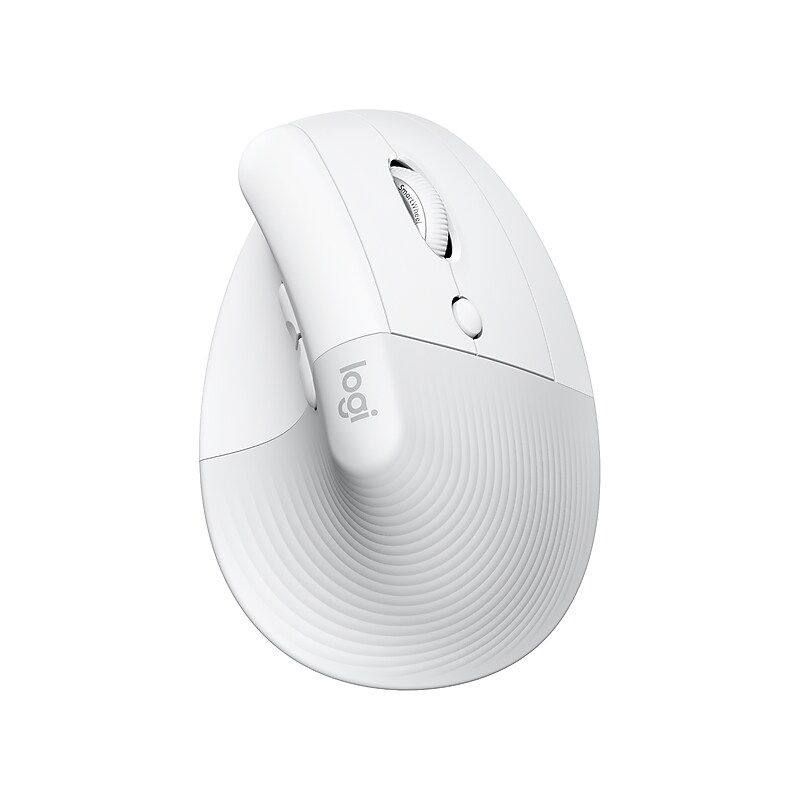
Logitech Lift for Mac Wireless Ergonomic Vertical Optical Bluetooth & USB Mouse, White (910-006471) image 1
12% off  of Logitech Lift for Mac Wireless Ergonomic Vertical Optical Bluetooth & USB Mouse, White (910-006471)
Item: 24548085
Model: 910-006471

When the desk life gets you down, lift yourself up. A great fit for small to medium hands, the Logitech Lift Vertical Ergonomic mouse is crafted for comfort from first light to late night. Raise your hand into instant comfort with a soft rubber grip and cozy thumb rest. Realign into a more natural posture at 57 degrees. And feel focus flow from morning to night with productivity features designed to suit your working style. Connect easily to up to three devices via Bluetooth or Logi Bolt, and enjoy up to 2 years of battery life on a single AA battery..Get comfy from first light to late night with this ergonomic mouse.Take this reliable wireless mouse anywhere.Powered by one AA battery (included).Whether you use a computer or tablet, you can hop effortlessly between up to three devices using the Easy-Switch button.Textured rubber grip and comfy thumb rest.Four easy-to-reach customizable buttons.Six-button design for speed and enhanced functionality.Quiet clicks and Smart wheel.Ergonomic shape for comfortable prolonged use.Bluetooth sensor with 400-4000 dpi resolution ensures reliable tracking.Signal lets you control your cursor from up to 33' away.Up to 2 years of battery life.Graphite plastics: 70% post-consumer recycled plastic (excludes plastic in the receiver, battery, printed wiring assembly (PWA), FFC cable, and packaging).1-year manufacturer limited warranty.Safety Data Sheet

Price is  $69.99
$79.99
1
2
3
4
5
6
7
8
9
10
11
12
13
14
15
16
17
18
19
20
21
22
23
24
25
26
27
28
29
30
Over 30
Add to list
126

About Right Handed Bluetooth Computer Mice

Right handed Bluetooth computer mice are designed specifically for right-handed users, providing ergonomic comfort and ease of use during extended computer sessions. These wireless devices offer the freedom of movement without the hassle of tangled cords, making them ideal for both home and office environments.

With Bluetooth connectivity, these mice can easily pair with various devices, including laptops, tablets, and desktops, ensuring a seamless user experience. Their portability and convenience make them a popular choice for professionals and casual users alike, enhancing productivity on the go.

When choosing a right handed Bluetooth mouse, consider features such as ergonomic design, battery life, and customizable buttons. An ergonomic shape can help reduce wrist strain, while long battery life ensures uninterrupted usage, making these mice suitable for daily tasks.

Additionally, look for models that offer adjustable DPI settings for precise control and responsiveness. Customizable buttons can enhance workflow by allowing users to assign specific functions, making right handed Bluetooth mice a versatile tool for any computing task.

What are the benefits of using a right handed Bluetooth mouse?

  • A right handed Bluetooth mouse provides ergonomic support tailored for right-handed users, reducing discomfort during long periods of use. The wireless design also allows for greater mobility and a clutter-free workspace.

How do I connect a Bluetooth mouse to my computer?

  • To connect a Bluetooth mouse, ensure Bluetooth is enabled on your computer, then turn on the mouse and put it in pairing mode. Select the mouse from the list of available devices in your computer's Bluetooth settings to complete the connection.

Are Bluetooth mice better than wired mice?

  • Bluetooth mice offer the advantage of wireless convenience and portability, making them easier to use in various settings. However, wired mice may provide a more stable connection and eliminate concerns about battery life.

What features should I look for in a Bluetooth mouse?

  • Key features to consider include ergonomic design for comfort, adjustable DPI settings for sensitivity control, and customizable buttons for enhanced functionality. Battery life and compatibility with your devices are also important factors.

Can I use a Bluetooth mouse with a tablet?

  • Yes, many tablets support Bluetooth connectivity, allowing you to use a Bluetooth mouse for improved navigation and productivity. Check your tablet's specifications to ensure compatibility with Bluetooth devices.

Do Bluetooth mice require batteries?

  • Most Bluetooth mice are powered by batteries, either disposable or rechargeable. It's important to check the battery type and life expectancy to ensure you have a reliable power source for your mouse.