Thunderbolt 4 Docks
50 results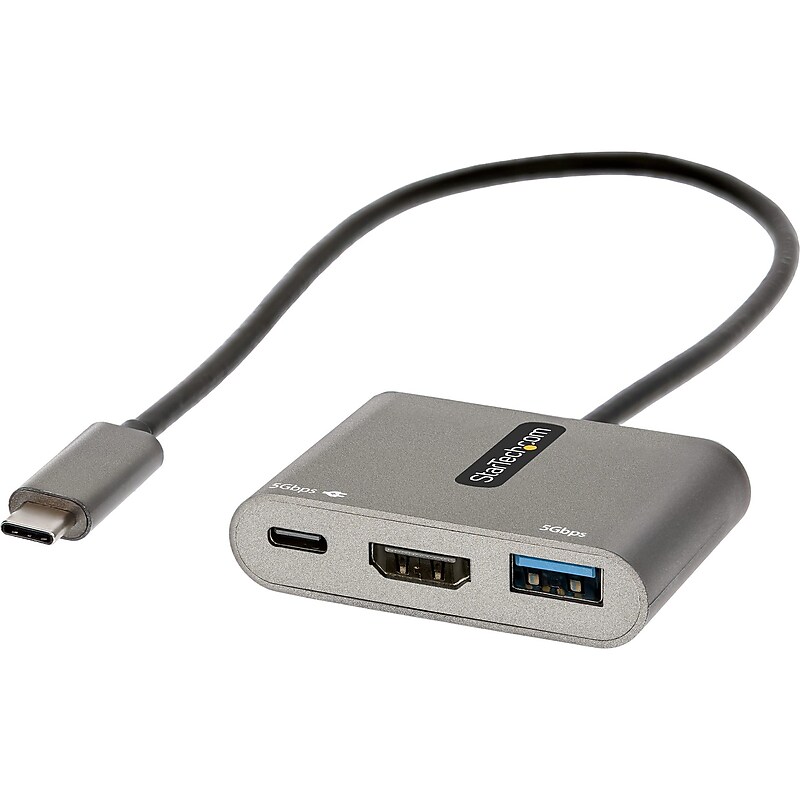
This USB-C multiport adapter with HDMI lets you add vital connections to your laptop with a single USB-C port. The USB C mini docking station features automatic driver installation and supports Windows, macOS, Chrome OS, Linux and Android, providing a portable connectivity solution for your USB-C laptop, tablet, phone, Ultrabook, or Chromebook. The multiport adapter is also compatible with Thunderbolt 3, and Thunderbolt 4 laptops like MacBook Pro/Air, HP EliteBook, Dell XPS/Latitude, Lenovo Thinkpad X1 & Surface Laptop 3/Book 3..USB-C multiport adapter with HDMI lets you add vital connections to your laptop with a single USB-C port.Dimensions: 0.4"H x 4.5"W x 2.4"D.Contains HDMI, USB-A, USB-C ports.Features compact, portable design for on-the-go use with travel accessories.Equipped with 13" attached cable for extended reach to reduce port/connector strain on 2-in-1 devices like Surface Pro (7+) and laptops on riser stands.HDMI output supports video resolutions up to 4K 30Hz (3440x1440 ultra-wide monitors/displays supported).Can operate using bus power alone, or it can be connected to an external USB-C power adapter up to 100W.100W power delivery 3.0 pass through with 8W reserved for adapter to avoid video flickering, device dropouts or overdrawing power common in other hubs.Compatible with USB-C laptops, tablets, phones ultrabooks, Chromebooks, plus Thunderbolt 3 and 4 laptops like MacBook Pro/Air, HP EliteBook, Dell XPS/Latitude, Lenovo Thinkpad X1, Surface laptop 3/Book 3.Supports Windows, macOS, Chrome OS, Linux, and Android.Automatic driver installation for easy setup.3-year manufacturer limited warranty
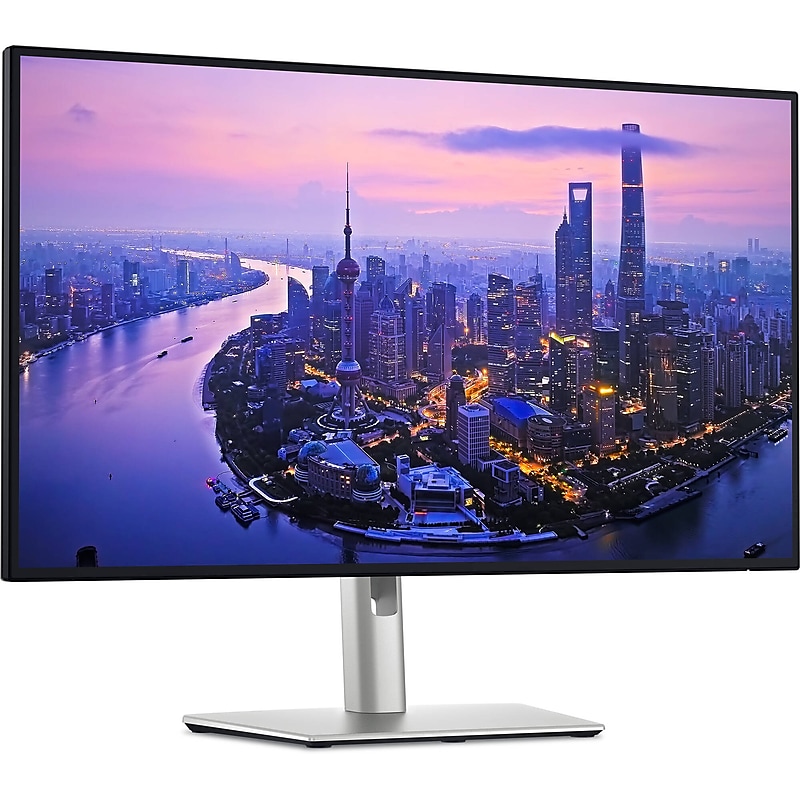
The Dell UltraSharp U2725QE is a premium 27-inch 4K UHD productivity monitor designed for professionals, creators, and hybrid work environments. Featuring advanced IPS Black technology, it delivers ultra-deep 3000:1 contrast, 99% DCI-P3 color accuracy, and up to 600 nits brightness with DisplayHDR 600 certification for stunning image quality. With a smooth 48–120 Hz variable refresh rate (VRR) and fast 5 ms response time, it ensures fluid visuals and sharp clarity. Acting as a powerful Thunderbolt 4 docking hub, it includes dual Thunderbolt 4 ports with up to 140W power delivery, dual DisplayPort 1.4, HDMI 2.1, USB-C, USB-A, and 2.5 GbE Ethernet for seamless connectivity. A built-in KVM switch allows control of two PCs with one keyboard and mouse, while ergonomic features like height, tilt, swivel, and pivot adjustments, an anti-glare screen, ambient light sensor, and ComfortView Plus low blue light technology ensure all-day comfort. With a sleek, VESA-mountable design, eco-friendly certifications (ENERGY STAR 8.0, TCO, RoHS, TAA), and a 3-year limited warranty, the U2725QE is the ultimate 4K monitor for users who demand exceptional performance, color precision, and versatile connectivity..Stunning 4K UHD Display: 27-inch screen with 3840 × 2160 resolution and 16:9 aspect ratio for sharp visuals and ample workspace..IPS Black Panel Technology: Enhanced contrast with 3000:1 ratio and 99% DCI-P3 color for deep blacks and vibrant accuracy..High Brightness & HDR: Up to 600 nits brightness with DisplayHDR 600 certification for vivid highlights and detail..Smooth Refresh & Fast Response: Supports 48–120 Hz VRR and 5 ms response time for fluid visuals and reduced motion blur..Thunderbolt 4 Hub Functionality: Dual Thunderbolt 4 ports with up to 140W power delivery for streamlined connectivity..Versatile Connectivity Options: Includes DisplayPort 1.4 in/out, HDMI 2.1, USB-C, USB-A, and 2.5 GbE Ethernet..Built-in KVM Switch: Seamlessly control two PCs with one keyboard and mouse using the integrated KVM feature..Ergonomic & Eye-Friendly Design: Adjustable stand, anti-glare screen, ambient light sensor, and ComfortView Plus..Eco-Conscious & Certified: ENERGY STAR 8.0, TCO Certified, RoHS compliant, and TAA approved for enterprise use..Reliable Warranty & Accessories: Comes with a 3-year limited warranty and includes all essential cables in the box..The U2725QE is certified with ENERGY STAR 8.0, TCO Certified, RoHS compliance, and TAA for government and enterprise standards..Compact & Lightweight Build: Weighs 15.6 lbs. (7.06 kg) with stand and 11.5 lbs (5.22 kg) without; designed with a slim profile and VESA-mountable for flexible setup..It comes with a 3-year limited warranty from Dell, covering manufacturing defects and panel performance.