Type-A USB Hubs
98 results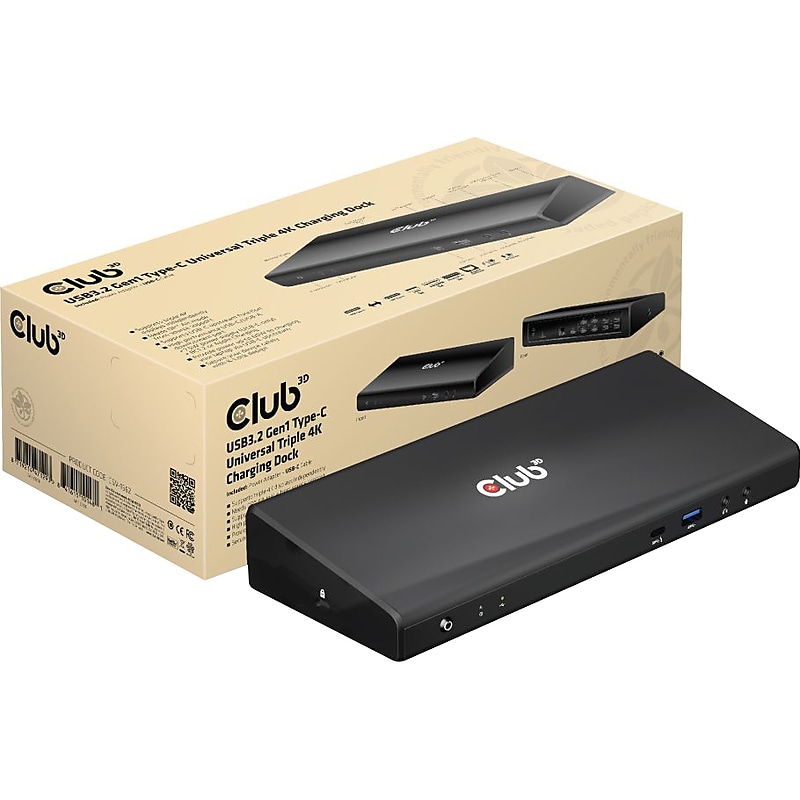
Club 3D USB 3.2 Gen1 Type-C universal triple 4K charging docking station is designed to cater for your most versatile connectivity demands. The USB 3.2 Gen1 interface supports up to 5 Gbps bandwidth, which enables you to enjoy super speed data transmission between your favorite USB peripherals and allows for up to 2x external 4K60Hz displays and 1x 4K30Hz simultaneously (needs DP Alt mode support from the source) in addition it offers a wired network connection, up to 1Gbps, as well as audio and microphone output. By adopting Power Delivery (PD) charging technology, the upstream charging function through USB 3.2 Gen1 Type-C interface, you can charge a connected cell phone/tablet/laptop. Furthermore, the added Kensington Lock option allows you to secure your dock as well. All it needs is a free USB 3.2 Gen 1 port on your Laptop or Ultrabook to connect to the universal triple 4K charging docking station via a single USB Type-C cable..USB 3.2 Gen 1 Type-C universal triple 4K charging docking station is designed to cater to your most versatile connectivity demands.Dimensions: 1.34"H x 9.84"W x 3.27"D.Contains 1 x USB Type-C port, 4 x USB Type-A ports (5V/0.9A), 1 x USB Type-A port (fast charging), and 1 x USB Type-C port.Box contains: docking station, external power supply 100-240VAC, 135W, power cord (specify plug when ordering), USB Type-C cable with USB Type-C to USB Type-A adapter (male-to-male, 1m/3.28"), quick installation guide.Contains 3 x HDMI female, 2 x DisplayPort female, 5 x USB Type-A female, 1 x gigabit Ethernet RJ45, 1 x headphone, and 1 x mic ports.Capable of charging notebooks up to 85W; using the front downstream port, you can charge your phone up to 7.5W.Provides you with unparalleled connection options for up to three 4K displays.Meets or exceeds ROHS, FCC, and CE EMI standards
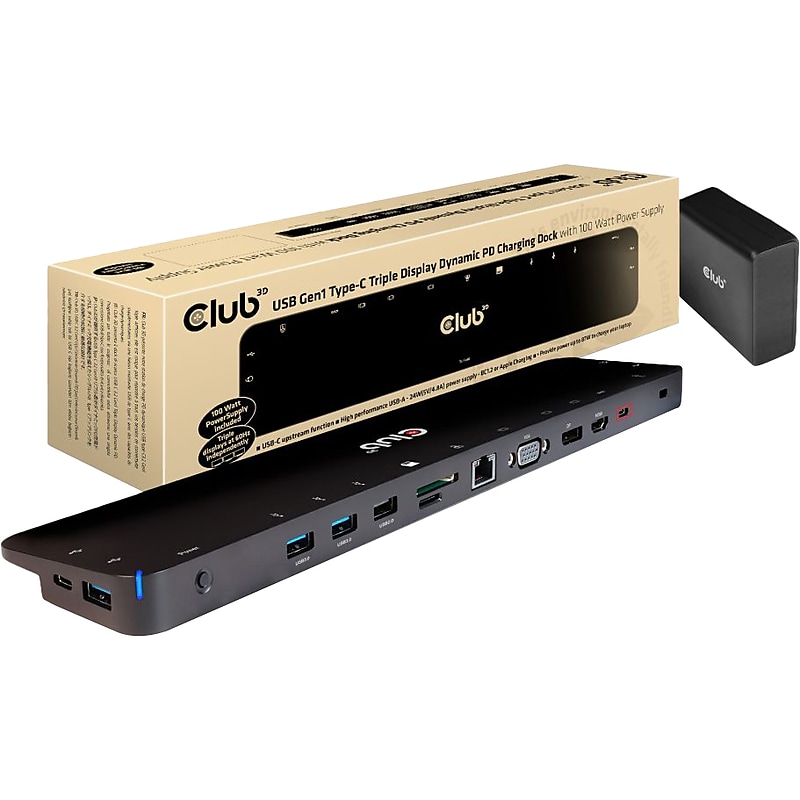
The Club-3D USB 3.2 Gen1 C Triple Display Dynamic PD charging dock is an integrated solution combining video, data, power, Ethernet, and audio, especially for frequent travelers. The three different video ports(HDMI, DisplayPort, VGA) allow you to enjoy three different images or videos on three different displays simultaneously under MST mode. The USB Type-A ports and USB Type-C data ports allow you to connect multiple USB devices to the host. The USB Type C charging port allows you to provide power for this dock and can charge the host PC at the same time by connecting a PD power adapter, no need to carry your notebook's power supply. So in general the user is traveling lighter. The micro SD and SD/MMC ports allow you to read the information in the memory card onto the host. The 3.5mm audio port allows enjoying the music of the host via a headset. Besides, with the Gigabit Ethernet port, you can enjoy high-speed Ethernet on the host. It supports all DP Alt mode-supported hosts. Dynamic current detection and power distribution, the product no longer intercepts the fixed power from the external PD power supply, but intercepts it according to the actual power consumed by itself, so that the PC can be dynamically charged with more power..Triple-display charging dock is an integrated solution combining video, data, power, Ethernet, and audio especially for frequent travelers.Dimensions: 0.79"H x 13.78"W x 2.95"D.USB Gen1 Type-C female for connecting to the host.Package includes: docking station, 100W power supply, two USB Type-C cables, connection to host (0.8' USB Type-C cable and 3.28' USB Type-C cable), and quick installation guide.Contains: 2 x USB Gen 1 Type-C female (one for data, one for PD charging), 3 x USB Gen 1 Type-A, 2 x USB 2.0 Type-A, 1 x HDMI, 1 x DisplayPort, 1 x VGA, 1 x RJ45 jack, 1 x SD slot, 1 x microSD slot, and 1 x 3.5mm stereo jack.Three different video ports allow you to enjoy three different images or videos on three different displays simultaneously under MST mode.Supported resolutions: up to 4K at 30Hz for the HDMI and DP ports and up to 1920 x 1200 at 60Hz for the VGA port.USB Type-A ports and USB Type-C data ports allow you to connect multiple USB devices to the host.USB Type-C charging port allows you to provide power for this dock and can charge the host PC at the same time by connecting a PD power adapter.Micro SD and SD/MMC ports allow you to read information in the memory card onto the host.3.5mm audio port allows enjoying music of the host via a headset.With the Gigabit Ethernet port, you can enjoy high-speed Ethernet on the host.Supports all DP Alt Mode hosts (PC, laptop, mobile phone, etc.).Supports data transmission speeds up to 5Gbps on the USB 3.2 Gen 1 Type-C ports.Supports Dynamic Current Detection and Power Distribution, the product no longer intercepts the fixed power from the external PD PowerSupply, but intercepts it according to the actual power consumed by itself.Meets or exceeds ROHS, FCC, and CE EMI standards.2-year manufacturer limited warranty