USB-C Adapters for Older Devices
50 results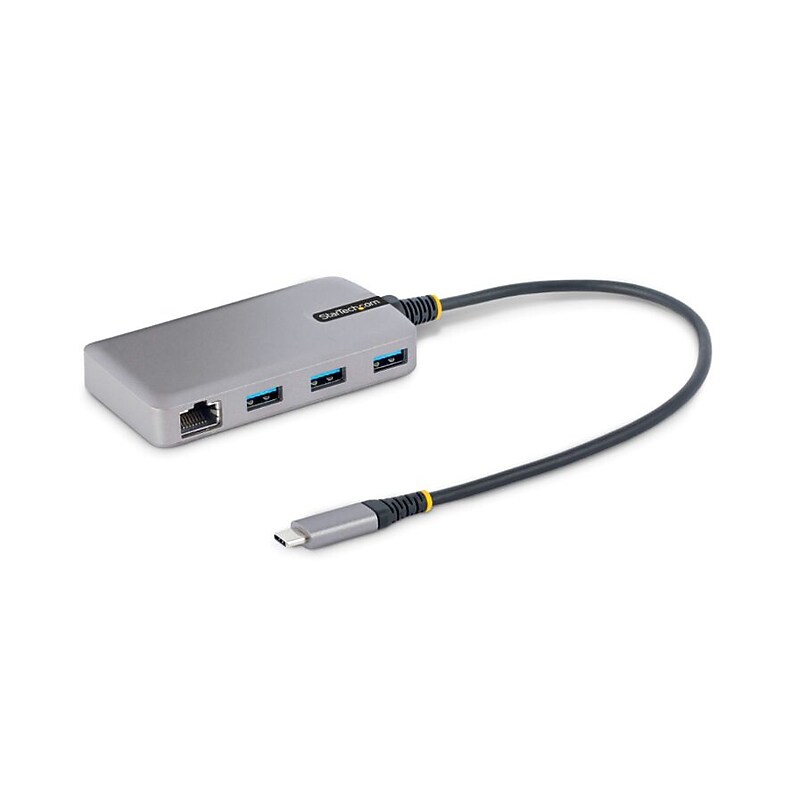
This USB Hub adds three USB-C 3.2 Gen 1 (5Gbps) ports and one Gigabit Ethernet port to a USB-C enabled desktop or laptop computer. The USB Hub connects to a USB-C port on a computer, using the built-in 1ft. (30cm) host cable. The USB hub is backward compatible with USB 2.0 (480Mbps) devices, ensuring support for a wide range of modern and legacy USB peripherals (e.g., thumb drives, external HDDs/SSDs, HD cameras, mice, keyboards, webcams, and audio headsets).The USB hub is compact in size, facilitating portability when travelling..Bus-powered USB 3.2 Gen 1 (5Gbps) expansion hub features a USB-C host connector and 3-port USB-A hub, Overcurrent Protection (OCP) & Wake on USB - Up to 15W of bus power dynamically shared between 3 downstream ports.Features a built-in GbE adapter to provide the reliability and security of wired Ethernet to a laptop or desktop - The GbE controller is fully compatible with IEEE 802.3u/ab standards and supports WoL, Jumbo Frames, and V-LAN Tagging.The USB hub features a Micro USB power input (cable sold separately) to add 4.5W (5V/0.9A) of power to the hub for applications where additional power may be required, such as connecting high power USB devices like SSD drives.Attached 1ft/30cm cable provides longer reach for easy setup and prevents adapter from dangling on the USB-C host connector - Ideal cable length to reduce port strain on 2-in-1 convertible laptops, or host laptops on riser stands.Optimize the performance and security of this USB-C hub, using the included MAC Address Changer, USB Event Monitoring, Wi-Fi Auto Switch utilities (available for download) - Hub compatible with Win/macOS/Linux/iPadOS/ChromeOS/Android.The USB hub features a Gigabit Ethernet adapter. The Ethernet controller is compatible with the IEEE 802.3u/ab standards and supports Wake-on-LAN (WoL), Jumbo Frames, and V-LAN Tagging. The network adapter enhances laptop network reliability, security, and performance by utilizing wired 10/100/1000Mbps Ethernet..MAC Address Pass-Through Utility: Improve network security..USB Event Monitoring Utility: Track and log connected USB devices..Wi-Fi Auto Switch Utility: Enable users to quickly access faster network speeds via wired LAN.
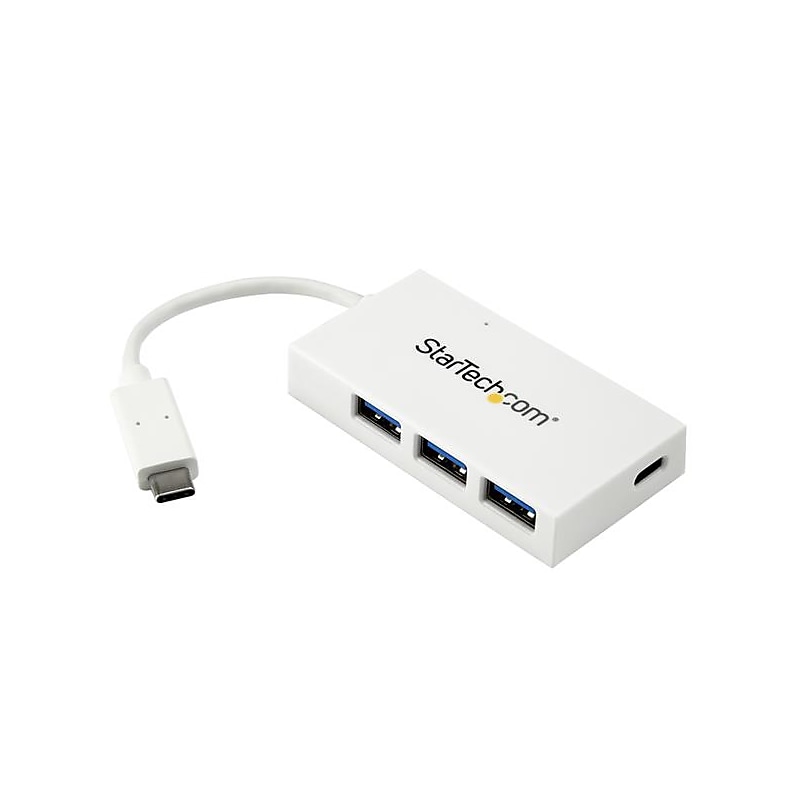
Turn a USB Type-C port on your laptop into three USB Type-A ports (5Gbps) and one USB Type-C port. This 4-port USB 3.0 hub lets you connect a wider range of peripherals to your MacBook Pro, MacBook and other USB-C laptops. The hub expands your laptop or desktop connectivity by enabling you to connect both USB-A and USB-C devices through a single USB Type-C or Thunderbolt 3 port. Expand your USB connectivity: Extend the life of your current USB 3.0 devices and take advantage of newer devices that feature USB-C. This USB-C hub lets you expand your USB connection options using the USB-C port on your computer. It offers three USB-A ports and one USB-C port, so you can connect traditional USB devices as well as newer USB-C devices to your USB-C laptop. Take it with you wherever you go: You can travel lighter, with a single USB-C adapter that lets you connect virtually any USB peripheral. With its compact and rugged design, you can take this portable USB 3.0 hub anywhere you go. Because it's so compact, it's easy to tuck into your laptop bag and only takes up a small amount of desk space when you connect it to your workstation. The hub is ideal for use in hot-desk or BYOD (Bring Your Own Device) environments. For portable applications, having the integrated host (USB-C) cable means one less thing to remember to carry with you. Add four USB 3.0 ports in seconds: This USB-C expansion hub is multi-platform compatible, which means it will work with a wide range of operating systems such as Windows, macOS, Linux and Chrome OS. It installs automatically once you connect it to your laptop, so you can be up and running in seconds. The HB30C3A1CFBW is backed by a StarTech.com 2-year warranty and free lifetime technical support..Connect USB-A and USB-C devices through your laptop's USB-C port.A small-footprint design that's lightweight and compact, for maximum portability.Universal, multi-platform compatible with fast, easy installation and native support in most operating systems (Windows, macOS, Chrome OS, Linux).Plug-and-play, and supports hot-swapping or hot-plugging.Integrated cable features a small and reversible USB-C connector, and it's Thunderbolt 3 data port compatible.Backward compatible, for use with your older USB 3.0 and 2.0 devices.Dongle-style hub provides four SuperSpeed USB 3.0 (USB 3.1 Gen 1) ports, with throughput support up to 5Gbps