USB-C Docks for EliteBook
52 results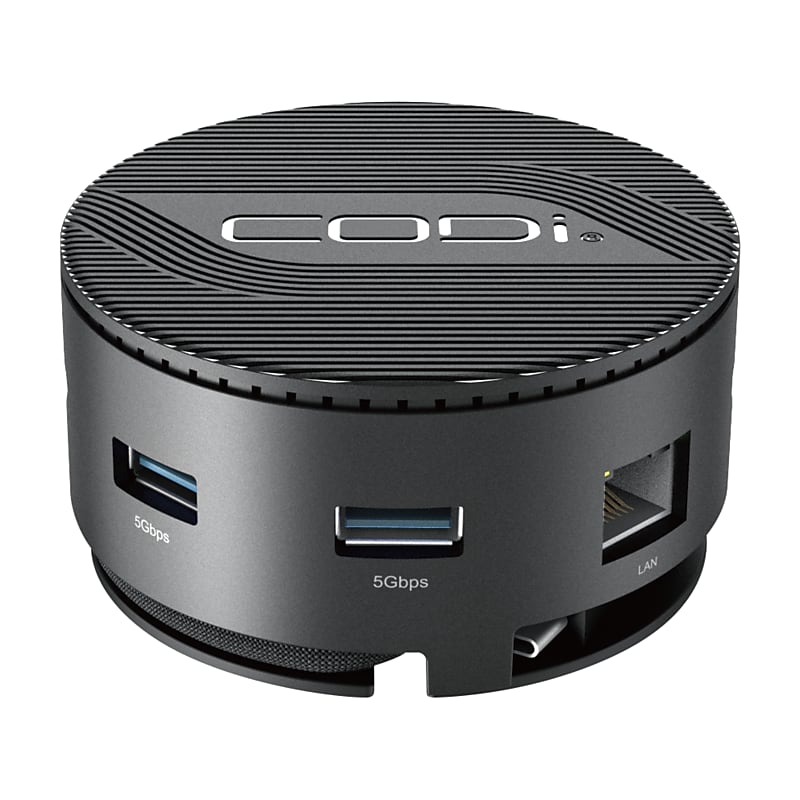
Maximize operational efficiency and optimize your workflow with the CentroM3 Multi-Port USB-C Docking Station from CODi. This advanced dock offers a world of effortless connectivity, productivity, and portability. Streamline your connections effortlessly with the CentroM3 Docking Station. Its Gigabit Ethernet port ensures lightning-fast and stable internet connectivity, ideal for uninterrupted streaming, swift downloads, and seamless browsing. The three USB-A 3.2 Gen 1 ports provide swift data transfer and connectivity for various peripherals, enhancing your workflow with superior performance. Experience seamless connectivity and rapid charging capabilities with the CentroM3 Multi-Port USB-C Docking Station. The PD charging port ensures swift power delivery, keeping your devices charged and ready for action. No more downtime due to low battery levels - stay powered throughout your tasks, enhancing productivity without interruptions..Support up to two displays* with the Centro M3 Mini Dock to expand your workspace and enhance your productivity. The 4K@60Hz resolution is perfect for data display, video playback, and business presentations. *Number and resolution of displays dependent on laptop's processor.The Centro M3 has cooling vents on the bottom to prevent overheating and keep your setup safe, efficient, and running smoothly..Our CentroM3 is the perfect size to take with you on the go so you can have the ideal work setup while working from anywhere! With 85W of power delivery and multiple ports to fit your peripheral needs, this docking station is small and portable without sacrificing any power!.Ports: (1) PD charging port, (2) HDMI ports with up to 4K@60Hz resolutions (*When host device supports DP1.4 and HBR3), (1) Gigabit Ethernet port, (3) USB-A 3.2 Gen 1 ports, (1) Standard Lock slot.Plug and Play: no drivers required.Detachable 9" braided nylon USB-C uplink cable.Integrated storage for USB-C uplink cable allowing for easy portability.Maximize operational efficiency and optimize your workflow with the portable CentroM3 Multi-Port USB-C Docking Station from CODi.
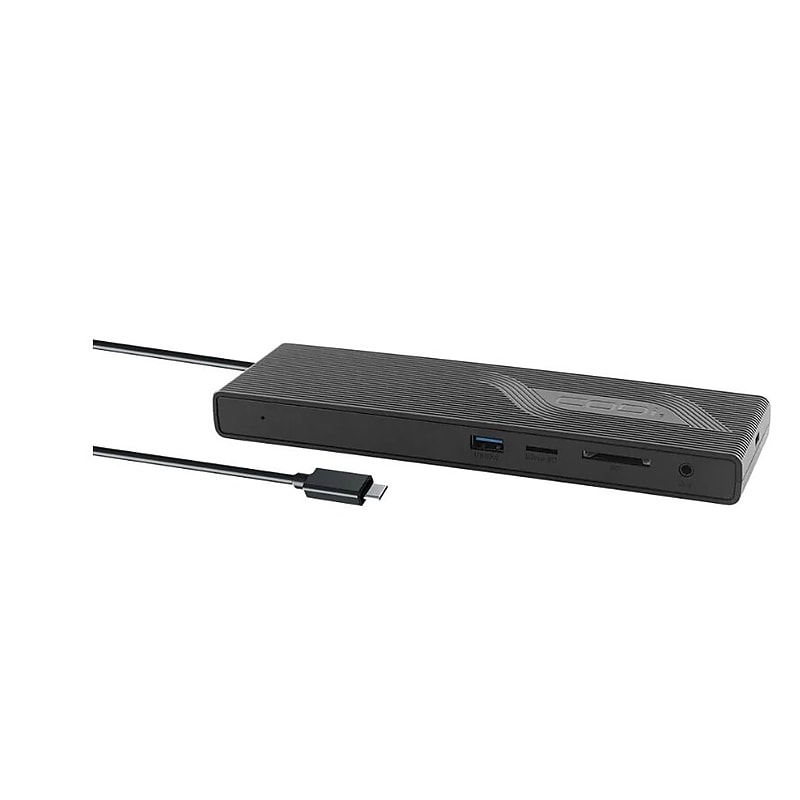
85W USB-C MST DOCKING STATION.CODi Centro 1201 Multi-Display 85W MST USB-C Docking Station - for Notebook/Tablet/Smartphone/Monitor - Memory Card Reader - SD, microSD - USB Type C - 2.0 Displays Supported - 4K, Full HD - 3840 x 2160, 1920 x 1080 - 5 x USB Ports - 2 x USB 2.0 - 2.0 x USB 3.0 - 4 x USB Type-A Ports - USB Type-A - 1.0 x USB Type-C Ports - USB Type-C - 1 x RJ-45 Ports - Network (RJ-45) - 1 x HDMI Ports - HDMI - 2 x DisplayPorts - DisplayPort - Black - Wired - Gigabit Ethernet - 85W.Dual Display Options:Display Port 1.4: Dual 4K@30HzDisplayPort 1.2: Single 4K@30Hz; Single [email protected] Power Delivery.Supports Multi-Stream Transport (MST).(2) DisplayPorts.(1) HDMI port.(2) USB-A 3.0 ports.(2) USB-A 2.0 ports.(1) Gigabit Ethernet port.(1) 3.5mm audio in/out port.(1) USB-C power in port.(1) MicroSD card reader.(1) SD card reader.Connect and display content on two high-resolution monitors simultaneously, and experience an expansive and immersive workspace for multitasking, graphic design, video editing, and other tasks that benefit from a larger screen real estate..Charge power-hungry devices such as laptops, tablets, and smartphones at a faster rate, ensuring quick and efficient charging while simultaneously connecting peripherals and accessing data, making it an ideal solution for streamlined and convenient device management..Connect multiple monitors to a single display output, and experience an extended or mirrored display setup. This feature allows for enhanced multitasking, increased productivity, and a more immersive viewing experience for tasks that require multiple screens, such as data analysis, content creation, and video editing..Maximize your productivity with the Multi-Display 85W MST USB-C docking station.
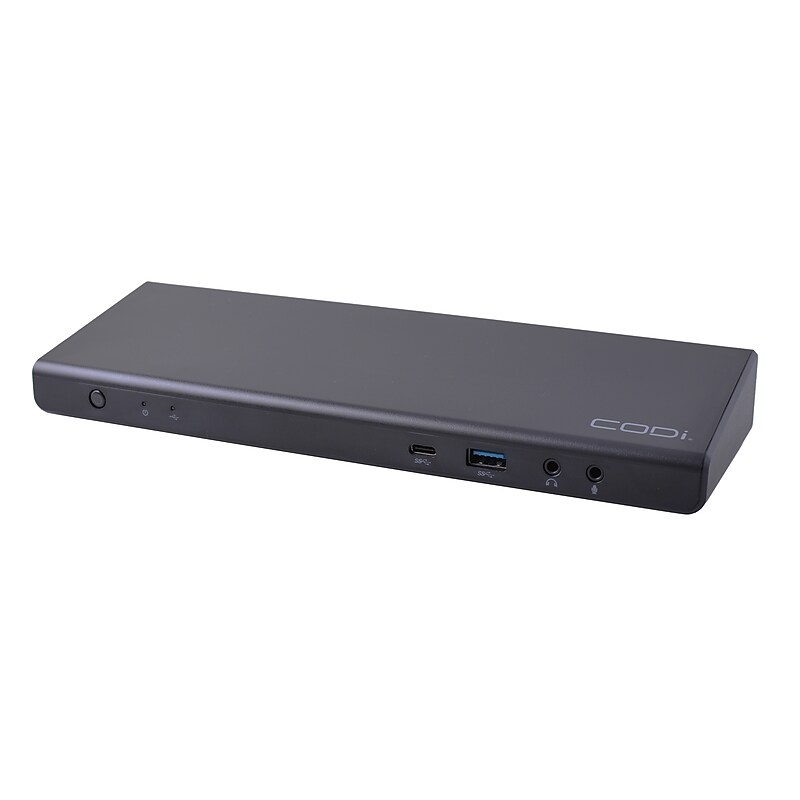
Experience unparalleled connectivity and visual excellence with the Centro1080 USB-C Triple Display Docking Station. Elevate your productivity, multi-tasking, and organization with its impressive Triple 4K resolution and wide range of ports..Universal triple display docking station is made to simplify connectivity at your office, or at-home workstations.Product dimensions: 1.33"H x 3.74"W x 3.74"D.One USB-C upstream port; Five USB-A, three HDMI, two DisplayPort 1.4, one USB-A 3.0 BC 1.2, one 3.5mm combo audio jack, one Gigabit Ethernet and one USB-C downstream ports.Three HDMI ports, supported resolution is up to 3840 x 2160.Power Delivery charging: 96W.USB-A adapter is included (and attached to the USB-C cable) to connect the dock to laptops without a USB-C connection.Frequently used ports are located on the front of the dock, including: power button, 3.5mm combo audio/microphone ports, USB Type-C, and USB Type-A 3.0.Dock offers three HDMI ports, capable of simultaneously supporting 4K monitors, in addition to two DisplayPort connections.135W AC power adapter included.The CODi A01080 Docking Station is your ultimate hub for productivity and entertainment.
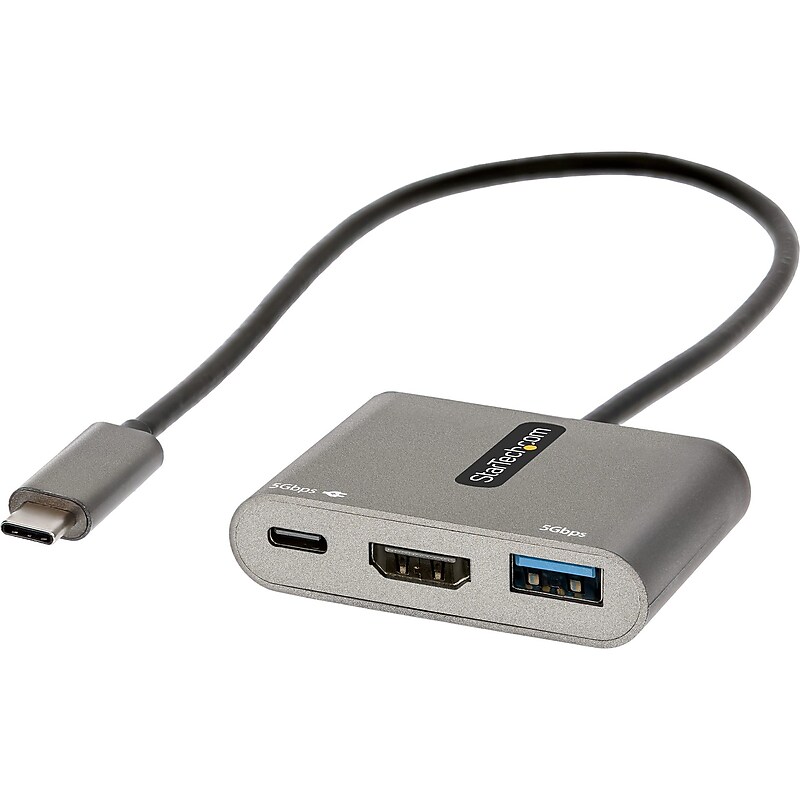
This USB-C multiport adapter with HDMI lets you add vital connections to your laptop with a single USB-C port. The USB C mini docking station features automatic driver installation and supports Windows, macOS, Chrome OS, Linux and Android, providing a portable connectivity solution for your USB-C laptop, tablet, phone, Ultrabook, or Chromebook. The multiport adapter is also compatible with Thunderbolt 3, and Thunderbolt 4 laptops like MacBook Pro/Air, HP EliteBook, Dell XPS/Latitude, Lenovo Thinkpad X1 & Surface Laptop 3/Book 3..USB-C multiport adapter with HDMI lets you add vital connections to your laptop with a single USB-C port.Dimensions: 0.4"H x 4.5"W x 2.4"D.Contains HDMI, USB-A, USB-C ports.Features compact, portable design for on-the-go use with travel accessories.Equipped with 13" attached cable for extended reach to reduce port/connector strain on 2-in-1 devices like Surface Pro (7+) and laptops on riser stands.HDMI output supports video resolutions up to 4K 30Hz (3440x1440 ultra-wide monitors/displays supported).Can operate using bus power alone, or it can be connected to an external USB-C power adapter up to 100W.100W power delivery 3.0 pass through with 8W reserved for adapter to avoid video flickering, device dropouts or overdrawing power common in other hubs.Compatible with USB-C laptops, tablets, phones ultrabooks, Chromebooks, plus Thunderbolt 3 and 4 laptops like MacBook Pro/Air, HP EliteBook, Dell XPS/Latitude, Lenovo Thinkpad X1, Surface laptop 3/Book 3.Supports Windows, macOS, Chrome OS, Linux, and Android.Automatic driver installation for easy setup.3-year manufacturer limited warranty