USB Video Conference Cameras

98 results
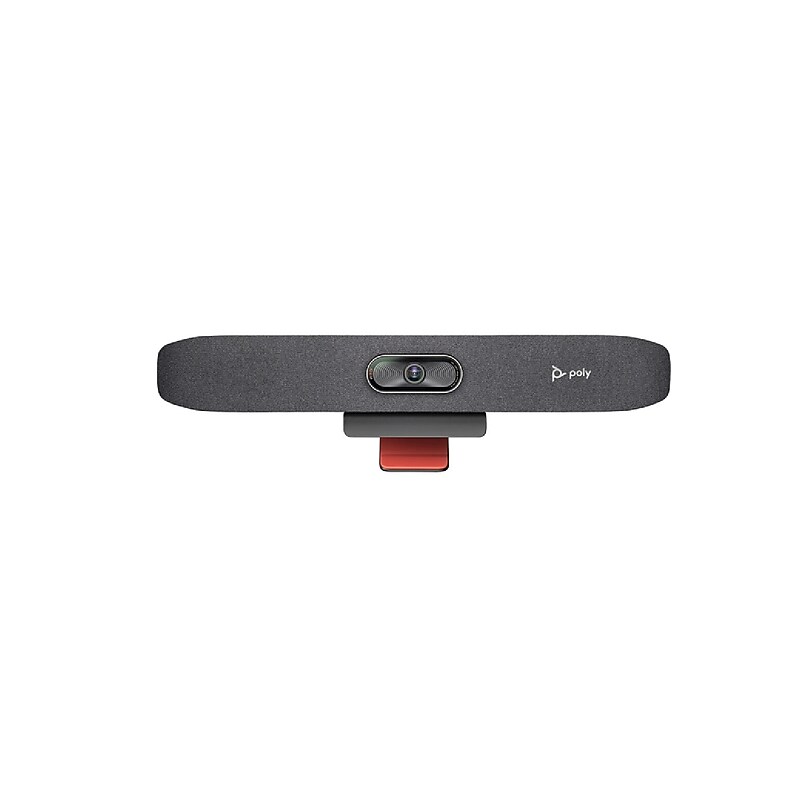
Poly Studio R30 USB UHD 4K Video Bar, Gray (842F3AA#ABA) image 1
Item: IM1HH0175
Model: 842F3AA#ABA

The HP POLY Studio R30 USB Video Bar is designed for small conference spaces and offers simple installation. Just plug in the included power supply and connect your computer to the USB interface. The Studio R30 delivers UHD 4K video and clear audio with AI noise-cancelling and framing technologies in one intuitive device. All in-person participants can be easily seen thanks to low-light compensation, 120° field of view, and 5x digital zoom..Poly Studio R30 USB Video Bar.USB Video Bar for Small Conference Rooms.AI noise-cancelling and framing technologies in one intuitive device.Captures the entire room, making sure all participants are visible..Uses smart camera technology to automatically frame speakers and adjust views dynamically.Enhances focus on individuals or specific areas in the room..Maintains video clarity even in dim environments..Flexible mounting options including wall and VESA mounts..1 Year Limited Warranty
Price is  $715.04
1
2
3
4
5
6
7
8
9
10
11
12
13
14
15
16
17
18
19
20
21
22
23
24
25
26
27
28
29
30
Over 30
Add to list
13
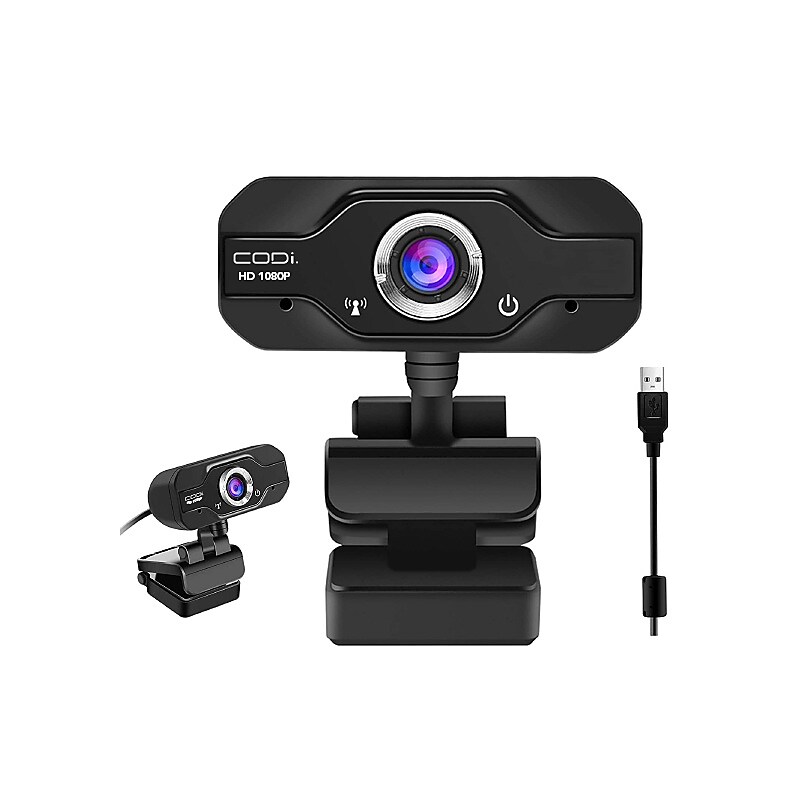
CODi Aquila HD 1080P Fixed Focus Webcam, Black (A05024) image 1
Item: IM19AK452
Model: A05024

With a resolution of HD 1080p and a frame rate of 30 FPS, you'll be streaming sharp video, while automatic light correction delivers clarity in various lighting environments, including dim ones. A built-in mic allows your voice to be center stage. Furthermore, a diagonal field of view of 90° creates a superior image area. Compatible with Windows, Mac, and Chrome, the Aquila 1080P HD Webcam from CODi connects to your host system using a 5' plug-and-play USB 2.0 Type-A cable. Mount it using the integrated clip or a standard ¼ built-in screw mount..Built-in microphone with a noise reduction audio processor.90 degree field of view.Adjustable focusing.Secure to laptop, desktop, or tripod.Plug and play, no drivers required.Full HD 1920x1080.Frame rate: 30FPS.Input: USB 2.0 (3.0 compatible).Supported OS: Windows 10/8.1/8/7/XP (32/64 bit) and Mac OS X 10.6 or later.Compatible with most video conferencing and video chat applications such as Zoom, Teams, and Skype.The CODi A05024 Webcam offers crystal clear video and audio as you work from home, attend virtual meetings, and stay in touch via video conferencing

Price is  $36.04
1
2
3
4
5
6
7
8
9
10
11
12
13
14
15
16
17
18
19
20
21
22
23
24
25
26
27
28
29
30
Over 30
Add to list
No reviews yet

About USB Video Conference Cameras

USB video conference cameras are essential tools for modern communication, enabling high-quality video calls and meetings. These cameras are designed to provide clear visuals and audio, making them ideal for remote work, online education, and virtual collaboration.

With plug-and-play functionality, USB video conference cameras are easy to set up and compatible with various video conferencing software. They enhance the virtual meeting experience by delivering sharp images and reliable audio, ensuring that participants feel connected regardless of their location.

When choosing a USB video conference camera, consider features such as resolution, field of view, and built-in microphone quality. Many models offer high-definition video capabilities, allowing for crisp visuals, while wide-angle lenses capture more participants in a single frame, making them perfect for group meetings.

Additionally, look for cameras with advanced features like auto-framing, low-light performance, and compatibility with multiple platforms. These enhancements can significantly improve the quality of your video conferences, providing a professional touch to your virtual interactions.

What is a USB video conference camera?

  • A USB video conference camera is a device that connects to a computer via USB to facilitate video calls and meetings. These cameras are designed to provide high-quality video and audio for effective communication in various settings.

How do I set up a USB video conference camera?

  • Setting up a USB video conference camera is typically straightforward. Simply connect the camera to your computer's USB port, install any necessary drivers if prompted, and select the camera in your video conferencing software settings.

What features should I look for in a USB video conference camera?

  • Key features to consider include video resolution (1080p or higher for clarity), field of view (to capture more participants), and built-in microphones for clear audio. Additional features like auto-focus and low-light performance can also enhance your video conferencing experience.

Can USB video conference cameras be used for streaming?

  • Yes, many USB video conference cameras can be used for live streaming on platforms like YouTube or Twitch. Ensure that the camera has the necessary resolution and frame rate to meet your streaming needs.

Are USB video conference cameras compatible with all computers?

  • Most USB video conference cameras are compatible with both Windows and Mac operating systems. However, it’s always a good idea to check the specifications and compatibility before purchasing to ensure seamless integration.

Do I need additional software for USB video conference cameras?

  • While many USB video conference cameras work with standard video conferencing software without additional software, some models may offer proprietary applications for enhanced features. Check the manufacturer's guidelines for any specific requirements.