VGA Port Converters

146 results
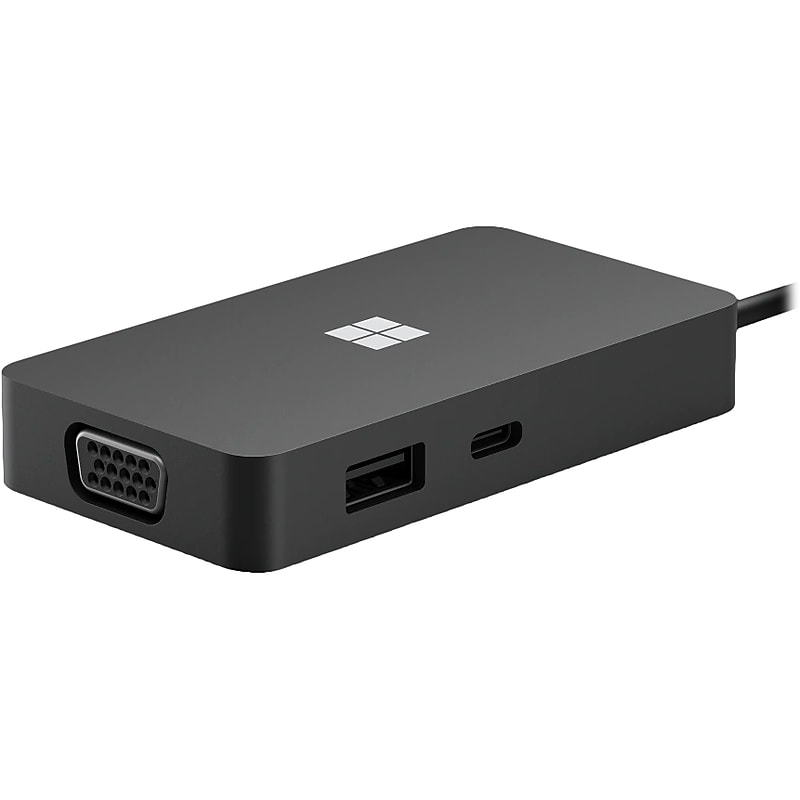
Microsoft Travel 5-Port USB-C Hub, Black (1E4-00001) image 1
Item: IM17MR418
Model: 1E4-00001

Have the ports you need with this Microsoft Travel multi-port adapter that gives you five ways to connect to networks, displays, and more, including USB-C. Compatible with modern PCs with and Surface laptops with a USB-C port. It supports compatible accessory charging but does not support laptop charging. Stay productive with this multi-port adapter that includes USB-C with pass-through charging, one USB-A (3.2/Gen 2), VGA, Gigabit Ethernet, and HDMI 2.0 with 4K video out at 60Hz..Includes USB-C (3.2/Gen 2) with pass-through charging, 1 x USB-A (3.2/Gen 2), VGA, Gigabit Ethernet, and HDMI 2.0 with 4K video out at 60Hz.Overall dimensions: 0.59"H x 1.9"W x 3.5"D.Data transfer speed is up to 10Gbps.Plug and play.Features USB-C captive cable with 0.66' cable that stores in the end of USB-C hub.Supports compatible accessory charging (does not support laptop charging).Gigabit Ethernet connectivity for faster Internet speeds while you work in the office, from your hotel room, or at home with your laptop or other device.Plug in to a single monitor at your desk with HDMI 2.0 port, with video resolution up to 4K with 60Hz refresh rate, better than most other portable, compact hubs on the market.In modern conference rooms or older huddle spaces, project on the big screen through the included VGA port for even more video-out compatibility.Compatible with modern PCs and all Surface devices with USB-C port.OS compatibility: Windows 7/8/10; MacOS 10.14.1/10.14.6/10.15.1; Android 8.1/9.0.Nickel plated connector.1-year manufacturer limited warranty
Price is  $105.57
1
2
3
4
5
6
7
8
9
10
11
12
13
14
15
16
17
18
19
20
21
22
23
24
25
26
27
28
29
30
Over 30
Add to list
No reviews yet
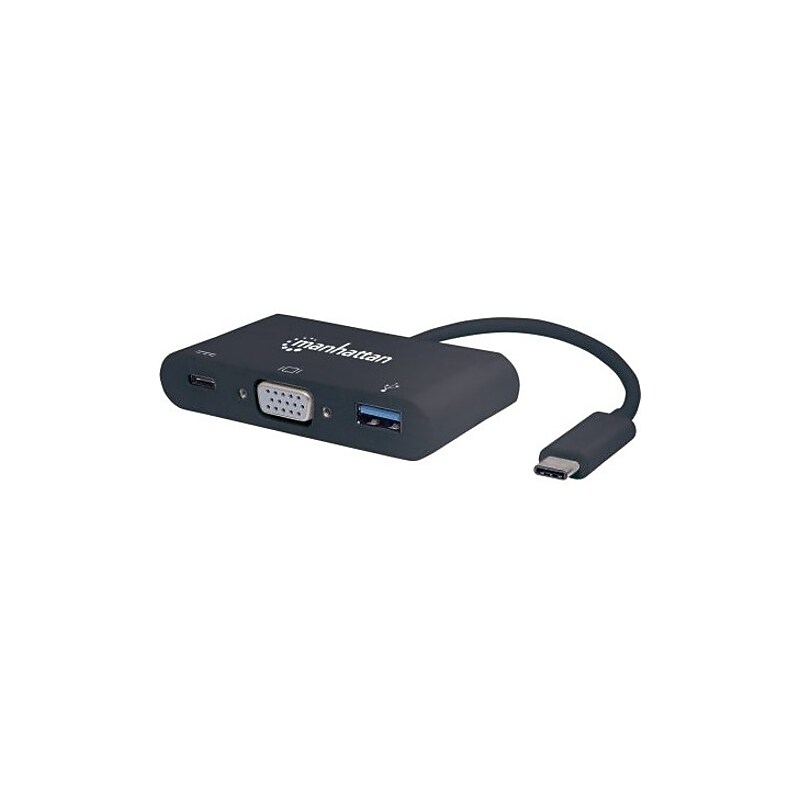
Manhattan SuperSpeed USB-C Docking Station for Laptop (152044) image 1
Item: TS14727585
Model: 152044

Easily connect a USB Type-C device with a VGA display and USB peripherals The Manhattan USB Type-C VGA Docking Converter establishes a fast, simple and convenient link between newer USB type-C equipped media sources (computers, tablets, etc.) and existing VGA displays (monitors, projectors, etc.), in either mirror- or extended-display mode. Create a mini-workstation by adding any USB 3.0 peripheral such as a mouse, keyboard, hub, external memory device and more with the integrated USB 3.0 port. Charge a device through the type-C charging port. The Manhattan USB Type-C VGA Docking Converter is easy and quick to install. No complicated configuration or setup is required to enhance the functionality of your type-C device. Its all-in-one design achieves a compact, integrated solution that eliminates unnecessary cables, tangles and clutter to keep installations and work spaces neat and orderly..USB Type C host interface allows powerful and efficient transfer of data with maximum productivity.Docking Station is designed to provide adequate power requirement for your tablet PC with maximum dependability.2 USB ports allows powerful and efficient transfer of data with maximum productivity

Price is  $10.27
1
2
3
4
5
6
7
8
9
10
11
12
13
14
15
16
17
18
19
20
21
22
23
24
25
26
27
28
29
30
Over 30
Add to list
No reviews yet

About VGA Port Converters

VGA port converters are essential tools for connecting devices with VGA outputs to modern displays and projectors that utilize different input formats. These converters facilitate seamless communication between older technology and newer devices, ensuring compatibility and functionality in various settings, such as offices, classrooms, and home theaters.

Designed to convert signals from formats like DisplayPort or HDMI to VGA, these adapters help users maintain high-quality video output without the need for extensive upgrades. They are compact, portable, and easy to use, making them a convenient solution for both temporary and permanent setups.

When selecting a VGA port converter, consider factors such as the type of input and output connections, cable length, and whether the converter is passive or active. Active converters are particularly useful for longer distances, as they can boost the signal to maintain clarity and prevent degradation.

Additionally, look for features like support for various resolutions and refresh rates to ensure compatibility with your display devices. Many converters also come with built-in adapters for both male and female connections, providing flexibility for different setups and configurations.

What is a VGA port converter used for?

  • A VGA port converter is used to connect devices with VGA outputs to displays or projectors that have different input formats, such as HDMI or DisplayPort. This allows users to utilize older technology with newer devices.

Are VGA port converters compatible with all devices?

  • While VGA port converters are designed to work with a wide range of devices, compatibility may vary based on the specific input and output formats. It's important to check the specifications of both the converter and the devices being connected.

What is the difference between active and passive VGA converters?

  • Active VGA converters require external power to boost the signal, making them suitable for longer distances and higher resolutions. Passive converters, on the other hand, do not require power and are typically used for shorter connections.

Can VGA port converters support high resolutions?

  • Many VGA port converters support high resolutions, but the maximum resolution depends on the specific model and the capabilities of the connected devices. Always check the specifications to ensure the converter meets your resolution needs.

Do I need additional software to use a VGA port converter?

  • Most VGA port converters are plug-and-play devices that do not require additional software for installation. However, some advanced features may require specific drivers, so it's advisable to consult the manufacturer's instructions.

How do I choose the right VGA port converter?

  • To choose the right VGA port converter, consider the input and output formats, the required cable length, and whether you need an active or passive converter based on your setup. Additionally, check for compatibility with your devices and desired resolution.