Computer Keyboards With Function Keys
200 results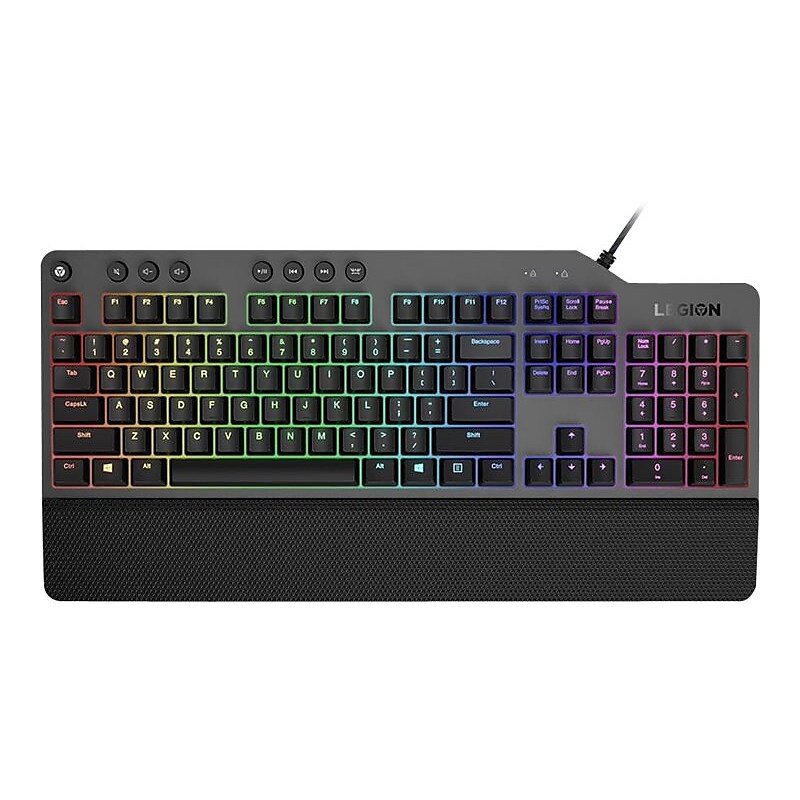
In a world of gaming accessories that try too hard, welcome simplicity back on your desk with the Legion K500 Gaming Keyboard, a refreshing blend of minimalism and function in the spirit of the Legion gaming family design language. Enjoy total typing comfort and innovative gaming features, packaged in a slick, no-frills design that never gets old..Keyboard for improved experience.Wired gaming keyboard for lag-free input.Works on Microsoft Windows.USB connectivity makes it compatible with a wide range of modern devices.Dimensions: 1.3"H x 17.45"W x 8.57"D.Adjustable tilt legs allow you to customize keyboard for maximum comfort.Numeric pad for performing common numeric functions.Comes in iron gray/black.1-year manufacturer limited warranty
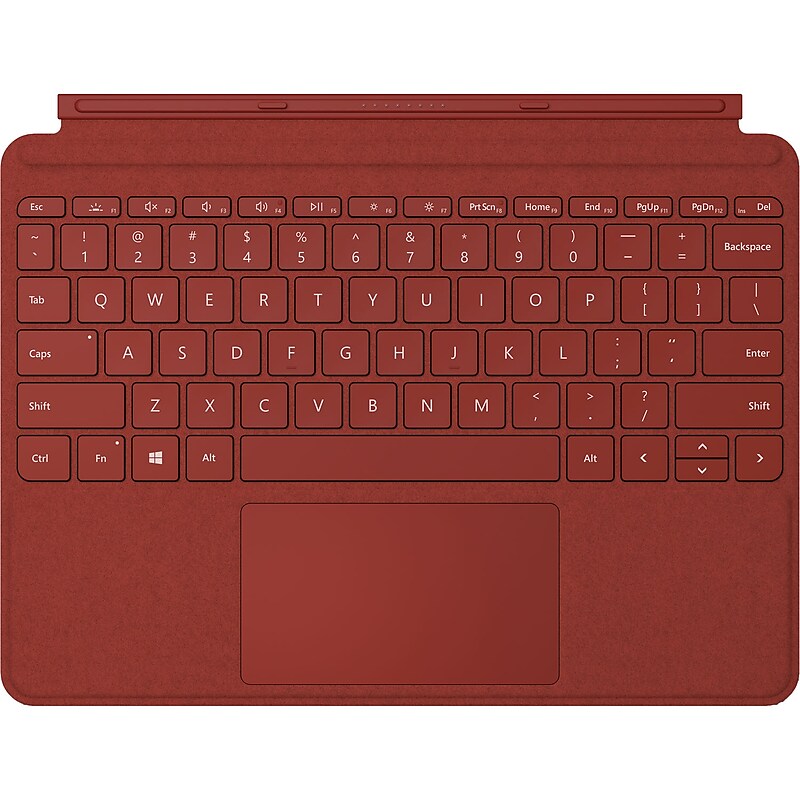
Connect your Surface Go 2 or Surface Go to the Ice Blue Surface Go Signature Type Cover by clicking it into place magnetically. The Type Cover features a QWERTY-layout keyboard with backlighting. It also features a trackpad with a glass face sheet and a mechanical click pad. There is also a full row of function keys (F1-F12) as well as dedicated media buttons for media controls and screen brightness. The Type Cover is made with Alcantara material, which is soft, smooth, durable, and even stain resistant. The Type Cover can be folded over the display of your Surface Go 2 or Surface Go to protect the screen and conserve battery life. You can also fold it back so you can use your Surface Go 2 or Go as a tablet without having to take off the Type Cover..QWERTY Layout | Backlit Keys.Trackpad with Mechanical Clickpad.Alcantara Design.For Surface Go 2 and Go.Full-keyboard experience.Adjusts instantly.Complement your style with color.A touch of luxury for every task.Compatibility Microsoft - Surface Go 2, Surface Go.Color Poppy Red
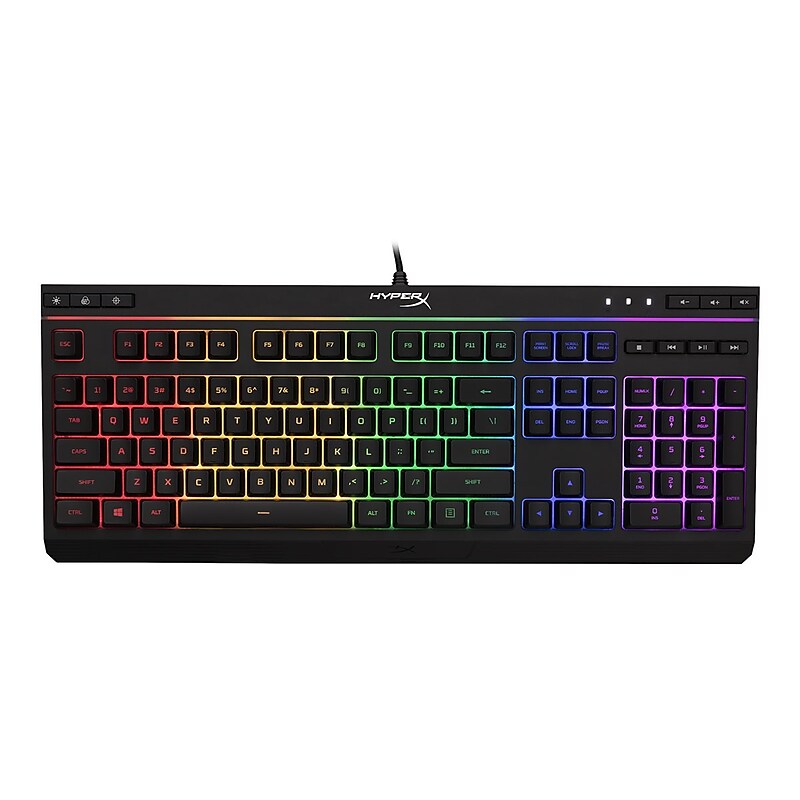
Featuring HyperX's signature radiant light bar and smooth, dynamic RGB lighting effects, the HyperX Alloy Core RGB is ideal for gamers looking to enhance their keyboard's style and performance without breaking the bank. With six different lighting effects and three brightness levels, it balances both brilliance and budget. Crafted with a durable, reinforced plastic frame, the Alloy Core RGB was constructed for stability and reliability for gamers who want a keyboard that will last. The soft-touch keys have a tactile feel, yet are tuned to be quiet, and they also feature gaming-grade anti-ghosting functionality and key rollover. It's spill resistant, tested to withstand 120ml of liquid, so beverage accidents won't put an end to your game. The dedicated media controls and quick-access buttons for lighting and Game Mode place control right at your fingertips. Keyboard Lock allows you to lock your keyboard down without having to put your entire system on standby. The Alloy Core RGB is stylish, well-featured and durable, making it a great all-around multimedia keyboard for gamers..Keyboard for improved experience.Wired gaming keyboard for lag-free input.Works on Microsoft Windows.USB connectivity makes it compatible with a wide range of modern devices.Dimensions: 1.4"H x 17.45"W x 6.9"D.Numeric pad for performing common numeric functions.Customizable multimedia keys provide convenient access to your music, photos, and videos.Comes in black.2-year manufacturer limited warranty
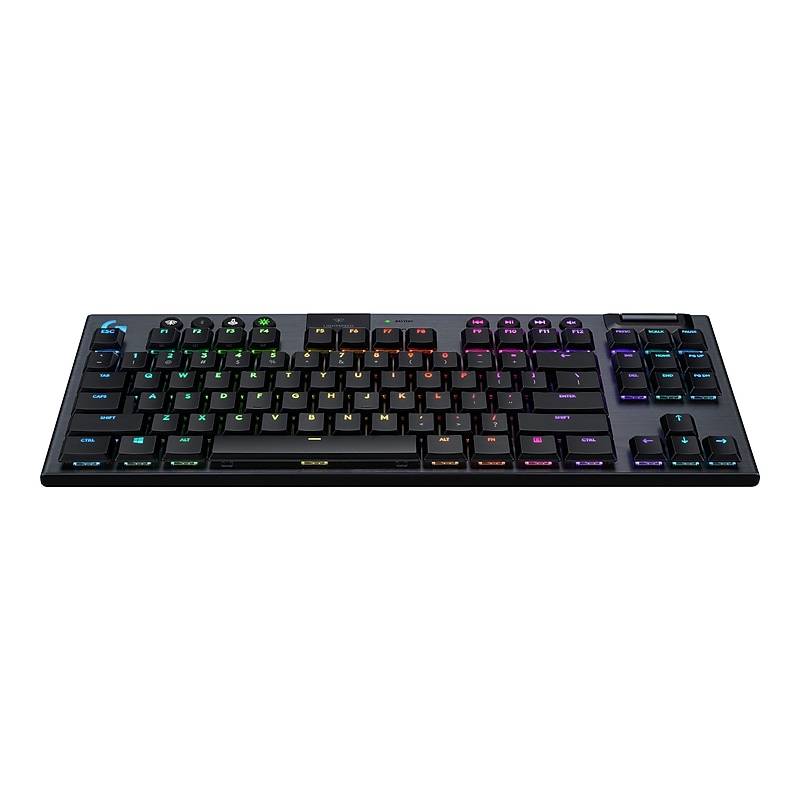
G915 TKL is a wireless mechanical gaming keyboard with three selections of low-profile GL switches and pro-grade 1 ms LIGHTSPEED wireless. Capable of delivering 40 hours of non-stop gaming on a full charge. Fully customizable per-key, LIGHTSYNC RGB technology also reacts to in-game action, audio and screen color as you choose. With a sleek, impossibly thin yet durable and sturdy design, G915 TKL brings gamers to a higher dimension of play. Dedicated volume wheel and media keys give you fast, easy control over video, audio, and streaming..Keyboard for improved experience.Wireless Bluetooth gaming keyboard for high-performance gaming.Works on Microsoft Windows, Apple macOS.The Bluetooth wireless connectivity helps reduce the clutter of wires.Dimensions: 0.87"H x 14.5"W x 5.9"D.Customizable multimedia keys provide convenient access to your music, photos, and videos.Comes in black.2-year manufacturer limited warranty.Safety Data Sheet
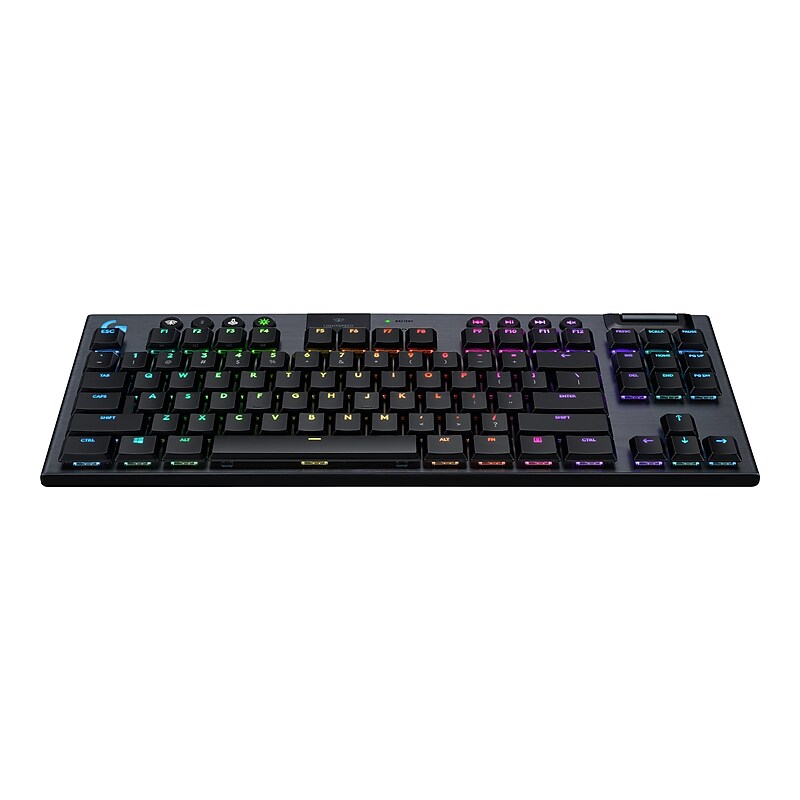
G915 TKL is a wireless mechanical gaming keyboard with three selections of low-profile GL switches and pro-grade 1 ms LIGHTSPEED wireless. Capable of delivering 40 hours of non-stop gaming on a full charge. Fully customizable per-key, LIGHTSYNC RGB technology also reacts to in-game action, audio and screen color as you choose. With a sleek, impossibly thin yet durable and sturdy design, G915 TKL brings gamers to a higher dimension of play. Dedicated volume wheel and media keys give you fast, easy control over video, audio, and streaming..Keyboard for improved experience.Wireless Bluetooth gaming keyboard for high-performance gaming.Works on Microsoft Windows, Apple macOS.The Bluetooth wireless connectivity helps reduce the clutter of wires.Dimensions: 0.87"H x 14.5"W x 5.9"D.Customizable multimedia keys provide convenient access to your music, photos, and videos.Comes in black.2-year manufacturer limited warranty.Safety Data Sheet
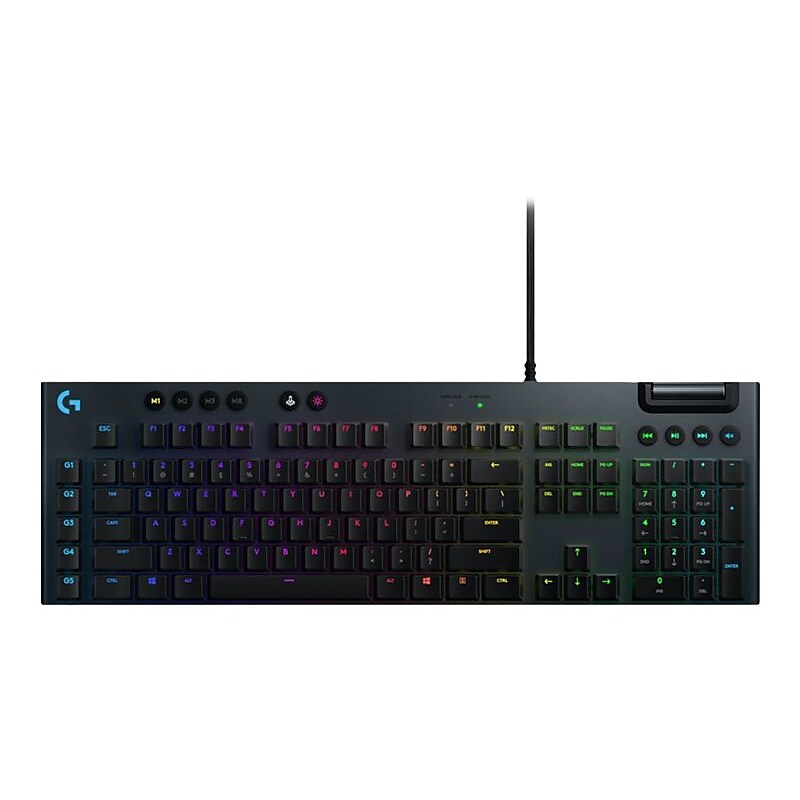
G815 meticulously blends sophisticated design and breakthrough engineering to provide you with a high-performance, ultra-thin gaming keyboard. It offers a choice of 3 low-profile GL mechanical gaming switches, advanced LIGHTSYNC RGB technology, and 5 dedicated G-keys to quickly execute macros and in-apps commands..Keyboard for improved experience.Wired gaming keyboard for lag-free input.Works on Microsoft Windows, Apple macOS.USB connectivity makes it compatible with a wide range of modern devices.Dimensions: 0.87"H x 18.7"W x 5.9"D.Programmable buttons allow instant actions, such as checking email.Customizable multimedia keys provide convenient access to your music, photos, and videos.Comes in black.2-year manufacturer limited warranty
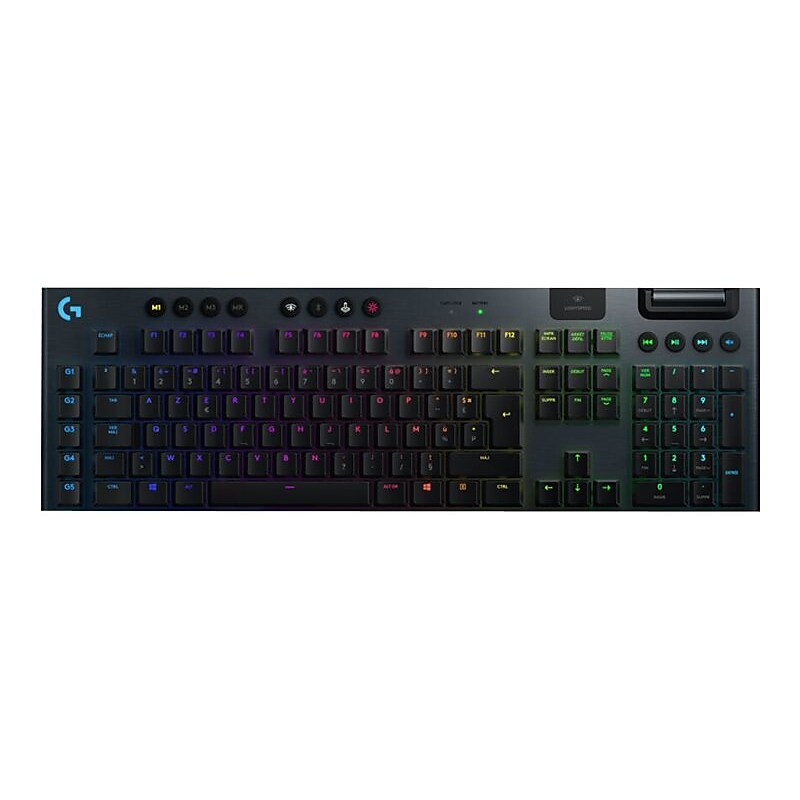
G915 is a wireless mechanical gaming keyboard with 3 selections of low-profile GL switches and pro-grade 1 ms LIGHTSPEED wireless. Capable of delivering 30 hours of non-stop gaming on a full charge. Fully customizable per-key, LIGHTSYNC RGB technology also reacts to in-game action, audio and screen color as you choose. With a sleek, impossibly thin yet durable and sturdy design, G915 brings gamers to a higher dimension of play. Programmable G-keys let you create and execute complex actions simply and intuitively and the volume wheel and media keys give you fast, easy control over video, audio, and streaming..Keyboard for improved experience.Wireless Bluetooth gaming keyboard for high-performance gaming.Works on Microsoft Windows, Apple macOS.The Bluetooth wireless connectivity helps reduce the clutter of wires.Dimensions: 0.87"H x 18.7"W x 5.9"D.Numeric pad for performing common numeric functions.Programmable buttons allow instant actions, such as checking email.Customizable multimedia keys provide convenient access to your music, photos, and videos.Comes in black.2-year manufacturer limited warranty
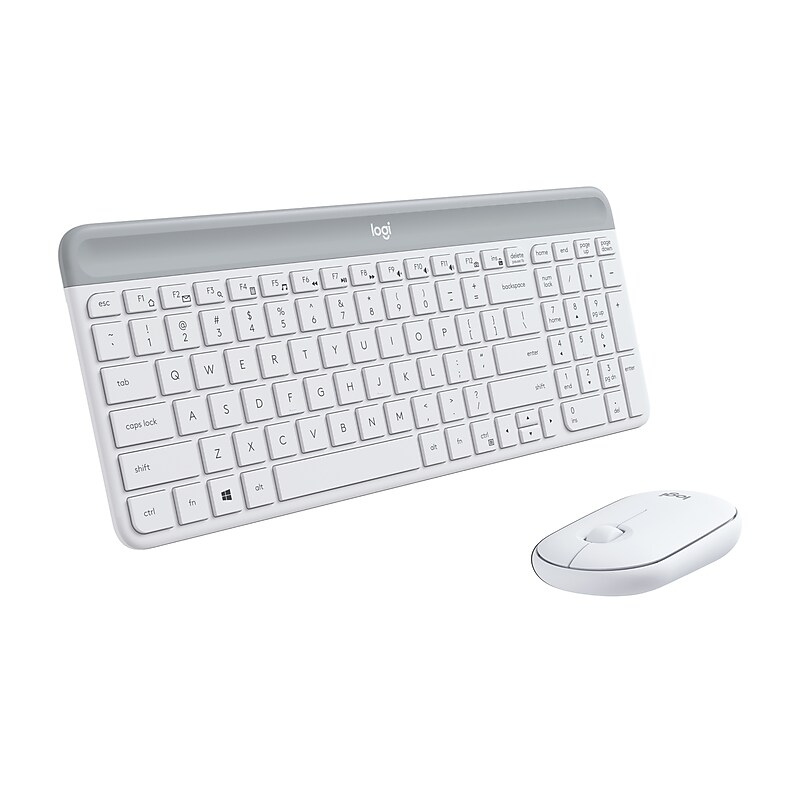
The slim profile and minimalist design transform your keyboard and mouse into a visual statement that elevates your desk setup. A slim profile and compact design make typing and mousing a pleasure. Low-profile keys give you that laptop-like typing experience you know and love. Whisper-quiet keys and a 90% noise-reduced mouse let you power through in near-silence. Long battery life and an easy plug-and-play 2.4GHz USB receiver ensure a reliable, hassle-free experience..Ultra-thin and design-forward keyboard and mouse combo is perfect for getting things done efficiently – even in the tightest desk spaces.Wireless design provides high freedom of movement and prevents you from having to detangle cords.Keyboard dimensions: 5.6" x 14.7".Requires an available USB port, works on Microsoft Windows 10, 8, 7 or later, works with Surface.Compact keyboard includes a number pad and 12 FN shortcuts, giving you all the keys you need for efficient data entry in a tighter key layout.Slim mouse is extra-portable, and you can easily store it in your laptop bag or in your pocket for on-the-go productivity.Low-profile scissor keys provide a fluid and familiar laptop-like typing experience.Smooth pebble shape of the ambidextrous mouse feels great in either hand.Quiet keyboard and lab-tested, 90% noise-reduced mouse mean an ultra-quiet work experience for you and those around you.Simple plug-and-play USB receiver offers a strong 2.4 GHz wireless connection.18-month battery life for the mouse and 36-month battery life for the keyboard mean you don't have to worry about losing power.Both accessories go into battery-saving sleep mode when not in use.Mouse sensor technology: High Precision Optical Tracking; sensor resolution: 1000 dpi; keyboard wireless technology: Logitech Nano Receiver.Requires one AA battery to operate the mouse and two AAA batteries to operate the keyboard (pre-installed).Package contents: keyboard, mouse, USB receiver, user documentation.Comes in off-white.1-year manufacturer limited warranty.Own your space with the Logitech MK470 slim wireless keyboard and mouse combo - an ultra-thin and design-forward keyboard and mouse combo perfect for getting things done efficiently and quietly, even in the tightest desk spaces.