USB-C Triple-Display Docking Station
79 results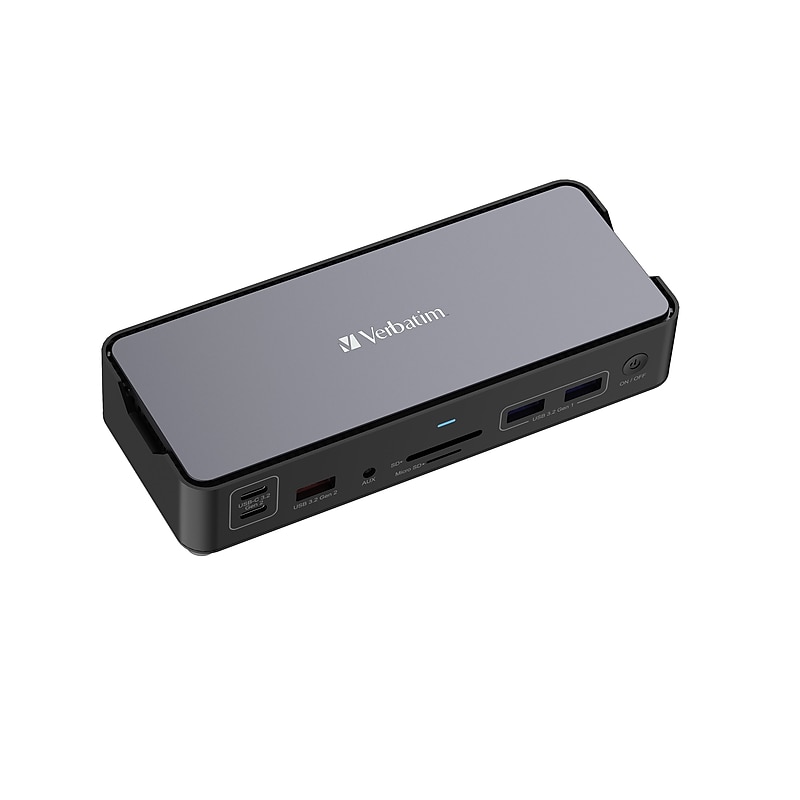
This comprehensive docking station features 15 ports - including high-resolution HDMI and DisplayPort outputs - to provide clear, crisp 4K displays. With USB-C Power Delivery (PD), devices charge rapidly, keeping your setup energized and operational. Rapid, uninterrupted file transfers are expected as this docking station utilizes 3.2 Gen 2 technologies and comes equipped with a gigabit Ethernet for stable, wireless connection. Our dock also has SD and microSD card reader slots to read and transfer files directly. An audio jack ensures you are able to connect your speakers and headsets for a simply dynamic workspace. Our USB-C Pro Docking Station is backed by a 2-year limited warranty..15 ports including high-resolution HDMI and DisplayPort outputs.8K video output capability, supports a triple 4K Display** (**HDMI port requires a direct HDMI to HDMI connection).Gigabit Ethernet: Offers stable, wired network connections that outperform wireless for uninterrupted video conferences and data transfers..PD port connects and charges devices rapidly, keeping your setup energized and operational..Enhanced Data Transfer Speed: Offers USB-A 3.2 Gen2 for rapid file transfers..Single-Cable Connection: Simplifies the workspace with one cable to connect multiple devices..Includes SD and microSD card reader slots, reads and transfer files data directly from cards.Audio jack to connect speakers or headsets.Simplify your workspace and connect multiple devices with our USB-C Pro Docking Station.
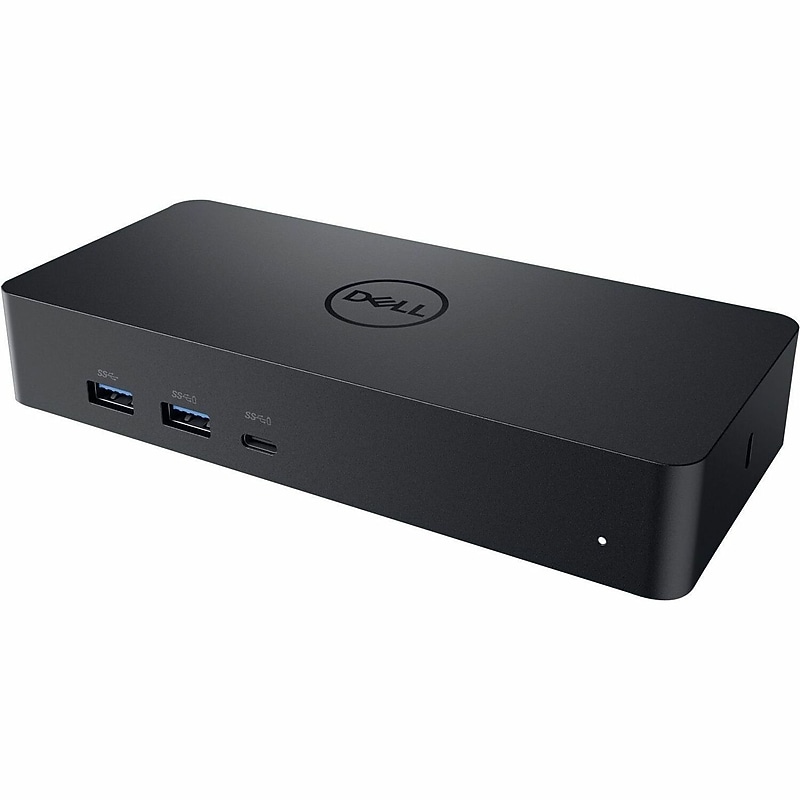
Conveniently dock any laptop equipped with USB-C or USB3.0 ports with the Dell Universal Dock - D6000. You'll be able to connect up to three 4K displays simultaneously. A single USB-C cable connection allows you to transfer audio, video, data and power - enabling a fast and convenient docking experience. It also eliminates the need for an additional power adapter, keeping your desk neat and tidy..Dell D6000 Universal Docking Station, designed for Dell Notebook Laptops and compatible with other USB-C enabled devices for seamless wired connectivity..Compact design measuring approximately 6.5″ x 3.0″ x 1.1″ and weighing about 0.84 lb. (13.44 oz), ideal for desktop or mobile workstation setups..Equipped with 4 x USB 3.0 Type-A ports, 1 x USB Type-C port, 1 x RJ-45 Ethernet port, 2 x DisplayPort, 1 x HDMI, audio line-in, and audio line-out for versatile connectivity..Docking station unit, USB Type-C cable (approx. 3 ft length), 130W power adapter, and quick start guide for easy setup..1 HDMI port, 2 DisplayPort outputs, 4 USB 3.0 Type-A ports, 1 USB Type-C port, 1 RJ-45 Ethernet port, plus audio line-in and audio line-out; VGA not included..1-Year Limited Warranty
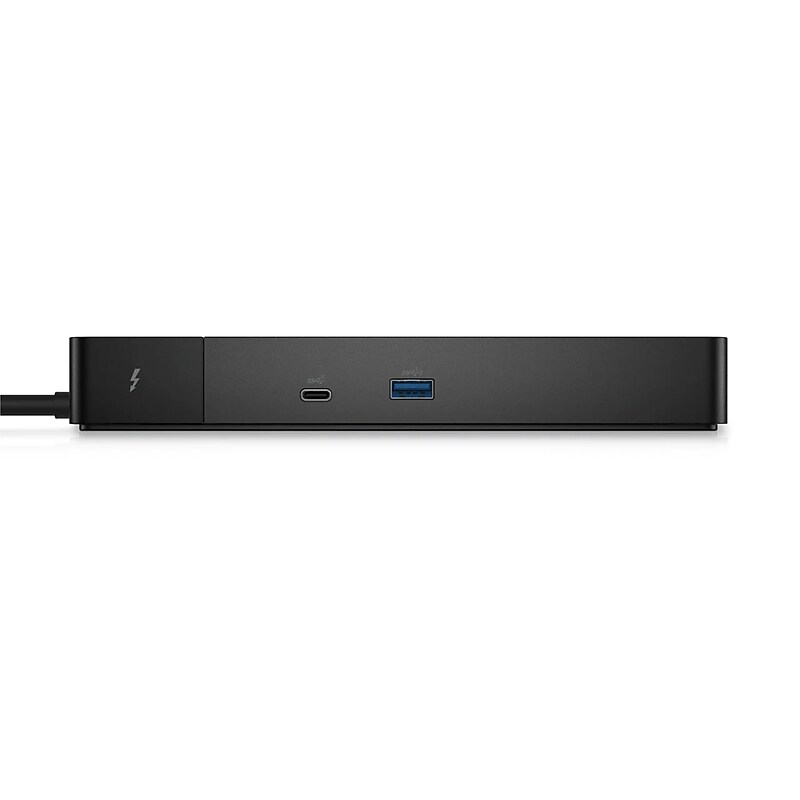
Powered by Thunderbolt 4 technology, this dock delivers ultra‑fast data transfer, smooth support for multiple high‑resolution displays, and reliable power delivery through a single cable. It allows you to connect monitors, keyboards, external storage, networking, and other peripherals effortlessly, reducing cable clutter and boosting productivity. With its compact and modern design, the WD22TB4 fits seamlessly into any professional workspace, whether at home or in the office. The dock is built for performance and compatibility, supporting a wide range of Thunderbolt 4 and USB‑C systems. Ideal for professionals who demand speed, flexibility, and stability, the Dell WD22TB4 provides a clean, efficient, and future‑ready docking experience backed by Dell’s trusted hardware quality..The Dell WD22TB4 is a premium universal docking station designed for Dell laptops and other Thunderbolt 4 and USB‑C–compatible systems, delivering high‑speed performance and reliable multi‑device connectivity through a single cable.This docking station features a compact, modern design that fits neatly on any desk, helping maintain a clean and professional workspace while supporting powerful desktop expansion.Dimensions: Height 1.14”, Width 8.07”, Depth 3.54” & Weight: 1.43lbs.It connects via a Thunderbolt 4 interface, providing ultra‑fast data transfer, high‑resolution display support, network connectivity, and power delivery through one streamlined connection.The docking station offers extensive connectivity, including multiple USB‑A and USB‑C ports, dual DisplayPort outputs, one HDMI port, an Ethernet port, and an audio jack to support multi‑monitor setups and a wide range of peripherals.The Dell WD22TB4 Universal Docking Station is a powerful all‑in‑one connectivity solution designed to transform your Dell laptop into a full desktop workstation.
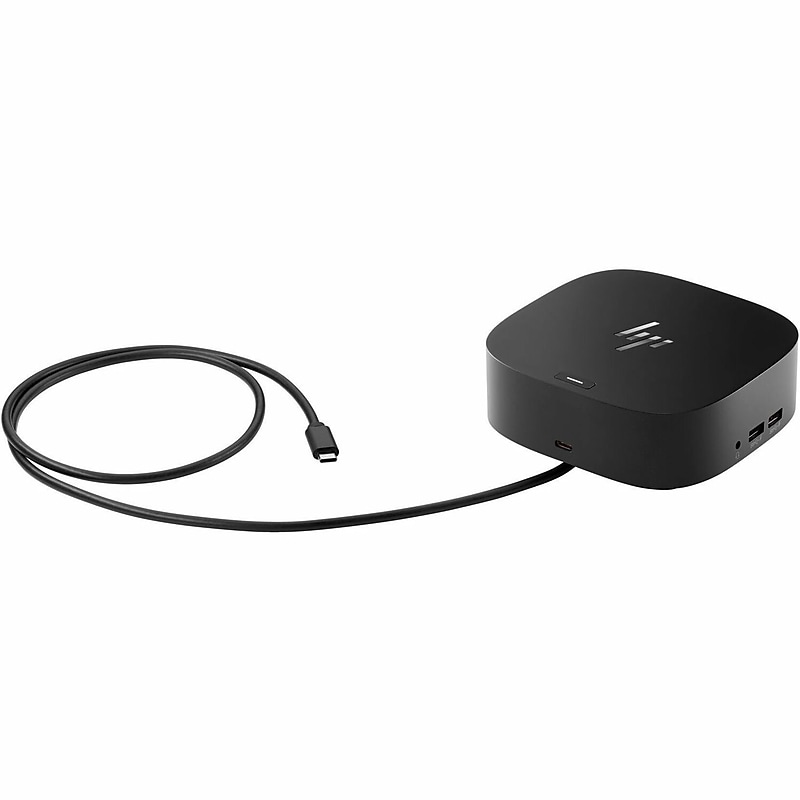
Elevate your workspace with the HP G5 USB‑C Essential Docking Station for HP Notebook Laptop (784Q9AA#ABA)—a powerful, streamlined solution designed to keep you connected and productive. With a single USB‑C connection, this dock delivers charging capability up to 65W, lightning‑fast data transfers, and support for up to three external displays in stunning resolutions including Full HD, QHD, and 4K UHD at 60Hz. Equipped with versatile connectivity options—1 HDMI port, 2 DisplayPorts, 4 USB Type‑A ports, 1 USB Type‑C port, and an RJ‑45 Gigabit Ethernet port—it ensures seamless integration of monitors, peripherals, and networks. Its compact, sleek black design fits perfectly into any desktop or office setup, while the included cable and 120W power adapter provide reliable performance right out of the box..USB‑C Essential Docking Station designed for HP Notebook and Desktop PCs, compatible with Windows 10, Windows 11, and macOS..Compact black wired desktop dock with lightweight design, approx. 4.8 × 12.2 × 17.8 cm for space‑saving setups..1 × HDMI port, 2 × DisplayPorts, 4 × USB 3.0 Type‑A ports, 1 × USB Type‑C port, 1 × RJ‑45 Gigabit Ethernet port, USB‑C upstream with charging capability up to 65W, supports 120W total power..Dock unit, USB‑C cable (approx. 0.8m length), external power adapter (120W), quick‑start documentation..1 HDMI port, 2 DisplayPorts, 4 USB Type‑A ports, 1 USB Type‑C port, no VGA..1‑Year Limited Warranty
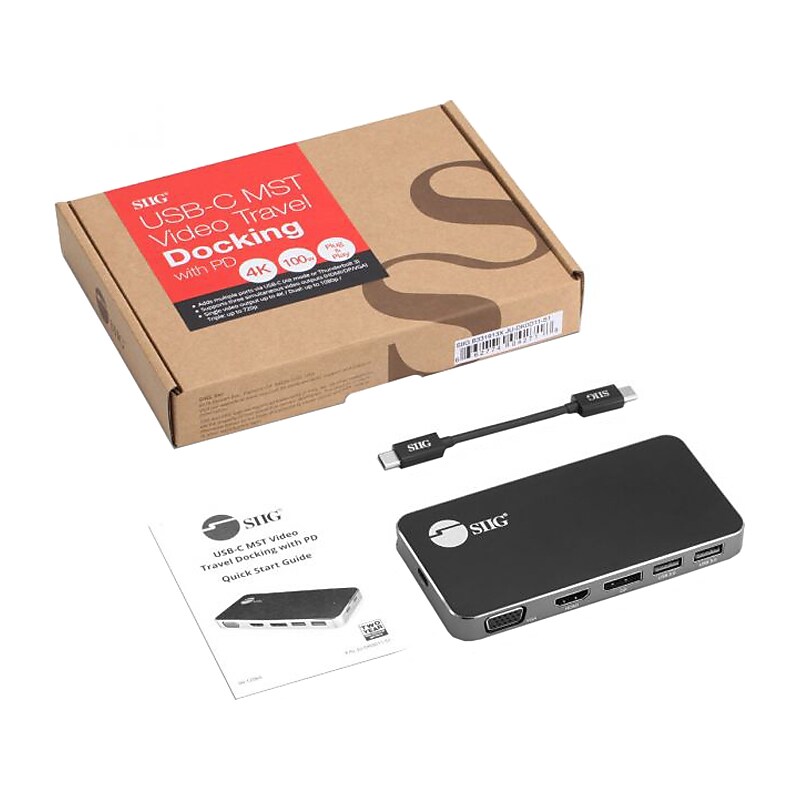
SIIG external docking station transforms a single USB-C port, with DP Alt mode or Thunderbolt 3 technology, into multiple connections simultaneously, including triple display (one DisplayPort, one HDMI, and one VGA)..External docking station transforms a single USB-C port into multiple connections simultaneously, including triple display (one DisplayPort, one HDMI, and one VGA).Dimensions: 0.51"H x 5"W x 2.48"D.Adds one USB Type-C data and two USB Type-A ports with USB 3.1 Gen 1 data transfer rate up to 5Gb/s to your computer.Box contains: video docking station, USB-C to USB-C cable, user reference guide.Features 1 x HDMI and 4 x USB ports.Supports single 4K at 30Hz Ultra HD video output or dual Full HD 1080p video output (HDMI/DP, DP/VGA, HDMI/VGA) or triple HD 720p video output.Supports Power Delivery 3.0 specification provides up to 100W power to charge laptops, notebooks, and other devices.Lightweight aluminum chassis with detachable/stowing USB cable is perfect for business trip and traveling.Anti-slip rubber pads keep the docking station firmly planted to the desktop.Compatible with USB-C DisplayPort Alternate Mode (DP Alt Mode) and Thunderbolt 3 technology.Compatible with DisplayPort 1.2 with MST graphics cards with AMD Eyefinity, NVIDIA Surround and Intel Multiple Displays technology.Housing is made of plastic and aluminum, and comes in iron gray with black.Meets or exceeds FCC, CE, RoHS standards.2-year manufacturer limited warranty
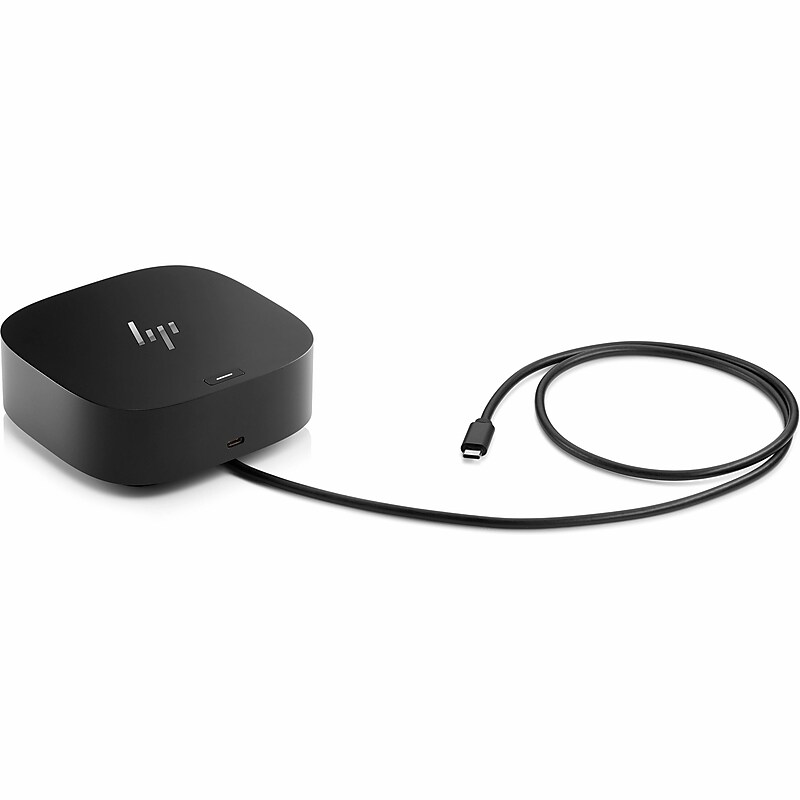
Have everything you need to get the job done with this compact dock that keeps your desk clean. With a single USB-C® cable, open your ports to all your accessories, connect up to three high-res displays, stable Ethernet connection, and so much more...all while charging your laptop. Clear your desk and clear your mind with this HP USB-C G5 Essential Dock. Effortlessly go the extra mile with just a single USB-C® cable. This essential dock seamlessly powers and supports 4 USB-A ports for all your accessories, up to 3 highres displays, and stable Ethernet connection-all while delivering 65W of power to your laptop..USB‑C Essential Docking Station designed for HP Notebook and Desktop PCs, compatible with Windows 10, Windows 11, and macOS..Compact black wired desktop dock with lightweight design, approx. 4.8 × 12.2 × 17.8 cm for space‑saving setups..1 × HDMI port, 2 × DisplayPorts, 4 × USB Type‑A ports, 1 × USB Type‑C port, 1 × RJ‑45 Gigabit Ethernet port, USB‑C upstream with charging capability up to 65W, supports 120W total power..Dock unit, USB‑C cable (approx. 0.8m length), external power adapter (120W), quick‑start documentation..1 HDMI port, 2 DisplayPorts, 4 USB Type‑A ports, 1 USB Type‑C port, no VGA..1‑Year Limited Warranty
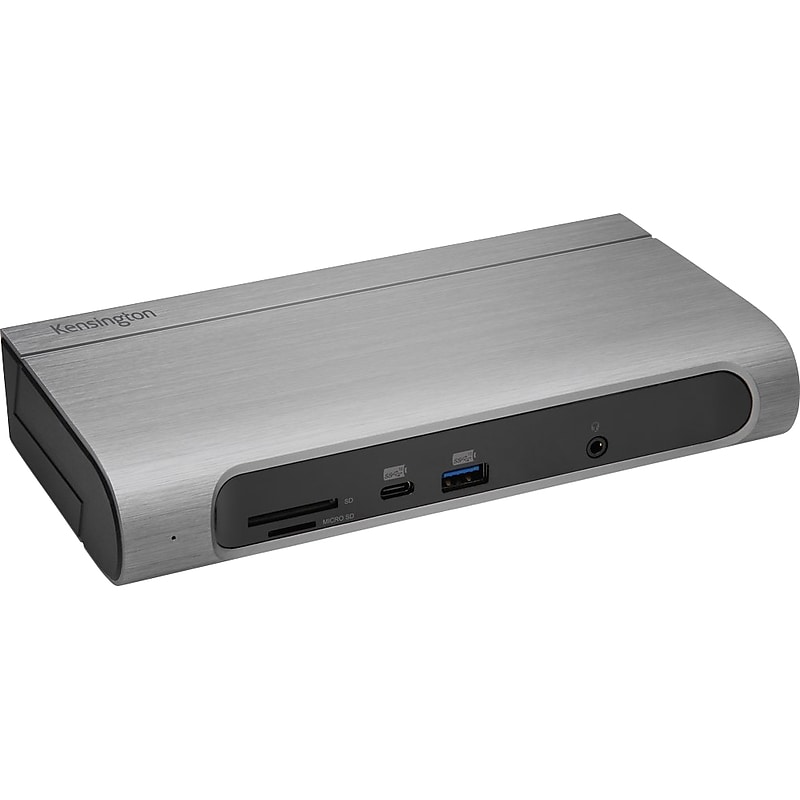
The Kensington SD5600T docking station features include: universal compatibility, which is perfect for hot-desking and mixed-deployment environments; the flexibility to select between HDMI 2.0 and DisplayPort 1.2; 100W of power delivery (perfect for the newer MacBook Pro); horizontal or vertical placement options; seven USB ports (two with charging), one Gigabit Ethernet port, and one audio combo jack; built-in SD and microSD card readers (UHS-II SD 4.0 for fast speeds). The station is covered by a 3-year warranty..Ultimate docking station for maximum productivity and compatibility.6 x USB Type-A 3.0 (one front, five rear), 1 x USB Type-C (front), 1 x 3.5mm combo microphone and headphone port (front), 2 x DisplayPort++, 2 x HDMI v2.0, 1 x Gigabit Ethernet.Includes TB3 cable, dock stand, power supply.Thunderbolt 3 technology allows you to transfer up to 40Gbps of data, video, and audio (10Gbps for USB Type-C Gen 2 laptops, 5Gbps for USB Type-C Gen 1 laptops), using the included Thunderbolt 3 cable for a quick and powerful Plug-and-Play experience.Extend visual productivity with the crisp resolution, contrast, and color depth of Ultra HD (single or dual 4K at 60Hz) via two DisplayPort ports; USB Type-C laptops must support Alt Mode.Quickly and simply charge any Thunderbolt 3 or USB Type-C enabled laptop; USB Type-C laptops must support Power Delivery; great for devices that require higher power.Choose a horizontal or vertical placement on the desktop.Features built-in SD and microSD card readers that enable ultrafast file transfer.3-year manufacturer limited warranty
The Kensington SD5600T docking station features include: universal compatibility, which is perfect for hot-desking and mixed-deployment environments; the flexibility to select between HDMI 2.0 and DisplayPort 1.2; 100W of power delivery (perfect for the newer MacBook Pro); horizontal or vertical placement options; seven USB ports (two with charging), one Gigabit Ethernet port, and one audio combo jack; built-in SD and microSD card readers (UHS-II SD 4.0 for fast speeds). The station is covered by a 3-year warranty..Ultimate docking station for maximum productivity and compatibility.6 x USB Type-A 3.0 (one front, five rear), 1 x USB Type-C (front), 1 x 3.5mm combo microphone and headphone port (front), 2 x DisplayPort++, 2 x HDMI v2.0, 1 x Gigabit Ethernet.Includes TB3 cable, dock stand, power supply.Thunderbolt 3 technology allows you to transfer up to 40Gbps of data, video, and audio (10Gbps for USB Type-C Gen 2 laptops, 5Gbps for USB Type-C Gen 1 laptops), using the included Thunderbolt 3 cable for a quick and powerful Plug-and-Play experience.Extend visual productivity with the crisp resolution, contrast, and color depth of Ultra HD (single or dual 4K at 60Hz) via two DisplayPort ports; USB Type-C laptops must support Alt Mode.Quickly and simply charge any Thunderbolt 3 or USB Type-C enabled laptop; USB Type-C laptops must support Power Delivery; great for devices that require higher power.Choose a horizontal or vertical placement on the desktop.Features built-in SD and microSD card readers that enable ultrafast file transfer.3-year manufacturer limited warranty
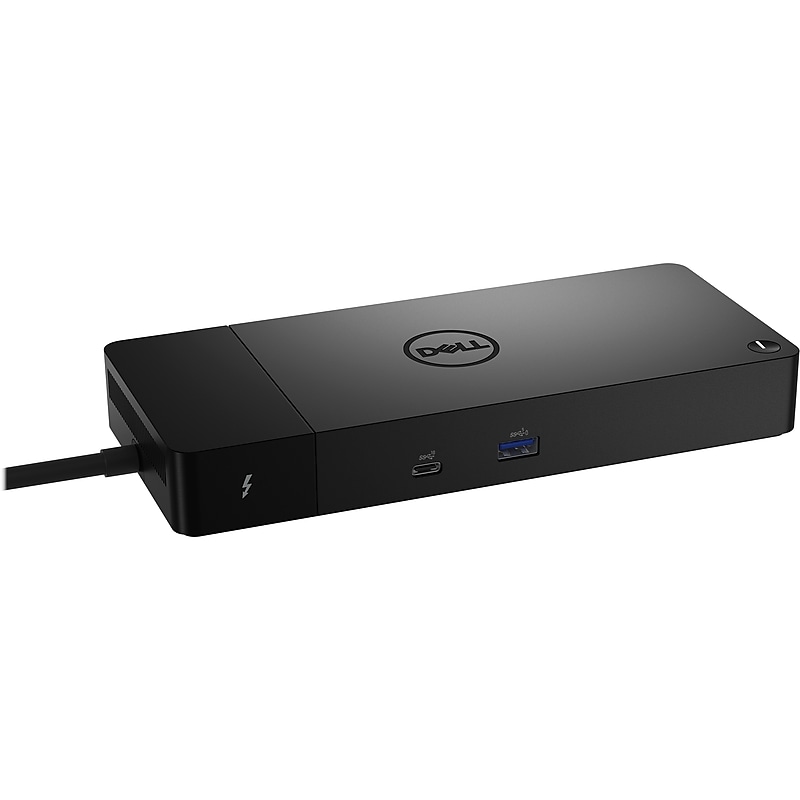
This Dell modular Thunderbolt dock comes with swappable modules for easy upgrades and SuperBoost technology for fast charging. You'll experience power delivery of up to 130W on Dell devices with ExpressCharge technology that enables 80% charge in one hour and 35% charge in just 20 minutes..Modular Thunderbolt dock with swappable modules for easy upgrades and SuperBoost technology for fast charging.Dimensions: 1.1"H x 8.1"W x 3.5"D.Contains USB, HDMI, DisplayPort, and Ethernet ports.Includes a security lock slot (cable lock sold separately).Features 2 x DisplayPort, 1 x HDMI, 1 x USB Type-C multifunctional DisplayPort, 3 x USB 3.2 Gen 1 Type-A, 2 x USB 3.2 Gen 2 Type-C, 1 x RJ45 ports.Swappable modules let you upgrade with ease to meet the needs of your IT environment.Upgrade to get the latest in connectivity with not one but two Thunderbolt 4 ports for even more flexibility.Connect displays and peripherals to your system with a single cable for enhanced productivity.Thunderbolt 4 dock with a high number of ports connects multiple 4K displays and Thunderbolt peripherals, allowing you to not compromise with your work setup; get the maximum from your peripherals with data transfer of 40GB/s.Offers wide compatibility across Dell commercial laptops; also compatible with laptops from other manufacturers that support industry standards for Thunderbolt docking.Compatible with Windows 10, Windows 11, Ubuntu 20.04 or later.Comes in black.3-year manufacturer limited warranty
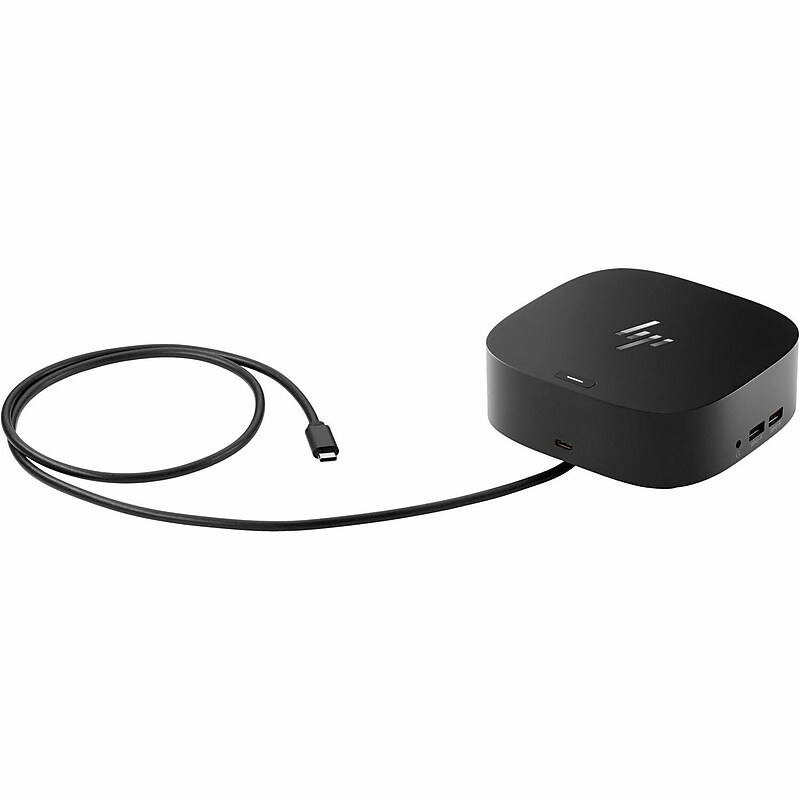
The HPI G5 USB‑C Docking Station for HP Notebook Laptop (26D32AA#ABL) is designed to transform your workspace into a powerful productivity hub. With seamless compatibility across Windows, macOS, and ChromeOS, this sleek black dock delivers reliable wired connectivity and efficient Gigabit Ethernet networking. It features multiple ports including 2 × USB 3.0 Type‑A, 1 × USB Type‑C, 1 × RJ‑45 Ethernet, 1 × HDMI, and 2 × DisplayPorts, enabling you to connect essential peripherals and expand to multiple displays with crisp resolutions up to 4K. Compact and lightweight, the G5 Dock is perfect for both office and home setups, offering a clutter‑free solution that keeps your devices charged and connected..USB‑C Docking Station compatible with HP Notebook Laptops, supporting Windows, macOS, and ChromeOS..Compact black desktop design, lightweight form factor, approx. 4.8 × 12.2 × 17.8 cm for space‑saving setups..2 × USB 3.0 Type‑A, 1 × USB Type‑C, 1 × RJ‑45 Gigabit Ethernet, 1 × HDMI, 2 × DisplayPorts, USB‑C upstream connection..Dock unit, USB‑C cable (approx. 0.8m length), external power adapter if required, quick‑start documentation..1 HDMI port, 2 DisplayPorts, 2 USB 3.0 Type‑A ports, 1 USB Type‑C port, no VGA..1‑Year Limited Warranty
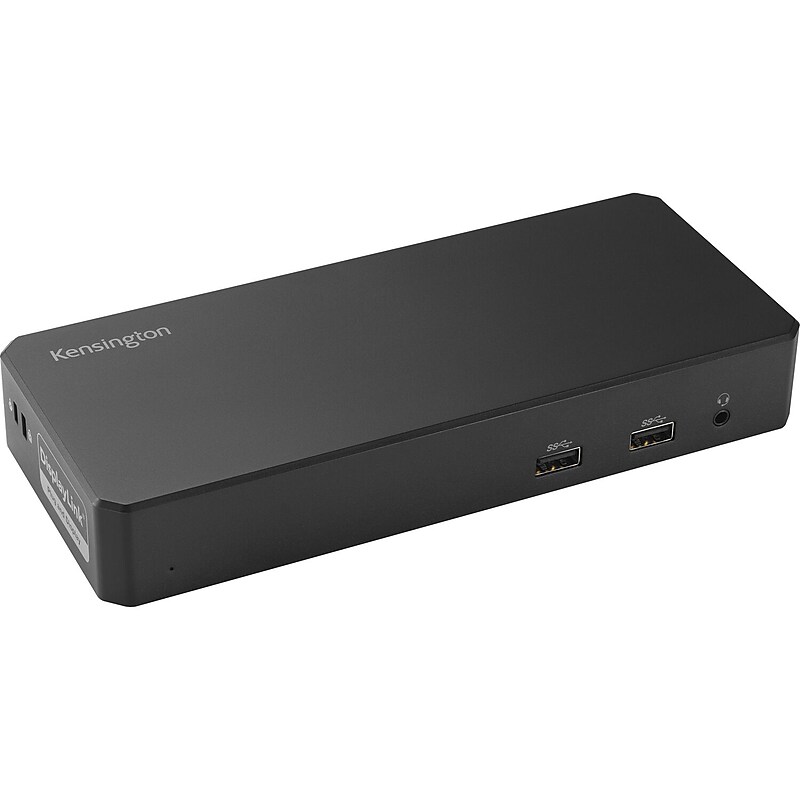
The Kensington SD4760P USB-C Triple Display Docking Station (K33622NA) is a powerful and versatile solution designed to enhance productivity by expanding your laptop's connectivity. With support for up to three external displays via DisplayPort and HDMI, this dock offers ultra-high-definition output, including 4K resolution at 60Hz for dual monitors. It delivers up to 100W of power via USB-C Power Delivery, ensuring your laptop and connected devices remain fully charged. Featuring a wide array of ports—including USB-C, USB-A, Gigabit Ethernet, and 3.5mm audio—this docking station streamlines your workspace by eliminating the need for multiple adapters. Compatible with Windows, macOS, and Chrome OS, the SD4760P is perfect for professional environments where seamless multitasking and high-speed connectivity are essential..The The Kensington SD4760P USB-C Triple Display Docking Station is a USB-C Triple Display Docking Station compatible with Windows, macOS, and Chrome OS devices..Dimensions are approximately 9.13 inches in length, 5.67 inches in width, and 3.31 inches in height..Feature multiple connectors and ports such as 4 HDMI/DisplayPort outputs, 1 USB-C 3.2 Gen2 port, 5 USB-A ports, a Gigabit Ethernet port, and a 3.5mm combo audio jack..Includes the docking station itself, a USB-C to USB-C cable approximately 1 meter (3.3 feet) in length, and a power adapter..There are 2 HDMI ports, 2 DisplayPort outputs, 1 USB-C port, and 5 USB-A ports available on the device..Limited 3-year warranty for peace of mind and reliable support.
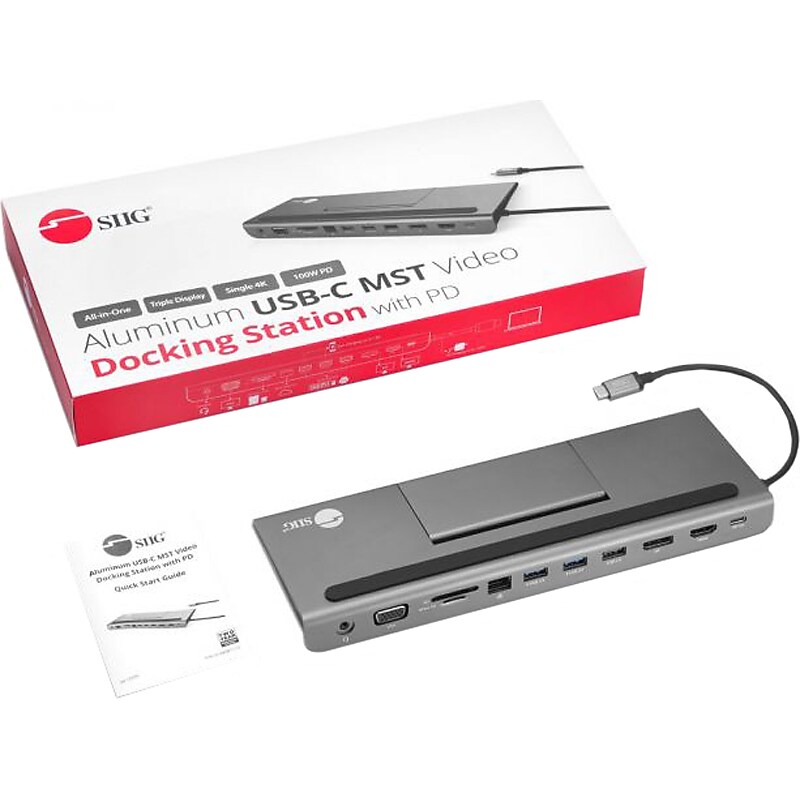
SIIG external docking station transforms a single USB-C port, with DP Alt mode or Thunderbolt 3 technology, into multiple connections simultaneously, including triple display (one DisplayPort, one HDMI, and one VGA)..External docking station transforms a single USB-C port into multiple connections simultaneously, including triple display (one DisplayPort, one HDMI, and one VGA).Dimensions: 0.51"H x 5"W x 2.48"D.Adds 1 x USB Type-C PD 3.0 pass-through port, 2 x USB 3.0 ports (with BC 1.2 charging), USB 2.0 port, HDMI port, DisplayPort output, VGA port, Gigabit Ethernet port, headphone audio jack.Box contains: video docking station, user reference guide.Features 1 x HDMI and 4 x USB ports.Supports single 4K at 30Hz Ultra HD video output or dual Full HD 1080p video output (HDMI/DP, DP/VGA, HDMI/VGA) or triple HD 720p video output.Supports Power Delivery 3.0 specification provides up to 100W power to charge laptops, notebooks, and other devices.Acts as a laptop stand and tablet/cell phone holder with handy flip-up stand, nonslip top and bottom surfaces ensure that devices are stable and protected.Anti-slip rubber pads keep the docking station firmly planted to the desktop.Compatible with USB-C DisplayPort Alternate Mode (DP Alt Mode) and Thunderbolt 3 technology.Compatible with DisplayPort 1.2 with MST graphics cards with AMD Eyefinity, NVIDIA Surround and Intel Multiple Displays technology.Housing is made of aluminum and comes in iron gray with black.Meets or exceeds FCC, CE, RoHS standards.2-year manufacturer limited warranty
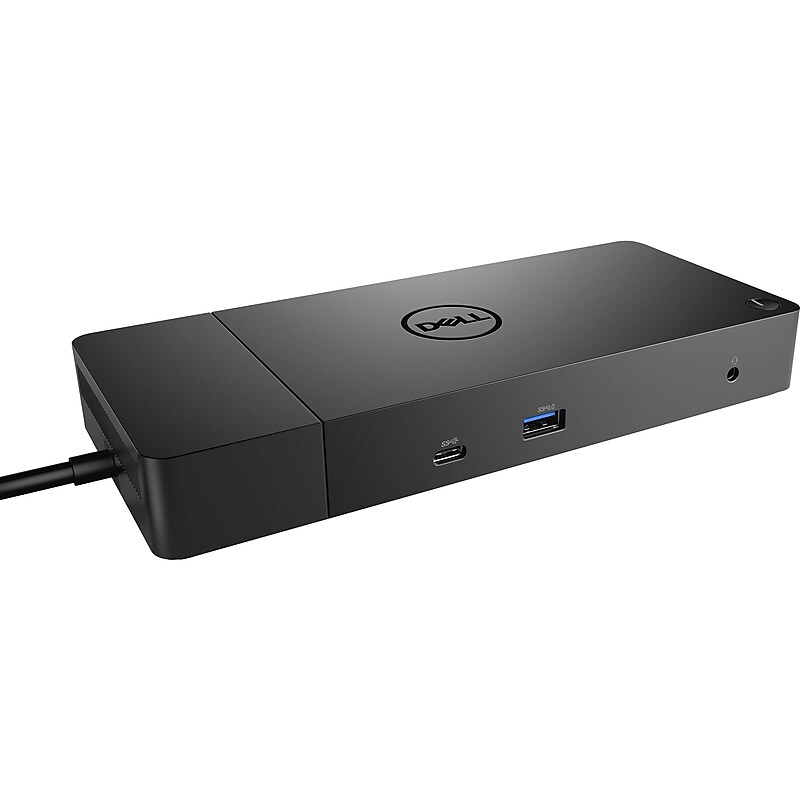
Our docks offer the greatest compatibility across Dell Commercial laptops and are easy to deploy, manage and upgrade so IT staff can have added peace of mind. The WD19S docks are also compatible with notebooks from other manufacturers such as HP and Lenovo which support industry standards for USB-C docking. Increase your power delivery and charge quicker with a dock that delivers up to 130 Watts of power allowing for an 80% charge in one hour with Dell ExpressCharge. Get more done even faster, with Dell ExpressCharge Boost, a feature that provides up to a 35% charge in just 20 minutes on compatible systems. Enhance your productivity with the World’s most powerful USB-C dock. USB-C technology delivers data transfer speeds of up to 10Gbps and supports up to three Full HD displays so you can work more efficiently. Streamline the deployment and management of all of the docks in the family, regardless of their connectivity with a single firmware..The Dell WD19S is a universal USB‑C docking station designed for Dell laptops and other compatible USB‑C devices, providing a single‑cable solution to connect displays, peripherals, networking, and power.This docking station features a compact and streamlined design that fits easily on a desk, helping create an organized and efficient workspace without occupying excessive space.Dimensions: Height 1.14”, Width 8.07”, Depth 3.54” & Weight: 1.29lbs.It connects to the laptop via a USB‑C interface with Power Delivery support, allowing simultaneous data transfer, video output, internet connectivity, and charging through one connection.The package includes the Dell WD19S docking station with an integrated USB‑C connection cable and a compatible Dell power adapter, ensuring quick setup and immediate use.The dock offers versatile connectivity with multiple USB‑A and USB‑C ports, two DisplayPort outputs, one HDMI port, an Ethernet port, and an audio jack to support multi‑monitor and peripheral expansion.3 Years Manufacturer's Warranty.Dell Commercial Docks boost productivity for end users by making it easy to connect to and charge their PCs faster than any other dock available.
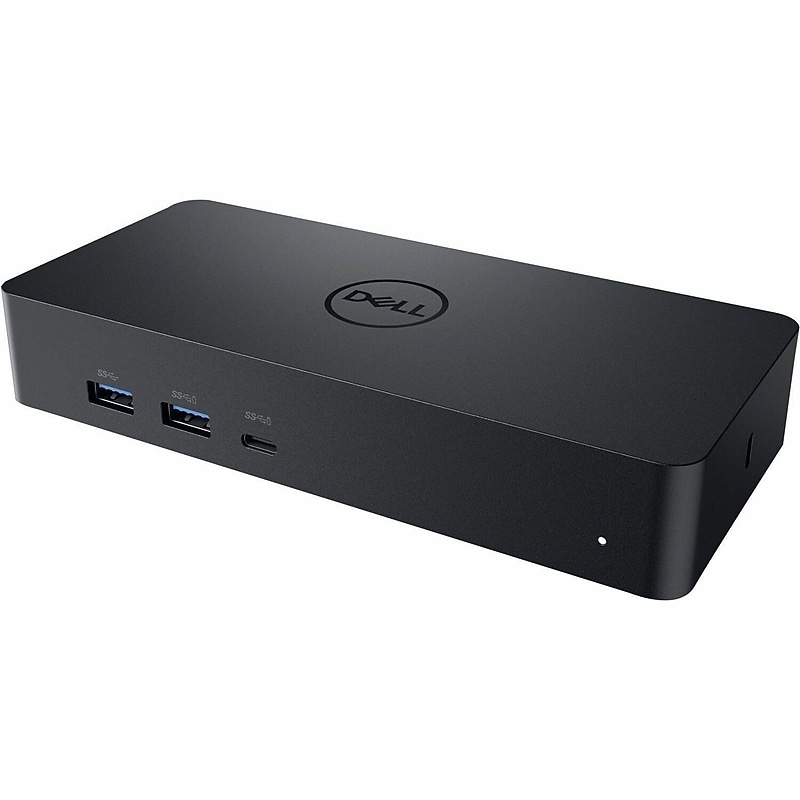
The Dell‑IMSourcing Universal D6000 Docking Station (452‑BCYT) is designed to simplify and supercharge your workspace. With 130W total power delivery, it keeps your Dell notebook charged while offering seamless connectivity through USB‑C. Connect multiple devices with four USB 3.0 ports, enjoy crystal‑clear visuals via HDMI and DisplayPort, and stay reliably online with Gigabit Ethernet. Built with Audio Line‑In and Line‑Out ports, it integrates easily with headphones, speakers, or microphones for a complete multimedia experience. Its wired technology ensures maximum stability and usability, making it the perfect hub for professionals who demand efficiency, speed, and convenience..Universal docking station designed for Dell laptops; supports multiple operating systems including Windows, ChromeOS, Ubuntu, and macOS..Compact rectangular design, approximately 1.0 x 7.5 x 3.5 inches, optimized for efficient desk space usage..Equipped with USB Type‑C host interface for power and data, plus HDMI, DisplayPort, RJ‑45 Gigabit Ethernet, Audio Line‑In, and Audio Line‑Out..Includes Dell D6000 docking station unit, USB‑C cable for notebook connection, and power adapter with sufficient cable length for flexible placement..Offers 1 x HDMI port, 1 x DisplayPort output, 4 x USB 3.0 Type‑A ports, and 1 x RJ‑45 Ethernet port; also includes Audio Line‑In and Line‑Out..1 Year Limited Warranty
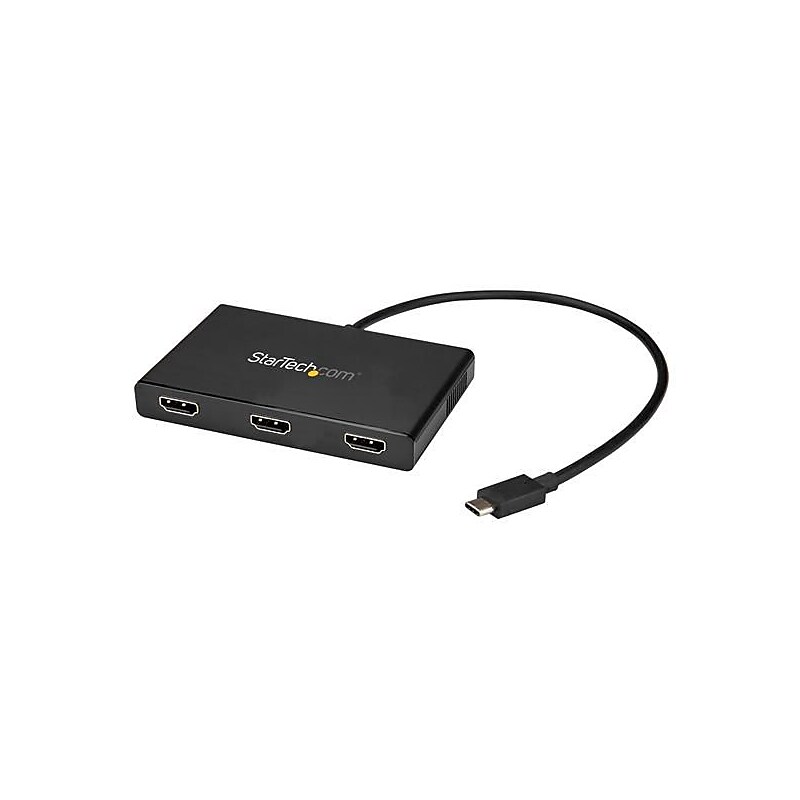
Use this USB C hub to connect three independent HDMI displays to a single USB Type-C port - Maximize your productivity by connecting three independent displays to your computer using the MST hub - Increase external video performance with support for resolutions up to 4K on two monitors simultaneously - USB 3.1 type c / usb type c to HDMI / mst hub / usb c splitter / USB C Multi Monitor / multi monitor hub / 3 Port MST Hub / usb c mst hub / usb c to HDMI / usb c HDMI.Maximize your productivity by connecting three independent displays to your computer using the MST hub.Hassle-free connection with the reversible USB-C connector.Increase external video performance with support for resolutions up to 4K on two monitors simultaneously.Thunderbolt 3 port compatible.Use this USB C hub to connect three independent HDMI displays to a single USB Type-C port
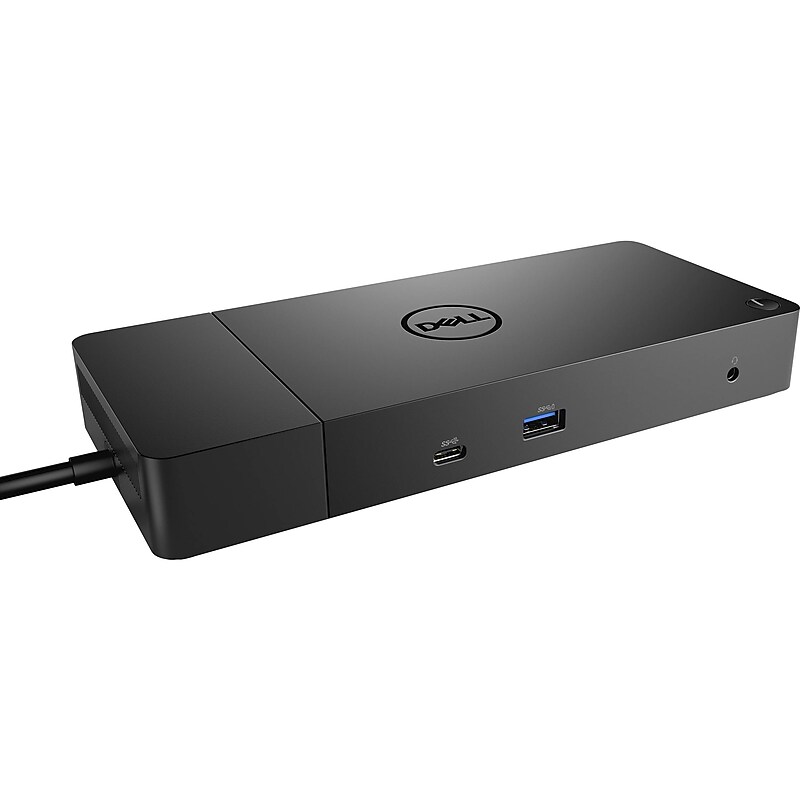
Our docks offer the greatest compatibility across Dell Commercial laptops and are easy to deploy, manage and upgrade so IT staff can have added peace of mind. The WD19S docks are also compatible with notebooks from other manufacturers such as HP and Lenovo which support industry standards for USB-C docking. Increase your power delivery and charge quicker with a dock that delivers up to 130 Watts of power allowing for an 80% charge in one hour with Dell ExpressCharge. Get more done even faster, with Dell ExpressCharge Boost, a feature that provides up to a 35% charge in just 20 minutes on compatible systems. Enhance your productivity with the World’s most powerful USB-C dock. USB-C technology delivers data transfer speeds of up to 10Gbps and supports up to three Full HD displays so you can work more efficiently. Streamline the deployment and management of all of the docks in the family, regardless of their connectivity with a single firmware. Dell’s docks are support enabled in our laptops’ BIOS from the factory. Perform firmware updates in minutes without needing to reboot the system, allowing end users to continue working without disruption..The Dell WD19 is a universal docking station designed for Dell laptops and other compatible USB‑C systems, allowing users to connect multiple displays and peripherals through a single cable for an efficient workstation setup.This docking station features a compact and low‑profile design that fits neatly on a desk, helping keep workspaces organized while delivering full desktop‑level connectivity.Dimensions: Height 1.14”, Width 8.07”, Depth 3.54” & Weight: 1.29lbs.It connects to the laptop using a USB‑C interface with Power Delivery support, enabling data transfer, video output, network connectivity, and charging through one streamlined connection.The dock offers versatile expansion with multiple USB‑A and USB‑C ports, DisplayPort outputs, an HDMI port, an Ethernet port, and an audio jack, supporting multi‑monitor setups and a wide range of accessories.3 Years Manufacturer's Warranty.Dell Commercial Docks boost productivity for end users by making it easy to connect to and charge their PCs faster than any other dock available.
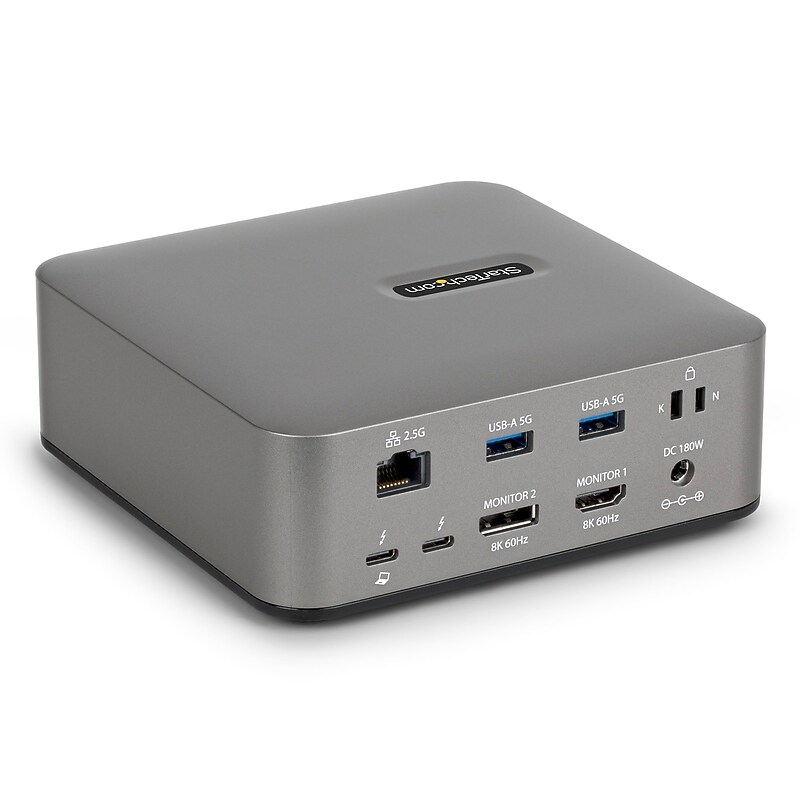
The StarTech Thunderbolt 5 Universal Docking Station (215N-TB5USB4DOCK) delivers powerful connectivity for modern laptops, transforming a single Thunderbolt 5 or USB4 port into a complete workstation. Supporting up to triple 4K 144Hz displays on Windows or dual 6K 60Hz on macOS, it enables high-performance multi-monitor setups for productivity and creative workflows. With 140W Power Delivery and a dedicated 30W USB-C port, it charges laptops and mobile devices simultaneously while powering all downstream ports. The dock includes 2.5GbE networking with jumbo frame support, SD 4.0 and microSD 4.0 card slots, and multiple USB 10Gbps ports for fast data transfers. Built-in security slots, driverless compatibility, and enterprise management tools ensure secure, seamless deployment across IT environments. Compact and durable, with a 3-year warranty, this docking station is the ideal solution for future-ready connectivity..Universal docking station built for Thunderbolt 5 and USB4 laptops.Compact size measures 5.5 in depth, 5.9 in width, and 2.0 in height.Connectivity includes HDMI, DisplayPort, USB-C, USB-A, RJ-45, SD, and audio.Packaged with Thunderbolt 5 host cable and 180W universal power adapter.1 HDMI port, 5 USB ports, and 1 Ethernet RJ-45 port.3-year manufacturer warranty for reliable performance
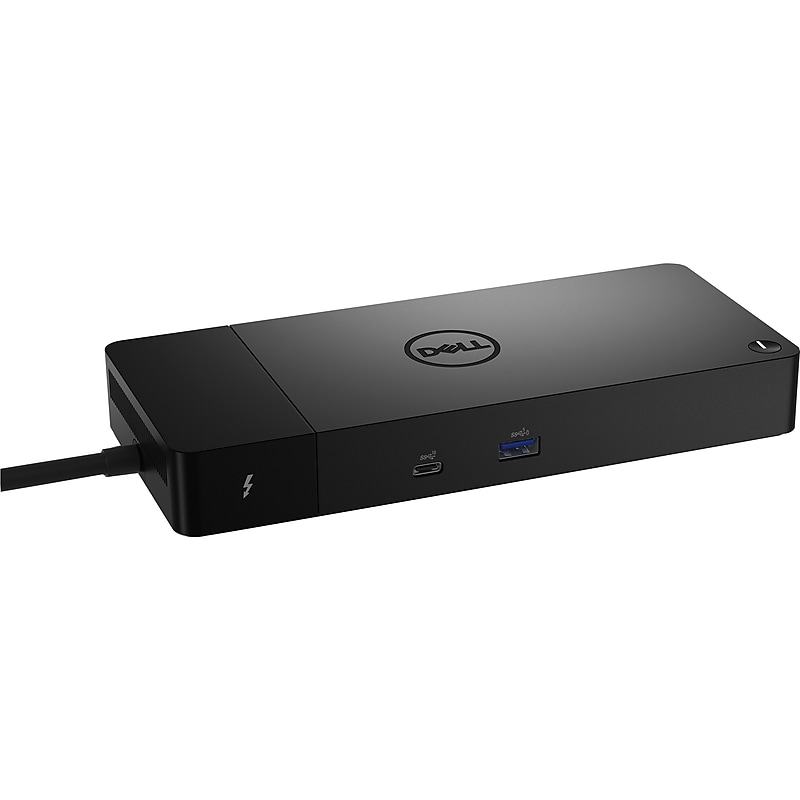
Supercharge your workspace with the Dell WD22TB4 Docking Station (WD22TB4)a modular, high‑performance hub built for professionals who demand speed, power, and versatility. Featuring Thunderbolt 4 technology and up to 180W charging capability, this dock keeps your Dell notebook fully powered while delivering ultra‑fast data transfer and seamless connectivity..Thunderbolt 4 Docking Station compatible with Dell Notebook, Workstation, Tablet PC, and Desktop PC for seamless professional use..Modular, compact black desktop dock with a sleek space‑saving design optimized for modern workspaces..Equipped with 2 Thunderbolt 4 ports, 2 DisplayPorts, 1 HDMI port, 3 USB Type‑A ports, 2 USB Type‑C ports, and 1 RJ‑45 Gigabit Ethernet port for comprehensive connectivity..Includes dock unit, Thunderbolt 4 cable for single‑cable video/data/power solution, external 180W power adapter, and quick‑start documentation..1 HDMI port, 2 DisplayPorts, 3 USB Type‑A ports, 2 USB Type‑C ports, and no VGA port for streamlined modern compatibility..1‑Year Limited Warranty
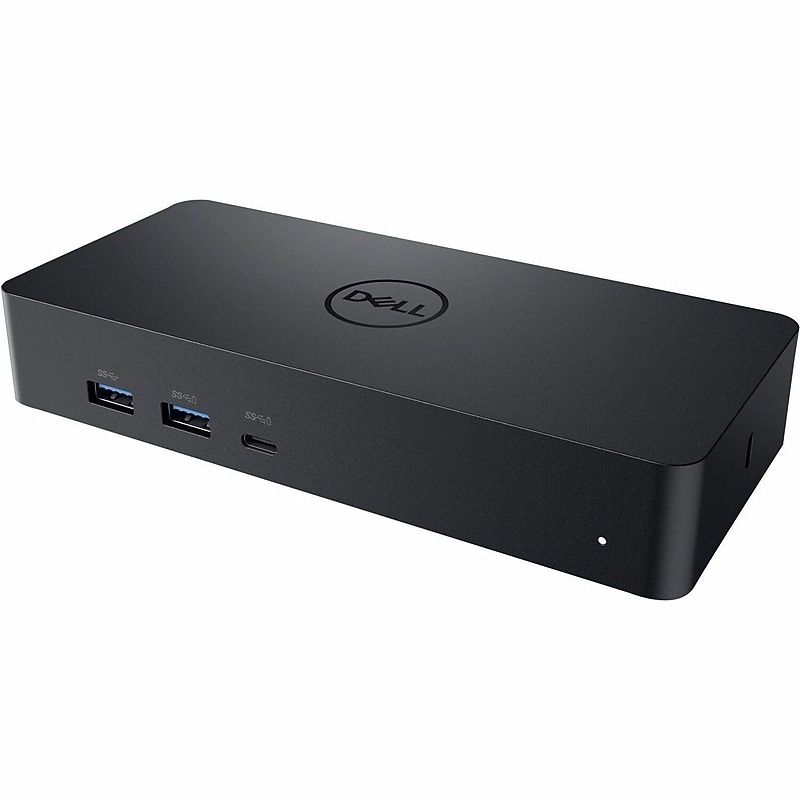
Conveniently dock any laptop equipped with USB-C or USB3.0 ports with the Dell Universal Dock - D6000. You'll be able to connect up to three 4K displays simultaneously. A single USB-C cable connection allows you to transfer audio, video, data and power - enabling a fast and convenient docking experience. It also eliminates the need for an additional power adapter, keeping your desk neat and tidy..Dell D6000 Universal Docking Station designed for Dell laptops and other USB‑C enabled notebooks, providing seamless compatibility.Compact rectangular dock with a sleek low‑profile design, engineered to fit neatly on any desk setup, approximate footprint 6.5" x 3.1" x 1.0" and lightweight for portability..Equipped with 6 x USB ports (including 4 x USB 3.0), 1 x USB Type‑C host interface, 1 x RJ‑45 Gigabit Ethernet port, 1 x HDMI port, 1 x DisplayPort output, and 1 x audio line‑out port.Includes Dell D6000 Universal Dock unit, USB Type‑C cable for host connection, and AC adapter rated at 130W for dependable power delivery and uninterrupted usage..Provides 1 x HDMI port, 1 x DisplayPort output, 6 x USB ports (including 4 x USB 3.0), and 1 x USB Type‑C port; no VGA port included, enabling HD video output and multiple device connections..1 Year Limited Warranty
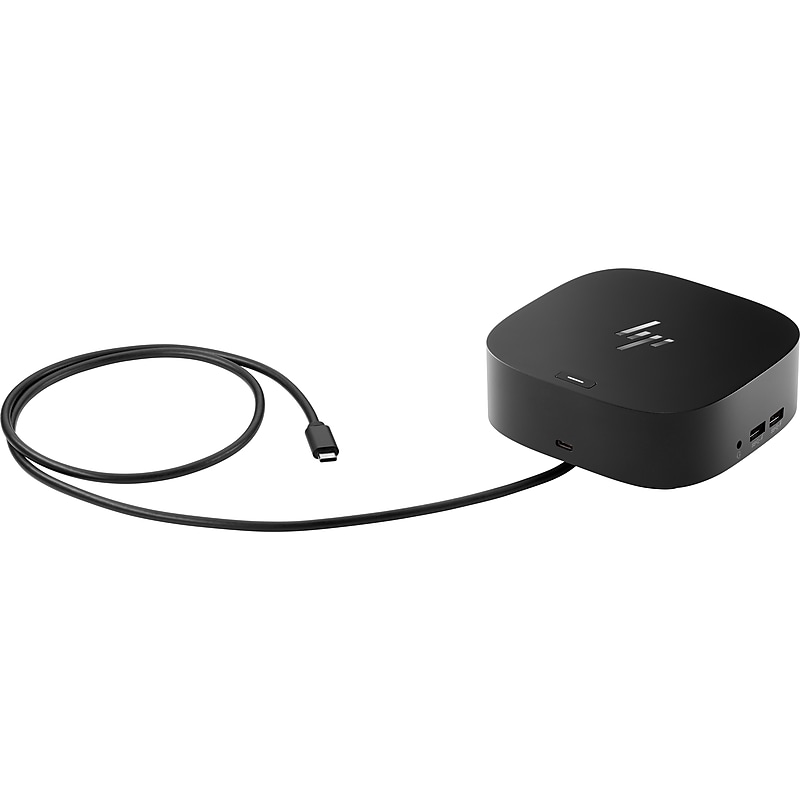
Get to work with a single cable from your USB-C-enabled notebook to your displays, devices, and wired network with the versatile, elegant, and space-saving HP USB-C Dock G5. The dock is compatible with HP notebooks, MacBook computers, and other notebooks..This USB-C dock is compatible with HP notebooks, MacBook computers, and other notebooks.Dimensions: 1.77" H x 4.8" W x 4.8" D.Package includes AC adapter, AC power cord, HP USB-C dock G5, product notices, quick start guide, warranty.Connector on front: 1 x USB-C port with data and power out (15W), 1 x USB-C cable; side: 2 x USB 3.0 charging ports, 1 x combo audio jack; back: 2 x USB 3.0 charging ports, 2 x DisplayPort ports, 1 x RJ45 port, 1 x HDMI 2.0 port, 1 x standard lock slot.Avoid a messy desk by using a simple one-cord setup that plugs in multiple devices.Help secure and remotely manage your laptop with this dock that has advanced network manageability features.Add your accessories and up to three displays to the dock, then simply connect it to your laptop through a single USB-C cable to access your devices and charge your PC.Reclaim your desk with a compact dock that takes up only 5" x 5" of space.Save time with dock firmware updates pushed to your laptop, even when they are not connected.1-year manufacturer limited warranty
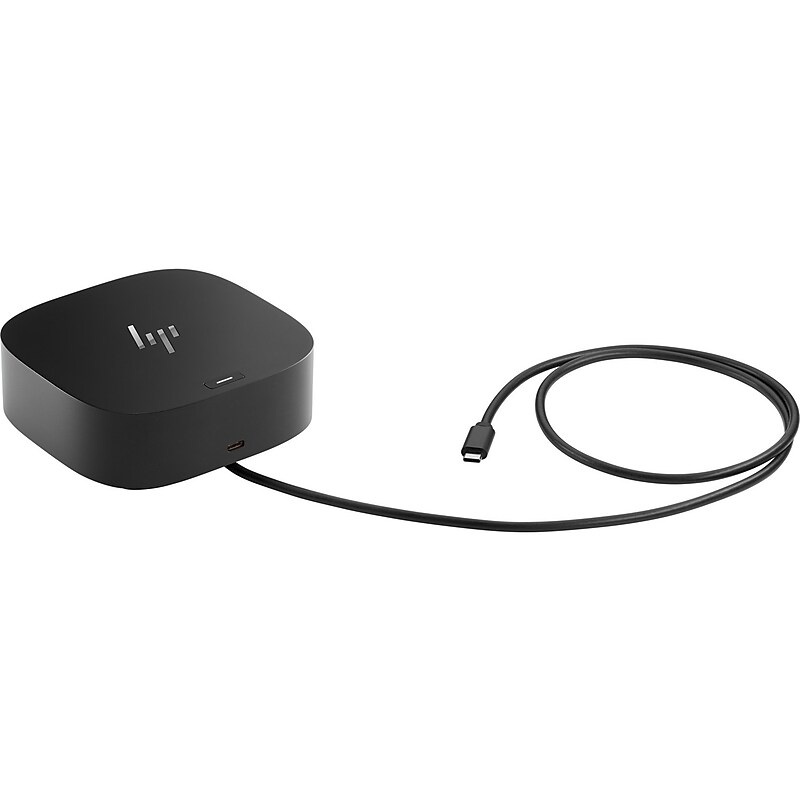
Have everything you need to get the job done with this compact dock that keeps your desk clean. With a single USB-C® cable,open your ports to all your accessories, connect up to three high-res displays stable Ethernet connection, and so much more...all while charging your laptop Clear your desk and clear your mind with this HP USB-C G5 Essential Dock..HP USB-C Dock G5 Essential Dock, universal docking station compatible with HP laptops, desktop PCs, and monitors; supports Windows, macOS, Linux, and ChromeOS..Compact design measuring approximately 4.8″ x 4.8″ x 1.8″ with a lightweight build of about 1.1 lb, ideal for desk setups or portability..Equipped with 4 x USB Type-A ports, 1 x USB Type-C port, 1 x RJ-45 Ethernet port, 1 x HDMI port, and 1 x DisplayPort; supports up to 3 external displays simultaneously..Docking station unit, USB-C cable (standard length ~3 ft), and 120W power adapter for reliable performance..1 HDMI port, 4 USB Type-A ports, 1 USB Type-C port, 1 RJ-45 Ethernet port, and 1 DisplayPort..1 Year Limited Warranty
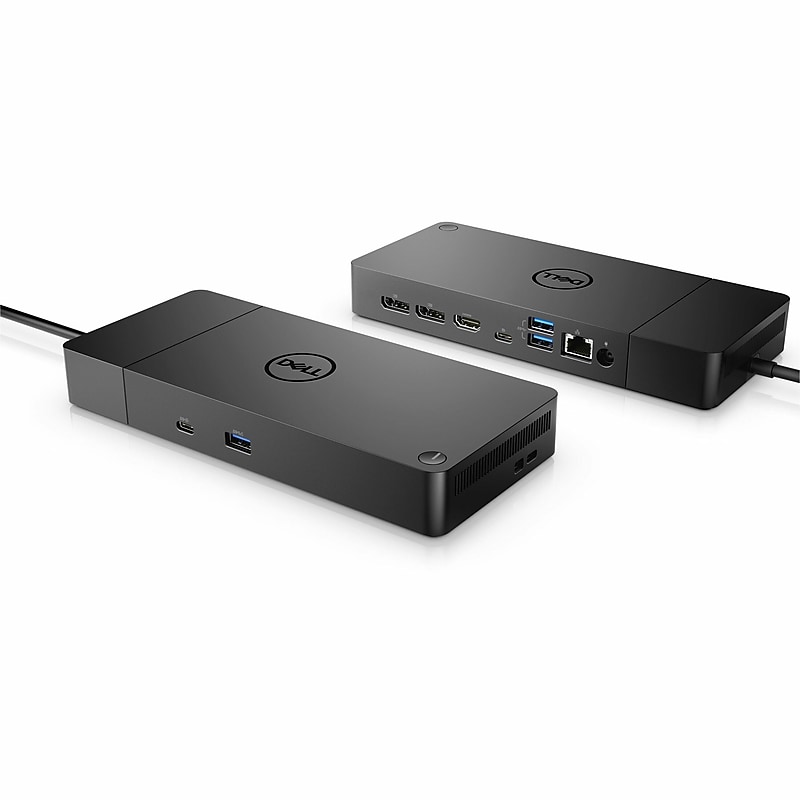
Boost productivity and streamline your workspace with the Dell WD19 Docking Station (180W) the ultimate solution for desktop PC connectivity. Designed with USB-C technology, this dock delivers fast data transfer, reliable charging, and seamless integration with your devices..Dell WD19 Docking Station, designed for Dell Notebook Laptops, Desktop PCs, and Workstations.Compact black design measuring approximately 6.5″ x 3.5″ x 1.1″ and weighing about 1.1 lb., optimized for desk setups..Includes 3 x USB Type-A ports, 2 x USB Type-C ports, 1 x RJ-45 Gigabit Ethernet port, 1 x HDMI port, 2 x DisplayPort outputs, and audio line-out..Docking station unit, USB Type-C cable (approx. 3 ft length), 180W power adapter, and quick start guide..1 HDMI port, 2 DisplayPort outputs, 3 USB Type-A ports, 2 USB Type-C ports, 1 RJ-45 Ethernet port, plus audio line-out; VGA not included..1-Year Limited Warranty
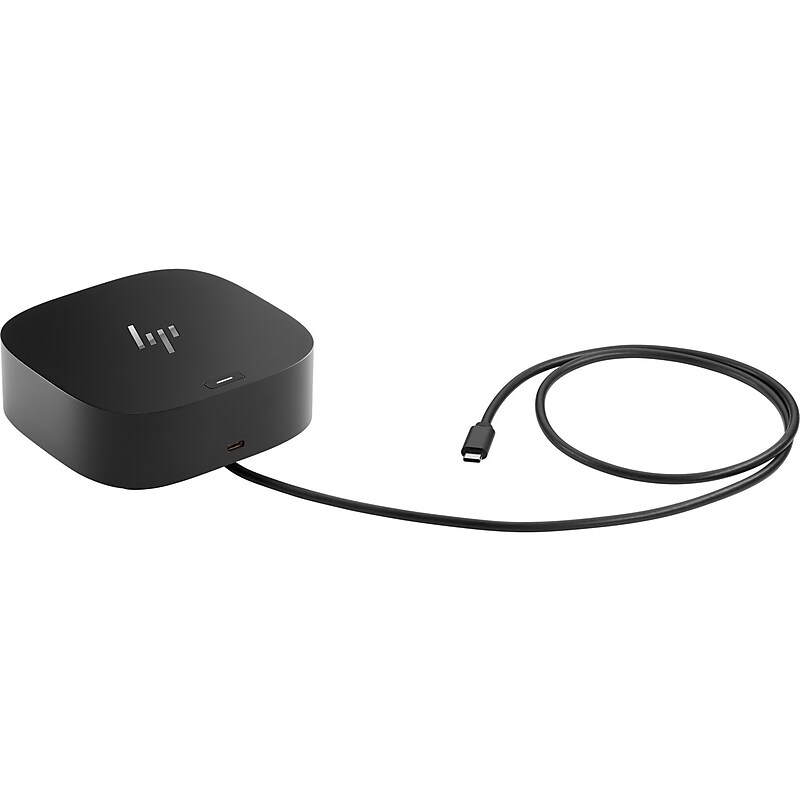
Have everything you need to get the job done with this compact dock that keeps your desk clean. With a single USB-C® cable,open your ports to all your accessories, connect up to three high-res displays stable Ethernet connection, and so much more...all while charging your laptop Clear your desk and clear your mind with this HP USB-C G5 Essential Dock..HP USB-C Dock G5 Essential Dock, universal docking station compatible with HP laptops, desktop PCs, and monitors; supports Windows, macOS, Linux, and ChromeOS..Compact design measuring approximately 4.8″ x 4.8″ x 1.8″ with a lightweight build of about 1.1 lb, ideal for desk setups or portability..Equipped with 4 x USB Type-A ports, 1 x USB Type-C port, 1 x RJ-45 Ethernet port, 1 x HDMI port, and 1 x DisplayPort; supports up to 3 external displays simultaneously..Docking station unit, USB-C cable (standard length ~3 ft), and 120W power adapter for reliable performance..1 HDMI port, 4 USB Type-A ports, 1 USB Type-C port, 1 RJ-45 Ethernet port, and 1 DisplayPort..1 Year Limited Warranty
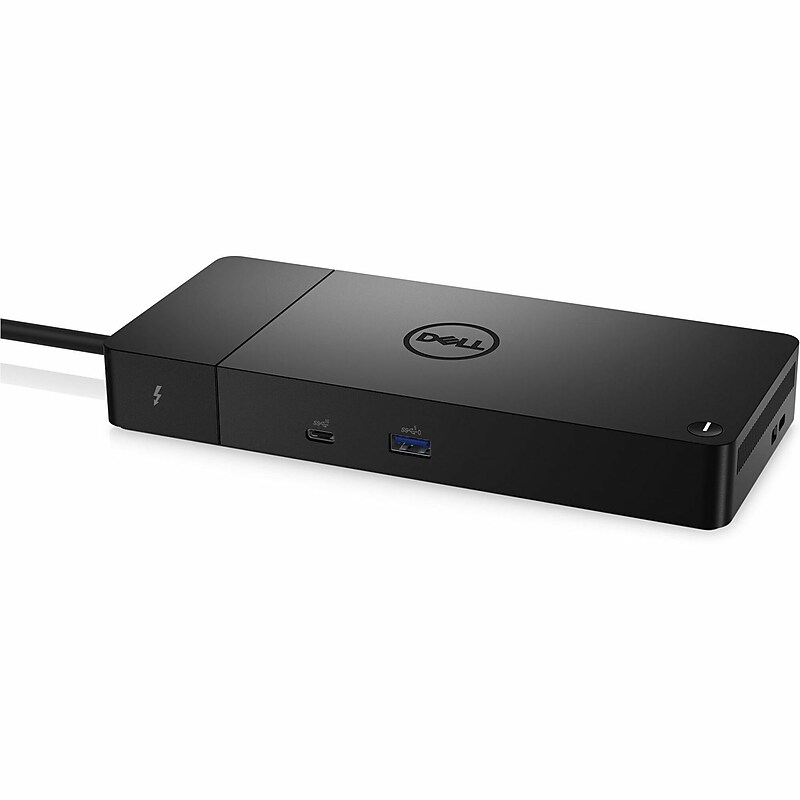
Supercharge your productivity with the Dell WD22TB4 Docking Station for Dell Notebook Laptop (JMNW1) - a modular, high‑performance hub built for professionals who demand speed, power, and versatility. Powered by Thunderbolt 4 technology, this dock delivers blazing‑fast data transfers, seamless connectivity, and charging capability up to 180W. With support for up to four external displays in stunning resolutions including 8K @ 60Hz, 5K @ 60Hz, and 4K UHD, you can expand your visual workspace like never before..Thunderbolt 4 Docking Station designed for Dell Notebook, Workstation, Tablet PC, and Desktop PC..Compact modular black dock, approx. 20.5 x 90 x 90 mm (main module), optimized for professional setups..2 x Thunderbolt 4 ports, 2 x DisplayPorts, 1 x HDMI port, 3 x USB Type‑A ports, 2 x USB Type‑C ports, 1 x RJ‑45 Gigabit Ethernet port..Dock unit, Thunderbolt 4 cable (single‑cable solution), external 180W power adapter, quick‑start documentation..1 HDMI port, 2 DisplayPorts, 3 USB Type‑A ports, 2 USB Type‑C ports, no VGA..1‑Year Limited Warranty
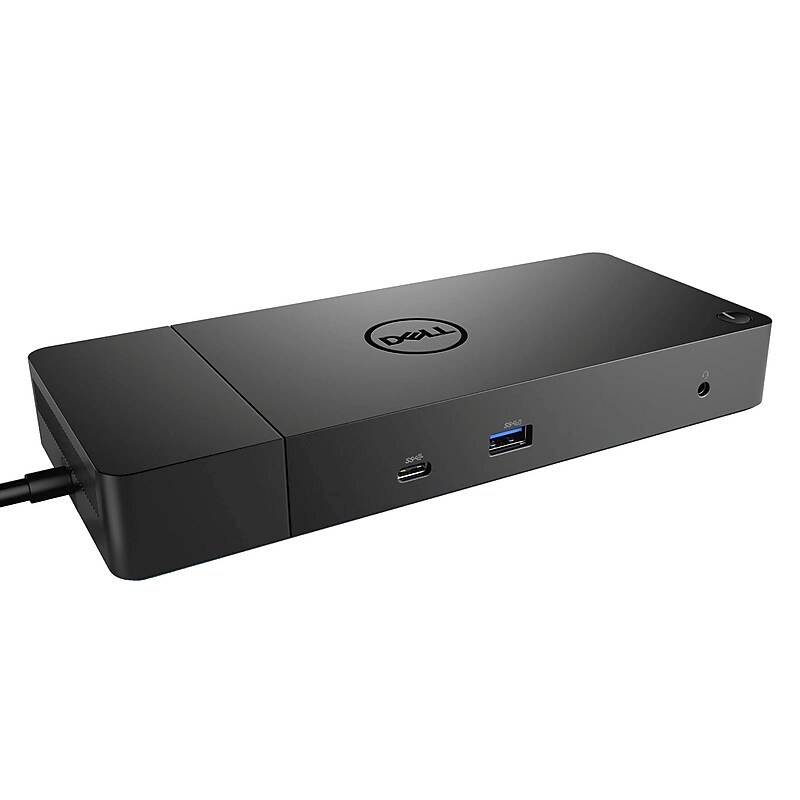
Using a single USB‑C connection, this dock allows you to connect multiple monitors, peripherals, and wired networking while also delivering consistent power to your laptop. It is ideal for professionals who want a clean, efficient setup without cable clutter. With support for high‑resolution displays and a wide range of accessories, the WD19 helps boost productivity whether you are working from the office or at home. Its compact, modern design fits easily on any desk while providing robust performance for everyday business tasks. Designed for compatibility and long‑term reliability, the Dell WD19 offers seamless connectivity, easy setup, and trusted Dell quality. It is an excellent choice for users looking to expand their workspace and streamline their workflow with one dependable docking solution..The Dell WD19 is a universal USB‑C docking station designed for Dell laptops and other compatible USB‑C systems, offering a simple one‑cable solution to expand displays, peripherals, networking, and power.This docking station features a compact, low‑profile design that fits neatly on any desk, helping maintain a clean and organized workspace without sacrificing functionality.Dimensions: Height 1.14”, Width 8.07”, Depth 3.54” & Weight: 1.29lbs.It connects to the laptop using a USB‑C interface with Power Delivery support, allowing data transfer, video output, wired internet access, and charging through a single streamlined connection.The docking station provides versatile expansion options, including multiple USB‑A and USB‑C ports, dual DisplayPort outputs, one HDMI port, an Ethernet port, and an audio jack to support multi‑monitor and accessory connections.The Dell WD19 Universal Docking Station is a powerful and reliable solution designed to turn your Dell laptop into a complete desktop workstation.
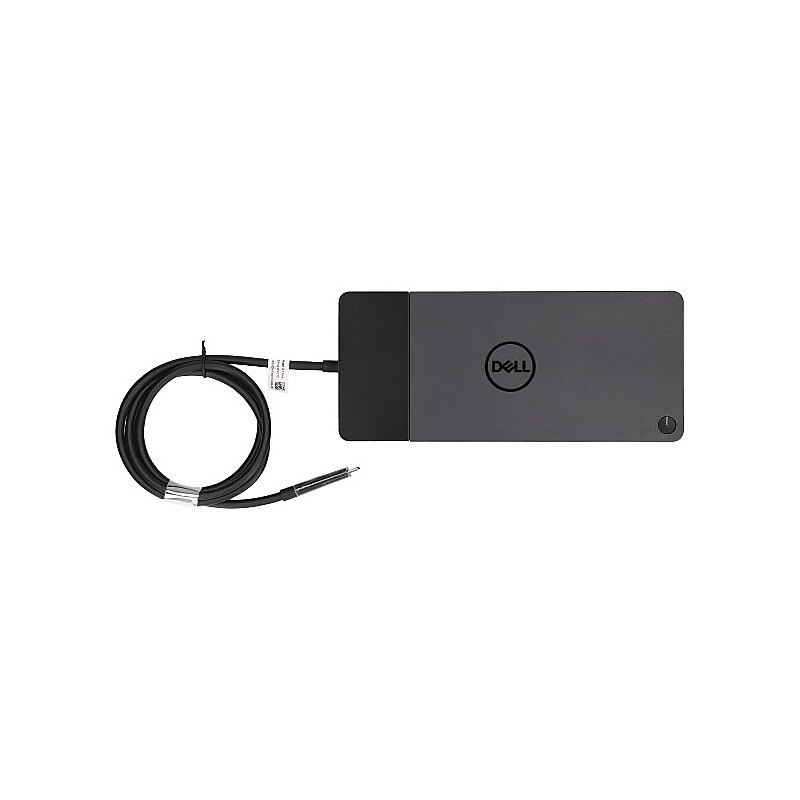
The Dell WD19 Docking Station (CYH2C) is a versatile and powerful docking solution designed to enhance your productivity. It allows you to connect multiple peripherals and displays to your laptop through a single USB-C connection. This docking station supports up to two 4K displays at 60 Hz or three QHD displays at 60 Hz, making it ideal for multitasking and improving your workflow. It features a variety of ports, including two DisplayPort 1.4 ports, one HDMI 2.0b port, one USB-C 3.2 Gen 2/DisplayPort, one USB-C 3.2 Gen 2, and three USB 3.2 Gen 1 Type-A ports, one of which supports PowerShare. Additionally, it includes an Ethernet (RJ-45) port for reliable network connectivity. The docking station is compatible with Windows 10, Windows 11, Red Hat Enterprise Linux, and Ubuntu, making it a versatile choice for various operating systems. With its compact design, measuring 8.1 inches in width, 3.5 inches in depth, and 1.1 inches in height, and weighing just 1.29 lbs., it saves desk space while offering robust functionality. The package includes a 3.3 ft USB-C cable, ensuring you have everything you need to get started. The Dell WD19 Docking Station also provides up to 130W of power to Dell systems and 90W to non-Dell systems, ensuring your devices stay charged and ready to go. It comes with a 1-year limited warranty, providing peace of mind and reliable support..This is a standard docking station compatible with Dell systems and other laptops that support USB-C connectivity..The docking station measures 8.1 inches in width, 3.5 inches in depth, and 1.1 inches in height, making it compact and space-saving..It connects to your laptop via a USB-C interface, providing a seamless and efficient connection..The package includes a 3.3 ft USB-C cable, ensuring you have everything you need to get started..It features 2 DisplayPort 1.4 ports, 1 HDMI 2.0b port, 1 USB-C 3.2 Gen 2/DisplayPort, 1 USB-C 3.2 Gen 2 port, and 3 USB 3.2 Gen 1 Type-A ports (one with PowerShare)..The docking station comes with a 1-year limited warranty, providing peace of mind and reliable support.
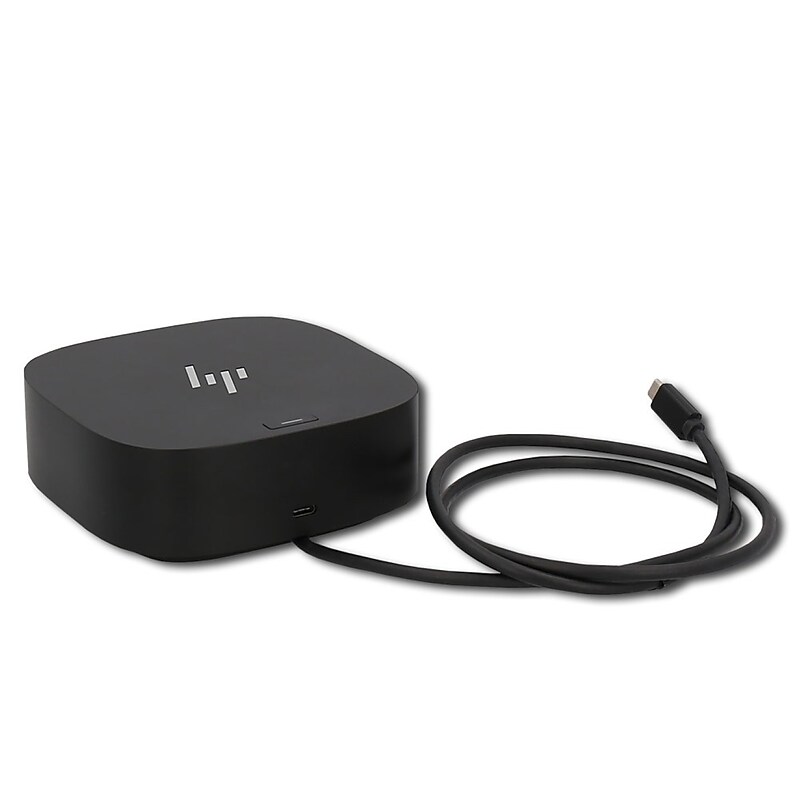
The HP USB-C Dock G5 Essential Dock Station HSN-IX02 N31329-001 is a black docking station designed specifically for HP laptops. It features a USB-C port for fast and efficient data transfer. This dock is ideal for those who want to easily expand their laptop's capabilities without the need for a custom bundle. With its sleek design and reliable performance, this HP docking station is a convenient accessory for enhancing your computing experience..This HP USB‑C Essential Dock G5 is a wired docking station designed for HP laptops and other USB‑C or Thunderbolt‑enabled systems that support DisplayPort Alt Mode and USB Power Delivery, allowing seamless multi‑device and multi‑display connectivity from a single cable.Features a compact and desk‑friendly design, making it easy to place in modern workspaces without clutter.It connects to the host laptop via a USB‑C interface and supports USB‑C Power Delivery up to 65W, DisplayPort Alt Mode, Ethernet networking, audio output, and multiple USB data connections through a single dock.This docking station provides 1x HDMI 2.0 port, 2x DisplayPort 1.4 ports, 2x USB‑A 3.2 Gen 1 ports, 1x USB‑C data, 1x RJ‑45 Ethernet port, and power‑out port for full workstation expansion

Get to work with a single cable from your USB-C-enabled notebook to your displays, devices, and wired network with the versatile, elegant, and space-saving HP G5 docking station. The dock is compatible with notebooks from brands like HP, Apple, Dell, Lenovo, and more. Add your accessories and up to three displays to the dock. Then simply connect it to your notebook through a single USB-CTM cable to access your devices and charge your PC. Easily manage your commercial HP fleet. Help IT secure and remotely manage your deployed commercial HP notebooks and the dock with advanced network manageability features that include PXE Boot, LAN/WLAN switching, and WoL and MAC Address Pass-Through in all power states. Reclaim your desk with a compact dock that takes up only 5 x 5 inches of space. Empower your IT to manage and track your docks by product name, serial number, and MAC Address from anywhere with the time-saving, easy-to-use Electronic Tag (eTag) asset management tool. Updating your dock fleet has never been easier. IT can save time by pushing dock firmware updates to managed notebooks for later installation on the dock, even when they're disconnected from each other. Rigorous testing helps assure dock compatibility across HP notebooks and Apple, Dell, and Lenovo notebooks with USB-C charging ports..Docking station for HP notebooks, MacBook computers, and other USB Type-C and Thunderbolt enabled notebooks.Dimensions: 1.49"H x 4.8"W x 4.8"D.Equipped with USB Type-C/2 x USB 3.0/2 x USB 3.0/2 x DisplayPort/HDMI 2.0/RJ45/headphone and microphone combo/standard lock slot ports.Simply connect dock to your notebook through a single USB Type-C cable to access your devices and charge your PC.1-year manufacturer limited warranty.HP G5 USB-C Docking Station – Universal Connectivity, Compact Design, and Enterprise-Grade Manageability
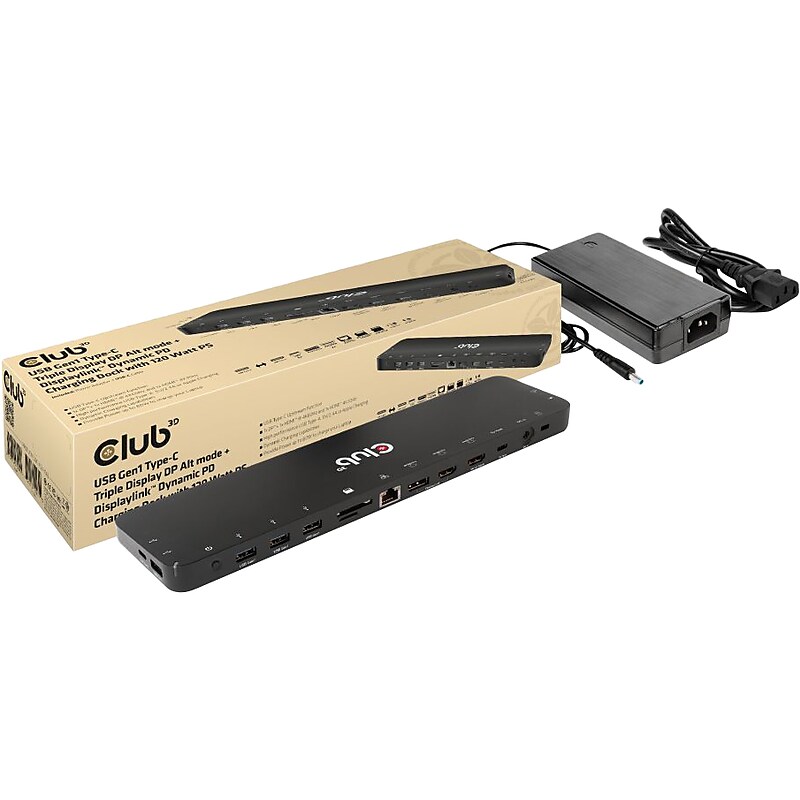
The Club 3D USB Gen1 Type-C Triple Display DP Alt mode + Displaylink/ USB mode Dynamic PD charging dock with 120W PS, is an integrated solution combining Video, Data, Power, Ethernet and Audio. This dock is perfectly suited for extending a Type-C port or USB-A port(via a Type-C to USB converter) to provide multiple audio, video, data and power ports, providing an perfect solution to satisfy users who require multiple ports. This dock has 3 video ports (2 HDMI, one from DP 1.2 Alt mode, one from USB mode, 1 Displayport from USB mode) for video experience, 4 USB Gen1 Type-A and 1 USB Gen1 Type-C for data transmission, RJ45 for super high speed Ethernet, SD/TF card slots for connecting memory cards. Besides, it has a smart charging port, bringing fast charging performance for connected mobile device(Apple, Samsung phones, pads,etc). A 120W power adapter is provided to supply power for the function of this dock and charge the host with max 80W (20V/4A). This dock is a bottom design with can be put underneath the host. It can work on DP 1.2 Alt mode supported USB Type-C and -A hosts..This dock is perfectly suited for extending a Type-C port or USB-A port to provide multiple audio, video, data and power ports.Dimensions: 0.7"H x 11.97"W x 3.03"D.Supports DP1.2 Alt Mode and DisplayLink/USB mode.Designed for extending a USB Type-C port or Type-A port (by connecting a Type-C to Type-A converter) to become multiple video, data, and power ports.Allows outputting triple videos (dual 4K/60Hz+4K/30Hz) to work simultaneously with MST under both Mac and Windows systems.Supports smart charging with up to 5V/2.4A.Supports Gigabit Ethernet for superfast connection.Support UHS-I SD3.0 with max 104Mbps, allow two card slots to work simultaneously.Meets or exceeds ROHS, FCC, and CE EMI standards
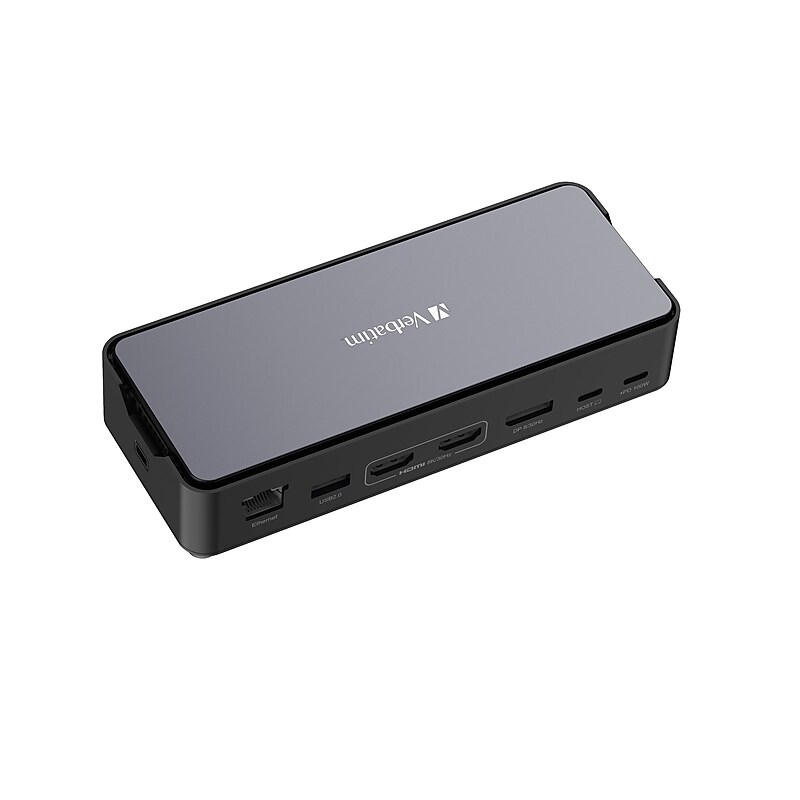
This docking station features 15 ports – including a two (2) high-resolution HDMI and DisplayPort outputs - to provide a productive and immersive multi monitor display experience. With USB-C Power Delivery (PD), devices charge rapidly, keeping your setup energized and operational. Rapid, uninterrupted file transfers are expected as this docking station utilizes 3.2 Gen 2 technologies and comes equipped with a RJ45 port that delivers a high-speed wired network connection. Our dock also has SD and microSD card reader slots to read and transfer files directly. An audio jack ensures you are able to connect your speakers and headsets for a simply dynamic workspace. Our USB-C Pro Docking Station is backed by a 2-year limited warranty..15 versatile ports simplifies the connection of multiple devices, from peripherals to external displays, all through a single hub..Built-in SSD slot provides option for high-speed, large-capacity storage, enhancing data management and accessibility..Dual HDMI and DisplayPort setup to facilitate a productive and immersive multi-monitor work environment.** (HDMI port requires a direct HDMI to HDMI connection.).USB-A 3.2 Gen2 and USB-C 3.2 Gen2 ports for swift and efficient data transmission, perfect for time-sensitive tasks..RJ45 port delivers a high-speed wired network connection, essential for large file transfers and stable streaming..PD connects and charges devices rapidly, keeping your setup energized and operational..Simplify the connection of all of your devices with Our USB-C Pro Docking Station with SSD enclosure.
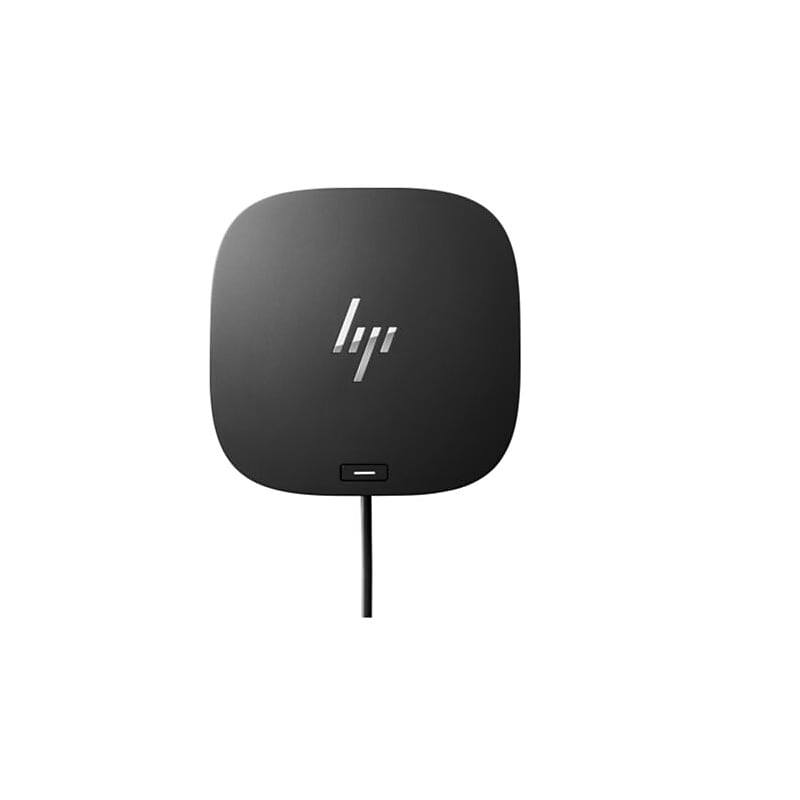
Have everything you need to get the job done with this compact dock that keeps your desk clean. With a single USB-C® cable, open your ports to all your accessories, connect up to three high-res displays, stable Ethernet connection, and so much more…all while charging your laptop. Clear your desk and clear your mind with this HP USB-C G5 Essential Dock..Just plug in the dock and get down to business. It’s simple to stay up to date with essential manageability features including connected firmware updates, PXE boot, LAN/WLAN switching, and more..This essential dock is designed to work with what you’re working with. It’s compatible with most USB-C® or Thunderbolt™ enabled PCs, and its various ports open the way to all your accessories..Reclaim your desk and clear the clutter with a compact dock that takes up less than 5 x 5 inches of space. With a single cable connection, less is more.Color:Black.1 SuperSpeed USB Type-C 5Gbps signaling rate (up to 15 W USB Power Delivery).Tested and supported on select G8/G9 commercial HP notebooks. For HP notebook compatibility please visit: https://pcb.inc. hp.com/webapp/#!/us-en and search by notebook..Compatible operating systems:Windows 10; Windows 11; macOS; Chrome OS™; Linux ThinPro 8.0.Dimensions (W X D X H):4.80 x 4.80 x 1.77 in.What's in the box:HP USB-C G5 Essential Dock; 120 W Power adapter; AC power cord; Quick Setup Poster; Warranty card.4 x USB Type-A Ports - USB Type-A - 1 x USB Type-C Ports - USB Type-C - 1 x RJ-45 Ports - Network (RJ-45).Effortlessly go the extra mile with just a single USB-C® cable. This essential dock seamlessly powers and supports 4 USB-A ports for all your accessories, up to 3 high-res displays, and stable Ethernet connection—all while delivering 65W of power to your laptop.