USB Multi-Display Adapters
197 results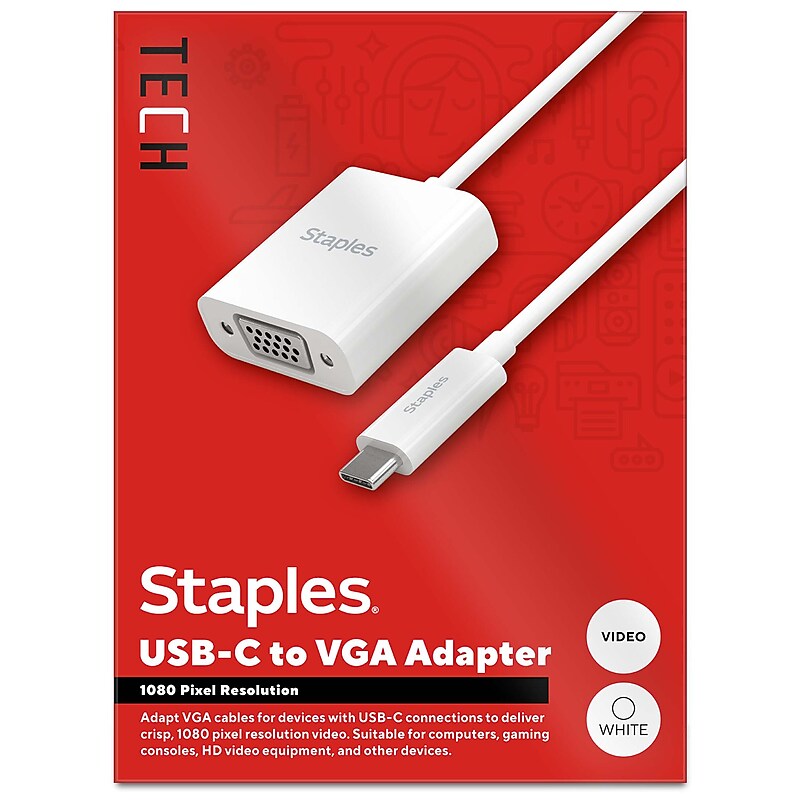
For both work and entertainment, an extra screen often comes in handy. The Staples TECH USB-C to VGA adapter lets you connect your laptop, desktop, or other USB-C devices to additional monitors, gaming consoles, projectors and other VGA display devices. Delivering 1920 x 1800 pixel resolution this adapter promises quality video for a seamless experience. Featuring a compact 6-inch cord, this adapter will keep your space clutter free. This adapter is the perfect choice for outfitting your personal or office work space. Enjoy seamless connectivity between previously incompatible devices so you can upgrade your home or office workspace and do your best work. Backed by Staples Brands 100% satisfaction guarantee, or your money back..Supports 1920 x 1200 pixel resolution @60Hz.Video capable only.6 in. length minimizes cord clutter.USB-C (male) input to VGA (female) output.USB-C to VGA device adapter.Comes in white.Limited 1 year warranty.Backed by Staples Brands 100% Satisfaction Money Back Guarantee.Extend your display with sharp, high-resolution visuals using the Staples TECH USB-C to VGA Adapter.

The ALOGIC Twin HD Pro universal docking station provides universal compatibility across both MacBook and Windows computers and laptops. This enables IT professionals and organizations to deploy the Twin HD docking station as a single dock solution across all users. The Twin dock helps removes the clutter and enables hot desk setups at any workspace environment..This universal docking station provides universal compatibility across both MacBook and Windows computers and laptops.Dimensions: 1.2"H x 5.51"W x 3.73"D.Contains two HDMI port, USB-C 3.1 Gen 1, USB-A 3.0 (5Gbps), three USB-A, audio/microphone TRRS, Gigabit Ethernet, Kensington Lock Slot, Nano Lock Slot.Comes with a universal host cable that is designed with an attached USB-C to USB-A adapter to accommodate both USB-C and USB-A laptops.Improves your productivity by providing outputs of up to 1920 x 1080p at 60Hz for up to two HDMI monitor simultaneously.Allows upstream charging of your USB-C enabled laptop or devices with up 85W of power while also transferring video, audio, Ethernet and data, all at the same time.Compatible with Apple, Chromebook, Microsoft devices.2-year manufacturer limited warranty
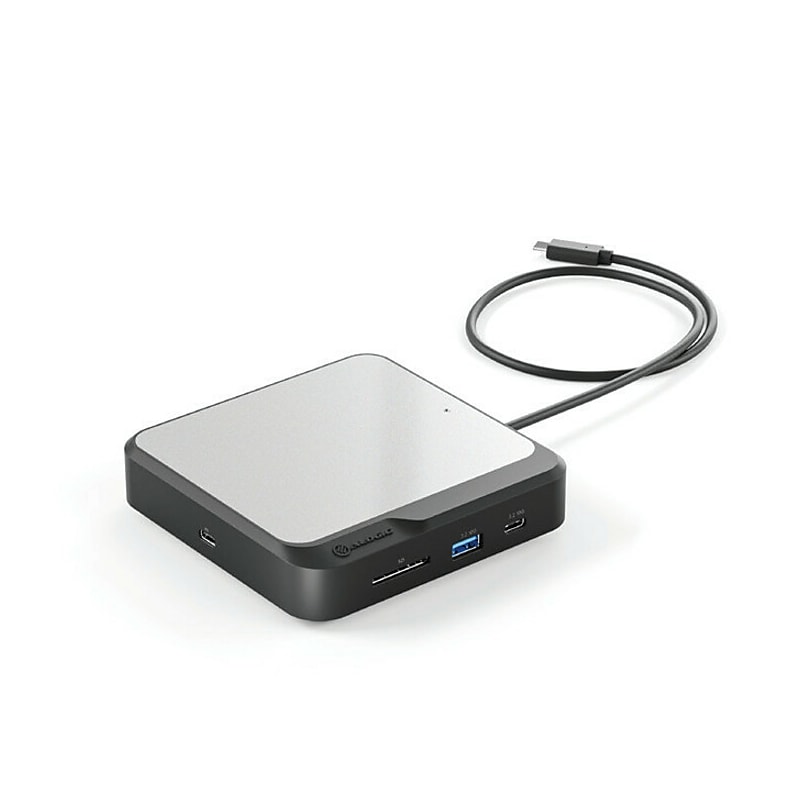
ALOGIC's dual 4K universal compact docking station's twin HDMI outputs enable you to connect two external displays at resolutions up to 4K. The dock's inbuilt DisplayLink technology ensures you experience the highest-possible screen resolutions for your computer monitor, regardless of your computer model, or whether you connect to USB-A or USB-C ports. When you expand your screen real estate with the CH2, you have better oversight of your work. This oversight can improve your efficiency and productivity..This dual 4K universal compact docking station's twin HDMI outputs enable you to connect two external displays at resolutions up to 4K.Dimensions: 1.02"H x 4.72"W x 4.72"D.Contains integrated USB-C cable, USB-C power input; two HDMI USB-C 3.2, USB-A 3.2, RJ45 Ethernet 1Gbps outputs.USB-C to USB-A adapter included.The dock's USB-A (3.2 Gen 2, 10Gbps) and USB-C ports (3.2 Gen 2, 10Gbps) keep essential USB accessories such as external drives, scanners, keyboards, and mice humming.Connect your laptop to the dock for up to 100W pass-through charging, and connect to the Internet with Gigabit Ethernet when security and stability are paramount.Features an SD 4.0/UHS-II card reader, so you can rapidly transfer your bulky multimedia libraries to and from the dock.Built to fast-charge your laptop with up to 100W power delivery while you run multiple displays, USB accessories, and Ethernet, all over a single USB-C cable.Compatible with Windows, MacOS, ChromeOS computers.2-year manufacturer limited warranty

This USB-C Gen 2 10Gbps docking station turns your USB-C or Thunderbolt 3 Windows laptop or Chromebook into a powerful workstation. A USB 3.2 Gen 2 Type-C dock features everything you need, from triple video outputs up to 4K 60Hz to 10Gbps USB-C and USB-A downstream peripheral ports to 100W Power Delivery. This USB-C Gen 2 docking station with DP 1.4 and HDMI 2.0 HBR3 support, is a perfect choice for dual or triple monitor setup, supporting up to triple 4K 30Hz nearly uncompressed video resolution output, with two DisplayPort and one HDMI outputs. Maximum dual and triple 4K display performance is supported on USB-C 11th Gen Intel-based Windows Thunderbolt 3 or USB-C laptops, but backward compatibility to older laptop generations and lower resolution monitor requirements..USB-C docking station turns your USB-C or Thunderbolt 3 Windows laptop or Chromebook into a powerful workstation.Dimensions: 1.2"H x 3.5"W x 8.3"D.Connect to the docking station using the included USB Type-C cable.Pack includes: USB-C dock, 3.28' USB-C cable, NA/JP and ANZ power cable, and quick-start guide.Contains 2 x USB-C 3.2 Gen 2, 2 x USB-A 3.2 Gen 1, 2 x USB-A 2.0, 2 x DisplayPort, HDMI, SD/MMC Slot, RJ-45, 3.5 mm stereo audio.Triple monitor USB-C docking station supports dual 4K at 60Hz or triple 4K at 30Hz on DP 1.4 Alt-Mode HBR3 with DSC enabled laptop.Power and charge USB-C/Thunderbolt 3 workstation laptops and ultrabooks with 100 watt power delivery, to keep high performance laptops sufficiently charged during heavy productivity usage.Fast-charge ports support always-on charging so devices will charge whether or not a host laptop is connected.This USB-C docking station comes with plenty of security features two K-slots for a Kensington style laptop lock.Compatible with Windows 8.1, 10, 11, Chrome OS 78.x.3-year manufacturer limited warranty
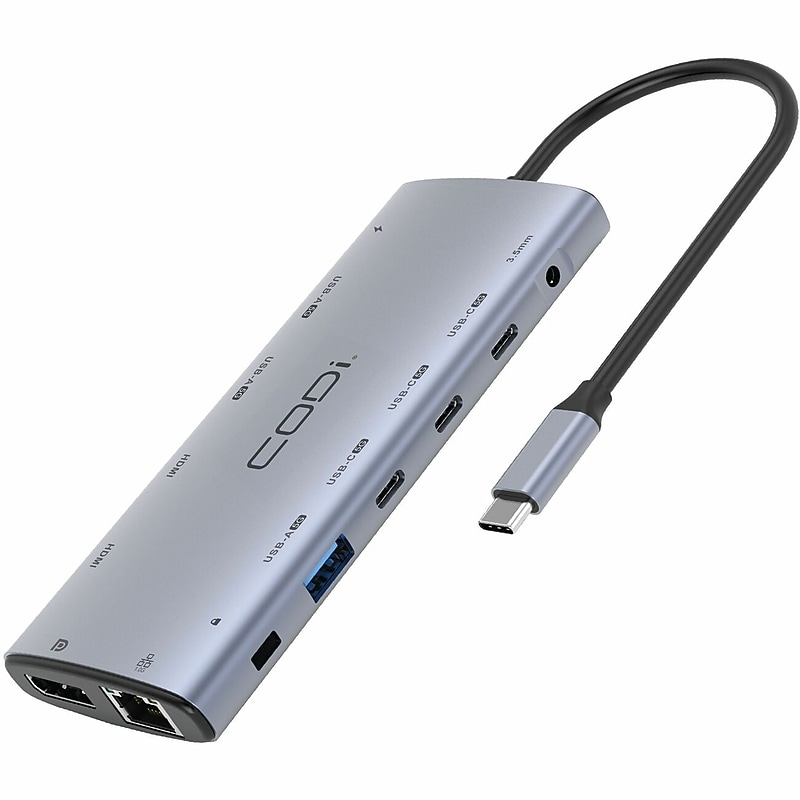
Streamline your workspace productivity with the 12-in-1 USB-C Multi-Port Adapter. With seamless power pass-through, file access, multi-monitor support, and more, it’s ideal for business travelers and shared workspace users needing versatile connectivity for projectors, monitors, and peripherals via a single USB-C connection..85W of USB-C Power Delivery.2 HDMI Ports & 1 Displayport supports up to 4K resolutions at 60Hz.RJ-45 Ethernet to support 640mbs data transfer.4 USB-C & 3 USB-A Ports