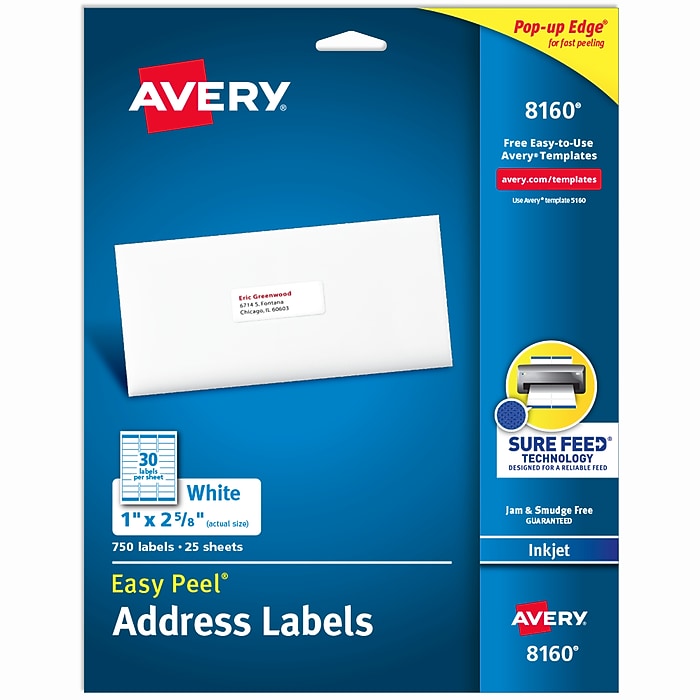

- These versatile rectangle labels are great for mailing and shipping, product labels, organization, identification, and much more
- Get a more reliable feed through your printer with printable label sheets featuring patented Sure Feed technology designed to reduce misalignments and printer jams
- Save time and effort with our Easy Peel with Pop-up Edge feature that pops up the edges of the label stickers for quick, hassle-free peeling
Avery Easy Peel Inkjet Address Labels, 1" x 2 5/8", Matte White, 750 Labels/Pack (8160)
Free Returns
Online. In store. Always free.
Learn More



About this product
From mailing and shipping to organization and identification, simplify your tasks with this pack of 750 Avery 8160 Easy Peel Printable Address Labels. These 1" x 2-5/8" bright white labels blend better than basic labels on white envelopes and provide superior adhesion with Ultrahold permanent adhesive guaranteed to stick and stay on most smooth surfaces, like paper, cardboard, glass, and metal. Optimized for inkjet printers, these label sheets feature Sure Feed technology that ensures a reliable feed through your printer, reducing misalignments and printer jams for crisp, hassle-free printing. With a convenient Easy Peel design, application is quick and effortless, making them ideal for mailing, organization, product labels, inventory management, and more. You can also personalize your sticker labels by hand or use Avery Design & Print Online to print customized labels on demand. Choose from thousands of available designs and use our easy-to-use tools, like our Mail Merge feature, which can quickly import names and addresses from a spreadsheet. Check it out on the Avery website today. Whether you're shipping, filing, or organizing items, Avery address labels are the perfect solution for any environment and application. Take the hassle out of labeling and discover the difference Avery labels can make.
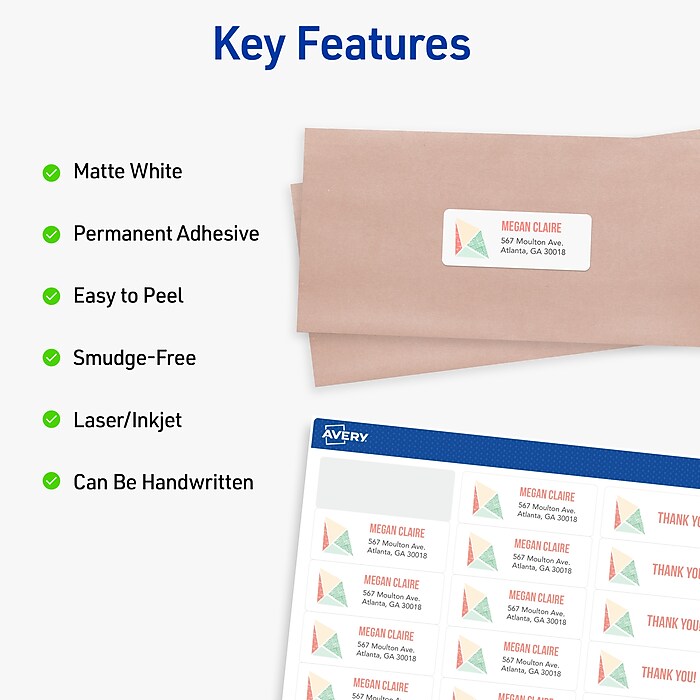
- These versatile rectangle labels are great for mailing and shipping, product labels, organization, identification, and much more
- Get a more reliable feed through your printer with printable label sheets featuring patented Sure Feed technology designed to reduce misalignments and printer jams
- Save time and effort with our Easy Peel with Pop-up Edge feature that pops up the edges of the label stickers for quick, hassle-free peeling
- Create personalized address labels using Avery Design & Print Online, which offers templates, designs, and easy-to-use tools for creating professional-quality labels
- Handwrite on labels for quick and easy personalization, or print clear text and crisp graphics with label paper optimized for inkjet printers to help prevent smearing or smudging
Frequently bought together






Compare similar items
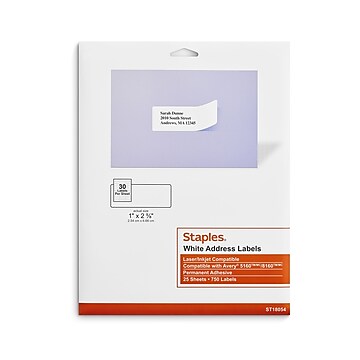
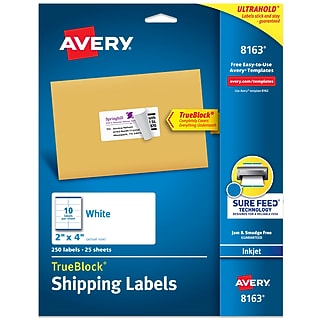
| Attributes | Avery Easy Peel Inkjet Address Labels, 1" x 2 5/8", Matte White, 750 Labels/Pack (8160) | Staples Laser/Inkjet Address Labels, 1" x 2-5/8", White, 30 Labels/Sheet, 25 Sheets/Pack (ST18054-CC) | Avery Easy Peel Laser Address Labels, 1" x 2 5/8", Matte White, 750 Labels/Pack (5260) | Avery TrueBlock Inkjet Shipping Labels, 2" x 4", Matte White, 250 Labels/Pack (8163) | Avery Easy Peel Laser Address Labels, 1" x 2 5/8", Matte White, 3000 Labels/Box (5160) |
|---|---|---|---|---|---|
Your product Avery Easy Peel Inkjet Address Labels, 1" x 2 5/8", Matte White, 750 Labels/Pack (8160) Price is $14.79 | 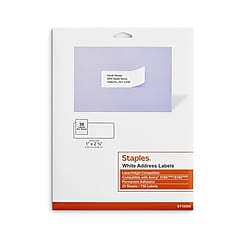 Price is $12.69 |  Price is $20.19 |  Price is $15.19 | 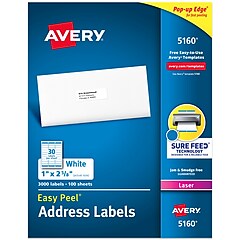 Price is $38.09 | |
| Reviews | |||||
| Delivery Information | Next-Day Delivery by tomorrow | Next-Day Delivery by tomorrow | Next-Day Delivery by tomorrow | Next-Day Delivery by tomorrow | Free Next-Day eligible by tomorrow |
| Available in my store | Yes | Yes | Yes | Yes | Yes |
| True Color | Matte White | White | Matte White | Matte White | Matte White |
| # of Label Sheets | 25 | 25 | 25 | 25 | 100 |
| Selling Quantity (UOM) | Pack | Box | Pack | Pack | Box |
| Color Family | White | White | White | White | White |
| Label Type | Address | Address | Address | Shipping | Address |
| Label Material | Paper | Paper | Paper | Paper | Paper |
| # of Labels Per Pack | 750 | 750 | 750 | 250 | 3000 |
| Waterproof | Not Waterproof | Not Waterproof | Not Waterproof | Not Waterproof | Not Waterproof |
| # of Labels Per Sheet | 30 | 30 | 30 | 10 | 30 |
| Removable or Permanent | Permanent | Permanent | Permanent | Permanent | Permanent |
| Blank or Preprinted | Blank | Blank | Blank | Blank | Blank |
| Magnetic | Nonmagnetic | Nonmagnetic | Nonmagnetic | Nonmagnetic | Nonmagnetic |
| Sheet Dimension | 8.5" x 11" (US letter) | 8.5" x 11" (US letter) | 8.5" x 11" (US letter) | 8.5" x 11" (US letter) | 8.5" x 11" (US letter) |
| Repositionable Label | Non-Repositionable | Non-Repositionable | Non-Repositionable | Non-Repositionable | Non-Repositionable |
| Printer Compatibility | Inkjet | Laser / Inkjet | Laser | Inkjet | Laser |
| Label Shape | Rectangle | Rectangle | Rectangle | Rectangle | Rectangle |
| Label Height in Inches | 1 | 1 | 1 | 2 | 1 |
| Add To Cart | Add To Cart | Add To Cart | Add To Cart |