


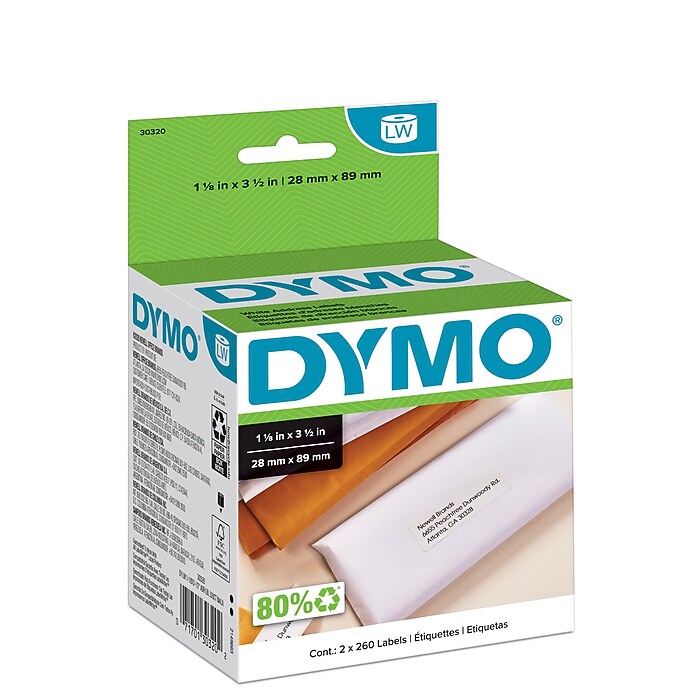
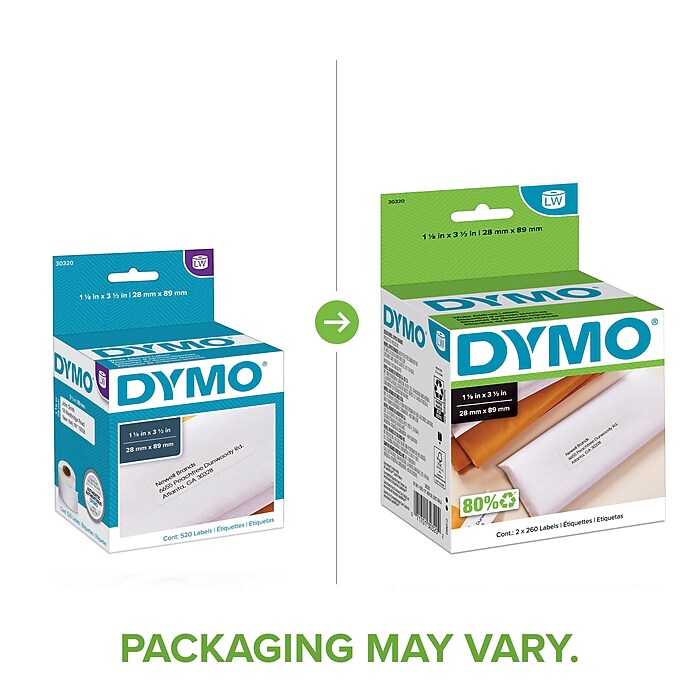
DYMO LabelWriter 30320 Mailing Address Labels, 3-1/2" x 1-1/8", Black on White, 260 Labels/Roll, 2 Rolls/Box
$32.99
1



Highlights
View all details
- Label products, files, and drawers with these 1.13"W printer labels
- White labels with black print makes text easy to read
- Compatible with: DYMO LabelWriter 450, 450 Duo, 450 Turbo, 450 Twin Turbo, Wireless, 4XL, 550, 550 Turbo, 5XL
DYMO LabelWriter 30320 Mailing Address Labels, 3-1/2" x 1-1/8", Black on White, 260 Labels/Roll, 2 Rolls/Box
Item #: 401578Model #: 30320
$32.99
520/box
Free Returns
Online. In store. Always free.
Learn More

1
1
2
3
4
5
6
7
8
9
10
11
12
13
14
15
16
17
18
19
20
21
22
23
24
25
26
27
28
29
30
Over 30
Add to list
Consider this similar product


About this product
Complete your mailings with these Dymo 1.13 x 3.5-inch white address labels.
Use these F-model address labels to create professional-grade labels for your mailings. These Dymo labels provide plenty of space for even extra-long addresses, which make them handy for mass mailings to multiple recipients.
- Label products, files, and drawers with these 1.13"W printer labels
- White labels with black print makes text easy to read
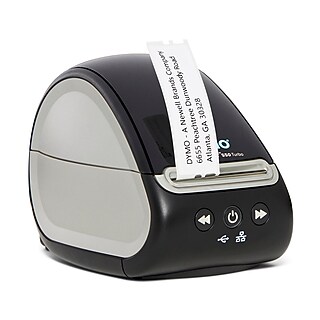
- Compatible with: DYMO LabelWriter 450, 450 Duo, 450 Turbo, 450 Twin Turbo, Wireless, 4XL, 550, 550 Turbo, 5XL
- Uses direct thermal printing technology for mess-free printing without toner or ink
- With 520 labels per box, you have plenty of labels for your file folders for convenience
Broad Compatibility
For convenience and ease of use, DYMO 30320 LabelWriter address labels are compatible with a wide range of popular printers, including the DYMO LabelWriter 300, 310, 320, 330 and 330 Turbo. You can also use these labels with the DYMO LabelWriter EL40 and EL60 printers, the DYMO Desktop Mailing Solution II software, and a range of Seiko Smart Label printers.
Boosts Efficiency and Saves on Cost
DYMO 30320 LabelWriter self-adhesive address labels support direct thermal print technology so you can create clear labels without expensive ink or toner. Since no ink is involved, you don't need to worry about unsightly smudge marks. These labels are also self-adhesive, which boosts convenience and saves on cost by removing the need for a separate fixative.
High-Contrast Text
The black-on-white design of DYMO 30320 LabelWriter address labels enhances legibility even in dim environments. Since the labels also feature a large surface area, you always have access to special labels for clients with vision problems when the situation demands it.
Frequently bought together
Page 1 of 4


Price is $9.99
Unit of measure 100/Pack Price per unit $0.10/Fork
Delivery by Wed, May 27
30-min pickup
1
1
2
3
4
5
6
7
8
9
10
11
12
13
14
15
16
17
18
19
20
21
22
23
24
25
26
27
28
29
30
Over 30
Add to list

Price is $176.80
Free delivery by Wed, May 27
30-min pickup
1
1
2
3
4
5
6
7
8
9
10
11
12
13
14
15
16
17
18
19
20
21
22
23
24
25
26
27
28
29
30
Over 30
Add to list


Price is $47.79
Free delivery by Fri, Jun 05
1
1
2
3
4
5
6
7
8
9
10
11
12
13
14
15
16
17
18
19
20
21
22
23
24
25
26
27
28
29
30
Over 30
Add to list


Price is $34.63
Delivery by Fri, May 29
1
1
2
3
4
5
6
7
8
9
10
11
12
13
14
15
16
17
18
19
20
21
22
23
24
25
26
27
28
29
30
Over 30
Add to list


Price is $33.59
Unit of measure 25/Pack
Delivery by Mon, Jun 01
1
1
2
3
4
5
6
7
8
9
10
11
12
13
14
15
16
17
18
19
20
21
22
23
24
25
26
27
28
29
30
Over 30
Add to list


Compare similar items
| Attributes | DYMO LabelWriter 30320 Mailing Address Labels, 3-1/2" x 1-1/8", Black on White, 260 Labels/Roll, 2 Rolls/Box | DYMO LabelWriter 30572 Mailing Address Labels, 3-1/2" x 1-1/8", Black on White, 260 Labels/Roll, 2 Rolls/Each | DYMO LabelWriter 30252 Mailing Address Labels, 3-1/2" x 1-1/8", Black on White, 350 Labels/Roll, 2 Rolls/Box (30252) | DYMO D1 Standard 45016 Label Maker Tape, 1/2" x 23', Black on Blue (45016) | DYMO D1 Standard 45018 Label Maker Tape, 1/2" x 23', Black on Yellow (45018) |
|---|---|---|---|---|---|
Your product DYMO LabelWriter 30320 Mailing Address Labels, 3-1/2" x 1-1/8", Black on White, 260 Labels/Roll, 2 Rolls/Box Price is $32.99 |  Price is $32.99 |  Price is $36.99 |  Price is $44.49 |  Price is $25.49 | |
| Reviews | |||||
| Delivery Information | Delivery by Wed, May 27 | Delivery by Wed, May 27 | Free delivery by Wed, May 27 | Free delivery by Thu, May 28 | Delivery by Wed, May 27 |
| Available in my store | Yes | Yes | Yes | No | No |
| Compatible Devices | DYMO LabelWriter 450, 450 Duo, 450 Turbo, 450 Twin Turbo, Wireless, 4XL, 550, 550 Turbo, 5XL | DYMO LabelWriter 450, 450 Duo, 450 Turbo, 450 Twin Turbo, Wireless, 4XL, 550, 550 Turbo, 5XL | DYMO LabelWriter 450, 450 Duo, 450 Turbo, 450 Twin Turbo, Wireless, 4XL, 550, 550 Turbo, 5XL | Label Maker | LabelMANAGER 160, 210D, 210D Kit, 280, 360D, 420P, 500TS, PnP, Dymo LabelWriter 450 Duo |
| Labeler Tape & Printer Label Type | Label Printer Labels | Label Printer Labels | Label Printer Labels | Label Printer Labels | Label Maker Tapes |
| Pack Qty | 2 | 520 | 2 | 1 | 1 |
| Series or Collection | LabelWriter 30320 | LabelWriter 30572 | LabelWriter 30252 | D1 Standard 45016 | D1 Standard 45018 |
| Color Family | White | White | White | Blue | Yellow |
| True Color | Black on White | Black on White | Black On White | Black on Blue | Black On Yellow |
| Label Maker Pack Size | 2 | Each | 2 | Each | Each |
| Maximum Tape Width (Inches) | 1-1 / 8" | 1-1 / 8" | 1-1 / 8" | 1 / 2" | 1 / 2" |
| Label Maker Tapes Width (mm) | 28.6 | 28.6 | 28.6 | 12.7 | 12 |
| Label Tape Type | Address labels | Address labels | Address labels | Label tape | Easy-peel |
| Label Adhesive | Permanent | Permanent | Permanent Self-Adhesive | Data not available | Permanent Self-Adhesive |
| Width in Inches | 1.13 | 1.13 | 1.125 | Data not available | 0.5 |
| Length in Inches | 3.5 | 3.5 | 3.5 | 276 | Data not available |
| Next Day Delivery | Yes | Yes | Yes | Data not available | Yes |
| # of Labels Per Roll | 260 | 260 | 350 | Data not available | Data not available |
| Rolls per Box | 2 | 2 | 2 | Data not available | Data not available |
| Laminated | Not Laminated | Not Laminated | Data not available | Not Laminated | Not Laminated |
| Add To Cart | Add To Cart | Add To Cart | Add To Cart |
Featured Products
Page 1 of 1


Price is $36.99
Free delivery by Wed, Jun 03
1
1
2
3
4
5
6
7
8
9
10
11
12
13
14
15
16
17
18
19
20
21
22
23
24
25
26
27
28
29
30
Over 30
Add to list


Price is $16.99
Unit of measure Set
Delivery by Wed, Jun 03
1
1
2
3
4
5
6
7
8
9
10
11
12
13
14
15
16
17
18
19
20
21
22
23
24
25
26
27
28
29
30
Over 30
Add to list


Price is $25.99
Unit of measure Set
Delivery by Wed, Jun 03
1
1
2
3
4
5
6
7
8
9
10
11
12
13
14
15
16
17
18
19
20
21
22
23
24
25
26
27
28
29
30
Over 30
Add to list


Price is $37.99
Free delivery by Wed, Jun 03
1
1
2
3
4
5
6
7
8
9
10
11
12
13
14
15
16
17
18
19
20
21
22
23
24
25
26
27
28
29
30
Over 30
Add to list


Price is $25.99
Unit of measure Set
Delivery by Wed, Jun 03
1
1
2
3
4
5
6
7
8
9
10
11
12
13
14
15
16
17
18
19
20
21
22
23
24
25
26
27
28
29
30
Over 30
Add to list