Facebook Twitter YouTube LinkedIn
  • Welcome, Log in please.
  • Free shipping on staples.com for Rewards members.
Skip Navigation
Ink Toner Finder

Ink & Toner Finder:

  • Cartridge Number
    • Cartridge Number
    • Printer Model #
Weekly Ad
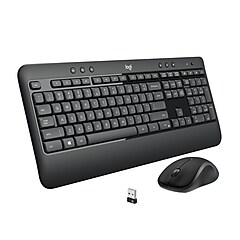
Logitech Cordless Desktop Wave

Logitech® Cordless Desktop Wave

Item: 701218    Model: 920-002555/0264

Logitech® Cordless Desktop Wave
4.5stars
( 832 reviews)
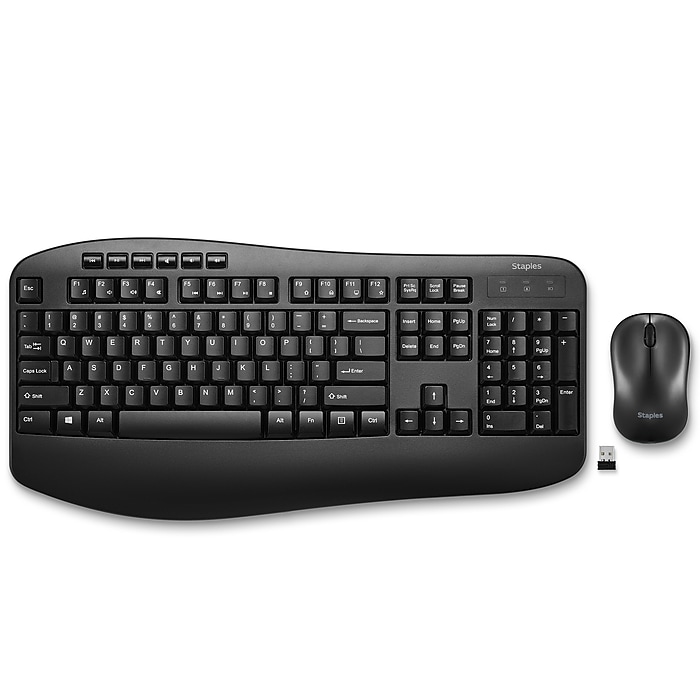
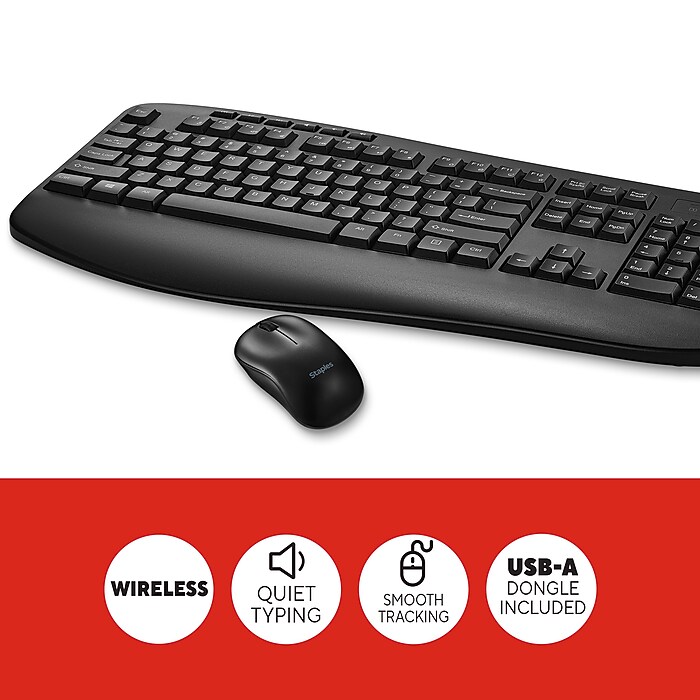
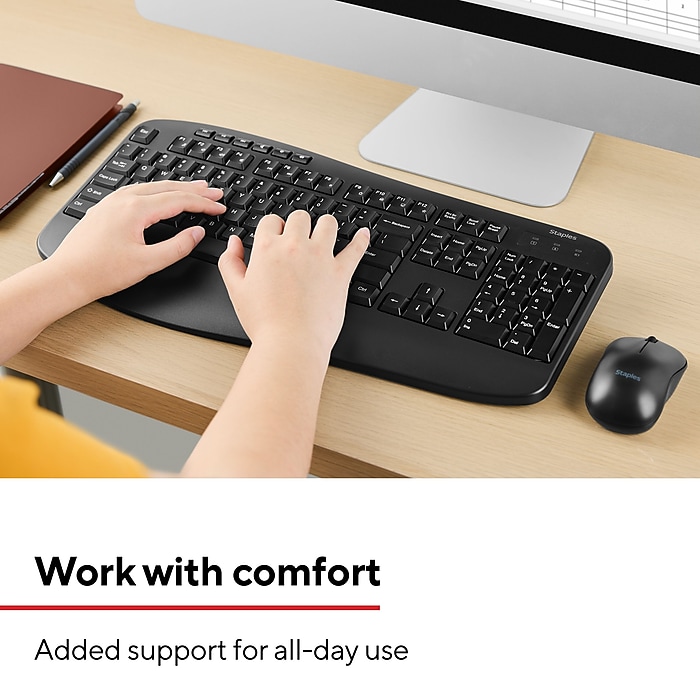
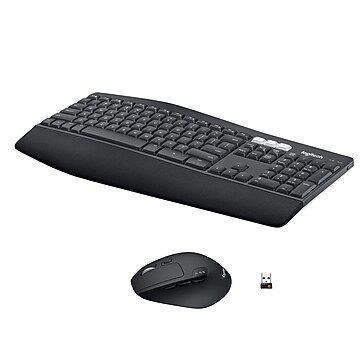
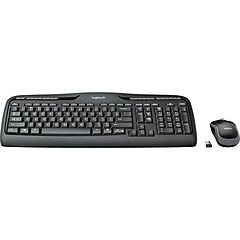
  • Wave-shaped contour of the keys promotes a more ergonomically correct hand position
  • State-of-the-art laser mouse delivers exceptional precision and control
  • Interface: USB
See more details
http://www.staples.com/sbd/img/res/ic/ic016-spcbuy.gifWave-shaped contour of the keys promotes a more ergonomically correct hand positionState-of-the-art laser mouse delivers exceptional precision and controlInterface: USBOffer Expires on 05/25/2013EachCordless Desktop Wave**While supplies last. May not be valid in combination with other offers. Offer subject to change.Wave-shaped contour of the keys promotes a more ergonomically correct hand positionState-of-the-art laser mouse delivers exceptional precision and controlInterface: USBLogitech® Cordless Desktop Wavehttp://s7d5.scene7.com/is/image/Staples/s0217688_sc7?$std$http://s7d5.scene7.com/is/image/Staples/s0215795_sc7?$std$http://s7d5.scene7.com/is/image/Staples/s0217688_sc7?$thb$http://s7d5.scene7.com/is/image/Staples/s0215795_sc7?$thb$http://s7d5.scene7.com/is/image/Staples/s0217688http://s7d5.scene7.com/is/image/Staples/s0217689_sc7?$std$http://s7d5.scene7.com/is/image/Staples/s0217689_sc7?$thb$http://s7d5.scene7.com/is/image/Staples/s0217689http://s7d5.scene7.com/is/image/Staples/s0215795http://www.staples.com/sbd/img/res/ic/ic016-spcbuy.gifhttp://s7d5.scene7.com/is/image/Staples/s0217687_sc7?$std$http://s7d5.scene7.com/is/image/Staples/s0217687_sc7?$thb$http://s7d5.scene7.com/is/image/Staples/s0217687/Logitech-Cordless-Desktop-Wave/product_701218Logitech® Cordless Desktop Wave4.5832
Reg : $79.99
Save: - $10.00
$69.99*
Each
*Price after savings

Currently Out of Stock.

Add to Favorites


REVIEW SNAPSHOT®

by PowerReviews
Logitech® Cordless Desktop Wave
 
4.5

(based on 832 reviews)

Ratings Distribution

  • 5 Stars


    (528)

  • 4 Stars


    (240)

  • 3 Stars


    (30)

  • 2 Stars


    (12)

  • 1 Stars


    (22)

94%

of respondents would recommend this to a friend.

Pros

  • Durable (400)
  • Comfortable design (389)
  • Easy connectivity (364)
  • Ergonomic (350)
  • Fast connection (316)

Cons

  • Poorly designed (19)
  • Difficult to set up (13)
  • Limited range (10)
  • Slow response (10)
  • Noisy (9)

Best Uses

  • Home (322)
  • Everyday use (297)
  • Office (243)
  • Web browsing (207)
  • Professional (200)
    • Reviewer Profile:
    • Power user (525), Casual user (282)
    • Primary use:
    • Personal (474), Business (344)
    • Computer Platform:
    • PC (328), Other (8)

Most Helpful Positive Review


Perfection!

I’m very impressed with this keyboard. It has natural feel and comfortable design. The keys seem to all be laid out with in perfect reach of my fingers, as if it was de...Read complete review

I’m very impressed with this keyboard. It has natural feel and comfortable design. The keys seem to all be laid out with in perfect reach of my fingers, as if it was designed just for my hands! The keys are nice and quiet which is wonderful. When I type all day long I get tired of listening to keyboard clatter. The built in wrist rest on the keyboard is soft and comfortable; I don’t need a gel wrist rest pad for this.
It was very easy and quick to install and start using right away!
I’m even considering getting this keyboard to use at home too!

VS

Most Helpful Negative Review


Will take getting used to

Single USB connection for both keyboard and mouse. I plugged it into a USB hub on my desktop and it works fine. Very simple hookup and small footprint. No problem getting used to the...Read complete review

Single USB connection for both keyboard and mouse. I plugged it into a USB hub on my desktop and it works fine. Very simple hookup and small footprint. No problem getting used to the wave design.

The wrist support adds 2.5 inches to the depth of the keyboard, which due to a poor chair purchase, pushes me back from the desk further than I'm used to.

No Cap Lock or Num Lock indicators.

Reviewed by 832 customers

Sort by

Displaying reviews 1-5

Back to top

Previous | Next »

 
5.0

Comfortable

By Caly

from Riverside

About Me Casual User

Verified Buyer

Pros

  • Comfortable Design
  • Easy To Set Up

Cons

    Best Uses

    • Everyday Use
    • Professional

    Comments about Logitech® Cordless Desktop Wave:

    Because it is designed ergonomically, I find that I can type longer without a break, it is so comfortable and I don't tire as easily. I bought this for personal use but I am considering getting one for work too.

    • Primary use:
    • Personal
    • Computer Platform:
    • PC

    Comment on this review(earn points)

     
    5.0

    Logitech® Cordless Desktop Wave by Logit

    By Murray the Orderly

    from Carbondale, IL

    About Me Power User

    Verified Buyer

    Pros

    • Comfortable Design
    • Durable
    • Easy To Set Up
    • Fast Response
    • Highly Compatible
    • Long Range
    • Makes Keyboarding A Dream
    • Quiet

    Cons

      Best Uses

      • Data Entry
      • Everyday Use
      • Professional
      • Web Browsing

      Comments about Logitech® Cordless Desktop Wave:

      The keyboard is ergomatically designed to make long hours of data entry a breeze. The wireless mouse is very responsive to movement and clicks. My wife enters data for hours without the fatigue she felt with other keyboards. She is a very fast typist and it is able to keep up with her speed. The spacing and depth of the keys allows the fingers to float across the keys, creating a pleasant flow to the seemingly endless task. The delete key placement allows for ease of use, and assists in allowing effortless corrections to the document. The wireless keyboard and the accompaning wireless mouse work flawlessly together and allow a comfortable hand placement.

      • Primary use:
      • Personal
      • Computer Platform:
      • PC

      Comment on this review(earn points)

       
      4.0

      Excellent choice

      By GrandmaG

      from Las Vegas, NV

      About Me Casual User

      Verified Buyer

      Pros

      • Comfortable Design
      • Easy To Set Up
      • Fast Response

      Cons

        Best Uses

        • Everyday Use

        Comments about Logitech® Cordless Desktop Wave:

        Bought this to replace my old keyboard and mouse. This keyboard has a very light touch and since I do a lot of keyboarding in my work, found it very comfortable to use. I would definitely recommend it.

        • Primary use:
        • Personal
        • Computer Platform:
        • PC

        Comment on this review(earn points)

         
        5.0

        Wireless keyboard and mouse by Logitech

        By RedP1800S

        from Olympia, Wa.

        About Me Power User

        Verified Buyer

        Pros

        • Comfortable Design
        • Durable
        • Easy To Set Up
        • Fast Response
        • Highly Compatible
        • Long Range
        • Quiet

        Cons

          Best Uses

          • Everyday Use
          • Financial
          • Professional
          • Web Browsing

          Comments about Logitech® Cordless Desktop Wave:

          We used Microsoft Ergonomic keyboards for years. They have been breaking down on us so we switched to this keyboard and mouse. What a great difference! This isn't for everyone . . but, for us this is the best wireless keyboard and mouse yet. We highly recommend it as a durable and great product.

          • Primary use:
          • Personal
          • Computer Platform:
          • PC

          Comment on this review(earn points)

           
          4.0

          Good Product Overall

          By Magpie

          from Omaha NE

          About Me Power User

          Verified Buyer

          Pros

          • Cmptr Response Improved
          • Comfortable Design
          • Durable
          • Easy To Set Up
          • Fast Response
          • Quiet

          Cons

          • Limited Compatiblity

          Best Uses

          • Everyday Use
          • Financial
          • Web Browsing

          Comments about Logitech® Cordless Desktop Wave:

          I mostly like the ergonomic feel and layout of the keyboard and the quality of construction of both keyboard and mouse. It was easy to install and intuitive to use for the most part. Haven't explored all of the special keys, but especially like the calculator and zoom keys. A problem I experienced since installing the logitech is that I need to reboot my computer after it stays idle for a couple hours. I have learned to put the computer in sleep mode when I leave and that seems to have eliminated the problem.

          • Primary use:
          • Personal
          • Computer Platform:
          • PC

          Comment on this review(earn points)

          Displaying reviews 1-5

          Back to top

          Previous | Next »

          Do you have questions about this product?(earn points for answers!)

          get answers from real customers and in-house experts with AnswerBox.

          49 Questions | 82 Answers
          Displaying questions 1-10Previous | Next »
          • Q:

            Will this work with an Apple mini-mac computer?
            Asked on 4/4/2013 by Joe from Hendersonville, NC

            1 answer

            • A:

              Yes this will work with the Apple mini-mac.

              Answered on 4/5/2013 by Community Answer from None
          • Q:

            What is the height of the keyboard when it is in the lowest position. I have a limited height in my keyboard drawer.
            Asked on 3/5/2013 by Carabella from Findlay, OH

            1 answer

            • A:

              The keyboard lies flat at its lowest position. You do not have to use the pegs to change the height at all.

              Answered on 3/6/2013 by Community Answer from None
          • Q:

            Is this Windows 8 compatible?
            Asked on 2/28/2013 by Shelley

            1 answer

            • A:

              This keyboard and mouse are compatible with Windows 8.

              Answered on 2/28/2013 by Community Answer from None
          • Q:

            Does the MOUSE have the FORWARD and BACK buttons
            Asked on 2/25/2013 by carlos ( mrtease3 ) from williamstown, new jersey

            1 answer

            • A:

              Yes. In a close up look at the mouse, you'll see the forward/back button appears on the side.

              Answered on 2/25/2013 by Community Answer from None
          • Q:

            As with my previous Logitech Keyboard, is there an indicator on the screen that alerts me that to "Caps On/Off"?
            Asked on 1/9/2013 by Anonymous

            1 answer

            • A:

              Yes there is on screen indication of CAPS lock status with this keyboard.

              Answered on 1/9/2013 by Community Answer from None
          • Q:

            Is this a spill proof keyboard
            Asked on 12/26/2012 by Anonymous

            1 answer

            • A:

              Some of Logitech's keyboards are spill-proof, but this particular one is not.

              Answered on 12/26/2012 by Community Answer from None
          • Q:

            what type of batteries are required and how often should I expect to replace them? Are they for Mouse only or both components?
            Asked on 9/26/2012 by office manager from Oak Park, IL

            2 answers

            • A:

              2 AA in each (4 total).
              The batteries in both last at least 6 months for me, I think closer to 12 months. Can't remember the last time I changed them: it's far enough apart that I forget how long it's been each time so I'm very happy.
              Much better than a previous Logitech mouse that I had to replace them about every 3 months.

              Answered on 2/15/2013 by Andy from South Bend, IN
            • A:

              Both the keyboard and mouse use AA batteries. Depending on the brand of batteries and usage of the product, you should need to replace them about every 2 months.

              Answered on 9/26/2012 by Community Answer from None
          • Q:

            what model # is this keyboard?? K350?
            Thanks
            Asked on 6/22/2012 by Reception

            1 answer

            • A:

              The keyboard included in this Logitech Wireless Wave Combo is the K350 model keyboard.

              Answered on 6/23/2012 by Community Answer from None
          • Q:

            Can I still use my old mouse with this keyboard set? If i do not have the mouse turned on will the keyboard still work?
            Asked on 6/13/2012 by Anonymous

            1 answer

            • A:

              Yes, you can use any mouse with this keyboard. The mouse does not have to be turned on in order for the keyboard to work.

              Answered on 6/15/2012 by Community Answer from None
          • Q:

            Can I get a replacement usb for this product? Dog seemed to have liked the taste of it.
            Asked on 12/6/2011 by annie from Presque Isle ME

            2 answers

            • CUSTOMER CARE

              A:

              I'm sorry that your dog ate your cable. I believe this may be a question that the manufacturer will have to research further, please feel free to contact Logitech at 1-800-884-9480.

              Answered on 12/19/2011 by Cara B from Staples
            • CUSTOMER CARE

              A:

              This may be a question that the manufacturer will have to research further, please feel free to contact Logitech at 1-800-884-9480.For pricing and availability please contact Customer Service. They will be glad to help with your question. You may contact them at http://www.staples.com/sbd/content/help/contact/index.html or by phone at 800-333-3330. Thank you for your inquiry.

              Answered on 12/19/2011 by Christina.M from Staples
          Displaying questions 1-10Previous | Next »

          Do you have a question about this product? 

          Staples Mouse Pad with Gel Wrist Rest, Black
          Item: 652595
          Model: 13618

          Staples Mouse Pad with Gel Wrist Rest, Black

          Reviews for Staples Mouse Pad with Gel Wrist Rest, Black
          4.0stars
          (433 reviews)
          • Precise tracking surface is great for use with home computers or laptops
          • Ergonomic design with gel wrist rest allows for natural hand movement
          • Mouse not included
          Price:
          $15.49
          Each
          Duracell AA Coppertop Alkaline Batteries, 20/Pack
          Item: 703715
          Model: MN1500B20Z

          Duracell AA Coppertop Alkaline Batteries, 20/Pack

          Reviews for Duracell AA Coppertop Alkaline Batteries, 20/Pack
          4.5stars
          (1661 reviews)
          • 20/Pack
          • Duracell CopperTop Alkaline batteries are designed for use in everyday devices
          • Individually Date Coded to ensure freshness

          Special BuySpecial Buy

          Price: $19.99 20/Pack
          Final Price: $19.99
          20/Pack
          Additional Offers See Details
          Buy 2 Get 1 FREE!