PCIe Adapters

146 results

Axiom Single-Port, High-Speed 10GBase-T/NBase-T Add-In Card For Synology NAS Servers image 1
Item: TS16473366
Model: E10G18-T1-AX

Axiom's 10GbE Copper Network Adapters are the latest generation of high-performance PCIe 3.0 x4 Lane 10 Gigabit NIC Cards, based on the Intel X550AT controller. The server adapter simplifies migration to 10 Gigabit Ethernet (GbE), Provides iSCSI FCoE Virtualization and Flexible Port Partitioning (FPP). Key Features Low cost, low power, 10GbE performance for the entire datacenter. New generation single- and dual-port 1OGBASE-T controller with integrated MAC and PHY Standard CAT6a cabling with RJ45 connectors. Supports NBASE-T technology (2.5 and 5.0 GbE over CAT 5e) Backward compatibility with existing 1000BASE-T networks simplifies the transition to 10GbE. PCI Express - (PCIe) v3.0 with up to 8.0 GT/s Unified networking delivering LAN iSCSI and FCoE in one low-cost CNA. Flexible 1/0 virtualization for port partitioning and Quality of Service (QoS) of up to 64 virtual ports Reliable, proven 10GbE technology from Intel Corporation. Includes Full Height and Half Height Mounting Brackets.PCI Express 3.0 x4 interface provides enhanced bandwidth for the quick access of data by the operating system and applications.This single port 10gigabit ethernet card enables you to connect your computer system to your existing network.Supports cost-efficient twisted pair cables for speedy data transfer up to 100 meters.With the 10GBase-T technology get up to 10Gbps data transfer rate over the twisted pair cable
Price is  $331.27
Unit of measure 1/Each
1
2
3
4
5
6
7
8
9
10
11
12
13
14
15
16
17
18
19
20
21
22
23
24
25
26
27
28
29
30
Over 30
Add to list
No reviews yet
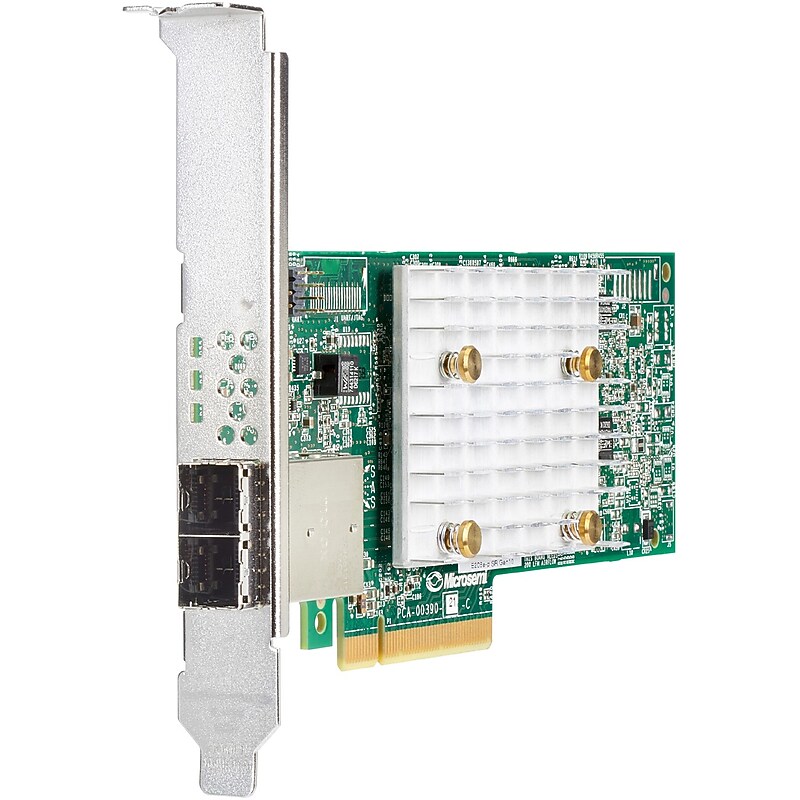
HPE Smart Array E208e-p SR Gen10 Controller (804398-B21) image 1
Item: IM11BC679
Model: 804398-B21

The HPE Smart Array E208e-p SR Gen10 Controller, supporting 12Gb/s SAS and PCIe 3.0, is an ideal cost-effective solution for RAID 0, 1, 5, and 10 and Software Defined Storage solutions on externally attached drives. This controller operates in Mixed Mode which combines RAID and HBA operations simultaneously. It has eight external SAS lanes, allowing connection to externally attached SAS or SATA drives, and provides enterprise-class reliability, security and efficiency needed to address your evolving data storage needs. This controller offers enhanced security by encrypting data-at-rest on any drive with HPE Smart Array SR Secure Encryption..The HPE Smart Array E208e-p SR Gen10 Controller is a cost effective enterprise-class controller that provides the basic building blocks for simple RAID storage solutions while delivering 12 Gb/s SAS connectivity on HPE ProLiant Gen10 Servers when connected to 12 Gb/s external storage devices..Offers a low-cost solution to enable software-defined storage..Connects to external just a bunch of disks (JBODs) and advanced external storage arrays..Built-in reliability and security.The HPE Smart Array E208e-p SR Gen10 Controller protects data-at-rest on any drive attached to the controller with HPE Smart Array SR Secure Encryption (optional license)..Comply with regulations for sensitive data, such as HIPAA and Sarbanes-Oxley with HPE Smart Array SR Secure Encryption..Preserve data integrity with HPE SmartSSD Wear Gauge, which alerts you to potential drive issues before a drive fails.

Price is  $1549.99
1
2
3
4
5
6
7
8
9
10
11
12
13
14
15
16
17
18
19
20
21
22
23
24
25
26
27
28
29
30
Over 30
Add to list
No reviews yet

About PCIe Adapters

PCIe adapters are essential components that enhance the functionality of computers by allowing additional hardware to connect to the motherboard. These adapters enable users to upgrade their systems with new capabilities, such as improved graphics, faster storage solutions, and enhanced networking options.

Designed for versatility, PCIe adapters come in various configurations to support different types of devices, including graphics cards, SSDs, and network cards. They are crucial for gamers, content creators, and professionals who require high-performance computing and expanded connectivity.

When selecting a PCIe adapter, consider factors such as the number of lanes it supports, compatibility with your motherboard, and the specific devices you intend to connect. Adapters with multiple slots can accommodate several devices simultaneously, maximizing your system's potential.

Additionally, look for features like heat dissipation solutions and robust build quality to ensure reliable performance. Understanding the specifications and capabilities of PCIe adapters will help you make informed decisions for your computing needs, whether for gaming, data processing, or general use.

What is a PCIe adapter used for?

  • A PCIe adapter is used to expand the capabilities of a computer by allowing additional hardware components, such as graphics cards, network cards, and storage devices, to connect to the motherboard. This enhances overall system performance and functionality.

How do I know if a PCIe adapter is compatible with my motherboard?

  • To ensure compatibility, check your motherboard's specifications for PCIe slot availability and version (e.g., PCIe 3.0 or 4.0). Additionally, verify that the adapter supports the same or lower version to ensure optimal performance.

Can I use multiple PCIe adapters in one computer?

  • Yes, you can use multiple PCIe adapters in one computer, provided your motherboard has enough available PCIe slots and the power supply can support the additional devices. This allows for enhanced performance and expanded functionality.

What are the benefits of using a PCIe SSD adapter?

  • A PCIe SSD adapter allows you to connect high-speed NVMe SSDs to your motherboard, significantly improving data transfer rates and overall system responsiveness. This is particularly beneficial for tasks that require fast read/write speeds, such as gaming and video editing.

Are PCIe adapters easy to install?

  • Yes, PCIe adapters are generally easy to install. Most require simply inserting the adapter into an available PCIe slot on the motherboard and securing it with screws. However, it's important to follow the manufacturer's instructions for proper installation.

What should I consider when choosing a PCIe adapter?

  • When choosing a PCIe adapter, consider the type of devices you want to connect, the number of lanes supported, compatibility with your motherboard, and any additional features like cooling solutions. These factors will help ensure optimal performance and compatibility with your system.