


- Printing calculator offers 12-digit LCD display for convenient viewing
- Easy-to-use solution for all of your basic math needs
- Dimensions: 2.2"H x 6.4"W x 9.1"D
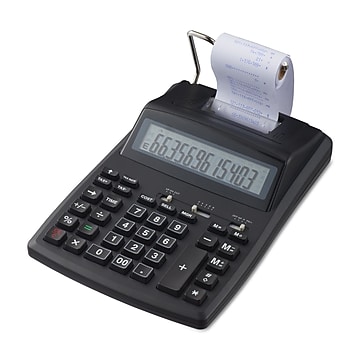
Canon (2279C001) 12-Digit Desktop Calculator, Gray/Black
Free Returns
Online. In store. Always free.
Learn More

Consider this similar product


About this product
Calculate grand totals for sales without a computer with this 12-digit printing calculator. With a clock and calendar function, it's easy to keep track of the time and date of each receipt and have it printed alongside the sale. A profit margin function allows you to compare the differences between sales and maintain records from month to month. The calculator features a low-battery light indicator for easy advance planning, and a 12-digit display at the top provides support for high-accuracy calculations or ultra-large numbers. Featuring a time calculation option, this Canon portable printing calculator is capable of time-based fee structures so that you can take specific variables into account.
- Printing calculator offers 12-digit LCD display for convenient viewing
- Easy-to-use solution for all of your basic math needs
- Dimensions: 2.2"H x 6.4"W x 9.1"D
- Powered by any standard AC outlet, eliminating the need for expensive batteries
- 4-key memory keeps often-used figures accessible for faster calculations
- Streamline financial calculations with currency conversion, tax calculation, and item counter functions
- Package content: AC adapter, paper roll, user manual
- Decimal switch, rounding switch, percent, sign change, backspace, double zero, and grand total functions help you solve a variety of mathematical problems
- Clock and calendar functions help maintain schedules
- 1-year manufacturer limited warranty
Frequently bought together





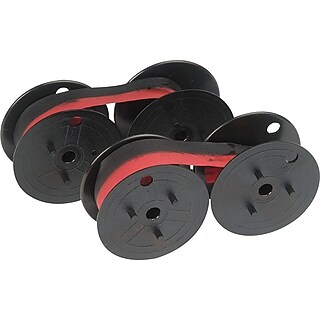








From the manufacturer
Compare similar items
| Attributes | Canon (2279C001) 12-Digit Desktop Calculator, Gray/Black | TRU RED 12-Digit Desktop Printing Calculator, Black, Paper Tape Printing, Large Display, Office Accounting & Business Use | Casio (HR-170RC) 12-Digit Printing Calculator, Black | Canon (MP11DX-2) 12-Digit Printing Calculator, Silver | Victor 1208-2 12-Digit Desktop Calculator, White |
|---|---|---|---|---|---|
Your product Canon (2279C001) 12-Digit Desktop Calculator, Gray/Black Price is $58.29 |  Price is $59.99 |  Price is $40.49 |  Price is $83.99 |  Price is $56.99 | |
| Reviews | |||||
| Delivery Information | Free delivery by Mon, Aug 24 | Free delivery by Mon, Aug 24 | Free delivery by Mon, Aug 24 | Free delivery by Mon, Aug 24 | Free delivery by Thu, Aug 27 |
| Available in my store | Yes | No | Yes | Yes | No |
| Pack Qty | 1 | 1 | 1 | 1 | 1 |
| Height in Inches | 2.2 | 2.36 | 2.54 | 3.08 | 1.5 |
| Depth in Inches | 9.1 | 9.25 | 11.61 | 12.02 | 7.5 |
| Width in Inches | 6.4 | 6.10 | 6.49 | 8.19 | 6 |
| Calculator Type | Desktop | Desktop | Desktop | Desktop | Desktop |
| Printing Calculator Display | LCD | LCD | LCD | VFD | LCD |
| Color Family | Gray / Silver | Black | Black | Gray / Silver | White |
| Number of Digits Displayed | 12 | 12 | 12 | 12 | 12 |
| True Color | Gray / Black | Black | Black | Silver | White |
| Powered | AC Powered | Battery / AC Powered | Battery / AC Powered | AC Powered | AC Powered |
| Printing Color Options | Black & Red | 2-color (minus and negative in red) | Black & Red | Black & Red | Black & Red |
| Weight (lbs.) | 1.1 | Data not available | 1.26 | 3.13 | 1 |
| # of Colors | 2 | 2 | 2 | 2 | 2 |
| Printing Calculator Speed | 2 - 3 Lines per Second | 0 - 2 Lines per Second | 0 - 2 Lines per Second | 4 - 5 Lines per Second | 2 - 3 Lines per Second |
| Warranty Information | 1 Year | Data not available | 1 Year | 1 Year | 2 Year |
| # of Memory Keys | 4 | 4 | 4 | 4 | 4 |
| Required Battery Size | AA | AA | AA | 2032 | Data not available |
| Add To Cart | Add To Cart | Add To Cart | Add To Cart |
Featured Products


