


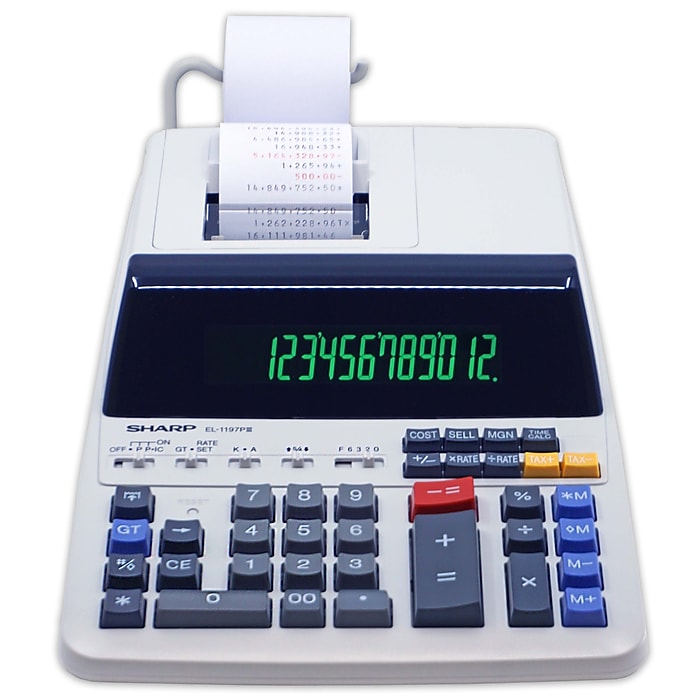
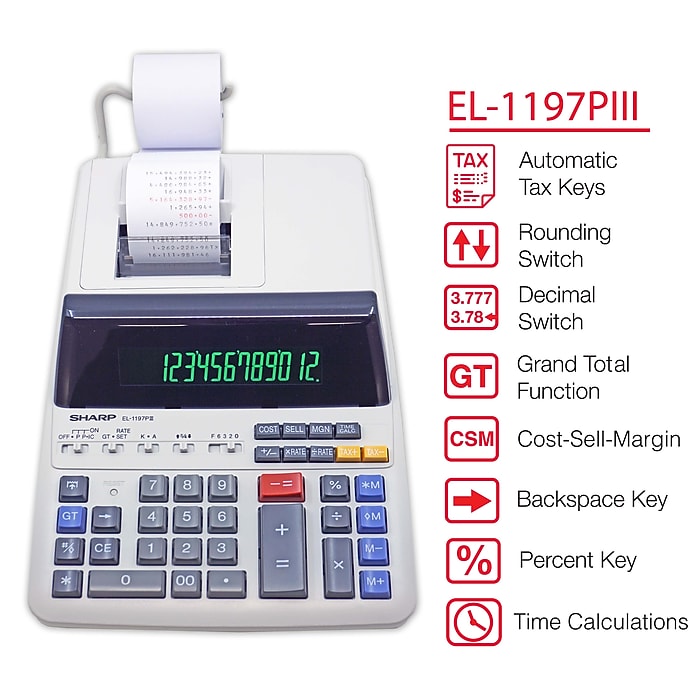

- Printing calculator offers 12-digit blue fluorescent display for convenient viewing
- Prints up to 4.3 lines per second and is ideal for heavy duty office use
- Dimensions: 3.06"H x 8.75"W x 12.88"D
Sharp (EL1197PIII) 12-Digit Printing Calculator, White
Free Returns
Online. In store. Always free.
Learn More

Consider this similar product
About this product
Estimate taxes, reconcile accounts, and calculate invoices with this Sharp printing calculator. A large 12-digit display makes it easy to keep track of your figures, while the convenient keypad layout allows for fast data entry without struggling to find number and function keys. This calculator features cost, sell, and margin calculation options, providing a convenient way to track profits and overhead. Use the tax function to determine sales tax and other figures, or put the four-key memory option to work when recalling your last calculation. With easy-to-load paper and a bright two-color ink ribbon, this Sharp printing calculator creates crisp, professional printouts of all your figures.
- Printing calculator offers 12-digit blue fluorescent display for convenient viewing
- Prints up to 4.3 lines per second and is ideal for heavy duty office use
- Dimensions: 3.06"H x 8.75"W x 12.88"D
- Powered by any standard AC outlet, eliminating the need for expensive batteries
- 4-key memory keeps often-used figures accessible for speedier calculations
- Profit margin, tax calculation, cost, sell, margin, mark-up, item counter, and discount functions make financial calculations streamlined
- Decimal switch, rounding switch, average, percent, constant calculation, double zero, and grand total functions to solve many additional mathematical problems
- Clock and calendar functions help maintain schedules
- Package content: AC adapter, paper roll, 1 x CR2032 battery
- Prints positive numbers in black and negative numbers in red, eliminating misreads
- Angled display is easy on the eyes
- 6-month manufacturer limited warranty
Sharp EL1197PIII calculators incorporate multiple distinct features that make these devices a useful tool to meet the accounting needs of your business. Different from pocket or scientific calculators, Sharp EL1197PIII calculators print calculations on a piece of tape that your team can easily remove and store for accurate records. Aside from the printing feature, the speed the device performs calculations and large color-coded buttons both help save time, which improves the efficiency and productivity of your business. These useful features make calculating taxes or optimizing a budget a seamless process.
Convenient Features Provide Accurate CalculationsWith four-key memory, Sharp EL1197PIII calculators help eliminate input mistakes by storing numbers for easy recall, which is an ideal feature for forgetful employees. These calculators print in two colors to reduce misreads, and print the time and date on each piece of tape for clear documentation of addition and subtraction. Additional settings include adjustable rounding to reduce rounding errors, and tax calculation settings to keep reliable and consistent calculations when calculating figures for expenses. The large easy-to-read screen is highly visible for your colleagues with poor eyesight, and helps produce accurate calculations by displaying up to 12 digits to ensure your team enters the appropriate numbers or keys.
Save Time and Increase ProductivitySharp EL11979lll calculators also feature several time-saving shortcut keys such as backspace, double zero and grand total to ensure calculations complete in as little time as possible. The quick 4.5-lines-per-second print speed is beneficial to keeping accurate records when entering calculations rapidly. With large color-coded buttons, these calculators reduce the amount of time spent searching for the right key, which increases your team's productivity by eliminating wasted time correcting errors.
Frequently bought together


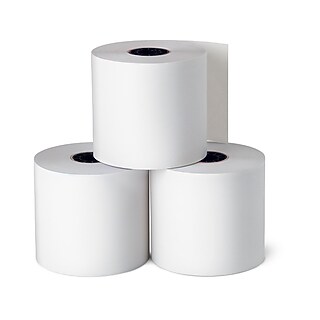


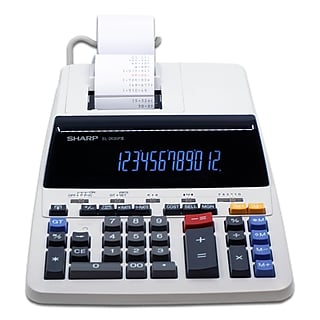






Compare similar items
| Attributes | Sharp (EL1197PIII) 12-Digit Printing Calculator, White | Sharp (EL1801V) 12-Digit Printing Calculator, White | Sharp (EL2196BL) 12-Digit Printing Calculator, Black | Canon (2279C001) 12-Digit Desktop Calculator, Gray/Black | Sharp EL-2630PIII 12-Digit Desktop Calculator, White |
|---|---|---|---|---|---|
Your product Sharp (EL1197PIII) 12-Digit Printing Calculator, White Price is $109.99 | 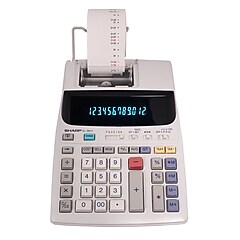 Price is $89.99 |  Price is $119.99 |  Price is $58.29 |  Price is $159.99 | |
| Reviews | |||||
| Delivery Information | Free delivery by Tue, Jun 09 | Free delivery by Tue, Jun 09 | Free delivery by Tue, Jun 09 | Free delivery by Tue, Jun 09 | Free delivery by Tue, Jun 09 |
| Available in my store | Yes | No | No | Yes | No |
| Pack Qty | 1 | 1 | 1 | 1 | 1 |
| Width in Inches | 8.75 | 7.6 | 8.75 | 6.4 | 8.97 |
| # of Colors | 2 | 2 | 2 | 2 | 2 |
| Powered | Battery / AC Powered | Battery / AC Powered | AC Powered | AC Powered | AC Powered |
| Height in Inches | 3.06 | 2.5 | 3.13 | 2.2 | 3.06 |
| Color Family | White | White | Black | Gray / Silver | White |
| Printing Calculator Speed | 4 - 5 Lines per Second | 2 - 3 Lines per Second | 3 - 4 Lines per Second | 2 - 3 Lines per Second | 4 - 5 Lines per Second |
| Calculator Type | Desktop | Desktop | Desktop | Desktop | Desktop |
| Number of Digits Displayed | 12 | 12 | 12 | 12 | 12 |
| Next Day Delivery | Yes | Yes | Yes | Yes | Yes |
| True Color | White | White | Black | Gray / Black | White |
| Weight (lbs.) | 4.2 | 2.2 | 4.2 | 1.1 | 4.2 |
| # of Memory Keys | 4 | 4 | 4 | 4 | 4 |
| Printing Calculator Display | VFD | VFD | VFD | LCD | VFD |
| Depth in Inches | 12.88 | 10.1 | 12.88 | 9.1 | 13.22 |
| Printing Color Options | Black & Red | Black & Red | Black & Red | Black & Red | Black & Red |
| Roll Width (In.) | 2.28 | Data not available | 2.25 | 2.24 | 2.28 |
| Add To Cart | Add To Cart | Add To Cart | Add To Cart |
Featured Products


