

If the option to cancel is not available, it will not be displayed. Orders placed more than 30 minutes ago can't be canceled.
1. Click here or select the Orders icon then Recent Orders from the menu within 30 minutes of placing your order.
Click here to learn how to cancel an AutoRestock subscription order.
Note: If you are not logged in or checked out as a guest, enter the order number and delivery zip code and click Look up.
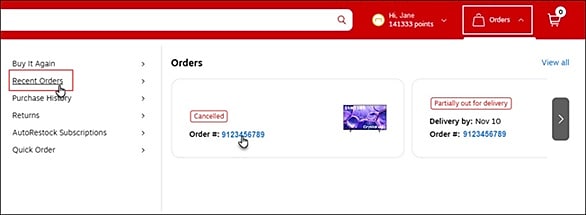
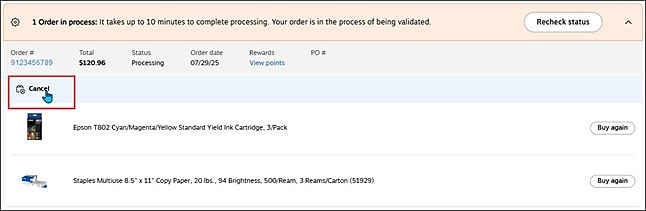
2. Locate the order you want to cancel and select the Cancel option.
NOTE: If the Cancel option is not displayed, you can't cancel the order.
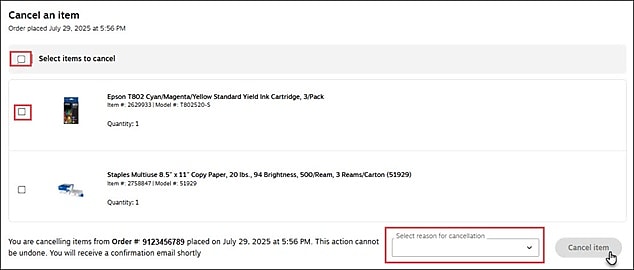
3. Check the box next to each item you would like to cancel, or check the box next to Select items to cancel to select all items in one click.
4. Select a reason for canceling your order from the drop-down menu located below the items list and click the Cancel item button.
5. You will receive a confirmation email verifying that the cancellation was successful.
You can also confirm by checking the status of your order from your Purchase history.