Logitech M705 Marathon Wireless Ergonomic Optical USB Mouse, Charcoal (910-001935)
$39.99
1


Highlights
View all details
- 3-Year Battery Life: This wireless optical mouse features an auto-sleep power-saving mode and on/off switch so you can enjoy up to 3 years (1) of charge on 2 AA batteries
- Designed for Comfort: Sculpted with comfort in mind, your wireless computer mouse follows the natural curve of your right hand, and all controls are within your reach
- Hyper-fast Scrolling: Dual-mode scrolling lets you switch between speed and precision with a click, so you can fly through long webpages, or go line-by-line
Logitech M705 Marathon Wireless Ergonomic Optical USB Mouse, Charcoal (910-001935)
Item #: 870571Model #: 910-001935
$39.99
Free Returns
Online. In store. Always free.
Learn More

1
1
2
3
4
5
6
7
8
9
10
11
12
13
14
15
16
17
18
19
20
21
22
23
24
25
26
27
28
29
30
Over 30
Add to list
About this product
The precision mouse that’s built for the long haul, with a sculpted shape, dual-mode scrolling, and more control so you can tackle any task.
Logitech Wireless Mouse Marathon M705 lets you power on... and on. It uses far less power than comparable wireless mice from other companies, so you'll go up to three full years between battery changes.* And it uses a tiny wireless receiver that stays plugged in to your computer, so your mouse is ready to go-whenever, wherever, and for as long as it takes. Plus, hyper-fast scrolling means you'll fly through long documents to find what you need in a flash. Advanced Optical Tracking means you'll get smooth, responsive cursor control. And the sculpted, right-hand shape means you'll be as comfortable finishing up as you were getting started.
- 3-Year Battery Life: This wireless optical mouse features an auto-sleep power-saving mode and on/off switch so you can enjoy up to 3 years (1) of charge on 2 AA batteries
- Designed for Comfort: Sculpted with comfort in mind, your wireless computer mouse follows the natural curve of your right hand, and all controls are within your reach
- Hyper-fast Scrolling: Dual-mode scrolling lets you switch between speed and precision with a click, so you can fly through long webpages, or go line-by-line
- Wireless Freedom: One tiny unifying receiver pairs up to 6 compatible devices, creating a clutter-free workspace; the USB receiver provides a strong, reliable connection within up to 33 feet (3)
- Extra Productivity: This wireless mouse features 5 customizable buttons, including forward and back thumb buttons; create shortcuts, jump to full-screen, open applications, and more
- Broad Compatibility: Mouse M705 is compatible with macOS and Windows, and is a Works with Chromebook (2) certified product
- Any Location, Any Occasion: M705 is built for hours of comfort; thanks to the sculpted shape plus rubber grips, you can focus on work all day whether you’re in the office or at your desk at home
- Upgrade to Multi-Device Logitech M720 Triathlon Wireless Mouse: For increased productivity, broad compatibility (Windows, macOS, Chrome OS, iPadOS, Linux), and dual connectivity (USB or Bluetooth)
- Safety Data Sheet
(1) Battery life may vary based on use and computing conditions. (2) This product has been certified to meet Google's compatibility standards. Google is not responsible for the operation of this product or its compliance with safety requirements. Chromebook and the "Works With Chromebook" badge are trademarks of Google LLC. (3) Wireless range may vary based on user, environmental and computing conditions.
Staples TECH - exceptional performance at unmatched value
Page 1 of 5


Price is $30.99
Delivery by Tue, Oct 20
1
1
2
3
4
5
6
7
8
9
10
11
12
13
14
15
16
17
18
19
20
21
22
23
24
25
26
27
28
29
30
Over 30
Add to list

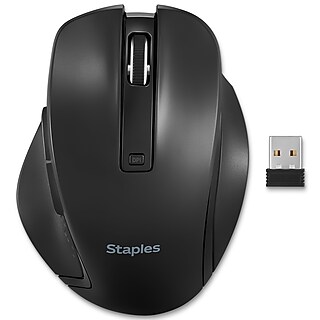
Price is $18.99
Delivery by Tue, Oct 20
1
1
2
3
4
5
6
7
8
9
10
11
12
13
14
15
16
17
18
19
20
21
22
23
24
25
26
27
28
29
30
Over 30
Add to list

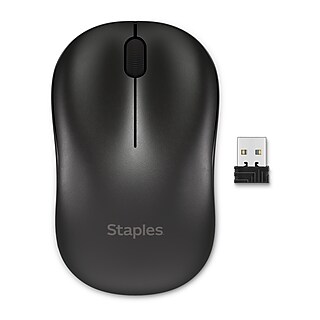
Price is $13.99
Delivery by Tue, Oct 20
30-min pickup
1
1
2
3
4
5
6
7
8
9
10
11
12
13
14
15
16
17
18
19
20
21
22
23
24
25
26
27
28
29
30
Over 30
Add to list


Price is $29.99
Delivery by Tue, Oct 20
30-min pickup
1
1
2
3
4
5
6
7
8
9
10
11
12
13
14
15
16
17
18
19
20
21
22
23
24
25
26
27
28
29
30
Over 30
Add to list

Price is $18.99
Delivery by Tue, Oct 20
1
1
2
3
4
5
6
7
8
9
10
11
12
13
14
15
16
17
18
19
20
21
22
23
24
25
26
27
28
29
30
Over 30
Add to list

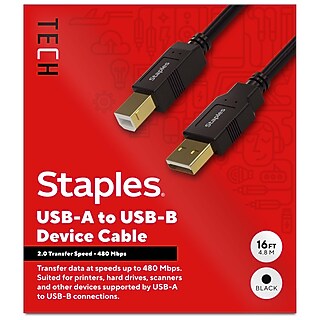
















From the manufacturer
Compare similar items
| Attributes | Logitech M705 Marathon Wireless Ergonomic Optical USB Mouse, Charcoal (910-001935) | Staples TECH Wireless Ergonomic Curved Optical USB Mouse, Black (ST62599V-CC) | Logitech M330 Silent Plus Wireless Optical USB Mouse, Black (910-004905) | Logitech Signature M650 Wireless Optical Mouse, Graphite (910-006250) | Logitech Signature Comfort Plus M850 L Wireless Ergonomic Optical Mouse, Black (910-007711) |
|---|---|---|---|---|---|
Your product Logitech M705 Marathon Wireless Ergonomic Optical USB Mouse, Charcoal (910-001935) Price is $39.99 |  Price is $18.99 |  Price is $18.99, Regular Price was $22.99, You save 17% |  Price is $33.99, Regular Price was $39.99, You save 15% |  Price is $49.99 | |
| Reviews | |||||
| Delivery Information | Free delivery by Tue, Oct 20 | Delivery by Tue, Oct 20 | Delivery by Tue, Oct 20 | Delivery by Tue, Oct 20 | Free delivery by Tue, Oct 20 |
| Available in my store | Yes | No | Yes | Yes | Yes |
| Mouse Style | Traditional | Curved | Traditional | Traditional | Curved |
| Pack Qty | 1 | 1 | 1 | 1 | 1 |
| Multi-Device Support Type | Single Device | Single Device | Single Device | Single Device | Multi-Device |
| True Color | Charcoal | Black | Black | Graphite | Black |
| Mouse Operation | Button(s) with scroll wheel | Button(s) with scroll wheel | Button(s) with scroll wheel | Button(s) with scroll wheel | Button(s) with scroll wheel |
| Wireless or Wired | Wireless | Wireless | Wireless | Wireless | Wireless |
| Hand Orientation | Right Handed | Right Handed | Right Handed | Right Handed | Right Handed |
| Bluetooth | No | No | No | Yes | Yes |
| Batteries Included | Yes | Yes | Yes | Yes | Yes |
| Color Family | Black | Black | Black | Gray / Silver | Black |
| Width in Inches | 2.8 | 3.1 | 2.67 | 2.4 | 1.93 |
| Required Battery Size | AA | AA | AA | AA | AA |
| Mouse Tracking Method | Optical | Optical | Optical | Optical | Optical |
| Designed for Gaming | No | No | No | No | No |
| Weight (Ounces) | 4.76 | 2.56 | 3.2 | 3.58 | 3.63 |
| Height in Inches | 4.29 | 1.7 | 4.15 | 4.26 | 4.78 |
| Series or Collection | M705 Marathon | Data not available | M330 Silent Plus | Signature M650 | Signature Comfort Plus M850 L |
| Add To Cart | Add To Cart | Add To Cart | Add To Cart |

Featured Products
Page 1 of 3


Price is $26.49
Delivery by Tue, Oct 20
1
1
2
3
4
5
6
7
8
9
10
11
12
13
14
15
16
17
18
19
20
21
22
23
24
25
26
27
28
29
30
Over 30
Add to list
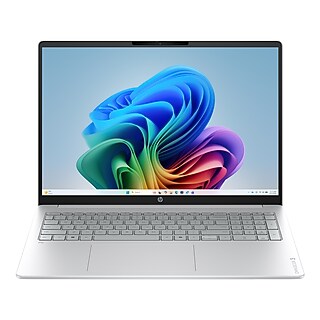
Price is $649.99, Regular price was $1,399.99, You save 54%
Free delivery by Tue, Oct 20
1
1
2
3
4
5
6
7
8
9
10
11
12
13
14
15
16
17
18
19
20
21
22
23
24
25
26
27
28
29
30
Over 30
Add to list
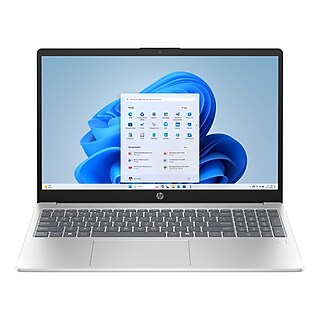
Price is $499.99, Regular price was $1,149.99, You save 57%
Free delivery by Tue, Oct 20
30-min pickup
1
1
2
3
4
5
6
7
8
9
10
11
12
13
14
15
16
17
18
19
20
21
22
23
24
25
26
27
28
29
30
Over 30
Add to list

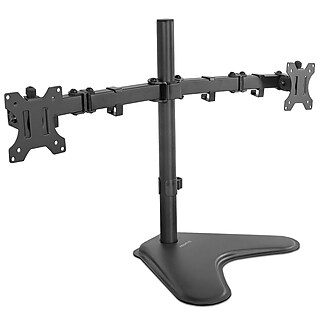
Price is $45.99
Free delivery by Tue, Oct 20
30-min pickup
1
1
2
3
4
5
6
7
8
9
10
11
12
13
14
15
16
17
18
19
20
21
22
23
24
25
26
27
28
29
30
Over 30
Add to list
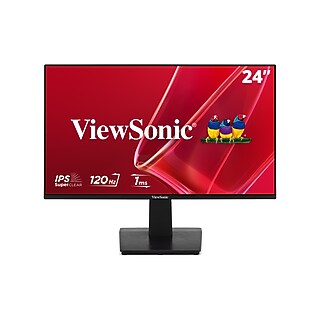
Price is $99.99
Free delivery by Tue, Oct 27
1
1
2
3
4
5
6
7
8
9
10
11
12
13
14
15
16
17
18
19
20
21
22
23
24
25
26
27
28
29
30
Over 30
Add to list