Facebook Twitter YouTube LinkedIn
  • Welcome, Log in please.
  • Free shipping on staples.com for Rewards members.
Skip Navigation
Ink Toner Finder

Ink & Toner Finder:

  • Cartridge Number
    • Cartridge Number
    • Printer Model #
Weekly Ad
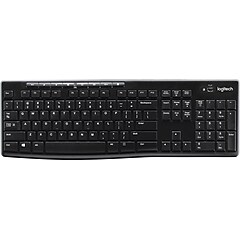
Logitech Wireless Touch Keyboard K400

Logitech Wireless Touch Keyboard K400

Item: 354569    Model: 920-003070

Logitech Wireless Touch Keyboard K400
4.5stars
( 117 reviews)
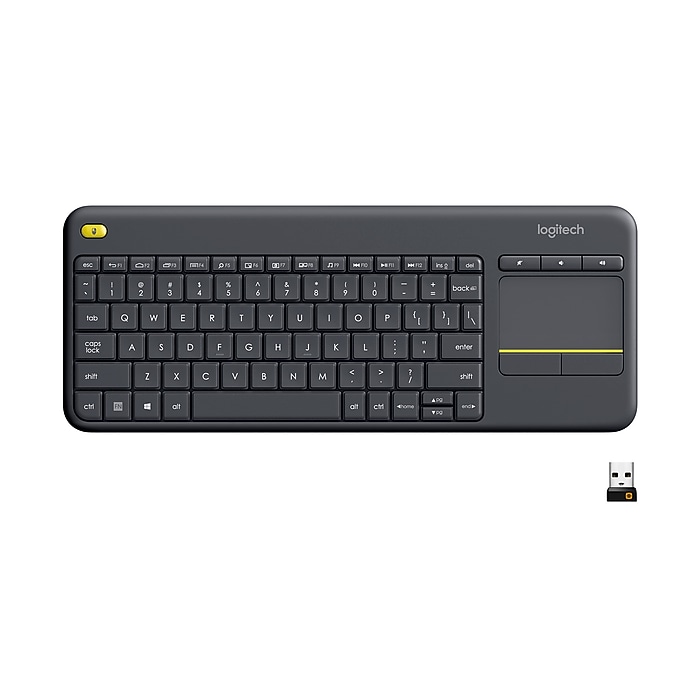
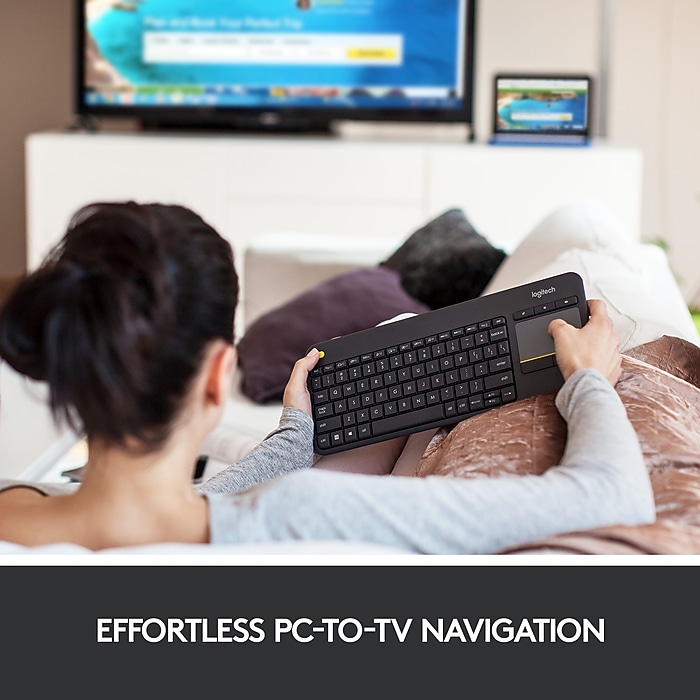
  • 10-meter (33 feet) wireless range - You can turn up the volume of a YouTube™ video, pause your vacation slideshow or tweet about the movie you just downloaded—all without getting up from the couch
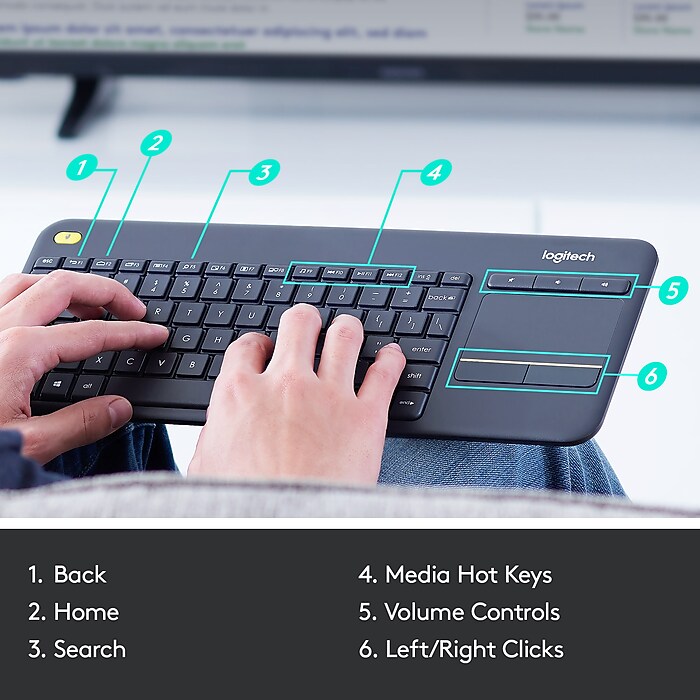
  • Large 3.5-inch, built-in touchpad - A large 3.5-inch, built-in touchpad makes vertical scrolling intuitive. And multi-touch navigation makes it easier than ever to point and scroll your way through the Web
  • Plug-and-play simplicity - Setup couldn’t be easier—you simply plug the tiny wireless receiver into a USB port and enjoy. Even the hot keys work right out of the box without software
See more details
10-meter (33 feet) wireless range - You can turn up the volume of a YouTube™ video, pause your vacation slideshow or tweet about the movie you just downloaded—all without getting up from the couchLarge 3.5-inch, built-in touchpad - A large 3.5-inch, built-in touchpad makes vertical scrolling intuitive. And multi-touch navigation makes it easier than ever to point and scroll your way through the WebPlug-and-play simplicity - Setup couldn’t be easier—you simply plug the tiny wireless receiver into a USB port and enjoy. Even the hot keys work right out of the box without softwareEachTouch Keyboard K40110-meter (33 feet) wireless range - You can turn up the volume of a YouTube™ video, pause your vacation slideshow or tweet about the movie you just downloaded—all without getting up from the couchLarge 3.5-inch, built-in touchpad - A large 3.5-inch, built-in touchpad makes vertical scrolling intuitive. And multi-touch navigation makes it easier than ever to point and scroll your way through the WebPlug-and-play simplicity - Setup couldn’t be easier—you simply plug the tiny wireless receiver into a USB port and enjoy. Even the hot keys work right out of the box without softwareLogitech Wireless Touch Keyboard K400http://s7d5.scene7.com/is/image/Staples/s0436334_sc7?$std$http://s7d5.scene7.com/is/image/Staples/s0436336_sc7?$std$http://s7d5.scene7.com/is/image/Staples/s0436334_sc7?$thb$http://s7d5.scene7.com/is/image/Staples/s0436336_sc7?$thb$http://s7d5.scene7.com/is/image/Staples/s0436334http://s7d5.scene7.com/is/image/Staples/s0436335_sc7?$std$http://s7d5.scene7.com/is/image/Staples/s0436335_sc7?$thb$http://s7d5.scene7.com/is/image/Staples/s0436335http://s7d5.scene7.com/is/image/Staples/s0436336http://s7d5.scene7.com/is/image/Staples/s0436333_sc7?$std$http://s7d5.scene7.com/is/image/Staples/s0436333_sc7?$thb$http://s7d5.scene7.com/is/image/Staples/s0436333/Logitech-Wireless-Touch-Keyboard-K400/product_354569Logitech Wireless Touch Keyboard K4004.5117
Price:
$39.99
Each

Currently Out of Stock.

Add to Favorites


REVIEW SNAPSHOT®

by PowerReviews
Logitech Wireless Touch Keyboard K400
 
4.3

(based on 117 reviews)

Ratings Distribution

  • 5 Stars


    (60)

  • 4 Stars


    (45)

  • 3 Stars


    (7)

  • 2 Stars


    (2)

  • 1 Stars


    (3)

92%

of respondents would recommend this to a friend.

Pros

  • Comfortable design (76)
  • Highly compatible (65)
  • Quiet (45)
  • Easy to set up (41)
  • Reliable (39)

Cons

  • Flimsy (5)
  • Uncomfortable design (4)
  • Limited range (3)

Best Uses

  • Web browsing (57)
  • Everyday use (24)
  • Professional (20)
  • Travel (10)
  • Gaming (8)
    • Reviewer Profile:
    • Power user (68), Casual user (47)
    • Primary use:
    • Personal (98), Business (16)
    • Computer Platform:
    • PC (97), Other (13), Mac (4)

Most Helpful Positive Review


This keyboard is AWESOME

I got this keyboard so I could game on my 50" plasma from the comfort of my couch, and it works great! A few intracacies to get used to. For instance, when t...Read complete review

I got this keyboard so I could game on my 50" plasma from the comfort of my couch, and it works great! A few intracacies to get used to. For instance, when typing you may drag your hand on the touchpad (which then of course starts responding as if you were using it intentionally). And the button layout has been modified to make an overall smaller package, which I actually like better now that I am used to it.

I was concerned about the touchpad working for a gaming environment, but it is much better than any laptop touchpads I have used, and the touchpad itself is rather large, which helps with more complex gestures such as the two-finger scroll.

Once I set my PC up for one "click" of the scroll wheel to be one line, and then turned the mouse sensitivity all the way up in the game, I was all set. At one point, I even forgot that I wasn't playing a console game! I highly recommend this keyboard.

VS

Most Helpful Negative Review


Non-standard key layout

Everything about this keyboard is fine save one. In an effort to save space (I assume), they moved the arrow keys left, so that the up arrow is to the left of the...Read complete review

Everything about this keyboard is fine save one. In an effort to save space (I assume), they moved the arrow keys left, so that the up arrow is to the left of the right hand shift key. This means that every time I try to type an uppercase letter using the right shift key, I hit the up arrow instead. It's a shame, because it worked fine otherwise. This made it useless for me, though, and probably for anyone who is used to a standard keyboard layout, so I returned it.

Reviewed by 117 customers

Sort by

Displaying reviews 1-5

Back to top

Previous | Next »

 
5.0

Works with Samsung Chromebook.

By JohnM73

from Montclair, NJ

About Me Power User

Verified Buyer

Pros

  • Comfortable Design
  • Easy To Set Up
  • Fast Response

Cons

    Best Uses

    • Everyday Use

    Comments about Logitech Wireless Touch Keyboard K400:

    I bought this to use with a Samsung Chromebook 3. It works great with no problems navigating the Chromebook's applications.

    • Primary use:
    • Personal
    • Computer Platform:
    • Other

    Comment on this review(earn points)

     
    5.0

    great for smart HDTV

    By fgm

    from Jupiter,fl

    About Me Power User

    Verified Buyer

    Pros

    • Easy To Set Up

    Cons

      Best Uses

      • Web Browsing

      Comments about Logitech Wireless Touch Keyboard K400:

      added it for Smart HDTV. Workes great

      • Primary use:
      • Personal
      • Computer Platform:
      • Other

      Comment on this review(earn points)

       
      1.0

      Can barely call this "wireless"

      By Slickdealer

      from St. Paul, MN

      About Me Power User

      Verified Buyer
      This customer has reached Intern level on the Staples.com Leaderboard

      Pros

        Cons

        • Limited Range
        • Slow Response

        Best Uses

          Comments about Logitech Wireless Touch Keyboard K400:

          I purchased this keyboard for use with my Home Theater PC. At any given point the keyboard will be between 10-15 feet from the receiver. About 20% of the time the keyboard will work with no issues. The other 80% I either need to get closer, hit the key multiple times, angle the keyboard ever so slightly, or power cycle the keyboard to get it to actually work. The mouse pad is almost unusable. It tracks very slowly and erratically jumps around when it is used. This definitely didn't meet my expectations based on the specifications listed on this site.

          • Primary use:
          • Personal
          • Computer Platform:
          • PC

          Comment on this review(earn points)

           
          4.0

          wireless keyboard

          By jwxray

          from oklahoma

          About Me Power User

          Verified Buyer
          This customer has reached Intern level on the Staples.com Leaderboard

          Pros

          • Comfortable Design
          • Durable
          • Easy To Set Up
          • Fast Response
          • Finger Pad
          • Highly Compatible
          • Long Range
          • Quiet

          Cons

          • Too Sensitive Key Srtike

          Best Uses

          • Everyday Use
          • Professional

          Comments about Logitech Wireless Touch Keyboard K400:

          i bought this wireless keypad because i had previously been using a laptop. i wanted the mouse pad intergrated into the keyboard. the ease and funcinality of this keyboard goes above and beyond what i had expected in a wireless keyboard. i love that is also has a power on off switch. this allows me to store the keyboard without worrying if keys are going to be pressed when keyboard is in the stowaway ( i have this in a mobile office that is on the road )the range on the wireless keyboard is great.

          • Primary use:
          • Business
          • Computer Platform:
          • PC

          Comment on this review(earn points)

           
          5.0

          good unit for the money

          By none

          from z-hills,fl

          About Me Casual User

          Verified Buyer

          Pros

          • Fast Response
          • Highly Compatible

          Cons

            Best Uses

            • Everyday Use

            Comments about Logitech Wireless Touch Keyboard K400:

            works great for my needs

            • Primary use:
            • Personal
            • Computer Platform:
            • PC

            Comment on this review(earn points)

            Displaying reviews 1-5

            Back to top

            Previous | Next »

            Do you have questions about this product?(earn points for answers!)

            get answers from real customers and in-house experts with AnswerBox.

            1 Question | 1 Answer
            Displaying question 1
            • Q:

              Does this keyboard come with a numeric pad?
              Asked on 5/21/2012 by Anonymous

              1 answer

              • A:

                No, it does not come with a numeric pad, but you can easily add a compatible wireless mouse, keyboard or number pad-without the hassle of multiple USB receivers.

                Answered on 5/21/2012 by Community Answer from None
            Displaying question 1

            Do you have a question about this product?