Facebook Twitter YouTube LinkedIn
  • Welcome, Log in please.
  • Free shipping on staples.com for Rewards members.
Skip Navigation
Ink Toner Finder

Ink & Toner Finder:

  • Cartridge Number
    • Cartridge Number
    • Printer Model #
Weekly Ad
HP OfficeJet 6600 e-All-in-One Printer

HP® OfficeJet 6600 e-All-in-One Printer

Item: 442506    Model: CZ155A#B1H

HP® OfficeJet 6600 e-All-in-One Printer
4.0stars
( 316 reviews)
  • 4-in-1: print, copy, scan, fax
  • Prints 14 ppm black, 8 ppm color (ISO-based) Learn more about ISO
  • Network ready; Built-in WiFi 802.11b/g/n and USB 2.0 connectivity
See more details
http://www.staples.com/sbd/img/res/ic/ic016-spcbuy.gif4-in-1: print, copy, scan, faxPrints 14 ppm black, 8 ppm color (ISO-based) <a href=http://www.staples.com/sbd/img/rebates/pdfs/c35040_iso_bro.pdf?s=.html>Learn more about ISO</a>Network ready; Built-in WiFi 802.11b/g/n and USB 2.0 connectivityOffer Expires on 06/22/2013EachHP&reg; OfficeJet 6600 e-All-in-One Printer**While supplies last. May not be valid in combination with other offers. Offer subject to change.4-in-1: print, copy, scan, faxPrints 14 ppm black, 8 ppm color (ISO-based) <a href=http://www.staples.com/sbd/img/rebates/pdfs/c35040_iso_bro.pdf?s=.html>Learn more about ISO</a>Network ready; Built-in WiFi 802.11b/g/n and USB 2.0 connectivitySpecial BuyHP&reg; OfficeJet 6600 e-All-in-One Printerhttp://s7d5.scene7.com/is/image/Staples/s0460936_sc7?$std$http://s7d5.scene7.com/is/image/Staples/s0460936_sc7?$thb$http://www.staples.com/sbd/img/res/ic/ic016-spcbuy.gifhttp://www.staples.com/sbd/img/res/ic/ic016-4in1.gifhttp://www.staples.com/sbd/img/res/ic/ic016-netready.gifhttp://www.staples.com/sbd/img/res/ic/ic016-info.gifhttp://s7d5.scene7.com/is/image/Staples/s0460936/HP-OfficeJet-6600-e-All-in-One-Printer/product_442506HP&reg; OfficeJet 6600 e-All-in-One Printer4.0316
Price: $149.99
Instant Savings: - $30.00
$119.99*
Each
*Price after savings

Currently Out of Stock.

Add to Favorites

Special Buy

Special Buy

**While supplies last. May not be valid in combination with other offers. Offer subject to change.

Offer Expires on 06/22/2013

Collapse

REVIEW SNAPSHOT®

by PowerReviews
HP® OfficeJet 6600 e-All-in-One Printer
 
4.1

(based on 316 reviews)

Ratings Distribution

  • 5 Stars


    (136)

  • 4 Stars


    (124)

  • 3 Stars


    (21)

  • 2 Stars


    (14)

  • 1 Stars


    (21)

87%

of respondents would recommend this to a friend.

Pros

  • Easy to use (224)
  • Easy to set up (218)
  • Reliable (127)
  • Fast print time (109)
  • Compact (74)

Cons

  • Large footprint (14)
  • Hard setup (13)
  • Slow print time (11)
  • Unreliable (11)
  • Jams easily (9)

Best Uses

  • Black & white documents (120)
  • Everyday use (85)
  • Professional documents (64)
  • Graphics & charts (61)
  • Photos (52)
    • Reviewer Profile:
    • Frequent user (129), Midrange shopper (59), Budget shopper (39), Infrequent user (20), Heavy duty user (19)
    • Primary use:
    • Personal (189), Business (78)
    • Was this a gift?:
    • No (101)

Most Helpful Positive Review


Works Great

I had trouble with my last printer and wasn't sure if it was my printer or my new computer. The 6600 set up easily and I was printing right away. It's great that I ...Read complete review

I had trouble with my last printer and wasn't sure if it was my printer or my new computer. The 6600 set up easily and I was printing right away. It's great that I can set up the printer in one room and print from my laptop from any room in the house. The scanning and copying features work great as wel,l and that saves me from having to run to the store which is 15 miles away, to make a copy. I look forward to years of use with this printer.

I tried printing photos from it as well and it worked really well.

VS

Most Helpful Negative Review


A PIG IN A POKE!!!!!

the scan for this unit will not work with windows XP. Required 3 calls and several hours till HP support acknowledge this is a HP software problem, was then told only option is to ...Read complete review

the scan for this unit will not work with windows XP. Required 3 calls and several hours till HP support acknowledge this is a HP software problem, was then told only option is to upgrade to windows 7. have been LOYAL HP printer user for many years but that will change. Please send this to HP as Staples did not cause this, but this does reflact negatively on Staples. Did Staples know this problem exists???? this problem also prevents using the fax directly from the computer.

Reviewed by 316 customers

Sort by

Displaying reviews 1-5

Back to top

Previous | Next »

 
4.0

Glad to have it!

By Fred

from Christiansburg, VA

About Me Frequent User

Verified Buyer

Pros

  • Compact Design
  • Easy To Set Up
  • Easy To Use

Cons

  • Slow Print Time
  • Somewhat Noisy

Best Uses

  • Black & white Documents
  • Graphics & Charts
  • Photos
  • Professional Documents

Comments about HP® OfficeJet 6600 e-All-in-One Printer:

Tremendously easy to set up on wireless network. Last wi-fi printer of another make was impossible to keep operating satisfactorally. All in all HP printers are good quality machines.
  • Primary use:
  • Personal

Comment on this review(earn points)

 
5.0

HP Office Jet 6600

By De

from Lynnwood WA

About Me Heavy Duty User

Verified Buyer

Pros

  • Easy To Set Up
  • Fast Print Time
  • Reliable

Cons

    Best Uses

    • Black & white Documents
    • Graphics & Charts
    • Photos

    Comments about HP® OfficeJet 6600 e-All-in-One Printer:

    Have enjoyed using this printer. Works great, also, when set up for wireless. Very impressed.

    • Primary use:
    • Personal

    Comment on this review(earn points)

     
    5.0

    Great Printer for Small Business Owner

    By Debbie from Alpharetta

    from Alpharetta

    About Me Frequent User

    Verified Buyer

    Pros

    • Compact Design
    • Easy To Use
    • Fast Print Time
    • Ink Easy To Purchase

    Cons

    • Did Break In 15 Months
    • Jams Easily

    Best Uses

    • Black & white Documents
    • Professional Documents

    Comments about HP® OfficeJet 6600 e-All-in-One Printer:

    Have purchased many printers in the past like Dell, Kodak and others, but would highly recommend this HP as the best that I have owned so far. I use it mainly to print receipts for business daily, and then other documents when needed. The copy quality is wonderful, as well as color copies. Ink is easy to purchase at most stores such as Staples, and with coupons they offer which is great and rewards back on ink cartridges, it makes it so very affordable. The only problem I had with my last HP was it broke down totally and I needed to purchase a new one, no questions asked. My warranty had just ran out and I was three months into a new year, and had I purchased an extended warranty I would have had it replaced. So when I purchased a new HP I did get a 2 year warranty which I found was worth my investment. I only wished the printer I purchased was on sale when I bought it, which would have helped me out.

    • Primary use:
    • Business

    Comment on this review(earn points)

     
    4.0

    Great for small business

    By Office Manager

    from North Dakota

    About Me Frequent User

    Verified Buyer

    Pros

    • Easy To Set Up
    • Easy To Use
    • Reliable

    Cons

      Best Uses

      • Black & white Documents
      • Professional Documents

      Comments about HP® OfficeJet 6600 e-All-in-One Printer:

      Nice printer for small office use.

      • Primary use:
      • Business

      Comment on this review(earn points)

       
      5.0

      Good Value

      By Holly Hills

      from Alloway, New Jersey

      About Me Frequent User

      Verified Buyer

      Pros

      • Compact Design
      • Durable construction
      • Easy To Use

      Cons

        Best Uses

        • Every Day Consumer Use

        Comments about HP® OfficeJet 6600 e-All-in-One Printer:

        This is a good printer for the money. I appears to be ideal for residential use.

        • Primary use:
        • Personal

        Comment on this review(earn points)

        Displaying reviews 1-5

        Back to top

        Previous | Next »

        Do you have questions about this product?(earn points for answers!)

        get answers from real customers and in-house experts with AnswerBox.

        24 Questions | 29 Answers
        Displaying questions 1-10Previous | Next »
        • Q:

          Will the USB cable for my J4680 serve the Officejet 6600?
          Asked on 5/28/2013 by Fred from Ocracoke, NC

          1 answer

          • A:

            Yes, both the J4680 and Officejet 6600 use a generic USB 2.0 cord to connect to your computer.

            Answered on 5/28/2013 by Community Answer from None
        • Q:

          Is this printer compatible with Mac OS 10.4.11?
          Asked on 4/29/2013 by EJJ

          1 answer

          • A:

            No the HP OfficeJet 6600 e-All-in-One Printer is not compatible with MAC OS/X 10.4, it requires 10.5 or higher.

            Answered on 4/29/2013 by Community Answer from None
        • Q:

          When you scan a document can you save it as a pdf file or only as a jpeg file?
          Asked on 4/4/2013 by Paula

          1 answer

          • A:

            Yes. When you scan a document, it can be saved as a PDF file if the target file has been specified as such. If not, it will default to JPEG format.

            Answered on 4/5/2013 by Community Answer from None
        • Q:

          Will the HP Office Jet 6600 scan legal size pages?
          Asked on 3/6/2013 by simpleman

          1 answer

          • A:

            Yes, this will scan legal size pages.

            Answered on 3/7/2013 by Community Answer from None
        • Q:

          How do I set the time and date to show when I fax something ? I just faxed something and it didn't have a time or date on the confirmation page it just had 0000 where the time and date should of been.
          Asked on 2/11/2013 by Printing for dummies from Philadelphia, PA

          1 answer

          • A:

            The time and date can be set to show when prompted to do so by changing in the settings menu.

            Answered on 2/11/2013 by Community Answer from None
        • Q:

          Can this printer print on both sides of the paper that I'm printing?
          Asked on 2/10/2013 by Inquirer minds wants to know from Philadelphia, PA

          1 answer

          • A:

            This printer has the capability to print on both sides of paper.

            Answered on 2/10/2013 by Community Answer from None
        • Q:

          What ink does this printer use?
          Asked on 1/25/2013 by Joe century from Framingham, MA

          1 answer

          • A:

            The black ink is HP 932 & 932XL cartridges. Color is a combo of three; HP 933/XL CYAN, 933/XL MAGENTA & 933/XL YELLOW. The regular black is good for 400 pages, XL for 1000. The color ones are 330 and 825 respectively.

            Answered on 1/25/2013 by Community Answer from None
        • Q:

          How is a fax sent if the printer is connected to a phone line and LAN but not connected directly to a computer or the computer is turned off?
          Asked on 1/15/2013 by Anonymous

          2 answers

          • A:

            Since it is connected to the phone line, you can fax directly from the printer. You use the ADF(auto document feeder, on the top of the printer). You will place your paper(s) on the feeder and use the touchscreen menu to select fax and then enter the phone number.

            Answered on 1/18/2013 by Robin from Ironwood, MI
          • A:

            Faxes are sent over a phone line so being connected to a computer is not necessary to send/receive faxes. The printer would only have to be connected to the computer in order to print or scan documents.

            Answered on 1/15/2013 by Community Answer from None
        • Q:

          When using narrower paper OR envelopes in this 6600 printer, do the paper guides move to the CENTER or to the RIGHT side?"
          Asked on 1/14/2013 by Anonymous

          1 answer

          • A:

            The guides slide to the center

            Answered on 1/14/2013 by Community Answer from None
        • Q:

          Is the paper tray removable? Is the printer depth truly
          almost 2' deep?

          May I have the exact L X W X D and total number of ink cartrages.

          Thanks,

          -k-
          Asked on 1/2/2013 by Anonymous

          1 answer

          • A:

            Four ink cartridges come with this All-in-One (1 black, 1 cyan, 1 magenta, & 1 yellow). The actual unit is 18.3 x 17.7 x 10 inches and the paper tray is easily removed.

            Answered on 1/3/2013 by Community Answer from None
        Displaying questions 1-10Previous | Next »

        Do you have a question about this product? 

        Staples 16' Gold Series A/B USB 2.0 Cable
        Item: 847297
        Model: 18805

        Staples 16' Gold Series A/B USB 2.0 Cable

        Reviews for Staples 16' Gold Series A/B USB 2.0 Cable
        4.5stars
        (56 reviews)
        • USB A/B
        • Connects your computer to your USB device
        • 16'
        Price:
        $35.99
        Each
        Staples 7' CAT6 Patch Cable - Gray
        Item: 837374
        Model: 18787

        Staples 7' CAT6 Patch Cable - Gray

        Reviews for Staples 7' CAT6 Patch Cable - Gray
        4.5stars
        (11 reviews)
        • Cat6
        • Connects 2 network devices for high speed internet access
        • 7'
        Price:
        $19.99
        EACH
        Staples 7-Outlet 2250 Joule Surge Protector with Dataline Protection, Black
        Item: 764397
        Model: 16947

        Staples 7-Outlet 2250 Joule Surge Protector with Dataline Protection, Black

        Reviews for Staples 7-Outlet 2250 Joule Surge Protector with Dataline Protection, Black
        4.5stars
        (103 reviews)
        • 7 outlets
        • 2250 Joules
        • Dataline (phone/modem/fax/DSL) protection
        •  Telephone & Fax Protection
        Price:
        $21.99
        Each
        1-year Extension Product Replacement Plan ($100-$149.99)
        Item: 423436
        Model: FedWarr112

        1-year Extension Product Replacement Plan ($100-$149.99)

        Reviews for 1-year Extension Product Replacement Plan ($100-$149.99)
        0.0stars
        (0 reviews)
        • 1 Year Extended Coverage: Starts after the manufacturer's warranty expires, for hardware failure (mechanical and electrical).
        • Pick Your Own Replacement: Product will be replaced with a Staples Cash Card, good in stores or online.
        • 24/7 Support: U.S.-based claims assistance, online or by phone.
        Price:
        $24.00
        EACH
        HP 932XL Black Ink Cartridge (CN053AN#140 ), High Yield
        Item: 423882
        Model: CN053AN#140

        HP 932XL Black Ink Cartridge (CN053AN#140 ), High Yield

        Reviews for HP 932XL Black Ink Cartridge (CN053AN#140 ), High Yield
        4.5stars
        (30 reviews)
        • Yields up to 1000 pages
        • Save 35% per page when you buy this HP 932XL High Yield Black Ink Cartridge instead of the standard cartridge-ideal for high-volume printing
        • Fade-resistant color provides superior results and brilliant, true-to-life images that last for generations
        Price:
        $31.99
        Each
        HP 932 Black Ink Cartridge (CN057AN#140)
        Item: 423888
        Model: CN057AN#140

        HP 932 Black Ink Cartridge (CN057AN#140)

        Reviews for HP 932 Black Ink Cartridge (CN057AN#140)
        4.0stars
        (39 reviews)
        • Yields up to 400 pages
        • Save 35% per page when you buy the HP 932XL High Yield Black Ink Cartridge instead of this standard cartridge
        • Fade-resistant color provides superior results and brilliant, true-to-life images that last for generations
        Price:
        $19.99
        Each
        HP 933XL Cyan Ink Cartridge (CN054AN#140), High Yield
        Item: 423881
        Model: CN054AN#140

        HP 933XL Cyan Ink Cartridge (CN054AN#140), High Yield

        Reviews for HP 933XL Cyan Ink Cartridge (CN054AN#140), High Yield
        4.5stars
        (28 reviews)
        • Yields up to 825 pages
        • Save 41% per page when you buy this HP 933XL High Yield Cyan Ink Cartridge instead of the standard cartridge-ideal for high-volume printing
        • Fade-resistant color provides superior results and brilliant, true-to-life images that last for generations
        Price:
        $15.99
        Each
        HP 933XL Magenta Ink Cartridge (CN055AN#140), High Yield
        Item: 423880
        Model: CN055AN#140

        HP 933XL Magenta Ink Cartridge (CN055AN#140), High Yield

        Reviews for HP 933XL Magenta Ink Cartridge (CN055AN#140), High Yield
        4.5stars
        (17 reviews)
        • Yields up to 825 pages
        • Save 41% per page when you buy this HP 933XL High Yield Magenta Ink Cartridge instead of the standard cartridge-ideal for high-volume printing
        • Fade-resistant color provides superior results and brilliant, true-to-life images that last for generations
        Price:
        $15.99
        Each
        HP 933XL Yellow Ink Cartridge (CN056AN#140), High Yield
        Item: 423890
        Model: CN056AN#140

        HP 933XL Yellow Ink Cartridge (CN056AN#140), High Yield

        Reviews for HP 933XL Yellow Ink Cartridge (CN056AN#140), High Yield
        4.5stars
        (35 reviews)
        • Yields up to 825 pages
        • Save 41% per page when you buy this HP 933XL Yellow Ink Cartridge instead of the standard cartridge-ideal for high-volume printing
        • Fade-resistant color provides superior results and brilliant, true-to-life images that last for generations
        Price:
        $15.99
        Each
        HP 933 Cyan Ink Cartridge, (CN058AN#140)
        Item: 423886
        Model: CN058AN#140

        HP 933 Cyan Ink Cartridge, (CN058AN#140)

        Reviews for HP 933 Cyan Ink Cartridge, (CN058AN#140)
        5.0stars
        (6 reviews)
        • Yields up to 330 pages
        • Save 41% per page when you buy the HP 933XL High Yield Cyan Ink Cartridge instead of this standard cartridge
        • Fade-resistant color provides superior results and brilliant, true-to-life images that last for generations
        Price:
        $10.99
        Each
        HP 933 Magenta Ink Cartridge, (CN059AN#140)
        Item: 423885
        Model: CN059AN#140

        HP 933 Magenta Ink Cartridge, (CN059AN#140)

        Reviews for HP 933 Magenta Ink Cartridge, (CN059AN#140)
        4.0stars
        (5 reviews)
        • Yields up to 330 pages
        • Save 41% per page when you buy the HP 933XL High Yield Magenta Ink Cartridge instead of this standard cartridge
        • Fade-resistant color provides superior results and brilliant, true-to-life images that last for generations
        Price:
        $10.99
        Each
        HP 933 Yellow Ink Cartridge, (CN060AN#140)
        Item: 423883
        Model: CN060AN#140

        HP 933 Yellow Ink Cartridge, (CN060AN#140)

        Reviews for HP 933 Yellow Ink Cartridge, (CN060AN#140)
        4.0stars
        (7 reviews)
        • Yields up to 330 pages
        • Save 41% per page when you buy the HP 933XL High Yield Yellow Ink Cartridge instead of this standard cartridge
        • Fade-resistant color provides superior results and brilliant, true-to-life images that last for generations
        Price:
        $10.99
        Each
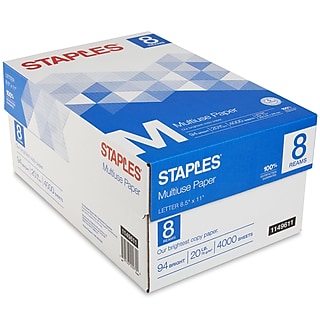
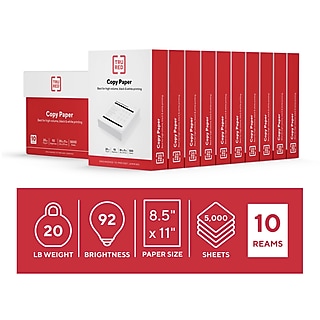
        StaplesĀ® Multipurpose Paper, 8 1/2in. x 11in., Case
        Item: 513096
        Model: 513096-BL

        StaplesĀ® Multipurpose Paper, 8 1/2in. x 11in., Case

        Reviews for StaplesĀ® Multipurpose Paper, 8 1/2" x 11", Case
        4.5stars
        (5032 reviews)
        • 20 lb.
        • 96 US / 109 Euro Bright
        • Bright white paper provides better contrast
        •  Letter Size (8.5" x 11")
        •  Multiple sizes available
        •  Forest Stewardship Council Certified
        Price:
        $49.99
        5,000/Case