





Labels




Trending now











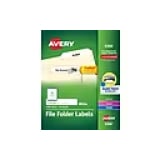
Labels and label stickers are incredibly useful whether you're working from home, running a busy office or organizing your space at school. They help create a neat and organized environment, making it easy to find what you need when you need it. You can use them for printer files, identifying storage containers or for making sure envelopes are properly addressed. It's great to have a variety of labels on hand to tackle different tasks efficiently. By using them effectively, you'll save time and keep everything in its place.
Organize with ease
The primary purpose of labels and label stickers is to help you organize your space in a simple and effective way. They provide a quick solution for labeling boxes, folders or shelves, ensuring you know exactly where everything is. With printer labels, you can easily create professional-looking labels tailored to your specific needs. Labels for printer use are particularly useful for printing out multiple copies, keeping your labeling process smooth. These handy tools can help with everything from shipping packages to organizing home offices, making them versatile in any setting. Label stickers also come in various sizes and colors, providing even more options for customization.
A variety of choices
When it comes to these products, there are plenty of options to choose from, making it easy to find just the right fit for your needs. You can find labels in different shapes and sizes, from small rectangles to larger circular ones. Some are specifically designed as shipping labels or for retail packaging, ensuring that your packages are properly marked. There are even water-resistant and heat-resistant labels suitable for more rugged environments. For tech enthusiasts, labels for printer models with wireless capabilities can streamline the labeling process significantly. Overall, the variety available ensures that there's a perfect label for every job.
A variety to choose from
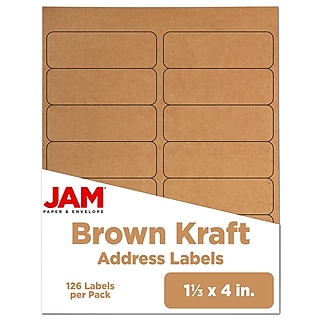
- Address labels: Perfect for envelopes and packages, making mailing efficient.
- File folder labels: Keep your documents organized and easy to find.
- Shipping labels: Ensure your parcels are marked clearly for safe delivery.
- Name badges: Ideal for events and meetings, customized for each participant.
- Food storage labels: Great for organizing pantry and refrigerator items.
Complete your setup
While adhesive tags and stickers are effective on their own, there are many additional tools and products that enhance their functionality. A label maker with tape offers the convenience of creating custom tags on demand without needing a computer, making organization effortless. Combine these tools with high-quality printers for sharp, professional-looking results. For streamlined efficiency, consider incorporating storage and organization solutions, such as bins, drawers or shelving units, to keep your categorized items neatly arranged. File folders, stackable trays and clear containers are other essentials that help maintain order while complementing your tagging system. For added functionality, adhesive products like repositionable sticky notes or color-coded tags can further refine your workspace, allowing you to prioritize and identify items with ease. Whether organizing a home office or a bustling workplace, these products work together to keep your environment tidy, efficient and visually appealing. By combining these items with your tags and organizational tools, you’ll create a system that maximizes productivity and minimizes clutter.