Customer Reviews for Samsung Class The Frame 32" Smart 1080p TV (QN32LS03CBFXZA)


Item # : IM109TW34
Model # : QN32LS03CBFXZA
- Artwork, shows, movies, and memories: display what you love on The Frame, a picture frame like a 32" TV
- TV display resolution: 1920 x 1080
Price is $599.99
1
1
2
3
4
5
6
7
8
9
10
11
12
13
14
15
16
17
18
19
20
21
22
23
24
25
26
27
28
29
30
Over 30
Add to list
267 reviews
Most helpful positive review
Posted Mar 30, 2026
Better than expected!
Love this TV looks amazing in standby mode with one of the thousands of options of Art available. Easy to set up good pic and sound everyone whos seen it now wants one!
VS
Most helpful critical review
Posted Mar 6, 2026
good product
its impossible to rregistere and i have to keepgoing back to the retailere to just give you proof of purchase I have to wait for transppoirt just to rerturn to thr retailer which may not be in 7 days what an impossible task
i sm not imprerssed all i want to do is registeer for the 5 year warranty
i sm not imprerssed all i want to do is registeer for the 5 year warranty
Salliemallie
This reviewer received a free product or coupon in exchange for an unbiased review of the product
Reviewed at:
Samsung UK
Posted Mar 30, 2026
Better than expected!
Love this TV looks amazing in standby mode with one of the thousands of options of Art available. Easy to set up good pic and sound everyone whos seen it now wants one!
0up votes 0
0down votes 0
Report
Samsungforever
This reviewer received a free product or coupon in exchange for an unbiased review of the product
Reviewed at:
Samsung US
Posted Mar 23, 2026
Great
Great product recomnd the visual quality awesome and can't beet their products
0up votes 0
0down votes 0
Report
nightmarer
Reviewed at:
Samsung UK
Posted Mar 6, 2026
good product
its impossible to rregistere and i have to keepgoing back to the retailere to just give you proof of purchase I have to wait for transppoirt just to rerturn to thr retailer which may not be in 7 days what an impossible task
i sm not imprerssed all i want to do is registeer for the 5 year warranty
i sm not imprerssed all i want to do is registeer for the 5 year warranty
0up votes 0
0down votes 0
Report
Response from Staples :
We are disheartened to see you are having issues with the extended 5-year warranty. If this is for our 5-year extended warranty, we will need a valid proof of purchase along with other information to enable us to provide this. You can speak to the retailer you purchased it from to get this. You may be able to reach out to them online or via the phone.
We'd recommend reaching out to our Support Teams for further guidance on this. You can find their contact details and opening hours here: https://www.samsung.com/uk/support/contact/ ^LB at Samsung Support
Evoltobor_BazaarVoice_1, March 6, 2026
Zero
This reviewer received a free product or coupon in exchange for an unbiased review of the product
Reviewed at:
Samsung US
Posted Mar 5, 2026
Not great for the price
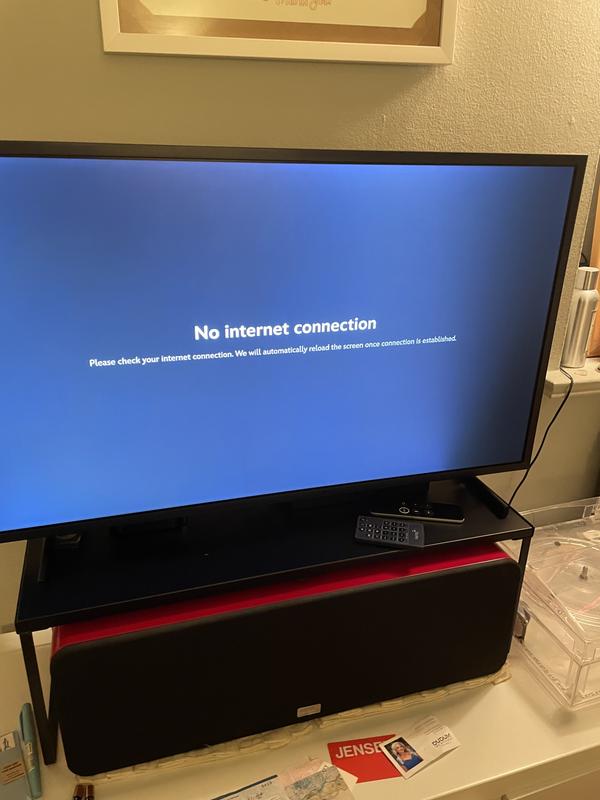
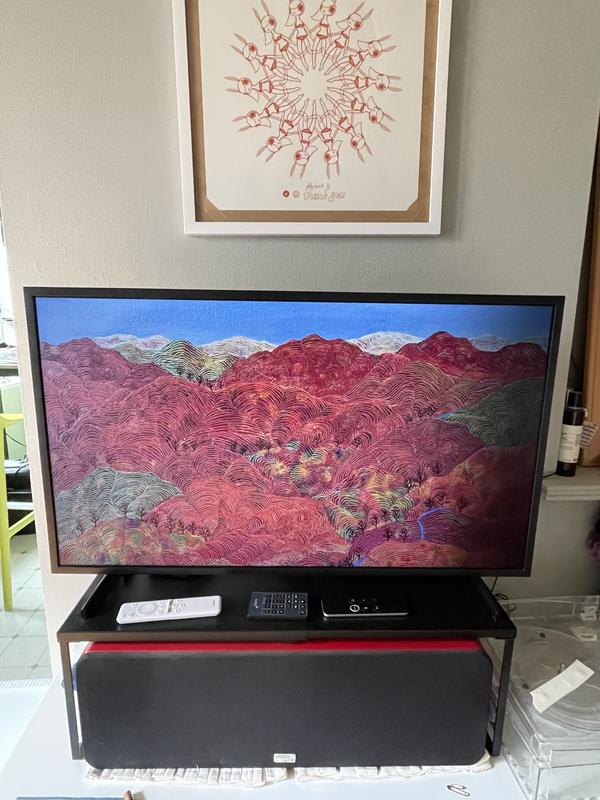
I don’t know what happened to my particular tv but when I received the tv there was a considerable dark area already present on the right side of the screen. I did some digging and I guess this is not uncommon. I would have returned the tv but I broke my hand and during that time so it was low on my list of to-dos. Anyway, I loved my previous Samsung tv and thought the ...
Read full review
0up votes 0
0down votes 0
Report
Response from Staples :
Zero,
We appreciate your thoughts on the picture quality of Samsung’s Frame TV. If the image you’re seeing isn’t to your liking, there are several picture settings you may want to adjust.
Go to Home > left direction button > Settings > All Settings > Picture > Picture Mode
...and select the mode that best fits your usage:
1. Standard: Is the default mode suitable for general viewing environments
2. Dynamic: Makes the picture brighter and clearer in bright viewing environments
3. Eco: Provided to save energy
4. Movie: Suitable for watching TV or movies in a dark room
5. Filmmaker Mode: Provides source content just as the creators intended. If the image is defined as Filmmaker Mode, it’ll automatically switch to Filmmaker Mode while watching.
You can also fine-tune your picture with expert settings such as brightness, contrast, sharpness and more (All Settings > Picture > Expert Settings).
For further assistance with settings adjustments, please contact Samsung Customer Support at 1-800-SAMSUNG between 8AM - 12AM EST, any day of the week. You can also chat with us online by visiting the ‘Support’ section of our website.
~ Samsung Specialist
March 5, 2026
Robert
This reviewer received a free product or coupon in exchange for an unbiased review of the product
Reviewed at:
Samsung US
Posted Mar 5, 2026
Display clarity
The picture of art displays is awful. There is no vividness at all. Some pictures are barely visible.
Display of TV broadcasts and security monitors is fine. But we usually have art displayed on the TV and they are terrible. We bought the TV for the FRAME Art functionality, and it does not display well at all
Display of TV broadcasts and security monitors is fine. But we usually have art displayed on the TV and they are terrible. We bought the TV for the FRAME Art functionality, and it does not display well at all
0up votes 0
0down votes 0
Report
Response from Staples :
Robert,
We appreciate your review. So that we can better troubleshoot this issue and provide steps towards a solution, please contact Samsung Support at 1-800-SAMSUNG, 8AM – 12AM EST, 7 days a week, or visit our website for LiveChat.
~ Samsung Specialist
March 5, 2026
Cobalt
This reviewer received a free product or coupon in exchange for an unbiased review of the product
Reviewed at:
Samsung US
Posted Mar 5, 2026
Bought it to be a TV fall in love with a Art
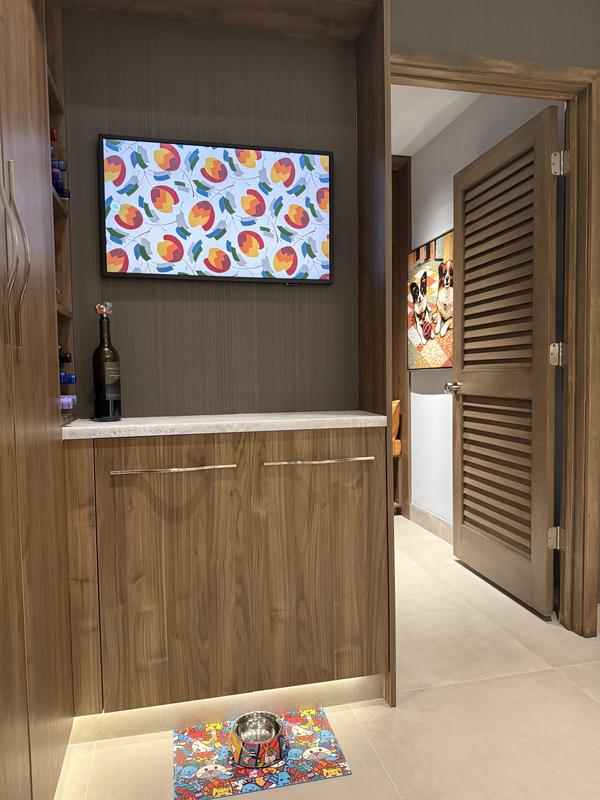
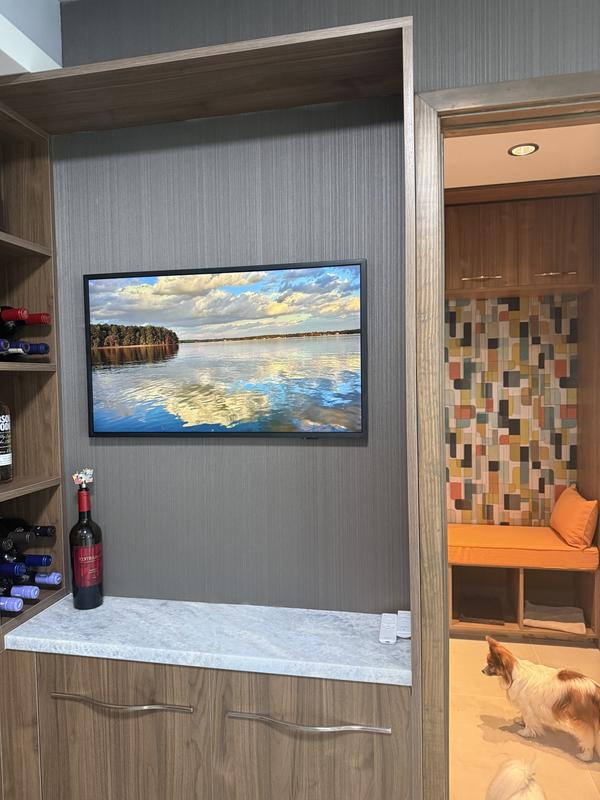
We bought it because we needed space saving TV for a specific area for depth, but we’ve actually now fallen in love with it as just a piece of art and subscribe to the service and feel like we’re getting an educational at the same time and travel around the world the funny thing is we have not once used it as a TV yet I think that’s a good
0up votes 0
0down votes 0
Report
Srmbrand
This reviewer received a free product or coupon in exchange for an unbiased review of the product
Reviewed at:
Samsung UK
Posted Feb 26, 2026
Great features
Brilliant set up nice and easy great picture and sound
0up votes 0
0down votes 0
Report
Response from Staples :
We’re thrilled to know you’re loving the fantastic features on your new Smart TV and that the setup was nice and easy, with top‑quality picture and vibrant sound! Thank you for choosing us, and we hope you enjoy every moment with your brand‑new TV when viewing all your favourite shows! ^HB at Samsung Support
Evoltobor_BazaarVoice_1, February 26, 2026
k2b34
This reviewer received a free product or coupon in exchange for an unbiased review of the product
Reviewed at:
Samsung US
Posted Feb 23, 2026
awesome picture quality
perfect for my kids room! the picture on it is amazing as well 5 stars
0up votes 0
0down votes 0
Report
This reviewer received a free product or coupon in exchange for an unbiased review of the product
Reviewed at:
Samsung US
Posted Feb 21, 2026
Superior Installments
I absolutely love this product, looks just like a picture on my wall, great for small business advertising
0up votes 0
0down votes 0
Report
Misti
This reviewer received a free product or coupon in exchange for an unbiased review of the product
Reviewed at:
Samsung US
Posted Feb 17, 2026
Sound and picture
I love this TV. It has amazing picture and sound and all around beautiful. I just wish I had a bigger version of the TV
0up votes 0
0down votes 0
Report
Tjstukes
This reviewer received a free product or coupon in exchange for an unbiased review of the product
Reviewed at:
Samsung US
Posted Feb 11, 2026
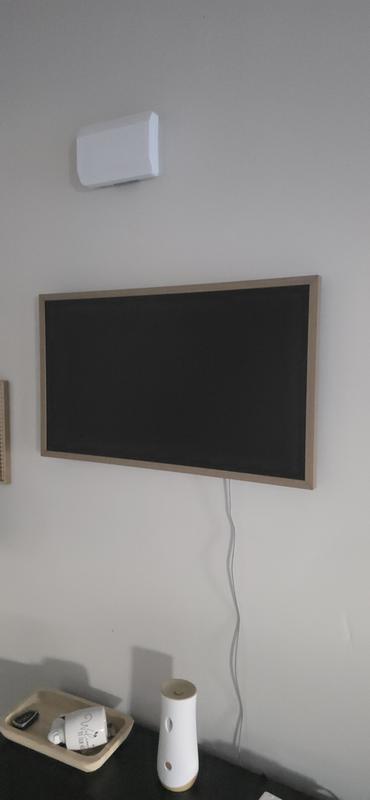
Love the slideshows
So when we have events at our house we just plug a hard drive on the the station have have a slideshow going that starts a convo have ha people cracking up! Absolutely love that being an ice breaker.
0up votes 0
0down votes 0
Report
Bear
This reviewer received a free product or coupon in exchange for an unbiased review of the product
Reviewed at:
Samsung US
Posted Feb 10, 2026
Great picture! Excellent sound
Love the small frame. If it's perfectly into my space. The picture is superb and the sound clear. All around and excellent TV
0up votes 0
0down votes 0
Report
Bear1da
This reviewer received a free product or coupon in exchange for an unbiased review of the product
Reviewed at:
Samsung US
Posted Feb 9, 2026
Easy to Install - Great Look
The TV fits perfectly and looks great. Love the functionality of it.
0up votes 0
0down votes 0
Report
fizz
Reviewed at:
Samsung US
Posted Feb 9, 2026
remote & app leaves a lot to be desired
We purchased this mostly to display photographs, the app and/or remote seem quirky and not very user friendly, I expected more from Samsung. To edit a picture that is being displayed, it is not simple to do so and then have it return to where you had the system operating, like auto shuffle.
0up votes 0
0down votes 0
Report
Response from Staples :
fizz,
We appreciate you sharing your user experience. To help you get the most from your TV, you can download the full e-Manual and more by visiting Samsung’s website then navigating to: Support > Manual & Software > TVs & Home Theater. From there, you can search for and select your TV model to view or download the available guides.
The e-Manual and Remote Control Guide are also conveniently built into your TV: Settings > Support > Tips and User Guides
If you need additional help, please contact Samsung Support at 1-800-SAMSUNG, 8AM – 12AM EST, 7 days a week. LiveChat agents are also available through the ‘Support’ link on our website.
~ Samsung Specialist
February 9, 2026
Kionic
This reviewer received a free product or coupon in exchange for an unbiased review of the product
Reviewed at:
Samsung US
Posted Feb 5, 2026
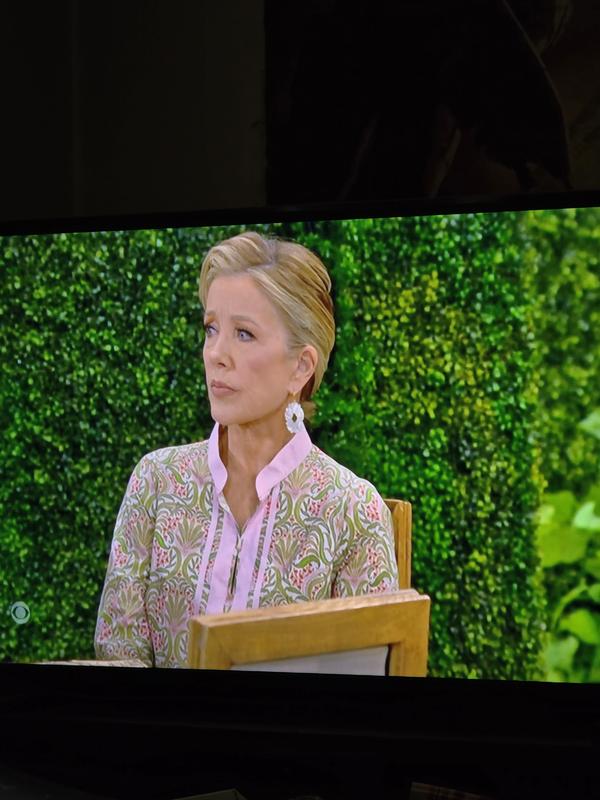
Surprising Colors and a piece of art for the whole
Strong colors and sharp resolution in this one. UI runs smooth and settings easy to setup. Sound is very punchy and most of the time 17 is the strongest needed for volume percentage for room fullness. Art so really makes it seem like its apart of your house with cycling works from real artists.
0up votes 0
0down votes 0
Report
leejos
This reviewer received a free product or coupon in exchange for an unbiased review of the product
Reviewed at:
Samsung US
Posted Feb 3, 2026
Sleek design, memory and storage can be improved
The design of the product is very sleek and appealing. The screen resolution is great and the glare is minimal even in bright conditions. The mounting was easy to do. The only gripe I have about this model is that the memory and storage space is too small and only a handful of applications can be installed and run without manually refreshing the cache to make the TV eve...
Read full review
0up votes 0
0down votes 0
Report
Sam Sung
Reviewed at:
Samsung US
Posted Jan 31, 2026
Weak internet connectivity. W E A K
This thing can't hold a connection to the internet. All other devices have no issue but this is fragile at best. The picture and sound are fine and the thin design are great for appearance on the wall. As long as you don't want to watch TV uninterrupted. Also seems Samsung doesn't play well with other devices like fireTV or Roku. I guess a hardwired connection would...
Read full review
0up votes 0
0down votes 0
Report
Response from Staples :
Thank you for sharing your experience with Wi-Fi connectivity. If your TV is having trouble connecting to the network, the following steps may help resolve the issue:
Signal & Setup Tips:
1. Check TV-to-router distance – Your TV should be within 50 feet of the modem or access point for reliable signal strength.
2. Minimize interference – Turn off nearby wireless devices and make sure there are no physical barriers (stone walls, fireplaces, appliances) between the TV and router.
Power Cycle Devices:
3. Restart both your TV and router – Unplug both devices for at least 30 seconds, then plug them back in and allow them to reboot fully.
Connection Type:
4. Evaluate your connection method –
o If using Wi-Fi, move your router closer to the TV and eliminate any obstructions.
Run Built-In Diagnostic Tools:
5. Network Test: Settings > Support > Device Care > Self Diagnosis > Smart Hub Connection Test
6. Wi-Fi Check: Settings > Support > Device Care > Self Diagnosis > Wi-Fi
Last Resort:
7. Perform a Factory Reset (if issues persist): Settings > All Settings > General & Privacy > Reset > Factory Data Reset. Note that this will return all settings to their original defaults.
If these steps don’t resolve the issue, please reach out to Samsung Support at 1-800-SAMSUNG, available 8AM – 12AM EST, 7 days a week. LiveChat support and additional help are available at the ‘Support’ link on our website.
~ Samsung Specialist
February 2, 2026
Isabella11!!
Reviewed at:
Samsung Canada
Posted Dec 31, 2025
More than I expected…….
Our new Frame TV arrived a couple of weeks before Christmas and WOW! We love it. Especially the art function. We haven’t had a TV for years because I hate having a “big black hole” in my living room. The art function is awesome.
0up votes 0
0down votes 0
Report
FamilyMama
Reviewed at:
Samsung Canada
Posted Dec 31, 2025
Amazing product
I've been using this for the past few weeks and I cannot get enough! It is so easy to use, clear screen, the Smart feature is amazing and its a beautiful addition to our space!
0up votes 0
0down votes 0
Report
Jim's
Reviewed at:
Samsung Canada
Posted Dec 30, 2025
Nice Unit
Love the slick design and the Art features. Great pictures resolution.
0up votes 0
0down votes 0
Report