Customer Reviews for Samsung Crystal U8000F 58” Smart 4K UHD TV (UN58U8000FFXZA)


Item # : IM1SG8832
Model # : UN58U8000FFXZA
- The 58" screen offers a balanced size for living rooms, bedrooms, or entertainment areas, ideal for streaming, gaming, and everyday viewing
- This is a Crystal UHD Smart LED TV powered by Samsung’s Tizen OS, delivering vibrant visuals and smart features for effortless access to your favorite content
Price is $399.47
1
1
2
3
4
5
6
7
8
9
10
11
12
13
14
15
16
17
18
19
20
21
22
23
24
25
26
27
28
29
30
Over 30
Add to list
1329 reviews
Most helpful positive review
Posted Apr 3, 2026
Great tv
Great picture sound could use some help... but iver all I love the tv
VS
Most helpful critical review
Posted Apr 3, 2026
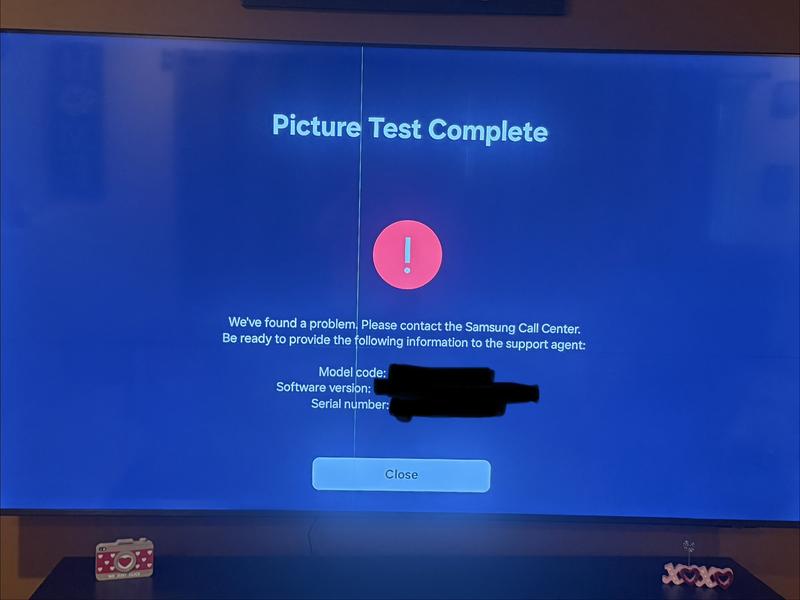
Issues after 2 months
After 2 months of owning the TV, a random vertical green line appeared down the center with a horizontal black line running across. Working with Samsung was awful and took over 2 months after approval to get a replacement. Their exchange process is awful and takes a long time since they take your device and make you wait 2 week+ before you are able to get a replacement....
Read full review
Pheonix1602
This reviewer received a free product or coupon in exchange for an unbiased review of the product
Reviewed at:
Samsung US
Posted Apr 3, 2026
Definitely worth every penny. Overall, I love it!!
Overall, this television offers good value for its price point. The color sharpness is quite impressive, providing a vibrant viewing experience. However, I did find that both the sound quality and the sharpness could be improved upon. Despite these minor drawbacks, it remains a worthwhile purchase for the features offered. I am generally satisfied with this acquisition.
0up votes 0
0down votes 0
Report
TVbuyer
Reviewed at:
Samsung US
Posted Apr 3, 2026
Issues after 2 months
After 2 months of owning the TV, a random vertical green line appeared down the center with a horizontal black line running across. Working with Samsung was awful and took over 2 months after approval to get a replacement. Their exchange process is awful and takes a long time since they take your device and make you wait 2 week+ before you are able to get a replacement....
Read full review
0up votes 0
0down votes 0
Report
Nite
This reviewer received a free product or coupon in exchange for an unbiased review of the product
Reviewed at:
Samsung US
Posted Apr 3, 2026
Great tv
Great picture sound could use some help... but iver all I love the tv
0up votes 0
0down votes 0
Report
Zoom up
Reviewed at:
Samsung Canada
Posted Apr 1, 2026
I like the tv but find having to switch from Smart TV every time it’s turned on annoying and the timer should be on the remote not in settings. Otherwise I like it.
0up votes 0
0down votes 0
Report
Mchigeeng
Reviewed at:
Samsung Canada
Posted Apr 1, 2026
Loving it
My new 75" Samsung TV is just what I was expecting the clarity is prefect
0up votes 0
0down votes 0
Report
TVfriend
Reviewed at:
Samsung US
Posted Apr 1, 2026
Great TV!
I love my U8000F TV. It is bright, clear, and has all the apps I could ever want.
0up votes 0
0down votes 0
Report
This reviewer received a free product or coupon in exchange for an unbiased review of the product
Reviewed at:
Samsung US
Posted Apr 1, 2026
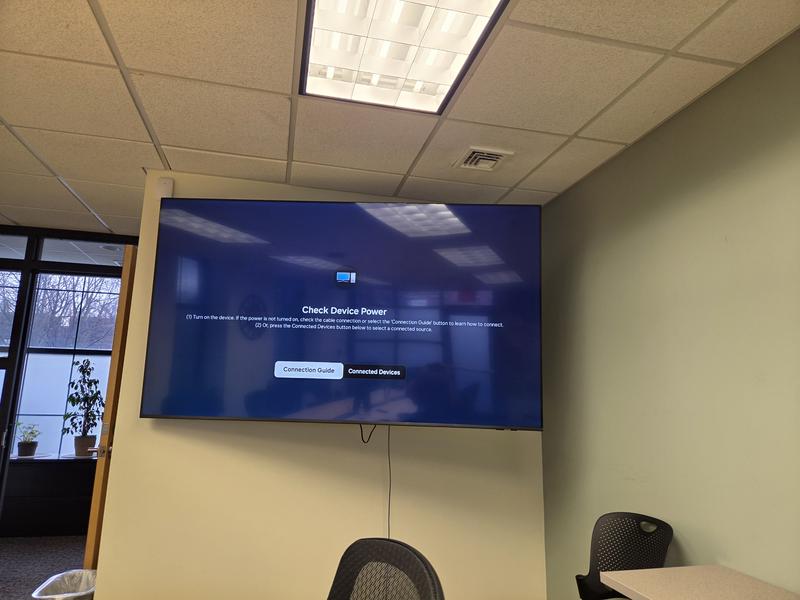
Great device
This is a massive TV we use on regular basis to have executive meetings virtually and presentations. I am very happy with the performance.
0up votes 0
0down votes 0
Report
Marks260
This reviewer received a free product or coupon in exchange for an unbiased review of the product
Reviewed at:
Samsung US
Posted Apr 1, 2026
Awsome tv
Tv looks great and easy to use. Its everything i could expect for the price. Only complaint is i can not hook up my samsung soundbar to it trough earc and use all of my apps for sound. But connecting through bluetooth works just fine.
0up votes 0
0down votes 0
Report
Maggie3657
Reviewed at:
Samsung Canada
Posted Apr 1, 2026
Keeps freezing up and have to restart it every
Time have no problem with my other 5 tvs
Which are all less money.
Time have no problem with my other 5 tvs
Which are all less money.
0up votes 0
0down votes 0
Report
Response from Staples :
Hello,
We appreciate you sharing your experience with us. We’re sorry to hear that you experienced challenges with your product and will share this feedback to our relevant teams.
If you would like to provide additional feedback or discuss this ticket further, our email support will be happy to assist by visiting https://www.samsung.com/ca/support/emailsupport and choosing ‘Email General Support’
Thank you,
Samsung Customer Care
April 1, 2026
T.v.is my social life
Reviewed at:
Samsung Canada
Posted Apr 1, 2026
Wonderful t.v. Highly recommend .
My son bought me this t.v.for Xmas and I absolutely love it
The picture is beautiful
It’s a very nice t.v
The picture is beautiful
It’s a very nice t.v
0up votes 0
0down votes 0
Report
Garvey one son
Reviewed at:
Samsung Canada
Posted Apr 1, 2026
DISAPOINTMENT
I bought this TV a month ago and I'm very disappointed that my fire stick does not work with this TV very well period every morning when I wake up and I turn on the TV and I choose the fire stick option my TV does not recognize the fire stick I have since ordered a new fire stick to see if this is the problem but at the moment every time I have used this TV I cannot get...
Read full review
0up votes 0
0down votes 0
Report
Response from Staples :
Hello,
We appreciate you sharing your experience with us. We’re sorry to hear that you experienced challenges with your product and will share this feedback to our relevant teams.
If you would like to provide additional feedback or discuss this ticket further, our email support will be happy to assist by visiting https://www.samsung.com/ca/support/emailsupport and choosing ‘Email General Support’
Thank you,
Samsung Customer Care
April 1, 2026
wilf370
Reviewed at:
Samsung Canada
Posted Apr 1, 2026
well it’s decent . My first smart Tv .
my other Two are on cable and Roku .
What i find hard is switching between channels as in watching two sport y events at tge same time .
on my cable box i can just push last channel and it just switches .
va non the smart tv it’s time consuming switching between apps. But i guess just running off wifi makes it more challe...
my other Two are on cable and Roku .
What i find hard is switching between channels as in watching two sport y events at tge same time .
on my cable box i can just push last channel and it just switches .
va non the smart tv it’s time consuming switching between apps. But i guess just running off wifi makes it more challe...
Read full review
0up votes 0
0down votes 0
Report
Jim5
Reviewed at:
Samsung Canada
Posted Mar 31, 2026
Greatness all around
I love the resolution brightness and color. It making viewing easier and has steady contrast.
0up votes 0
0down votes 0
Report
Jeffh
Reviewed at:
Samsung Canada
Posted Mar 31, 2026
Awesome
Have had the TV for awhile now It's a very good TV. I've always bought Samsung and going stick with it.
0up votes 0
0down votes 0
Report
Frustratedbeyond
Reviewed at:
Samsung Canada
Posted Mar 31, 2026
TV is fine other than I've not been able to connect audio directly to hearing aids, something that was extremely important to me when I made the purchase. Samsung support was of no help in trying to resolve.
0up votes 0
0down votes 0
Report
Response from Staples :
Hello,
Thank you for taking time out of your day to providing us product feedback. We will pass this to our relevant teams.
For additional product feature feedback or troubleshooting support, please connect with our experts via Live Chat at https://www.samsung.com/ca/support/live-chat-support
Thank you,
Samsung Customer Care.
April 1, 2026
No manuals no features
Reviewed at:
Samsung Canada
Posted Mar 31, 2026
Great TV but without a manual unable to access.
Quality of TV and picture are excellent however there was no manual and the instructions on the screen are hard to follow. Because of this I said TV was good but without a manual I should have given it one star. Great TV But without an easy to read manual or easy to read instructions on the web it is difficult to obtain the value that one should derive from such a TV
0up votes 0
0down votes 0
Report
Samsung 43" Smart Tv
Reviewed at:
Samsung Canada
Posted Mar 31, 2026
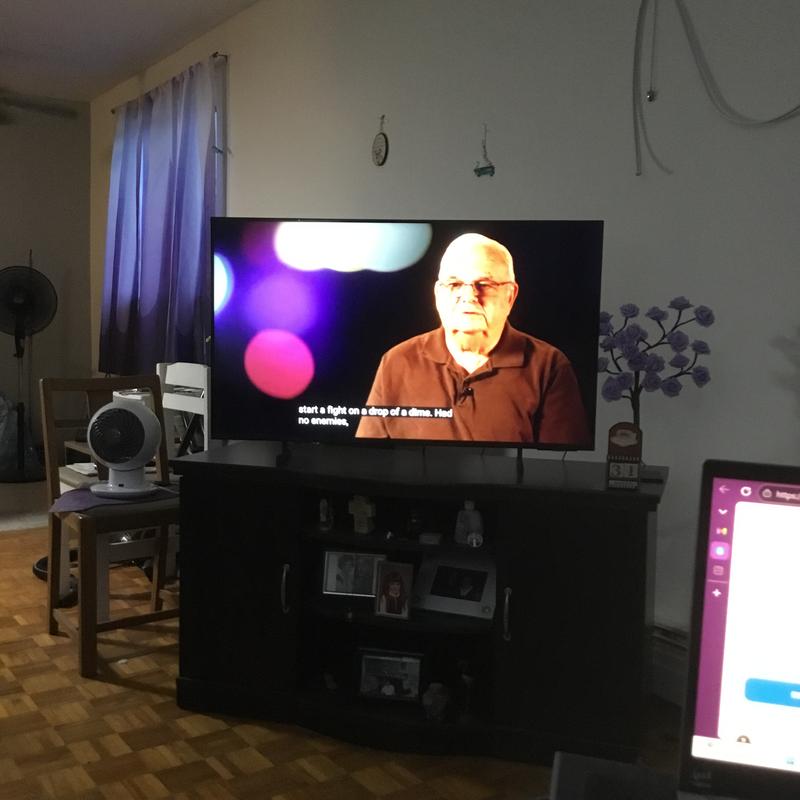
43" Crystal UHD U8000F 4K Smart TV(UN43U8000FFXZC)
My Ma & Sister bought me this wonderful Samsung TV ( Smart) , Amazon fire stick combatable, it has awesome sound, I Love it so much. It's an update to the on I had (2013), so. I'm familiar with Samsung Smart TV's. I Highly recommend!!!! Thank You Samsung!!!! :)
0up votes 0
0down votes 0
Report
Overkill
Reviewed at:
Samsung Canada
Posted Mar 31, 2026
Only choice for tv brand!
I’ve always been satisfied with Samsung tv’s, the only brand I buy from the first rear projection lcd 20 something years ago!
0up votes 0
0down votes 0
Report
TDitty
Reviewed at:
Samsung Canada
Posted Mar 31, 2026
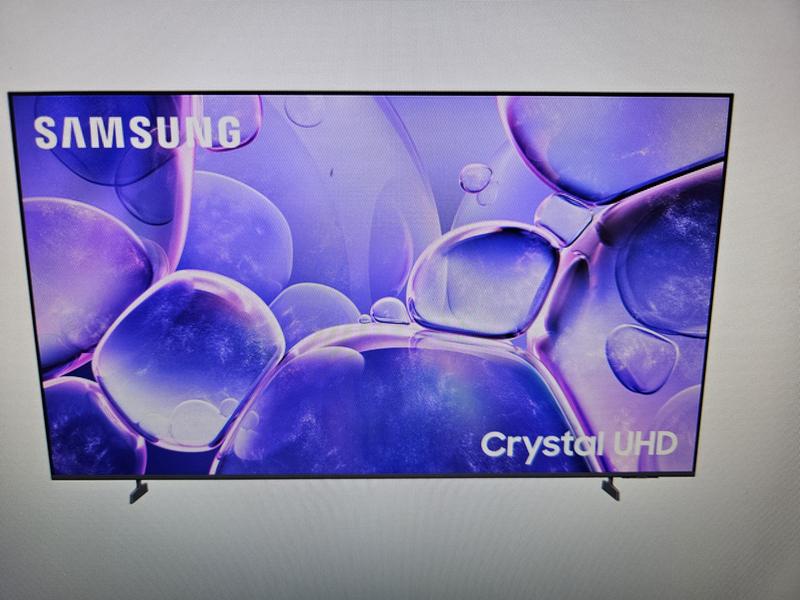
No Audio out
The picture is great but the volume isn't to great, plus there is no audio out on this TV so that makes it useless for my living room with my 7.2 stereo.
0up votes 0
0down votes 0
Report
Response from Staples :
Hello,
We appreciate you sharing your experience with us. We’re sorry to hear that you experienced challenges with your product and will share this feedback to our relevant teams.
If you would like to provide additional feedback or discuss this ticket further, our email support will be happy to assist by visiting https://www.samsung.com/ca/support/emailsupport and choosing ‘Email General Support’
Thank you,
Samsung Customer Care
April 1, 2026
Smart TV's suck
Reviewed at:
Samsung Canada
Posted Mar 31, 2026
Well I'm not really impressed with the smart TV I find that it's annoying having all the TV channels playing auto matically and when I want to play my Xbox the TV turns it on and off and I don't have that set on there.
0up votes 0
0down votes 0
Report
Response from Staples :
Hello,
We appreciate you sharing your experience with us. We’re sorry to hear that you experienced challenges with your product and will share this feedback to our relevant teams.
If you would like to provide additional feedback or discuss this ticket further, our email support will be happy to assist by visiting https://www.samsung.com/ca/support/emailsupport and choosing ‘Email General Support’
Thank you,
Samsung Customer Care
April 1, 2026