
Customer Reviews for Samsung NeoQLED The Frame Pro 65" Smart 4K Ultra AI Enabled TV (QN75LS03FWFXZA)


Samsung NeoQLED The Frame Pro 65" Smart 4K Ultra AI Enabled TV (QN75LS03FWFXZA) is Out of stock
Item # : IM1SG8835
Model # : QN75LS03FWFXZA
- Indoor use with a spacious 65-inch screen ideal for immersive viewing.
- Stunning 4K Ultra HD clarity on a sleek smart LED platform.
Price is $2,999.99
Add to list
256 reviews
Most helpful positive review
Posted Apr 14, 2026
Art Frame TV
Loving this TV. Have it in the bedroom against a bright wall. Stunning with white bezel frame, flush againat the wall. No glare whatsoever. Tizen OS is fast and easy to use. Incredible brightness and art store pictures look very realistic.
VS
Most helpful critical review
Posted Mar 29, 2026
Warning : wireless one connect .
wireless one connect makes tick-sound when HDMI earc is connected, even Bluetooth connection is used for audio out. I never recommend this.
Mimikoots
This reviewer received a free product or coupon in exchange for an unbiased review of the product
Reviewed at:
Samsung Australia
Posted Apr 14, 2026
Art Frame TV
Loving this TV. Have it in the bedroom against a bright wall. Stunning with white bezel frame, flush againat the wall. No glare whatsoever. Tizen OS is fast and easy to use. Incredible brightness and art store pictures look very realistic.
0up votes 0
0down votes 0
Report
Response from Staples :
Thank you for your fantastic review! We’re delighted to hear how well the TV fits into your space and that you’re loving the Art Mode experience. The combination of the flush wall mount, anti-glare display, and realistic artwork really does make it something special, perfect for bright rooms. Enjoy your beautiful setup!
Moe, April 14, 2026
zn30
This reviewer received a free product or coupon in exchange for an unbiased review of the product
Reviewed at:
Samsung Australia
Posted Apr 12, 2026
Unbelievable clarity in both modes
Samsung is an addiction this is the 4th Samsung TV we have in our house all quality even as they are getting older. The New Frame unexpectedly out preforms them all clarity there is no competition it definitely out preforms here and so many other areas, the interface between the user and TV enables smooth navigation, with the intuitive menus for viewing from a distance....
Read full review
0up votes 0
0down votes 0
Report
Response from Staples :
This is a fantastic and detailed experience, thanks for sharing it. It’s interesting how installation variables like wall alignment can affect perception, even when the mounting system is precise. Great call trusting the template.
The matte display and anti-reflection layer you mentioned are designed to diffuse ambient light, which explains the improved viewing clarity. Combined with motion handling improvements, it makes sense you’re seeing smoother visuals during sports and films.
Moe, April 14, 2026
Little e
This reviewer received a free product or coupon in exchange for an unbiased review of the product
Reviewed at:
Samsung US
Posted Apr 11, 2026
Bright
This new television offers a truly exceptional viewing experience. The picture quality is remarkably crisp and vibrant, bringing every scene to life with stunning clarity. Its sleek design complements any room, adding a touch of modern elegance. Navigating the smart features is intuitive and user-friendly, making it easy to access all your favorite content. We are thoro...
Read full review
0up votes 0
0down votes 0
Report
Big John
This reviewer received a free product or coupon in exchange for an unbiased review of the product
Reviewed at:
Samsung US
Posted Apr 10, 2026
A Masterpiece
Really nice picture best I seen ever on a tv yet and I'm 54 and a gamer. I swear sometimes I feel like I'm in the moment actually in the scene absolutely nothing bad to say about this masterpiece.
0up votes 0
0down votes 0
Report
Roar
This reviewer received a free product or coupon in exchange for an unbiased review of the product
Reviewed at:
Samsung US
Posted Apr 6, 2026
Samsung singing our song
is your third Samsung TV so you can tell that we do like them you know that we do like them the good bang for the buck reasonable price good picture easy to go through the menu been having problems with him I'm about another one maybe the 75 in one next time thank you I'm done with that part done
0up votes 0
0down votes 0
Report
SteveK
This reviewer received a free product or coupon in exchange for an unbiased review of the product
Reviewed at:
Samsung US
Posted Apr 5, 2026
BEST PICTURE ever and thats only the start
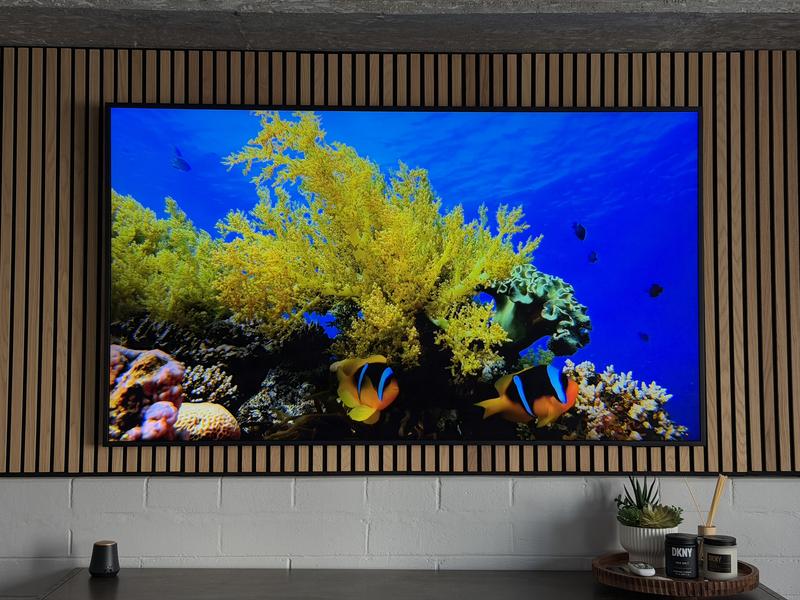
The brightness, the clarity, the smooth transitions, and the stylish look of the "Frame" on my wall, where do I begin. All are over the top in quality. I was a little concerned about the negative review I saw about the wireless Frame, but the wireless connectivity is absolutely flawless, and the only wire needed is a power cord. Color, contrast and resolution make this...
Read full review
0up votes 0
0down votes 0
Report
NatalieJ
This reviewer received a free product or coupon in exchange for an unbiased review of the product
Reviewed at:
Samsung US
Posted Apr 5, 2026
Amazing Product
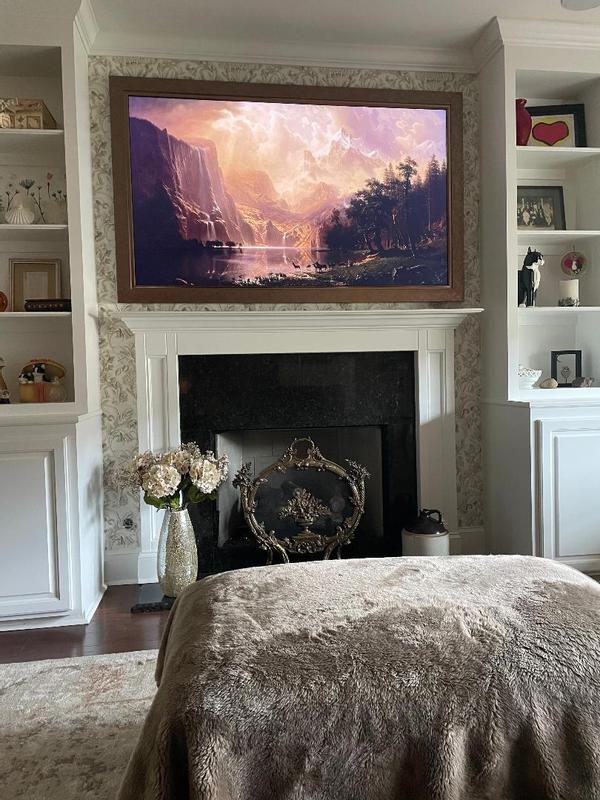
Pr0: The picture is phenomenal. It is clear, colors are accurate for both television viewing and photo/art. When the art is displayed it is crisp even at the 75 in size.
Con: The television has a hard time with audio when going from tv mode to photo mode. It isn't a huge deal as you simply have to turn it off/on and it fixes. It's not enough for me to regret th...
Con: The television has a hard time with audio when going from tv mode to photo mode. It isn't a huge deal as you simply have to turn it off/on and it fixes. It's not enough for me to regret th...
Read full review
0up votes 0
0down votes 0
Report
art lover
This reviewer received a free product or coupon in exchange for an unbiased review of the product
Reviewed at:
Samsung US
Posted Apr 5, 2026
Beautiful addition to the room
Great looking frame tv. Has a nice picture when watching, but the great majority of time it remains on impressionist artwork and is a beautiful addition to the room.
0up votes 0
0down votes 0
Report
MattH
This reviewer received a free product or coupon in exchange for an unbiased review of the product
Reviewed at:
Samsung US
Posted Apr 5, 2026
Awesome TV!
Awesome TV... all around, great quality and picture, as well as becoming a statement piece. I didn't think I would use the art mode much when I first bought it; however, it is an extremely cool feature to flip on, especially around the holidays or when guests come over. I highly recommend this TV!
0up votes 0
0down votes 0
Report
ivabrolo
This reviewer received a free product or coupon in exchange for an unbiased review of the product
Reviewed at:
Samsung US
Posted Apr 5, 2026
In Love with my TV
I love how thin the tv is as well as the vivid tones of the picture. Being able to have an album of pictures displayed. This tv has it all.
0up votes 0
0down votes 0
Report
Phartinfarms
This reviewer received a free product or coupon in exchange for an unbiased review of the product
Reviewed at:
Samsung US
Posted Apr 5, 2026
Great picture excellent sound
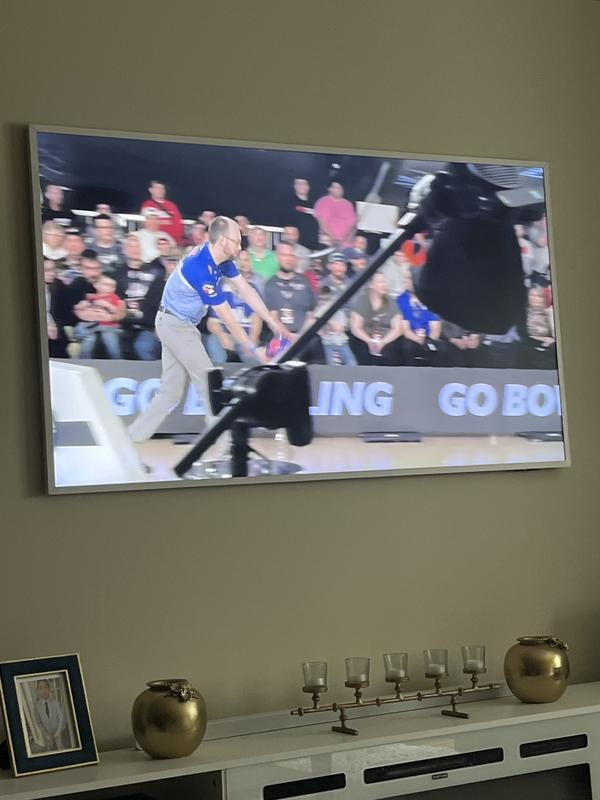
Love everything about this 65” Frame Pro picture quality sound the look etc…
0up votes 0
0down votes 0
Report
rmukkam
This reviewer received a free product or coupon in exchange for an unbiased review of the product
Reviewed at:
Samsung US
Posted Apr 5, 2026
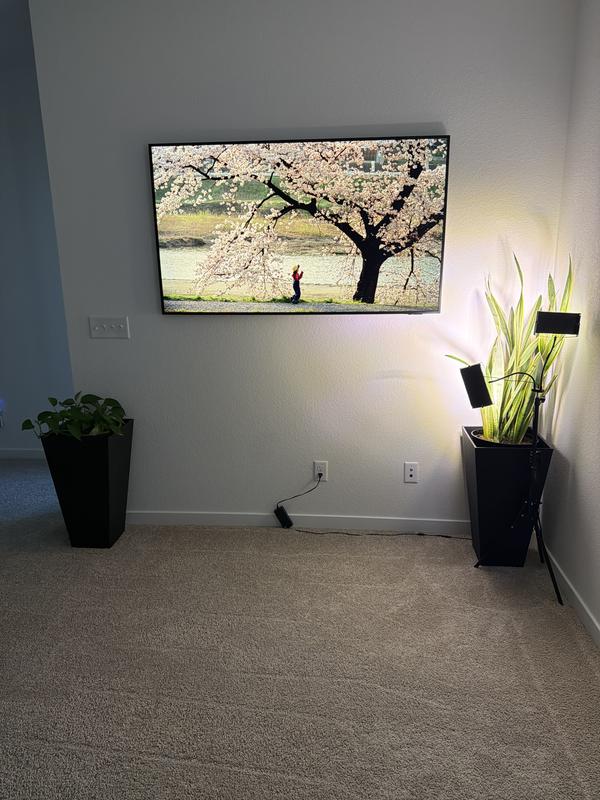
Amazing look
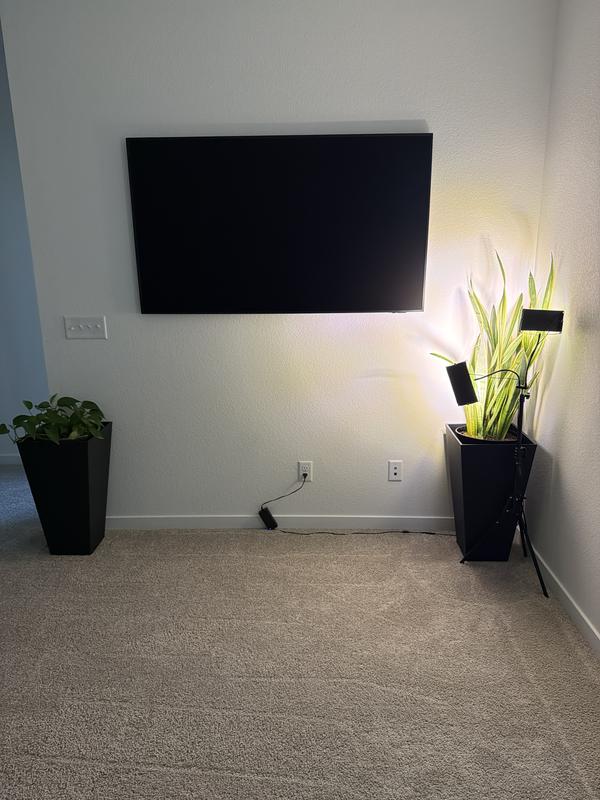
The frame TV is in my loft. It shows the art so well.
0up votes 0
0down votes 0
Report
The Frame
This reviewer received a free product or coupon in exchange for an unbiased review of the product
Reviewed at:
Samsung US
Posted Apr 4, 2026
Excellent
I put this in a room with lots of windows and it has almost no glare or reflection. Really amazing. The art mode is beautiful. I recommend getting a frame for it. It will look like a piece of art rather than a black blank space on your wall. The more textured paintings look great. It almost has depth to the image.
0up votes 0
0down votes 0
Report
Picture quality difficult
Reviewed at:
Samsung Canada
Posted Apr 3, 2026
Most visually attractive tv on the market
Have been having trouble getting the picture settings right. Ive used ai optimized, used my phone, played around it expert settings, etc. The picture is often milking. Or to dark. I don't usually have difficulty in this area. I think I have finally got it, but it has been a journey. I don't feel that a tv in this price range should be this difficult. I appreciate t...
Read full review
0up votes 0
0down votes 0
Report
JweL
Reviewed at:
Samsung Canada
Posted Apr 1, 2026
Bigger is Better
We have had Samsung TV 's for awhile now and this new model does not disappoint. Never considered having a TV calibrated before but best decision we ever made! The set up was seamless and couldn't be happier with the picture. The resolution is excellent the brightness doesn't seem to fade regardless of light conditions. We may be older but the vibrance of the colors and...
Read full review
0up votes 0
0down votes 0
Report
RichH
Reviewed at:
Samsung Canada
Posted Apr 1, 2026
Not great picture quality
Hi There, I'm not thrilled with the Picture TV in terms of the colour. I watch a lot of golf and it seems I have blotches running from top to bottom. The colour also just doesn't look right in terms of facial complexion. I definitely wouldn't buy this for the money.
0up votes 0
0down votes 0
Report
Response from Staples :
Hello,
We appreciate you sharing your experience with us. We’re sorry to hear that you experienced challenges with your product and will share this feedback to our relevant teams.
If you would like to provide additional feedback or discuss this ticket further, our email support will be happy to assist by visiting https://www.samsung.com/ca/support/emailsupport and choosing ‘Email General Support’
Thank you,
Samsung Customer Care
April 1, 2026
Rob in Calgary
Reviewed at:
Samsung Canada
Posted Apr 1, 2026
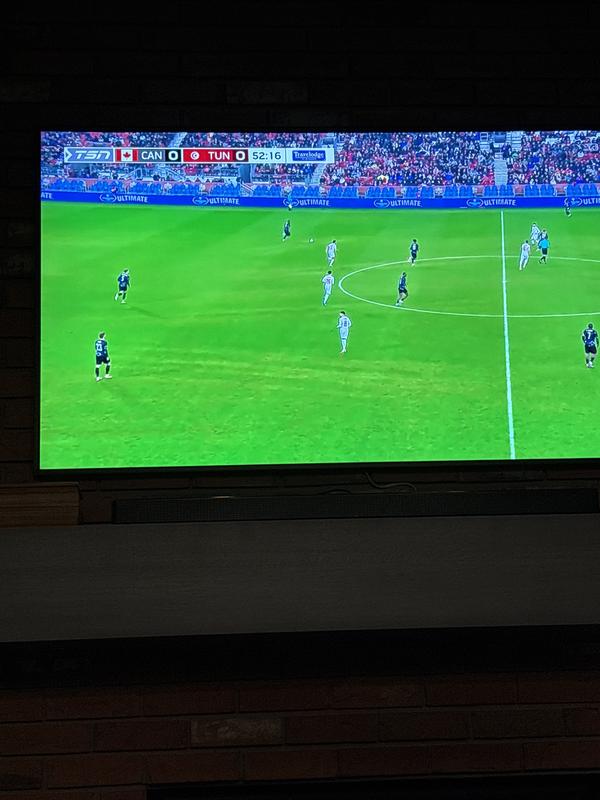
Nice tv, disappointing images
Nice tv but disappointed in the images. I expected a tv that sells itself on the artworks display would have quality images included. Not at all. Pretty boring images and not many famous pieces that rotate. Kinda wish I bought a better resolution tv rather than the artwork.
0up votes 0
0down votes 0
Report
Response from Staples :
Hello,
Thank you for taking time out of your day to providing us product feedback. We will pass this to our relevant teams.
For additional product feature feedback or troubleshooting support, please connect with our experts via Live Chat at https://www.samsung.com/ca/support/live-chat-support
Thank you,
Samsung Customer Care.
April 1, 2026
AlanS33
Reviewed at:
Samsung Canada
Posted Mar 31, 2026
Good investment but needs folders for pictures
We bought the 65 inch Frame Pro to watch the Olympics and are very satisfied. The picture is crisp, bright and yet not so bright that our eyes hurt. Our older 52 in model didn't have the ambient light sensors so this is much better.
The sound is just fine from the TV itself but we still use an external speaker.
The remote is excellent and the software is easy to use and...
The sound is just fine from the TV itself but we still use an external speaker.
The remote is excellent and the software is easy to use and...
Read full review
0up votes 0
0down votes 0
Report
Inki
Reviewed at:
Samsung US
Posted Mar 29, 2026
Warning : wireless one connect .
wireless one connect makes tick-sound when HDMI earc is connected, even Bluetooth connection is used for audio out. I never recommend this.
0up votes 0
0down votes 0
Report
Response from Staples :
Inki,
We appreciate you taking the time to let us know about your experience with your Frame Pro TV. So that we can better troubleshoot this issue and provide steps towards a solution, please contact Samsung Support at 1-800-SAMSUNG (8AM – 9PM EST Mon – Fri, 8AM – 6PM Sat – Sun), or visit our website for LiveChat.
~ Samsung Specialist
March 30, 2026
Lionlvr
This reviewer received a free product or coupon in exchange for an unbiased review of the product
Reviewed at:
Samsung US
Posted Mar 24, 2026
Great for families
Very clear picture, works amazing. Never had any problems with it
0up votes 0
0down votes 0
Report