Customer Reviews for Samsung Neo QN90F 43” Smart QLED 4K UHD AI Enabled TV (QN43QN90FAFXZA)


Item # : IM1SG8855
Model # : QN43QN90FAFXZA
- The 43" screen is a perfect fit for bedrooms, apartments, or smaller living spaces, offering premium performance without taking up too much room
- This is a Neo QLED Smart TV powered by Samsung Vision AI and Tizen OS, combining cutting-edge picture technology with smart features for a seamless viewing experience
Price is $1,299.99
1
1
2
3
4
5
6
7
8
9
10
11
12
13
14
15
16
17
18
19
20
21
22
23
24
25
26
27
28
29
30
Over 30
Add to list
549 reviews
Most helpful positive review
Posted Mar 31, 2026
WOW
Absolutely love this TV best tv we have ever owned
VS
Most helpful critical review
Posted Mar 23, 2026
TV has a line down through it
the TV has a line down the middle of it to my house I was not able to take it down and return it anyone up on the bracket . I've had to live with it I'm not happy
freetobwfee
This reviewer received a free product or coupon in exchange for an unbiased review of the product
Reviewed at:
Samsung US
Posted Apr 3, 2026
Great Product
The screen is clearly focused and very seeable to watch
0up votes 0
0down votes 0
Report
Scottie123
Reviewed at:
Samsung Canada
Posted Mar 31, 2026
WOW
Absolutely love this TV best tv we have ever owned
0up votes 0
0down votes 0
Report
Capt
This reviewer received a free product or coupon in exchange for an unbiased review of the product
Reviewed at:
Samsung US
Posted Mar 31, 2026
I like it
The TV is really great. Its brightness is amazing. The no glare screen is incredible.
0up votes 0
0down votes 0
Report
Raynel
This reviewer received a free product or coupon in exchange for an unbiased review of the product
Reviewed at:
Samsung US
Posted Mar 28, 2026
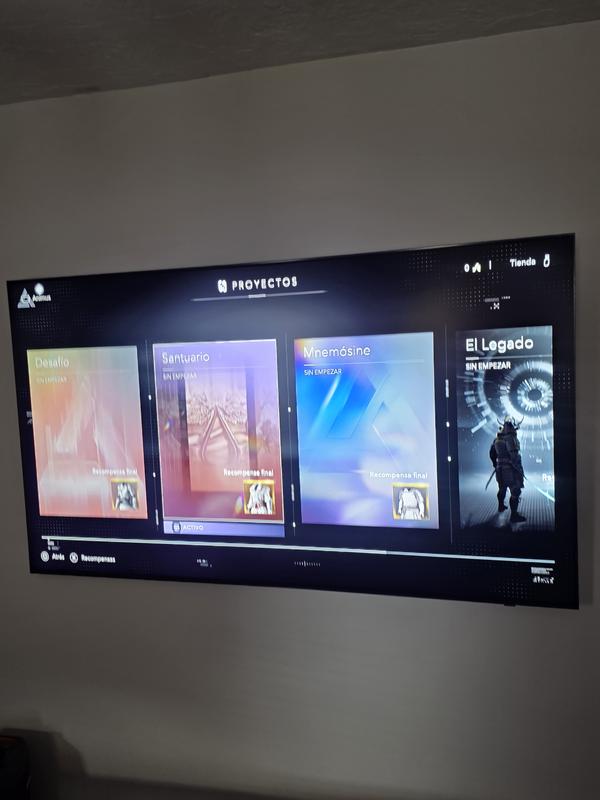
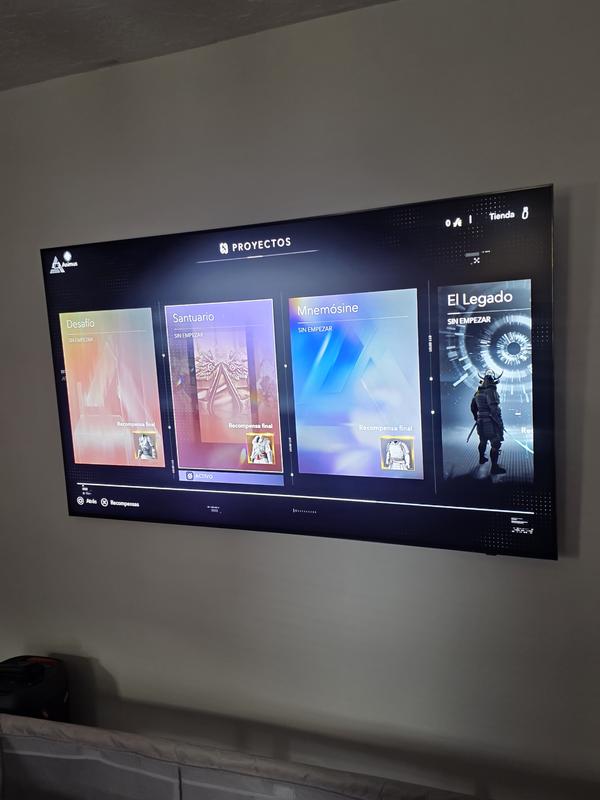
Glare free is amazing, bright and beautiful desig.
I love everything about this TV overall, refresh, contrast, and brightness.
The vibrant colors are wonderful and a pretty clear resolution.
The vibrant colors are wonderful and a pretty clear resolution.
0up votes 0
0down votes 0
Report
FrameShop
This reviewer received a free product or coupon in exchange for an unbiased review of the product
Reviewed at:
Samsung US
Posted Mar 28, 2026
Great features. Worth every penny!
After multiple analysis on various brands & models, I purchased an 85” Samsung Neo QLED (anti-glare) and I’m really impressed.
The size alone makes everything feel more like a movie theater at home. What stands out the most is the anti-glare screen—I can watch during the day without annoying reflections, which is a huge plus.
Picture quality is bright and colorful, an...
The size alone makes everything feel more like a movie theater at home. What stands out the most is the anti-glare screen—I can watch during the day without annoying reflections, which is a huge plus.
Picture quality is bright and colorful, an...
Read full review
0up votes 0
0down votes 0
Report
My 65
This reviewer received a free product or coupon in exchange for an unbiased review of the product
Reviewed at:
Samsung US
Posted Mar 24, 2026
Awesome tv
Love the quality.. and the picture. All around great tv.
0up votes 0
0down votes 0
Report
Padd
This reviewer received a free product or coupon in exchange for an unbiased review of the product
Reviewed at:
Samsung US
Posted Mar 24, 2026
W 4k tv!
This TV is da BOMB!!!! Amazing resolution and app choices to choose from. And not to mention the amazing feature where you can control it with your phone!! UGHH!! SO GREAT!
0up votes 0
0down votes 0
Report
Lynnz
This reviewer received a free product or coupon in exchange for an unbiased review of the product
Reviewed at:
Samsung US
Posted Mar 24, 2026
Nice TV
Nice tv great size for my bedroom & it has a nice picture
0up votes 0
0down votes 0
Report
Neely
This reviewer received a free product or coupon in exchange for an unbiased review of the product
Reviewed at:
Samsung US
Posted Mar 24, 2026
Very impressive product
The brightness of the 75 "tv is outstanding without seeming over bright or washed out I've always preferred a brighter screen and a lot of TVs cannot deliver this feature but this one definitely does especially excellent for movie Nights . Clarity is very impressive with this 4K picture this is the first 4K TV I've had and I'm Blown Away with the clarity of the picture....
Read full review
0up votes 0
0down votes 0
Report
Manilaboy
This reviewer received a free product or coupon in exchange for an unbiased review of the product
Reviewed at:
Samsung US
Posted Mar 23, 2026
Best Features
Best TV in the planet. Wouldn't trade it for anything else.
0up votes 0
0down votes 0
Report
Samsungjohn
This reviewer received a free product or coupon in exchange for an unbiased review of the product
Reviewed at:
Samsung US
Posted Mar 23, 2026
Best replacement TV ever
I love this television, has the best picture , so many features, the part you can say goodbye to is no move remote batteries its solar streaming is 2nd to nun seamless interface with any Bluetooth devices and wifi just can't help falling in love with this television ❤️ 💜 ♥️ 😀

0up votes 0
0down votes 0
Report
Diane Rosebud
This reviewer received a free product or coupon in exchange for an unbiased review of the product
Reviewed at:
Samsung US
Posted Mar 23, 2026
Great product!
The picture is bright, clear, the contrast feature is perfect and the resolution is awesome.
0up votes 0
0down votes 0
Report
This reviewer received a free product or coupon in exchange for an unbiased review of the product
Reviewed at:
Samsung US
Posted Mar 23, 2026
Amazing technology
Absolutely love the image is crisp and perfect as well as the ai and game mode as well as mid screen aim assist is amazing sound quality is good could be a little louder with watching streaming services through console but definitely recommend
0up votes 0
0down votes 0
Report
Victor
This reviewer received a free product or coupon in exchange for an unbiased review of the product
Reviewed at:
Samsung US
Posted Mar 23, 2026
TV has a line down through it
the TV has a line down the middle of it to my house I was not able to take it down and return it anyone up on the bracket . I've had to live with it I'm not happy
0up votes 0
0down votes 0
Report
Response from Staples :
Victor,
It’s unfortunate to hear about your experience with Samsung’s QN90F TV. We’re committed to delivering quality, value, and the best possible product experience. This TV is backed by a 1-year limited manufacturer’s warranty, which includes authorized repair for eligible defects when purchased brand-new from an authorized retailer. To review full warranty terms, you can enter your model number here: https://www.samsung.com/us/support/warranty/
We’d appreciate the opportunity to assist further. Please contact Samsung Customer Support at 1-800-SAMSUNG (8AM – 12AM EST, 7 days a week), or connect with a LiveChat agent by clicking the ‘Support’ link on our website.
~ Samsung Specialist
March 24, 2026
Mike
This reviewer received a free product or coupon in exchange for an unbiased review of the product
Reviewed at:
Samsung US
Posted Mar 23, 2026
Quality product
Quality is great with bright graphics. My husband needed a TV with high resolution and clarity because he is visually impaired. The 85" was the perfect choice.
0up votes 0
0down votes 0
Report
Ilovesamsung
This reviewer received a free product or coupon in exchange for an unbiased review of the product
Reviewed at:
Samsung US
Posted Mar 23, 2026
Great features and price
Was very delight with the Killer pictures and very great.
0up votes 0
0down votes 0
Report
Sunny
This reviewer received a free product or coupon in exchange for an unbiased review of the product
Reviewed at:
Samsung US
Posted Mar 23, 2026
Great tv
Great tv! Sometimes the operating system hangs but other than that everything is fine
0up votes 0
0down votes 0
Report
Korbs78
This reviewer received a free product or coupon in exchange for an unbiased review of the product
Reviewed at:
Samsung US
Posted Mar 23, 2026
Great features easy to read menu
Wonderful clarity and picture. One of the best qled TVs I've ever owned. The brightness 8 out of 10. Contrast 7 out of 10. Vibrancy 9.5 out of 10. Resolution 10 out of 10.
0up votes 0
0down votes 0
Report
Abeleon
This reviewer received a free product or coupon in exchange for an unbiased review of the product
Reviewed at:
Samsung US
Posted Mar 23, 2026
Looks good
Looks great but hulu, disny+, crunchyroll, peacock, tubi and other apps stopped working a year in. Was not covered under warranty. Had to resort to a roku stick to use the tv for these apps.
0up votes 0
0down votes 0
Report
Response from Staples :
Abeleon,
We appreciate you taking the time to let us know about your experience. So that we can better troubleshoot this issue and provide steps towards a solution, please contact Samsung Support at 1-800-SAMSUNG, 8AM – 12AM EST, 7 days a week, or visit our website for LiveChat.
~ Samsung Specialist
March 23, 2026
Buk Buk
This reviewer received a free product or coupon in exchange for an unbiased review of the product
Reviewed at:
Samsung US
Posted Mar 23, 2026
Great TV
Picture is very clear and the colors are deep and vivid
0up votes 0
0down votes 0
Report