New Tech ROI: How Do I Know If an Upgrade Is Worth It?
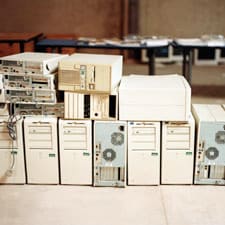
Sooner or later, every computer starts breaking down. Find out when it’s time to stop fixing things that are going wrong — and to start shopping for a new PC.
Nothing lasts forever. If there’s one thing we’ve learned from the countless generations of technology that have raised and shattered our hopes, it’s this. Even the best-designed and fastest new computers inevitably will succumb to the passage of time. All those shiny parts break, wear out and eventually need replacing.
The real question is what to do about it. When is a part worth repairing, and when should it be replaced completely? How do you know when it’s time to stop with the upkeep and go for an upgrade instead?
In this column, we address these age-old questions, examining the decline and fall of your various computer parts and deciding when the ROI on that PC is DOA.
Random Access Memory (RAM)
RAM is the most interchangeable of all your computer’s parts. If you’re suffering with a sudden slowdown in performance, one or more of your RAM chips may have failed. The good news is that you can often click in a newer RAM module without much hassle. New RAM can bring other benefits as well, such as higher speeds and more memory.
Check your manual to see how many slots, or DIMMs, you have under the hood of your machine. If your motherboard can handle some of the faster RAM chips, you're in luck. Consider doubling your RAM (or more) if you're already inside the chassis..
Ease of replacement: 8 out of 10. (Want to see RAM replacement in action? Our visual RAM replacement gallery walks you through the entire process.)
Graphics Card
Many newer computers also come with built-in graphics capability, eliminating the need for an additional graphics card. Low- to mid-level PCs use these cards for menial rendering tasks such as watching online videos and running Skype. Higher-end PCs require dedicated graphics cards to run media-intensive applications, like Aftereffects and advanced gaming.
Consider what you’ll use the card for before buying the latest and the greatest. After all, you may not need it. Even low-end graphics cards can easily handle full-screen video chat, high-def media clips and some basic video editing.
Ease of replacement: 6.
The Processor
What if the computer just stops working? One of the most common culprits in a total breakdown is the computer chip, or central processing unit (CPU). If this fails, all bets are off; the CPU is the engine that runs everything your computer can do.
Motherboards, which are large cards made from silicon and located where the CPU lives, are designed specifically to handle the architecture of certain chips, so swapping out one for another is rarely a good idea. If you simply must upgrade this component, be sure to check all the techy details (e.g., pin configuration and power rating) before you install. Our opinion: When the chip dies, it’s time for a new computer.
Ease of replacement: 1, and not recommended without professional assistance.
The Router
And if the router dies? Small-business owners are constantly being inundated with an alphabet soup of wireless protocols and security guidance. Should you go with 802.11b, 802.11g or the extra-fancy 802.11n? What’s the deal with WEP (Wire Equivalent Privacy) versus WPA (Wi-Fi Protected Access)? Why are so many routers rated for 150 feet when their signal can barely make it past the water cooler?
Ultimately, you should base your decision on a single factor: What do you need? It’s true that wireless signals get faster as you move down the alphabet — and that WPA is far more secure than WEP. When in doubt, go with the industry standard in wireless speed, which is currently 802.11n.
Ease of replacement: 9.
Wireless Networking Cards
The router is merely the hub of your network; much of the heavy lifting goes on at each laptop and tablet. When you upgrade the router, always upgrade the wireless cards in your connected devices for seamless compatibility.
Wireless networking cards can easily be swapped in and out of laptops, so it’s always worth an upgrade if something breaks. For other wireless devices that can’t be repaired so easily, such as older e-readers and phones, it’s better to invest in a new device than send them in for repairs.
Ease of replacement: 7.
Office and Productivity Software
And what about the software that runs your business, like Microsoft Office? Small-business owners follow a predictable, emotional cycle every time a new version of their favorite application is released. First comes denial. Then resistance. And then, as the pressure mounts to attach the latest suffix to their new documents and media, the inevitable cave.
Thankfully, most office software is upgradable for free (though your employees may still have to take the time to learn a new interface). If your existing software fails altogether, invest in the most recent version of any program you need. You’ll buy yourself a buffer before it all becomes obsolete once again.
Ease of replacement: 9.
The Operating System
Our relationship with operating systems follows the same general contours as the software saga: we resist, and then we capitulate. More often than not, a new operating system is worth the effort to upgrade. With the notable exception of Windows Vista’s first release, most major platforms tend to come to market polished and stable.
The big concern is whether your existing hardware can handle the changes. If you love the operating system (OS) you have, or worry that your old PC might go into cardiac arrest with a more demanding OS, it’s okay to wait until you buy a new PC. You may also want to wait if your favorite applications are not yet rated to run on the new OS — or if you’re in a busy sales cycle. Learning a new platform takes time, and often there’s a dip in productivity while everyone gets on the same page. Plan accordingly.
Ease of replacement: 5.
Wait, but Not Forever
The bottom line for all of these decisions is money. If you can afford new products and don’t anticipate any major interruptions to your workflow, newer is almost always better. Just remember the basics when you purchase: value and time.
Let the principles of ROI govern your decisions, and you can stay current and solvent well into the future.