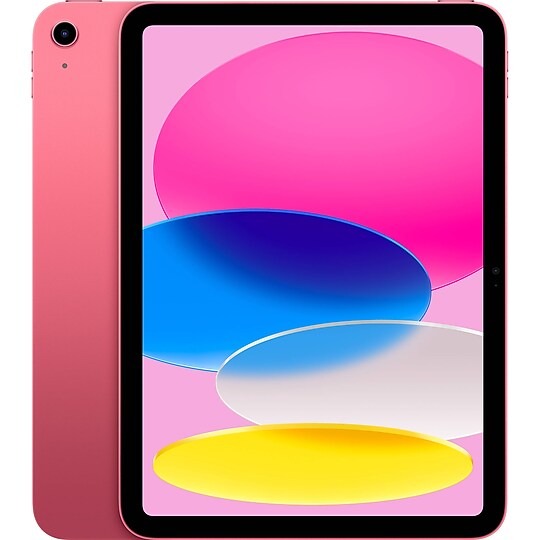
Windows 10 Tablets & iPads
Best Match
Grid view
Pick up and Delivery
Price
Tablet Model
WiFi Type
Tablet Screen Size
Color Family
Staples offers a range of Windows tablets, along with other smart devices and e-readers, so that individuals can optimize work and entertainment in the office, at home, and on the go. In addition to running on one of the most trusted operating systems, the tablets are convenient to use, and they feature some of the best innovations of mobile technology. Choosing the right device depends on the flexibility and design, size, intended use, battery life, and storage capacity, among other specifications. Browse Staples to find the device that meets requirements.
Choose the appropriate design for the tablet
The design of the standalone Windows tablet is similar to an oversized smartphone, 0.5 inch or less thick, and weighs 1 to 2 pounds with a large touch screen for compactness and portability.
The 2-in-1 tablet is convertible from tablet to laptop mode and vice versa and is ideal for professionals who prefer to organize their work on one device. Some convertible Windows tablets come with detachable keyboards, or the keyboard flips back to simulate a laptop while in landscape view. The screen size for the convertible tablet is larger at 12 to 14 inches to accommodate the additional flexibility and design features.
The size of the Windows tablet is a key factor
Tablets with screen sizes between 7 and 10 inches are light, portable, and small enough for comfortable use with one hand. Tablets in the 10-inch screen size range are light and medium-size, and they provide the ideal balance of portability and efficiency. The larger tablets are bulkier and less portable, and they work best as laptop replacements or where size and weight aren't the main priorities.
Consider the intended use for the tablet
Any tablet with Windows lets users perform general tasks downloading emails, web browsing, reading e-books, and playing music. Tablets for business use should have at least a 9-inch screen and additional features for pen-input support, multitasking, and the keyboard for optimum office functionality.
An ideal gaming tablet should provide the right balance between portability, power, processing capability, and graphics quality. The convertible Windows tablet is more suitable for high-end portable gaming. The essential features to consider for kids' tablets are size, durability, and parental control. The tablet should be small enough to fit in their hands and tolerant to damage from breaking or scratching.
Determine the storage capacity and battery life
Most convertible Windows tablets have storage of 256GB or more while standalone tablets range from 8GB to 128GB. Some Windows 10 tablets also have SD card readers that allow the user to enlarge the device memory. Select a Windows tablet with the appropriate storage and expandable capacity that matches your frequency and purpose of use. Choose a Windows-based tablet that lasts longer on a single charge, so you don't have to stop working to recharge. Devices that endure 7 hours or more are recommended.
Do you need to connect to the internet to operate a Windows tablet?
While you do need to connect to the internet for some functionality, the device works well offline as well as online.
Do all tablets with Windows have touch features?
Touch features are only available on some Windows 10 devices.
How many editions of Windows 10 are there?
There are two versions, which are Windows 10 Home and Windows 10 Pro edition.
Choose the appropriate design for the tablet
The design of the standalone Windows tablet is similar to an oversized smartphone, 0.5 inch or less thick, and weighs 1 to 2 pounds with a large touch screen for compactness and portability.
The 2-in-1 tablet is convertible from tablet to laptop mode and vice versa and is ideal for professionals who prefer to organize their work on one device. Some convertible Windows tablets come with detachable keyboards, or the keyboard flips back to simulate a laptop while in landscape view. The screen size for the convertible tablet is larger at 12 to 14 inches to accommodate the additional flexibility and design features.
The size of the Windows tablet is a key factor
Tablets with screen sizes between 7 and 10 inches are light, portable, and small enough for comfortable use with one hand. Tablets in the 10-inch screen size range are light and medium-size, and they provide the ideal balance of portability and efficiency. The larger tablets are bulkier and less portable, and they work best as laptop replacements or where size and weight aren't the main priorities.
Consider the intended use for the tablet
Any tablet with Windows lets users perform general tasks downloading emails, web browsing, reading e-books, and playing music. Tablets for business use should have at least a 9-inch screen and additional features for pen-input support, multitasking, and the keyboard for optimum office functionality.
An ideal gaming tablet should provide the right balance between portability, power, processing capability, and graphics quality. The convertible Windows tablet is more suitable for high-end portable gaming. The essential features to consider for kids' tablets are size, durability, and parental control. The tablet should be small enough to fit in their hands and tolerant to damage from breaking or scratching.
Determine the storage capacity and battery life
Most convertible Windows tablets have storage of 256GB or more while standalone tablets range from 8GB to 128GB. Some Windows 10 tablets also have SD card readers that allow the user to enlarge the device memory. Select a Windows tablet with the appropriate storage and expandable capacity that matches your frequency and purpose of use. Choose a Windows-based tablet that lasts longer on a single charge, so you don't have to stop working to recharge. Devices that endure 7 hours or more are recommended.
Do you need to connect to the internet to operate a Windows tablet?
While you do need to connect to the internet for some functionality, the device works well offline as well as online.
Do all tablets with Windows have touch features?
Touch features are only available on some Windows 10 devices.
How many editions of Windows 10 are there?
There are two versions, which are Windows 10 Home and Windows 10 Pro edition.