

SanDisk External Hard Drives
Best Match
Grid view
Pick up and Delivery
Brand
Rating

Item: IM13AC349
Model: SDDR-409-A46
Price is $69.99
Free delivery by Fri, Jul 10
1
1
2
3
4
5
6
7
8
9
10
11
12
13
14
15
16
17
18
19
20
21
22
23
24
25
26
27
28
29
30
Over 30
Add to list
Trending now
Page 1 of 4
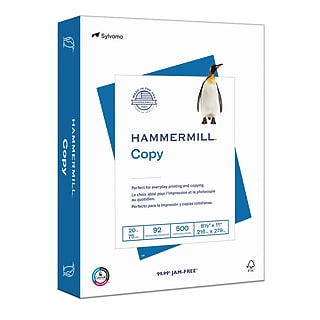
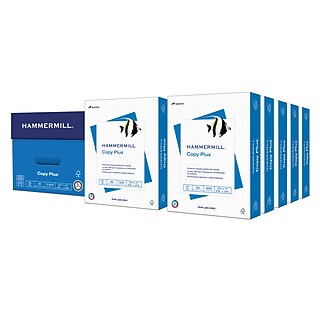
Price is $39.99, Regular price was $83.19, You save 51%
Unit of measure 5000/Carton
Free Next-Day eligible by tomorrow
30-min pickup
1
1
2
3
4
5
6
7
8
9
10
11
12
13
14
15
16
17
18
19
20
21
22
23
24
25
26
27
28
29
30
Over 30
Add to list


Price is $82.99
Unit of measure 88/Carton Price per unit $0.94/Pod
Free Next-Day eligible by tomorrow
1
1
2
3
4
5
6
7
8
9
10
11
12
13
14
15
16
17
18
19
20
21
22
23
24
25
26
27
28
29
30
Over 30
Add to list


Price is $26.49
Next-Day Delivery by tomorrow
30-min pickup
1
1
2
3
4
5
6
7
8
9
10
11
12
13
14
15
16
17
18
19
20
21
22
23
24
25
26
27
28
29
30
Over 30
Add to list
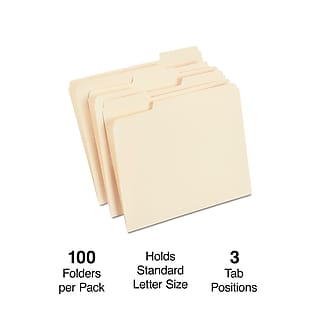
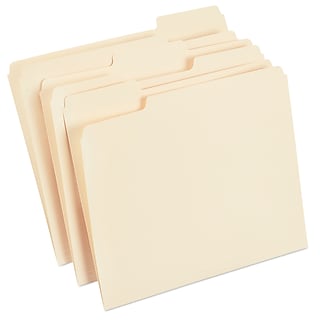
Price is $18.49
Unit of measure 100/Box Price per unit $0.18/File Folder
Next-Day Delivery by tomorrow
30-min pickup
1
1
2
3
4
5
6
7
8
9
10
11
12
13
14
15
16
17
18
19
20
21
22
23
24
25
26
27
28
29
30
Over 30
Add to list

Price is $41.99
Unit of measure 12/Pack Price per unit $4.27/100 Sheets
Free Next-Day eligible by tomorrow
30-min pickup
1
1
2
3
4
5
6
7
8
9
10
11
12
13
14
15
16
17
18
19
20
21
22
23
24
25
26
27
28
29
30
Over 30
Add to list


















External hard drives provide space for important files, images, and videos that can quickly fill up internal storage space on your desktop computer or laptop. A SanDisk external hard drive comes in a variety of memory options and with different features that make them an ideal fit for most businesses and professionals.
Choosing a SanDisk External SSD or HDD
External hard drives come in either solid state or hard disk drive (HDD) options. A traditional HDD uses a spinning, magnetic platter for storing information. These options use an arm with a read/write head for accessing data as the platter spins. SSD units store information using flash memory chips. Both options are rewritable, and they feature controllers and interfaces that work with traditional computer and enterprise-class storage systems. With SSD options, data is erased in blocks before rewriting to it, while the magnetic surface of HDD units let users rewrite any information that isn't protected on the drive. This leads to SSDs having a limited number of rewrites possible, while HDDs can be rewritten as many times as necessary.
SSD products provide faster upload and response speeds than traditional HDDs. These options have no moving parts, eliminating the risk of failure due to hardware issues and providing quieter operation. HDDs provide budget-friendly options, even at higher capacities, making them a good choice for backing up large amounts of information, frequently accessed files, and operating systems.
Considering the Capacity of SanDisk External Hard Drives
External hard drives come in different capacities that range from 128GB to 480GB for SSDs and 250GB to 12 terabytes (TB) for HDDs. Options like the SanDisk external SSD with a 128GB capacity store up to 25,000 digital images, which makes them suitable for backing up a similarly sized internal disk drive. Options with 480GB capacities store approximately 90,000 images or 120,000 MP3 song files, ensuring plenty of space for holding digital libraries and freeing up computer memory. External hard disk drives that have a 12TB capacity store up to 3,720,000 images or 204,000 hours of music. Larger external drives provide plenty of space for backing up multiple office computers, ensuring important files are available if there is a malfunction in the main system.
Which SanDisk External Hard Drive Type is More Durable?
Solid state drives don't have moving parts, which protects against damage due to normal wear during use. These drives also provide protection against bumps that can occur during transit. There are also external SSD and HDD options that feature durable coatings and casings that provide additional protection for those who travel or use their equipment in industrial environments.
Are External Hard Drives Compatible with Multiple Systems?
There are external drives that work specifically with Mac or PC systems. Other choices work with both systems, ensuring options suitable for most users.
How Do External Hard Drives Receive Power?
External hard drives require an AC outlet for power, which means they don't take up a USB port on your computer or laptop. These options also have a fan that keeps the unit cool and protects against overheating during long periods of operation.
Trending
WD External Hard Drives | LaCie External Hard Drives | Seagate External Hard Drives | Western Digital External Hard Drives | Buslink External Hard Drives | Desktop External Hard Drives | Portable External Hard Drives | MicroNet External Hard Drives | Apricorn External Hard Drives | Verbatim External Hard Drives
Choosing a SanDisk External SSD or HDD
External hard drives come in either solid state or hard disk drive (HDD) options. A traditional HDD uses a spinning, magnetic platter for storing information. These options use an arm with a read/write head for accessing data as the platter spins. SSD units store information using flash memory chips. Both options are rewritable, and they feature controllers and interfaces that work with traditional computer and enterprise-class storage systems. With SSD options, data is erased in blocks before rewriting to it, while the magnetic surface of HDD units let users rewrite any information that isn't protected on the drive. This leads to SSDs having a limited number of rewrites possible, while HDDs can be rewritten as many times as necessary.
SSD products provide faster upload and response speeds than traditional HDDs. These options have no moving parts, eliminating the risk of failure due to hardware issues and providing quieter operation. HDDs provide budget-friendly options, even at higher capacities, making them a good choice for backing up large amounts of information, frequently accessed files, and operating systems.
Considering the Capacity of SanDisk External Hard Drives
External hard drives come in different capacities that range from 128GB to 480GB for SSDs and 250GB to 12 terabytes (TB) for HDDs. Options like the SanDisk external SSD with a 128GB capacity store up to 25,000 digital images, which makes them suitable for backing up a similarly sized internal disk drive. Options with 480GB capacities store approximately 90,000 images or 120,000 MP3 song files, ensuring plenty of space for holding digital libraries and freeing up computer memory. External hard disk drives that have a 12TB capacity store up to 3,720,000 images or 204,000 hours of music. Larger external drives provide plenty of space for backing up multiple office computers, ensuring important files are available if there is a malfunction in the main system.
Which SanDisk External Hard Drive Type is More Durable?
Solid state drives don't have moving parts, which protects against damage due to normal wear during use. These drives also provide protection against bumps that can occur during transit. There are also external SSD and HDD options that feature durable coatings and casings that provide additional protection for those who travel or use their equipment in industrial environments.
Are External Hard Drives Compatible with Multiple Systems?
There are external drives that work specifically with Mac or PC systems. Other choices work with both systems, ensuring options suitable for most users.
How Do External Hard Drives Receive Power?
External hard drives require an AC outlet for power, which means they don't take up a USB port on your computer or laptop. These options also have a fan that keeps the unit cool and protects against overheating during long periods of operation.
Trending
WD External Hard Drives | LaCie External Hard Drives | Seagate External Hard Drives | Western Digital External Hard Drives | Buslink External Hard Drives | Desktop External Hard Drives | Portable External Hard Drives | MicroNet External Hard Drives | Apricorn External Hard Drives | Verbatim External Hard Drives